Most people who fail the CCNA do not fail because the material is too hard. They fail because they studied randomly: three weeks deep in subnetting videos, then a detour into OSPF, then panic-cramming ACLs the weekend before. A CCNA study plan fixes the order and the pace, and 90 days is enough time to do it properly while working a full-time job.
This plan schedules the whole 200-301 v1.1 blueprint week by week over 13 weeks, using the free guides, hands-on labs, and practice tests in our CCNA series. Every line links the exact resource for that day, and there is a printable planner PDF at the end so the schedule can live on your desk instead of in a browser tab.
Put this plan together in July 2026 around the series content that is live right now; every linked guide and lab below is free.
Is the CCNA hard?
The CCNA is an entry-level certification with a professional-sized syllabus. No single topic on it is difficult in isolation. The difficulty comes from breadth (six domains covering everything from cabling to automation) and from time pressure, because 100-plus questions in 120 minutes leaves no room to derive subnet math from first principles. Cisco does not publish pass rates, but the two failure patterns are consistent across every study forum: candidates who cannot subnet quickly, and candidates who read everything but never touched a router CLI.
Both problems are schedule problems. Subnetting speed comes from small daily practice over weeks, not a heroic weekend. CLI comfort comes from labbing every configure-and-verify topic as you learn it. The plan below bakes in both, and budgets roughly 100 to 150 total hours: 60 to 90 minutes on weekdays plus a longer lab session on weekends.
How the 90 days are structured
The plan runs in three 30-day phases: fundamentals and IP addressing first, then switching and routing (the two heaviest domains), then services, security, and a full review. Three rules hold the whole thing together.
- Read, then lab, then quiz. Every configure-and-verify topic gets all three passes. Reading alone creates recognition, not recall, and the CCNA tests recall under time pressure.
- Ten subnetting problems a day, every day, from week 3 onward. Non-negotiable. Subnetting shows up inside questions from every domain, and fluency is what buys you time for the hard questions.
- A practice test closes each of the four biggest domains. Fundamentals, Network Access, IP Connectivity, and Security each end with a checkpoint. Score under 80% and you loop back before moving on, because moving forward on a weak foundation is how week 12 panic happens.
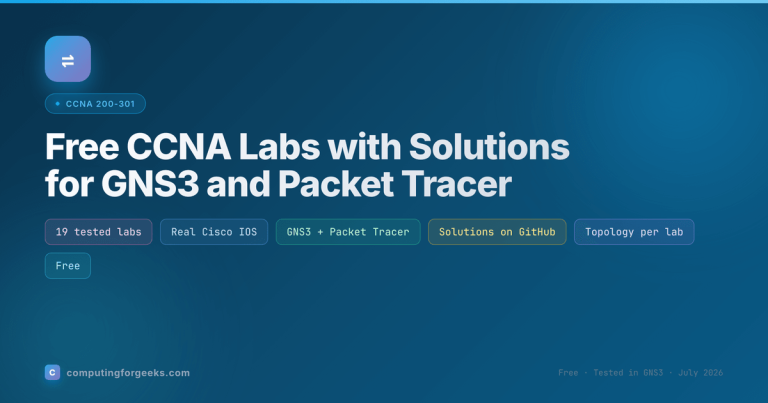
You need a lab environment from week 2. Both platforms are free: GNS3 (you supply your own Cisco images) or Cisco’s Packet Tracer. The CCNA labs hub covers both platforms and indexes every lab this plan assigns, with solution configs on GitHub.
Days 1-30: fundamentals, IP addressing, and the CLI
Month one builds the vocabulary and the two skills everything else depends on: subnetting and basic IOS navigation. Day 1 is deliberately light. Read what the certification actually tests, then book a test date about 13 weeks out. A booked date converts a vague intention into a deadline.
| Days | Focus | Read and do |
|---|---|---|
| 1 | Orientation | The exam topics breakdown, then book your test date |
| 2-4 | Network models | OSI and TCP/IP models, TCP vs UDP |
| 5-7 | Devices and designs | Routers, switches, firewalls, APs, network architectures |
| 8-10 | Physical layer | Copper vs fiber cabling, PoE |
| 11-12 | Switching logic | How switches learn MAC addresses, first GNS3 session |
| 13-14 | Wireless and virtualization | Wireless fundamentals, VMs, containers and VRF |
| 15-17 | IPv4 | IPv4 addressing |
| 18-21 | Subnetting | Subnetting by requirements, VLSM, print the subnetting cheat sheet |
| 22-23 | IPv6 | IPv6 addressing, verify IP settings on your own machines |
| 24-26 | Cisco CLI | IOS CLI navigation, base device configuration lab |
| 27-28 | Remote access | SSH access lab, bookmark the command cheat sheet |
| 29-30 | Checkpoint | Domain 1 practice test; under 80% means loop back before month two |
The week 3 subnetting block is where most plans quietly die, so treat those four days as protected time. The goal by day 21 is a /26 or /28 breakdown in under a minute, and the only route there is repetition.
Days 31-60: switching and routing, the heavy middle
Network Access and IP Connectivity together carry 45% of the question weight, and nearly every topic in this month is configure-and-verify. This is the month where the read-lab-quiz rule earns its keep. Every lab below has a matching solution config in the labs repo, but build from a blank canvas first and only diff against the solution when stuck.
| Days | Focus | Read and do |
|---|---|---|
| 31-34 | VLANs and trunking | VLAN lab, 802.1Q trunking lab |
| 35-37 | Discovery protocols | CDP and LLDP lab |
| 38-40 | Spanning Tree | STP concepts and the triangle lab |
| 41-43 | Link aggregation, wireless | EtherChannel lab, wireless architectures and AP modes |
| 44 | Checkpoint | Domain 2 practice test |
| 45-47 | Routing logic | Read the routing table, packet forwarding decisions |
| 48-51 | Static routing | IPv4 static routes lab, IPv6 static routes lab |
| 52-55 | OSPF | OSPF concepts, single-area OSPF lab |
| 56-58 | Inter-VLAN routing | Router-on-a-stick lab, Layer 3 switch SVI lab |
| 59-60 | First-hop redundancy | HSRP lab |
Close the month with two days of IP connectivity troubleshooting drills and the Domain 3 practice test. Domain 3 is the largest on the blueprint, so scoring low here is normal on the first pass. Loop back over the routing labs rather than pushing into month three with a routing gap.
Days 61-90: services, security, and the review that gets you over the line
Month three covers the remaining three domains, then spends the final week consolidating instead of learning anything new. That final week matters more than any single topic in it.
| Days | Focus | Read and do |
|---|---|---|
| 61-63 | Address services | NAT and PAT lab, DHCP server and relay lab |
| 64-67 | Management services | NTP lab, SNMP and syslog lab, QoS concepts |
| 68-70 | Security foundations | Security concepts, device access control |
| 71-74 | AAA and ACLs | AAA with RADIUS and TACACS+, ACL lab |
| 75-78 | Layer 2 security | Port security lab, DHCP snooping lab, Dynamic ARP Inspection lab |
| 79-81 | VPNs, checkpoint | VPN types, then the Domain 5 practice test |
| 82-84 | Automation and AI | The Domain 6 section of the exam topics breakdown, plus the automation chapters of your study book |
| 85-87 | Lab consolidation | Rebuild three labs from a blank canvas with no notes: one switching, one routing, one security |
| 88-89 | Question consolidation | Retake every domain test, run the mixed practice questions, drill only what misses |
| 90 | Rest | Light review, confirm ID and testing logistics, sleep |
Domain 6 is the one stretch where the series leans on your book instead of a hands-on lab, because automation and AI questions on the current blueprint are conceptual rather than configure-and-verify. Know what REST APIs, Ansible and Terraform are for, how controller-based networking differs from device-by-device management, and where AI fits in network operations. That depth is enough for its roughly 10% weight.
Get the printable 90-day planner
The whole schedule above fits on one printable page: 13 week cards with day ranges, the daily rules, and space to tick things off. Stick it next to your monitor and the plan survives contact with a busy week far better than a bookmark does.
What to do when you fall behind
You will fall behind at some point; a 13-week plan always collides with real life. The recovery move is to cut scope, not quality. Skip a concept-only topic and catch it in week 13, but never skip a lab, and never skip the daily subnetting. If you land more than a full week behind by day 60, push the test date back two weeks rather than compressing the review. Moving the date costs you two weeks; failing costs the full $300 (US) exam fee and a month of morale.
And if the schedule holds, resist the urge to move the date earlier. Day 85 to 89 consolidation is what turns 12 weeks of inputs into a pass, because retrieval under exam conditions is a different skill from recognizing material you have read. Ninety days of steady, ordered work beats six months of enthusiasm every time.