Fedora 44 and Ubuntu 26.04 LTS shipped five days apart in late April 2026 (Ubuntu on the 23rd, Fedora on the 28th), both now run the Linux 7.0 kernel family on updated installs, both ship GNOME 50.1 as the default desktop, both have glibc 2.43, Python 3.14, systemd 259, and OpenSSL 3.5. On paper the two distros have never been closer. The Fedora 44 vs Ubuntu 26.04 comparison that actually matters is everything around that shared core: how you install software, how you upgrade, how the desktop is patched, what the gaming and dev stories look like, and what the next twelve months of release cadence will throw at you.
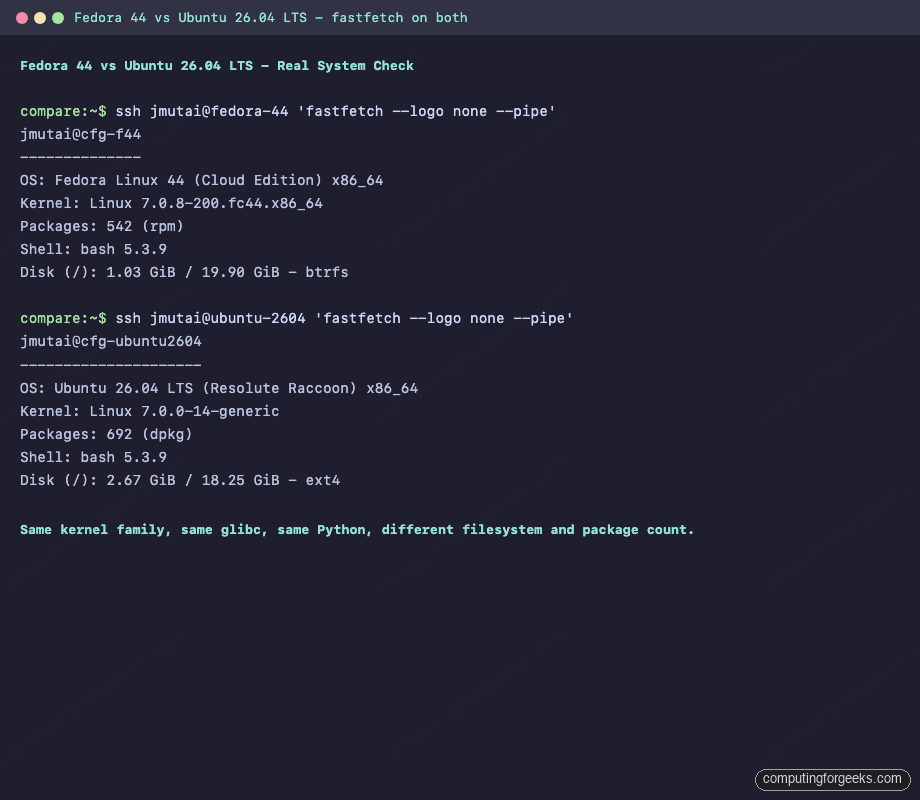
This piece is the unvarnished side-by-side. Numbers and commands were captured on real fresh installs of each distro on the same host. If you are picking between Fedora 44 and Ubuntu 26.04 for a workstation, a server, a homelab, or a dev box, the next 3,000 words are for you.
Tested May 2026 on Fedora Linux 44 (kernel 7.0.8-200.fc44, dnf5 5.4.2.0) and Ubuntu 26.04 LTS “Resolute Raccoon” (kernel 7.0.0-14-generic, apt 3.2.0)
Fedora 44 vs Ubuntu 26.04 at a glance
Quick reference table. Versions are the GA-shipped defaults on May 2026, not future-update values.
| Area | Fedora 44 | Ubuntu 26.04 LTS |
|---|---|---|
| Release date | April 28, 2026 | April 23, 2026 |
| Codename | (none, version-only) | Resolute Raccoon |
| Support window | 13 months (F44 EOL ~Jun 2027) | 5 years standard (Apr 2031), 10 years with Ubuntu Pro (Apr 2036) |
| Release cadence | Every ~6 months | Every 6 months, LTS every 2 years |
| Kernel (GA) | 7.0.x (e.g., 7.0.8-200.fc44) | 7.0.x (e.g., 7.0.0-14-generic) |
| glibc | 2.43 | 2.43 |
| systemd | 259.5 | 259.5 |
| Default desktop | GNOME 50.1 (Wayland-only) | GNOME 50.1 (with Yaru theme, Wayland-only) |
| KDE option | KDE Spin (Plasma 6.6) | Kubuntu (Plasma 6.5) |
| Package manager | dnf5 5.4.2 (libdnf5, C++) | apt 3.2.0 |
| Package format | RPM 6.0 | Debian (.deb) |
| Third-party software path | RPM Fusion (free + nonfree) | PPAs + universe/multiverse |
| Universal-package preference | Flatpak (Flathub) | Snap (preinstalled by default) |
| Container model | Podman + Toolbox + Distrobox | Docker + LXD + Snap-Docker |
| Default firewall | firewalld | ufw |
| MAC framework | SELinux (enforcing) | AppArmor |
| Default filesystem | Btrfs | ext4 |
| GCC | 16.1.1 | 15.2.0 |
| Python | 3.14.4 | 3.14.4 |
| Ruby | 4.0.1 | 3.3 |
| Go | 1.26.3 | 1.26 |
| PHP | 8.5.6 | 8.5 |
| MariaDB | 11.8.6 | 11.8.6 |
| Mesa | 26.0.6 | 26.0.3 |
| Wine (in default repos) | 11.0 | 10.0 |
| NTSYNC kernel module | Enabled, in-tree | Available, not auto-enabled for Wine |
| Snap installed by default | No | Yes |
| Flatpak installed by default | Yes (Workstation/Silverblue/Kinoite) | No (install via apt) |
| Atomic variant | Silverblue / Kinoite / Sericea / Onyx | Ubuntu Core (server only) |
Release cadence and lifecycle
This is the single biggest reason to pick one over the other. Ubuntu and Fedora ship on roughly the same six-month cycle, but the support windows are radically different.
Fedora 44 will receive security and bug updates for about thirteen months, until roughly June 2027. When Fedora 45 lands in October 2026, you have eight months of overlap to do a dnf system-upgrade. Miss it, and the system ages out of supported. That is the price of being on the leading edge of every kernel, every GNOME release, every GCC.
Ubuntu 26.04 LTS, by contrast, is supported by Canonical for five years (April 2031), with an extra five years available through the free-for-personal-use Ubuntu Pro tier, bringing total security maintenance to April 2036. The trade-off: the userland stays largely frozen across point releases. You will not get GCC 16, Ruby 4.0, or Wine 11 on Ubuntu 26.04 from the default repos at any point in those ten years unless you opt into a PPA, a Snap, or a Flatpak.
Fedora picks: you want the latest of everything and you do not mind a major upgrade every spring and fall. Ubuntu picks: you want to install once and stop thinking about it for the next decade.
Default desktop: GNOME 50 on both, different tuning
For the first time in years, the default desktop choice on Fedora Workstation and Ubuntu Desktop is the same GNOME version. Both ship GNOME 50.1 with Wayland as the only session. Fedora removed the X.org session entirely from GDM; Ubuntu 26.04 also completed the upstream shift from X.org and ships a Wayland-only GNOME session. In both, X11 applications still run transparently via XWayland.
What differs is the styling and the patch set. Fedora ships upstream GNOME 50.1 with minimal modification (background, branding, a small list of preinstalled apps). Ubuntu ships GNOME 50.1 with the long-running Yaru theme, a permanent dock on the left (Ubuntu Dock, the maintained Dash to Dock fork), tray-icon support via AppIndicator extension, and a quick toggle for sound from the indicator menu. If you have used Ubuntu in the past decade, the desktop will feel familiar; if you have used Fedora Workstation, the same will be true.
Both pick up the headline GNOME 50 features (native parental controls, color management, improved RDP remote desktop, refreshed File Manager and Calendar). Variable Refresh Rate (VRR) and fractional scaling are stable in Settings on both. The deltas worth knowing about:
- Ubuntu’s tiling enhancements are more aggressive: the Quarter-tile WM features that have been a flag in upstream GNOME are on by default.
- Fedora’s extensions story is more conservative: only
gnome-shell-extension-pop-shellships in repos by default; the rest are user-installable from extensions.gnome.org or viagnome-extensions-manager. - Ubuntu ships several extensions pre-enabled (Ubuntu Dock, Ubuntu AppIndicators, Desktop Icons NG) that some users will want to disable; Fedora ships none of these.
- The KDE story is asymmetric. Fedora’s KDE Spin tracks Plasma upstream tightly and shipped Plasma 6.6 with the new Plasma Login Manager. Kubuntu 26.04 LTS shipped Plasma 6.5 because it predates the 6.6 release window.
Package management: dnf5 vs apt 3
Both distros made meaningful package-manager moves recently. Fedora 41 promoted DNF5 (the C++/libdnf5 rewrite) to the default /usr/bin/dnf; Fedora 43 switched the Anaconda installer to DNF5; Fedora 44 then moved PackageKit onto libdnf5 too, so Cockpit, GNOME Software, and Plasma Discover now share the DNF5 backend. Ubuntu 26.04 ships apt 3.2.0 with the new APT Solver 3.0 backend as the default (the C++ resolver introduced in apt 3.0 in Ubuntu 25.04). Both moves are the same architectural direction: a C++ resolver replacing the older Python or sat-style approach. apt itself does not resolve snaps; snapd handles those separately.
Practical comparison on a small install nginx transaction:
| Operation | Fedora 44 (dnf5) | Ubuntu 26.04 (apt 3.2) |
|---|---|---|
| Install single package | sudo dnf install nginx | sudo apt install nginx |
| Update everything | sudo dnf upgrade | sudo apt update && sudo apt upgrade |
| Search | dnf search nginx | apt search nginx |
| Package info | dnf info nginx | apt show nginx |
| Remove with deps | sudo dnf remove nginx (drops unused deps automatically) | sudo apt autoremove nginx |
| System major-version upgrade | sudo dnf system-upgrade download + reboot | sudo do-release-upgrade |
| Offline transaction | sudo dnf upgrade --offline + sudo dnf offline reboot | not native |
Speed-wise the two are now in the same ballpark. The big dnf5 over Python dnf speed-up landed in F41/F42; apt 3 closed most of the remaining gap. The day-to-day “install a few packages” experience on both is noticeably faster than two years ago.
Software ecosystem: RPM Fusion + Flatpak vs PPAs + Snap
Where you actually get software outside the base repos diverges sharply.
Fedora 44 leans on a layered model:
- The official Fedora repo is conservatively filtered for licensing reasons (no proprietary codecs, no closed-source firmware).
- RPM Fusion (free + nonfree) is the standard community extension, covering codecs, NVIDIA driver akmods, Steam, Wine, VirtualBox, etc. Setup is two
dnf installcommands. - Flatpak is preinstalled. Flathub is the default user-facing source for proprietary or fast-moving apps (Discord, Slack, OBS, Spotify, JetBrains IDEs).
- Toolbox and Distrobox give you per-project containers with full distro userlands (Ubuntu, Arch, Debian, openSUSE) for cases where you need something that is not in any Fedora repo.
The two commands to bring full codecs in are sudo dnf install rpmfusion-free-release rpmfusion-nonfree-release followed by sudo dnf swap ffmpeg-free ffmpeg --allowerasing. After that you have full H.264/H.265/AAC playback and Lutris/Steam/Discord packages within reach.
Ubuntu 26.04 ships a different mix:
- The official Ubuntu repo is much larger than Fedora’s by default (universe + multiverse contribute tens of thousands of community-maintained packages, including most codecs and many proprietary apps).
- PPAs (Personal Package Archives) are the long-standing way to add third-party software. They are easy to add (
sudo add-apt-repository ppa:foo/bar) but each one is maintained by an individual. - Snap is installed by default and is the preferred distribution channel for desktop apps published by Canonical and several big upstreams (Steam, Chromium, Firefox under Ubuntu’s branding, VS Code, Spotify).
- Flatpak is not installed by default. You can
sudo apt install flatpakand add Flathub manually if you prefer it.
Pick by ideology and habit. Flatpak’s sandboxing is more transparent than Snap’s. Snap auto-updates without asking. RPM Fusion is community-driven; PPAs are individual-driven. Neither is wrong.
Developer toolchain
This is where Fedora’s “first to ship” identity pays off most. Real dnf5 info and apt-cache policy output from both distros:
| Tool | Fedora 44 | Ubuntu 26.04 |
|---|---|---|
| GCC | 16.1.1 | 15.2.0 |
| glibc | 2.43 | 2.43 |
| LLVM/clang | 22 | 21 |
| Python | 3.14.4 | 3.14.4 |
| Ruby | 4.0.1 | 3.3 |
| Go | 1.26.3 | 1.26 |
| PHP | 8.5.6 | 8.5 |
| Node.js | 22 / 24 via nodejsXX-bin | 22 (LTS) |
| Java (OpenJDK) | 25 LTS | 25 LTS |
| Rust (rustc) | 1.84 | 1.84 |
| Helm | 4.1.1 (helm3 parallel-installable) | not in default repos, install via Snap |
| Boost | 1.90 | 1.89 |
| CMake | 4.x (ninja default) | 3.31 |
| Haskell GHC | 9.10 | 9.10 |
| Ansible | 13 (Core 2.20) | 12 |
The pattern: for the very-latest of a compiler or language, Fedora wins by a release. For everything below GCC/Ruby/CMake, the two are within a point release of each other.
If your work targets Fedora-based downstreams (RHEL 11, AlmaLinux 11, Rocky 11 in the future), Fedora 44 lines up better as a development host. If you target Ubuntu LTS deployments, Ubuntu 26.04 is the obvious development host. The cross-toolchain story has never been better, so either distro can build for either target, but matching the host to the target removes whole classes of “works on my machine” surprises.
Containers and virtualization
Both distros support every meaningful container runtime, but their defaults reflect different bets.
Fedora 44 is Podman-first. podman, buildah, and skopeo are in the base repos; Podman 5.x is the current version. Toolbox and Distrobox both come from the Fedora ecosystem and are first-class. For cluster work, Kubernetes is available through native repos and Podman has full Kubernetes pod YAML support. Docker is also available from Docker’s official repo if you prefer it.
Ubuntu 26.04 is Docker-first by default (the package is named docker.io in the universe repo, and Canonical also ships a Snap-Docker for desktop convenience). LXD/Incus is the native container/VM hypervisor Canonical sponsors. Podman is available via apt but does not have the same toolbelt around it that Fedora has. For Kubernetes, Canonical pushes MicroK8s (a Snap) and Charmed Kubernetes.
For local virtualization, both ship libvirt + QEMU/KVM. VirtualBox on Fedora requires RPM Fusion; on Ubuntu it is in multiverse. GNOME Boxes is preinstalled on both.
Gaming and multimedia
Fedora 44 took a meaningful lead in gaming this cycle. The NTSYNC kernel module is built in-tree on kernel 7.0 (CONFIG_NTSYNC=m on both distros) and the Fedora repo ships Wine 11.0, the first major Wine release with first-class NTSYNC support. Install wine from the Fedora repo and you immediately get an ntsync-aware Wine. Same applies to Lutris, Heroic, and Bottles when they pull the Fedora wine dependency.
Ubuntu 26.04 ships Wine 10.0 in universe (wine 10.0~repack-12ubuntu1). The kernel has the same NTSYNC module compiled in (CONFIG_NTSYNC=m), but Wine 10 predates the first-class NTSYNC integration in Wine 11, so Ubuntu users wanting the kernel-level sync speedup either pull a newer Wine from a PPA, use a Flatpak/Snap of Wine, or use Lutris/Bottles with their own bundled Wine. Steam on Ubuntu is most commonly installed via Snap, which is convenient but adds a layer of containerization between Steam and the host graphics stack.
For multimedia codecs:
- Fedora 44 ships an “ffmpeg-free” build by default. Real codecs (H.264, H.265, AAC) come from the RPM Fusion swap. Setup is two commands; see the linked RPM Fusion guide.
- Ubuntu 26.04 ships full
ffmpegandlibavcodecwith codecs included from universe/multiverse, no swap needed. The trade-off is that some codecs are in multiverse, which is not enabled by default in some minimal/server installs.
If gaming is the deciding factor, Fedora 44 is the better default in May 2026. If you do not game and just want H.264 playback to work without typing any commands, Ubuntu 26.04 wins on out-of-box codec setup.
Server and cloud posture
On servers and in cloud, the picture flips. Ubuntu is the dominant Linux on AWS, GCP, and Azure marketplaces; Fedora Cloud and CoreOS exist but are deployed at a fraction of Ubuntu’s volume. The reasons are familiar: longer LTS, vendor-supported “Canonical Pro” tier with security backports, and a decade of muscle memory in cloud-native tooling.
Fedora 44 changed two server-relevant things in this cycle:
- Fedora Cloud now uses Btrfs as a subvolume for
/boot, eliminating the separate boot partition and simplifying image growth. - Fedora CoreOS and bootc-based artifacts are now built on Konflux (a Tekton-based pipeline) instead of legacy Jenkins. The user-facing artifact is unchanged; the supply chain is cleaner.
Ubuntu 26.04 LTS continued the well-trodden path: cloud-init defaults, Ubuntu Minimal images on every cloud, a strong story for unattended-upgrades and security backports. Live patching (livepatch) is included with Ubuntu Pro.
For a brand-new server today: Ubuntu 26.04 LTS for predictability and tooling depth. Fedora 44 for early access to kernel and userspace features, with the understanding that the host moves to F45 in October 2026.
Security defaults
Both distros enforce a mandatory access-control framework by default. The frameworks differ.
- Fedora 44 uses SELinux in enforcing mode. Targeted policy is the default.
setenforce 0is a long-standing footgun and is explicitly discouraged. For most workloads SELinux is invisible; for the rest,setsebool,semanage, andausearchare the day-to-day tools. - Ubuntu 26.04 uses AppArmor in enforce mode. Profiles ship per-application and live under
/etc/apparmor.d/. The toolchain isaa-status,aa-complain,aa-enforce.
Other security defaults:
| Area | Fedora 44 | Ubuntu 26.04 |
|---|---|---|
| Firewall front end | firewalld + nftables backend | ufw + nftables backend |
| Default crypto policy | system-wide via update-crypto-policies | OpenSSL system defaults |
| Secure Boot | Supported; akmod-nvidia signs kernel modules | Supported; dkms with signed kernel signing |
| Disk encryption default | LUKS optional in Anaconda | LUKS optional in Subiquity/Ubiquity |
| Auto-update policy | None by default (you choose dnf-automatic) | unattended-upgrades on for security only |
SELinux vs AppArmor is a long argument. In practice both protect against the same broad class of attacks. SELinux is more granular and harder to write policy for; AppArmor is path-based, simpler, and easier for developers to extend.
Who should pick which
The summary is shorter than people expect, given how much the two distros now share.
- Pick Fedora 44 if you want the newest of every compiler, every desktop, every kernel feature; you do not mind a major upgrade every six months; you write code that targets RHEL or you are a CentOS Stream/AlmaLinux user; you want first-class Wayland and NTSYNC gaming; you prefer Flatpak; you are comfortable with SELinux.
- Pick Ubuntu 26.04 LTS if you want install-once, run-for-a-decade stability; your work targets Ubuntu-based clouds and containers; you want Snap-managed Steam, Chromium, Firefox; you prefer AppArmor; you want Canonical commercial support (Ubuntu Pro) available as an option.
- Pick both (one as workstation, one as production target) if you build software for Ubuntu deployments but want a fast dev box. Fedora 44 + Ubuntu 26.04 LTS server in Distrobox is a common pattern and works well.
Either way, both distros are better in May 2026 than at any point in the past five years. The kernel, glibc, Python, and systemd are the same on both, which means scripts and tools port between them almost trivially. The user-facing differences are real but no longer fundamental.
For more on the Fedora 44 side specifically, see what is new in Fedora 44 and our step-by-step Fedora 44 install guide. If you are upgrading from Fedora 43, the Fedora 43 to 44 upgrade guide covers the supported dnf system-upgrade path.