Two NVIDIA Blackwell cards keep coming up for anyone building a local AI box right now: the RTX PRO 6000 Blackwell with 96GB of memory, and the GeForce RTX 5090 with 32GB. They share the same GB202 silicon and the same 1,792 GB/s memory bandwidth, so on paper they look like the same chip with a different memory budget. The interesting question is what that memory budget actually buys you when you load a real model and watch the tokens come out.
We rented both cards, installed Ollama on each, and ran the same models on both: qwen2.5 at 7B, 14B, and 32B (which fit in 32GB), plus 72B and llama3.1 70B (which only fit on the 96GB card). Every tokens-per-second figure below was measured on the hardware in June 2026, three timed runs per model after a warm-up, not pulled from a spec sheet. One thing that frames the whole comparison: in mid-2026 a memory shortage and AI demand have pushed both cards far above their list prices, so the gap between them is smaller in dollars than the model numbers suggest.
The quick verdict
If you only read this far: buy the RTX 5090 if every model you care about fits in 32GB, and step up to the RTX PRO 6000 only when you need to run 70B-class models (or larger context and batch sizes) that a 32GB card physically cannot hold. The speed difference on shared models is tiny. The capability difference on big models is total.
Best for large models and headroom: NVIDIA RTX PRO 6000 Blackwell
The 96GB of ECC GDDR7 is the entire reason to buy this card. It runs 70B models comfortably and reaches into 123B-class territory at 4-bit, in a single slot, with no model sharding. It is the card for people whose work simply does not fit on anything smaller.
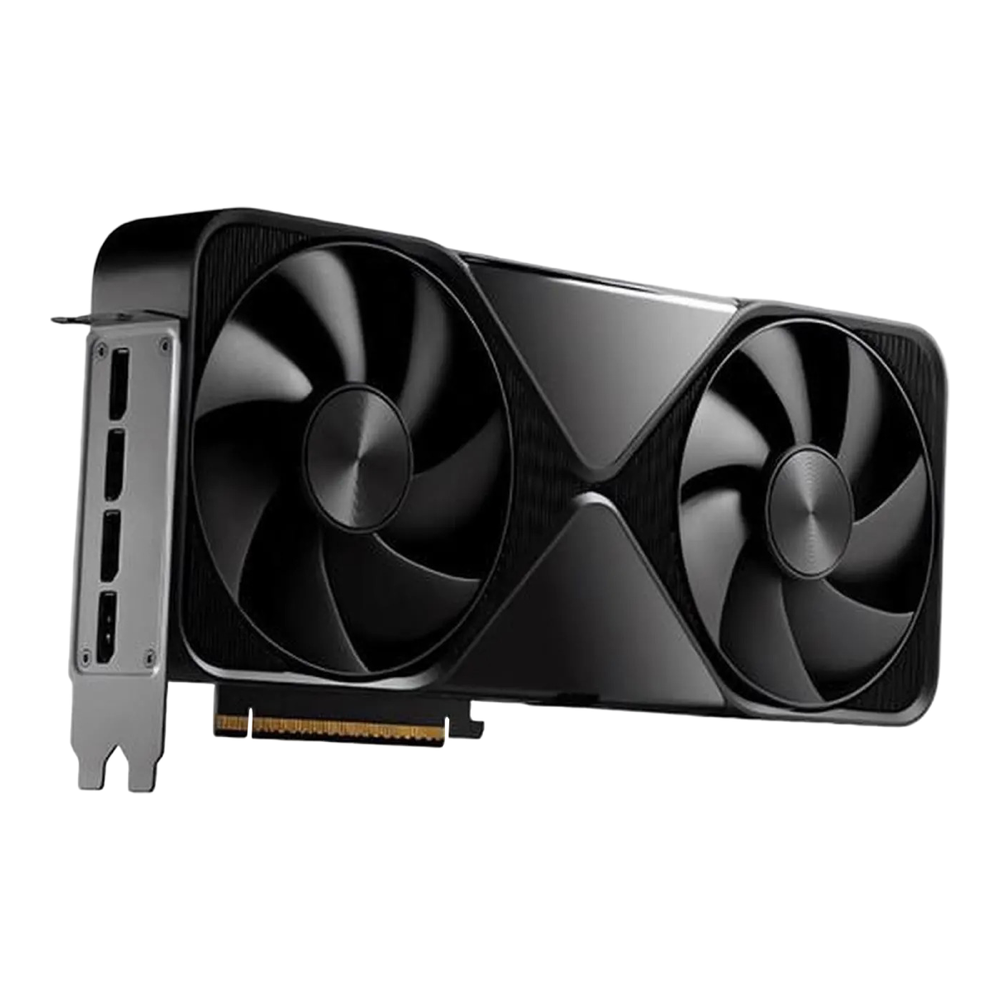
Expect to pay roughly $8,000 to $9,200 depending on seller, with NVIDIA’s own marketplace listing higher. Check the current price on Amazon before you commit, because this category moves.
Best value for local AI: NVIDIA GeForce RTX 5090
For anything that fits in 32GB, the 5090 lands within a few percent of the PRO 6000 in our tests while costing less than half as much. Models up to roughly 32B at 4-bit run on it, which covers the large majority of what people actually run at home.
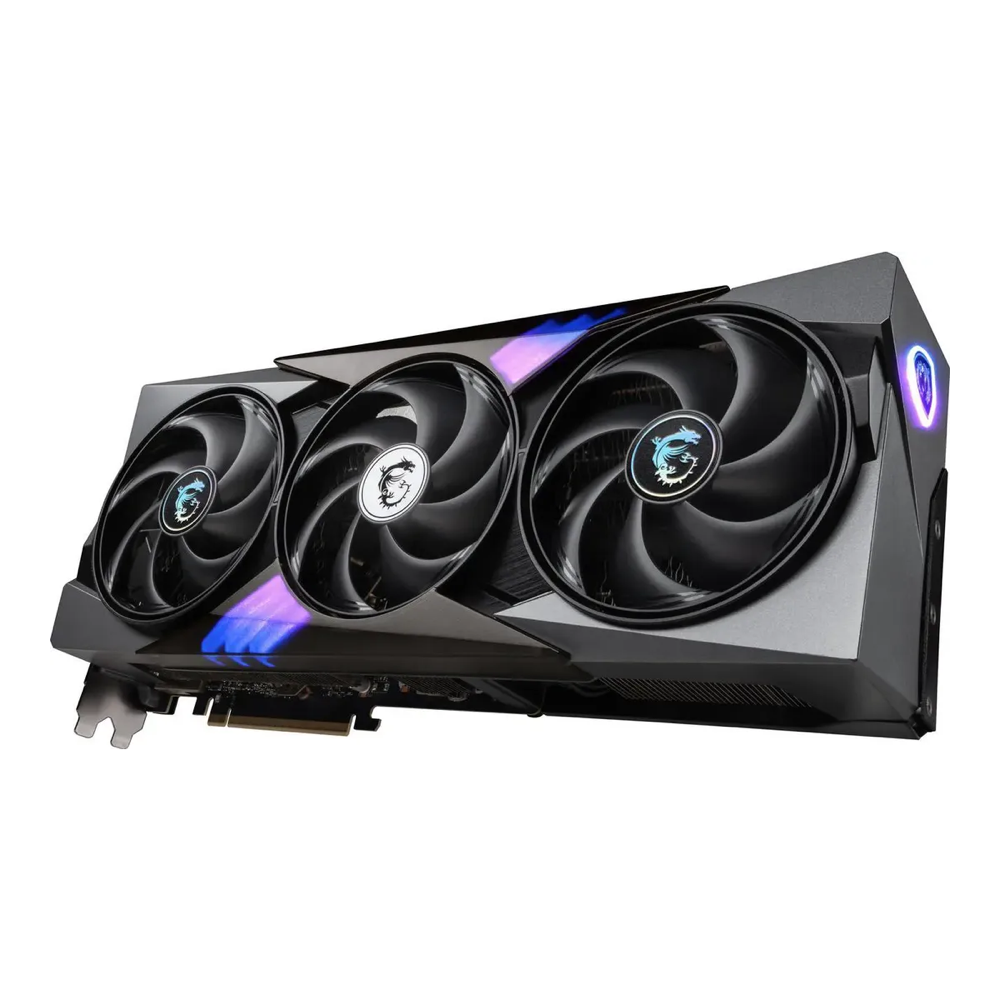
Founders Edition cards target $1,999 but sell out in minutes, so the realistic street price for an in-stock board partner card like the MSI Gaming Trio sits around $3,000 to $4,200. See the live RTX 5090 price on Amazon and grab one when a card lands near the bottom of that band.
How we tested
Both GPUs ran the same software: a clean Ubuntu host, current NVIDIA drivers, and Ollama as the inference engine with one model loaded at a time. We confirmed every model was fully offloaded to the GPU (all layers on CUDA, Blackwell FP4 path active), not silently spilling to system RAM, before recording a single number.
The measurement is decode throughput. We sent the same long generation prompt to the local API, disabled streaming, and computed tokens per second from the response timing fields. The loop ran a warm-up call, then three timed calls per model:
curl -s http://localhost:11434/api/generate -d '{
  "model": "qwen2.5:32b",
  "prompt": "Write a detailed technical explanation of how transformer neural networks work.",
  "stream": false
}'
Tokens per second is the response eval_count divided by eval_duration in seconds. We used qwen2.5 at 7B, 14B, and 32B as the shared set because all three fit inside 32GB, so both cards run identical work. We then added qwen2.5 72B and llama3.1 70B, which only the 96GB card can load, to show where the 5090 hits its wall. The three runs per model were tight (variance under one percent), so the averages below are stable.
RTX PRO 6000 vs RTX 5090 at a glance
The specs that decide a local AI purchase are memory size, memory bandwidth, and what the card can actually load. Here is how the two compare on the numbers that matter, all confirmed against NVIDIA’s specifications.
| Specification | RTX PRO 6000 Blackwell | RTX 5090 |
|---|---|---|
| Architecture | Blackwell (GB202) | Blackwell (GB202) |
| GPU memory | 96 GB GDDR7 with ECC | 32 GB GDDR7 |
| Memory interface | 512-bit | 512-bit |
| Memory bandwidth | 1,792 GB/s | 1,792 GB/s |
| CUDA cores | 24,064 | 21,760 |
| Total graphics power | 600 W | 575 W |
| NVLink | None | None |
| ECC memory | Yes | No |
| Largest model at 4-bit | ~123B class | ~32B |
| Typical street price | ~$8,000 to $9,200 | ~$3,000 to $4,200 |
Two rows do all the work here. The memory bandwidth is identical, which is why throughput on shared models is so close. The memory size is triple, which is why one card runs 70B and the other does not. The CUDA core count favors the PRO 6000 by about 10 percent, but as the benchmarks show, that compute edge barely moves token throughput because LLM decoding is bound by memory bandwidth, not raw math.
Benchmark results: real tokens per second
This is the part you cannot get from a spec sheet. Every figure is an average of three timed runs on the actual card. Higher is faster.
| Model (Ollama, 4-bit) | RTX PRO 6000 (tok/s) | RTX 5090 (tok/s) | Difference |
|---|---|---|---|
| qwen2.5:7b | 238.6 | 228.2 | PRO 6000 +4.6% |
| qwen2.5:14b | 134.1 | 131.5 | PRO 6000 +2.0% |
| qwen2.5:32b | 68.1 | 67.8 | Effectively tied |
| qwen2.5:72b | 31.0 | Will not load | 5090 cannot run it |
| llama3.1:70b | 34.2 | Will not load | 5090 cannot run it |
The pattern is clear and a little surprising the first time you see it. On the 32B model, the two cards are separated by three tenths of a token per second. On the 7B model, where overhead matters more, the PRO 6000 pulls ahead by under 5 percent. That is the whole speed story for models that fit in 32GB: same die, same bandwidth, basically the same result.
Then the 70B and 72B rows fall off a cliff for the 5090, because those models need roughly 40GB or more at 4-bit and there is nowhere to put them. The 5090 either errors out or pages weights to system RAM, at which point throughput collapses to single digits and the comparison stops being meaningful. The PRO 6000 runs them at a usable 31 to 34 tokens per second. That is the value of 96GB stated in one line: it is not faster, it is capable of work the other card cannot attempt.
NVIDIA RTX PRO 6000 Blackwell: who it is for
The PRO 6000 is a workstation card built around capacity. The 96GB of ECC GDDR7 lets a single card hold a 70B model with room for a long context window, and on the memory math a 123B-class model at 4-bit (we measured up to 72B directly), all without splitting the model across GPUs. The ECC memory matters for long unattended runs and for anyone who treats a wrong bit as a real problem, which is most professional and research use. It draws 600W and uses the same 16-pin power connector as the consumer cards, with no NVLink, so multi-card setups talk over PCIe rather than a dedicated bridge.
Buy it if you run 70B or larger models, you need big context windows or batched serving, you want one card instead of two or three smaller ones, or ECC and the professional driver stack are part of your requirements. If you are sizing a machine around this card, our guide to building a local AI workstation covers the rest of the parts list.
Skip it if everything you run fits in 32GB. You would be paying more than double for a few percent of speed and a memory pool you never touch. The money is better spent elsewhere in the build, or saved.
NVIDIA GeForce RTX 5090: who it is for
The 5090 is the value pick for local inference, and our numbers are why. With the same GB202 die and the same 1,792 GB/s bandwidth, it matches the PRO 6000 on every model that fits in its 32GB. That covers 7B, 14B, and 32B models at 4-bit with comfortable speed, which is the working set for most people running a local assistant, a coding model, or a self-hosted RAG pipeline. It also doubles as a top-tier gaming and rendering card, which the workstation part does not pretend to be.
Buy it if your models fit in 32GB, you want the best tokens-per-dollar for local AI, or you want one card that handles inference, games, and creative work. To get models running on it quickly, follow our walkthrough for running models locally with Ollama, and keep the Ollama model reference handy for sizing.
Skip it if you need 70B models or larger. No amount of bandwidth fixes a card that cannot hold the weights. Two 5090s give you 64GB but no NVLink, so you are doing PCIe-based model parallelism with the overhead that brings, and at that point a single 96GB card is usually the cleaner answer.
What to look for when buying a GPU for local AI
If you take one lesson from the benchmarks, make it this: for running LLMs, VRAM capacity decides what you can do, and memory bandwidth decides how fast you do it. Raw compute is a distant third. Here is how that translates into a buying decision.
- Size VRAM to the model, not the other way around. A 4-bit model needs roughly its parameter count in gigabytes plus headroom for context. 7B to 14B fits in 16GB to 24GB, 32B wants about 24GB to 32GB, and 70B needs 40GB or more. Pick the card whose memory clears your largest model with room to spare.
- Bandwidth sets your speed ceiling. Both of these cards share 1,792 GB/s, which is why they tie on shared models. When you compare other GPUs, a card with less bandwidth will be slower at decoding even if it has plenty of memory.
- NVLink is gone on Blackwell. Neither card has it. If you plan to run two GPUs, they communicate over PCIe, which is fine for running two separate models but adds overhead for splitting one large model. Do not buy a second card expecting bridged memory.
- Plan the power and the PSU. The 5090 pulls 575W and the PRO 6000 pulls 600W, both over a single 16-pin connector. NVIDIA recommends a 1,000W system for a 5090 build, with 850W the documented minimum for a 5090-only machine, so size up once you add other components. Seat the connector fully; a partial seat is the classic cause of melted plugs.
- Treat the price as a moving target. Memory shortages and AI demand have both cards selling well above list. Watch a price tracker, buy when a card dips toward the bottom of its band, and never assume the sticker matches the launch MSRP.
If neither of these cards is the right fit, our roundup of the best GPUs for running LLMs locally covers cheaper options, and the Mac mini versus mini PC versus GPU comparison is worth reading if you are weighing unified memory against a discrete card. For multi-GPU serving at scale, vLLM in production is the engine to look at rather than Ollama.
How to choose between them
The decision comes down to a single question: does your largest model fit in 32GB? If yes, the RTX 5090 is the smart buy. It matched the PRO 6000 within a few percent on every shared model we tested, costs less than half as much, and moonlights as a gaming and rendering card. There is no throughput reason to spend more for models it can already hold.
If your work needs 70B-class models, long contexts, batched serving, or ECC, the RTX PRO 6000 is not a luxury, it is the only one of the two that can do the job. The 96GB is the product. You are not paying for speed, you are paying for the ability to load what the 5090 cannot, and on those models it turns in a perfectly usable 31 to 34 tokens per second. Decide by the size of the model you must run, confirm the live price on the day you buy, and the right card picks itself.