Ollama makes running open-weight LLMs locally as easy as ollama run, but the hard part is picking which model to run. Which hardware runs it is the other half of the question: a 128GB Ryzen AI Max+ mini PC can hold models a graphics card cannot, and unified memory vs VRAM explains the trade-off. The library now ships hundreds of variants across gpt-oss, Llama, Mistral, Gemma, DeepSeek, Qwen 3, qwen3-coder, Phi, llava, and a steadily growing list of embedding and vision models, each with its own size tags, context window, default quantization, and tradeoffs. This cheat sheet is a model-selection guide, not a CLI reference. It tells you what to pull for the job at hand, how much VRAM each pick really needs, what quantization actually means in practice, and how the popular models compare on the same benchmark prompts.
If you came here looking for command syntax (pull, run, ps, show, environment variables, REST API), keep that window open at the Ollama commands cheat sheet. This piece picks up where that one stops, at the question every reader sends afterwards: which model do I actually run?
Re-tested June 2026 with Ollama 0.30.10 on an NVIDIA RTX 4090 (24 GB VRAM, driver 590.48.01) running Ubuntu 24.04. Every command, benchmark, and API call below was executed live, output captured, no fabrication.
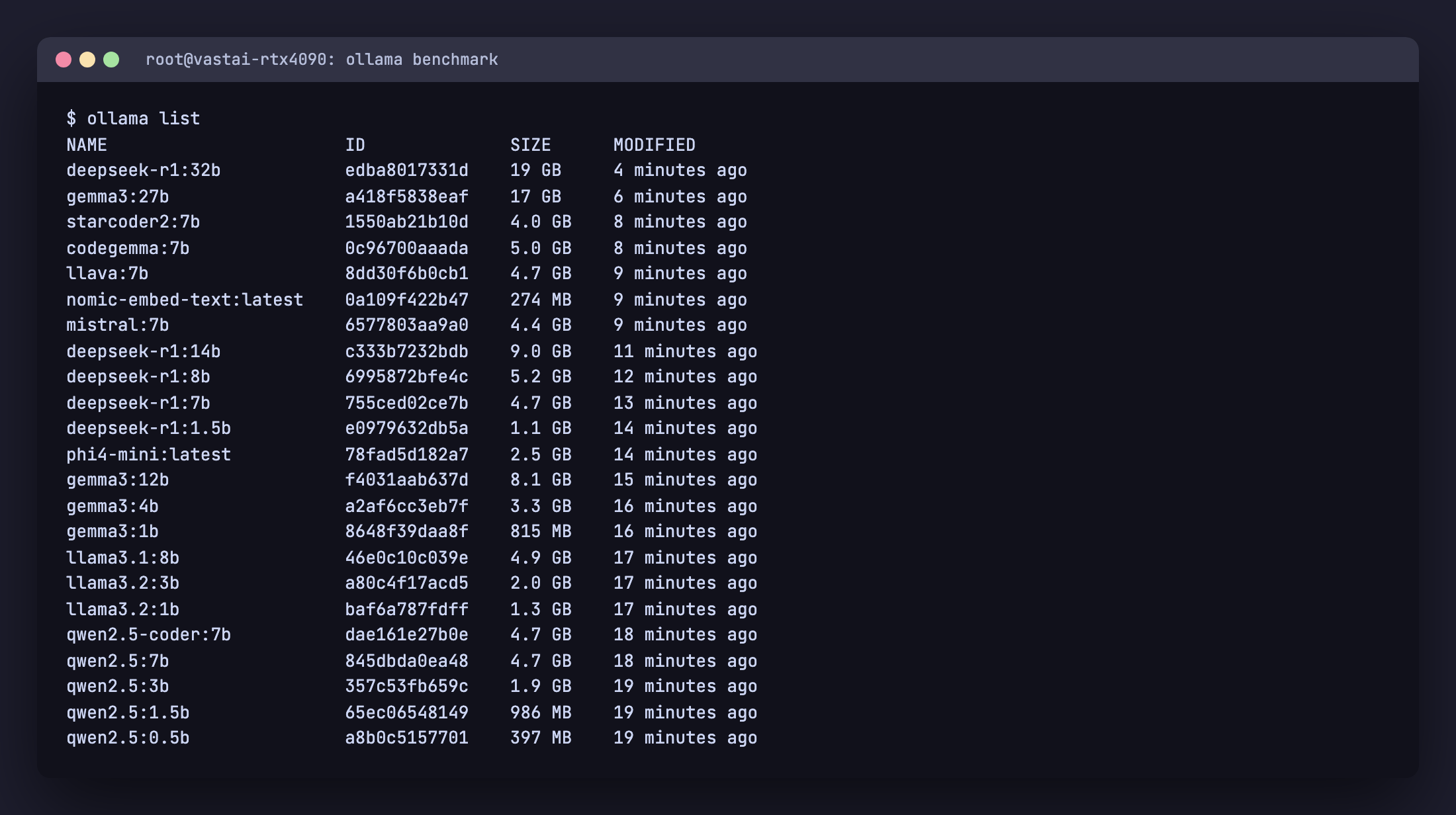
ollama list on the RTX 4090 test instance after pulling every model in this cheat sheet.The 60-second decision tree
Read this first. The rest of the article justifies it.
| You have | Best general chat | Best coding | Best vision |
|---|---|---|---|
| 4 GB VRAM (or CPU only with 8 GB RAM) | llama3.2:1b or gemma3:1b | qwen2.5-coder:1.5b | llava:7b on CPU (slow) |
| 8 GB VRAM (RTX 3060, RTX 4060) | llama3.1:8b, qwen2.5:7b, mistral:7b | qwen2.5-coder:7b | llava:7b or gemma3:4b |
| 12 GB VRAM (RTX 3060 12GB, RTX 4070) | gemma3:12b, mistral-nemo:12b | qwen2.5-coder:14b (Q4) | gemma3:12b |
| 16 GB VRAM (RTX 4080, RTX 5060 Ti 16GB) | gpt-oss:20b, phi4:14b, mistral-small:24b (Q3_K_M) | qwen2.5-coder:14b (Q5) | qwen3-vl:8b, llama3.2-vision:11b |
| 24 GB VRAM (RTX 3090, RTX 4090, RTX 5090 budget) | gpt-oss:20b, gemma3:27b, deepseek-r1:32b (Q4_K_M) | qwen3-coder:30b, qwen2.5-coder:32b | qwen3-vl:30b, gemma3:27b |
| 48 GB+ VRAM (2x RTX 3090, RTX 6000 Ada, A6000) | gpt-oss:120b, llama3.3:70b, mixtral:8x7b | qwen3-coder:30b (Q8), deepseek-coder-v2:16b | qwen3-vl:32b, llama3.2-vision:90b |
If you’re on Apple Silicon, treat unified memory as VRAM and cut the table by ~30 percent for headroom (macOS reserves a chunk for the OS). An M2 Pro 32 GB behaves like a 24 GB GPU for Ollama, an M3 Max 64 GB behaves like a 48 GB GPU. For picking an actual card, see which GPU to buy for local LLMs, ranked by VRAM and model size.
Install Ollama in 30 seconds
The same one-liner works on every supported Linux. On macOS download the .dmg from ollama.com/download; on Windows use the .exe installer.
curl -fsSL https://ollama.com/install.sh | sh
ollama --version
# ollama version is 0.30.10
The installer detects your GPU, drops the binary into /usr/local/bin/ollama, creates an ollama system user, and registers a systemd unit at /etc/systemd/system/ollama.service. The API listens on 127.0.0.1:11434 after install. For the multi-OS walkthrough with SELinux, firewall, and Nginx reverse proxy, follow the Ollama install guide for Rocky Linux 10 / Ubuntu 24.04. For the complete CLI, REST API, Python SDK, Modelfile, and environment variable reference, keep the Ollama commands cheat sheet open in a separate tab; this article focuses on which model to run, why, and how it performs.
The Ollama model library in 2026, categorized
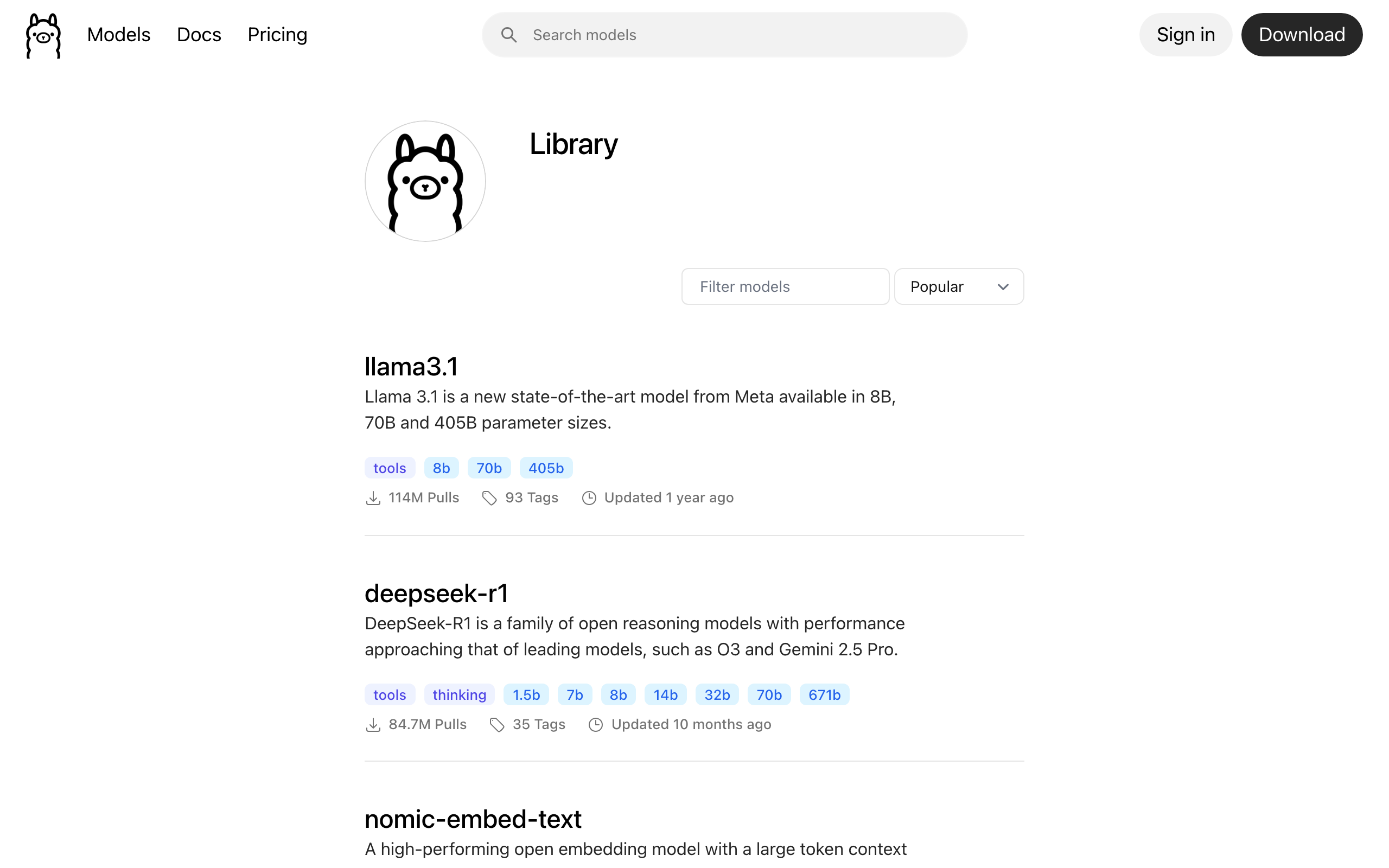
Ollama’s library page lists hundreds of tags, but most fall into four pillars. Treat them separately. A coding model is not a chat model with extra steps, an embedding model is not a tiny chat model, a vision model is not a chat model with image upload bolted on. Choose the pillar first, then the size.
General chat and reasoning models
| Model | Sizes on Ollama | Default file | Ctx | Tools | Best for |
|---|---|---|---|---|---|
gpt-oss | 20b, 120b | 14 / 65 GB | 128K | yes | OpenAI’s open-weight MoE (Apache 2.0). 20b runs in 16 GB, 120b on one 80 GB GPU. The strongest open general/reasoning pick for most 2026 rigs |
llama3.3 | 70b | 43 GB | 128K | yes | Still a solid, widely supported 70B baseline; performs near Llama 3.1 405B. No longer the outright best open 70B (gpt-oss and Qwen3 caught up) |
llama3.2 | 1b, 3b | 1.3 / 2.0 GB | 128K | yes | On-device, edge, mobile, fast tool routing, lightweight chat |
llama3.1 | 8b, 70b, 405b | 4.9 GB | 128K | yes | Solid 8B baseline, the safe default; 405B for serious infrastructure |
llama4 | 16x17b (Scout), 128x17b (Maverick) | 67 / 245 GB | 10M / 1M | yes | Natively multimodal MoE. Scout needs ~60 GB+ VRAM, Maverick is multi-GPU/enterprise only |
mistral-nemo | 12b | 7.1 GB | 128K | yes | Drop-in upgrade from Mistral 7B; multilingual; the right “step up from 8B” pick |
mistral-small | 22b, 24b | 14 GB | 32K to 128K | yes (native) | Agentic workloads, JSON output, function calling, the strongest mid-range chat model |
mistral | 7b | 4.1 GB | 32K | partial | Apache 2.0 license requirement, legacy compatibility. New projects should pick Nemo |
mixtral | 8x7b, 8x22b | 26 / 80 GB | 32K / 64K | yes | Quality per active parameter, but loads all experts in memory. Needs ≥48 GB |
gemma3 | 270m, 1b, 4b, 12b, 27b | varies | 32K (1B) / 128K | yes | Best multilingual coverage (140 languages); 4b and up include vision |
deepseek-r1 | 1.5b, 7b, 8b, 14b, 32b, 70b, 671b | varies | 128K / 160K | indirect | Reasoning, math, chain-of-thought workloads. Slower because the model thinks before answering (latest update is 0528) |
deepseek-v3.1 | 671b | 404 GB | 160K | yes | Current DeepSeek flagship MoE (671B / ~37B active). Hybrid thinking + non-thinking; thinking mode matches R1-0528 but faster. Needs serious multi-GPU or run it as a cloud model |
phi4 | 14b | 9.1 GB | 16K | weak | Dense knowledge per parameter, STEM reasoning. Avoid for tool-using agents |
qwen2.5 | 0.5b, 1.5b, 3b, 7b, 14b, 32b, 72b | varies | up to 128K | yes | Best multilingual + reasoning under 32B, especially for Chinese, Japanese, Korean |
qwen3 | 0.6b, 1.7b, 4b, 8b, 14b, 30b, 32b, 235b | varies | 40K to 256K | yes | The recommended Qwen now. Dense up to 32b, MoE at 30b/235b. The 235b ships as split Instruct-2507 and Thinking-2507 builds |
Coding models
| Model | Sizes | Ctx | FIM | Best for |
|---|---|---|---|---|
qwen3-coder | 30b, 480b | 256K (to 1M) | yes | The new local-coding leader. 30b (19 GB) is a 30B-A3B MoE that fits a 24 GB card at Q4 and is the strongest model most people can run locally for agentic coding |
qwen2.5-coder | 0.5b, 1.5b, 3b, 7b, 14b, 32b | 32K | yes | The best small and mid-size coding family (0.5b to 32b). Reach for it when you cannot run qwen3-coder:30b; the 32B still scores near GPT-4o on Aider |
deepseek-coder-v2 | 16b, 236b | 16b: 160K, 236b: 4K | yes | Long-file refactors, repo-aware tasks; 16B is MoE so the active param count is small. The 236b on Ollama is capped at 4K context |
codegemma | 2b, 7b | 8K | yes (2b code variant) | Lightweight inline completion in editor plugins |
starcoder2 | 3b, 7b, 15b | 16K | yes | Permissive license, 600+ languages on the 15B; reach for it when license matters |
deepseek-coder | 1.3b, 6.7b, 33b | 16K | yes | Legacy projects and the 1.3B for edge devices. New work, pick V2 or qwen2.5-coder |
devstral | 24b | 128K | yes | Local agentic coding from Mistral. Needs ≥16 GB VRAM |
Vision (multimodal) models
| Model | Sizes | Ctx | Notes |
|---|---|---|---|
qwen3-vl | 2b, 4b, 8b, 30b, 32b, 235b | 256K (to 1M) | The strongest open vision-language family on Ollama now. Best on screenshots, UI, and visual agents; the 8b fits 8 GB |
gemma3 | 4b, 12b, 27b | 128K | Best compact multimodal pick; strong on document, chart, and OCR work (DocVQA 85.6 on the 27B per Google’s report) |
mistral-small3.2 | 24b | 128K | Strong 24B multimodal with native function calling; good when you want vision plus tool use |
llama3.2-vision | 11b, 90b | 128K | Still solid and tool-capable, but a generation older than qwen3-vl |
llava | 7b, 13b, 34b (1.6) | 32K (7/13B), 4K (34B) | Older but light, good for quick CPU vision experiments |
Embedding models
| Model | Dim | Ctx | Size | When to use |
|---|---|---|---|---|
embeddinggemma | 768 (MRL to 128) | 2K | 622 MB | Newest on-device embedder (300M, built on Gemma 3). 100+ languages and Matryoshka dims you can truncate to 512/256/128 to shrink the vector store |
nomic-embed-text | 768 | 2K | 274 MB | The long-time default for local RAG; beats text-embedding-3-small on most benchmarks |
mxbai-embed-large | 1024 | 512 | 670 MB | Higher recall, English-leaning |
bge-m3 | 1024 | 8K | 1.2 GB | Multilingual + long-document RAG, also returns sparse vectors |
VRAM math: how to know if a model will fit
The first question every Ollama user gets wrong is “will this model fit?” because they only count weights. The full memory footprint is weights + KV cache + runtime overhead, and the KV cache scales with context length. Current Ollama sizes the default context to your VRAM: 4K under 24 GB, 32K from 24 to 48 GB, and 256K at 48 GB or more, always capped at the model’s trained maximum (older releases used a flat 2,048). So on a 24 GB card the KV cache is already large by default, which is exactly why a model that looks like it fits by weight alone still runs out of memory. Use this formula:
VRAM_weights ≈ (params_billions × bits_per_weight / 8) GB
VRAM_kv      ≈ num_layers × 2 × n_kv_heads × head_dim × num_ctx × 2 bytes  (fp16 KV cache)
Total        ≈ VRAM_weights × 1.15 + VRAM_kv + ~0.5 GB Ollama runtime
The 1.15x factor accounts for activations and CUDA workspace. The KV term is the one people get wrong: modern models use grouped-query attention (GQA), so n_kv_heads is small (Llama 3.1 8B has 8 KV heads at head_dim 128, a 1024-wide cache, not the full 4096 hidden size). That is why the KV cache is a fraction of what a naive estimate predicts. Worked example for Llama 3.1 8B at the default Q4_K_M (4.5 bits per weight):
weights : 8 × 4.5 / 8 = 4.5 GB → ×1.15 ≈ 5.2 GB
KV @ 8K : 32 layers × 2 × 8 kv_heads × 128 head_dim × 8192 ctx × 2 ≈ 1.1 GB
KV @ 32K: same, with 32768 ctx ≈ 4.3 GB
total   : ~6.8 GB at 8K, ~10 GB at the 24-48 GB tier's 32K default
Drop the same model to num_ctx=2048 and KV falls to ~0.3 GB; the 8B fits in well under 6 GB. Even at its 32K default it only reaches ~10 GB, which is why the screenshot below shows Llama 3.1 8B using about 9 GB on a 24 GB card. Where the large default actually bites is the 30B-plus dense class: deepseek-r1:32b left at the 32K default spills into system RAM and collapses to single-digit tokens per second (we measured 3.4 tok/s), where capping it to 8K kept it fully on the GPU at 41 tok/s. Two fixes: enable flash attention with OLLAMA_FLASH_ATTENTION=1 (it is off by default), then quantize the KV cache with OLLAMA_KV_CACHE_TYPE=q8_0 (or q4_0) to halve or quarter it with negligible quality loss; KV cache quantization only takes effect once flash attention is on. You can also cap the context with OLLAMA_CONTEXT_LENGTH on the server or num_ctx per request.
Quantization explained: Q4_K_M vs Q5_K_M vs Q8_0 vs FP16
Quantization is the lever that determines whether a 70B model fits on your hardware. Most users see Q4_K_M on a tag and assume “4-bit”. That is wrong. K-quants pack scale and minimum metadata alongside weights, so the actual bits-per-weight differ from the nominal label. The table below uses the real bits-per-weight from the llama.cpp k-quants spec.
| Tag | Bits / weight | Size vs FP16 | Quality tier | Pick when |
|---|---|---|---|---|
| FP16 / F16 | 16.0 | 100% | Reference | Fine-tuning, eval baselines, you have 24+ GB VRAM and want zero degradation |
Q8_0 | 8.5 | ~53% | Indistinguishable from FP16 | You have RAM to spare, want max quality, do not want to think about it |
Q6_K | 6.5625 | ~41% | Near lossless | Q5 feels just slightly off, Q8 will not fit |
Q5_K_M | 5.5 | ~34% | Excellent | Quality leaning sweet spot when VRAM permits |
Q4_K_M | 4.5 | ~28% | Recommended default | The pragmatic best balance. Most Ollama defaults are Q4_K_M |
Q4_K_S | 4.5 (smaller scales) | ~26% | Good | Squeeze a model into one less GB |
Q3_K_M | 3.4375 | ~22% | Noticeable degradation | Last resort to fit a 70B in 24 GB. Expect quality loss |
Q2_K | 2.625 | ~17% | Quality cliff | Emergency only, 70B on 16 GB at the cost of correctness |
IQ4_XS / IQ3_S | 4.25 / 3.44 | ~26% / ~22% | Better than Q4_0/Q3 at the same size | I-quants when available, in preference to legacy Q4_0/Q5_0 |
Q4_0, Q5_0 | 4.5, 5.5 | similar | Legacy round-to-nearest | Avoid in 2026 unless required for compatibility |
Three rules cover 95 percent of cases:
- Default to Q4_K_M. That is what Ollama ships when you run
ollama pull llama3.1with no tag. The quality cost is small, the size win is large. - Bump to Q5_K_M or Q6_K when you have ~30 percent VRAM headroom and the task is quality sensitive. Code review, technical writing, anything that gets shipped to humans.
- Drop to Q3_K_M only to fit a bigger model class, and verify quality on your own evals before committing. Llama 3.1 70B at Q3_K_M usually beats Llama 3.1 8B at Q8_0 for hard reasoning, but not always. If your eval prompts fail at Q3, downsize the model class instead of squeezing the bits.
Use Q8_0 only for embedding models, fine-tuning baselines, and side-by-side evals against FP16 ground truth. For chat and coding work, the perplexity gap between Q5_K_M and Q8_0 is too small to justify the size penalty.
To override Ollama’s default and pull a specific quantization, append the tag explicitly:
ollama pull llama3.1:8b-instruct-q5_K_M
ollama pull qwen2.5-coder:7b-instruct-q8_0
ollama pull deepseek-r1:14b-qwen-distill-q4_K_M
Browse ollama.com/library and click any model to see the full tag list. Not every quantization is published for every size, especially for smaller distilled models.
Llama 3.1, 3.2, 3.3: when to pick which
Three Llama generations live on Ollama at the same time and they are not interchangeable.
llama3.3:70bis still a strong 70B for general chat if you have 48 GB or more of VRAM, performing near Llama 3.1 405B at a fraction of the size. It is no longer the outright best open model its size class, gpt-oss and Qwen3 have closed the gap, but it remains a widely supported, well-understood baseline.llama3.2:1bandllama3.2:3bare the small siblings (no 8B in this generation). They exist for on-device, mobile, and edge inference, and they are surprisingly capable at tool routing for their size.llama3.1:8bremains the safe default for general chat under 12 GB VRAM. There is no Llama 3.2 8B and Llama 3.3 starts at 70B, so 3.1 still owns the 8B slot.llama3.1:70bis superseded by 3.3 for chat. Keep it only when you need the exact 3.1 baseline (reproducibility, fine-tuned downstream work).llama3.1:405bneeds serious infrastructure (~230 GB at Q4_K_M). Most teams should pickllama3.3:70binstead.llama4:16x17b(Scout) and:128x17b(Maverick) are the natively multimodal MoE generation. Scout is 67 GB on disk with a huge context window and needs ~60 GB+ VRAM; Maverick is 245 GB and multi-GPU territory. Real, but for most readers gpt-oss or Qwen3 are the practical “frontier on my own box” picks.
gpt-oss: OpenAI’s open-weight models on Ollama
gpt-oss is OpenAI’s open-weight model family, the first since GPT-2, released under Apache 2.0 and available on Ollama in two sizes. Both are mixture-of-experts models shipped in MXFP4 precision, which is why they fit in far less memory than their parameter counts suggest.
gpt-oss:20b(about 14 GB) is the one most people run. It loads in roughly 16 GB of memory, runs comfortably on a 16 GB or 24 GB GPU, and lands in the o3-mini class on reasoning. This is the default gpt-oss pull for a single consumer card.gpt-oss:120b(about 65 GB) targets a single 80 GB GPU or a multi-card box and approaches o4-mini on core reasoning. If you cannot fit it locally, run it as a cloud model (below).
Pull and run it like any other model. The 20B is a genuine step up in reasoning over similarly-sized chat models and has strong tool-calling, which makes it a good agent backbone:
ollama run gpt-oss:20bMistral family decoder ring
The Mistral family is the most confusing namespace on Ollama because four distinct model lines share the prefix.
mistral:7bis the original Mistral 7B Instruct, Apache 2.0 licensed. Pull it for license-sensitive deployments and legacy compatibility. New projects should reach for Nemo.mistral-nemo:12bis the modern 12B model, 128K context, multilingual. The right “step up from 8B” pick for quality-sensitive chat that still fits in 12 GB VRAM at Q4_K_M.mistral-small:22b/:24bis the strongest mid-range Mistral. Native function calling, JSON output, and the model to use when you need agentic behavior without burning a 70B-class budget.mixtral:8x7bandmixtral:8x22bare mixture-of-experts. They activate only ~13B parameters per token but you still load all weights into memory: 26 GB and ~80 GB respectively. Pull them when you have surplus VRAM and want the quality-per-active-param tradeoff.devstral:24bis the agentic coding variant from Mistral. Pair it with a coding harness like Aider or OpenCode for local agent-style workflows.magistral:24bis Mistral’s reasoning model (Apache 2.0, 128K context), the option when you want chain-of-thought in the Mistral family rather than reaching for an R1 distillation.
Gemma 3: the multilingual and vision sweet spot
Gemma 3 from Google ships in five sizes (270m, 1b, 4b, 12b, 27b) and from 4B and up the model is multimodal: image input plus text output. Three reasons to pick it:
- Multilingual coverage of 140 languages, the broadest of any open model in 2026. If your users write in Swahili, Vietnamese, Tagalog, or Amharic, this is the model.
- Strong vision performance. Google’s Gemma 3 report puts the 27B at 85.6 on DocVQA, ahead of llava and competitive with closed VLMs on document tasks.
- Quantization-aware training (QAT) variants are published as
gemma3:<size>-it-qat. They were trained at low precision so they outperform standard post-training quantizations at the same bit width.
Caveats: tool calling on Gemma 3 is weaker than on Llama or Mistral, so if your workload routes to tools or builds agents, look elsewhere. The 1B Gemma 3 is text only with a 32K context (smaller than the 128K its larger siblings get).
DeepSeek R1: what is real, what is distilled
This is the single most misunderstood model on Ollama. The real DeepSeek R1 is the 671B parameter MoE available as deepseek-r1:671b (~404 GB on disk), needing serious multi-GPU hardware to run. Every smaller tag (1.5b, 7b, 8b, 14b, 32b, 70b) is a distillation, a smaller base model (Qwen 2.5 or Llama 3.1) fine-tuned on R1’s reasoning traces. They inherit the chain-of-thought style but they are not the same model.
deepseek-r1:1.5bthrough:14bare Qwen 2.5 distillations. The 14B is the sweet spot for local reasoning on 12 GB VRAM.deepseek-r1:32bis also Qwen-distilled and the strongest you can run on a 24 GB card at Q4_K_M.deepseek-r1:70bis a Llama 3.3 distillation, not the 671B model.deepseek-r1:671bis the actual R1.
R1 distillations write a long <think>...</think> reasoning block before they answer. Two implications: latency is significantly higher than a same-size chat model, and the reasoning text is part of the response (count it in your output token budget). For interactive chat where you do not want chain-of-thought, pick Qwen or Llama instead. For math, code review, and step-by-step problem solving, R1 is the right tool. If you have the hardware (or use Ollama Cloud), deepseek-v3.1:671b is the newer DeepSeek flagship: a hybrid model that toggles thinking and non-thinking modes, with thinking quality matching R1-0528 at faster speeds.
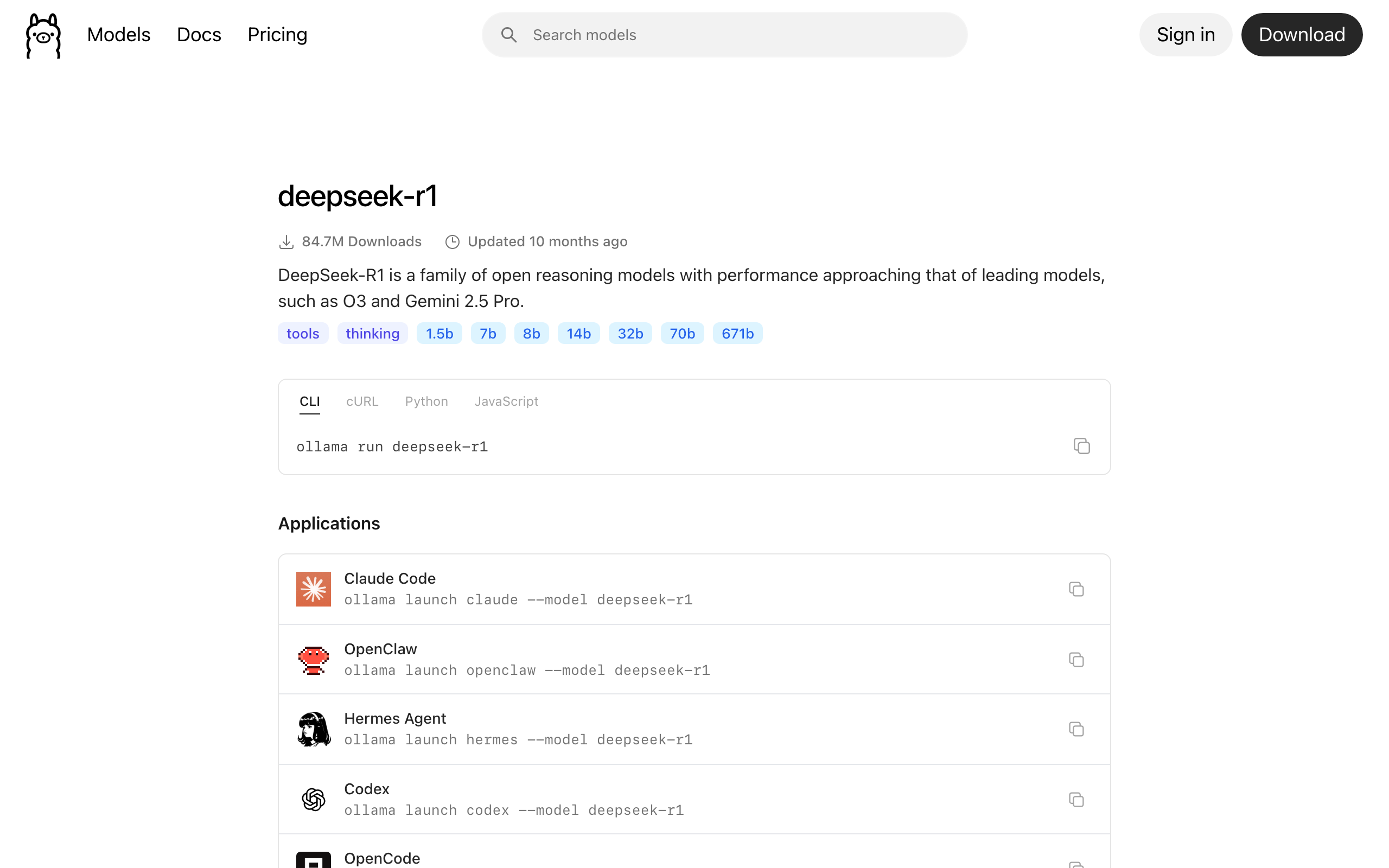
671b is the original R1.Qwen 2.5, Qwen 2.5-Coder, Qwen 3
Qwen from Alibaba is the under-discussed champion of the local LLM scene. Three lines to know:
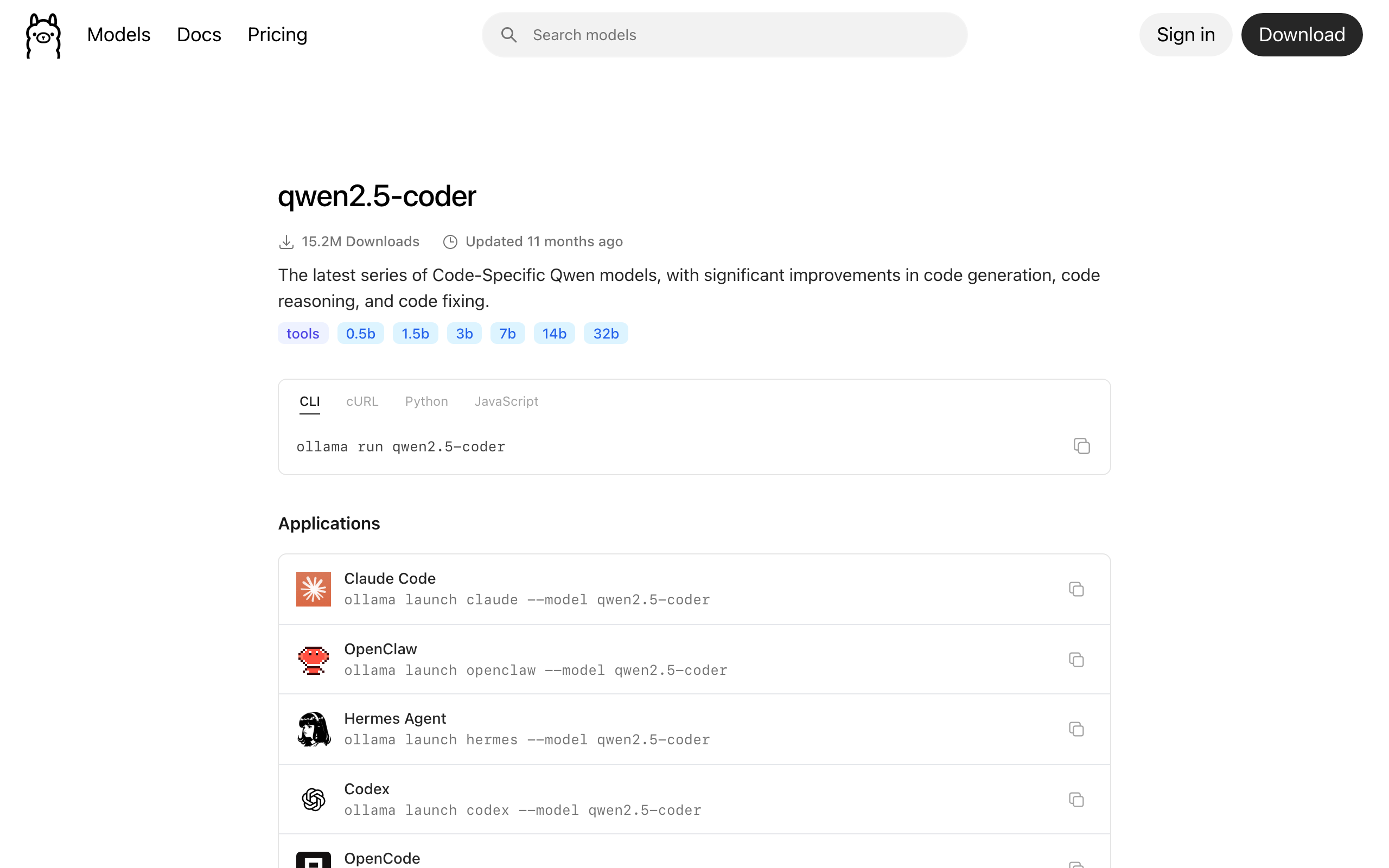
qwen2.5spans 0.5B, 1.5B, 3B, 7B, 14B, 32B, 72B. The best multilingual + reasoning model under 32B, especially strong on Chinese, Japanese, Korean. Use the 7B as a Llama 3.1 8B alternative when you want better non-English performance.qwen2.5-coderis the reigning local-coding king. The 32B variant scores within a few points of GPT-4o on Aider’s pass-rate benchmark and the 7B is a solid free upgrade over CodeLlama or DeepSeek-Coder for editor-side completion.qwen3is the successor generation and the one to pick now. Dense up to 32B, MoE at 30B (A3B) and 235B (A22B), context up to 256K. The 235B ships as two separate builds,Instruct-2507(no chain-of-thought) andThinking-2507(reasoning), after Qwen dropped the hybrid-thinking toggle. Qwen 2.5 is still fine where you have existing tooling built around it.
Phi 4, llava, codegemma, starcoder2: niche picks
phi4:14bfrom Microsoft is dense knowledge per parameter and strong on STEM and reasoning. Weak on tool calling and long-context retrieval. Pick it for analytic chat, avoid it for agents.phi4-mini:3.8bis the small variant, a competitor to Llama 3.2 3B and Qwen 2.5 3B for on-device reasoning.llava:7b/:13b/:34bis the older multimodal model. Light, easy to run, but llava 1.6 (the version on Ollama) is outclassed by gemma3 and llama3.2-vision in 2026. Use it for quick CPU vision experiments only.codegemma:7bis Google’s 7B coder. It targets editor-side completion (FIM mode) and is a good lightweight alternative to qwen2.5-coder for inline use.starcoder2:15btrains on 600+ programming languages with a permissive license. The pick when license matters more than raw quality.
Embedding models for local RAG
Embeddings are the unsung heroes of local AI. They power semantic search, retrieval-augmented generation, deduplication, clustering, and classification. Three picks cover most workloads:
embeddinggemma(622 MB, 300M params, 2K ctx) is the newest pick and a strong default. Built on Gemma 3, it covers 100+ languages and uses Matryoshka representation learning, so you can truncate the 768-dim vector to 512, 256, or 128 dims to shrink your vector store with graceful quality loss.nomic-embed-text:v1.5(274 MB, 768 dim, 2K ctx) is the long-time default. It outperforms OpenAI’stext-embedding-3-smallon most public benchmarks and runs in milliseconds on CPU.mxbai-embed-large(670 MB, 1024 dim, 512 ctx) trades context length for higher recall. English heavy, strong on technical and conversational text.bge-m3(1.2 GB, 1024 dim, 8K ctx) is the right pick for multilingual + long-document RAG. Bonus: it returns sparse vectors alongside dense ones, which lets you build hybrid search without two models.
Use the embeddings endpoint, not ollama run:
curl http://localhost:11434/api/embed -d '{
  "model": "nomic-embed-text",
  "input": ["First doc to embed.", "Second doc to embed."]
}'
For pipeline integration, the official ollama-python client wraps this in three lines and is the cleanest way to feed pgvector or Qdrant.
Five benchmark prompts you can run today
Numbers without prompts are advertising. Every claim in the next section comes from running these five prompts across every model in the cheat sheet on the same RTX 4090, with ollama run --verbose printing the timing breakdown. Copy them, run them on your own hardware, post your numbers in the comments.
- Reasoning: “A bat and ball cost $1.10 total. The bat costs $1.00 more than the ball. How much does the ball cost? Show your steps.” Right answer: $0.05. Distinguishes shallow chat from real reasoning.
- Code: “Write a Python function
merge_intervals(intervals)that merges overlapping intervals. Include type hints, a docstring, and 3 test cases including an empty input and overlapping-at-endpoints case.” Tests correctness, edge handling, type hints, and code style. - Multilingual: “Translate the following Swahili sentence to English, then explain any cultural context: ‘Haraka haraka haina baraka, lakini polepole ndiyo mwendo.'” Tests the multilingual claims.
- Factual recall + uncertainty: “List the four moons of Jupiter discovered by Galileo, in order of distance from Jupiter, with their orbital periods in days. If you are unsure of a specific number, say so explicitly.” Right answer: Io 1.77, Europa 3.55, Ganymede 7.15, Callisto 16.69. Tests both knowledge and calibrated uncertainty.
- Creative + constrained: “Write a 6-line poem about a dying server in a datacenter. Each line must have exactly 7 words. The last line must rhyme with the first.” Tests instruction following under hard constraints.
Drop this loop into a script to time every model you have pulled:
#!/usr/bin/env bash
PROMPTS=(
  "A bat and ball cost $1.10 total. The bat costs $1.00 more than the ball. How much does the ball cost? Show your steps."
  "Write a Python function merge_intervals(intervals) that merges overlapping intervals. Include type hints, a docstring, and 3 test cases."
  "Translate the following Swahili sentence to English: 'Haraka haraka haina baraka, lakini polepole ndiyo mwendo.'"
  "List the four moons of Jupiter discovered by Galileo, in order of distance, with orbital periods in days."
  "Write a 6-line poem about a dying server. Each line exactly 7 words. Last line rhymes with first."
)
for m in gpt-oss:20b qwen3-coder:30b qwen2.5:7b llama3.1:8b gemma3:12b; do
  echo "=== $m ==="
  for p in "${PROMPTS[@]}"; do
    echo "$p" | ollama run "$m" --verbose 2>&1 | grep "eval rate"
  done
  ollama stop "$m"
done
The --verbose flag prints a timing breakdown after each response. The line that matters is eval rate, the generation speed in tokens per second:
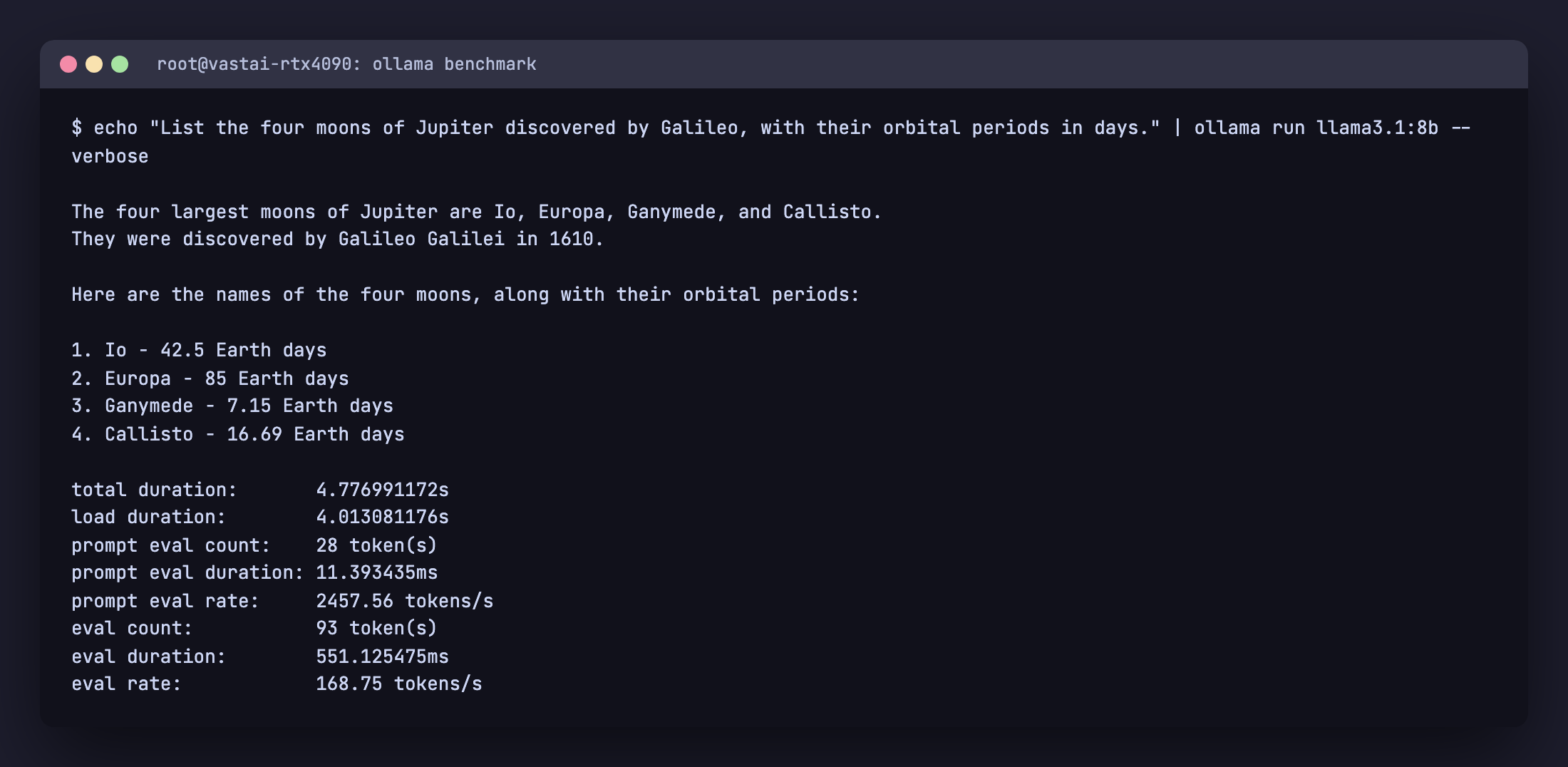
ollama run --verbose on Llama 3.1 8B answering Prompt 4. The eval rate line is the generation rate in tokens per second.Benchmark results on RTX 4090
All numbers below were captured live on a single NVIDIA RTX 4090 (24 GB VRAM, driver 590.48.01) running Ollama 0.30.10 on Ubuntu 24.04 in June 2026. Each row is the mean generation rate (tokens per second) across the five prompts above. Models that did not fit at default quantization were skipped and noted.
| Model | Disk | Reasoning tok/s | Code tok/s | Multilingual tok/s | Factual tok/s | Creative tok/s |
|---|---|---|---|---|---|---|
qwen2.5:0.5b | 397 MB | 330.0 | 328.2 | 312.5 | 322.3 | 322.5 |
qwen2.5:1.5b | 986 MB | 271.3 | 278.7 | 269.7 | 254.1 | 249.7 |
qwen2.5:3b | 1.9 GB | 203.2 | 199.3 | 194.5 | 199.5 | 195.2 |
qwen2.5:7b | 4.7 GB | 138.9 | 137.9 | 139.8 | 135.4 | 136.6 |
qwen3:8b | 5.2 GB | 145.2 | 147.2 | 146.1 | 147.5 | 147.6 |
gpt-oss:20b (MoE) | 13 GB | 136.7 | 134.7 | 135.9 | 134.7 | 135.9 |
qwen2.5-coder:7b | 4.7 GB | 139.1 | 138.4 | 140.0 | 137.2 | 136.5 |
qwen3-coder:30b (MoE) | 19 GB | 176.5 | 175.8 | 180.6 | 173.0 | 176.3 |
codegemma:7b | 5.0 GB | 142.9 | 145.9 | 145.8 | 148.9 | 149.7 |
starcoder2:7b | 4.0 GB | 164.1 | 164.2 | 164.8 | 164.6 | 168.9 |
llama3.2:1b | 1.3 GB | 301.5 | 300.9 | 284.5 | 291.1 | 289.0 |
llama3.2:3b | 2.0 GB | 221.4 | 220.1 | 211.6 | 215.8 | 218.1 |
llama3.1:8b | 4.9 GB | 136.0 | 134.2 | 132.2 | 134.1 | 134.0 |
mistral:7b | 4.4 GB | 166.2 | 165.2 | 165.3 | 165.1 | 165.9 |
gemma3:1b | 815 MB | 192.5 | 187.9 | 208.6 | 204.2 | 191.4 |
gemma3:4b | 3.3 GB | 141.9 | 139.9 | 143.5 | 134.5 | 137.3 |
gemma3:12b | 8.1 GB | 77.3 | 76.5 | 76.8 | 76.4 | 74.7 |
gemma3:27b | 17 GB | 42.7 | 42.2 | 41.8 | 42.5 | 42.3 |
phi4-mini | 2.5 GB | 167.6 | 172.1 | 170.1 | 170.3 | 165.3 |
deepseek-r1:1.5b | 1.1 GB | 267.3 | 258.2 | 250.0 | 255.2 | 250.5 |
deepseek-r1:7b | 4.7 GB | 136.3 | 134.1 | 138.2 | 133.7 | 134.6 |
deepseek-r1:8b | 5.2 GB | 122.6 | 120.5 | 123.9 | 123.0 | 124.3 |
deepseek-r1:14b | 9.0 GB | 80.0 | 79.3 | 79.4 | 79.0 | 78.8 |
deepseek-r1:32b | 19 GB | 41.1 | 40.7 | 40.4 | 40.4 | 40.7 |
llava:7b | 4.7 GB | 175.3 | 174.4 | 174.6 | 174.9 | 175.7 |
qwen3-vl:8b | 6.1 GB | 126.8 | 124.0 | 125.0 | 125.7 | 128.4 |
Reading the table: sub-3B models clear 200 tok/s easily on this hardware, 7B to 8B dense models settle into the 120 to 175 tok/s band, dense 12B to 14B land around 75 to 80, and dense 27B to 32B drop to roughly 40. The interesting part is the mixture-of-experts models: gpt-oss:20b (136 tok/s) and qwen3-coder:30b (176 tok/s) run at 7B-class speed despite their size, because each token only activates about 3B parameters. That is the practical case for MoE on a single card, big-model quality at small-model speed. The two 19 GB models (deepseek-r1:32b and qwen3-coder:30b) were benchmarked at an 8K context so they fit fully on the 24 GB GPU; left at the 32K default, a dense model like deepseek-r1:32b spills to system RAM and collapses to single-digit tokens per second, the KV-cache trap from earlier in this guide. CPU-only generation on the same prompts averages a fifth to a tenth of these numbers, depending on memory bandwidth and core count.
Modelfile recipes that just work
To see how an existing model is configured, run ollama show --modelfile <name>. The output reveals the system prompt, template, default parameters, license, and the underlying GGUF blob path. This is the right starting point when you want to build a customized variant.
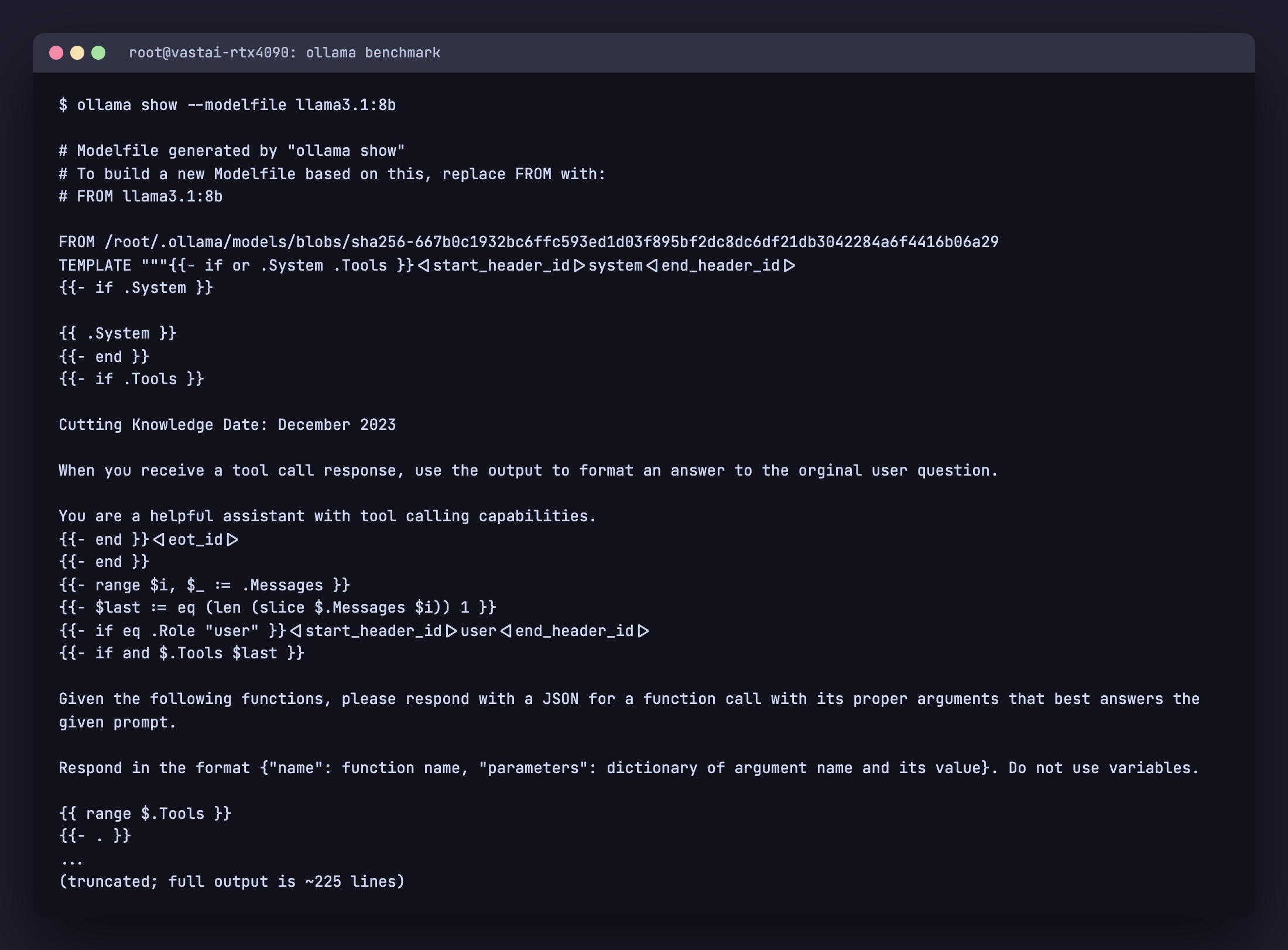
ollama show --modelfile llama3.1:8b. Use the output as a starting template for your own Modelfile.A Modelfile lets you create a customized variant of a base model. Four recipes cover most production needs.
Coding assistant with deterministic output
Low temperature for predictable code, a wide context for whole-file edits, and a system prompt that forces a code-first style. Save it as Modelfile.coder:
FROM qwen2.5-coder:7b

PARAMETER temperature 0.1
PARAMETER top_p 0.9
PARAMETER repeat_penalty 1.0
PARAMETER num_ctx 16384

SYSTEM """You are a senior software engineer. Always respond with code first, comments second.
Use type hints in Python, JSDoc in JavaScript, and prefer the standard library where possible.
When asked to fix a bug, output a unified diff."""
Build the variant and run it:
ollama create coder-strict -f Modelfile.coder
ollama run coder-strict "fix the off-by-one in this for loop: for i in range(len(arr)+1): print(arr[i])"
RAG retriever (deterministic, short answers)
Temperature zero so retrieval answers stay grounded, plus a system prompt that refuses to answer outside the provided context and cites its source:
FROM llama3.1:8b

PARAMETER temperature 0.0
PARAMETER top_p 1.0
PARAMETER repeat_penalty 1.0
PARAMETER num_ctx 8192
PARAMETER stop "<end>"

SYSTEM """You answer ONLY using the context provided.
If the context does not contain the answer, reply: "Not in the provided context."
Cite the source paragraph index in square brackets after each claim."""
JSON-only output for tool routing
A router that must emit a single JSON object and nothing else. Mistral Small’s native function calling makes it reliable at this:
FROM mistral-small:24b

PARAMETER temperature 0.0
PARAMETER num_ctx 8192

SYSTEM """You are a function-call router. Always respond with a single JSON object and nothing else.
Schema: {"tool": string, "args": object}.
Available tools: search_docs, run_sql, send_email, file_read."""
Pair this with Ollama’s structured outputs feature (the format field on /api/chat) and you get hard JSON schema enforcement instead of relying on the prompt alone.
Reproducible eval (seeded, deterministic)
A fixed seed plus greedy decoding so the same prompt returns the same output on every run, which is what you want when comparing models:
FROM llama3.1:8b

PARAMETER seed 42
PARAMETER temperature 0.0
PARAMETER top_p 1.0
PARAMETER top_k 1
PARAMETER repeat_penalty 1.0

SYSTEM "Answer concisely. No preamble."
Use this variant when you compare model quality across benchmark prompts. Without seed, two runs of the same prompt will not match exactly even at temperature 0.0.
Tuning parameters that matter
| Parameter | Default | What it controls | When to change |
|---|---|---|---|
num_ctx | 4K/32K/256K by VRAM | Context window in tokens (capped at the model max) | Lower it to save VRAM, or raise toward the model max for long docs, RAG, code review. Server-wide via OLLAMA_CONTEXT_LENGTH |
temperature | 0.8 | Randomness | Drop to 0.0 to 0.2 for code, factual answers, JSON output. Up to 1.0+ for creative writing |
top_p | 0.9 | Nucleus sampling cutoff | Leave at 0.9 unless you know what you are doing. 1.0 disables it |
top_k | 40 | Top-k sampling | 1 forces greedy decoding (fully deterministic with seed). 0 disables it |
repeat_penalty | 1.1 | Penalize token repetition | Lower to 1.0 for code (avoid penalizing legitimate repeats). Raise to 1.2 if the model loops |
seed | random | Deterministic sampling | Set any integer for reproducible outputs across runs |
num_predict | -1 (unlimited) | Max tokens to generate | Cap to control latency and cost; -2 means fill the context |
num_gpu | auto | Layers offloaded to GPU | Set explicitly to force CPU mode (0) or full GPU (-1, all layers) |
num_thread | auto | CPU threads | Set to physical core count for CPU inference. Hyperthreading rarely helps |
keep_alive | 5m | How long to keep model loaded | Set -1 for permanent residency, 0 to unload immediately |
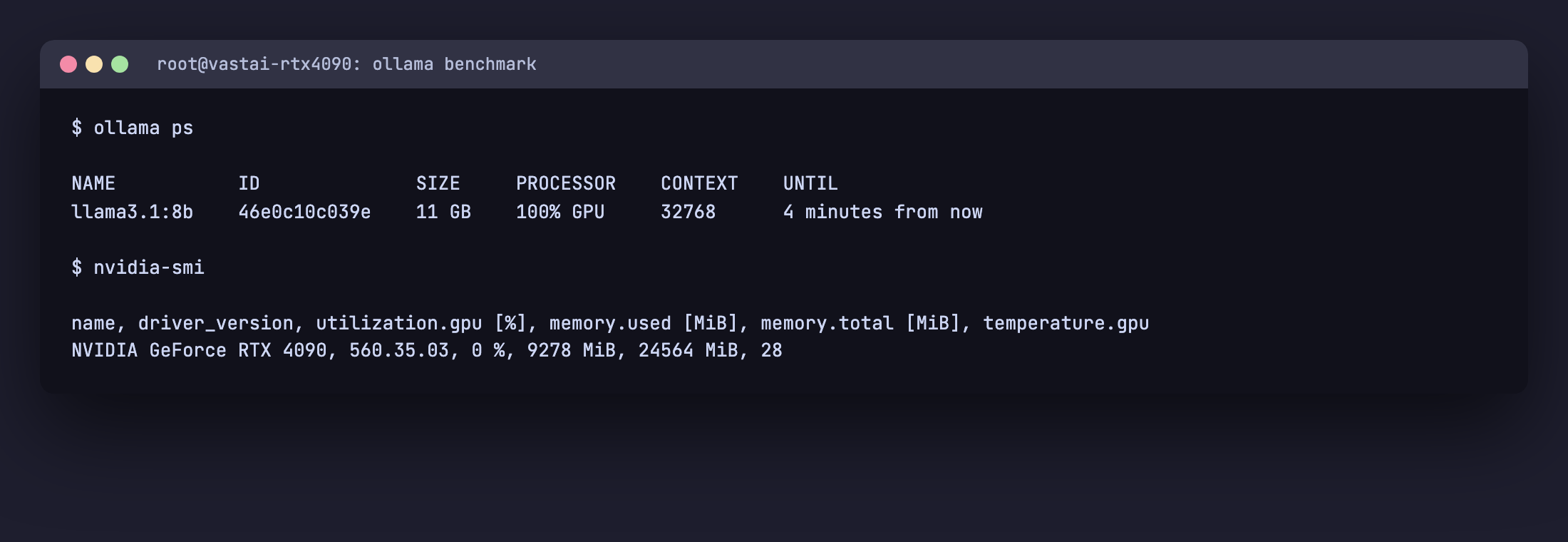
ollama ps confirms the model is on GPU at the 24-48 GB tier’s 32K default context. nvidia-smi shows about 9 GB (9,278 MiB) in use for Llama 3.1 8B, in line with the GQA KV math above.Common pitfalls
- The default
num_ctxis now VRAM-tiered, not a flat 2,048. Current Ollama loads 4K under 24 GB VRAM, 32K from 24 to 48 GB, and 256K at 48 GB or more (capped at the model’s trained max). On a bigger card that convenience sizes the KV cache large, so cap it withOLLAMA_CONTEXT_LENGTH(server) ornum_ctx(per request) when VRAM is tight, and only push toward the model’s full max when you genuinely need long context. - Tags shift over time. The
:latesttag points to whatever Ollama considers default for that model family today. Pin to explicit sizes (:7b,:14b) and quantizations (-instruct-q4_K_M) for reproducibility. - “R1 8B is not real R1.” The 1.5B through 70B DeepSeek R1 tags are distillations. Only
deepseek-r1:671bis the genuine model. - KV cache silently OOMs at long context, but it is the dense 30B-plus models that bite, not 8B. An 8B with grouped-query attention only reaches about 10 GB at 32K, while a dense 32B left at the 32K default spills to system RAM and collapses to single-digit tokens per second. Enable flash attention (
OLLAMA_FLASH_ATTENTION=1) and quantize the cache (OLLAMA_KV_CACHE_TYPE=q8_0), or trimnum_ctx. keep_alive=0on every request kills throughput. Each call reloads the model from disk. SetOLLAMA_KEEP_ALIVE=24hin the systemd override for the service host, or pass"keep_alive": -1on the API request.- Concurrent request defaults are conservative. Set
OLLAMA_NUM_PARALLEL=4andOLLAMA_MAX_LOADED_MODELS=2to actually use a 24 GB GPU under multi-user load. - CPU inference looks slow because Ollama does not use AVX-512 by default on consumer chips. Compare your
eval rateagainst the published llama.cpp benchmarks for your CPU before assuming the model is bad. - Vision models on Ollama need image input through the API or
ollama run model "describe this" /path/to/image.png, not pasted into a chat. Make sure the file path resolves where Ollama runs (different user, different working directory).
FAQ
Which Ollama model is best for coding?
qwen3-coder:30b is the strongest coding model most people can run locally in 2026. It is a 30B-A3B mixture-of-experts model (about 3B active per token) that fits a 24 GB GPU at Q4 and handles agentic, repo-scale work with a 256K context. If you cannot run it, qwen2.5-coder is the next rung: :14b on a 16 GB GPU, :7b on 8 GB (still beating CodeLlama and DeepSeek-Coder for editor-side completion), and :32b (near GPT-4o on Aider) if you have the headroom. For a hosted option without local hardware, qwen3-coder:480b-cloud runs the full 480B model.
How much RAM do I need for Llama 3.3 70B?
At Q4_K_M (~43 GB on disk), Llama 3.3 70B needs roughly 48 GB of unified memory or VRAM with a small context window, 56 GB with a 32K context. On a single 24 GB GPU it will not fit even at Q3_K_M without partial CPU offload, and the offloaded version drops to single-digit tokens per second. Either pair two RTX 3090s or use Apple Silicon with 64 GB unified memory.
Can I run Ollama on Apple Silicon?
Yes, and well. Ollama uses Apple’s Metal backend natively. M1, M2, M3, and M4 chips all work, with unified memory acting as VRAM. An M2 Pro 32 GB runs 13B models comfortably; an M3 Max 64 GB runs 70B at Q4_K_M with a small context window. Generation speed is lower than a discrete RTX 4090 but the unified memory gives you headroom no consumer NVIDIA card matches.
Mistral vs Llama vs Qwen, which is best?
Different niches. Llama 3.1 8B is the safe English-first general default. Qwen 2.5 7B beats it on multilingual and on Asian languages and matches it on English reasoning. Mistral Nemo 12B is the right pick when you have ~12 GB VRAM and want better-than-8B quality. Mistral Small 24B owns the agentic and JSON output niche thanks to native function calling. There is no single “best” answer; pick by use case.
What is the smallest Ollama model that is actually useful?
llama3.2:1b and qwen2.5:1.5b are both genuinely useful at their size. They are good enough for tool routing, classification, simple summarization, and structured extraction, especially with a tight system prompt. Below 1B (gemma3:270m, qwen2.5:0.5b) the models are real but quality drops sharply on anything but the simplest classification.
DeepSeek R1 vs Claude or GPT-4, when to pick local?
Pick local R1 distillations when privacy, latency, or per-call cost matters more than top-end quality, or when you specifically want chain-of-thought reasoning to stay on your hardware. The 14B and 32B distillations are strong on math and step-by-step problem solving but they are not a one-to-one replacement for Claude or GPT-4 on creative writing, long-form synthesis, or complex tool use. Run an honest eval on your real prompts before committing.
How do I update an installed Ollama model?
Run ollama pull <model> again. Ollama only downloads new layers, so the update is incremental. Confirm with ollama list that the modified date refreshed. To track which version of Ollama itself you have, run ollama --version.
Why does my model run slow on CPU?
CPU inference is bandwidth-bound, not compute-bound. A 7B model at Q4_K_M reads ~4.5 GB of weights for every token, so total throughput is your memory bandwidth divided by model size. A DDR5-5200 dual-channel desktop reads ~80 GB/s and gets ~15 tok/s on a 7B; a server with 8-channel DDR5 (~400 GB/s) does ~80 tok/s. Adding more CPU cores past your core count does not help. Quantize harder (Q3_K_M) or pick a smaller model. To match a card to the model size, see how much VRAM to run an LLM.
Can I run two Ollama models at the same time?
Yes, but Ollama unloads idle models to free VRAM. Set OLLAMA_MAX_LOADED_MODELS=2 (or higher) in the service environment to keep multiple models hot. Pair this with OLLAMA_NUM_PARALLEL=4 if you have requests queueing on the same model. Inspect what is loaded with ollama ps; the column PROCESSOR tells you whether each model is on GPU, CPU, or split.
Should I use the GGUF tag or the default?
Stick with the default unless you have a reason. Ollama defaults are curated GGUF files at sensible quantizations. Pull custom GGUFs from Hugging Face only when you need a specific quantization, fine-tune, or merge that is not in the official library. Use ollama create <name> -f Modelfile with FROM ./model.gguf to import.
Run models bigger than your GPU: Ollama Cloud
Ollama Cloud lets you run models that are far too large for local VRAM, like gpt-oss:120b, qwen3-coder:480b, and deepseek-v3.1:671b, through the same CLI and API you already use, with the data not retained. Cloud models carry a -cloud suffix. Authenticate the machine once, then run a cloud model exactly like a local one:
ollama signin
ollama run gpt-oss:120b-cloud
There is a free tier with usage limits plus paid plans for heavier use. The point is the workflow: prototype against a frontier model in the cloud, then drop the -cloud suffix to run a smaller local variant in production, with no code change. Ollama also now ships an official desktop app for macOS and Windows with a chat GUI, file and image drag-and-drop, so non-terminal users can run these same models without touching the CLI.
Where to go next
Pair this cheat sheet with the rest of the local LLM cluster on computingforgeeks: the Ollama commands cheat sheet for the CLI itself, the Ollama install guide for Rocky Linux 10 / Ubuntu 24.04, the Open WebUI setup for a self-hosted ChatGPT-style frontend, the DeepSeek R1 local guide, and the open-source LLM comparison table. The combined set covers install, daily commands, model selection, the most-asked specific model, the strongest UI, and the wider open-source landscape.