All three of these mini PCs run the same silicon: the AMD Ryzen AI Max+ 395 “Strix Halo”, 16 Zen5 cores, the Radeon 8060S iGPU, and 128GB of LPDDR5X-8000 wired as unified memory. On a local-LLM workload the chip behaves the same in every chassis, so the SoC is not the deciding factor. The differences that move the buying decision are the network ports, the cooling and noise under sustained inference, how much of that 128GB you can hand to the GPU, and the price.
This comparison puts the Framework Desktop, the GMKtec EVO-X2, and the Beelink GTR9 Pro side by side on the specs that actually differ, with cited tokens/sec figures for the models people run on these boxes. The headline number that defines the category: about 96GB of the 128GB pool is addressable as GPU memory on Linux, which is more usable model space than a discrete RTX 5090 (32GB) at a fraction of the power. These machines are capacity-first, not bandwidth-first.
Figures current as of June 2026; tokens/sec cited from ServeTheHome, CraftRigs, and community llama.cpp runs on Strix Halo, not measured by ComputingForGeeks.
Quick picks
Three machines, one chip, three different reasons to buy. Each verdict names the trade-off you accept; the full breakdown for each is further down.
- Best for Linux and openness: Framework Desktop. Standard mini-ITX board, documented internals, a PCIe slot, and a vendor that ships Linux as a first-class target. The trade-off is you assemble it, and the case is the largest of the three. Sold direct at frame.work, base 128GB around $1,999.
- Best price per usable GB: GMKtec EVO-X2. The cheapest route to a 128GB Strix Halo box, two USB4 ports, dual M.2. The trade-off is a single 2.5GbE port and fans that get audible under load. Around $1,800 to $2,000 with 128GB and a 2TB SSD.
- Best networking and quietest build: Beelink GTR9 Pro. Dual 10GbE, dual USB4, vapor-chamber cooling, the only one of the three you would build a model-serving node around. The trade-off is an Intel E610 NIC that needs a driver workaround on Linux, and Amazon listings that currently sit above the $1,985 MSRP. Buy direct from Beelink near MSRP.
How this comparison was done
The specs, ports, and prices below were confirmed against each manufacturer’s product page and a live retailer listing in June 2026, then cross-checked against ServeTheHome’s reviews of all three machines and Tom’s Hardware’s EVO-X2 review. Where a number could change (price, stock, the exact Amazon variant), the live page was the source, not a spec sheet from memory.
The tokens/sec figures are cited, not measured here. They come from ServeTheHome, CraftRigs’ EVO-X2 local-LLM run, and public llama.cpp benchmark grids for Strix Halo. Because all three share the same SoC and memory subsystem, inference speed tracks the chip, not the chassis. The chassis decides whether that speed holds under a long generation (thermals) and how the box fits into a homelab (ports, noise). For how these unified-memory boxes line up against discrete GPUs on raw speed, the GPU buyer guide for local LLMs carries the measured 3090/4090/5090/L40S numbers.
What the Ryzen AI Max+ 395 actually delivers for local AI
The number that matters for local AI is addressable memory, and this platform’s answer is roughly 96GB. The Ryzen AI Max+ 395 pairs 16 Zen5 cores with a 40-compute-unit Radeon 8060S iGPU and an XDNA2 NPU, all sharing one 128GB LPDDR5X-8000 pool on a 256-bit bus. Peak memory bandwidth measures about 256 GB/s. On Linux, a GTT kernel parameter (amdgpu.gttsize) exposes around 96 to 100GB of that pool to the GPU, which is what lets a single sub-$2,000 box hold a 70B model or a 120B mixture-of-experts model that no consumer discrete GPU can fit.
Cited generation rates on Strix Halo, all at Q4-class quantization:
| Model (Q4) | Memory footprint | Cited tokens/sec | Notes |
|---|---|---|---|
| gpt-oss-120b (MoE) | ~64GB | ~31 to 55 tok/s | Activates ~5B params per token; rate varies by engine (LM Studio ~31, llama.cpp Vulkan ~55), which is why a 120B model runs usably |
| Llama 70B dense | ~40GB | ~4 to 6 tok/s | Fits comfortably, but dense 70B is bandwidth-bound, not capacity-bound |
| Qwen 32B dense | ~20GB | ~8 to 12 tok/s | The practical balance point for interactive use |
| 8B dense | ~5GB | ~28 to 38 tok/s | Fast enough for agent loops and coding assistants |
Read the pattern in that table. Capacity is the platform’s strength and bandwidth is its ceiling. A dense 70B fits but generates at single-digit tokens/sec because 256 GB/s of shared memory cannot feed it faster. A 120B mixture-of-experts model runs at an order of magnitude higher rate because only ~12B parameters are active per token. The buying lesson: these machines win when the job is “run a model that does not fit on a 24 or 32GB GPU”, and they lose when the job is “run a small model as fast as possible”, where a discrete GPU is faster. If you are unsure which side of that line your workload sits on, the breakdown of how much VRAM each model size needs sizes it precisely.
1. Framework Desktop
The Framework Desktop is the standards-compliant option. The Strix Halo lives on a standard mini-ITX mainboard inside a documented case, the internals are repairable and laid out for it, and there is a PCIe slot on the board for expansion that the two slim mini PCs do not offer. Framework treats Linux as a primary target rather than an afterthought, and the mainboard documentation is published openly. ServeTheHome ranked it their third-favorite Strix Halo machine, with the two knocks being that it ships as a kit you assemble and the chassis is physically the largest here.
Memory is 128GB of soldered LPDDR5X, same as the others. Storage uses standard M.2 slots, networking is 5GbE, and front connectivity comes through Framework’s expansion-card system, the same modular USB-C cards used on its laptops, which you populate with USB-A, USB-C, SD, audio, or Ethernet as needed. A Noctua CPU-fan option keeps it quiet. Base price for the 128GB configuration is around $1,999, and a fully kitted unit runs closer to $2,500.
It is sold direct from Framework, not through Amazon as a first-party listing, so the link below goes to the manufacturer. Stock has been tight, with sold-out batches and a Q3 restock window reported, so confirm availability before committing.
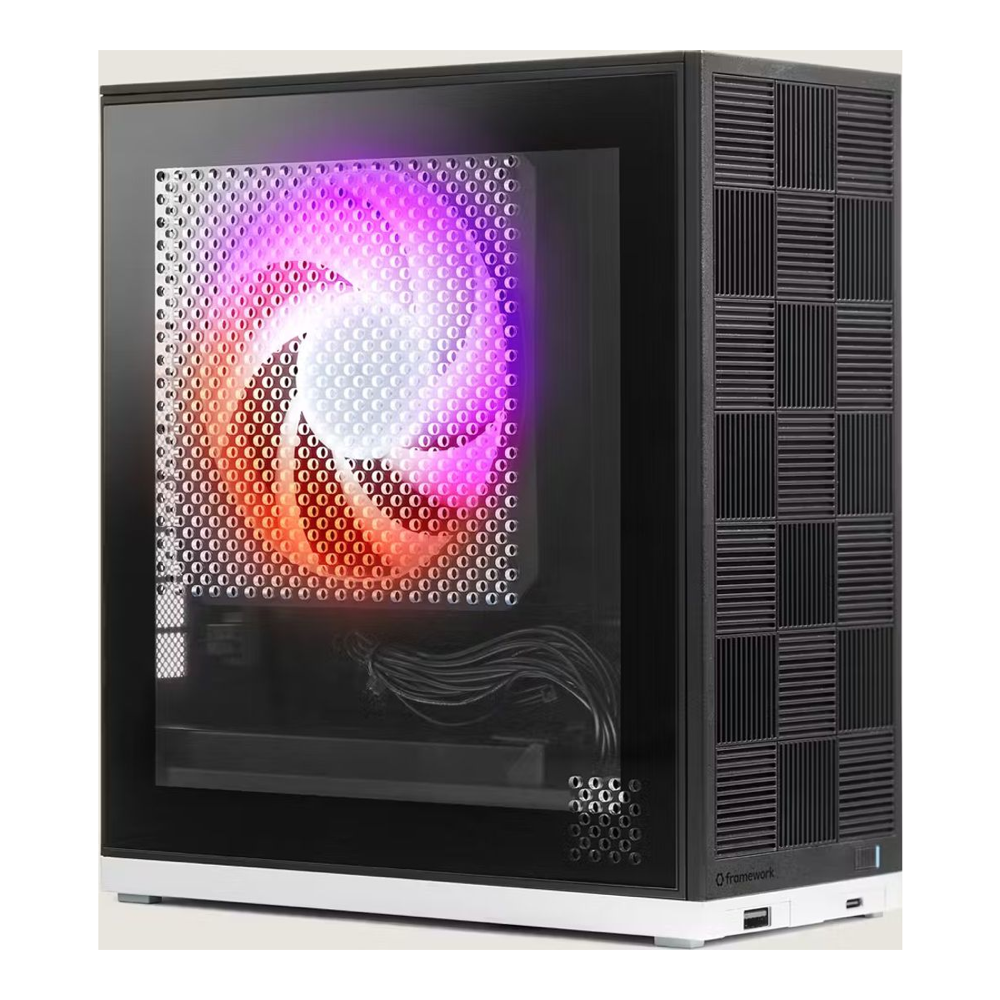
Who it is for: a Linux user who values repairability, open documentation, and a PCIe slot, and does not mind assembling the machine. Skip it if: you want a sealed, ready-to-run box out of the carton, or you need the smallest possible footprint.
2. GMKtec EVO-X2
The EVO-X2 is the cheapest way into a 128GB Strix Halo machine, and for a buyer whose only goal is maximum addressable model memory per dollar, that is the whole argument. It carries the same 128GB LPDDR5X-8000, two USB4 ports (one front, one rear), dual M.2 2280 slots supporting up to 16TB, HDMI 2.1, DisplayPort, and an SD card reader. The 128GB-plus-2TB configuration lands in the $1,800 to $2,000 band, below both other machines here.
Two compromises pay for that price. First, networking tops out at a single 2.5GbE port (Realtek RTL8125BG), so it is not the box to build a 10G-fed inference node around. Second, cooling is the loudest of the three. Tom’s Hardware measured an average package temperature around 61C with no throttling during 70B inference, but noted the fans become audible across a room under sustained CPU load. The cooling design (three heat pipes, dual fans, 120W sustained and 140W peak) holds clocks, it just is not quiet doing it.
This is the one of the three with a clean, currently-buyable Amazon listing (4.2 stars across 90 ratings at the time of writing), which matters if you want one-click purchase and Prime returns rather than ordering from a manufacturer store.
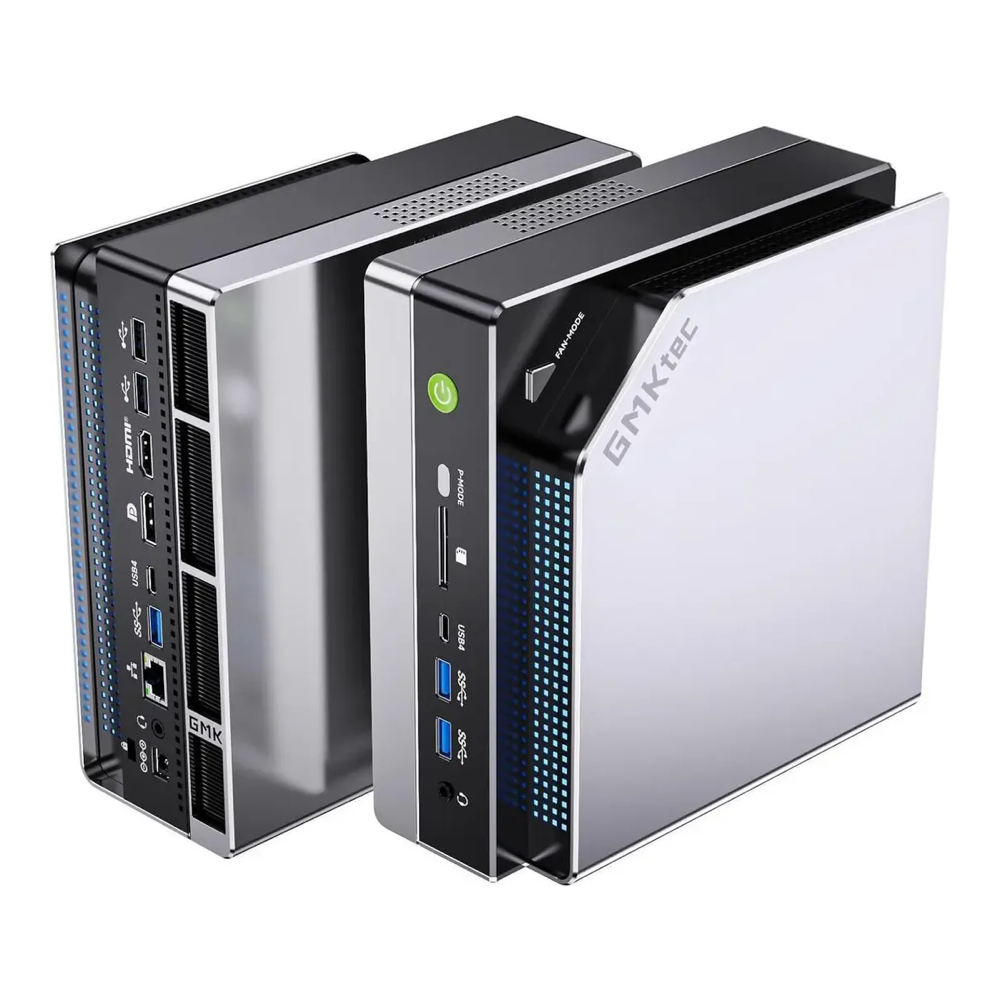
Who it is for: the buyer who wants the most usable VRAM per dollar in a sealed box and runs it where fan noise does not matter. Skip it if: you need 10GbE, or the machine sits on your desk and the noise under load would bother you.
3. Beelink GTR9 Pro
The GTR9 Pro is the networking and acoustics pick, and it is the only one of the three you would reasonably make the center of a model-serving setup. Where the EVO-X2 gives you 2.5GbE, the GTR9 Pro gives you dual 10GbE (Intel E610), alongside two rear USB4 ports, a front USB-C 10Gbps port, two USB 3.2 Type-A, HDMI 2.1, and DisplayPort 2.1. Storage is dual M.2 2280 PCIe 4.0 supporting up to 16TB, shipping with a 2TB Crucial drive. A vapor chamber and dual-turbine fans keep it the quietest of the three; Beelink rates it near 32 dB, though one reviewer’s reader reported closer to 52 dBA under load, so treat “near-silent” as best-case.
One caveat worth knowing before you deploy on Linux: ServeTheHome’s review flagged the Intel E610 dual-10GbE controller as needing a driver workaround to come up cleanly. If 10GbE is the reason you are buying this machine, verify the current driver state for your distribution and kernel first. Pair it with a Proxmox-ready mini PC for the rest of the rack and the dual 10GbE makes the GTR9 Pro the obvious node for the GPU-class work.
On pricing, the GTR9 Pro launched at a $1,985 MSRP. The Amazon listings for it currently sit well above that from third-party sellers and do not add to cart cleanly, so the buy link below points to Beelink’s own store, where it sells near MSRP. The Amazon ASINs are tracked in this guide’s sourcing notes for a future re-check, but a third-party markup is not worth recommending.
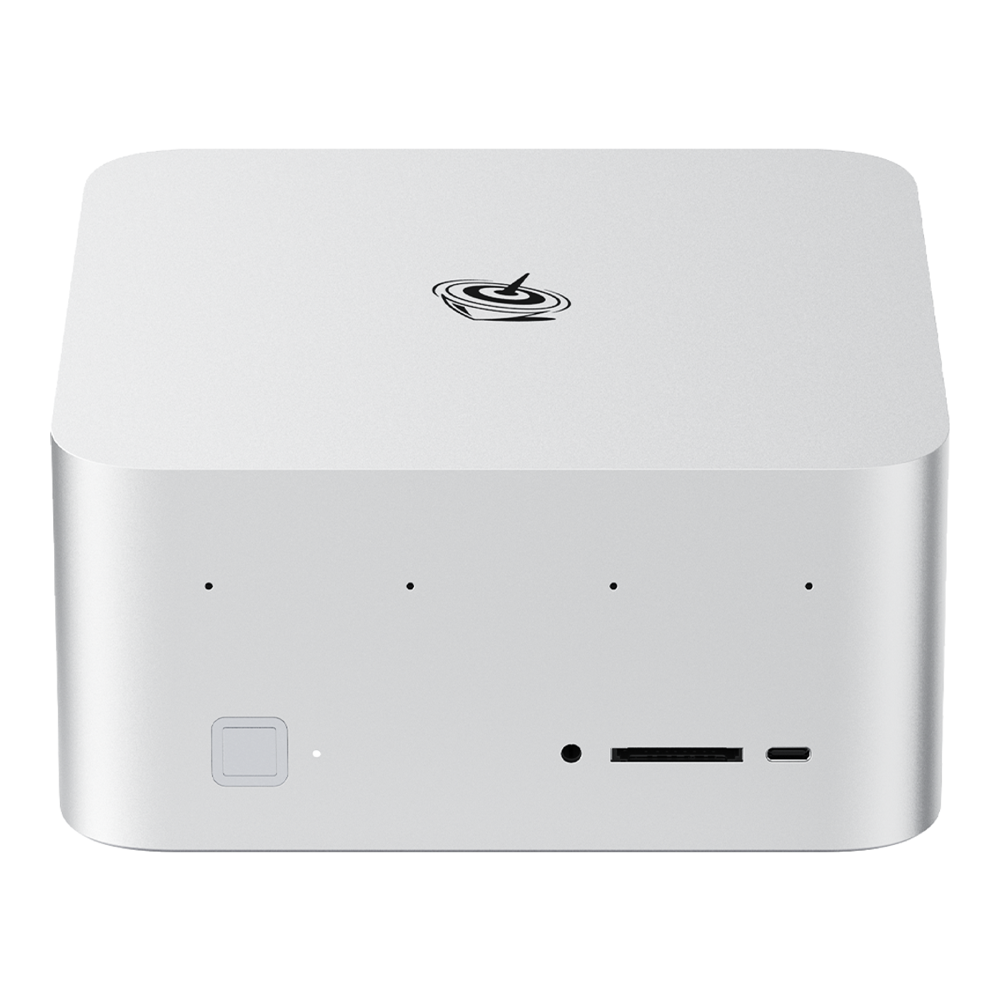
Who it is for: a homelab buyer who wants dual 10GbE, the quietest chassis, and a box that slots into a serving rack. Skip it if: you do not need 10GbE, in which case the EVO-X2 delivers the same compute for less.
How the three compare
The SoC, memory, and inference speed are constants. The table isolates the variables that actually differ.
| Spec | Framework Desktop | GMKtec EVO-X2 | Beelink GTR9 Pro |
|---|---|---|---|
| SoC | Ryzen AI Max+ 395 (16 Zen5, Radeon 8060S, XDNA2 NPU), identical | ||
| Memory | 128GB LPDDR5X-8000, ~256 GB/s, ~96GB GPU-addressable on Linux, identical | ||
| Ethernet | 5GbE | 2.5GbE | Dual 10GbE (Intel E610) |
| USB4 | 2 (rear I/O) | 2 (front + rear) | 2 rear + front USB-C 10G |
| Expansion | PCIe slot + M.2 | Dual M.2 (to 16TB) | Dual M.2 (to 16TB) |
| Sustained / peak power | ~120W class | 120W / 140W | 140W |
| Noise under load | Quiet (Noctua option) | Audible across a room | Quiet at idle, louder under load |
| Form factor | Mini-ITX, self-assembled | Sealed mini PC | Sealed mini PC |
| Linux posture | First-class, open docs | Works, community-tested | Works; E610 NIC needs a driver fix |
| Price (128GB) | ~$1,999 base | ~$1,800 to $2,000 | $1,985 MSRP |
| Where to buy | frame.work (direct) | Amazon (buyable) | Beelink store (near MSRP) |
Which to buy
The decision reduces to which of three constraints you care about, because compute is the same across all three.
Pick the Framework Desktop if Linux support, repairability, open documentation, and a real PCIe slot are the priorities, and assembly does not bother you. It is the machine that will still be serviceable and upgradable in three years, and the one to recommend to anyone running it as a Linux workstation rather than an appliance.
Pick the GMKtec EVO-X2 if the goal is the most addressable model memory per dollar and the box runs somewhere the fan noise is irrelevant (a closet, a rack, a basement). It is also the cleanest Amazon purchase of the three. You give up 10GbE and quiet operation to save the money.
Pick the Beelink GTR9 Pro if the machine is a serving node: dual 10GbE feeds a network-attached workflow, the vapor chamber keeps it quiet on a desk, and it is the most complete I/O of the set. Budget for verifying the E610 driver on your distribution, and buy it from Beelink rather than a marked-up Amazon reseller.
One sizing reality applies to all three. A unified-memory mini PC is the right tool when the model does not fit on a discrete GPU, and the wrong tool when raw speed on a small model is what you need. A 70B dense model at 4 to 6 tokens/sec is patient-batch territory, not interactive chat. If your workload is small models at high speed, the comparison to look at is a used high-VRAM card against a current one, covered in the RTX 3090 versus 5090 breakdown, and the broader mini PC for local AI roundup places these Strix Halo boxes against the Mac and discrete-GPU alternatives.
What to watch in the metrics
When evaluating any Strix Halo box for local AI, three measurements predict whether it will do the job, and none of them is the CPU benchmark the marketing leads with:
- Addressable GPU memory after the GTT setting. The 128GB pool is shared; what the GPU can actually use depends on the kernel parameter. Confirm you can reach ~96GB before assuming a 120B model fits.
- Tokens/sec on your real model at your real context length. A 120B MoE at ~31 to 55 tok/s (engine-dependent) and a 70B dense at ~5 tok/s are both “runs on this box”, but only one is interactive. Benchmark the model you will actually use.
- Sustained clock and acoustics over a long generation. A 30-second benchmark hides the throttle and the fan curve that a 10-minute generation exposes. The chassis, not the chip, decides this, which is the entire reason these three machines differ.
The silicon is settled. Buy for the ports, the cooling, and the support model, and the Ryzen AI Max+ 395 will deliver the same ~96GB of model memory regardless of which logo is on the front.