openSUSE Leap 16 is the first major version bump the distribution has had in roughly seven years, and it is not a routine point release. Leap rebases onto the SUSE Linux Enterprise 16 codebase, retires YaST after two decades, makes SELinux the default, locks down SSH, and quietly changes how several core parts of the system behave. If you are deciding whether to move from Leap 15.6, the useful question is not “what got newer” but “what changed underneath,” because a handful of long-standing assumptions about a Leap system no longer hold.
This is a tour of the changes that actually matter, with the specifics from the official release notes and what each one means in practice. The behavior described here was checked against openSUSE Leap 16.0 (released 29 September 2025) in June 2026.
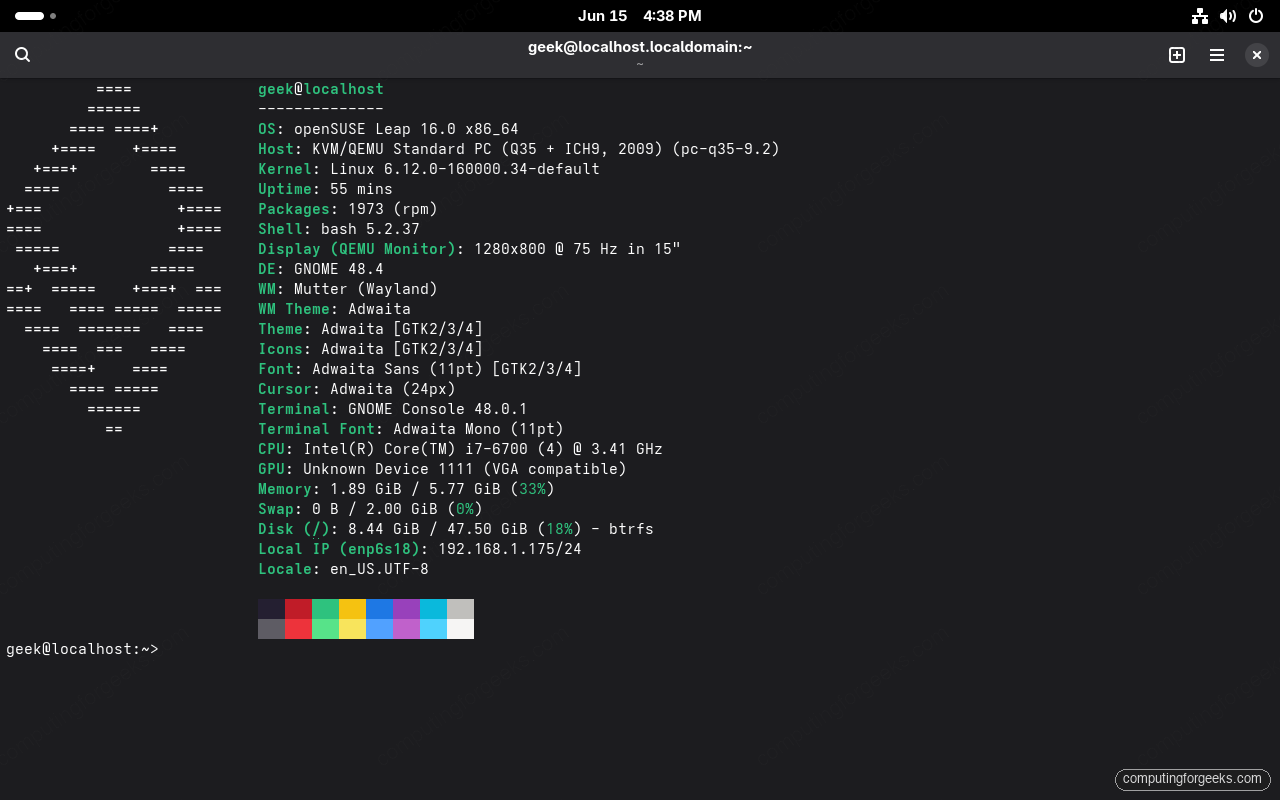
It is built on the SLES 16 base
Leap has always shared a core with SUSE Linux Enterprise, and Leap 16 builds on SLES 16. The practical meaning is binary compatibility: the same packages, versions, and behavior as the paid enterprise product, without the subscription, which is why Leap is popular as a free stand-in for SLES in labs and smaller deployments. What’s actually happening is that openSUSE retired its separate community toolchain and adopted the enterprise one, and almost every change below follows from that single decision. The payoff is a long support window: each Leap 16 minor release gets 24 months of community maintenance, the 16.x line is maintained until 31 July 2034, and Long Term Service Pack Support extends coverage to December 2037.
The enterprise lineage also widens the hardware story beyond x86. Leap 16 ships for AMD64/Intel 64 (x86-64-v2 baseline), 64-bit Arm (Armv8.0-A or higher), IBM Power LE (POWER10 or higher), and IBM Z (z14 or higher), matching SLES 16’s supported platforms.
Agama replaces the YaST installer
The installer you boot is now Agama, a web-based installer that runs a local server and presents setup as a single-page interface you can also drive from another machine’s browser. This is a clean break from the old YaST ncurses and Qt installer. The key insight is that Agama separates the installation UI from the underlying logic, so one image can provision Leap, Tumbleweed, or Leap Micro, and an admin can run or monitor installs over the network rather than at the console. The installer offers only Wayland desktop sessions; an experimental Xfce Wayland session is available, and an LXQt Wayland option is planned for a later release. If you want the full walkthrough, the openSUSE Leap 16 install guide covers Agama screen by screen.
YaST is retired, and Cockpit and Myrlyn take over
This is the change long-time openSUSE users feel most. YaST, the all-in-one suite that defined the distribution, is gone as a core tool. Its work is now split across purpose-built replacements:
- Agama handles installation, the job YaST’s installer module did.
- Cockpit is the running-system admin console, reached in a browser on port 9090. Leap 16 ships Cockpit base version 332 plus openSUSE-specific modules including
cockpit-subscriptions,cockpit-repositories,cockpit-packages, and an enhancedcockpit-packagekit, so package and repository management that lived in YaST now lives here. - Myrlyn is the graphical package manager. It is a Qt front-end on the same libzypp library
zypperuses, so it is effectively the old YaST software module reborn as a standalone app.
This matters because muscle memory built around yast and yast2 no longer applies; the functionality moved rather than disappeared. If you drive the box from the command line, zypper and systemctl are unchanged and remain the fastest path. The post-install guide shows Cockpit and Myrlyn in action.
SELinux is enforcing by default, and AppArmor steps aside
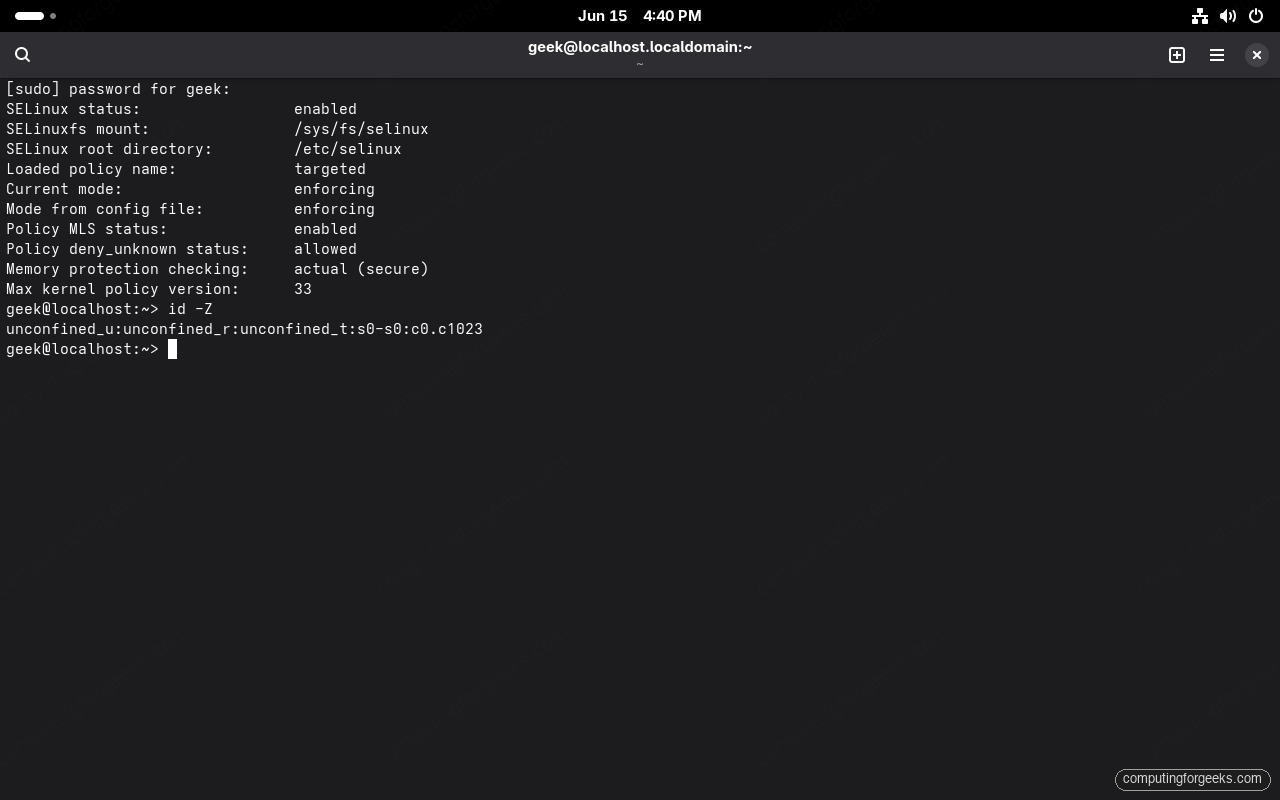
For its entire history openSUSE shipped AppArmor as the default security module. Leap 16 reverses that: SELinux with the targeted policy is now the default and is set to enforcing on a fresh install. AppArmor is still packaged and was updated from 3.1 to 4.1, but you cannot select it as the Linux Security Module during a new installation, though you can enable it again afterward. On an upgrade, the migration tool prompts you to either switch to SELinux or preserve AppArmor, so an upgraded system can keep what it had.
This matters because SELinux enforcing has a reputation for blocking software written without a matching policy. In practice the targeted policy covers the common services, so most desktops and standard server roles run without intervention. The mechanism to know is the diagnostic path: sudo sestatus confirms the mode, and the audit log read with ausearch -m avc -ts recent shows exactly which access was denied, so you adjust policy instead of disabling protection. Note also that in FIPS mode the SHA1 algorithm is now disabled or marked unapproved.
SSH is locked down by default
This one catches server admins off guard. On Leap 16, sshd allows only key-based authentication by default, and password login is off. There is a direct consequence during installation: if you set up only a password and no SSH key, sshd is not enabled automatically, because enabling it would expose a password-only login the policy disallows. If you genuinely need password-based root login back, the dedicated package openssh-server-config-rootlogin restores it, which is a deliberate, auditable opt-in rather than a config edit you might forget. The reasoning is that key authentication is the safer default for a system that is increasingly used as a server, and the distribution now enforces that stance instead of suggesting it.
The hardware floor moved up: x86-64-v2 and no 32-bit
On x86, Leap 16 requires a CPU supporting the x86-64-v2 microarchitecture level, which covers roughly anything from 2009 onward. If your processor predates that, Leap 16 will not install, and the migration tool refuses to proceed rather than leave you half-upgraded. Separately, 32-bit support is removed entirely: the release supports only 64-bit binaries, there is no 32-bit edition, and the kernel is built with GCC 13 (so out-of-tree kernel modules must also be built with GCC 13). On x86_64 you can re-enable 32-bit syscalls with the kernel parameter ia32_emulation, which is why Steam now ships as a Flatpak and Wine is provided only in its wow64 build. For most hardware from the last decade this is invisible, but it is the single most common reason an older machine cannot make the jump.
Wayland, PipeWire, and one network stack
The session has been modernized to match where the wider Linux world settled. The installer offers only Wayland sessions, Xorg is no longer the default and X11 apps run through XWayland rather than a native X server, though an Xorg-based desktop remains installable afterward if you genuinely need one. Audio is PipeWire instead of PulseAudio, and existing setups are migrated automatically on upgrade. Networking is consolidated too: NetworkManager is now the only configuration stack, so the old wicked service is gone, and interfaces use systemd predictable names instead of Leap 15’s legacy scheme. If you carried a net.ifnames=0 boot option forward from an older system, the release notes recommend removing it so the predictable naming actually takes effect. The reasoning throughout is consistency: rather than carry two of everything, Leap 16 picks the modern option and keeps a compatibility layer for the old one.
Behavior changes that will catch you out
Several defaults changed in ways that do not announce themselves until something behaves differently than you expect. These are the ones worth internalizing before you deploy:
/tmpis now tmpfs and no longer survives a reboot. Anything you stash in/tmpis gone after a restart, so scripts that relied on it persisting need a different location.- New users get a private primary group. With
USERGROUPS_ENABenabled, a new user’s primary group now matches their username instead of the sharedusersgroup, so files are not group-readable by other users by default. This changes the assumptions behind shared-directory permissions. - systemd configuration moved from
/etcto/usr. The shipped defaults now live under/usrwith lower precedence, so your overrides in/etcstill win, but the files you expect to read are not where they used to be. - Python 3.13 is the default interpreter.
/usr/bin/python3points at Python 3.13, with around 700 popular packages available in the repositories. - Legacy BIOS still boots but is on notice. BIOS installs work, but some features such as TPM-backed full-disk encryption require UEFI, and BIOS support is slated to be dropped in a future release.
NVIDIA graphics work without the usual setup
A genuinely nice change for desktop users: on a fresh Leap 16 install, NVIDIA’s open driver is installed by default along with the NVIDIA graphics driver repository and the matching user-space drivers, so graphical acceleration works without the old repo-adding ritual. On the AMD side, EPYC Turin systems now default to the AMD P-State frequency-scaling driver, which supports Energy Performance Preference for finer control over the performance-versus-power trade-off. The hardware enablement that used to be a post-install chore is increasingly handled for you.
Virtualization is KVM-only, with confidential computing
The Xen hypervisor is removed, leaving KVM as the virtualization platform. The stack around it is current: QEMU 10.0.2, libvirt 11.4.0 with its modular daemons, virt-manager 5.0.0, and libguestfs 1.55.13. The more interesting additions are in confidential computing. AMD SEV-SNP is fully integrated for KVM guests on 3rd Gen EPYC (Milan) or newer with SEV-SNP enabled in firmware, and the kernel carries the latest Intel TDX patches, though the full TDX experience still needs QEMU and libvirt pieces landing in a later update. One tested gotcha worth knowing: running a Leap 16 image inside QEMU crashes the guest kernel unless you start QEMU with -cpu host, because the guest needs the host’s CPU feature set exposed.
Kernel 6.12 and a simpler repository layout
Leap 16 ships the 6.12 long-term-support kernel, which brings current hardware enablement while staying on a stable maintenance branch. The repository layout is also simpler. There is no longer a dedicated update repository: repo-oss and repo-non-oss now serve updates as well, and the whole set is defined and maintained through the openSUSE-repos package rather than hardcoded. The mechanism here matters because shipping repository definitions as a package is what lets the migration tool swap them cleanly when you move between releases, and it is why a fresh Leap 16 system shows a tidier, smaller repository list than Leap 15 did.
Desktop versions and the support window
On the desktop, Leap 16 ships GNOME 48, KDE Plasma 6.4, and Xfce 4.20, all on Wayland. These are recent but not bleeding-edge releases, which is the point of Leap: stable versions that get maintenance rather than the constant churn of a rolling distribution. Combined with the support window that runs to 2034, that is the practical argument for Leap over a rolling release when you want to install a server or a workstation and not rethink it every few months.
What was removed
A release this large drops a lot, and it is worth scanning the list before you commit. Beyond AppArmor as the default and 32-bit support, Leap 16 removes the standalone Xorg server, the NIS directory service, the Xen hypervisor, the nscd name-service cache daemon, WSL1 support, and legacy SysV init scripts (deprecated since Leap 15 SP2). A few package-level changes follow the same pattern: crun is gone in favor of runc, sapconf is replaced by saptune, the HexChat IRC client is dropped because upstream archived it, and libnsl.so.1 is finally removed, with a libnsl-stub1 package providing an ABI-compatible stub for anything that still links against it. For most systems these are cleanup of things you were not using, but if you depend on NIS or Xen specifically, that dependency is the thing to resolve before upgrading.
Common misconceptions about Leap 16
A few assumptions carry over from older Leap or from Tumbleweed that no longer fit. Worth correcting before you plan an install or upgrade:
- “Leap 16 is now a rolling release.” No. Leap is still a fixed point release with a defined support window; only the toolchain around it changed. Tumbleweed remains the rolling option.
- “X11 applications will not run anymore.” They will, through XWayland. What changed is that Xorg is no longer the default session and an Xorg session is now an opt-in install, not that X application compatibility went away.
- “AppArmor is gone from openSUSE.” It is no longer the default and cannot be picked during a fresh install, but the 4.1 packages are still there and you can enable it again afterward.
- “SSH will just work like it always did.” Not quite. It is key-only by default, and a password-only install will not even enable sshd until you add a key or install the rootlogin compatibility package.
The mental model that holds all of this together: Leap 16 traded its bespoke community tooling for the SLES 16 platform, and almost every headline change, from the installer to the security model to the locked-down SSH, follows from that one decision. If you are ready to move, start with the upgrade from Leap 15 guide for an existing system or a clean Leap 16 install, then work through the post-install setup to get codecs, the new admin tools, and your Snapper rollback safety net in place.