

Flux CD turns a Git repository into the source of truth for a Kubernetes cluster. Push a YAML change to main, and a controller running inside the cluster pulls it, applies it, and reports back. No CI step that runs kubectl apply from a build server with cluster admin credentials. No drift between what the repo says and what the cluster runs. The cluster pulls; the cluster owns the apply.
This guide installs Flux on a Kubernetes cluster, bootstraps it against a GitHub repository, and verifies the four controllers come up clean. Real output is captured from a freshly-bootstrapped lab. Once the install lands, the next article in this series covers writing your first Kustomization to manage applications. For the broader architectural picture, the Flux CD vs ArgoCD comparison already on the site is the right read.
Tested May 2026 with Flux v2.8.6 on k3s v1.35.4 (Kubernetes 1.33+ required), Ubuntu 24.04.4 LTS
What Flux CD is and where it sits
Flux is a CNCF graduated project, a set of Kubernetes controllers that watch Git repositories, OCI artifacts, and Helm charts, then reconcile their contents into the cluster. The whole system is declarative: every action Flux takes is driven by a custom resource you committed to Git. Suspend a workload, change an image tag, point at a new branch: that is a commit.
The two most-used GitOps tools on Kubernetes today are Flux and ArgoCD. They aim at the same problem with different defaults:
| Aspect | Flux CD | ArgoCD |
|---|---|---|
| Surface | CLI + CRDs (no built-in UI) | Full web UI + CLI + API |
| Bootstrap model | Self-managing via flux bootstrap (writes manifests to Git) | Helm/manifest install, then declare apps |
| Multi-cluster | One Flux per cluster, hub-and-spoke via Git | One ArgoCD can manage many clusters from a single pane |
| Footprint | 4 small controllers, ~150 MB RAM total | Heavier (server, repo-server, Redis, controller) |
| Best fit | Platform teams who want pure GitOps and a thin operator | Teams who want a visual app catalog and SSO-driven workflows |
Pick one. Many teams run both: Flux for platform components on every cluster, ArgoCD for application teams who need the dashboard. If you have not chosen yet, the side-by-side breakdown covers the trade-offs in detail.
Prerequisites
- A Kubernetes cluster running 1.33 or newer (Flux v2.8.x supports 1.33+). Tested here on k3s v1.35.4 single-node, but k3s, kubeadm, EKS, GKE, AKS, and OpenShift all work.
kubectlinstalled locally and a workingKUBECONFIGthat lets you talk to the cluster as a user withcluster-admin.- A GitHub account and a personal access token with
reposcope. Flux uses the token once during bootstrap to create or update the repository, then writes a per-cluster SSH deploy key for ongoing reconciliation. Other Git providers (GitLab, Bitbucket, Gitea, generic Git over SSH) are supported viaflux bootstrap gitlab,flux bootstrap bitbucket-server, and so on. - Outbound HTTPS from the cluster to the Git host (and HTTPS to
ghcr.ioif pulling Flux container images directly, which is the default).
Step 1: Set reusable shell variables
The bootstrap command and the verification commands all reuse the same values. Export them once at the top of your shell session:
export GITHUB_USER="c4geeks"
export GITHUB_REPO="fluxcd-lab"
export GITHUB_BRANCH="main"
export CLUSTER_PATH="clusters/lab"
export GITHUB_TOKEN="paste-your-github-personal-access-token-here"
Confirm the values are set before you run anything that hits GitHub:
echo "Owner:  ${GITHUB_USER}"
echo "Repo:   ${GITHUB_REPO}"
echo "Branch: ${GITHUB_BRANCH}"
echo "Path:   ${CLUSTER_PATH}"
echo "Token:  ${GITHUB_TOKEN:0:7}... (length ${#GITHUB_TOKEN})"
The variables hold only for this shell. If you reconnect or jump into sudo -i, re-export them. Keep the token out of ~/.bashrc; bootstrapping is a one-shot operation and a long-lived token in a dotfile is a needless secret to leak.
Step 2: Install the Flux CLI
The CLI is the only piece you install manually. Everything that runs inside the cluster is installed by flux bootstrap later. Pick the path that fits your workstation.
Option A: One-liner install script (Linux)
The official script detects your platform, downloads the latest release tarball from GitHub, and drops the binary at /usr/local/bin/flux:
curl -s https://fluxcd.io/install.sh | sudo bashThe script writes a single static binary and exits; no daemon, no systemd unit, no shell hooks. If you prefer a package manager, the next two options cover those.
Option B: Homebrew on macOS or Linux
If you already use Homebrew, the official tap is the cleanest path:
brew install fluxcd/tap/fluxHomebrew also handles upgrades cleanly with brew upgrade flux, which matters because Flux ships a new minor release every few weeks.
Option C: Manual download from GitHub releases
For air-gapped or compliance-controlled hosts, pin the version and pull the tarball directly. The detection step keeps the article version-agnostic so the command still works when the next release ships:
FLUX_VER=$(curl -sL https://api.github.com/repos/fluxcd/flux2/releases/latest \
  | grep tag_name | head -1 | sed 's/.*"\(v[^"]*\)".*/\1/')
echo "Installing Flux ${FLUX_VER}"

curl -fsSL "https://github.com/fluxcd/flux2/releases/download/${FLUX_VER}/flux_${FLUX_VER#v}_linux_amd64.tar.gz" \
  -o /tmp/flux.tar.gz
sudo tar -xzf /tmp/flux.tar.gz -C /usr/local/bin/ flux
sudo chmod +x /usr/local/bin/flux
Verify the binary works:
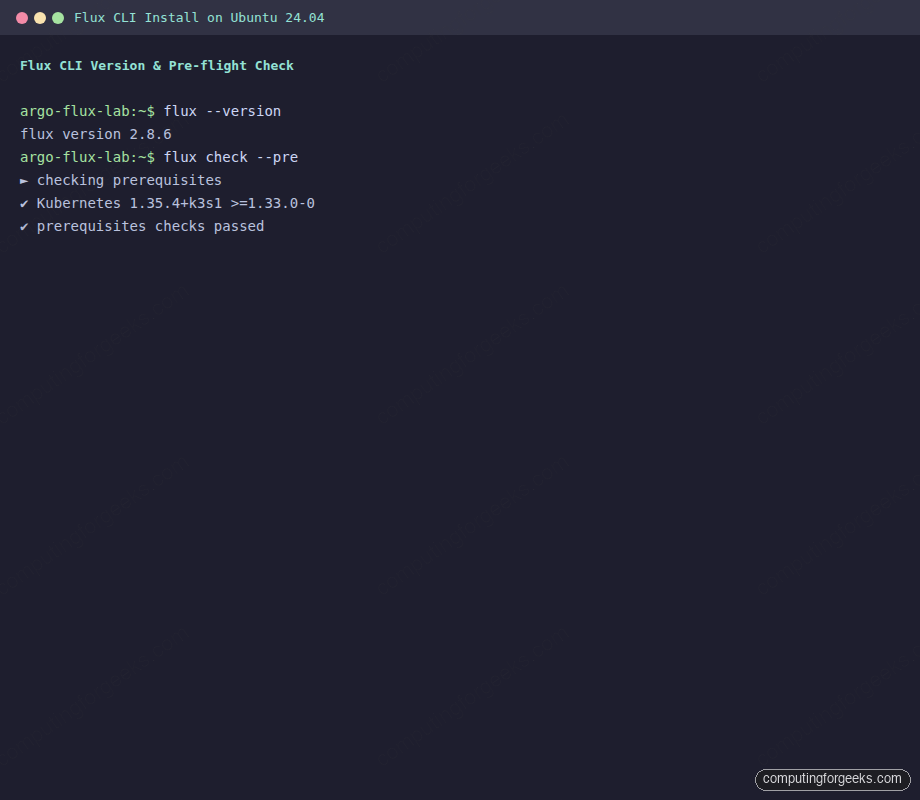
flux --versionYou should see the installed CLI version printed back:
flux version 2.8.6The terminal capture below shows both the version check and the pre-flight check from the next step landing on a healthy cluster:
Optional: install shell completion so flux <TAB> autocompletes commands and resource names. For bash:
flux completion bash | sudo tee /etc/bash_completion.d/flux > /dev/nullOpen a new shell to load the completion script. zsh and fish users can swap bash for their shell name.
Step 3: Run the pre-flight check
Before bootstrapping, ask Flux whether the cluster meets its prerequisites. The --pre flag skips the in-cluster checks and only validates Kubernetes version and API reachability:
flux check --preOn a healthy cluster the output is short and green:
► checking prerequisites
✔ Kubernetes 1.35.4+k3s1 >=1.33.0-0
✔ prerequisites checks passed
If the version check fails, upgrade the cluster (or the Flux CLI to a release that supports the older API) before continuing. Flux is strict about the minimum version because the controllers rely on server-side apply semantics that landed in recent releases.
Step 4: Bootstrap with GitHub
This is the recommended production path. flux bootstrap github does several things in one shot: it creates (or reuses) the GitHub repository, writes a flux-system/ directory under the cluster path you chose, installs the four controllers in the cluster, and configures a GitRepository + Kustomization pair that makes Flux self-managing. From this point, every change to Flux itself is a Pull Request.
Generate the personal access token at github.com/settings/tokens (classic tokens with the repo scope, or a fine-grained token with read/write access to the target repository). Pass it through the environment, never on the command line:
flux bootstrap github \
  --owner="${GITHUB_USER}" \
  --repository="${GITHUB_REPO}" \
  --branch="${GITHUB_BRANCH}" \
  --path="${CLUSTER_PATH}" \
  --personal
The --personal flag tells Flux the repo lives under your user account, not an organization. Drop it if the owner is a GitHub org. The progress output is verbose because each step matters; it clones the repo, generates the component manifests, commits them, pushes, then installs into the cluster:
► connecting to github.com
► cloning branch "main" from Git repository "https://github.com/c4geeks/fluxcd-lab.git"
✔ cloned repository
► generating component manifests
✔ generated component manifests
✔ committed component manifests to "main" ("a4d3e2c")
► pushing component manifests to "https://github.com/c4geeks/fluxcd-lab.git"
► installing components in "flux-system" namespace
✔ installed components
✔ reconciled components
► determining if source secret "flux-system/flux-system" exists
► generating source secret
✔ public key: ecdsa-sha2-nistp384 AAAAE2VjZHNhLXNoYTItbmlzdHA...
✔ configured deploy key "flux-system-main-flux-system-./clusters/lab"
► generating sync manifests
✔ generated sync manifests
✔ committed sync manifests to "main" ("b9b6069e")
► pushing sync manifests to "https://github.com/c4geeks/fluxcd-lab.git"
► applying sync manifests
✔ reconciled sync configuration
◎ waiting for GitRepository "flux-system/flux-system" to be reconciled
✔ GitRepository reconciled
◎ waiting for Kustomization "flux-system/flux-system" to be reconciled
✔ Kustomization reconciled
✔ all components are healthy
The screenshot below captures the tail of that same bootstrap run, showing the deploy-key configuration and the final healthy state:
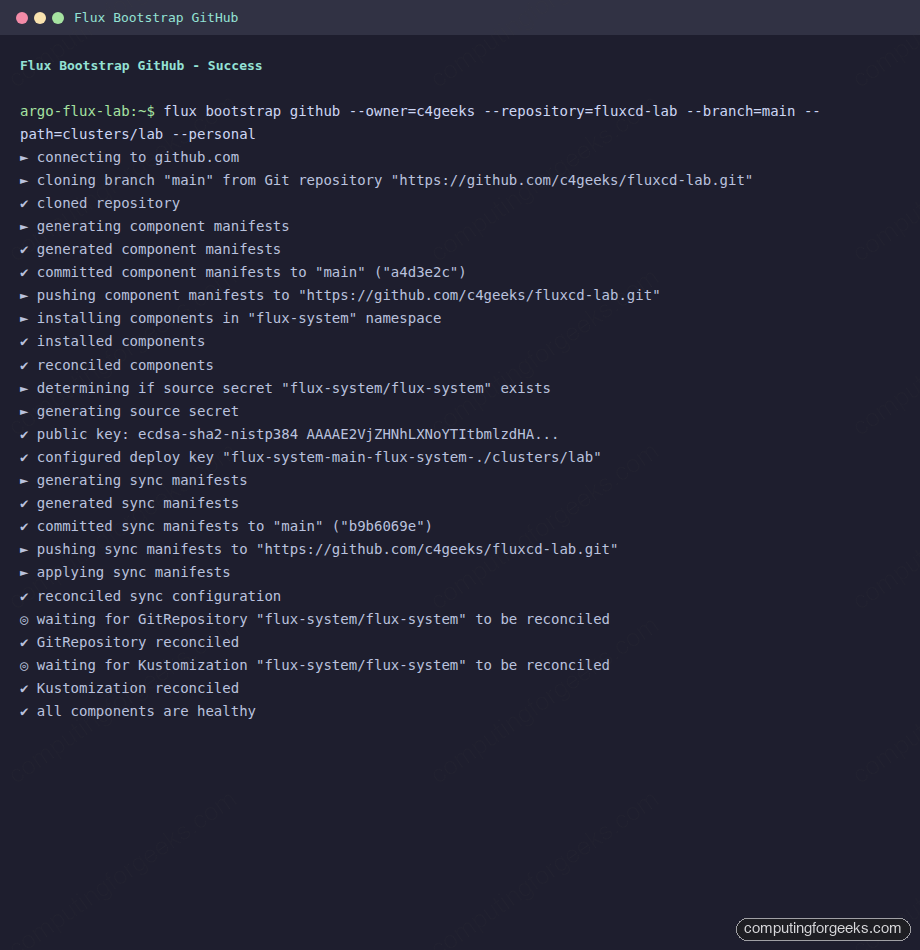
Notice what Flux did with credentials. The personal access token is used once, locally, to push the initial commits. For ongoing reconciliation Flux generates an SSH key pair, uploads the public key as a per-repository deploy key, and stores the private key in the flux-system Secret inside the cluster. The PAT never lives in the cluster. If you rotate the PAT tomorrow, Flux keeps reconciling.
Pull the repository locally and you will see what was written:
git clone "https://github.com/${GITHUB_USER}/${GITHUB_REPO}.git"
cd "${GITHUB_REPO}"
ls -la "${CLUSTER_PATH}/flux-system/"
Three files are committed: gotk-components.yaml (the controller manifests), gotk-sync.yaml (the GitRepository + Kustomization that makes Flux self-managing), and kustomization.yaml (the kustomize entry point). Treat that directory as Flux’s own state. To upgrade Flux later, you re-run flux bootstrap github with a newer CLI; it diffs the manifests, commits the deltas, and the in-cluster Flux reconciles itself.
Step 5: Verify the install
The flux check command (without --pre) runs the full audit: Kubernetes version, distribution, controller deployments, container images, and CRD installation. Run it now:
flux checkEvery line should be a green check, with the four controllers listed and all eleven CRDs installed:
► checking prerequisites
✔ Kubernetes 1.35.4+k3s1 >=1.33.0-0
► checking version in cluster
✔ distribution: flux-v2.8.6
✔ bootstrapped: true
► checking controllers
✔ helm-controller: deployment ready
► ghcr.io/fluxcd/helm-controller:v1.5.4
✔ kustomize-controller: deployment ready
► ghcr.io/fluxcd/kustomize-controller:v1.8.4
✔ notification-controller: deployment ready
► ghcr.io/fluxcd/notification-controller:v1.8.4
✔ source-controller: deployment ready
► ghcr.io/fluxcd/source-controller:v1.8.3
► checking crds
✔ alerts.notification.toolkit.fluxcd.io/v1beta3
✔ buckets.source.toolkit.fluxcd.io/v1
✔ externalartifacts.source.toolkit.fluxcd.io/v1
✔ gitrepositories.source.toolkit.fluxcd.io/v1
✔ helmcharts.source.toolkit.fluxcd.io/v1
✔ helmreleases.helm.toolkit.fluxcd.io/v2
✔ helmrepositories.source.toolkit.fluxcd.io/v1
✔ kustomizations.kustomize.toolkit.fluxcd.io/v1
✔ ocirepositories.source.toolkit.fluxcd.io/v1
✔ providers.notification.toolkit.fluxcd.io/v1beta3
✔ receivers.notification.toolkit.fluxcd.io/v1
✔ all checks passed
Confirm the controllers are actually running in the flux-system namespace:
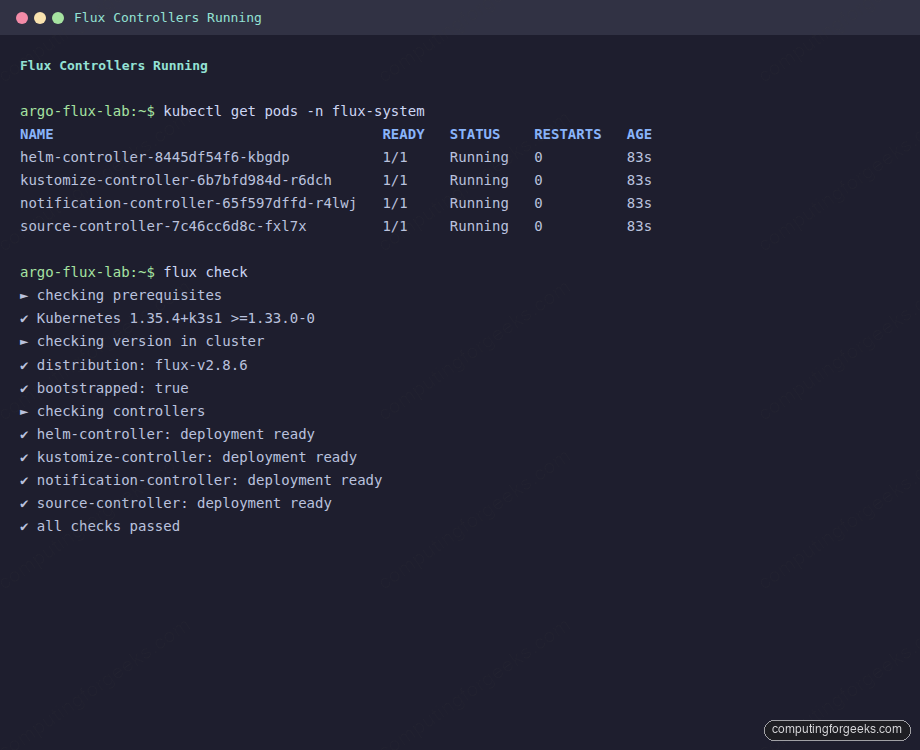
kubectl get pods -n flux-systemAll four pods should be in 1/1 Running with no restarts:
NAME                                       READY   STATUS    RESTARTS   AGE
helm-controller-8445df54f6-kbgdp           1/1     Running   0          83s
kustomize-controller-6b7bfd984d-r6dch      1/1     Running   0          83s
notification-controller-65f597dffd-r4lwj   1/1     Running   0          83s
source-controller-7c46cc6d8c-fxl7x         1/1     Running   0          83s
The screenshot below shows the same view side by side with flux check, which is the quickest single-command verification you can run after a fresh install:
Now check that Flux is actually pulling from your repo. The flux-system Git source should be ready, with a SHA matching the latest commit on the bootstrap branch:
flux get sources git
flux get kustomizations
The output confirms the source has been fetched and the self-managing kustomization is reconciled:
NAME       	REVISION          	SUSPENDED	READY	MESSAGE
flux-system	main@sha1:b9b6069e	False    	True 	stored artifact for revision 'main@sha1:b9b6069e'

NAME       	REVISION          	SUSPENDED	READY	MESSAGE
flux-system	main@sha1:b9b6069e	False    	True 	Applied revision: main@sha1:b9b6069e
If both rows show the same revision SHA and READY=True, Flux has successfully closed the loop: it pulled from your repo, applied the manifests, and reported back. From here, every change is a Pull Request.
Step 6: The four controllers, briefly
Each Flux controller has one job. Knowing what each does makes troubleshooting and capacity planning much easier later:
- source-controller: fetches artifacts from
GitRepository,HelmRepository,OCIRepository, andBucketresources. It is the only controller that talks to upstream Git/registries; everything else reads from a cached, in-cluster artifact. - kustomize-controller: reconciles
Kustomizationresources. It builds Kustomize overlays, validates with server-side dry-run, applies with server-side apply, and tracks ownership via field manager. - helm-controller: reconciles
HelmReleaseresources. It composes a chart from aHelmRepository+ values, runs Helm install/upgrade in-process (no Tiller), and handles rollback on failure. - notification-controller: dispatches events and receives webhooks. Configure
Provider+Alertresources to push reconciliation events to Slack, MS Teams, GitHub status checks, generic HTTP.Receiverresources accept inbound webhooks (e.g., GitHub push events) to trigger immediate reconciliation instead of waiting for the polling interval.
Together they consume around 150 MB of RAM at idle on a fresh cluster, which is why Flux scales down well to k3s and edge deployments. ArgoCD has more components and a heavier baseline; that is the central trade-off in the comparison.
Step 7: Install without Git (testing only)
Sometimes you want to kick the tires without committing anything to a repo. The flux install command writes the controller manifests directly to the cluster. There is no GitRepository, no self-managing Kustomization, no Git source of truth. Use this only for throwaway experiments:
flux installThe controllers come up the same way they would after bootstrap, but you cannot point them at a repo unless you create the GitRepository + Kustomization resources by hand. Production deployments always use flux bootstrap.
Step 8: Air-gapped install
For clusters that cannot reach github.com or ghcr.io directly, generate the manifests on a connected workstation, transfer them, and apply with kubectl:
flux install --export > flux-components.yaml
sha256sum flux-components.yaml > flux-components.yaml.sha256
Mirror the four container images to your internal registry (the image tags are visible in the flux check output above). Then on the air-gapped cluster, apply the manifests after rewriting the image references with sed or a Kustomize overlay:
kubectl create namespace flux-system
sed -i "s|ghcr.io/fluxcd|registry.internal.example.com/fluxcd|g" flux-components.yaml
kubectl apply -f flux-components.yaml
For a Git source, point GitRepository at an internal Gitea or GitLab. For Helm repositories or OCI artifacts, mirror them to the same internal registry and reference the mirror in HelmRepository / OCIRepository resources.
Step 9: Uninstall
To remove Flux from a cluster, drop the namespace and CRDs in one command:
flux uninstall --keep-namespace=falseThe --keep-namespace=false flag also deletes the flux-system namespace itself. Resources Flux was managing (Deployments, HelmReleases, etc.) stay in the cluster; uninstalling Flux only removes the controllers and the CRDs that own the reconciliation. If you want a complete teardown, delete the application namespaces separately.
Troubleshooting bootstrap
Three failure modes account for the bulk of bootstrap problems. The error message usually points at the cause if you know what to grep for.
Error: “failed to determine if Kubernetes API is reachable”
The full text reads Get "http://localhost:8080/version": dial tcp [::1]:8080: connect: connection refused. Flux defaults to http://localhost:8080 when no KUBECONFIG is set, which is the kubectl default proxy address. The cluster is fine; your shell does not know how to find it. Export the kubeconfig and re-run:
export KUBECONFIG=/etc/rancher/k3s/k3s.yaml   # k3s default
flux check --pre
For kubeadm clusters the path is usually /etc/kubernetes/admin.conf (root-only) or ~/.kube/config for a user account. For EKS run aws eks update-kubeconfig first; for GKE run gcloud container clusters get-credentials.
Error: “401 Bad credentials” from GitHub
The PAT has expired, was revoked, or was created without the repo scope. Generate a new token at github.com/settings/tokens, re-export GITHUB_TOKEN, and re-run flux bootstrap github. The bootstrap is idempotent: if the repo and the cluster manifests already exist, Flux diffs them and only writes deltas.
For fine-grained tokens, the token needs read/write access to the specific repository (or the org if it does not exist yet). For classic tokens, the repo scope is sufficient.
PAT vs SSH deploy key, who does what
This trips people up: the personal access token is used only during the bootstrap command itself, to push the initial commits. After that, Flux generates an ECDSA SSH key pair and configures it as a per-repository deploy key on GitHub. The private half lives in the flux-system/flux-system Secret in the cluster. Ongoing reconciliation uses the SSH key, not the PAT. You can rotate the PAT whenever you want; reconciliation does not break.
If you prefer to bring your own SSH key (e.g., to use a key managed by your IAM stack), pass --private-key-file=/path/to/id_ecdsa to flux bootstrap git and skip the GitHub provider command. The repo URL becomes a plain ssh://[email protected]/... string and Flux uses your key for both bootstrap and reconciliation.
Image pull errors on private registries
If you mirrored Flux images to an internal registry and the controllers fail to pull, the flux-system namespace needs an imagePullSecret attached to the controller service accounts. The cleanest fix is a Kustomize overlay in your bootstrap repository under flux-system/ that patches each controller’s ServiceAccount; the Flux docs cover the exact patch shape under “Air-gapped installation.”
Where to go next
The cluster now reconciles itself from Git. The next move is to put a real workload under Flux management. Write a Kustomization that points at an applications directory in the same repo, watch Flux apply it, then evolve the layout into per-environment overlays. That is the subject of the next article in this Flux series.
If you also want a UI on top of Flux for at-a-glance reconciliation status, the Capacitor dashboard is the current community-supported choice, after Weave GitOps was archived (the migration guide covers the move). And if you are still weighing tools, the ArgoCD install guide and the ArgoCD CLI walkthrough show what the same workflow looks like on the other side of the GitOps fence.




![Install Headlamp Kubernetes Dashboard on Any Cluster [2026 Guide]](https://computingforgeeks.com/wp-content/uploads/2022/09/Headlamp-Kubernetes-Web-UI-1-768x560.png "Install Headlamp Kubernetes Dashboard on Any Cluster [2026 Guide] 9")