The fastest SSD on the spec sheet is often the worst choice for a Proxmox node. I learned that the slow way, watching a brand-new NVMe drive get out-fsynced by a five-year-old SATA SSD sitting in the next bay. Sequential read numbers sell drives. A hypervisor that is constantly committing small writes from a dozen VMs does not care about them.
So this is the NVMe vs SATA question for Proxmox, answered with real numbers from real nodes instead of marketing slides. The short version is that the interface barely matters, and the two things that actually decide whether your VMs feel snappy (and whether the SSD survives a year) are power-loss protection and write endurance. Both of those cut across the NVMe/SATA line, which is why a good SATA drive can beat a cheap NVMe one for this exact job.
Tested on Proxmox VE 9 in June 2026. The fsync and throughput numbers below came off real lab nodes running consumer SATA and consumer NVMe drives (no enterprise hardware in the rack), and the wear figures are pulled straight from the drives’ own SMART data.
The short version
For a Proxmox datastore, rank your priorities like this: power-loss protection first, write endurance second, fsync performance third, and raw sequential throughput a distant last. NVMe vs SATA only changes that last item. A consumer NVMe drive and a consumer SATA drive both lack the one feature (PLP) that makes sync-heavy virtualization fast and safe, so picking NVMe “because it’s faster” buys you sequential speed your VMs never use.
| What you care about | Consumer SATA SSD | Consumer NVMe SSD | Enterprise SSD (with PLP) |
|---|---|---|---|
| Sequential read | ~550 MB/s | 3,500 to 14,000 MB/s | 550 MB/s (SATA) to 7,000+ (NVMe) |
| fsync/s (what a datastore lives on) | 200 to 650 | 350 to 2,000 | 15,000 to 60,000+ |
| Power-loss protection | No | No | Yes (supercaps) |
| Endurance, 1 to 2 TB class | ~300 to 600 TBW | 600 to 2,000 TBW | 1,800 to 7,000+ TBW (1+ DWPD) |
| Best role in Proxmox | Boot disk, light single node | Homelab VM datastore | Busy database, Ceph, ZFS SLOG |
If you just want the buy list, jump to three SSDs worth buying for Proxmox. If you want to understand why a SATA drive sometimes wins, keep reading.
What a Proxmox datastore actually does to an SSD
A guest VM does not write to your storage in long clean streams. It commits small, scattered writes and then calls fsync() to force them to stable storage before it moves on. Databases do it on every transaction. Filesystems do it for journals. The qemu layer does it to keep guest disks consistent. Multiply that by the number of VMs and containers on the host and your datastore spends its day servicing a flood of tiny synchronous writes, not big sequential ones.
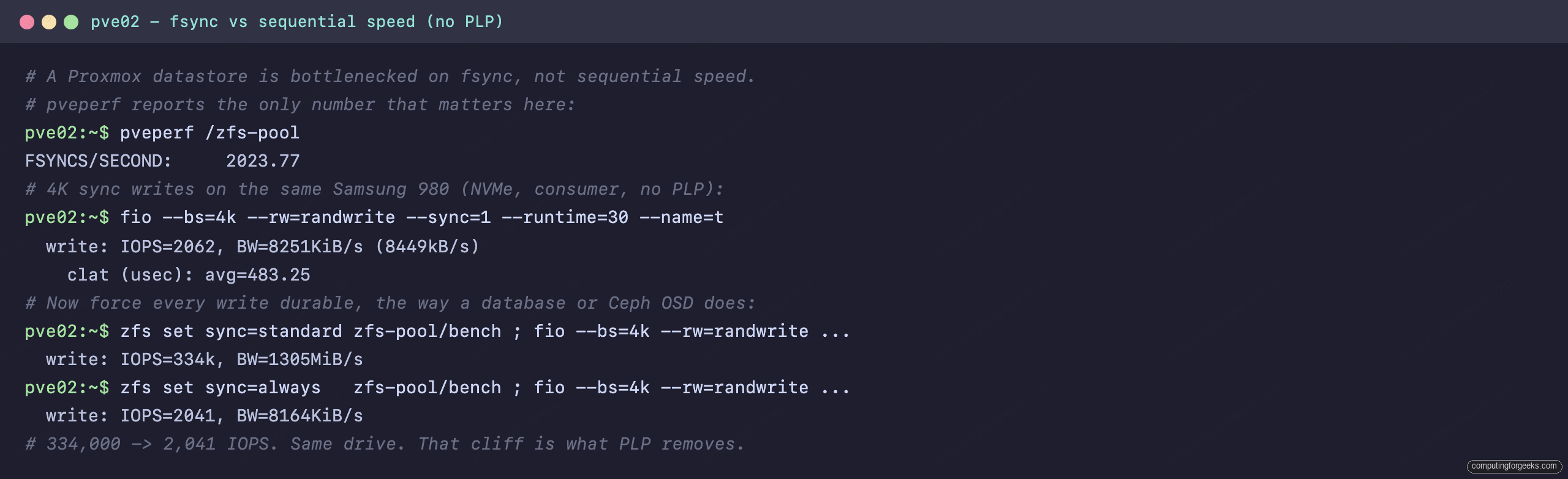
That is why Proxmox ships pveperf, and why the line everyone fixates on is FSYNCS/SECOND. It measures how many durable, flushed writes the storage can acknowledge per second. A drive that streams 7 GB/s but only acknowledges 300 fsyncs a second will make your VMs feel sticky under load, because every guest commit waits in line behind the others.
ZFS makes this explicit. Synchronous writes go through the ZFS Intent Log (the ZIL), which has to land them on stable media before the write is acknowledged. On a drive with no fast, safe write cache, that means a physical flush to NAND on every single sync. This is the same plumbing you tune when you pick ZFS RAID levels or add a separate log device, and it is where cheap SSDs fall apart.
NVMe vs SATA: the real interface gap (and why it is not your bottleneck)
The interface difference is real, it is just aimed at a problem your hypervisor does not have. SATA III tops out at 6 Gb/s, roughly 550 MB/s. A PCIe Gen3 NVMe drive does about 3,500 MB/s, Gen4 about 7,000, Gen5 around 14,000. NVMe also exposes thousands of deep command queues against AHCI’s single shallow one, so it shines at high-queue-depth sequential and parallel reads.
You can see that gap on our own nodes. Running pveperf on each root filesystem, the buffered sequential read on the NVMe drive was nearly four times the SATA one:
BUFFERED READS:    1507.79 MB/sec    # NVMe (Samsung OEM)
BUFFERED READS:     401.97 MB/sec    # SATA (Samsung 850 EVO)
That 1,508 vs 402 MB/s is a genuine NVMe win. It also has almost nothing to do with how a VM datastore behaves, because a datastore is bottlenecked on small synchronous writes, not on streaming reads. Hold that thought, because the fsync numbers from the very same drives tell a different story.
| SATA III | NVMe (PCIe Gen3 / Gen4 / Gen5) | |
|---|---|---|
| Bandwidth ceiling | ~550 MB/s | ~3,500 / 7,000 / 14,000 MB/s |
| Command queues | 1 queue, depth 32 | up to 64K queues, depth 64K |
| Helps with | Everyday reads, boot | Sequential throughput, parallel reads |
| Helps a VM datastore? | Marginally | Marginally |
fsync is the number that decides it
Here is where the marketing falls apart. We ran pveperf and a 4K synchronous fio workload across four consumer drives, two SATA and two NVMe, on two Proxmox VE 9 nodes. Same ZFS layout where possible, so the comparison is honest:
| Drive | Interface | Filesystem | pveperf FSYNCS/s |
|---|---|---|---|
| Samsung 980 1TB | NVMe | ZFS | 2,024 |
| ADATA SU800 960GB | SATA | ZFS | 642 |
| Samsung PM961 (OEM) 256GB | NVMe | xfs | 355 |
| Samsung 850 EVO 250GB | SATA | xfs | 201 |
Read that table twice. The older OEM NVMe drive (355 fsync/s) was beaten by a SATA SSD running ZFS (642 fsync/s). The newest NVMe drive led the pack, but its lead came from being a newer drive with a better controller, not from the NVMe interface. “NVMe” did not predict the fsync result anywhere in that set. The controller, the cache behavior, and the filesystem did.
The 4K sync fio run agreed with pveperf almost exactly, which is the kind of consistency that tells you the numbers are real and not noise:
fio --bs=4k --rw=randwrite --sync=1 --iodepth=1 --runtime=30 --name=t # consumer NVMe, ZFSIt landed within a few percent of the pveperf figure, each write under a millisecond:
  write: IOPS=2062, BW=8251KiB/s (8449kB/s)
    clat (usec): avg=483.25
That is roughly 2,000 durable 4K writes a second, sub-millisecond each, from a consumer NVMe drive. Hold that number against what the very same hardware does the moment you force every write to be durable:
Now put that next to an enterprise SSD with power-loss protection: Proxmox users routinely report 15,000 to 60,000+ fsync/s from datacenter SATA and NVMe drives. The gap between a consumer drive and a PLP drive is an order of magnitude, and it dwarfs the gap between SATA and NVMe. That is the whole argument in one sentence.
Power-loss protection: the quiet feature that does the most work
Power-loss protection (PLP) is a bank of small capacitors on the drive. When the host loses power, those caps hold enough charge for the SSD to flush whatever is sitting in its onboard DRAM cache out to flash, and to keep its mapping table intact so the drive comes back cleanly on the next boot.
That sounds like a data-integrity feature, and it is, but the performance side effect is the real prize. Because the drive can promise that anything in its protected cache will survive a power cut, it can acknowledge a sync write the moment it lands in that cache instead of waiting for a physical flush to NAND. Sync writes that would take milliseconds of flush time get acknowledged in microseconds. That is the entire reason a PLP drive posts 30,000 fsync/s while a consumer drive posts 2,000.
A consumer drive has no safe cache to lean on, so when something forces real durability it has to do the slow thing every time. You can watch that happen. On the Samsung 980 (a consumer NVMe drive with no PLP), I created a ZFS dataset and ran the same 4K random write twice, once letting ZFS buffer in host RAM and once forcing every write durable the way a database or a Ceph OSD does:
zfs set sync=standard zfs-pool/bench
fio --bs=4k --rw=randwrite --iodepth=1 --runtime=20 --name=t
Buffered, it looks like a rocket:
write: IOPS=334k, BW=1305MiB/s (1369MB/s)Now force durability, which is exactly what sync-heavy guest workloads do:
zfs set sync=always zfs-pool/bench
fio --bs=4k --rw=randwrite --iodepth=1 --runtime=20 --name=t
The same drive collapses:
write: IOPS=2041, BW=8164KiB/s (8360kB/s)From 334,000 IOPS to 2,041 on the same physical drive. That 160-fold cliff is the cost of having no safe write cache, and it is precisely the cliff a PLP drive does not fall off, because its capacitors let it keep acknowledging from cache safely. The integrity angle matters too: in documented fault-injection tests, Ceph clusters built on consumer SSDs without PLP have left VMs unbootable after a hard power loss, and the same clusters stopped corrupting once the OSDs moved to enterprise drives with PLP. Fast and safe are the same feature here.
Endurance: DWPD, TBW, and why cheap SSDs die in a cluster
The second thing that outranks the interface is how much writing the drive can take before it wears out. Two numbers describe it. TBW (terabytes written) is the total write budget over the warranty. DWPD (drive writes per day) is how many times you can overwrite the whole drive every day for the warranty period. A 1 TB drive at 1 DWPD over five years is rated for roughly 1,825 TBW.
Consumer drives are tuned for desktops that write a few gigabytes a day, so their budgets are small. A typical 1 TB consumer NVMe is rated around 600 TBW, which is 0.33 DWPD. That is plenty for a laptop and thin for a busy hypervisor. ZFS and especially Ceph amplify writes (journaling, metadata, replication, scrubs), so a node that looks idle can still write multiple drive-fulls a day. Do the math and a 600 TBW drive in a write-heavy Ceph node can burn its entire warranty budget in well under two years.
The drives in our lab make the point from the other direction. These are all consumer SSDs that have been running light homelab duty for years, and their own SMART counters show they are fine, because the workload stayed gentle:
| Drive | Type | Power-on time | Host writes | Wear used |
|---|---|---|---|---|
| Samsung 850 EVO 250GB | SATA, TLC | ~2.6 years | ~20.7 TB | Wear-leveling 14% consumed |
| ADATA SU800 960GB | SATA, TLC | ~2.8 years | (light) | Healthy |
| Samsung 980 1TB | NVMe, DRAM-less TLC | active | 31.5 TB | 7% used, 94% spare left |
| Samsung SM961 (OEM) 512GB | NVMe, TLC | active | 80.7 TB | 10% used |
Notice the Samsung 980. It is a DRAM-less design, and it is the one already showing spare-area consumption (94% spare remaining) despite modest total writes. DRAM-less drives borrow a slice of host memory and tend to slow down and wear faster under sustained random writes, which is the worst possible match for a datastore. If you are choosing a consumer NVMe drive for VMs, a model with onboard DRAM and a high TBW rating is worth the few extra dollars.
So which do you actually put in a Proxmox box?
Different jobs in the same server have very different storage needs, so match the drive to the role rather than buying one type for everything.
Boot and the OS: almost anything works. Proxmox itself writes little after boot, so a plain consumer SATA or NVMe SSD is fine. Mirror two of them if you want the host to survive a dead drive. This is the one place you can buy cheap without guilt, and it is true whether you run a full server or a small mini PC for your homelab.
Single-node VM datastore (homelab): a consumer NVMe drive with onboard DRAM and a high endurance rating is the honest answer here, and it is what most home labs run happily. You give up PLP, so set ZFS sync=standard (the default) and put the host on a UPS so a power cut does not catch an unflushed write. Good enough for a lab, and you already saw why on the fsync table.
Anything you actually care about losing: a database VM, a busy file server, a production node. Buy an enterprise SSD with PLP. The fsync rate, the data-integrity guarantee, and the endurance all jump at once, and you stop worrying about a power blip corrupting a guest.
Ceph or a ZFS SLOG: PLP is not optional. A three-node Ceph cluster fsyncs constantly across the network, and a SLOG device exists purely to absorb sync writes safely. Put a consumer drive in either role and you get both the 160-fold sync cliff and a drive that wears out in months. This is the single most common and most expensive mistake people make when they move serious workloads onto Proxmox, including folks migrating off VMware who reuse the consumer SSDs from their old whitebox.
Three SSDs worth buying for Proxmox
One pick per role, from the consumer datastore drive most labs should start with up to the enterprise drive a cluster needs. Every one is a drive we would actually put in a node.
WD Red SN700 1TB, the homelab VM datastore drive
Start here if you are building a single-node lab and do not need power-loss protection.
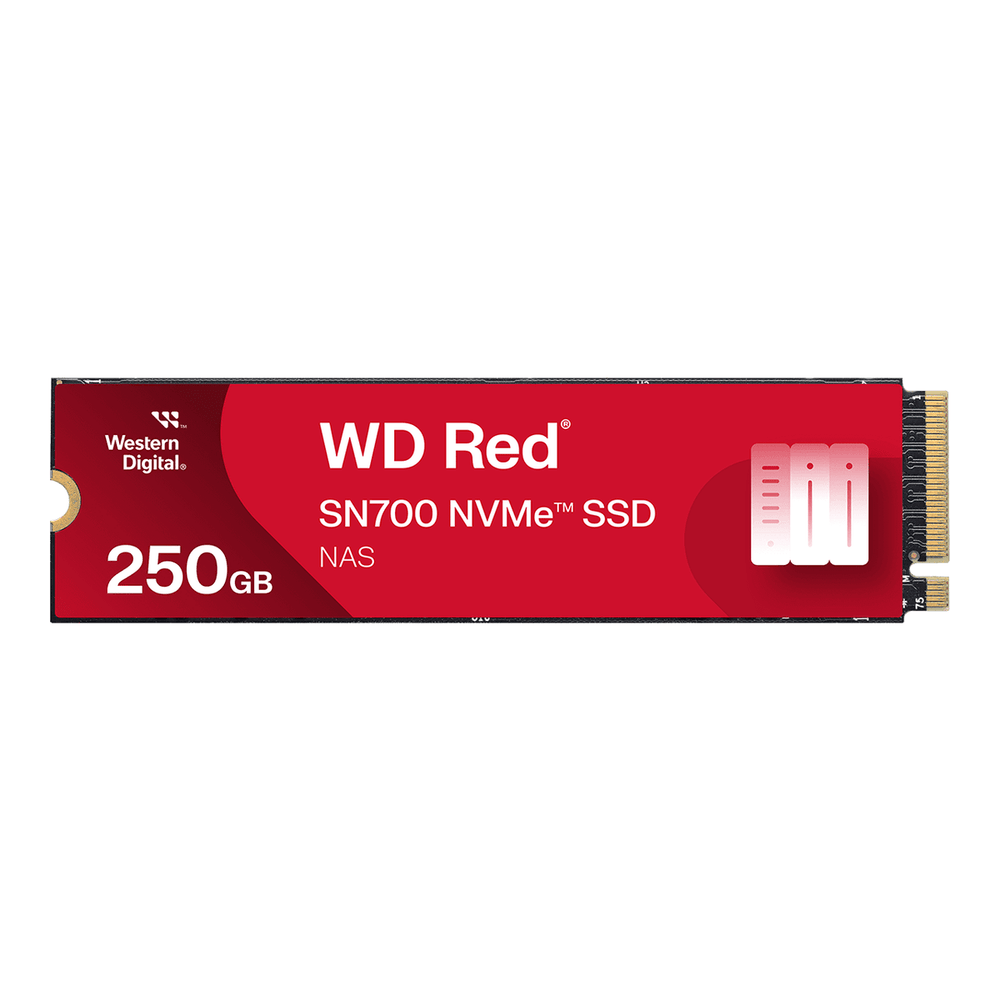
If you do not need PLP and just want a solid single-node datastore, the SN700 is the consumer NVMe drive to get. It has onboard DRAM (so it dodges the DRAM-less slowdown) and a 2,000 TBW rating at 1 TB, which is more than triple the ~600 TBW of a normal consumer drive. It is built for NAS write loads, which is the closest consumer analogue to a homelab hypervisor. It still has no power-loss protection, so keep it on sync=standard and a UPS. Approx $95 to $110.
Kingston DC600M 1.92TB, PLP without the NVMe price tag
This is the drive that quietly wins the whole comparison, and it is SATA.
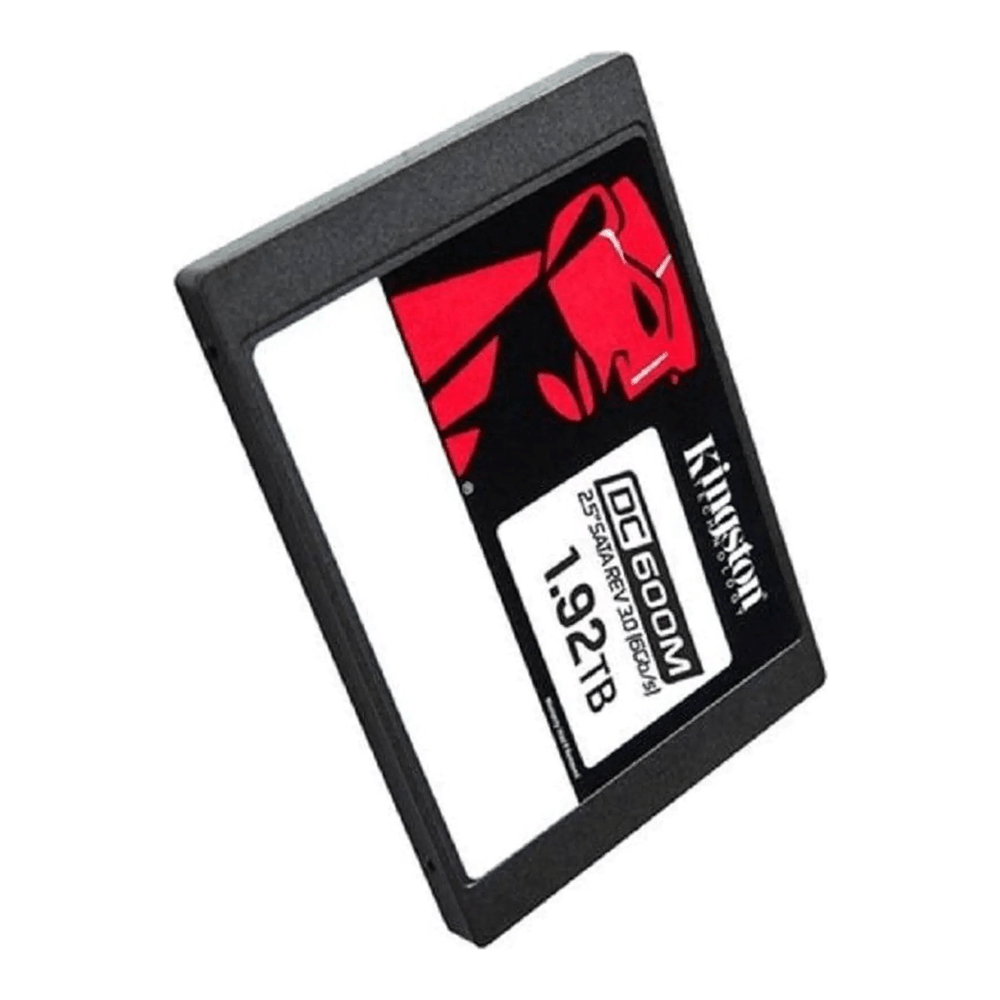
This is the drive that proves the whole article. It is SATA, so on paper it is “slower” than any NVMe stick, yet it is the one I would put in a node before any consumer NVMe drive, because it has the feature that matters: hardware power-loss protection via onboard capacitors. It is rated 3,504 TBW (1 DWPD over five years) and posts the high, flat fsync numbers that consumer drives cannot. If your server has 2.5-inch SATA bays (most older rackmounts do), this is the cheapest honest way to get a real datastore. Approx $200 to $230 for the 1.92 TB.
Solidigm D5-P5430 7.68TB, capacity for a real cluster
Reach for this when a Ceph cluster or a busy node needs real capacity that is still safe.
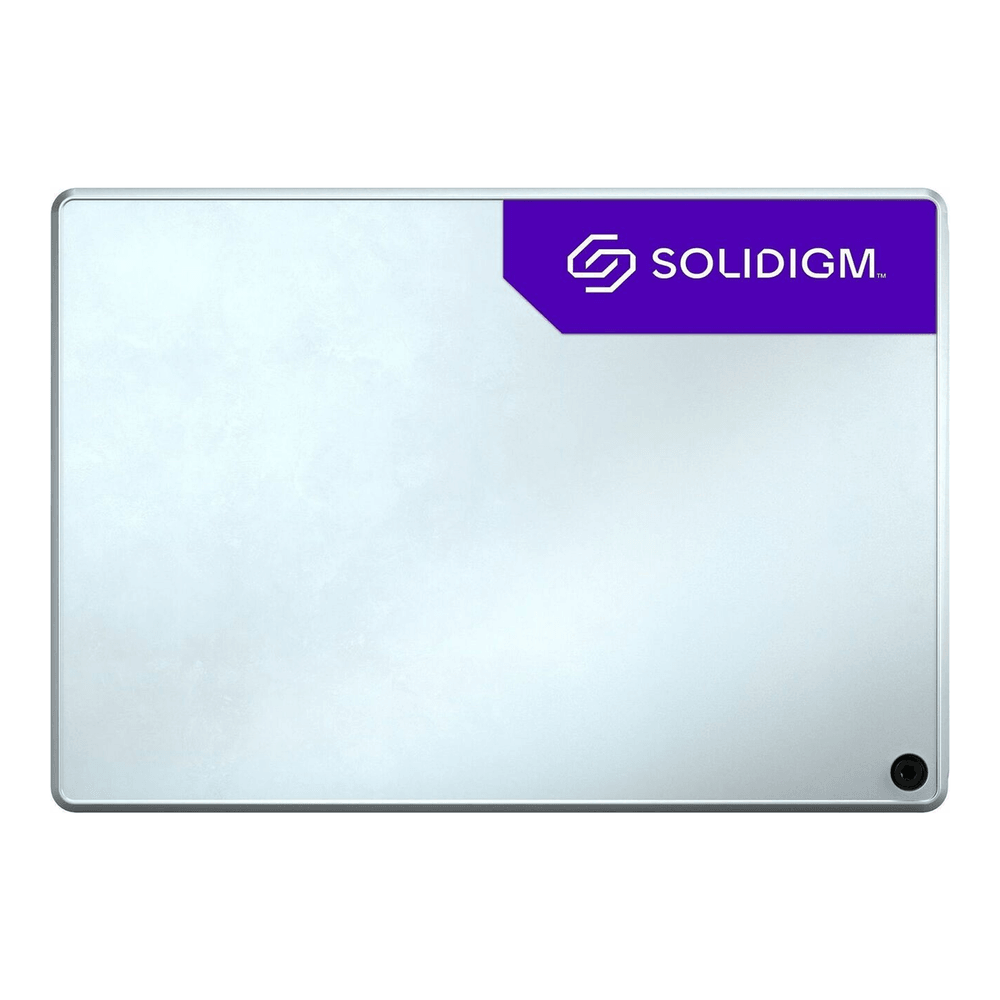
When you are building a Ceph cluster or a node that needs a lot of fast, safe space, this is the enterprise NVMe drive that gives you both PLP and capacity without datacenter-flagship pricing. It is a U.2 PCIe 4.0 drive, so you need a U.2 backplane or an adapter. The 7.68 TB model carries a huge 32,768 TBW sequential-write budget, with a more modest 0.58 DWPD random-write rating that is normal for QLC. That makes it ideal for mostly-read VM storage and Ceph capacity tiers, and you would step up to a mixed-use drive for a write-saturated database. Approx $600 to $700. Verify the current price and that your host has U.2 connectivity before buying.
One reminder before you click buy: confirm the form factor your node accepts. M.2 slots, 2.5-inch SATA bays, and U.2 backplanes are not interchangeable, and the right drive in the wrong slot is just an expensive paperweight.
What is in our lab nodes, and what we would change
Full honesty, because it is the whole reason these numbers exist: our two Proxmox nodes run consumer drives. A Samsung 980 and an ADATA SU800 carry the ZFS pools, a couple of Samsung SATA and OEM NVMe drives handle boot and local storage. For a lab that captures benchmarks and tears VMs down all day, that is fine, and the SMART data shows the drives are nowhere near worn out after years of service.
But I would not run anything I cared about losing on this setup, and that is the point. The moment one of these nodes took on a real database or joined a Ceph cluster, the first upgrade would not be a faster NVMe drive. It would be a Kingston DC600M or a Solidigm enterprise SSD, bought for the power-loss protection and the endurance, with the NVMe-versus-SATA question settled last and barely mattering. Buy the PLP, size the endurance for your write load, and let the interface be whatever your slots happen to take. If you are still putting the host together, the Proxmox VE 9 install guide is the place to start, then come back and pick the drive that fits the job. For the full lineup across every role and budget, our roundup of the best SSDs and NVMe drives for a server or homelab names a pick for each.