ParrotOS vs Kali Linux comes down to one thing, and it is not the tools. Both distributions install almost the same penetration testing kit by default. Nmap, Metasploit, Burp Suite, Hashcat, sqlmap, Aircrack-ng, the whole set sits on either one, and the tool that finds an open port behaves identically. The real decision is the operating system carrying them, and that is where the two genuinely split.
This comparison is built from two live installs, not spec sheets. Both were brought up as identical 8 GB, 4 vCPU virtual machines and measured the same way: kernel, base system, desktop, memory at idle, and the exact version of every headline tool. Where a number matters, it came off the running system.
Both distributions were installed and measured in July 2026: Kali Linux 2026.2 and ParrotOS 7.3.
At a glance
The headline differences, before the detail:
| Item | Kali Linux 2026.2 | ParrotOS 7.3 (Security) |
|---|---|---|
| Base system | Debian testing (continuously rolling) | Debian 13 stable, rolling tools on top |
| Default desktop | Xfce | KDE Plasma 6 |
| Kernel on test install | 6.19 | 7.0 (Parrot-built) |
| Idle desktop memory | ~0.8 GB | ~1.4 GB |
| Default toolset | kali-linux-default | parrot-tools-full |
| Built-in anonymity | none by default | AnonSurf (system-wide Tor) |
| Mobile edition | NetHunter (Android) | none |
| Defensive/blue-team edition | Purple | none |
| Daily-driver edition | none | Home Edition |
The base system is the real difference
Kali is built on Debian testing and rolls forward continuously. Every package moves toward the newest version Debian is staging, all the time. ParrotOS takes the opposite tack. It sits on Debian 13 stable and layers its own rolling tool repositories on top, so the base libraries stay on tested stable releases while the security tools track upstream. On the test box that shows up right in the sources: Kali pulls a single kali-rolling suite, ParrotOS pulls the echo suite plus a separate parrot-security stream.
The practical effect is visible in the package versions. Tools that each project packages itself, like Metasploit, land on nearly the same version on both distros. But anything that comes straight from the Debian base diverges. Wireshark is the clearest case: Kali ships the newer build from Debian testing, while ParrotOS ships the stable point release that Debian 13 blessed. Same tool, different vintage, entirely because of the base.
That trade is the whole story in miniature. Kali gets newer everything sooner, at the cost of running on a base that is, by definition, not a stable release. ParrotOS trades a slightly older base for one that changes slowly and predictably, then keeps the tools current through its own repos. Neither is wrong. They are aimed at different tolerances for churn. How ParrotOS keeps a rolling base current is covered in the rolling-release update guide.
Desktop and memory footprint
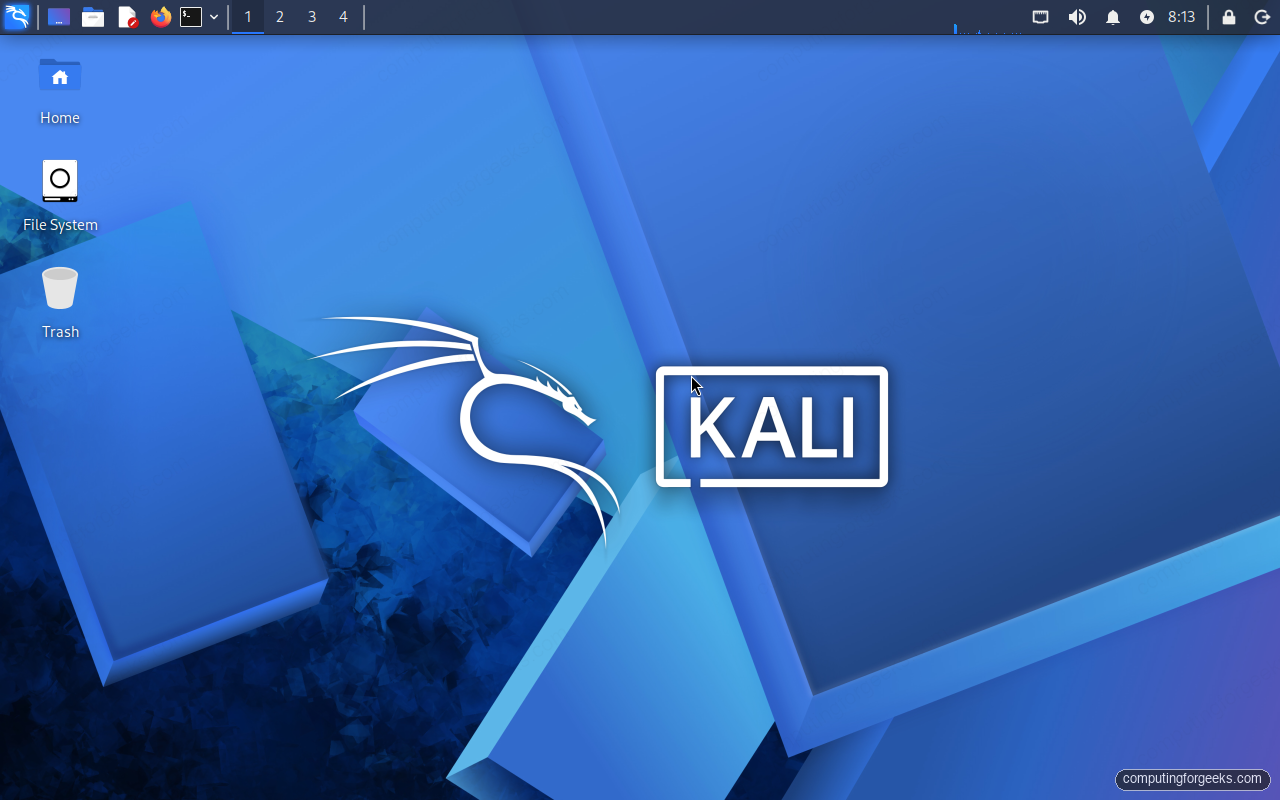
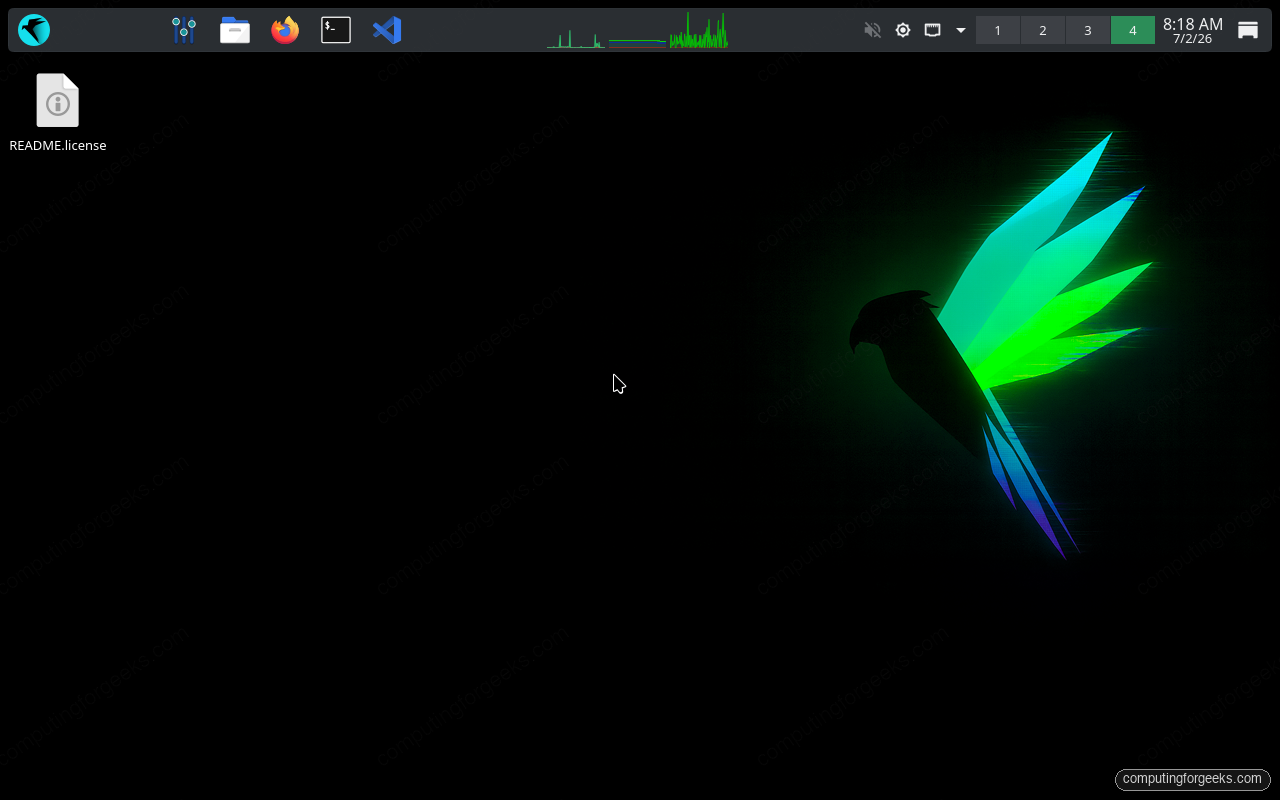
Kali ships Xfce as its default desktop. It is deliberately light, and it stays out of the way. ParrotOS 7.x defaults to KDE Plasma 6, which is more polished and more configurable, with a system-monitor widget already sitting in the panel. Both distros offer the other major desktops as alternate downloads, so this is a default, not a lock-in.
The desktop choice is the single biggest driver of idle memory. On the identical 8 GB test machine, freshly booted and sitting idle, Kali on Xfce held around 0.8 GB in use. ParrotOS on Plasma 6 sat at roughly 1.4 GB in the same state. That gap is Plasma against Xfce, measured, and it is worth knowing if you plan to run the distro in a small VM or alongside a stack of other tools. Here is Kali at the Xfce desktop:
ParrotOS lands somewhere quite different visually. The default Plasma session is darker, busier, and carries the live CPU and network graphs in the top panel from first boot:
If you like a minimal desktop that leaves resources for your work, Xfce on Kali is the calmer choice. If you would rather have a full-featured desktop and do not mind spending the extra half a gigabyte, Plasma on ParrotOS gives you more to work with.
The toolset is nearly identical
This is where people expect a big gap and do not find one. Both distros ship the same core arsenal, and for the tools each project maintains, the versions track within a release or two of each other. The numbers below came off both test installs on the same day:
| Tool | Kali Linux 2026.2 | ParrotOS 7.3 |
|---|---|---|
| Nmap | 7.99 | 7.98 |
| Metasploit Framework | 6.4.135 | 6.4.136 |
| sqlmap | 1.10.6 | 1.10.4 |
| Hydra | 9.7 | 9.5 |
| Aircrack-ng | 1.7 | 1.7 |
| Hashcat | 7.1.2 | 6.2.6 |
| Burp Suite | 2026.3.2 | 2025.11.6 |
| Wireshark | 4.6.6 | 4.4.15 |
Read that table with the base system in mind. Nmap, Metasploit, sqlmap, and Hydra are close because both projects package them. Hashcat, Burp, and Wireshark show the wider gaps, and those are the packages Kali pulls faster from its rolling base. The commands and flags are the same across both, so the guides written against Kali apply directly to ParrotOS: the same Nmap scanning workflow and the same Metasploit Framework usage carry over unchanged.
The one real difference is what gets installed by default. The Kali VM ships the kali-linux-default metapackage, a curated core set. The ParrotOS Security Edition installs parrot-tools-full, which is the everything build, and it adds category groups Kali does not carry as first-class metapackages, including dedicated AI, automotive, and cloud tool sets.
Anonymity is built in on one, added on the other
ParrotOS ships AnonSurf and Kali does not. AnonSurf routes all system traffic through Tor with one command, so every tool on the box exits through Tor, not just a browser. On a fresh Kali install you would set that up yourself. On ParrotOS it is present from first boot. One caution that applies on either distro: starting a system-wide Tor proxy reroutes everything, so run it from the desktop and not a remote SSH session, or you will drop your own connection the moment it takes effect.
If anonymized traffic from first boot is part of your threat model, that is a genuine point for ParrotOS. If it is not, the difference is a package install you may never run.
Editions, platforms, and hardware
Both projects go well beyond a single ISO. Each offers a standard installer, ready-made virtual machine images (the Proxmox and QEMU images used for this comparison), ARM builds for Raspberry Pi, a WSL package for Windows, cloud images, and Docker containers. The minimum hardware is the same ballpark too: a quad-core CPU and 4 GB of RAM, with 8 GB recommended for comfortable desktop use.
Where they part ways is the specialised builds. Kali carries NetHunter for Android phones and tablets, a defensive-security spin called Kali Purple, and Win-KeX for a full desktop inside WSL. ParrotOS answers with a Home Edition that ships the hardened base without the full offensive tool set, aimed at people who want Parrot as an everyday operating system rather than a dedicated attack box. Those extras, more than the core toolset, are what tend to decide the choice.
Which one should you install
Choose Kali if you want the industry default. It has the largest community, the most documentation, and it is what most training courses and certifications target, so if you are learning or chasing something like the OSCP, you will hit the fewest surprises on Kali. You also get the newest tool versions soonest, NetHunter for mobile work, and the Purple build if your work leans defensive.
Choose ParrotOS if you value a stable Debian base that changes slowly, a heavier and more polished default desktop, and privacy tooling like AnonSurf ready from first boot. Its Home Edition also makes it a credible hardened daily driver, which Kali does not really try to be.
The honest summary is that you are picking an operating system personality, not a different toolbox. The tools are the same on both. If you are starting out, Kali is the safe default and the Kali install guide gets you running. If a stable base and built-in anonymity matter more to you, the ParrotOS install guide is the place to start, and once it is up, the getting-started pentesting walkthrough maps out what to do with it. Whichever you land on, build an isolated lab and only test systems you are allowed to touch.



![Install Kali Linux 2026.1 Step by Step [Full Guide]](https://computingforgeeks.com/wp-content/uploads/2026/03/install-kali-linux-20261-step-by-step-768x403.png "Install Kali Linux 2026.1 Step by Step [Full Guide] 5")