Moonshot AI’s Kimi K2.6 is open-weights, 1T-parameter MoE (32B active), 256K context, and currently the cheapest tier-A agentic-coding model with both downloadable weights and a hosted API. This guide installs kimi-cli on macOS and Ubuntu, points it at OpenRouter, dodges three undocumented traps that silently waste tokens, and ships an autonomous fix loop that diagnoses and patches a failing pytest run in one round-trip.
Every command below was executed during writing. Costs are the actual OpenRouter invoice values, captured on 2026-05-11.
Three traps to avoid before the first call
Each of these will surface in the sections that follow. Listed up front because every existing Kimi tutorial we found misses at least one.
- K2.6’s reasoning mode is ON by default. A naive
max_tokens=256returnscontent: nullbecause the model spends the entire budget on hidden reasoning. Disable with"reasoning": {"enabled": false}whenever the response should be short. - OpenRouter does not pass through Moonshot’s 75% cache discount. The same 19,854-token prefix sent twice still bills as cold both times. Pin a single upstream provider, or call
api.kimi.comdirectly, to recover the discount. kimi-clireadsOPENAI_API_KEY, notKIMI_API_KEY, foropenai_legacyproviders like OpenRouter. The docs imply otherwise, and the failure mode is a flat 401.
Install kimi-cli on macOS
kimi-cli ships on PyPI and works cleanly with uv. On macOS, that is two commands.
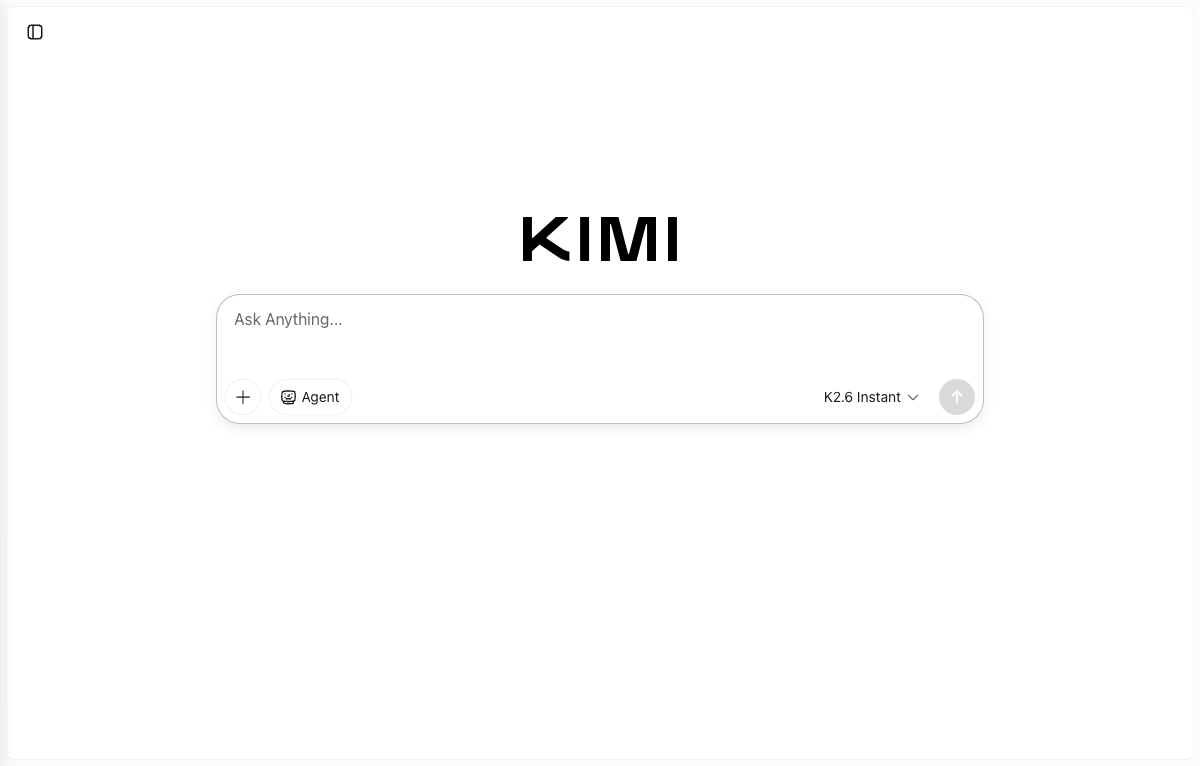
Install the CLI on a Mac with uv:
brew install jq
uv tool install kimi-cli
Confirm the binary landed and reports version 1.42.0 or newer:
which kimi
kimi --version
The expected output:
/Users/you/.local/bin/kimi
kimi, version 1.42.0
uv downloads Python 3.13 automatically if it is not already on the machine. Total wall-clock time on an Apple M3 is under thirty seconds.
Install kimi-cli on Ubuntu 22.04 (no curl-pipe-bash)
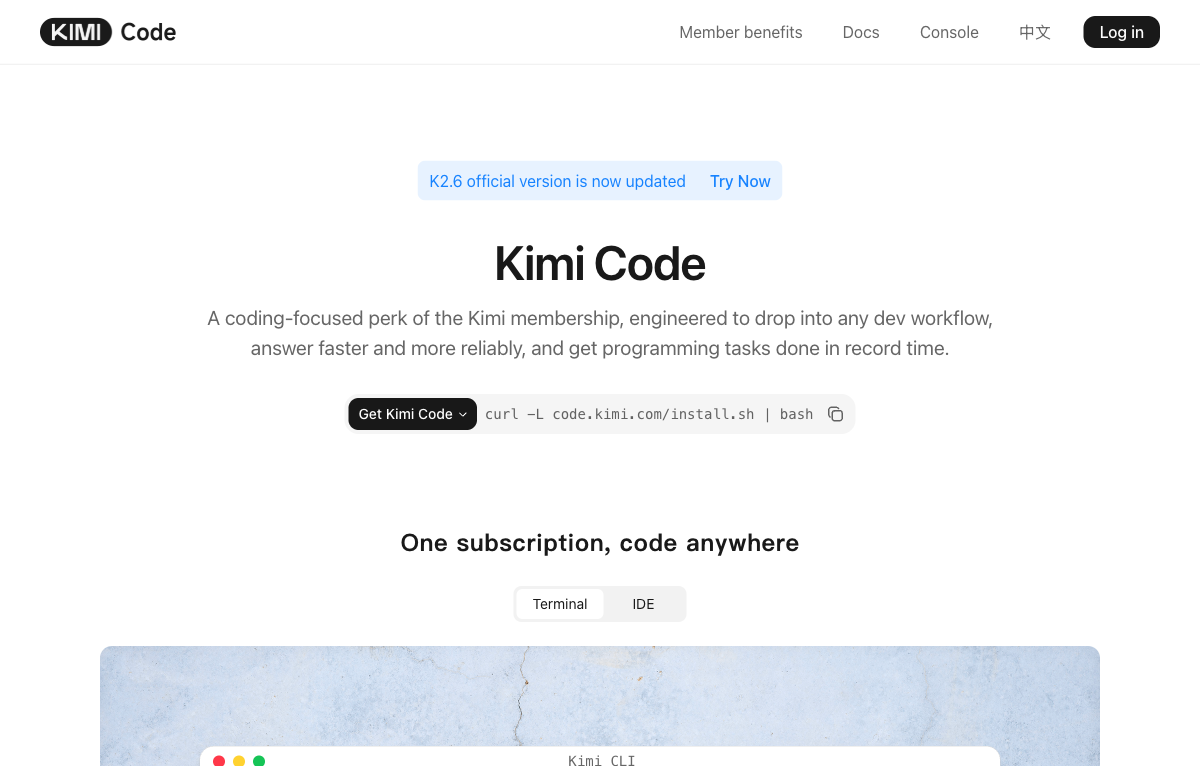
The Kimi Code product page advertises curl -L code.kimi.com/install.sh | bash. That works, but piping a remote script into a shell is the pattern that bites you the day someone hijacks DNS. The same outcome is achievable with the official uv binary from GitHub releases, which is auditable byte-for-byte. The Linux test bed for this guide was a freshly cloned Ubuntu 22 cloud-init VM on Proxmox, following the Proxmox VM template guide.
cd /tmp
wget -q "https://github.com/astral-sh/uv/releases/latest/download/uv-x86_64-unknown-linux-gnu.tar.gz" -O uv.tar.gz
tar -xzf uv.tar.gz
sudo mv uv-x86_64-unknown-linux-gnu/uv /usr/local/bin/uv
sudo chmod +x /usr/local/bin/uv
With uv on PATH, install kimi-cli and let uv fetch Python 3.13 if it is missing:
uv tool install kimi-cli --python 3.13
export PATH="$HOME/.local/bin:$PATH"
kimi --version
The expected output:
kimi, version 1.42.0On a fresh Ubuntu 22.04 cloud image where apt is half-broken (vim or kernel-modules dependency mismatch from a partial update), this uv-based path bypasses apt entirely. The only optional apt package is jq, used in one streaming example below, and python3 -c 'import json' is a fine substitute.
Choose an auth path
kimi-cli ships with two ways to authenticate. The right choice depends on which account you already pay for.
The native path uses Moonshot’s own OAuth flow. Run kimi login and pick a platform:
Welcome to Kimi Code CLI!
Send /help for help information.
Tip: send /login to use Kimi for Coding

Select a platform (up/down navigate, Enter select, Ctrl+C cancel):
  > 1. Kimi Code
    2. Moonshot AI Open Platform (moonshot.cn)
    3. Moonshot AI Open Platform (moonshot.ai)
Kimi Code covers users on the Kimi Code subscription (the coding-focused product priced as a flat monthly fee, no per-token billing inside the CLI). Moonshot AI Open Platform covers users with a pay-as-you-go API key from platform.moonshot.cn (China-resident accounts) or platform.moonshot.ai (global accounts). Pick the platform that matches the account holding your credit, complete the OAuth in the browser, and kimi-cli writes the resulting token into ~/.kimi/config.toml automatically.
The aggregator path (used for the rest of this guide) uses an openai_legacy provider pointed at OpenRouter, BYO API key. This is the right choice when an OpenRouter wallet already funds several LLMs, when fail-over across providers is useful, or when comparing K2.6 against Claude or DeepSeek without juggling three accounts. There is no kimi login step in this mode, only a TOML config and an environment variable.
To start fresh between paths, kimi logout clears the cached OAuth token, after which the OpenRouter config below takes over.
Configure ~/.kimi/config.toml for OpenRouter
The default ~/.kimi/config.toml ships pointed at api.kimi.com. Replace it with this for OpenRouter. The same file works on macOS and Linux:
default_model = "k26"
default_thinking = false
default_yolo = false
theme = "dark"

[providers.openrouter]
type = "openai_legacy"
base_url = "https://openrouter.ai/api/v1"
api_key = "OVERRIDE_VIA_ENV"

[models.k26]
provider = "openrouter"
model = "moonshotai/kimi-k2.6"
max_context_size = 262144

[models.k25]
provider = "openrouter"
model = "moonshotai/kimi-k2.5"
max_context_size = 262144

[models.k2-thinking]
provider = "openrouter"
model = "moonshotai/kimi-k2-thinking"
max_context_size = 262144
capabilities = ["thinking"]

[loop_control]
max_steps_per_turn = 200
max_retries_per_step = 3
reserved_context_size = 50000
compaction_trigger_ratio = 0.85
The OVERRIDE_VIA_ENV placeholder is intentional. The CLI reads the actual key from an environment variable at runtime, so the secret never lands on disk.
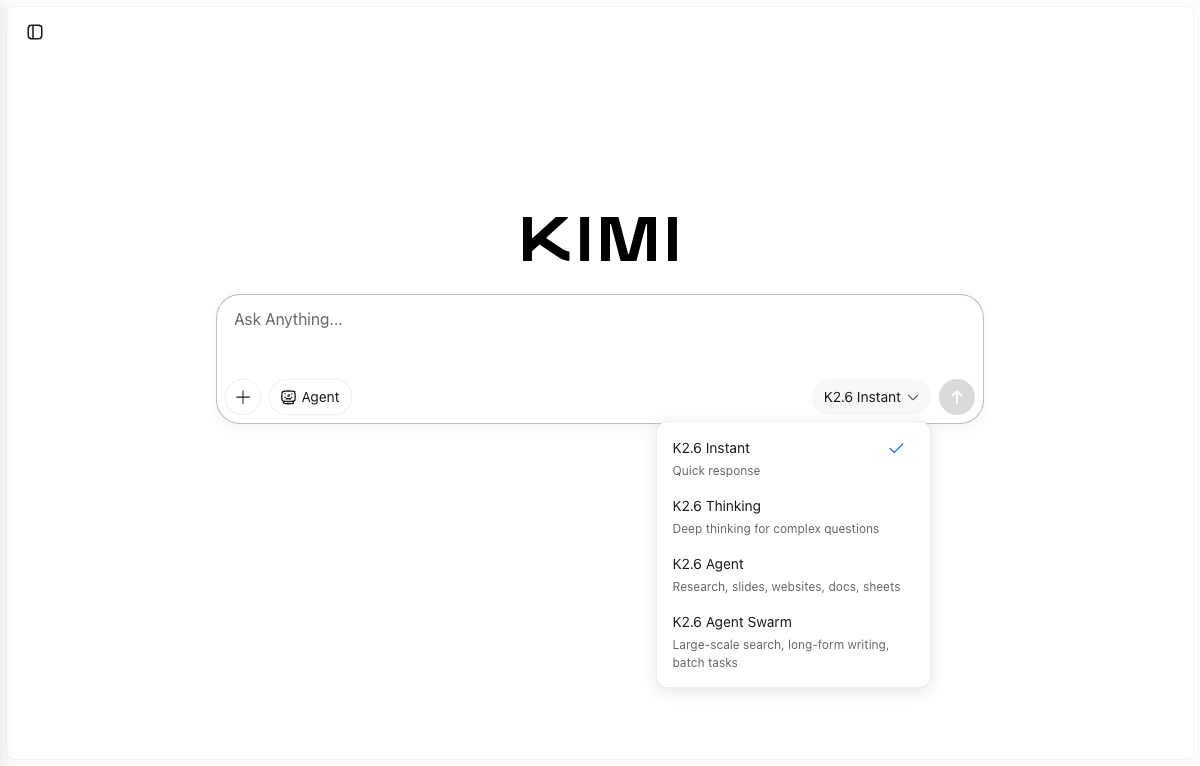
The four model aliases shown in the picker on kimi.com map to the same model identifiers, with reasoning and tool flags toggled in the web product.
Auth env var (the part the docs get wrong)
The kimi-cli documentation says KIMI_API_KEY overrides the configured api_key. That override only applies to providers whose type = "kimi". For type = "openai_legacy" (which OpenRouter requires), the CLI reads OPENAI_API_KEY.
Set the OpenRouter key under that name:
export OPENAI_API_KEY="sk-or-v1-..."If multiple LLM keys live in a central .env, source the file and copy the OpenRouter value into OPENAI_API_KEY:
set -a; source ~/.env; export OPENAI_API_KEY="$OPENROUTER_API_KEY"; set +aA 401 Missing Authentication header from kimi -p is almost always this. Set the right variable name and the same command works.
Use kimi-cli end-to-end
With OPENAI_API_KEY exported and the TOML config in place, the install is wired up. Sanity-check the binary first:
kimi infoThe output confirms the runtime versions:
kimi-cli version: 1.42.0
agent spec versions: 1
wire protocol: 1.10
python version: 3.13.11
For a single-shot question that prints the answer and exits, --quiet -p is the combination to know:
kimi -m k26 --quiet -p "Reply in <=40 words. 3 reasons a senior SRE should monitor etcd compaction."The real response captured during testing:
Prevent unbounded disk growth from accumulated revisions. Avoid performance
degradation and query latency. Mitigate cluster instability before the database
exceeds critical size limits.
Long prompts work as a single -p argument with embedded newlines, which keeps the call portable across shells without heredoc quoting pitfalls. An nginx audit using only that pattern:
kimi -m k26 --quiet -p 'Audit this nginx for security issues. Reply <=80 words, no preamble.
server { listen 80; server_name _;
  location / { root /var/www; autoindex on; }
  location /admin { proxy_pass http://localhost:8080; }
}'
The CLI answered with a concrete punch-list:
No HTTPS exposes all traffic. `autoindex on` leaks directory contents. `/admin`
is unauthenticated and lacks access controls. Proxy to `localhost:8080` uses
plaintext HTTP. Disable `autoindex`, restrict `/admin` by IP or add
authentication, and enable TLS.
The -m flag picks any model alias defined in ~/.kimi/config.toml. Switching to the thinking model for a planning question is one character of difference:
kimi -m k2-thinking --quiet -p "5 bullets max, plan only: blue-green a Postgres 17 cluster on Kubernetes with zero downtime."The thinking pass shows up in the output as a structured plan with concrete operator verbs:
1. Deploy Blue-Green Topology: Create two identical PostgreSQL 17 StatefulSet
   clusters with separate Services. Green continuously replicates from blue via
   logical replication to keep near-real-time sync.
2. Implement Connection Proxy Layer: PgBouncer or CloudNativePG fronts the
   clusters, providing a single endpoint that can be switched atomically.
3. Prepare Cutover: Stop writes to blue, verify pg_stat_replication lag is zero,
   run pg_checksums or custom validation.
4. Execute Atomic Switch: Promote green, repoint the proxy, allow existing blue
   connections to drain. Downtime window stays under five seconds.
5. Enable Instant Rollback: Keep blue running as standby. Fence with patroni or
   Kubernetes leader locks to prevent split-brain on revert.
Each invocation prints a session ID line on exit:
To resume this session: kimi -r 7cc43643-655d-4d8a-b890-8426560931eaPass that ID to kimi -r <id> (or -C for the most recent session in the current directory) to continue the conversation with full prior context. This is the building block for multi-turn workflows that span shell sessions, and it is also how the autonomous fix loop below maintains state between tool calls.
For scripted callers that need only the final assistant message and nothing else, the --final-message-only flag (aliased as --quiet when combined with --print) writes a single block of text to stdout:
kimi -m k26 --print --output-format text --final-message-only \
  -p "One line answer only: what does 'apt-get -y --fix-broken install' do?"
That is the form to wrap inside a CI script or a Makefile target. Combined with --work-dir and --yolo it becomes the autonomous fix loop covered later in this guide.
Reasoning-off: the trap that silently empties responses
K2.6 ships with a thinking pass before the visible answer. That is the right default for hard problems and the wrong default for tight max_tokens budgets, because the budget gets consumed by hidden reasoning tokens.
A minimal reproduction:
curl -sS https://openrouter.ai/api/v1/chat/completions \
  -H "Authorization: Bearer $OPENAI_API_KEY" \
  -H "Content-Type: application/json" \
  -d '{
    "model": "moonshotai/kimi-k2.6",
    "messages": [{"role":"user","content":"hi"}],
    "max_tokens": 256
  }' | python3 -m json.tool
The response carries an empty content and 245 reasoning tokens:
{
  "choices": [{ "message": { "content": null } }],
  "usage": {
    "completion_tokens_details": { "reasoning_tokens": 245 }
  }
}
Add "reasoning": {"enabled": false} to skip the thinking pass:
curl -sS https://openrouter.ai/api/v1/chat/completions \
  -H "Authorization: Bearer $OPENAI_API_KEY" \
  -H "Content-Type: application/json" \
  -d '{
    "model": "moonshotai/kimi-k2.6",
    "messages": [
      {"role":"system","content":"You are a terse senior DevOps engineer."},
      {"role":"user","content":"One-line vLLM command to serve Kimi K2.6 on 8x H100."}
    ],
    "max_tokens": 200,
    "reasoning": {"enabled": false}
  }' | python3 -c 'import sys,json; d=json.load(sys.stdin); print(d["choices"][0]["message"]["content"]); print("--- usage ---"); print(json.dumps(d["usage"], indent=2))'
The Linux VM produced this answer for 230 tokens at $0.000824:
vllm serve kimi-ai/kimi-k2-6 --tensor-parallel-size 8 --pipeline-parallel-size 1 \
  --max-model-len 262144 --gpu-memory-utilization 0.95 --dtype bfloat16 \
  --enable-chunked-prefill --trust-remote-code
The model’s --max-model-len 262144 will OOM on 8×H100 at FP16 because the KV cache for 256K tokens does not fit. Trust the model’s structure, verify the numbers.
For CI bots that parse choices[0].message.content, set reasoning.enabled = false on every short-answer call, or wrap the request in a helper that defaults it off.
Stream output cleanly with jq -rj
Streaming via SSE has three common bugs. Forgetting -N (no buffer) introduces 8-second output lag. Not handling the [DONE] sentinel leaves the script hanging on EOL. Reading delta.reasoning instead of delta.content produces empty output.
A version that handles all three:
curl -N -sS https://openrouter.ai/api/v1/chat/completions \
  -H "Authorization: Bearer $OPENAI_API_KEY" \
  -H "Content-Type: application/json" \
  -d '{
    "model": "moonshotai/kimi-k2.6",
    "stream": true,
    "messages": [{"role":"user","content":"Stream a 5-step Terraform import workflow."}],
    "max_tokens": 400,
    "reasoning": {"enabled": false}
  }' \
  | grep --line-buffered '^data:' \
  | sed -u 's/^data: //' \
  | grep -v '^\[DONE\]$' \
  | jq -rj --unbuffered '.choices[0].delta.content // empty'
echo
If jq is unavailable, substitute a one-line Python reader:
python3 -uc 'import sys,json
for l in sys.stdin:
    l = l.strip()
    if not l: continue
    try: print(json.loads(l)["choices"][0]["delta"].get("content",""), end="", flush=True)
    except Exception: pass'
The same shell pipeline runs on macOS and Linux with no changes.
Tool calling with an allowlisted shell
A safe pattern that survives code review: an allowlist of read-only commands the agent may invoke. Allowlists fit on one screen, audit cleanly, and beat sandboxed containers for 80% of real-world ops use-cases.
Save this as tool-calling.py:
import json, os, subprocess
from openai import OpenAI

client = OpenAI(api_key=os.environ["OPENAI_API_KEY"],
                base_url="https://openrouter.ai/api/v1")

TOOLS = [{
    "type": "function",
    "function": {
        "name": "run_shell",
        "description": "Execute a read-only shell command and return stdout.",
        "parameters": {"type":"object","required":["cmd"],
                       "properties":{"cmd":{"type":"string"}}},
    },
}]
ALLOWED = {"uname","df","free","uptime","kubectl","tofu","terraform","git"}

def run_shell(cmd: str) -> str:
    head = cmd.strip().split(maxsplit=1)[0]
    if head not in ALLOWED:
        return f"DENIED: '{head}' not in allowlist"
    out = subprocess.run(cmd, shell=True, capture_output=True, text=True, timeout=10)
    return (out.stdout or out.stderr)[:2000]

messages = [
    {"role":"system","content":"You are a senior SRE. Use run_shell for system facts."},
    {"role":"user","content":"What kernel am I on and what's the uptime?"},
]

for _ in range(4):
    r = client.chat.completions.create(model="moonshotai/kimi-k2.6",
                                       messages=messages, tools=TOOLS,
                                       tool_choice="auto", max_tokens=400)
    msg = r.choices[0].message
    messages.append(msg.model_dump(exclude_unset=True))
    if not msg.tool_calls:
        print(msg.content); break
    for tc in msg.tool_calls:
        args = json.loads(tc.function.arguments or "{}")
        result = run_shell(args.get("cmd",""))
        messages.append({"role":"tool","tool_call_id":tc.id,"content":result})
Run it from a directory with openai installed in the environment:
uv run --with openai python tool-calling.pyOn our Mac test bed K2.6 picked uname -r && uptime in a single hop and summarised the response in 520 tokens at $0.00130. The pattern carries over to kubectl get pods, tofu plan, or any read-only diagnostic verb that fits inside an allowlist.
Autonomous fix loop with kimi --yolo --work-dir
The headline demo. Drop kimi into a temp working directory that contains broken code and a pytest, with --yolo to auto-approve tool calls. The CLI reads the pytest failure, locates the bug, applies a minimal diff, and re-runs the tests.
Start with a function that has two bugs at once (a float index and an off-by-one for 0-based indexing):
SANDBOX=$(mktemp -d -t kimi-test-XXXXXX)
cat > "$SANDBOX/buggy.py" <<'PY'
def p95(values):
    s = sorted(values)
    idx = len(s) * 95 / 100
    return s[idx]
PY
cat > "$SANDBOX/test_buggy.py" <<'PY'
from buggy import p95
def test_p95_small():
    assert p95(list(range(1, 101))) == 95
PY
Hand the directory to kimi -m k26:
kimi -m k26 --work-dir "$SANDBOX" --yolo --quiet -p \
  "Run the tests in this directory with python -m pytest -q. If they fail, fix buggy.py minimally. Show final diff."
On the Linux VM, K2.6 returned this single-hop result:
--- buggy.py.orig
+++ buggy.py
@@ -1,7 +1,7 @@
 def p95(values):
     s = sorted(values)
-    idx = len(s) * 95 / 100
+    idx = len(s) * 95 // 100 - 1
     return s[idx]
The pytest output after the patch:
1 passed in 0.00sThe macOS run produced a slightly different patch using int() instead of //. Both are correct. Both find the integer-index bug and the off-by-one in a single round-trip.
This is the foundation of a kimi-in-CI pattern: a GitHub Action that runs pytest, hands failures to kimi --print --yolo, and opens a PR with the diff. The wiring resembles the workflow described in the Claude Code GitHub Actions for infrastructure write-up, only with kimi swapped in. Marginal cost per autofix is cents.
The OpenRouter cache miss, measured
Moonshot’s API offers a 75% discount on cached input tokens after the first warm prefix. OpenRouter routes requests across roughly nine upstream providers, so a second call may land on a different upstream and miss the cache entirely.
A reproduction that sends a 1,200-line Terraform doc twice, asking different questions:
import os, time
from openai import OpenAI

client = OpenAI(api_key=os.environ["OPENROUTER_API_KEY"],
                base_url="https://openrouter.ai/api/v1")

LONG_DOC = ("Resources:\n" +
            "".join(f"- google_container_node_pool.np_{i} adds 3 nodes "
                    f"in region {['us','eu','asia'][i%3]}\n"
                    for i in range(0, 1200)))

for q in ["How many node pools total?", "Which np_ number is the median?"]:
    r = client.chat.completions.create(
        model="moonshotai/kimi-k2.6",
        messages=[{"role":"system","content":"TF reviewer. Doc:\n"+LONG_DOC},
                  {"role":"user","content":q}],
        max_tokens=200,
        extra_body={"reasoning":{"enabled":False}},
    )
    print(r.usage.prompt_tokens_details.cached_tokens, r.usage.cost)
The output during testing showed cold pricing on both calls:
0  0.0182766
0  0.0165824
cached_tokens is zero on the second call, so the bill is the full headline price both times.
Three workarounds, in order of effort:
- Pin a single upstream provider on each request, using OpenRouter’s request body:
"provider": {"only": ["Moonshot"]}. This locks routing and lets caches build up against one upstream. - Skip OpenRouter and call
api.kimi.comdirectly. The input price is lower already (around $0.55 per million), and Moonshot’s cache discount applies natively. - Where supported, attach OpenRouter’s own
cache_controlblocks to the long-lived system prefix. As of writing, K2.6 cache pass-through on OpenRouter is undocumented.
The takeaway for long-doc agents: do not budget for the cached price unless you have verified cached_tokens > 0 in real traffic. For our 50-million-token reference workload, the difference is roughly $35 per run.
Web UI tour for non-CLI cases
When the output is going to a non-engineer, the web UI is the cleanest delivery channel. Each of the four modes maps to the same underlying model with reasoning or tool flags toggled.
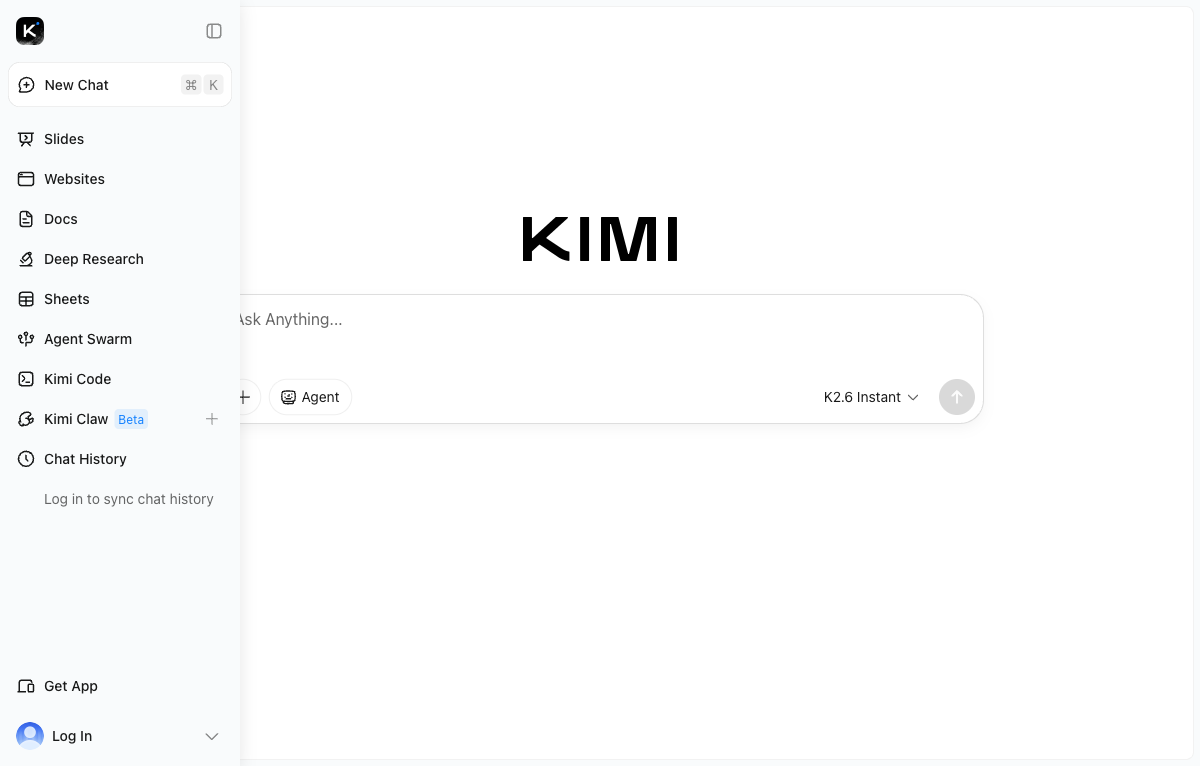
The sidebar groups the visible agent products. Slides and Websites produce structured outputs from a single prompt. Deep Research returns a multi-page report with sources. Agent Swarm fans tasks out to up to 300 parallel sub-agents for large-scale research and batch generation.
The companion Kimi Code product hosts the curl-pipe installer mentioned earlier and a hosted IDE.
For comparable open-weights LLM tooling that lives entirely on a local host, the Ollama install guide on Ubuntu 26.04 and the Open WebUI setup cover the local-only path that needs no API key at all. When the weights themselves are what you want to serve, the vLLM production guide for Linux walks through the same vllm serve command the model produced in the curl example above.
For the underlying weights, model card, and reproducible benchmark scripts, the Kimi K2 repository on GitHub and the official OpenRouter Kimi K2.6 page are the canonical sources.