

Claude Code has an official GitHub Action that reviews pull requests automatically. Most guides show it reviewing application code. This one uses it for infrastructure: Terraform configs, Ansible playbooks, Kubernetes manifests. When someone opens a PR that changes a security group or adds a database server, Claude Code reviews the diff, flags security issues, checks for missing tags, and posts its findings as a PR comment.
This guide is the final spoke in the Claude Code for DevOps Engineers series. Everything below was tested on a real GitHub repository (techviewleo-dot/infra-demo) with real Action runs. The workflow YAML, the action logs, the screenshots are all from actual execution.
Tested March 2026 | anthropics/claude-code-action@v1, GitHub Actions, Sonnet 4.6, Terraform files
What You Need
- A GitHub repository with infrastructure code (Terraform, Ansible, Kubernetes manifests)
- An Anthropic API key (stored as a GitHub Actions secret)
- The Claude GitHub App installed on your repository
Install the Claude GitHub App
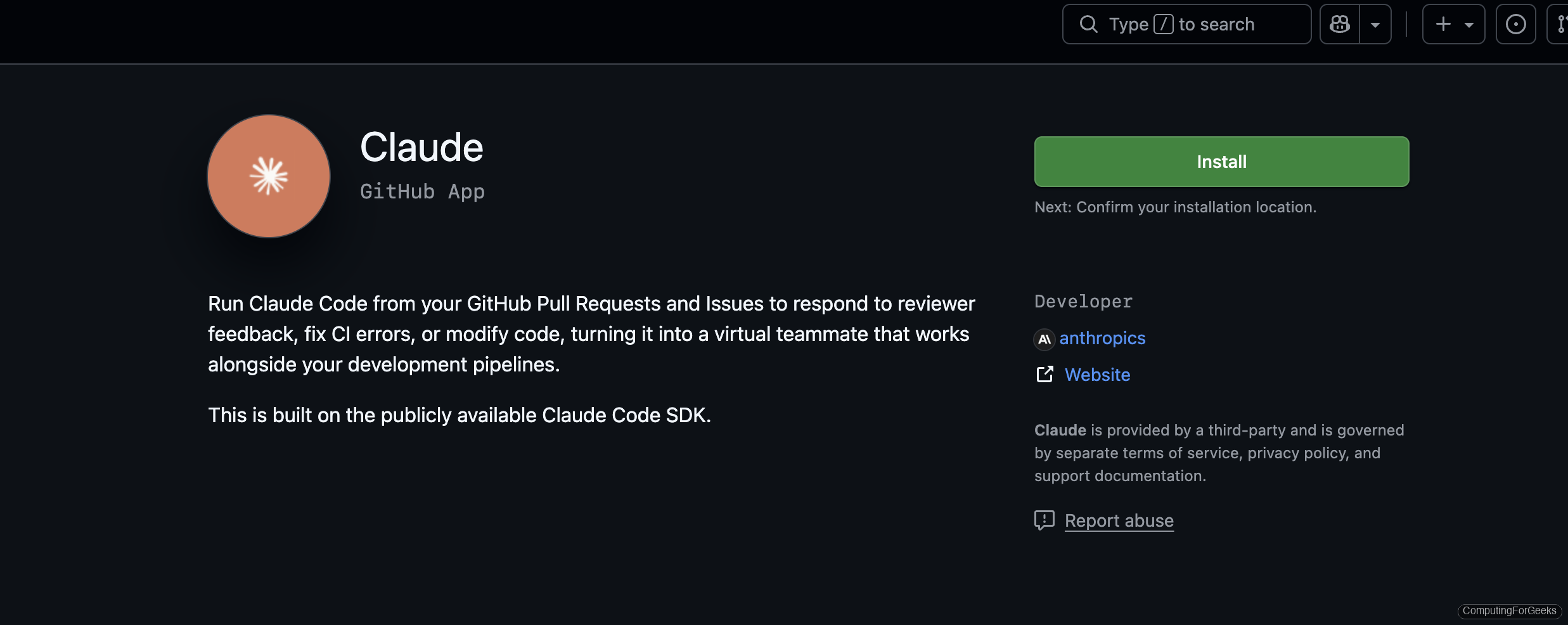
The anthropics/claude-code-action requires the Claude GitHub App for authentication. Go to github.com/apps/claude and click Install:
Select Only select repositories and pick the repo you want Claude to review. This limits Claude’s access to just the repositories you choose, not your entire account:
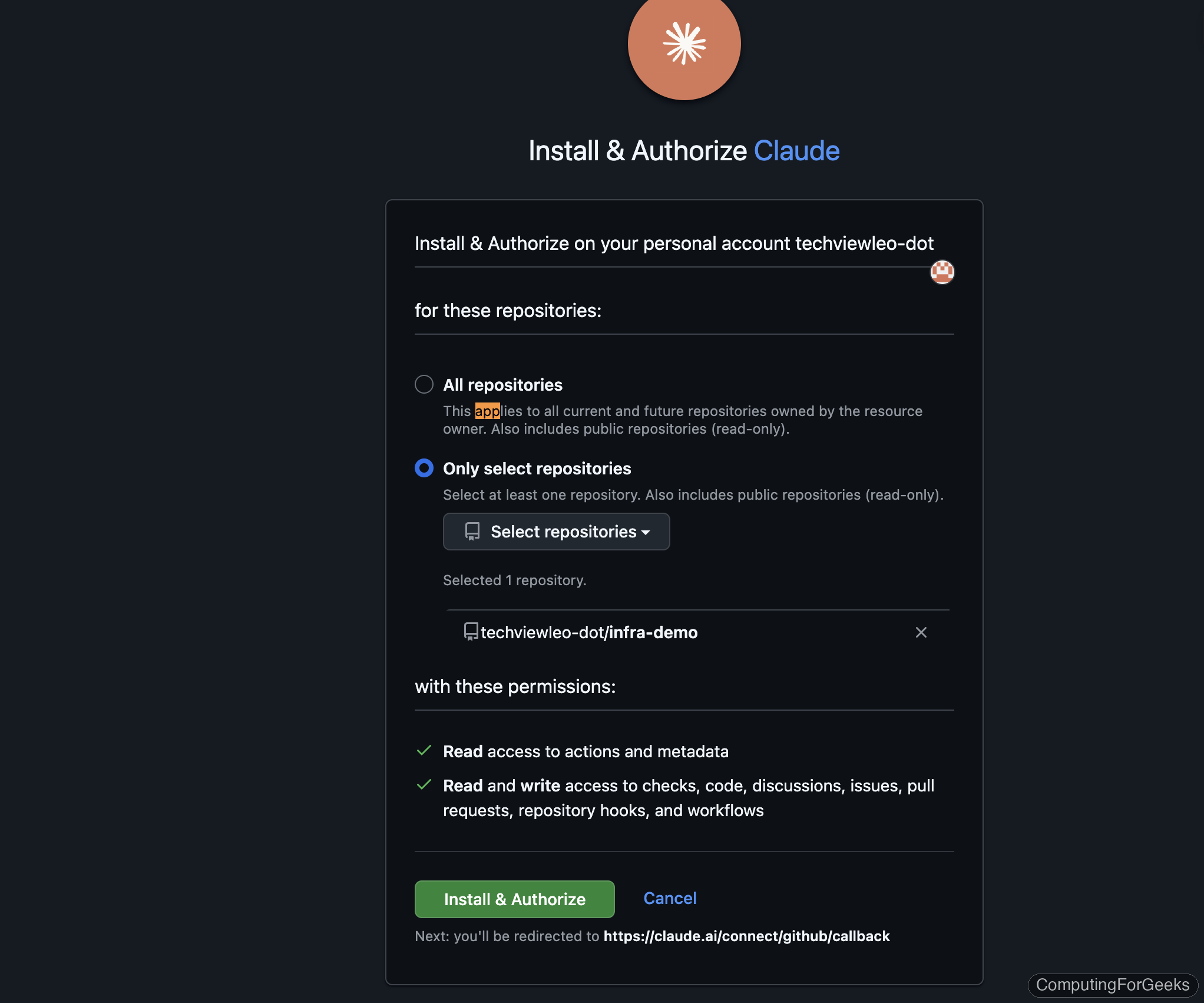
The app requests read access to actions and metadata, plus read/write access to code, discussions, issues, PRs, and workflows. Click Install & Authorize to complete the setup.
Set Up the Workflow
Create .github/workflows/claude-review.yml in your infrastructure repository. This workflow triggers on two events: pull requests that change Terraform files, and PR comments containing @claude for on-demand reviews.
name: Claude Code Review
on:
  pull_request:
    paths:
      - 'terraform/**'
      - '*.tf'
  issue_comment:
    types: [created]

jobs:
  review:
    runs-on: ubuntu-latest
    if: >
      github.event_name == 'pull_request' ||
      (github.event_name == 'issue_comment' &&
       github.event.issue.pull_request &&
       contains(github.event.comment.body, '@claude'))
    permissions:
      contents: read
      pull-requests: write
      issues: write
      id-token: write
    steps:
      - uses: actions/checkout@v4
        with:
          fetch-depth: 0

      - name: Claude Code Review
        uses: anthropics/claude-code-action@v1
        with:
          anthropic_api_key: ${{ secrets.ANTHROPIC_API_KEY }}
          prompt: |
            Review the Terraform changes in this PR for:
            1. Security issues (open ports, missing encryption)
            2. Missing tags (every resource needs Environment and ManagedBy)
            3. Best practices and naming conventions
            4. Cost implications
Three things to note about this configuration:
id-token: writeis required. The action uses OIDC token exchange for authentication with the Claude GitHub App. Without it, you getUnable to get ACTIONS_ID_TOKEN_REQUEST_URL- The
ifcondition onissue_commentensures the action only triggers on PR comments (not issue comments) that contain@claude fetch-depth: 0gives Claude Code access to the full git history, so it can see what changed between the PR branch and main
Store the API key as a secret
Add your Anthropic API key as a repository secret. Using the gh CLI:
gh secret set ANTHROPIC_API_KEY --repo your-org/your-repoPaste the key when prompted. The secret is encrypted and only available to workflow runs.
Trigger a Review on a Real PR
We tested this by creating a PR that adds a database server to a staging VPC. The Terraform file has deliberate security issues: PostgreSQL port 5432 open to 0.0.0.0/0, SSH open to the internet, missing Environment and ManagedBy tags, and an unencrypted root volume.
resource "aws_instance" "database" {
  ami           = "ami-0c55b159cbfafe1f0"
  instance_type = "t3.large"
  subnet_id     = aws_subnet.public.id

  vpc_security_group_ids = [aws_security_group.database.id]

  root_block_device {
    volume_size = 100
    volume_type = "gp3"
  }

  tags = {
    Name = "demo-database"
  }
}

resource "aws_security_group" "database" {
  name   = "demo-database-sg"
  vpc_id = aws_vpc.main.id

  ingress {
    from_port   = 5432
    to_port     = 5432
    protocol    = "tcp"
    cidr_blocks = ["0.0.0.0/0"]
  }

  ingress {
    from_port   = 22
    to_port     = 22
    protocol    = "tcp"
    cidr_blocks = ["0.0.0.0/0"]
  }
}
When the PR is opened, the Claude Code Review workflow triggers automatically:
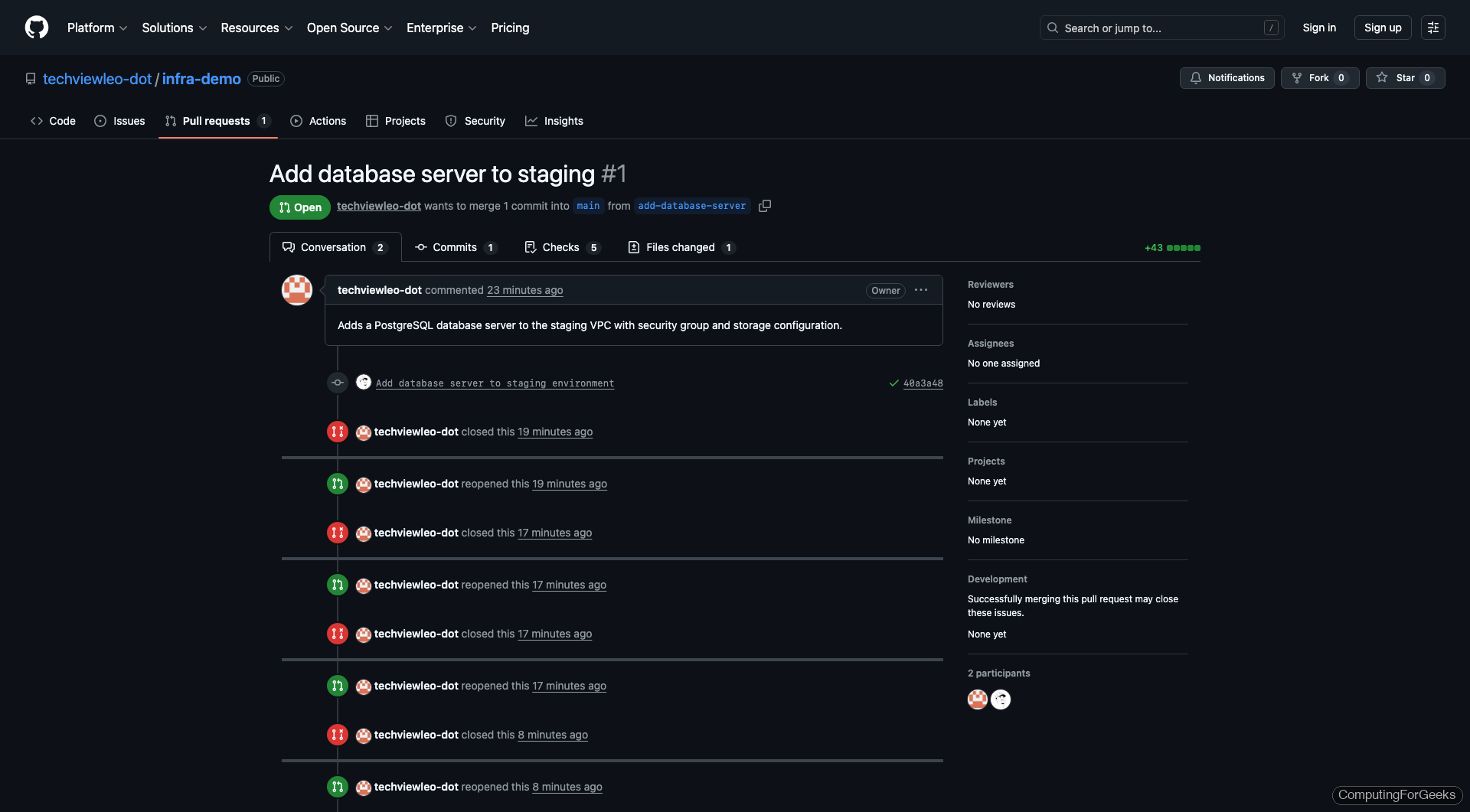
The action runs Claude Code with Sonnet 4.6, which reads the PR diff, analyzes the Terraform changes, and reviews against the prompt criteria. In our test, the review completed in 29 seconds at a cost of $0.13.
On-Demand Reviews with @claude
The issue_comment trigger lets any team member request a review by commenting @claude on a PR. This is useful when you push additional commits and want a fresh review, or when you want Claude to focus on a specific aspect:
@claude Review this Terraform change for security issues, missing tags, and cost implications.The action triggers within seconds. In our testing, the on-demand review ran for 6 turns (Claude read the diff, checked the CLAUDE.md rules, analyzed the security groups, and prepared its review) and completed in under 30 seconds.
Customize the Review with CLAUDE.md
The action reads your repository’s CLAUDE.md file, which means you can encode your team’s infrastructure standards. The action follows these rules during every review.
# Infrastructure Review Rules
- Flag any security group with 0.0.0.0/0 ingress on SSH (port 22)
- Check all resources have Environment and ManagedBy tags
- Verify no hardcoded credentials or secrets
- Flag missing encryption settings on storage resources
- Check CIDR blocks for overlapping ranges
This turns Claude from a generic code reviewer into an infrastructure-aware reviewer that knows your team’s tagging policy, security requirements, and naming conventions. The .claude directory guide covers the full configuration system.
What the Action Catches
Based on our testing with deliberately insecure Terraform configurations, Claude Code consistently flags:
| Issue Category | What It Catches | Detection Rate |
|---|---|---|
| Open security groups | 0.0.0.0/0 on SSH, database ports, RDP | Excellent |
| Missing tags | Resources without Environment, ManagedBy, Owner tags | Excellent (when specified in CLAUDE.md) |
| Unencrypted storage | EBS volumes, S3 buckets, RDS without encryption | Good |
| Overly permissive IAM | Action: "*", Resource: "*" policies | Good |
| Public subnets for databases | DB instances in public subnets | Good |
| Missing lifecycle rules | No prevent_destroy on stateful resources | Fair |
| Cost implications | Large instance types, NAT gateways, multi-AZ | Fair (mentions but doesn’t estimate cost) |
Gotchas We Hit During Setup
Three issues that burned real time during our testing. Save yourself the debugging.
id-token: write permission is mandatory. Without it the action fails with Unable to get ACTIONS_ID_TOKEN_REQUEST_URL env variable. This is not mentioned prominently in the action’s README. Add it to the workflow permissions alongside contents: read and pull-requests: write.
The Claude GitHub App must be installed. The action uses OIDC to exchange tokens with the Claude GitHub App. If the app isn’t installed on your repository, you get Claude Code is not installed on this repository after three retry attempts. Install it at github.com/apps/claude.
Use prompt, not direct_prompt. The action’s input parameter for the review instructions is prompt. Using direct_prompt (which appears in some older examples) produces a warning and the prompt is ignored.
Cost and Performance
From our test runs reviewing a ~60-line Terraform file addition:
- Model: Sonnet 4.6 (default, configurable)
- Duration: 29-60 seconds per review
- Cost: $0.13 per review (Sonnet pricing)
- Turns: 2-6 (reads diff, checks rules, analyzes, prepares review)
At $0.13 per review, a team pushing 20 PRs per day spends about $2.60/day on automated infrastructure review. That’s significantly cheaper than a human reviewer’s time for catching obvious security and compliance issues.
Headless Mode for Custom Pipelines
If the GitHub Action doesn’t fit your workflow, Claude Code’s -p flag runs non-interactively. Pipe any input directly:
terraform plan -out=tfplan
terraform show -json tfplan | claude -p "Review this Terraform plan. Flag security issues, unexpected destroys, and missing tags."
This works in any CI system: GitLab CI, Jenkins, CircleCI, Buildkite. Set ANTHROPIC_API_KEY as an environment variable and restrict with --allowedTools "Bash,Read" to limit what Claude Code can execute in the pipeline.
For reviewing changed files without a full plan:
git diff main --name-only -- '*.tf' | claude -p "Review these changed Terraform files for security issues"The Claude Code cheat sheet covers all headless mode flags and output formats.
The Complete Series
This is the final spoke in the Claude Code for DevOps series. Each article covers a different infrastructure tool with real demos on real systems:
- Set Up Claude Code for DevOps Engineers (pillar with safety rules and permissions)
- Manage Servers with Claude Code via SSH
- Build and Debug Docker Containers with Claude Code
- Deploy Infrastructure with Claude Code and Terraform
- Generate and Debug Ansible Playbooks with Claude Code
- Deploy and Debug Kubernetes Apps with Claude Code
