The default allow_all rule that FreeIPA ships with lets every enrolled user log in to every enrolled host on every service. That is fine for the five minutes after ipa-server-install finishes. It is not fine when you have contractors, developers, and DBAs sharing the same realm. Host-Based Access Control (HBAC) is how you replace that wide-open default with rules that match how your team actually works.
This guide walks through building a complete least-privilege HBAC policy from scratch. You will plan an access model, create the rules, validate every combination with hbactest, disable allow_all safely without locking yourself out, layer service-specific controls (sshd vs sudo vs Cockpit), handle AD-trusted users via external groups, and debug rules with sssctl when login attempts fail. Twelve real scenarios are captured with the actual command output and Web UI screenshots from a 4-node lab.
The CLI surface (ipa hbacrule-*, ipa hbactest, ipa hbacsvc-add, sssctl user-checks) is identical on FreeIPA 4.9 (RHEL/Rocky/AlmaLinux 8), 4.11 (9.x), and 4.12 (10.x). The only version-specific section is the RHEL 10 pitfall callout near the end.
How HBAC works in FreeIPA
HBAC controls who can authenticate to which host for which service. A rule has four parts:
- Who — a user, a user group, or all users (the special
category=all - Where — a host, a host group, or all hosts
- What — an HBAC service (sshd, sudo, login, cockpit), a service group, or all services
- State — enabled or disabled
HBAC rules are allow-only. There is no explicit deny. A login attempt is permitted if any enabled rule matches all three of (user, host, service); otherwise it is denied. PAM consults SSSD which consults the IPA server’s HBAC plugin on every login. Caching means rule changes propagate within the SSSD refresh interval (default 5400 seconds, tunable per realm).
HBAC does not apply to AD-trusted users by default. They need an external group inside the IdM realm that maps the AD security identifier (SID) into a referenceable HBAC subject. We cover that pattern in section 12.
Prerequisites
- One FreeIPA server reachable on its FQDN (we use
ipa.cfg-lab.local, IP 192.168.1.121) - Three IPA-enrolled clients in the same realm:
web01,db01,bastion01 - IPA admin credentials (Kerberos ticket via
kinit admin) - Server and clients on RHEL 8.x / 9.x / 10.x family (Rocky, AlmaLinux, RHEL). Lab here is Rocky 10.1.
- SSSD client on each enrolled host (installed automatically by
ipa-client-install)
If you do not have a running IPA realm yet, follow our FreeIPA server install guide first, then come back here. For a containerized setup the FreeIPA in Docker / Podman walkthrough achieves the same end state without dedicating a full VM.
The default allow_all rule and why it is dangerous
Right after install, every realm has exactly one HBAC rule: allow_all. List it:
kinit admin
ipa hbacrule-find
The output shows the rule with three category fields set to “all”: user, host, service. That means any account, on any enrolled host, for any service. Combined with the default password policy (8-character minimum, no lockout history), it is one stolen developer password away from total realm compromise.
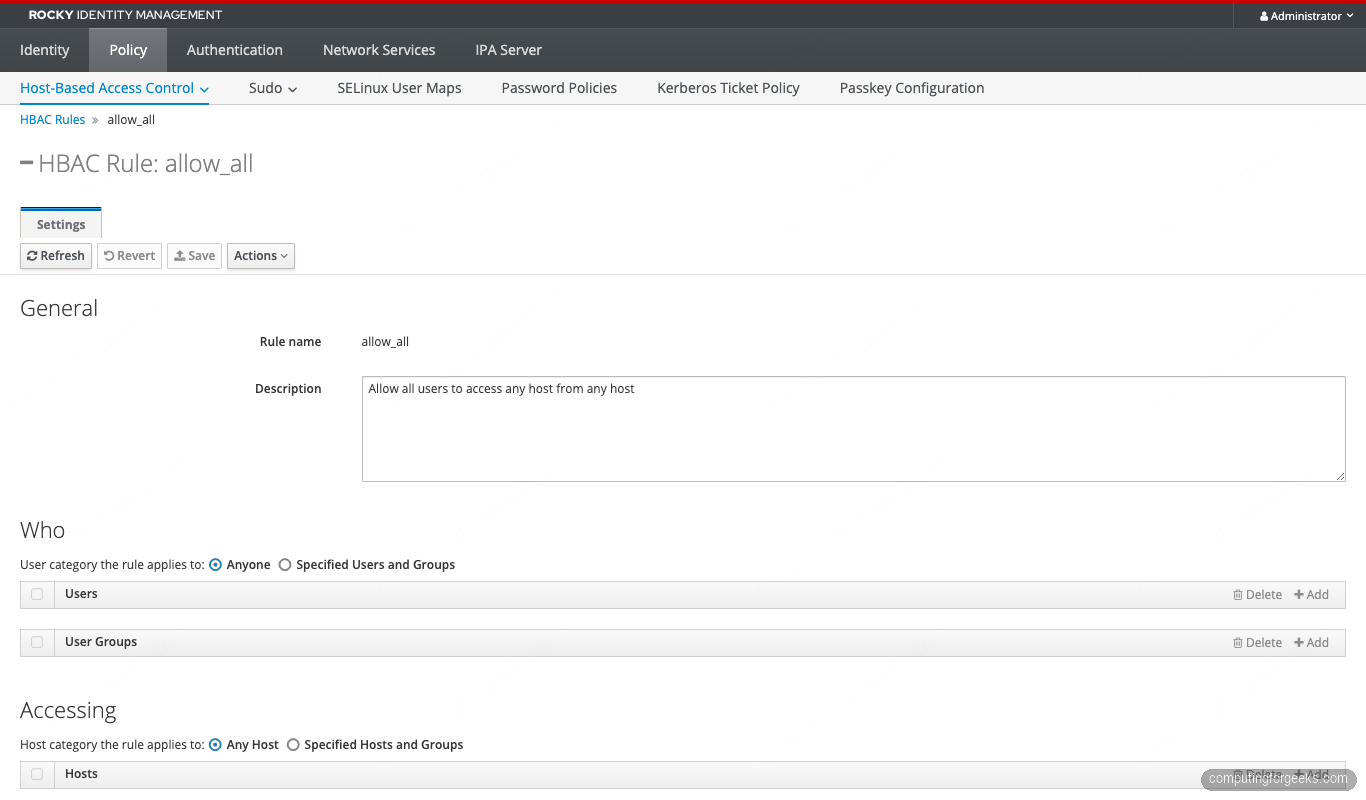
The fix is not to delete allow_all. Disable it once the replacement rules are in place. Deleting it would leave nothing for emergency recovery if you misconfigure the replacements and lose all admin sessions at the same time. We disable rather than delete in step 9.
Plan your access model
Map out the access matrix before touching the CLI. The five-team lab below is small enough to fit in a paragraph and large enough to cover every HBAC primitive.
| Group | Members | Allowed hosts | Allowed services | Notes |
|---|---|---|---|---|
| sysadmins | alice | all hosts | any service | break-glass for everything |
| web-admins | bob | webservers hostgroup | sshd, sudo | web tier only |
| db-admins | charlie | dbservers hostgroup | sshd, sudo | database tier only |
| developers | diana | bastions hostgroup | sshd | no sudo anywhere |
| contractors | eve | bastions hostgroup | sshd | account expires in 7 days |
The model has three host groups (webservers, dbservers, bastions), a fourth production group that nests webservers and dbservers, and five user groups. Nesting lets a future “all-production-readonly” rule target both web and db tiers without restating membership.
Seed the lab: users, groups, hosts, host groups
Get a Kerberos ticket and create the user groups first:
kinit admin
ipa group-add sysadmins   --desc='System administrators (break-glass)'
ipa group-add web-admins  --desc='Web tier admins'
ipa group-add db-admins   --desc='Database tier admins'
ipa group-add developers  --desc='Application developers'
ipa group-add contractors --desc='Time-limited contractors'
Create the five users. The --random flag generates a one-time password that the user must change on first login.
ipa user-add alice   --first=Alice   --last=Admin     [email protected]   --random
ipa user-add bob     --first=Bob     --last=Web       [email protected]     --random
ipa user-add charlie --first=Charlie --last=Database  [email protected] --random
ipa user-add diana   --first=Diana   --last=Developer [email protected]   --random
ipa user-add eve     --first=Eve     --last=External  [email protected]     --random
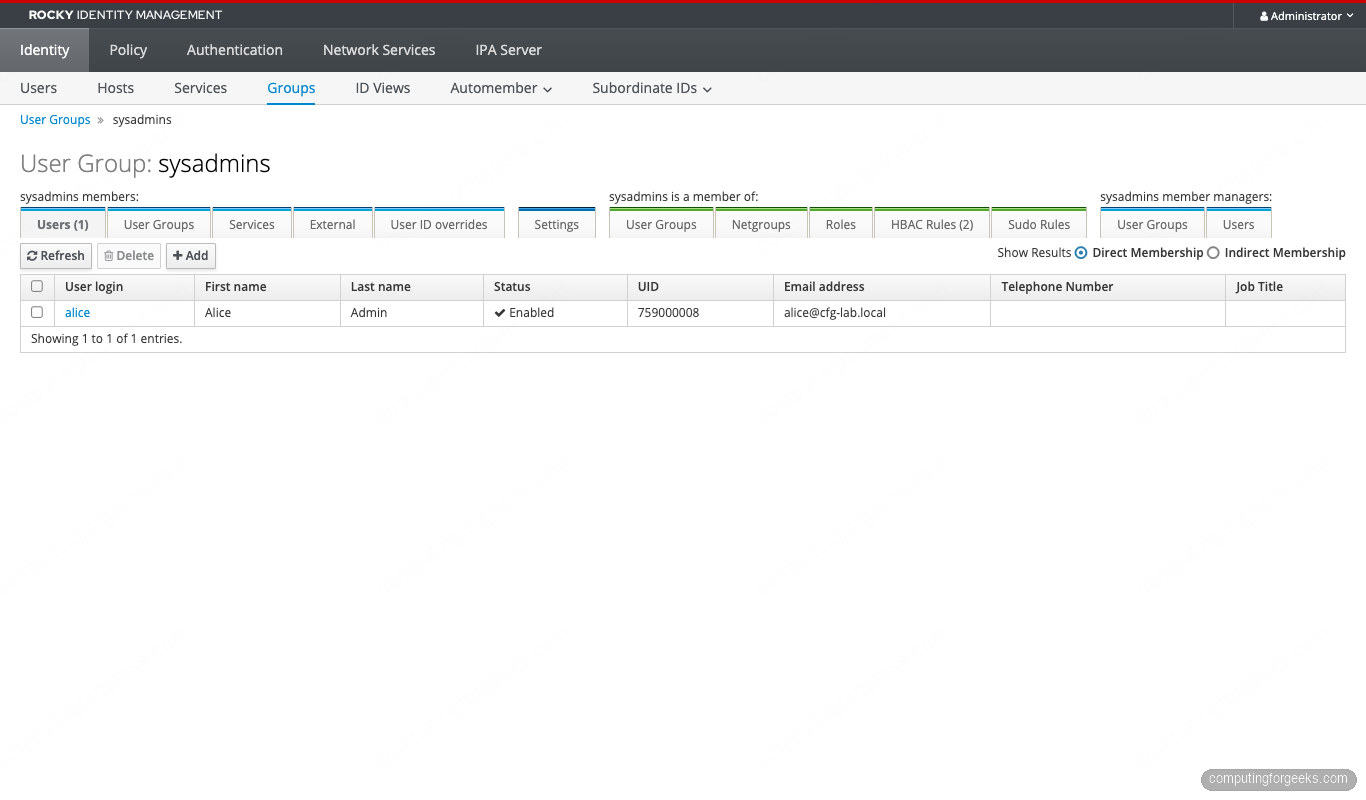
Capture the random passwords from the command output; you need them when testing logins from each client. Add users to their groups:
ipa group-add-member sysadmins   --users=alice
ipa group-add-member web-admins  --users=bob
ipa group-add-member db-admins   --users=charlie
ipa group-add-member developers  --users=diana
ipa group-add-member contractors --users=eve
Time-bound the contractor account so it expires automatically. RHEL 10’s IdM exposes the principal expiration directly:
EXP_DATE=$(date -u -d '+7 days' '+%Y-%m-%dT%H:%M:%SZ')
ipa user-mod eve --principal-expiration="$EXP_DATE"
Now the host groups (the hosts themselves are already enrolled):
ipa hostgroup-add webservers --desc='Web tier'
ipa hostgroup-add dbservers  --desc='Database tier'
ipa hostgroup-add bastions   --desc='Bastion / jump hosts'
ipa hostgroup-add production --desc='Production (web + db, nested)'

ipa hostgroup-add-member webservers --hosts=web01.cfg-lab.local
ipa hostgroup-add-member dbservers  --hosts=db01.cfg-lab.local
ipa hostgroup-add-member bastions   --hosts=bastion01.cfg-lab.local
ipa hostgroup-add-member production --hostgroups=webservers --hostgroups=dbservers
Verify the nested membership:
ipa hostgroup-show production --all | grep -E 'Member|host'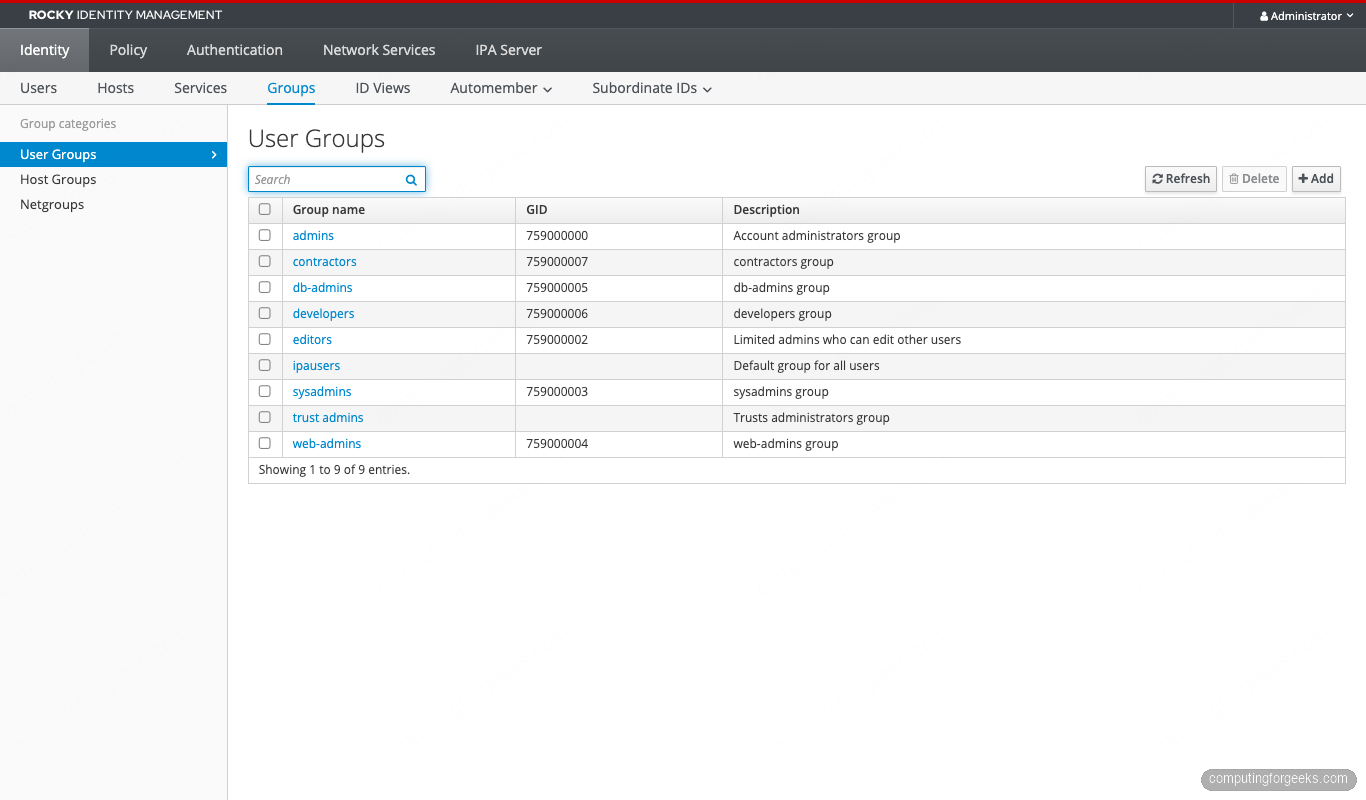
Build least-privilege HBAC rules
Five rules cover the access matrix. Build them with allow_all still enabled so a misconfigured rule does not lock anyone out mid-rollout.
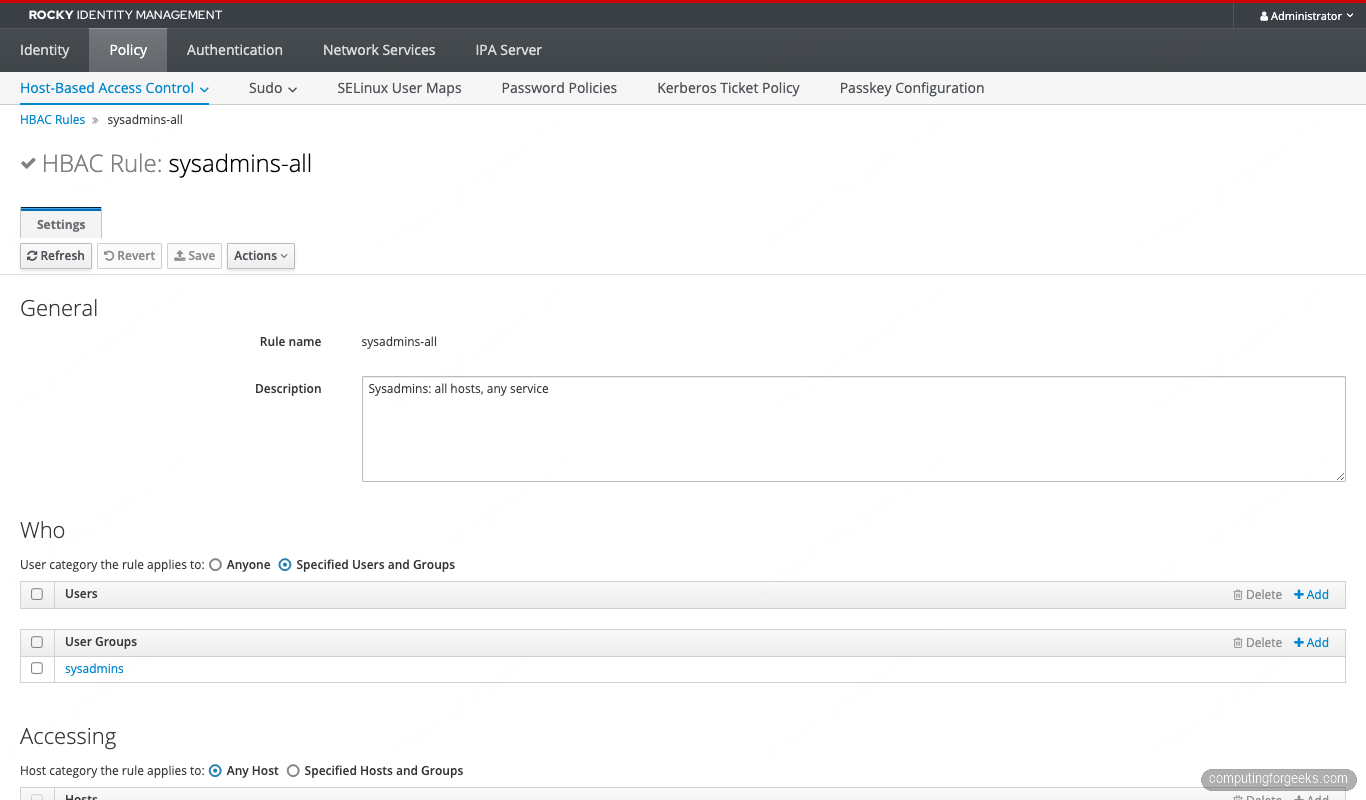
Rule 1: sysadmins go everywhere
ipa hbacrule-add sysadmins-all \
  --desc='Sysadmins: all hosts, any service' \
  --servicecat=all --hostcat=all

ipa hbacrule-add-user sysadmins-all --groups=sysadmins
Note the --servicecat=all and --hostcat=all. The “all” categories override individual service or host bindings on the same rule, so sysadmins reach every enrolled host. We do not set --usercat=all because the user side is restricted to the sysadmins group.
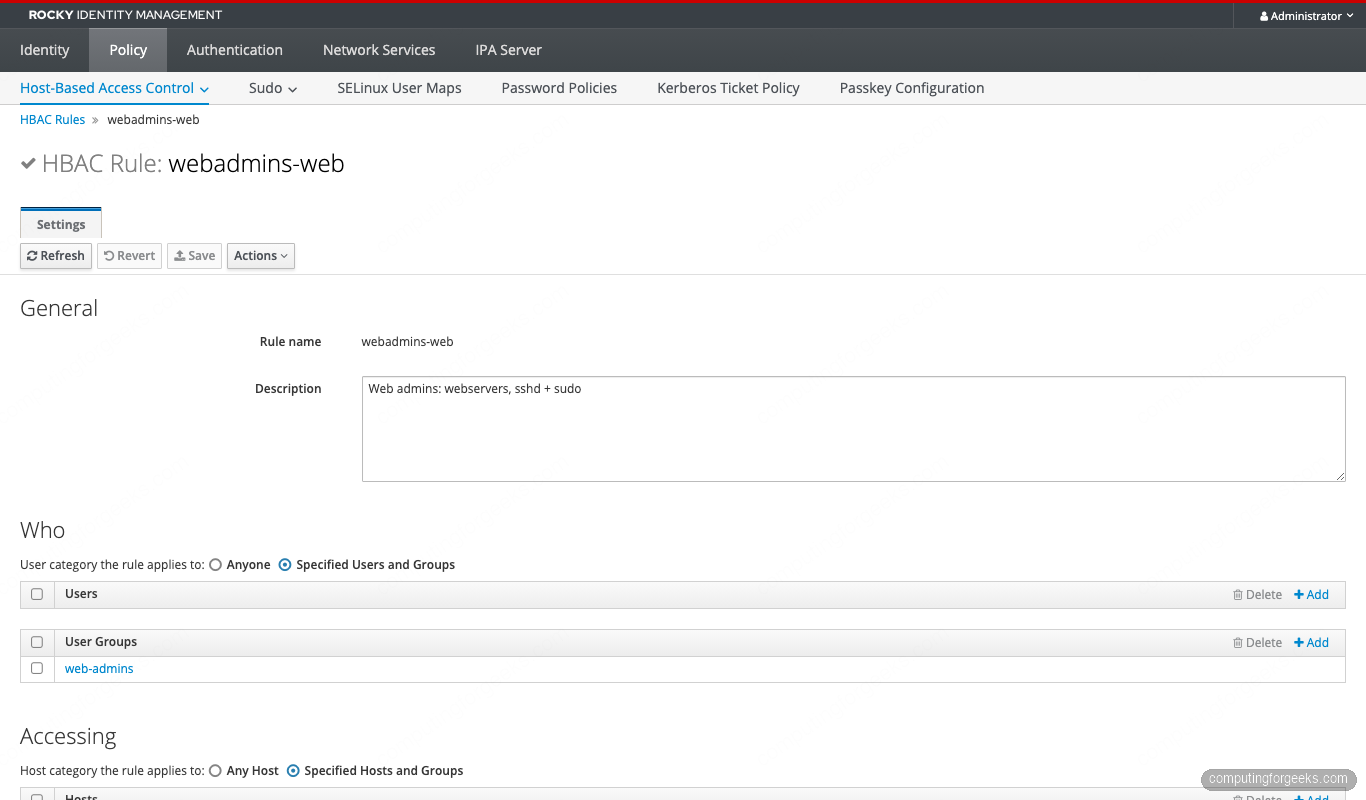
Rule 2: web admins on the web tier
ipa hbacrule-add webadmins-web \
  --desc='Web admins: webservers, sshd + sudo'

ipa hbacrule-add-user    webadmins-web --groups=web-admins
ipa hbacrule-add-host    webadmins-web --hostgroups=webservers
ipa hbacrule-add-service webadmins-web --hbacsvcs=sshd --hbacsvcs=sudo
Rule 3: db admins on the database tier
ipa hbacrule-add dbadmins-db \
  --desc='DB admins: dbservers, sshd + sudo'

ipa hbacrule-add-user    dbadmins-db --groups=db-admins
ipa hbacrule-add-host    dbadmins-db --hostgroups=dbservers
ipa hbacrule-add-service dbadmins-db --hbacsvcs=sshd --hbacsvcs=sudo
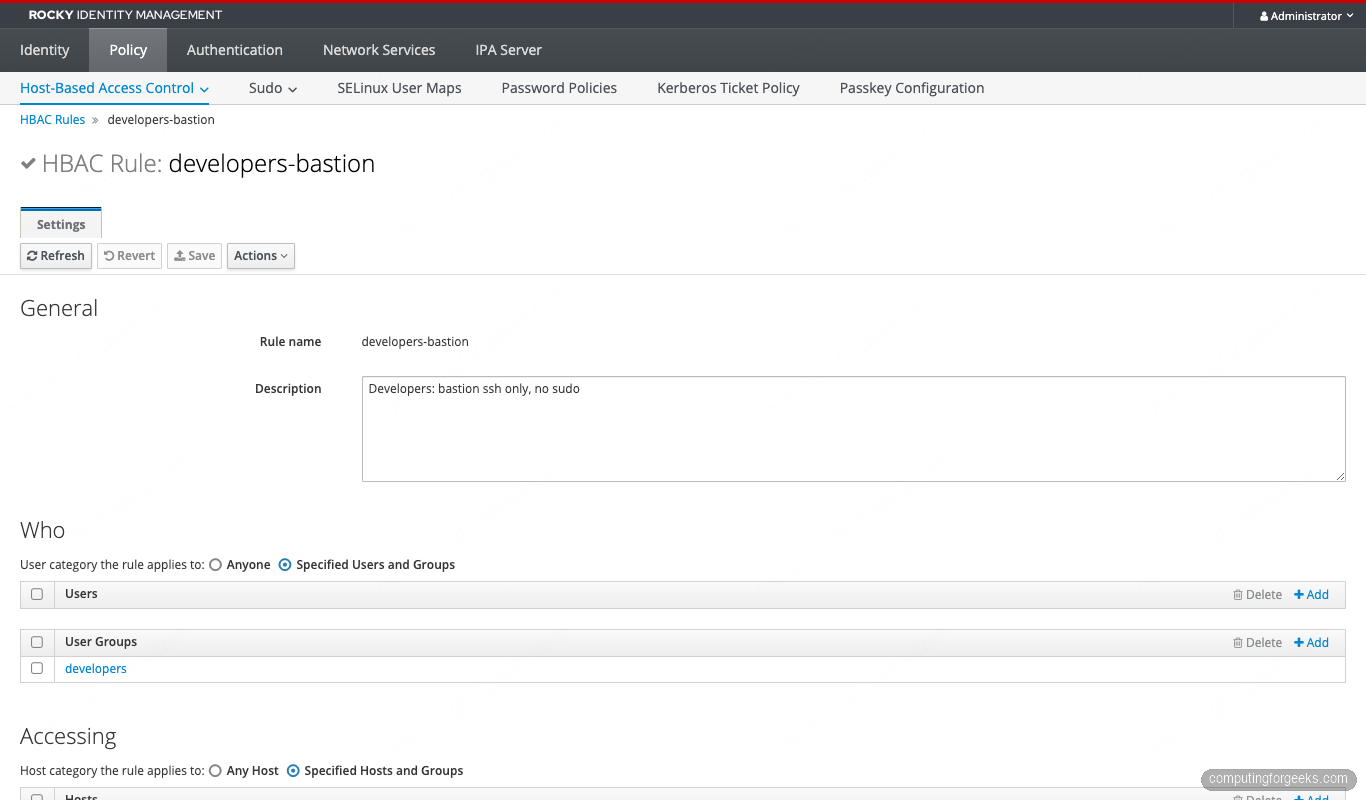
Rule 4: developers on the bastion (sshd only)
ipa hbacrule-add developers-bastion \
  --desc='Developers: bastion ssh only, no sudo'

ipa hbacrule-add-user    developers-bastion --groups=developers
ipa hbacrule-add-host    developers-bastion --hostgroups=bastions
ipa hbacrule-add-service developers-bastion --hbacsvcs=sshd
Omitting sudo from the service list means developers log in but cannot escalate. This is the common “deploy via CI, debug via read-only” pattern.
Rule 5: contractors on the bastion (time-limited)
ipa hbacrule-add contractors-bastion \
  --desc='Contractors: bastion ssh only'

ipa hbacrule-add-user    contractors-bastion --groups=contractors
ipa hbacrule-add-host    contractors-bastion --hostgroups=bastions
ipa hbacrule-add-service contractors-bastion --hbacsvcs=sshd
The time limit comes from the principal expiration we set on eve, not the HBAC rule itself. HBAC has no native time-of-day or date-range filter. Principal expiry and Kerberos ticket policy together cover most “temporary access” cases.
Test every rule with hbactest before disabling allow_all
The ipa hbactest command simulates the IPA server’s HBAC decision engine for any (user, host, service) tuple without the user actually logging in. This is the single most important habit in HBAC operations. Test every combination before you change which rules are enabled.
The flag set for hbactest:
| Flag | What it does |
|---|---|
--user | The user being tested |
--host | The target host FQDN |
--service | The HBAC service (sshd, sudo, cockpit, login) |
--rules | Restrict the test to specific rules (defaults to all enabled) |
--enabled / --disabled | Include only enabled or only disabled rules |
--nodetail | Just print Access granted/denied without per-rule trace |
Run nine representative tests covering each rule’s positive and negative paths:
# Sysadmin alice → web01 → sshd (should ALLOW via sysadmins-all)
ipa hbactest --user=alice --host=web01.cfg-lab.local --service=sshd

# Web admin bob → web01 → sshd (ALLOW via webadmins-web)
ipa hbactest --user=bob --host=web01.cfg-lab.local --service=sshd

# Web admin bob → db01 → sshd (DENY, bob is not in db-admins)
ipa hbactest --user=bob --host=db01.cfg-lab.local --service=sshd

# DB admin charlie → db01 → sudo (ALLOW)
ipa hbactest --user=charlie --host=db01.cfg-lab.local --service=sudo

# Developer diana → bastion01 → sshd (ALLOW)
ipa hbactest --user=diana --host=bastion01.cfg-lab.local --service=sshd

# Developer diana → bastion01 → sudo (DENY, sudo not in developers-bastion service list)
ipa hbactest --user=diana --host=bastion01.cfg-lab.local --service=sudo

# Developer diana → web01 → sshd (DENY, wrong hostgroup)
ipa hbactest --user=diana --host=web01.cfg-lab.local --service=sshd

# Contractor eve → bastion01 → sshd (ALLOW)
ipa hbactest --user=eve --host=bastion01.cfg-lab.local --service=sshd

# Force the test to ignore allow_all (test the new rules only)
ipa hbactest --user=alice --host=web01.cfg-lab.local --service=sshd \
  --rules=sysadmins-all,webadmins-web,dbadmins-db,developers-bastion,contractors-bastion
The expected output for the first two scenarios looks like this:
###### Scenario 1: alice (sysadmin) → web01 → sshd ######
--------------------
Access granted: True
--------------------
  Matched rules: sysadmins-all
  Not matched rules: allow_systemd-user
  Not matched rules: contractors-bastion
  Not matched rules: dbadmins-db
  Not matched rules: developers-bastion
  Not matched rules: sysadmins-cockpit
  Not matched rules: webadmins-web

###### Scenario 2: bob (web-admin) → web01 → sshd ######
--------------------
Access granted: True
--------------------
  Matched rules: webadmins-web
  Not matched rules: allow_systemd-user
  Not matched rules: contractors-bastion
  Not matched rules: dbadmins-db
  Not matched rules: developers-bastion
  Not matched rules: sysadmins-all
  Not matched rules: sysadmins-cockpit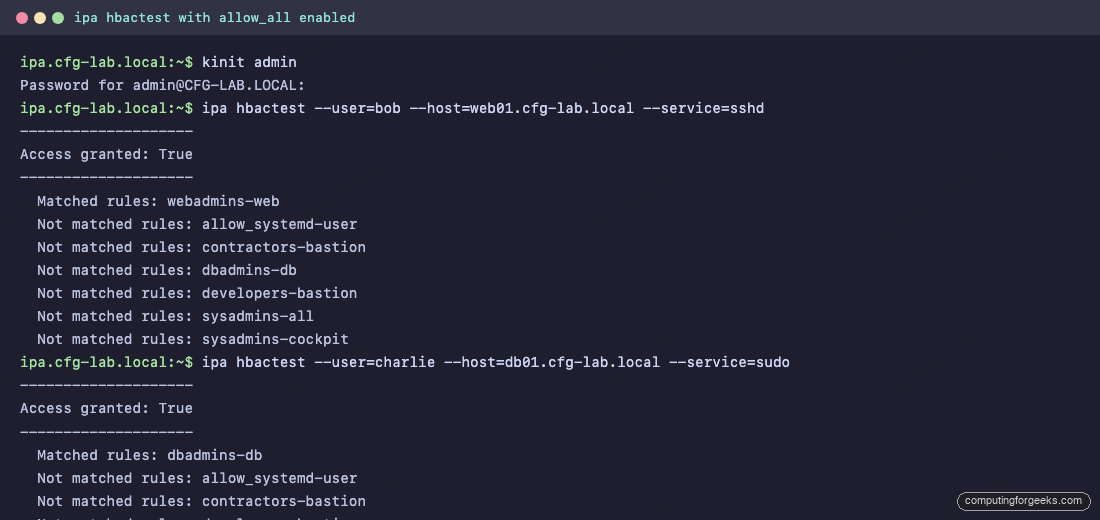
The matched rule appears in every successful test. The “Not matched” rules show which other rules were evaluated and rejected, which is gold when troubleshooting why a rule you expected to match did not.
The HBAC Test page in the Web UI walks through the same logic with a wizard:
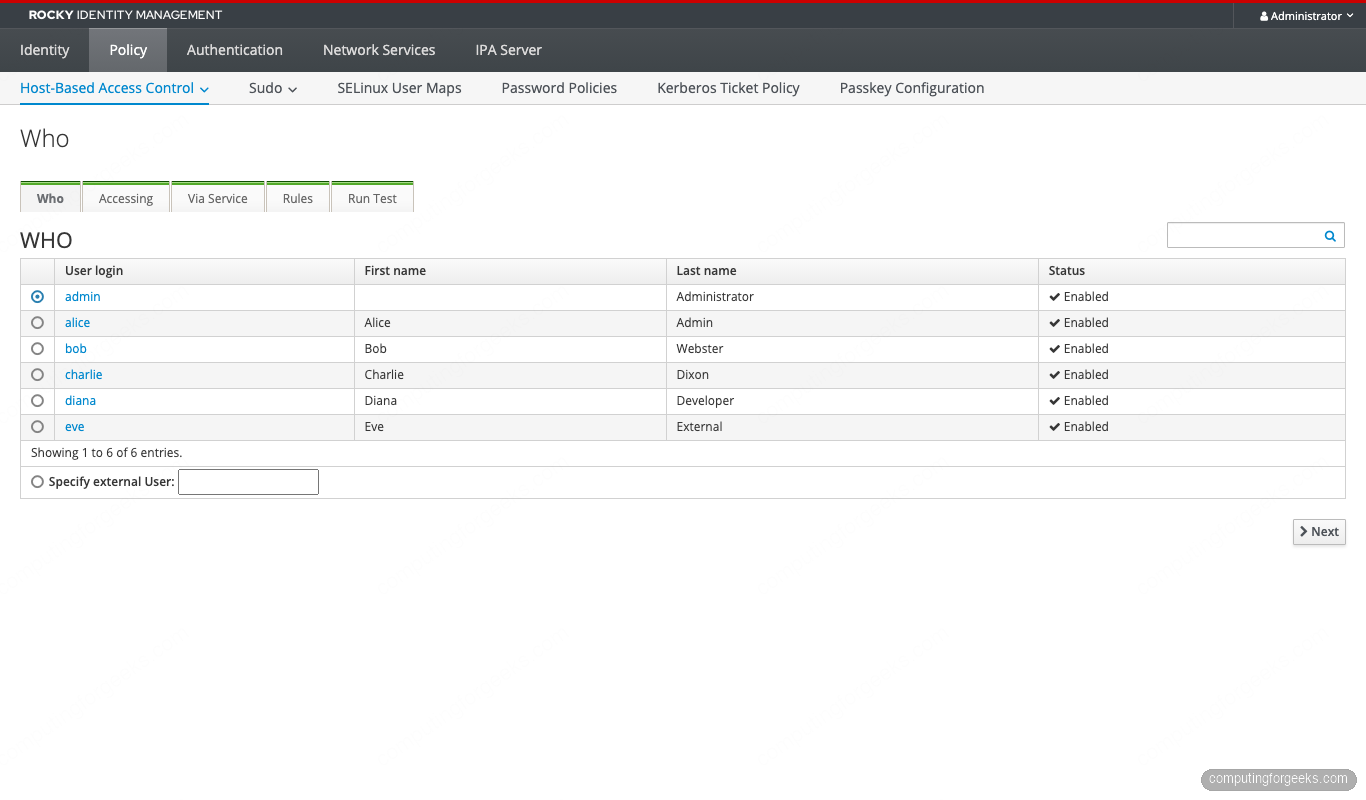
Every test should return either Access granted: True with the matching rule, or Access granted: False with a list of rules that were checked and failed to match. If the result does not match the expected outcome, fix the rule before moving on.
One more useful invocation: run hbactest as if only the new rules existed, ignoring allow_all entirely. This shows what the realm looks like the moment you flip allow_all off.
ipa hbactest --user=bob --host=db01.cfg-lab.local --service=sshd \
  --rules=sysadmins-all,webadmins-web,dbadmins-db,developers-bastion,contractors-bastion
With allow_all still active, bob can technically SSH to db01 because allow_all matches. With allow_all excluded from the test, bob is denied. This is exactly the behavior we want post-cutover.
Disable allow_all safely
Now flip the switch. Two safety steps first.
Step 1. Open a second SSH session to the IPA server as a sysadmin user (alice from our setup, or an admin account). Keep it open. If anything goes wrong with the cutover, this session lets you re-enable allow_all without scrambling.
Step 2. Confirm at least one of your new rules covers an account that can administer the realm. The sysadmins-all rule plus alice’s membership covers it; verify both:
ipa hbacrule-show sysadmins-all
ipa group-show sysadmins
ipa hbactest --user=alice --host=ipa.cfg-lab.local --service=sshd \
  --rules=sysadmins-all
The hbactest must return Access granted: True. If it does not, do NOT disable allow_all.
When both checks pass, disable the default rule:
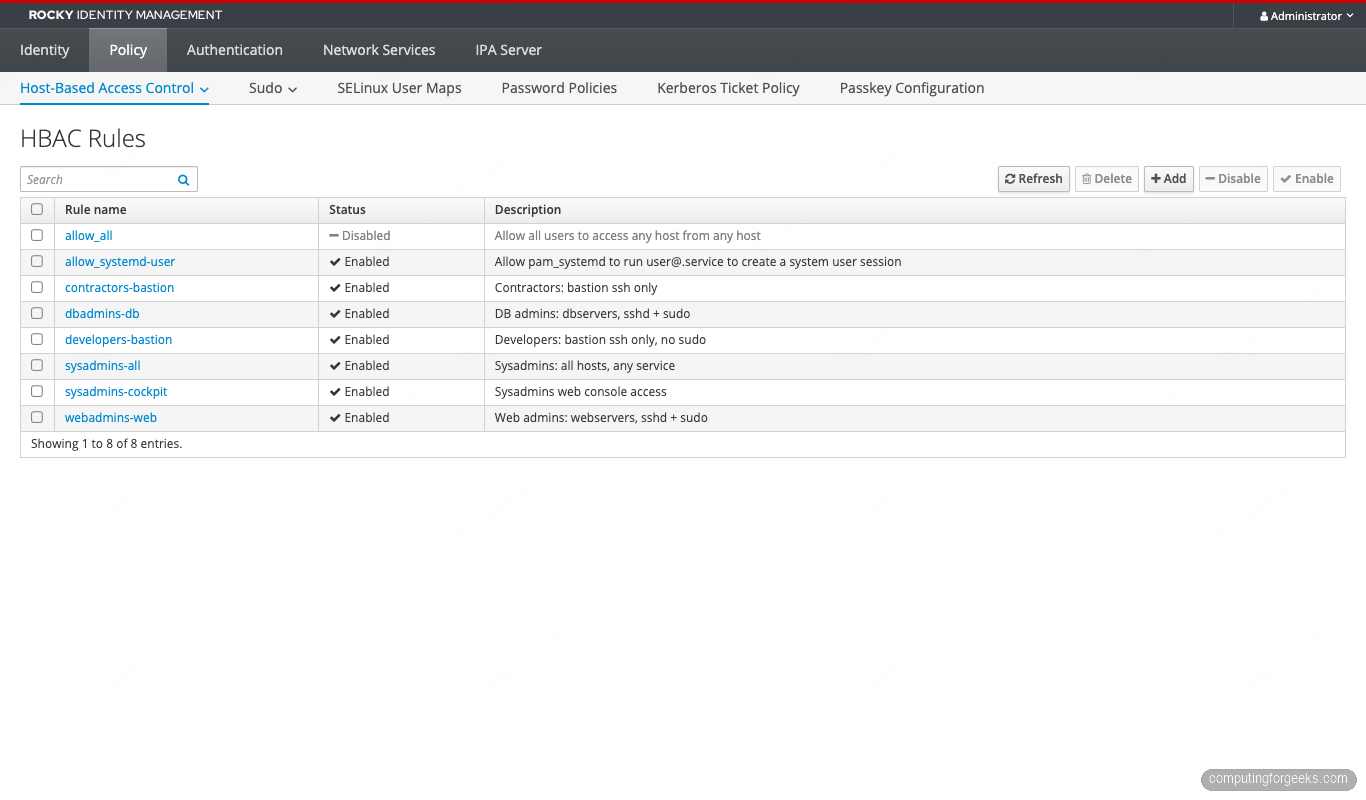
ipa hbacrule-disable allow_allSSSD on each enrolled host caches HBAC decisions for the duration of krb5_renew_interval (default 3600 s). Force a refresh so the change takes effect immediately:
sudo sss_cache -E
sudo systemctl restart sssd
Run this on every enrolled host. Then re-test from each host with an actual SSH login from a denied account; the deny should now fire.
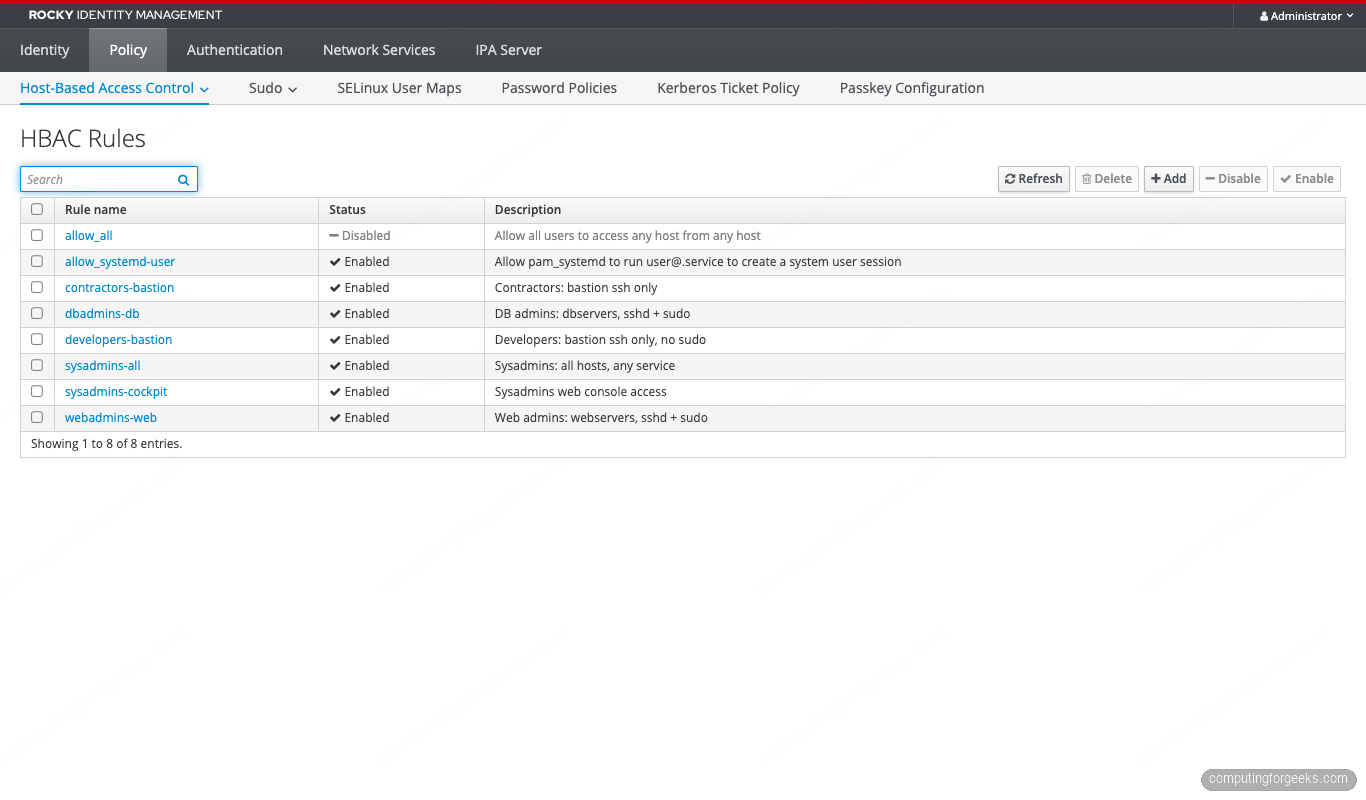
After the disable, the rules list shows allow_all with its status flipped to Disabled:
Re-run a representative hbactest for a denied combination. Bob is in web-admins, not db-admins, so SSH to db01 should now fail:
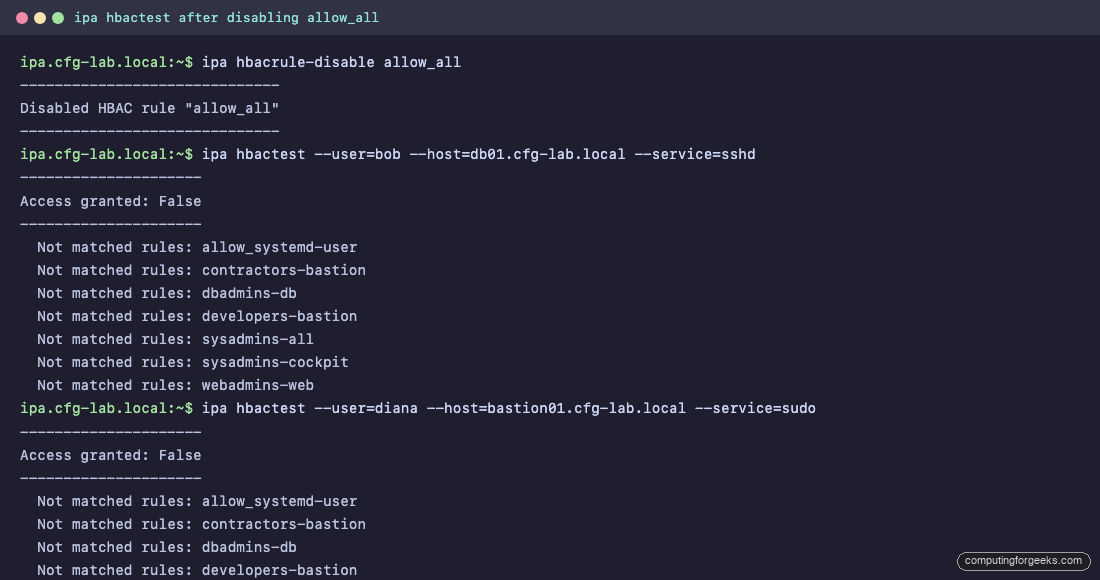
Service-specific HBAC (cockpit, su, sftp)
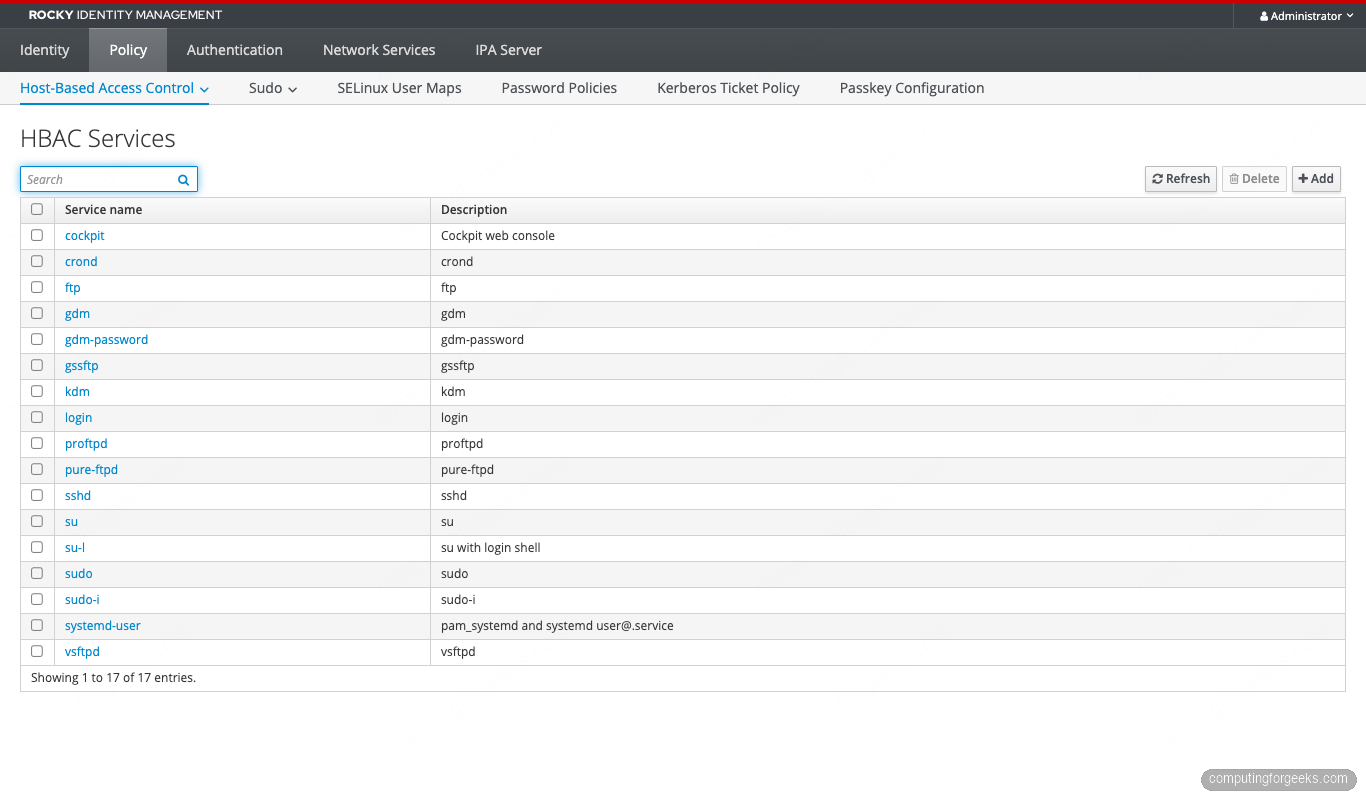
FreeIPA ships HBAC services for the common PAM stack entries: sshd, login, su, su-l, sudo, sudo-i, passwd, and a few more. List them:
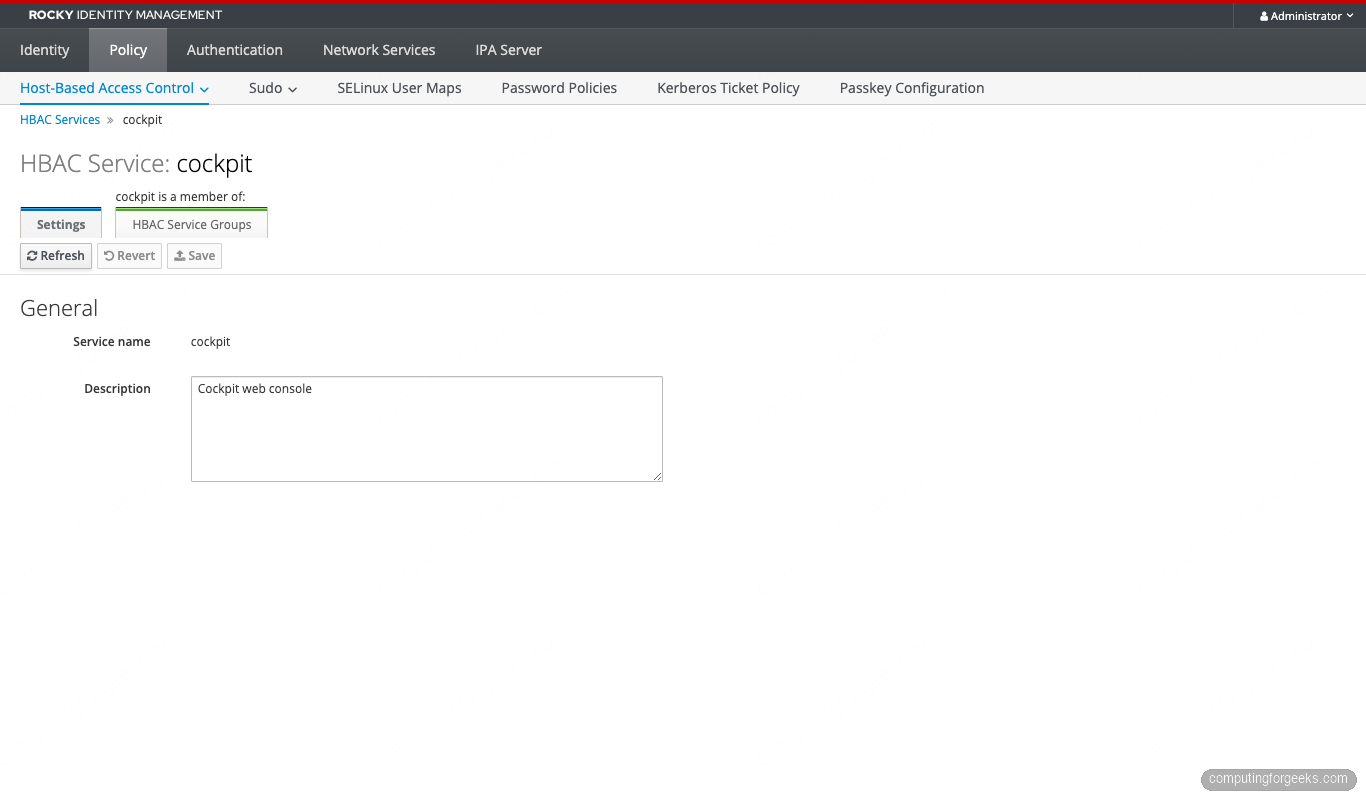
ipa hbacsvc-findCockpit (the RHEL web console) is not in the default list. Add it so HBAC can gate Web console logins:
ipa hbacsvc-add cockpit --desc='Cockpit web console'Hook Cockpit’s PAM stack into the new service. On every host that exposes Cockpit, edit /etc/pam.d/cockpit and add the SSSD HBAC check. Rocky 10 already includes pam_sss in the stack via authselect, so the only edit is adding the service=cockpit argument to the pam_sss.so auth line:
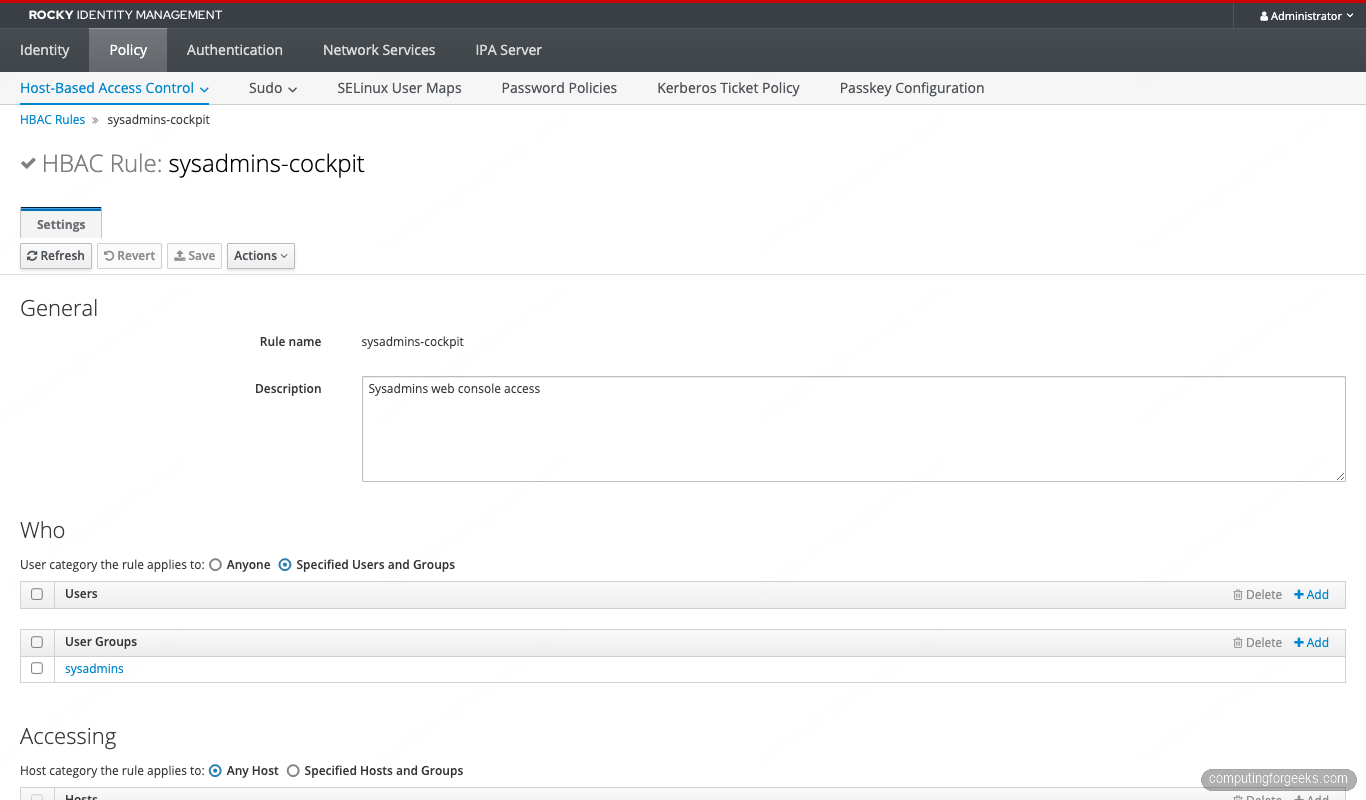
echo "auth required pam_sss.so service=cockpit" | sudo tee -a /etc/pam.d/cockpitNow create an HBAC rule that allows sysadmins (only) to log in via the web console:
ipa hbacrule-add sysadmins-cockpit \
  --desc='Sysadmins web console access' \
  --hostcat=all

ipa hbacrule-add-user    sysadmins-cockpit --groups=sysadmins
ipa hbacrule-add-service sysadmins-cockpit --hbacsvcs=cockpit
Test it:
ipa hbactest --user=alice --host=web01.cfg-lab.local --service=cockpit
ipa hbactest --user=bob   --host=web01.cfg-lab.local --service=cockpit
Alice gets Access granted: True. Bob is denied even though webadmins-web matches him on sshd and sudo, because cockpit is not in that rule’s service list and sysadmins-cockpit does not match the bob user.
HBAC + sudo: how they interact
This trips up most operators. HBAC and sudo are two independent allow lists. To run a command with sudo, both must permit it:
- HBAC must allow the user to authenticate via the
sudoservice on the host. - An IPA sudo rule must grant the user the right to run the specific command as the target user.
An HBAC rule with --hbacsvcs=sudo only opens the gate at the PAM layer. The user still cannot run anything until a sudo rule authorizes specific commands. The reverse is also true: a sudo rule alone is useless if HBAC denies the sudo service.
Create a minimal sudo rule for the web admins (restart nginx only):
ipa sudocmd-add /usr/bin/systemctl --desc='systemctl'
ipa sudorule-add webadmins-nginx \
  --desc='Web admins: nginx control' \
  --hostcat=all

ipa sudorule-add-user        webadmins-nginx --groups=web-admins
ipa sudorule-add-host        webadmins-nginx --hostgroups=webservers
ipa sudorule-add-allow-command webadmins-nginx --sudocmds='/usr/bin/systemctl'
ipa sudorule-add-option      webadmins-nginx --sudooption='!authenticate'
Confirm both layers agree by combining hbactest with a real sudo invocation:
# bob can pass the HBAC sudo gate on web01
ipa hbactest --user=bob --host=web01.cfg-lab.local --service=sudo

# After login, bob can run only systemctl, nothing else
ssh [email protected] 'sudo -l'
The HBAC Services list and the Cockpit service we added earlier:
HBAC for AD-trusted users (external groups)
HBAC rules cannot reference an Active Directory user or group directly. The pattern is to create a POSIX group inside IdM marked as “external”, add the AD principal to it via SID, and then use that IdM group in HBAC rules.
Assuming a one-way trust to AD.EXAMPLE.COM is already configured (see our FreeIPA-AD trust guide):
# 1. Create an external group to hold AD members
ipa group-add ad-developers --external --desc='Mirror of AD\\Developers'

# 2. Create a POSIX group to use in HBAC rules (external groups cannot be used directly)
ipa group-add ad-developers-posix --desc='POSIX wrapper for ad-developers'

# 3. Nest the external group inside the POSIX one
ipa group-add-member ad-developers-posix --groups=ad-developers

# 4. Add the AD group by name (resolves to SID)
ipa group-add-member ad-developers --external='AD\\Developers'

# 5. Use the POSIX wrapper in an HBAC rule
ipa hbacrule-add ad-devs-bastion --desc='AD developers on bastion'
ipa hbacrule-add-user    ad-devs-bastion --groups=ad-developers-posix
ipa hbacrule-add-host    ad-devs-bastion --hostgroups=bastions
ipa hbacrule-add-service ad-devs-bastion --hbacsvcs=sshd
Two callouts that catch people off guard:
- IdM password policy and HBAC auth indicators do NOT apply to AD-trusted users. Their authentication is enforced by AD’s policy. HBAC controls only whether the AD-resolved user can reach the host/service combination.
- The external/POSIX two-group dance is required. Skipping the POSIX wrapper and adding the external group directly to an HBAC rule fails silently — the rule will exist but never match. Audit existing rules for this pattern with
ipa hbacrule-find --all | grep -E 'memberuser|external'.
Auth indicator restricted HBAC
FreeIPA can record how a Kerberos ticket was obtained (password, OTP, PKINIT, passkey) and stamp that indicator into the ticket. HBAC rules can then require a specific indicator before granting access. This is FreeIPA’s native step-up authentication mechanism.
Force the sysadmins-cockpit rule to only grant access if the user authenticated with OTP:
# Enable OTP as a valid auth type for the sysadmins group
ipa user-mod alice --user-auth-type=otp,password

# Require the otp indicator on the cockpit service ticket
ipa service-mod HTTP/[email protected] --auth-ind=otp

# The HBAC rule does not need to change — the requirement lives on the service principal
Now alice’s password-only ticket is rejected for the HTTP/web01 service even though HBAC nominally allows it. She has to kinit -T armor.cc alice with OTP first. The full pattern is covered in our upcoming Modern Authentication guide.
Troubleshooting: when HBAC says no but you expected yes
The decision flow when a login fails:
- Read the server side answer first:
ipa hbactest --user=USER --host=HOST --service=SERVICE. This tells you what the IPA server thinks should happen. - If the server side is correct but the client still rejects the login, the SSSD cache is stale. Force a refresh:
sudo sss_cache -E; sudo systemctl restart sssd. - If that does not help, ask SSSD directly:
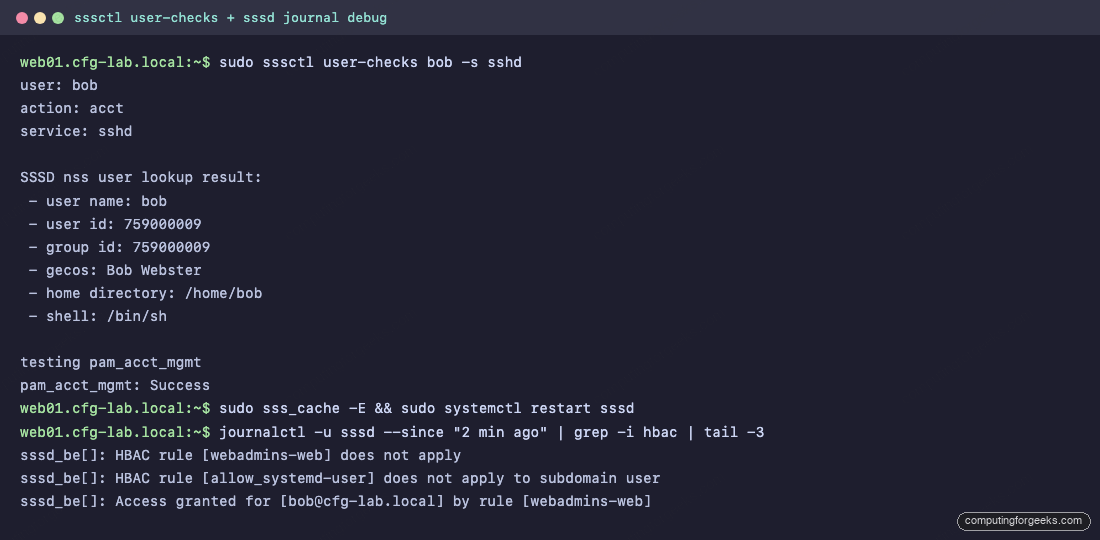
sssctl user-checks USER -s sshd. This runs the same NSS + PAM + access-control walk the real SSH login would do. - Tail the SSSD logs while reproducing the failure:
sudo journalctl -u sssd -fin one window, attempt the login in another. Thesssd_beandsssd_pamlogs show the HBAC decision being made.
Common error patterns:
- “Access denied” but hbactest says allowed — almost always SSSD cache.
sss_cache -Efixes it. If it does not, the host’s SSSD is talking to a stale replica. - External AD group rule never matches — missing the POSIX wrapper group (see section 12).
- Sudo asks for password despite
!authenticate— the HBAC service for sudo is not allowed on this host. Sudo falls back to local PAM and prompts. Fix the HBAC rule first. - SSSD silently passes despite a deny rule — confirm
access_provider = ipain/etc/sssd/sssd.conf. If it ispermit, HBAC is being ignored.
RHEL 10 pitfall: SHA-1 in FIPS mode breaks replica joins
If the realm uses FIPS 140-3 strict mode (the default on RHEL 10 with fips-mode-setup --enable), legacy replicas built on RHEL 9 with SHA-1 service tickets cannot join the realm. The symptom is an HBAC test that returns the right answer but real SSH logins to the legacy replica fail with GSS-API error. Migrate older replicas to RHEL 10.1 before the FIPS switch or accept that they will need to be rebuilt. Track 6.11 covers the full mitigation.
ipa-healthcheck for HBAC drift
Run ipa-healthcheck in JSON mode and filter for the HBAC checks. This catches disabled rules that should not be disabled, missing memberships, and orphaned references.
sudo ipa-healthcheck --source=ipahealthcheck.ipa.hbac --output-type=json | jq .Pipe the output into Prometheus via the node-exporter textfile collector. The upcoming Track 6.1 guide wires this into a Grafana panel that alerts when allow_all flips back to enabled or when the rule count drops below a threshold.
Frequently asked questions
Does FreeIPA HBAC support deny rules?
No. HBAC rules are allow-only. The deny is implicit: a login fails when no enabled rule matches all three of user, host, and service. Build tighter allow rules instead of trying to express a deny.
Can HBAC restrict access by time of day?
Not directly. HBAC has no schedule field. For temporary access, use principal expiration (ipa user-mod --principal-expiration) or Kerberos ticket policy (ipa krbtpolicy-mod --maxlife) to constrain the lifetime of credentials. For repeating time windows, the common pattern is to enable and disable the rule on a cron job from a dedicated automation account.
What is the difference between an HBAC service and an HBAC service group?
An HBAC service is one PAM service name (sshd, sudo, cockpit). A service group bundles multiple services so a single rule can grant them together. Useful for “all remote access” (sshd + login + cockpit) or “all sudo variants” (sudo + sudo-i + su). Create with ipa hbacsvcgroup-add.
Will HBAC changes propagate immediately?
On the IPA server, yes. On enrolled clients, SSSD caches the decision. Without a manual cache flush the change takes effect within krb5_renew_interval seconds (default 3600). Force immediate propagation with sudo sss_cache -E && sudo systemctl restart sssd on each client.
What’s next
Layer this on top of a freshly enrolled lab and you have a least-privilege foundation that covers dozens of host groups without a flat allow_all. The next steps in the FreeIPA series cover the replication topology that keeps these rules available during partial outages, IdM sudo rule patterns that integrate with these HBAC rules (sudo cookbook, coming next), and the modern authentication options (passkey, OTP, external IdP) that make every rule above stronger. The upstream FreeIPA project documentation and the Red Hat IdM guide for RHEL 10 are the two reference texts to keep open while building your own access model.
If a login is failing right now and you cannot tell whether HBAC, sudo, or SSSD is to blame, run the four-step troubleshooting flow in section 14 and stop at the first one that gives you a deterministic answer.



![Install Kali Linux 2026.1 Step by Step [Full Guide]](https://computingforgeeks.com/wp-content/uploads/2026/03/install-kali-linux-20261-step-by-step-768x403.png "Install Kali Linux 2026.1 Step by Step [Full Guide] 18")