A workstation for development work earns its keep in the gaps between keystrokes: the seconds a container image takes to build, the wait while a local cluster spins up, the lag when twelve browser tabs, three VMs, and an IDE all want memory at once. A gaming rig optimizes for one game at 240 frames a second. A DevOps box optimizes for everything running at once, all day, on Linux, without the NIC dropping or the RAM running out. Those are different machines, and the parts that matter are different too.
This guide lays out three tested Linux DevOps workstation builds, sized by workload rather than budget: a lean AM5 box for daily container work, a 16-core all-rounder with 96GB and onboard 10GbE, and a Threadripper machine with 256GB of ECC and 88 PCIe lanes for people who compile and virtualize for a living. Every part below was verified against its manufacturer spec sheet and a live retailer listing in June 2026, and the storage reasoning leans on our own Proxmox lab numbers rather than guesswork. One thing frames the whole list: the 2026 DDR5 shortage has made memory the most expensive and most volatile line on every tier, so buy the RAM first and check its live price the day you order.
The three builds at a glance
For most engineers the 16-core all-rounder is the right machine. It compiles fast, runs a local k3s plus several VMs without flinching, and its board puts 10GbE on the I/O panel so the network is not the bottleneck. The lean box is the one to build if your day is containers, a small kind or minikube cluster, and an IDE, and you would rather spend the saved money on more drives. The Threadripper is for the person who already knows they need many cores and many PCIe lanes, and whose build or VM workload genuinely saturates a 16-core chip.
- Lean dev box (~$1,120 to $1,690 excl. GPU): Ryzen 7 9700X, ASUS ProArt B650-Creator, 64GB DDR5, one fast NVMe. Daily container work, a small local cluster, a couple of VMs.
- Serious DevOps workstation (~$2,100 to $3,050 excl. GPU): Ryzen 9 9950X, ProArt X870E-Creator with onboard 10GbE, 96GB DDR5, two NVMe. The all-rounder most should buy.
- Threadripper workstation (~$2,800 to $6,370 excl. GPU): Threadripper 7960X, Pro WS TRX50-SAGE, 256GB ECC RDIMM, 88 PCIe lanes. Heavy parallel builds and many concurrent VMs.
How we picked, and what the lab data shows
Every spec here was confirmed against the manufacturer page and a live listing, not recalled from memory, because a wrong NIC chipset or the wrong ECC type turns a parts list into a weekend of returns. The decisions that shaped these builds came from two places: hard Linux compatibility rules, and our own measured storage data.
The storage number is the one worth internalizing. On our Proxmox lab nodes, an NVMe device cleared about 2,024 fsync operations per second where a SATA SSD managed 642, and at the pool level the difference between batching writes and forcing each one to stable storage was roughly 160x. Development I/O is exactly the metadata-heavy, fsync-heavy pattern that gap describes: docker build writing layer after layer, git on a huge tree, package managers unpacking thousands of small files, a cargo or go build cache thrashing. That is why every tier here puts the OS and the build cache on fast NVMe, and why the bigger builds use two drives so a runaway build does not starve the system disk. The full read on it is in our NVMe versus SATA comparison.
What we deliberately do not do is quote a compile-time benchmark for these exact machines, because we have not run a kernel build on each one and inventing the number would be worse than omitting it. More cores and faster storage shorten parallel builds; how much depends on your codebase. Where a claim is ours, it is measured; where it is not, it stays qualitative.
Build comparison: which Linux workstation fits you
| Spec | Lean dev box | DevOps all-rounder | Threadripper |
|---|---|---|---|
| CPU | Ryzen 7 9700X (8C/16T) | Ryzen 9 9950X (16C/32T) | Threadripper 7960X (24C/48T) |
| RAM | 64GB DDR5-6000 | 96GB DDR5-6000 | 256GB ECC RDIMM |
| ECC | Optional (UDIMM) | Optional (UDIMM) | Mandatory (RDIMM) |
| Storage | 1x 2TB NVMe | 2x 2TB NVMe (Gen5 + Gen4) | 3x 2TB NVMe |
| Network | Intel 2.5GbE (add-in card) | 10GbE + Intel 2.5GbE | 10GbE + Intel 2.5GbE |
| PCIe lanes (CPU) | 24 (Gen5) | 24 (Gen5) | 88 usable |
| Price (excl. GPU) | ~$1,120 to $1,690 | ~$2,100 to $3,050 | ~$2,800 to $6,370 |
| Best for | Containers, small cluster, IDE | Parallel builds, k3s, many VMs | Heavy builds, large clusters |
Lean dev box: a quiet AM5 workstation for daily container work
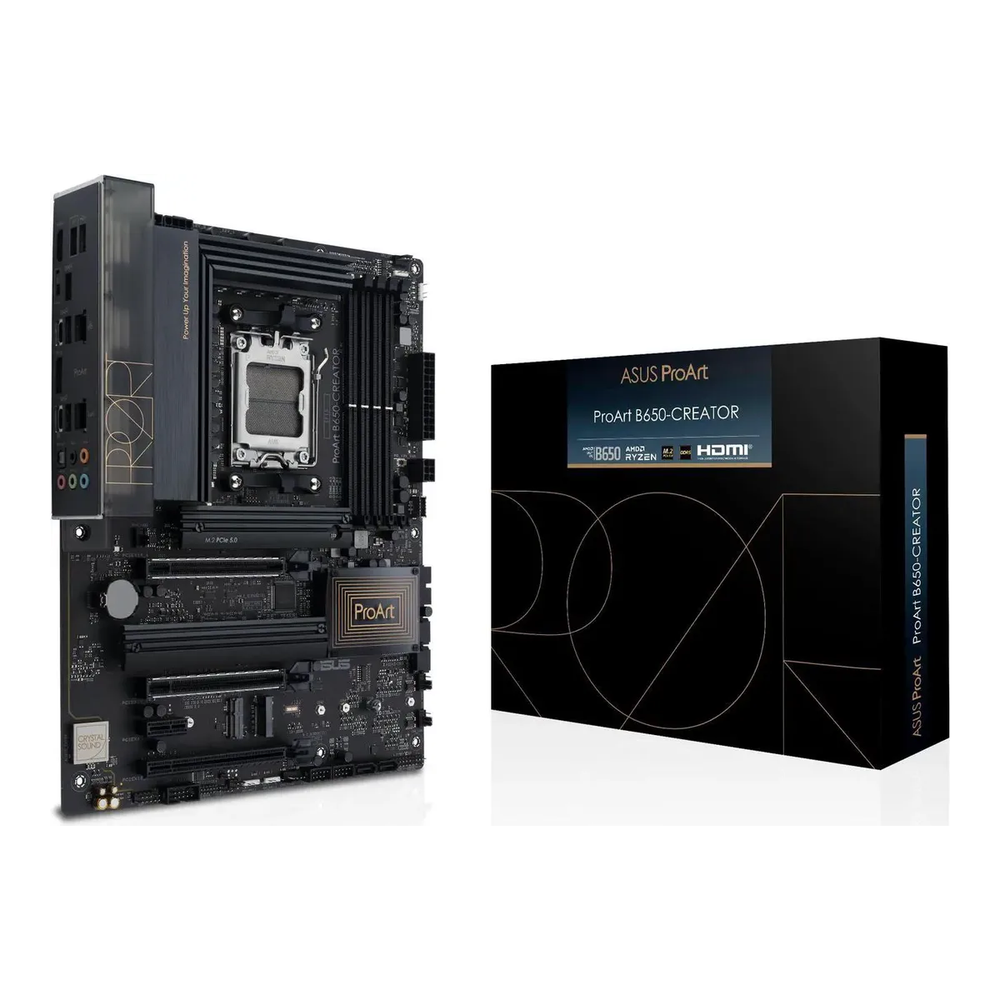
This is a quiet, efficient box for an engineer whose day is Docker, a small kind or minikube cluster, a couple of VMs, and an IDE. The Ryzen 7 9700X is an eight-core Zen 5 chip that draws 65 watts and has integrated graphics, so the build needs no separate GPU and stays cool under a sustained make -j. The ProArt B650-Creator earns its place on ECC UDIMM support and three M.2 slots. Its one weak spot is the onboard 2.5GbE, which is a Realtek chip, so this build drops in a cheap Intel i226 card and bridges the network through that instead, the same fix the Proxmox host build uses for the identical problem.
Skip it if you compile large codebases all day or run more than a handful of VMs at once. Eight cores is plenty for container work but a 16-core chip pays for itself fast on parallel builds, which is the all-rounder below.
| Component | Pick | Approx price (Jun 2026) |
|---|---|---|
| CPU | AMD Ryzen 7 9700X (8C/16T, 65W, iGPU) | $265-$330 |
| Motherboard | ASUS ProArt B650-Creator (ECC UDIMM, 3x M.2) | $200-$260 |
| NIC (the Intel fix) | Intel i226-V 2.5GbE card | $25-$45 |
| RAM | G.Skill Flare X5 64GB (2×32) DDR5-6000 | $190-$280 |
| NVMe | Samsung 990 Pro 2TB (PCIe 4.0) | $200-$450 |
| Cooler | Thermalright Peerless Assassin 120 SE | $35-$50 |
| Case | Fractal Design Pop Air (ATX mid-tower) | $90-$120 |
| PSU | Corsair RM850x (ATX 3.1, 80+ Gold) | $110-$190 |
The 64GB kit is two 32GB sticks, which matters on AM5: two DIMMs run at the full DDR5-6000 EXPO speed, and that is the configuration this board wants. The Samsung 990 Pro is a Gen4 drive on purpose. Gen5 is faster on a benchmark but barely changes real build I/O, costs far more in 2026, and runs hot enough to need its own heatsink, so a 2TB Gen4 drive is the right call on a lean box. The 850-watt PSU is more than this build draws, but it carries the native 12V-2×6 connector, so the day you add a GPU for some local model work you swap nothing. ECC is available on this board if you want it, as unbuffered UDIMM, though a development box rarely needs it; the DDR5 RAM guide covers the ECC kits.
Serious DevOps workstation: 16 cores, 96GB, and 10GbE
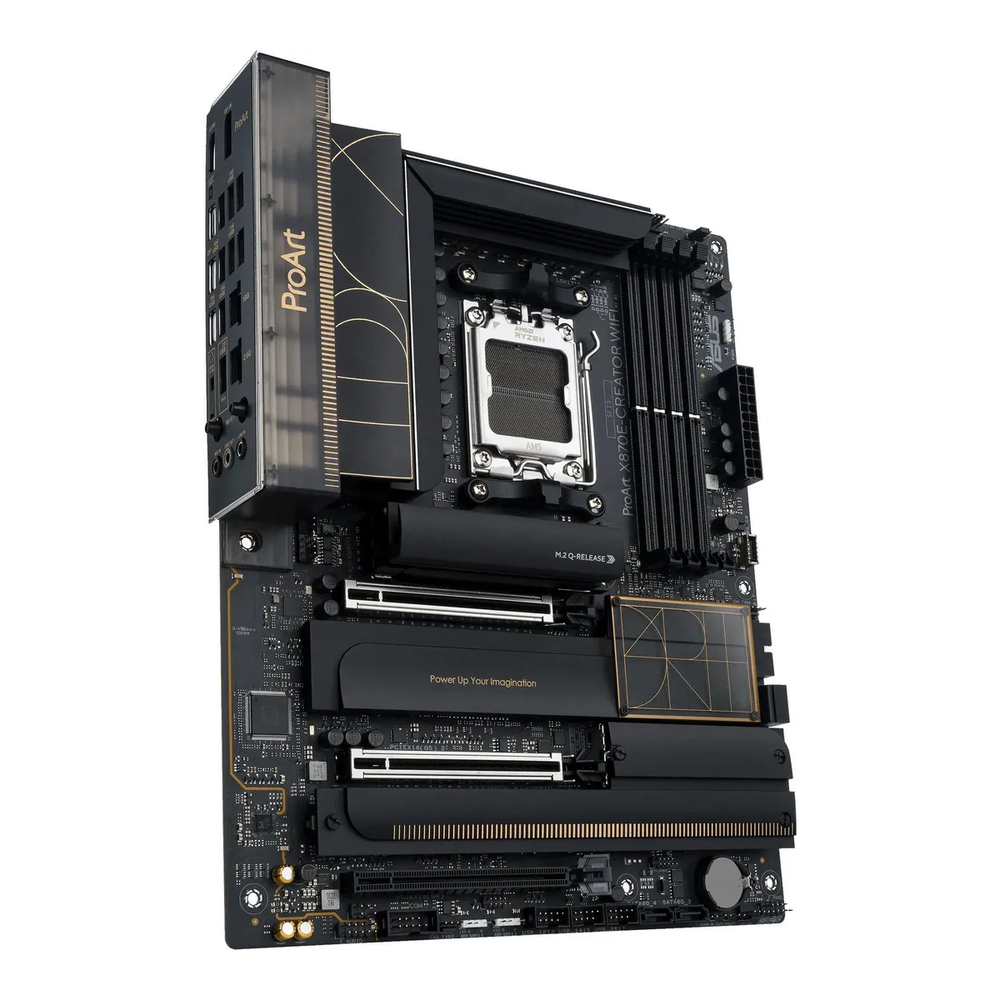
This is the machine most engineers should build. The Ryzen 9 9950X gives you 16 Zen 5 cores for parallel compiles, a local k3s, and several VMs running at once, and it still has integrated graphics so the box runs headless or drives a display without a card. The board folds 10GbE onto the I/O panel, which removes the single most common bottleneck on a workstation that pushes images to a registry or pulls large datasets across the LAN. Two NVMe slots at Gen5 speed mean the OS and the container-image scratch live on separate drives.
Skip it if eight cores already covers your day, in which case the lean box saves real money, or if your builds and VM fleet genuinely need more than 16 cores and you want ECC as standard, which is the Threadripper.
| Component | Pick | Approx price (Jun 2026) |
|---|---|---|
| CPU | AMD Ryzen 9 9950X (16C/32T, 170W, iGPU) | $434-$590 |
| Motherboard | ASUS ProArt X870E-Creator WiFi (10GbE + Intel 2.5GbE, ECC UDIMM) | $430-$500 |
| RAM | G.Skill Trident Z5 Neo 96GB (2×48) DDR5-6000 | $360-$560 |
| Primary NVMe | Crucial T705 2TB (PCIe 5.0, with heatsink) | $260-$400 |
| Second NVMe | Samsung 990 Pro 2TB (images/VMs) | $200-$450 |
| Cooler | Noctua NH-D15 G2 (dual-tower air) | $150-$175 |
| Case | Fractal Design North XL (full tower) Newegg/Micro Center | $170-$200 |
| PSU | Corsair RM850x (ATX 3.1, native 12V-2×6) | $110-$190 |
The 96GB kit is the considered choice, not a typo for 128GB. On AM5, two DIMMs hold the full DDR5-6000 speed; going to 128GB means four sticks, which drops the stable speed and gets finicky. Two 48GB sticks give you 96GB at full speed, and 96GB is plenty for a heavy container and VM load. The board’s 10GbE is a Marvell AQtion chip rather than Intel, which is worth knowing: it uses the in-tree atlantic driver and works on current kernels, and if you specifically want Intel 10GbE you add an X550 card in one of the slots. If you are wiring the rest of the LAN to match, the 10GbE switch guide covers the other end. And if this box doubles as your local model-training machine, the GPU choice and its power math live in the AI workstation build; this board’s x8/x8 slots and 850-watt supply make a clean base for one.
Threadripper workstation: 24 cores and 88 PCIe lanes
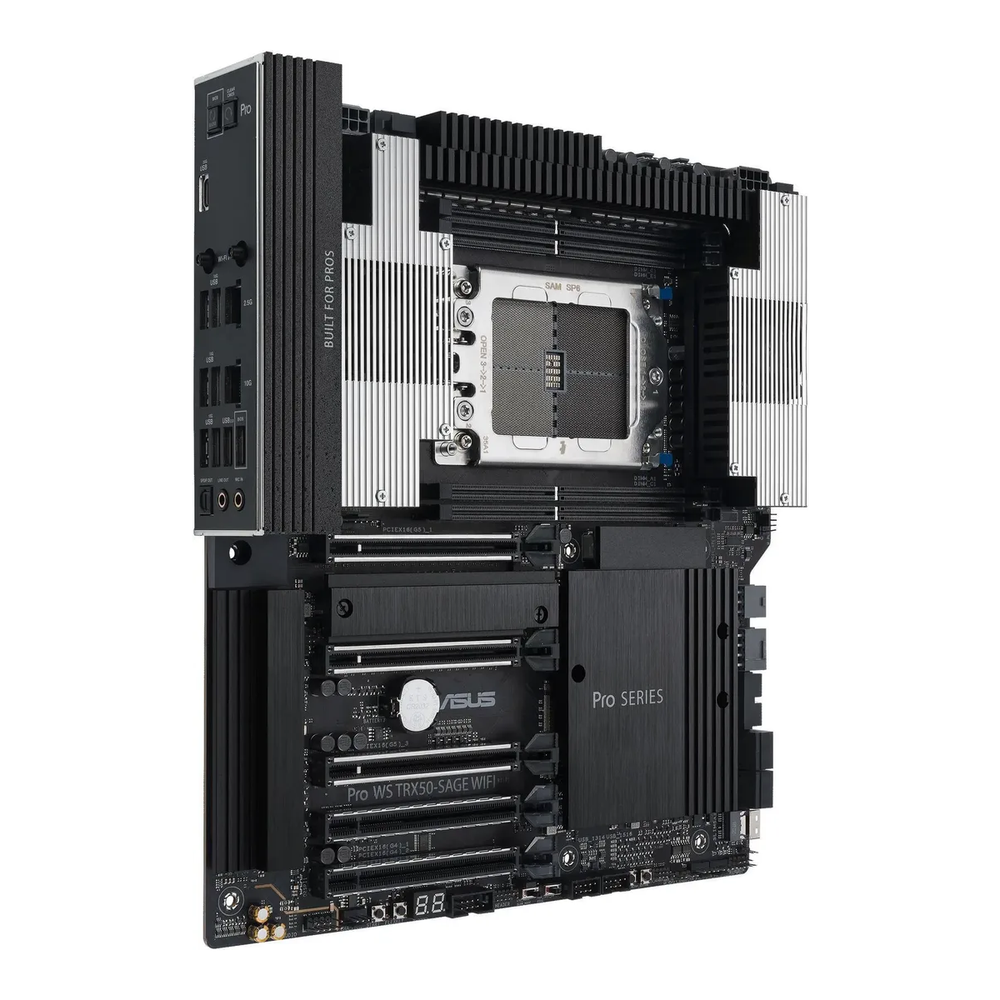
This is the build for an engineer who already knows they need it: many cores for heavy parallel compiles, many PCIe lanes for several fast drives and a GPU at full width, and lots of ECC memory for large local clusters and many concurrent VMs. The Threadripper 7960X brings 24 cores and 88 usable PCIe lanes, which is the real reason to step up from AM5, where 24 lanes get crowded fast. The board takes registered ECC and supports both the non-PRO Threadripper and the PRO WX chips, so it is one platform for either path. Where this falls short is cost and noise: it is an expensive, power-hungry machine with no integrated graphics, so plan for a basic display card unless you run it headless.
Skip it if a 16-core chip covers your builds, because the all-rounder does almost everything this does for less than half the price. The honest threshold is whether you actually saturate 16 cores or run out of PCIe lanes.
| Component | Pick | Approx price (Jun 2026) |
|---|---|---|
| CPU | AMD Threadripper 7960X (24C/48T, sTR5) B&H / Micro Center | $1,200-$1,500 |
| Motherboard | ASUS Pro WS TRX50-SAGE WiFi (sTR5, RDIMM ECC, 10GbE) | $850-$950 |
| ECC RAM | 64GB DDR5-5600 RDIMM module (buy 4 for 256GB) | $1,200-$2,000 (4 modules) |
| Primary NVMe | Crucial T705 2TB (PCIe 5.0, with heatsink) | $260-$400 |
| Second/third NVMe | Samsung 990 Pro 2TB x2 (VMs/images) | $400-$900 |
| Cooler | Noctua NH-U14S TR5-SP6 (sTR5-specific) | $110-$130 |
| Case | Fractal North XL / Meshify 2 XL (E-ATX) Newegg/Micro Center | $170-$260 |
| PSU | Seasonic Focus GX-1000 (1000W, ATX 3.1) | $180-$230 |
Three details decide whether this build works. The memory is registered ECC RDIMM, which the platform requires and will not boot without; this is not the unbuffered UDIMM of the AM5 builds, and the two are not interchangeable. The cooler must be made for the socket, because a normal desktop cooler’s cold plate does not physically cover the huge Threadripper heatspreader; the Noctua here has a contact plate sized for it, or you use a Threadripper-rated 360mm liquid cooler. And the CPU sells through workstation channels rather than Amazon, so the table points you to B&H or Micro Center rather than faking a link. The 256GB of RDIMM is the single most volatile price on this page in the 2026 DRAM market; if it stings, start at 128GB with four 32GB modules, since the board has only four DIMM slots and there is no adding sticks later. The used path, a second-hand Threadripper PRO or Xeon-W with matching board and RDIMM, lands lower but trades away the warranty.
Pick an Intel NIC, not Realtek
The most common Linux workstation complaint that traces back to a parts choice is the network card. The Realtek 2.5GbE and 5GbE chips (the RTL8125 and RTL8126) that ship on many consumer boards work on Linux, but their drivers are the recurring source of the “my connection drops under load” threads, and a development box pushes the NIC hard. The two higher tiers use boards with an Intel 2.5GbE chip onboard (their 10GbE is a Marvell AQtion chip, which runs on the in-tree atlantic driver and is fine on current kernels, just not Intel). The lean board’s onboard 2.5GbE is Realtek, which is why that build adds a roughly $30 Intel i226 card and bridges through it rather than fighting the onboard chip. If you swap to a different board, check the NIC before you buy: popular options like the ASRock B650E Steel Legend ship a Realtek 2.5GbE, and the MSI MAG X870 Tomahawk pairs a Realtek 5GbE with no ECC support at all. Neither is broken, but neither is the quiet choice for a machine you compile on all day, and a cheap Intel card sidesteps the question entirely.
RAM: how much, and why 96GB beats 128GB on AM5
Memory is where a DevOps box lives or dies, because containers, VMs, language servers, and the page cache all compete for it. 64GB is comfortable for container work and a small cluster; 96GB suits a heavy mix of builds and several VMs; 128GB and up belongs on the Threadripper. The AM5 catch is the DIMM count. Two sticks hold the full DDR5-6000 speed, but populating all four slots drops the stable speed and gets fussy, which is why the all-rounder uses two 48GB sticks for 96GB at full speed rather than four 32GB sticks for 128GB that crawl. If you need more than 96GB at full speed, that is the platform telling you to move to Threadripper, where four registered channels carry 256GB without the penalty. Our RAM sizing guide works through the same math for a virtualization host.
Why two NVMe drives, not one
The higher tiers split storage across two drives, and the reason is the fsync data from earlier. Put the OS and your home directory on the primary drive, and put container images, VM disks, and the build cache on a second one. A docker build that writes gigabytes of layers, or a VM doing heavy disk I/O, then hammers its own drive instead of stalling the system. It is the same separation a storage server makes between its boot disk and its data pool, applied to a workstation. A single fast 2TB drive is fine on the lean box, where the workload is lighter; the moment you run many containers and VMs at once, the second drive stops being a luxury. The NVMe guide covers the drives worth buying, and the same logic underpins the Proxmox host build if this box is heading toward virtualization.
ECC on a dev box: optional on AM5, mandatory on Threadripper
ECC memory corrects single-bit errors before they corrupt anything, and whether you need it on a workstation is a real question rather than a given. A development box is not a 24/7 data-integrity machine the way a ZFS server is, so the two AM5 builds default to fast non-ECC memory, with ECC available as unbuffered UDIMM on these ProArt boards if your work warrants it. Expect the memory to run a notch slower in ECC mode, around DDR5-5200 on the Ryzen 9000 chips. The Threadripper is the opposite: its platform requires registered ECC RDIMM and will not post on anything else, so ECC is not a choice there, it is the entry ticket. The one rule that matters across all of this is never crossing the two types: UDIMM in an AM5 board, RDIMM in the Threadripper, and never the reverse. That same UDIMM-versus-RDIMM split decides the memory on the ZFS storage build too.
Match the cooler to the socket
Cooling scales with the chip, and on the high tier it is a compatibility gate, not a preference. The 65-watt Ryzen 7 is happy under a cheap dual-tower air cooler that stays near silent. The 170-watt Ryzen 9 wants a serious dual-tower or a 280mm liquid cooler to hold its boost under a sustained all-core build. The Threadripper is the one to watch: its heatspreader is physically larger than a desktop chip’s, so an ordinary AM5 cooler does not cover it and will leave hotspots that throttle the chip. Tier three needs a cooler built for the sTR5 socket, with a contact plate sized to the package, or a Threadripper-rated 360mm liquid cooler. Sizing the cooler to the socket and the wattage is the difference between a quiet machine and one that screams under load or quietly throttles your builds.
Where to spend, and where not to
If a budget forces tradeoffs, the order of priorities on a Linux DevOps workstation is clear. Spend on memory first, because it is what runs out when you stack containers and VMs, and because the 2026 prices make it the line most worth getting right the day you buy. Spend next on a fast NVMe and, on a busy box, a second one, since build and image I/O is where the waiting actually happens. Spend on a board with the right NIC, because a few dollars saved on a Realtek chip costs hours later. After that, the savings are real: a 65-watt chip and a $40 air cooler are near silent and plenty for container work, Gen4 NVMe is barely slower than Gen5 for real builds at a fraction of the cost and heat, and a workstation that never leaves a desk does not need a flashy case.
The Threadripper is worth its premium only when you genuinely saturate 16 cores or run out of PCIe lanes; short of that, the all-rounder is the better-spent money. And if a desktop is not what you are after, a well-specified laptop covers a surprising amount of development work, which the Linux laptop guide walks through. Match the build to the work in front of you, put the money where the waiting is, and the machine pays for itself in the seconds you stop losing.