The Raspberry Pi 5 is still the easiest way to get a tiny Linux machine running, but it is no longer the automatic answer it was a few years ago, and the reason is price. This guide picks the right Pi 5 kit for each use, says when a 16GB board is worth the money, and points to the single board computers (and a small x86 mini PC) that make more sense when a Pi is not the answer.
The part that surprises people in 2026 is the cost of memory. The ongoing DRAM and LPDDR shortage pushed the Raspberry Pi 5 16GB from around $120 at launch to $305 on the official store, which completely changes the buy calculus. At that price a 16GB Pi is no longer cheap, and a couple of the alternatives below start to make a lot of sense. This guide covers the best Raspberry Pi 5 starter kits, the 16GB board for heavier work, a Jetson for edge AI, the strongest non-Pi ARM board, a low-power x86 mini PC, and a genuinely budget option.
Prices and kit contents were checked in June 2026; treat dollar figures as bands because the memory shortage is still moving them.
Quick picks
If you want the short version, here are the picks by use case. Each one links to a buyable listing, and the detail (and the trade-offs) follow further down.
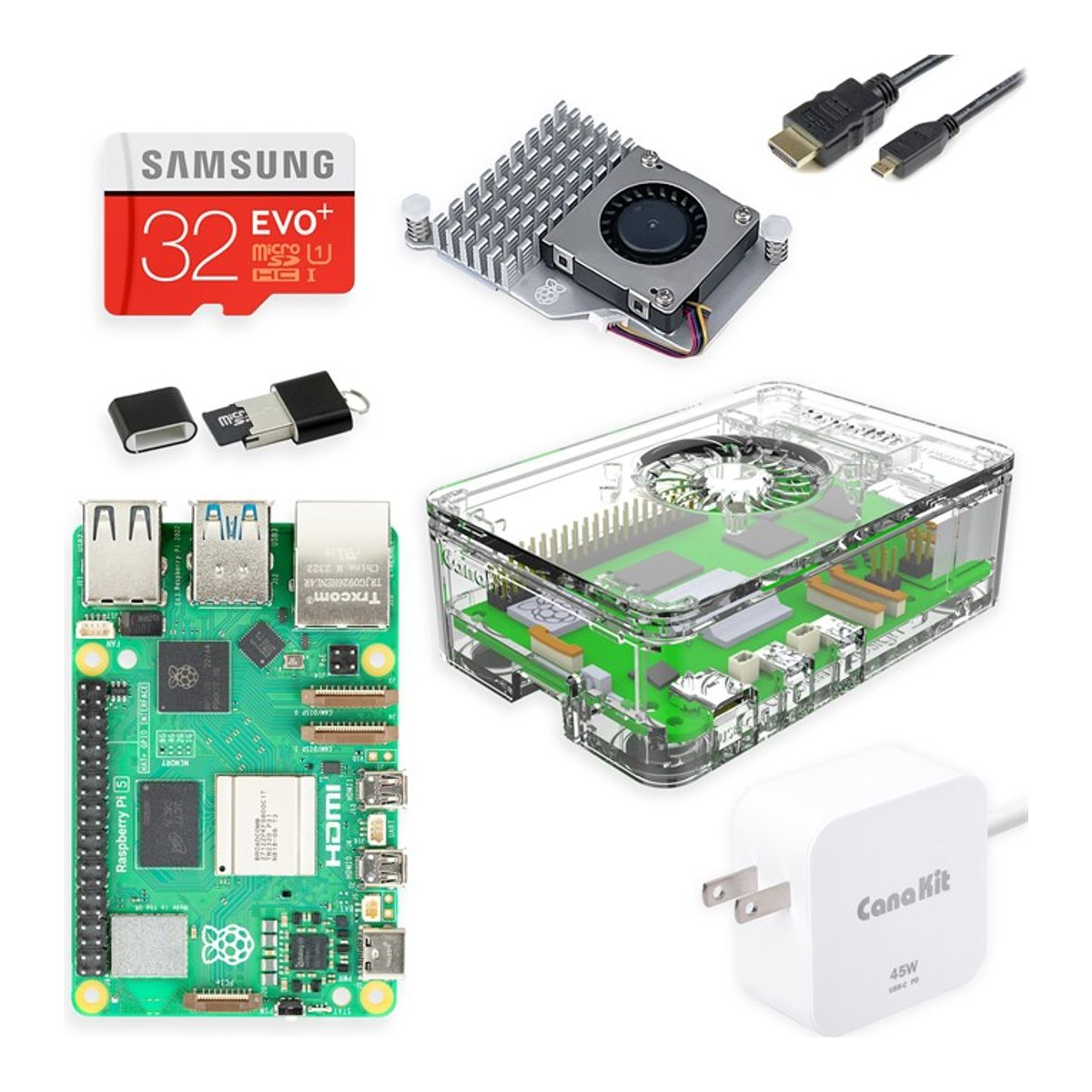
Best overall kit: CanaKit Raspberry Pi 5 Essentials Starter Kit (8GB). Board, official-spec 27W USB-C power supply, active cooler, case, and a microSD in one box, so nothing arrives missing. The right starting point for almost everyone.
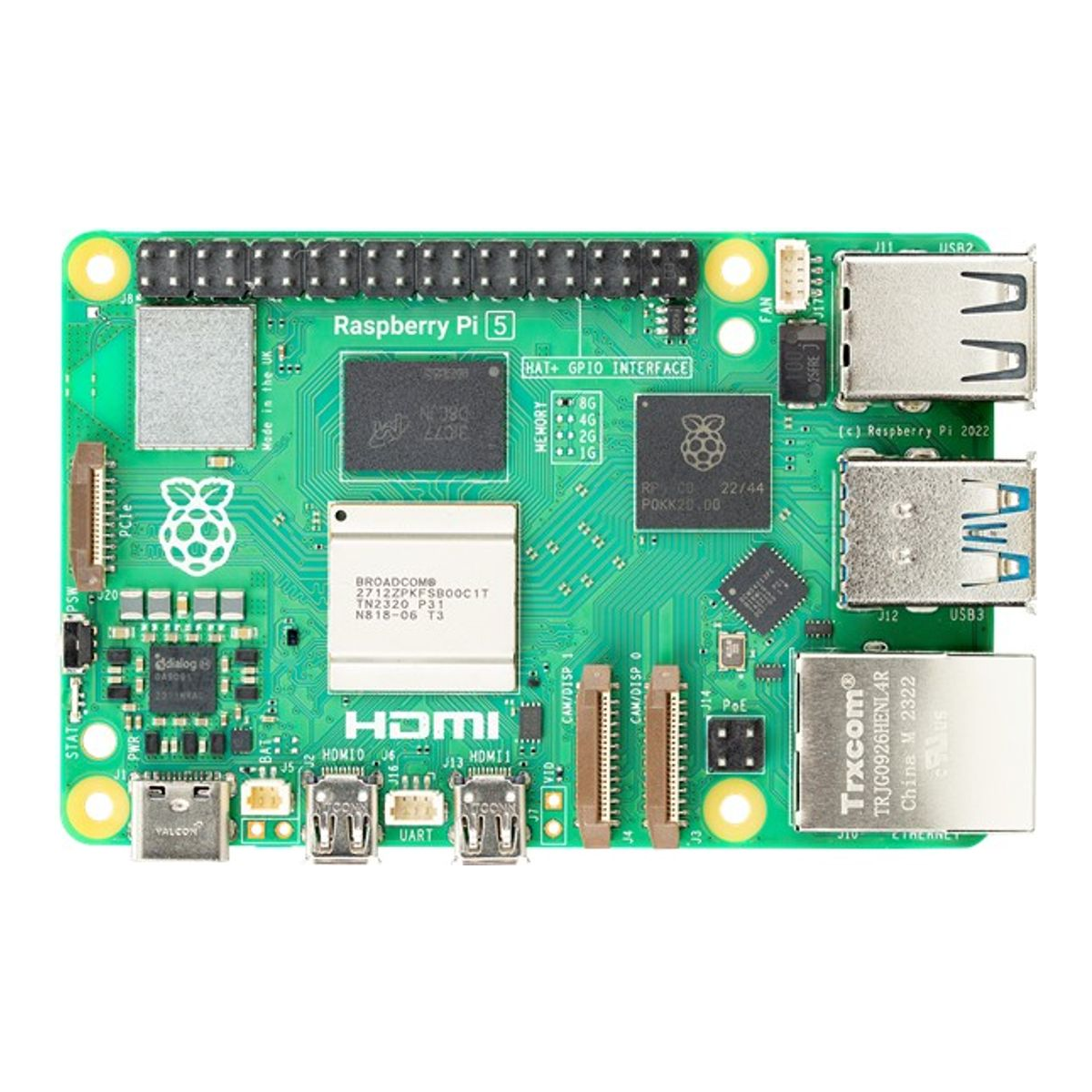
Best for more RAM: Raspberry Pi 5 16GB. The board for many containers, a small Kubernetes node, or a desktop you actually live in. Worth it only if you need the memory, because the shortage has it sitting near $305.
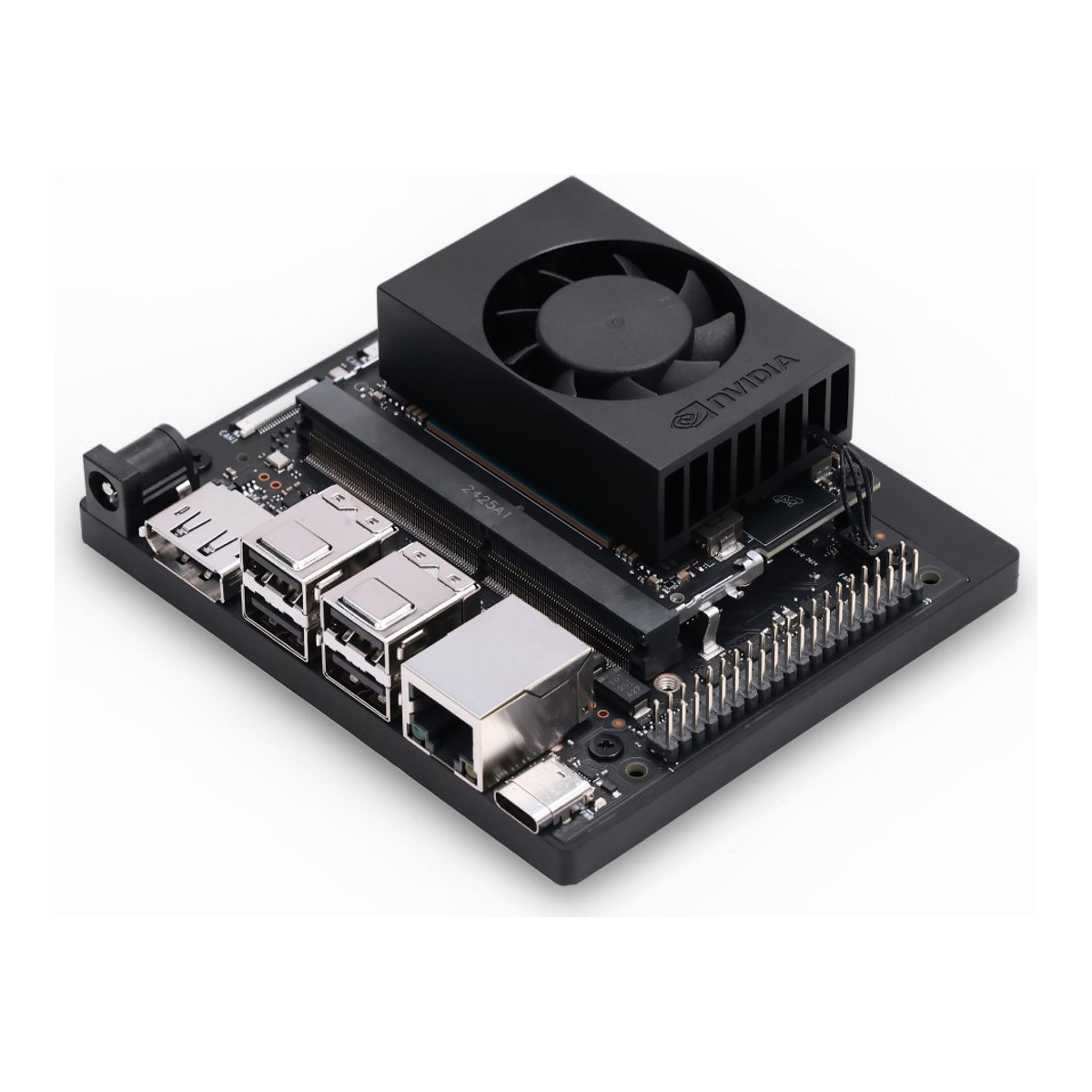
Best for AI and edge: NVIDIA Jetson Orin Nano Super. A real CUDA GPU on a tiny board, 67 TOPS in Super mode. If your project is computer vision or running small models at the edge, a Pi cannot touch it.
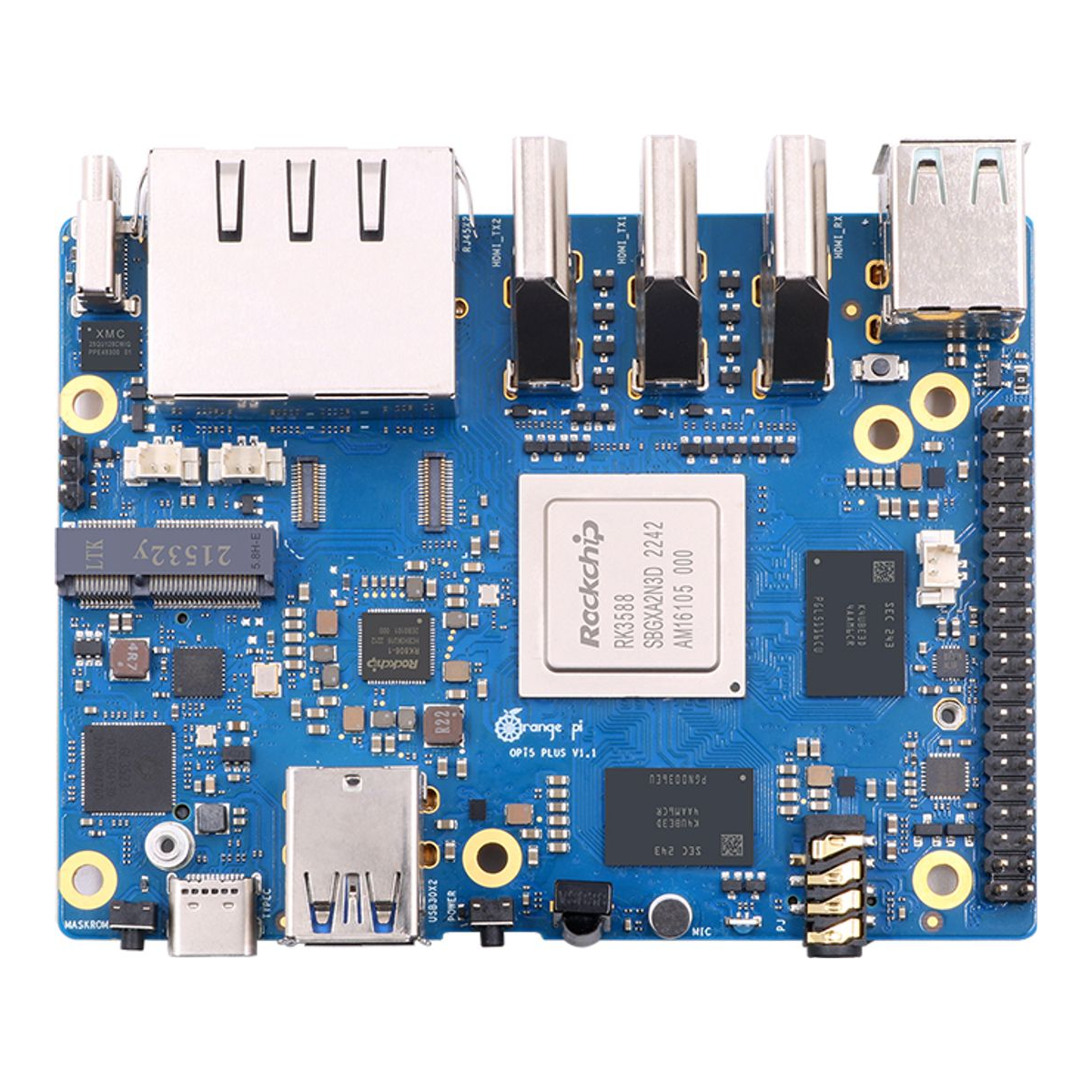
Best non-Pi ARM board: Orange Pi 5 Plus (RK3588, 16GB). Eight cores, real M.2 NVMe over PCIe, and 2.5GbE built in. With the 16GB Pi at $305, this RK3588 board is the value play if you don’t need the Pi ecosystem.
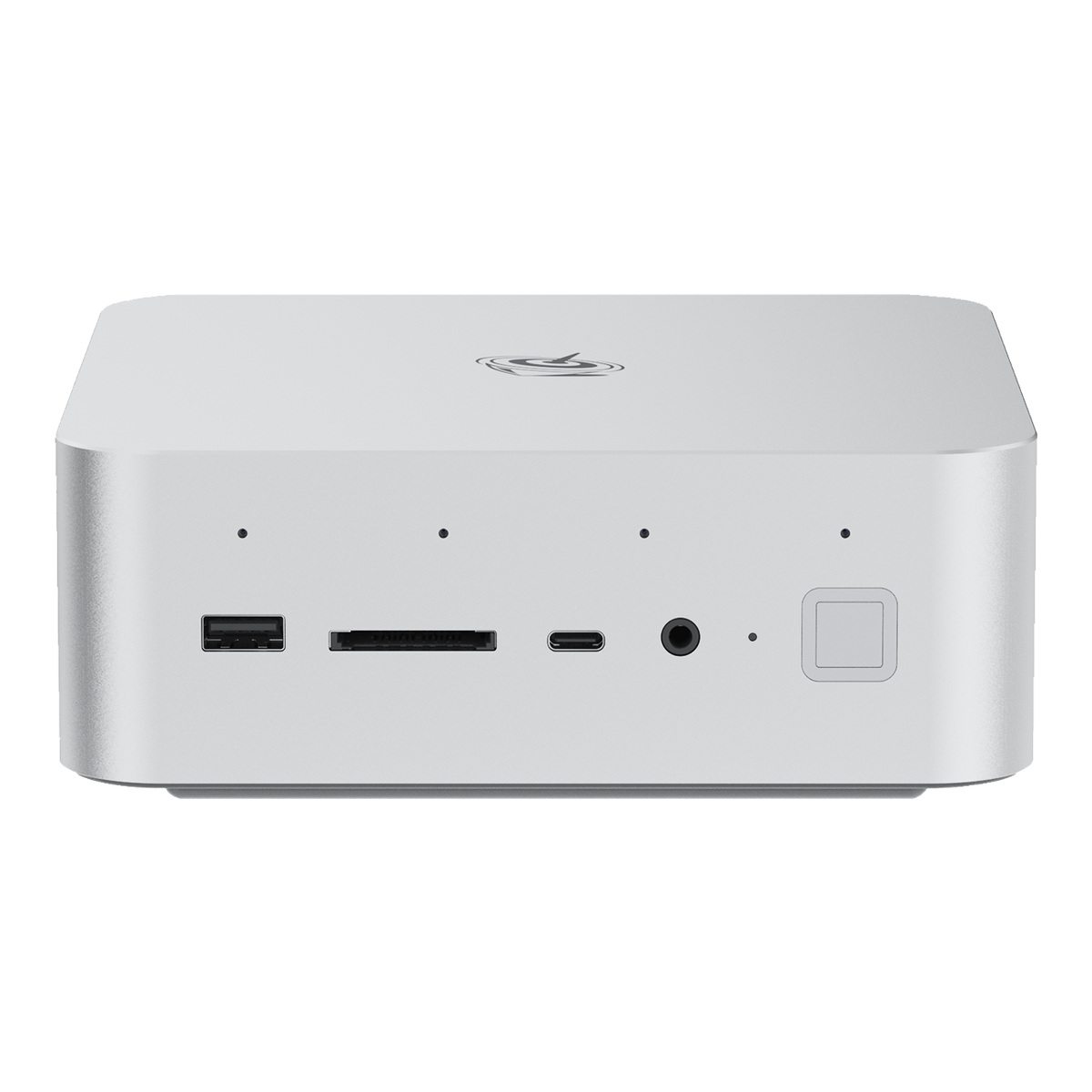
Best x86 alternative: Beelink Mini S12 Pro (Intel N100). Sometimes the right answer to “which Pi?” is “not a Pi.” This little x86 box runs the same software your laptop does, with no ARM caveats, for around the price of a loaded Pi 5.
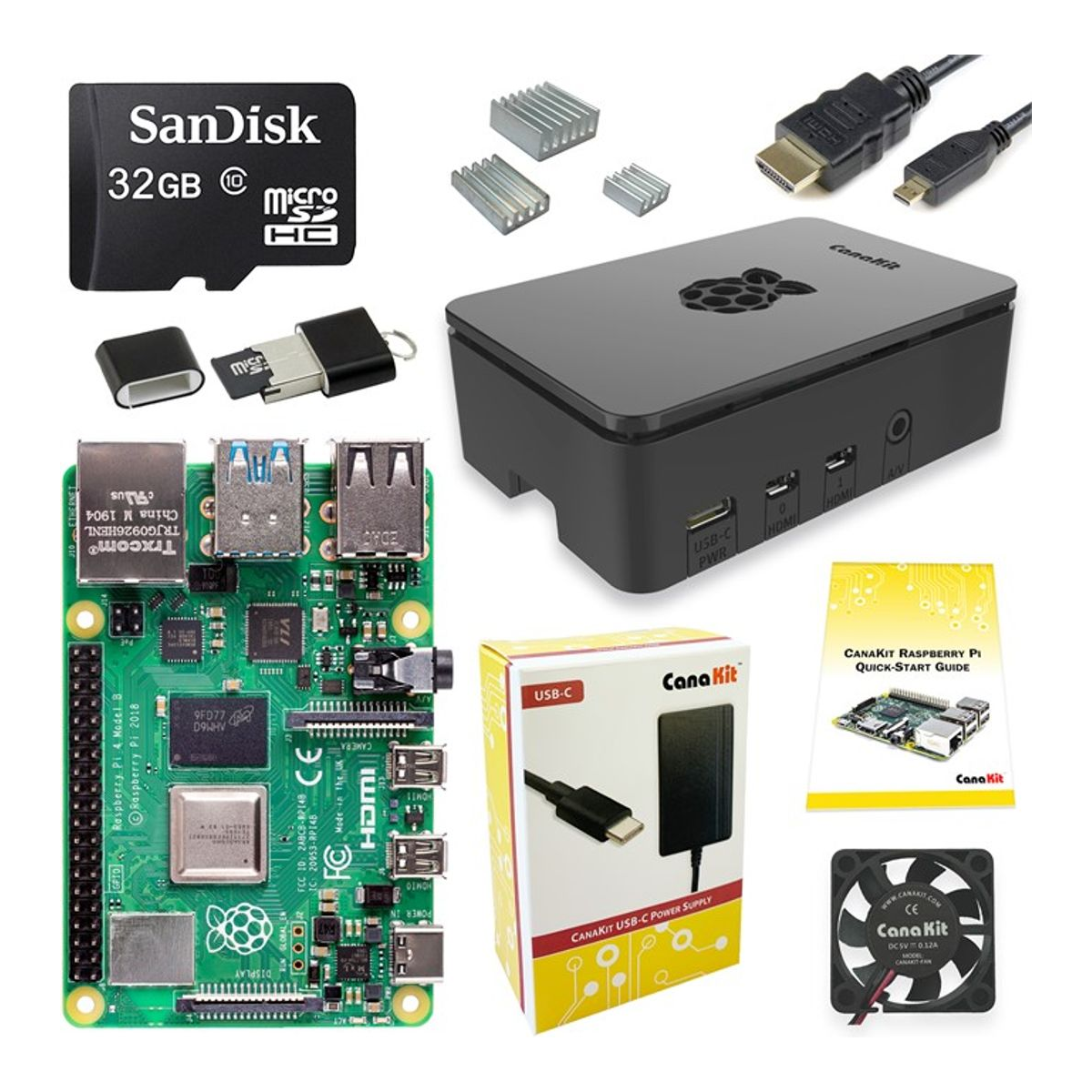
Best budget: CanaKit Raspberry Pi 4 4GB Starter Kit. The Pi 4 is still plenty for Pi-hole, a small home server, or learning Linux, and a full kit lands around $100. If money is tight, start here.
The picks side by side
Here is the whole shortlist in one view. The model names link to a buyable listing. Prices are approximate June 2026 bands and move with the memory shortage, so check the live price before you buy.
| Board / kit | SoC / CPU | RAM options | Storage | Networking | Expansion | Approx price |
|---|---|---|---|---|---|---|
| CanaKit Pi 5 kit (8GB) | BCM2712, 4-core A76 @ 2.4GHz | 8GB (kit) | microSD (NVMe via HAT) | GbE, WiFi 5, BT 5 | 40-pin GPIO, PCIe 2.0 x1 | ~$120-140 |
| Raspberry Pi 5 16GB | BCM2712, 4-core A76 @ 2.4GHz | 16GB | microSD (NVMe via HAT) | GbE, WiFi 5, BT 5 | 40-pin GPIO, PCIe 2.0 x1 | ~$290-320 |
| Jetson Orin Nano Super | 6-core A78AE + Ampere GPU | 8GB LPDDR5 | microSD + 2x M.2 | GbE, WiFi (module) | 40-pin, 2x M.2, CSI | ~$249-270 |
| Orange Pi 5 Plus (16GB) | RK3588, 8-core (A76+A55) | 4/8/16GB | microSD, eMMC, M.2 NVMe | dual 2.5GbE, WiFi/BT | 40-pin, M.2 PCIe 3.0 | ~$170-210 |
| Beelink Mini S12 Pro | Intel N100, 4C/4T x86 | 16GB DDR4 (kit) | 500GB NVMe + 2.5″ bay | GbE, WiFi 6, BT 5.2 | USB, dual HDMI | ~$160-190 |
| CanaKit Pi 4 kit (4GB) | BCM2711, 4-core A72 @ 1.8GHz | 4GB (kit) | microSD | GbE, WiFi 5, BT 5 | 40-pin GPIO | ~$100-120 |
If you only buy one and want it to just work, the CanaKit Pi 5 kit is the pick. If your project is AI, the Jetson is in a different category. And if the 16GB price makes you wince, the Orange Pi 5 Plus and the Beelink N100 are the two that quietly beat it. The rest of this guide explains why, and what each one gives up.
How we picked
Every ASIN here was checked on the live Amazon listing the day this went out, confirming it is the exact model and currently buyable, not a relisted or out-of-stock variant. Specs come from the manufacturer pages: the Raspberry Pi 5 product page, NVIDIA’s Jetson page, Beelink, and the Orange Pi wiki. Where we quote a performance number for the RK3588 boards versus a Pi, it comes from a hands-on RK3588 review with measured figures, not from us, and we say so. We have not bench-tested all six in one lab, so treat the comparison as research-backed rather than a head-to-head we ran ourselves.
A couple of boards got cut for being hard to actually buy. The Radxa ROCK 5B, an obvious RK3588 alternative, was not in a buyable state on Amazon US when we checked, so the Orange Pi 5 Plus takes the non-Pi ARM slot instead. The Pi Zero 2 W kits we wanted to recommend for budget were also out of stock, so the Pi 4 kit fills that role. No point pointing you at something you can’t add to a cart.
Start with the right kit
For a first Pi 5, buy a kit, not a bare board. The Pi 5 is fussier about power and heat than the Pi 4 was, and the two places people get stuck are exactly the two things a kit solves for you.
The CanaKit Raspberry Pi 5 Essentials Starter Kit gives you the 8GB board, a power supply rated for the Pi 5’s 5V/5A USB-C requirement, an active cooler, a case, and a microSD card with the OS ready to go. That last detail matters more than it sounds: a random phone charger will boot the Pi but then throttle it or refuse to power USB devices, and that produces the mysterious “my Pi keeps rebooting” problem that fills forums. The kit hands you a supply that was made for the board.
Who it’s for: anyone setting up their first Pi 5, or anyone who would rather not assemble a parts list. Skip it if you already own a 27W USB-C supply and a cooler from a previous Pi, in which case a bare 8GB board saves you a few dollars. For most people the convenience of one box that works is worth it, and you can check the current kit price before deciding.
Pick more RAM only if you’ll use it
The 16GB Raspberry Pi 5 is the same board as the 8GB, just with four times the memory. It is the right choice when you plan to run a lot at once: a dozen Docker containers, a single-node Kubernetes setup, a few databases, or a Pi you treat as a real desktop with a browser full of tabs. RAM, not the CPU, is what runs out first on a busy Pi, so for those workloads the headroom is genuinely useful.
Here is the honest part. The 16GB Pi launched around $120 and the official store now lists it at $305 because of the LPDDR shortage. That is not a typo, and it changes the recommendation. At $305 you are paying mini-PC money for an ARM board, and two of the alternatives below give you 16GB for far less. Buy the 16GB Pi when you specifically want the Pi ecosystem, the GPIO header, or the huge library of Pi-tested projects, and you have a workload that truly needs the memory. If you mainly want 16GB of RAM to self-host things, read the Orange Pi and Beelink sections first.
Who it’s for: container-heavy homelab or a Pi desktop, where the Pi software ecosystem is the draw. Skip it if you just want cheap RAM, because at $305 it is no longer the value option. The 16GB board price moves with the memory market, so check it live.
Reach for a Jetson for AI
If your project is the words “AI”, “computer vision”, or “run a small model”, a Pi is the wrong tool and the NVIDIA Jetson Orin Nano Super is the right one. It is a tiny board with a real NVIDIA Ampere GPU, 1024 CUDA cores, and 67 INT8 TOPS in Super mode, which is a 1.7x jump over the original Orin Nano. It pairs that with 8GB of LPDDR5 at 102 GB/s and a 6-core Arm CPU, and NVIDIA prices the kit at $249.
The thing to understand is that this is a different category, not a faster Pi. You program it with NVIDIA’s JetPack stack and CUDA, which is the same toolchain people use on desktop NVIDIA cards, so models and vision pipelines that expect CUDA run here in a way they simply cannot on a Pi’s GPU. That is the whole reason it costs what it does.
Who it’s for: edge AI, robotics, camera-based inference, anyone who needs CUDA in a small footprint. Skip it if you want a general-purpose Linux box, because for plain web serving or homelab duty the GPU sits idle and you have overpaid. If a Pi-class board can do your job, save the money; if you need the accelerator, the Jetson kit earns it.
Look past the Pi for more board
The Orange Pi 5 Plus is the board to buy when you want more than a Pi 5 can give and you don’t need the Pi name. It runs a Rockchip RK3588, an eight-core chip with four fast Cortex-A76 cores and four efficient A55 cores, a Mali-G610 GPU, and a 6 TOPS NPU. It comes in up to 16GB, and crucially it has a real M.2 slot wired for NVMe over PCIe and dual 2.5GbE built into the board.
Those two ports are the practical difference. On the same RK3588 platform, a hands-on review measured around 1468 MB/s read and 594 MB/s write from an NVMe drive in the M.2 slot. A Pi 5 can reach NVMe speeds too, but only after you add a HAT; here it is on the board, and the two 2.5GbE ports give it 2.5x the per-port bandwidth of the Pi’s single gigabit jack out of the gate. The trade-off is software: the RK3588 boards lean on vendor or community Linux images rather than the polished Raspberry Pi OS, so you do a little more homework and a little more troubleshooting. The single-core speed of the A55 efficiency cores also trails the Pi’s, even though the board wins easily on multi-core.
Who it’s for: a faster home server or NAS-ish box where NVMe and 2.5GbE matter, and you’re comfortable with non-Pi images. Skip it if you want the smoothest beginner experience or you rely on Pi-specific HATs and guides. With the 16GB Pi at $305, the Orange Pi 5 Plus 16GB is the value pick of this whole list, often well under $210.
Buy x86 when ARM gets in the way
Here is the one most Pi guides skip: a lot of “I need a small always-on Linux box” projects are better served by a cheap x86 mini PC than by any ARM board. The Beelink Mini S12 Pro is the example. It runs an Intel N100, ships with 16GB of DDR4 and a 500GB NVMe drive, pulls very little power, and lands around the price of a fully kitted Pi 5.
The reason to care is software. On x86 you never hit the “no ARM build” wall. Every Docker image, every binary, every odd piece of self-hosted software runs without checking whether someone compiled it for ARM first. It also handles light virtualization comfortably, which is why an N100 box is a common first node for people moving past a single Pi. If you want to see where that path leads, our guide to the best mini PC for a Proxmox homelab covers the bigger boxes.
Who it’s for: self-hosting, a Docker host, a small Proxmox or virtualization node, anyone who has been bitten by missing ARM packages. Skip it if you specifically need GPIO pins, the Pi’s tiny size, or you’re building something physical that talks to sensors, which is the Pi’s home turf. For a pure server role, the Beelink Mini S12 Pro is often the smarter buy than a loaded Pi.
Start cheap with a Pi 4
You don’t have to buy a Pi 5 at all. For a first project, a Pi-hole ad blocker, a small file server, or just learning Linux, the Raspberry Pi 4 is still completely capable, and a full CanaKit 4GB kit lands around $100. That is the cheapest sensible way onto the Pi platform right now, and the kit includes the case, cooling, power supply, and a microSD so you’re not chasing parts.
The Pi 4 is slower than the Pi 5, roughly two to three times in raw CPU, and its USB and PCIe are more limited, so it is not the board for heavy containers or NVMe storage. But for the classic Pi jobs, blocking ads on your network, running a couple of services, or tinkering, you will not feel the gap. Plenty of the projects people buy a Pi for, like running Pi-hole, run fine on a Pi 4.
Who it’s for: tight budgets, first-time tinkerers, single-purpose appliances. Skip it if you want a desktop replacement or you know you’ll be adding NVMe and serious workloads, because that is squarely Pi 5 territory. For everything else, the CanaKit Pi 4 kit is the friendly, cheap entry point.
A HAT worth adding
One accessory is worth flagging because it solves two annoyances at once. The GeeekPi P33 is an M.2 NVMe and PoE+ HAT for the Pi 5 that ships with the official Pi 5 active cooler. It lets you boot the Pi from a fast NVMe SSD instead of a microSD card, and it powers the Pi over Ethernet so you can run a single cable to it.
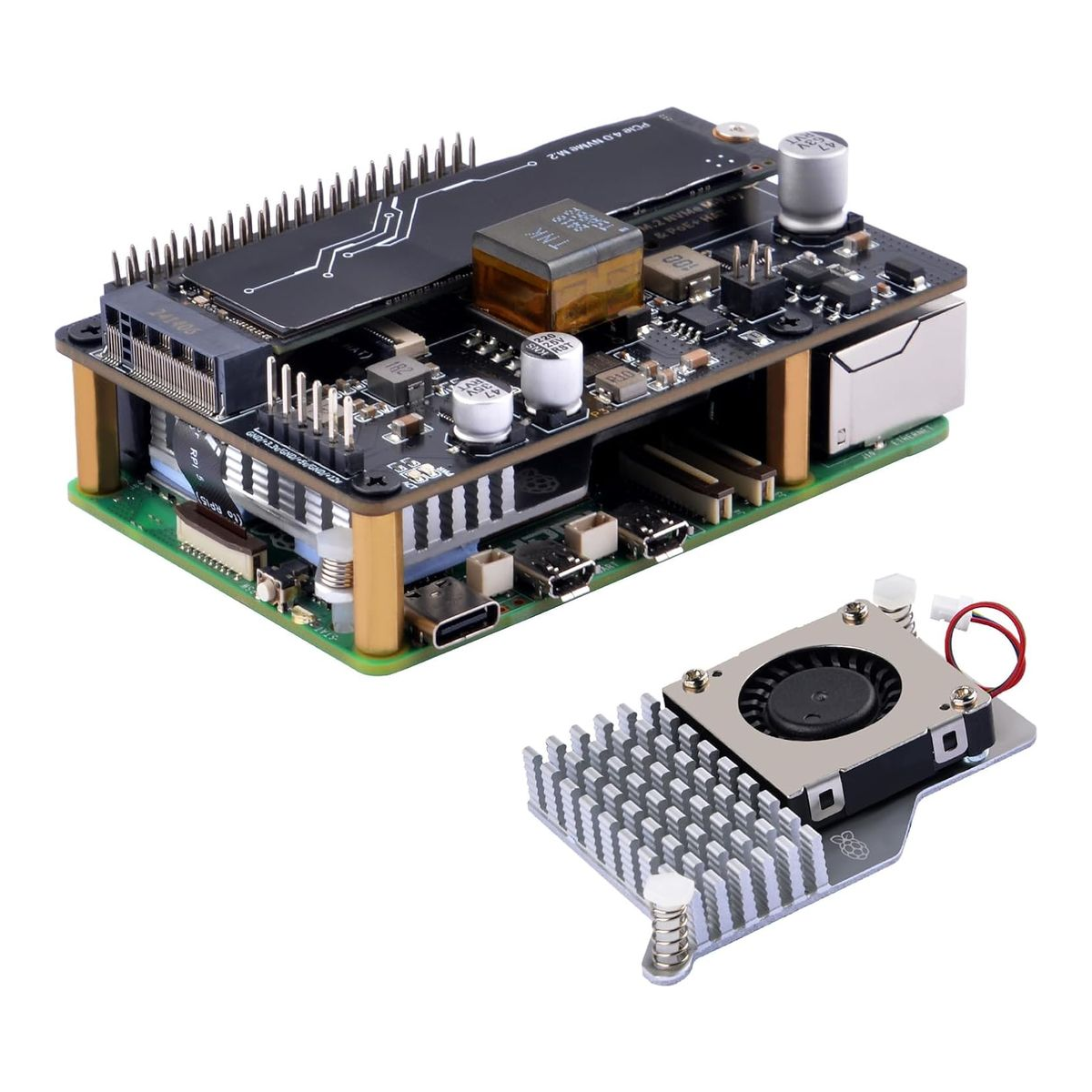
That NVMe boot is the upgrade that matters most for anything running 24/7. microSD cards wear out under the constant small writes a server makes, and a tired card is the cause of a lot of Pi instability that looks like something else. Moving the OS to an SSD makes the Pi faster and far more reliable. The catch is that PoE+ needs a PoE switch or injector to feed it, so the power feature only pays off if you already have one. If you do, the GeeekPi P33 turns a Pi 5 into a tidy, one-cable little server.
What to look for before you buy
A few things decide whether a board is pleasant or painful to live with. Get these right and the rest is easy.
The power supply is not optional. The Pi 5 wants a 5V/5A USB-C supply with Power Delivery, roughly 27W. An underpowered charger is the single most common cause of a Pi that reboots, throttles, or refuses to power USB devices, and it produces errors that look like a hardware fault. Use the official-spec supply (the kits include one) and the problem disappears. This is the part that trips people up more than anything else.
The Pi 5 needs active cooling. Unlike older Pis, the Pi 5 will thermal-throttle under sustained load without a fan or the official active cooler. Every kit here includes cooling for that reason. A bare board with no cooler is fine for a quick experiment, not for a box doing real work.
microSD versus NVMe. A microSD card is fine to start, but it is the weak point for anything always-on, because server-style write patterns wear cards out. If the board will run 24/7, plan to boot from NVMe, on the Pi 5 that means a HAT like the one above, and on the RK3588 boards it is built in. It is faster and dramatically more reliable.
16GB only if you’ll use it. With the shortage pushing the 16GB Pi to $305, do not buy memory you won’t touch. Most single-purpose projects are happy on 4GB or 8GB. Reserve 16GB for genuinely container-heavy or desktop use, and when you do need it, price the Orange Pi 5 Plus and an x86 mini PC against the Pi first.
Sometimes the answer is not a Pi. If your project never touches the GPIO pins and is really “a small always-on Linux server,” a cheap x86 mini PC sidesteps every ARM software gap and often costs the same. Keep that option open instead of forcing the Pi into a role an N100 box does better. From there, a NAS or a Proxmox node is a natural next step, and our NAS buying guide picks up where this one ends.
Common questions
Do I really need the official Raspberry Pi 5 power supply?
You need a supply that meets the spec: 5V/5A USB-C with Power Delivery, about 27W. The official one is the safe choice and every kit here includes a compatible supply. A lower-rated phone charger will often boot the Pi, then cause reboots and disable USB power, which is exactly the failure that looks like a broken board but is just the supply.
Is the 16GB Raspberry Pi 5 worth $305?
Only if you specifically need 16GB and want the Pi ecosystem. The price is high because of the 2026 memory shortage, not because the board changed. If you mainly want a lot of RAM to self-host, the Orange Pi 5 Plus 16GB or a Beelink N100 mini PC give you the memory for noticeably less. Buy the 16GB Pi for GPIO projects and Pi-specific software where the ecosystem is the point.
Can a Raspberry Pi run local AI models?
A Pi can run very small models slowly on its CPU, but it has no real AI accelerator. For anything serious at the edge, the Jetson Orin Nano Super is the right board because it has a CUDA-capable NVIDIA GPU and 67 TOPS. If you’re running larger models on a desktop or server instead, that is a different conversation, and our home automation and self-hosting guides cover where a Pi fits in a wider setup.
Should I get a Pi or a mini PC for self-hosting?
If you want low power, GPIO pins, and the tiny form factor, get a Pi. If you want to run any software without worrying whether it has an ARM build, and you don’t need GPIO, a cheap x86 mini PC like the Beelink N100 is usually the better and equally affordable choice. Many people end up with both: a Pi for the physical-computing projects, and a small x86 box running things like a self-hosted cloud or a media server.