Before you buy a faster switch, the real question is how much of your homelab actually needs more than gigabit. The honest answer for most of us is: two or three machines. A NAS, a hypervisor, maybe a backup target. Everything else is happy on the 1GbE it already has. That reframes the whole purchase. You are not buying a 10GbE switch, you are buying a 2.5GbE switch with a 10G uplink or two for the boxes that move real data.
That distinction matters because 2.5GbE quietly became the homelab baseline. It runs over the Cat5e you already pulled, to 100m, with no re-cabling, and almost every recent mini PC, NAS, and motherboard ships a 2.5GbE port now. A small managed switch with eight 2.5G ports and a pair of 10G SFP+ cages covers a serious lab without the heat, power, and optics cost of going 10GBASE-T everywhere. We checked every spec, price band, and Amazon listing below live in June 2026; we have not put these specific switches on our own bench, so the throughput figures here are the expected and cited numbers, clearly marked, not measurements we ran.
Our quick picks
If you want the verdict without the reasoning, here it is. Each pick wins a specific job, and each one names the trade-off you accept by choosing it. The detailed sections further down explain why.
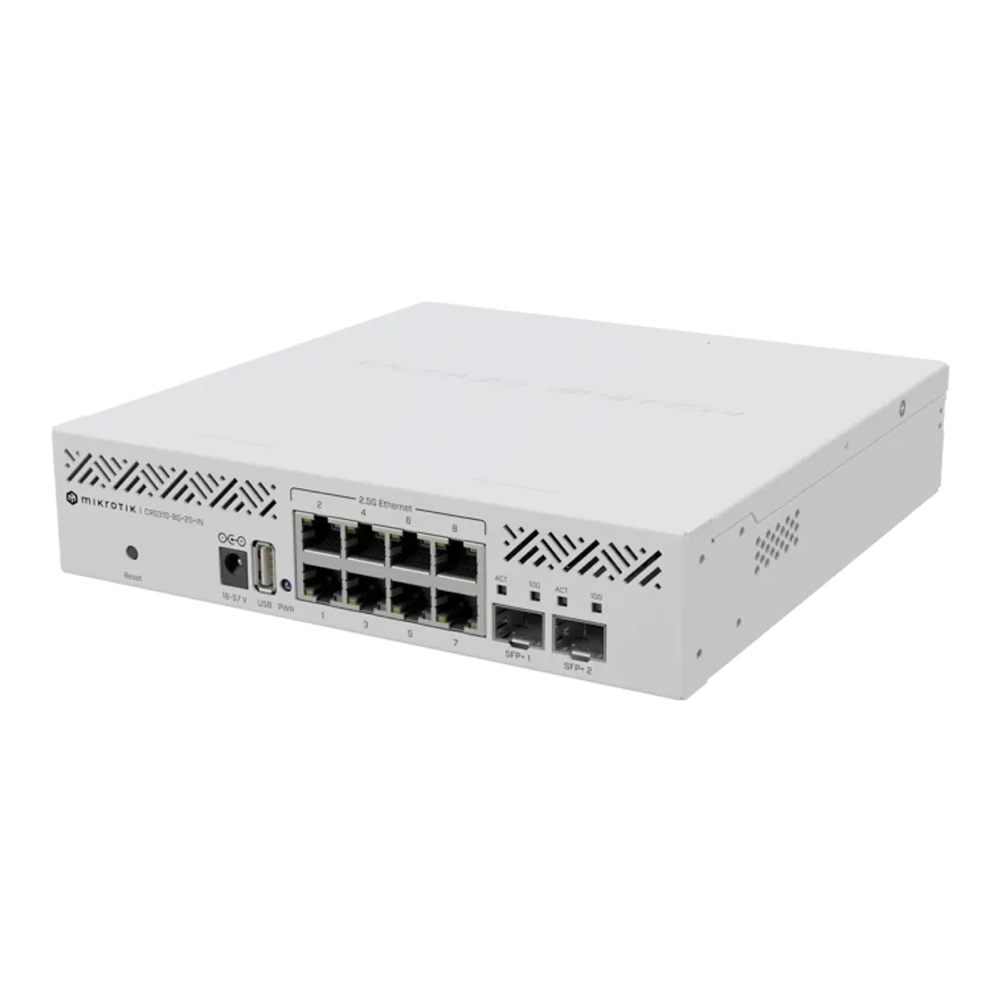
Best overall: MikroTik CRS310-8G+2S+IN. Eight 2.5G ports, two real 10G SFP+ cages, and full RouterOS or SwOS management for around $210 to $230. It is the switch most homelabs land on, and the price-per-managed-port is hard to beat. The trade-off is a loud stock fan and a steeper config curve. Check the live price on Amazon.
Best value, easiest to manage: QNAP QSW-M2108-2C. Same eight 2.5G plus two 10G combo ports, but driven by a plain web UI anyone can use, usually around $140 to $160. Check the live price on Amazon.
Best for powering APs and cameras: TP-Link SG3210XHP-M2. All eight 2.5G ports are PoE+ with a 240W budget, plus two 10G SFP+ uplinks and Omada management, around $190 to $210. Check the live price on Amazon.
Best fanless managed pick: TP-Link SG3210X-M2. The same eight 2.5G plus two 10G SFP+, Omada managed, but silent, for roughly $150 to $180. Check the live price on Amazon.
Best if you already run UniFi: Ubiquiti UniFi Flex 2.5G. Eight 2.5G ports and a 10G combo uplink that disappears into the UniFi controller you already have, around $159. Check the live price on Amazon.
Best pure-fiber aggregation: MikroTik CRS305-1G-4S+IN. Four 10G SFP+ cages, fanless, around $130 to $150, for tying NAS and hypervisor together over DACs without spinning a fan. Check the live price on Amazon.
How we picked these switches
We did not bolt these switches into a rack and run iperf3 across them, and we are not going to pretend otherwise. What we did do is verify every spec against the manufacturer datasheet, confirm each Amazon listing resolves to the exact model and is currently buyable, and cross-check the contested details (port behaviour, fan, PoE budget, management model) against independent reviews from ServeTheHome, NAS Compares, and StorageReview.
The selection criteria came from how these boxes actually get used in a lab. A homelab switch lives or dies on the SFP+ uplink, because that is what connects the fast island (NAS, hypervisor, backup server) to the rest. So every pick here has at least one 10G cage, not just 2.5G copper. After that we weighed the management model, whether it is fanless or you will hear it, PoE if you run access points or cameras, and price per managed port. Throughput numbers in this guide are the expected real-world figures for each link speed, with the one measured datapoint we cite drawn from a published iperf3 test, not our own lab.
2.5GbE and 10GbE homelab switches compared
The table lines up the six picks on the specs that change the decision. Tap any model name to check its current Amazon listing.
| Switch | 2.5G ports | 10G uplinks | PoE budget | Management | Fanless | Price band |
|---|---|---|---|---|---|---|
| MikroTik CRS310-8G+2S+IN | 8 | 2x SFP+ | None | RouterOS / SwOS | No (1 fan) | ~$210-230 |
| QNAP QSW-M2108-2C | 8 | 2x 10G combo | None | Web (QSS), L2 | No (1 fan) | ~$140-160 |
| TP-Link SG3210XHP-M2 | 8 (PoE+) | 2x SFP+ | 240W | Omada L2+ | No (2 fans) | ~$190-210 |
| TP-Link SG3210X-M2 | 8 | 2x SFP+ | None | Omada L2+ | Yes | ~$150-180 |
| UniFi Flex 2.5G | 8 | 1x 10G combo | None (PoE+ input) | UniFi controller | Yes | ~$159 |
| MikroTik CRS305-1G-4S+IN | 0 (4x SFP+) | 4x SFP+ | None (PoE input) | RouterOS / SwOS | Yes | ~$130-150 |
MikroTik CRS310-8G+2S+IN: the homelab default
This is the switch most people end up recommending, and for good reason. It packs eight 2.5GbE copper ports and two genuine 10G SFP+ cages into a small metal box, all of it fully managed, for a price that competing brands ask for half the ports.
Under the lid sits a Marvell 98DX226S switch chip paired with a dual-core ARM CPU, which is what lets it run the full RouterOS v7 feature set: VLANs, jumbo frames, link aggregation, ACLs, and hardware-offloaded Layer 3 routing. ServeTheHome confirmed the chip and the $219 MSRP in their coverage of the switch. The two SFP+ ports are flexible, negotiating 1G, 2.5G, or 10G, so you can run a 10G DAC to the NAS and a 2.5G fiber link to a far closet from the same pair of cages.
Who it is for: the homelabber who wants the most managed ports per dollar and is comfortable (or wants to get comfortable) with RouterOS or the simpler SwOS. If you run VLANs, tag trunks, or want hardware L3 between subnets, this is the cheapest way in.
Skip it if: noise matters where this lives. The stock fan is genuinely loud; a common fix in the homelab community is swapping it for a Noctua, which a hands-on homelab review documented. It is also not the switch to learn networking on if you want a point-and-click UI. The cost angle still wins though: at around $210 to $230 you get ten managed multi-gig ports, and stock has been tight on Amazon, so grab it when you see it.
QNAP QSW-M2108-2C: the value pick that anyone can manage
If RouterOS sounds like more than you signed up for, this is the answer. The QSW-M2108-2C gives you the same eight 2.5G plus two 10G layout, but the two 10G ports are RJ45/SFP+ combo cages, and the whole thing is driven by QNAP’s plain web UI (QSS) rather than a CLI.
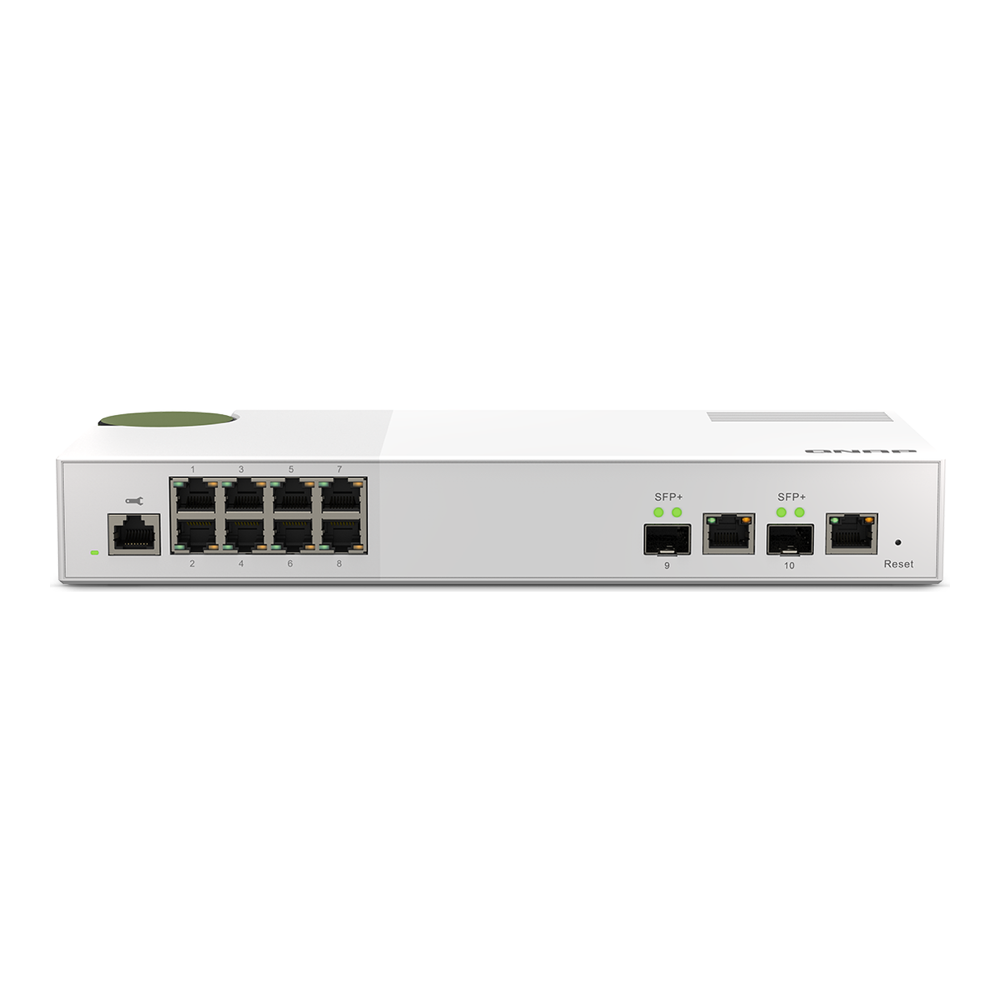
It is a Layer 2 web-managed switch with an 80 Gbps switching capacity, and it does the things a lab needs: VLANs, LACP, QoS, IGMP snooping, ACLs, and RSTP. The combo uplinks are the nice touch here, because you can run 10G copper to one box and 10G fiber to another without committing the whole switch to one medium. The five-speed ports (10G/5G/2.5G/1G/100M) also mean it plays nicely with NBASE-T gear at odd speeds.
Who it is for: anyone who wants managed features (mostly VLANs) without learning a vendor CLI, and who likes the flexibility of combo 10G ports. NAS Compares walks through the web UI in their review of the switch, and it is about as approachable as managed switches get.
Skip it if: you want silence or Layer 3. This is the -2C model, which has a fan; the fanless sibling is the -2S variant with SFP+-only uplinks. It is also L2 only, so no inter-VLAN routing on the switch itself. For a value managed switch at roughly $140 to $160, those are fair compromises. Check the current price on Amazon before you buy, since multi-gig switch pricing moves around.
TP-Link SG3210XHP-M2: when you need PoE on the fast ports
The moment your lab grows access points, cameras, or a couple of PoE-powered mini PCs, a switch that powers them over the same cable stops being a luxury. The SG3210XHP-M2 makes all eight of its 2.5G ports PoE+ (802.3at) with a 240W total budget, and still gives you two 10G SFP+ uplinks.
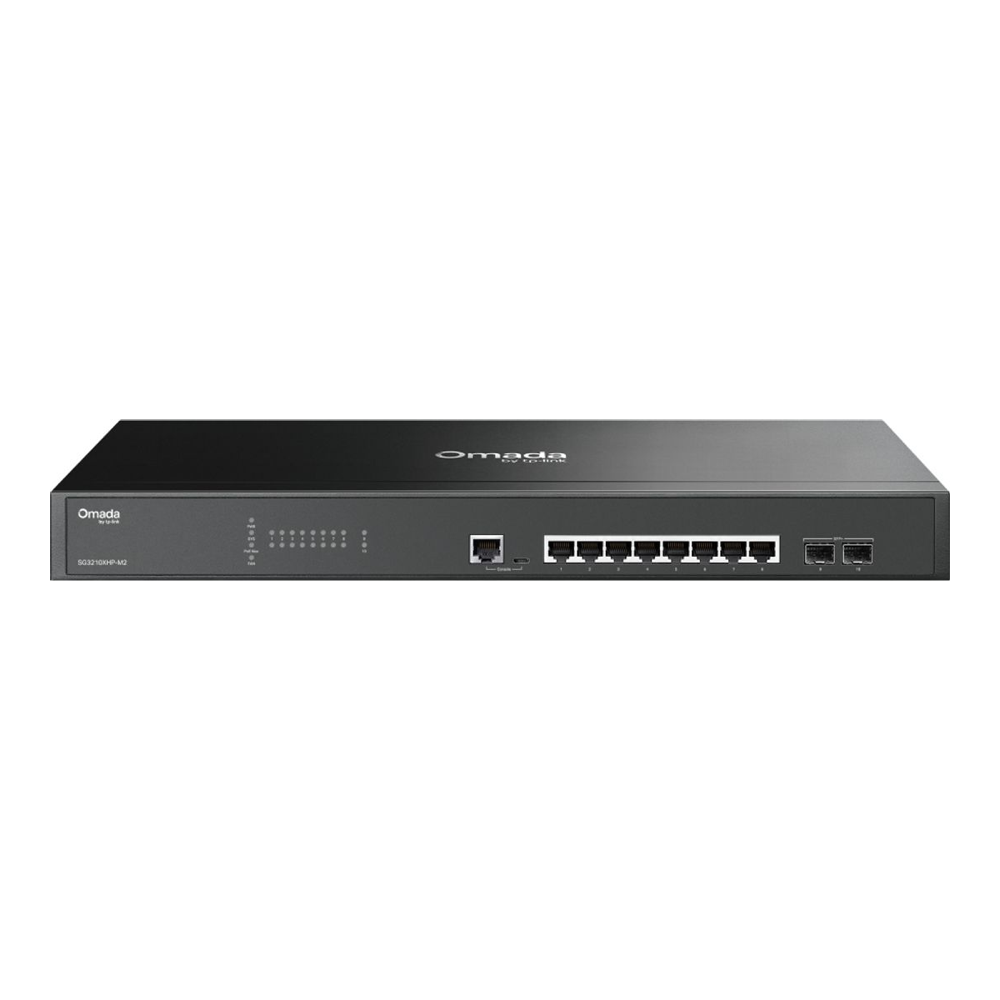
It is an L2+ managed switch that drops into TP-Link’s Omada controller, so it sits in the same single-pane dashboard as Omada access points and gateways if you run them. The 80 Gbps switching capacity matches the rest of the field, and the 240W PoE budget is enough for several Wi-Fi 6 access points plus a camera or two with headroom. TP-Link recently dropped the “TL-” prefix from this line, so you will see it sold as SG3210XHP-M2; it is the same hardware.
Who it is for: labs with PoE devices that also want multi-gig and a clean Omada management story. The combination of eight PoE+ 2.5G ports and dual 10G uplinks in one box is uncommon at this price.
Skip it if: you have no PoE devices, because you are paying for power-supply hardware you will never use, and this is the rackmount-width unit with two fans, so it is the loudest layout here. If your lab is fanless-quiet otherwise, this one will stand out. At around $190 to $210 the PoE is the whole reason to buy it; without PoE devices, the fanless SG3210X-M2 below is the smarter spend. Check the live price on Amazon.
TP-Link SG3210X-M2: the silent managed option
This is the SG3210XHP-M2 with the PoE hardware and the fans removed. You still get eight 2.5G ports, two 10G SFP+ uplinks, and the full Omada L2+ feature set, but it runs passively, which makes it the pick when the switch sits on a desk or in a room you sleep near.
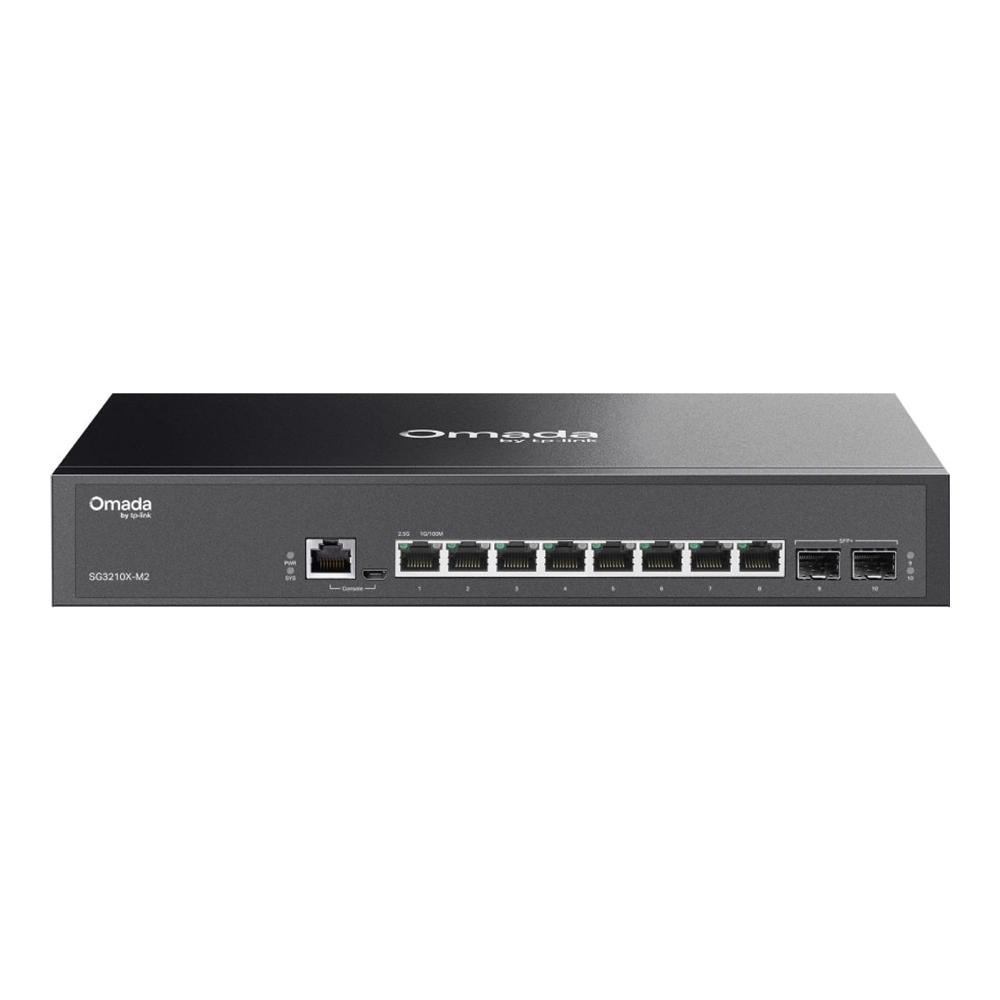
The feature list is genuinely deep for the price: ACLs, IP-MAC-Port binding, 802.1X with RADIUS, DHCP snooping, storm control, and L2/L3/L4 QoS, all managed through Omada with zero-touch provisioning and an app. With 80 Gbps of switching and a 59.52 Mpps forwarding rate, it is not a cut-down model, it just trades the PoE and the active cooling for silence. In practice this means you get a serious managed switch you can put on the same shelf as your NAS and never hear.
Who it is for: the lab that wants real VLAN and security features, Omada management, and absolute silence, and does not need to power anything over Ethernet. It is the one we would reach for in a living-room or bedroom rack.
Skip it if: you need PoE (buy the HP model above) or you want a single-vendor CLI ecosystem. The trade-off here is purely the missing PoE, and at roughly $150 to $180 it is the best-value fanless managed switch in this lineup. Check the current Amazon price.
Ubiquiti UniFi Flex 2.5G: the pick if you already run UniFi
If your network already lives in a UniFi console, the value of a switch is partly that it shows up in the same dashboard as everything else. The UniFi Flex 2.5G does exactly that: eight 2.5G ports and a single 10G RJ45/SFP+ combo uplink, all of it monitored and configured from the UniFi Network app you already use.
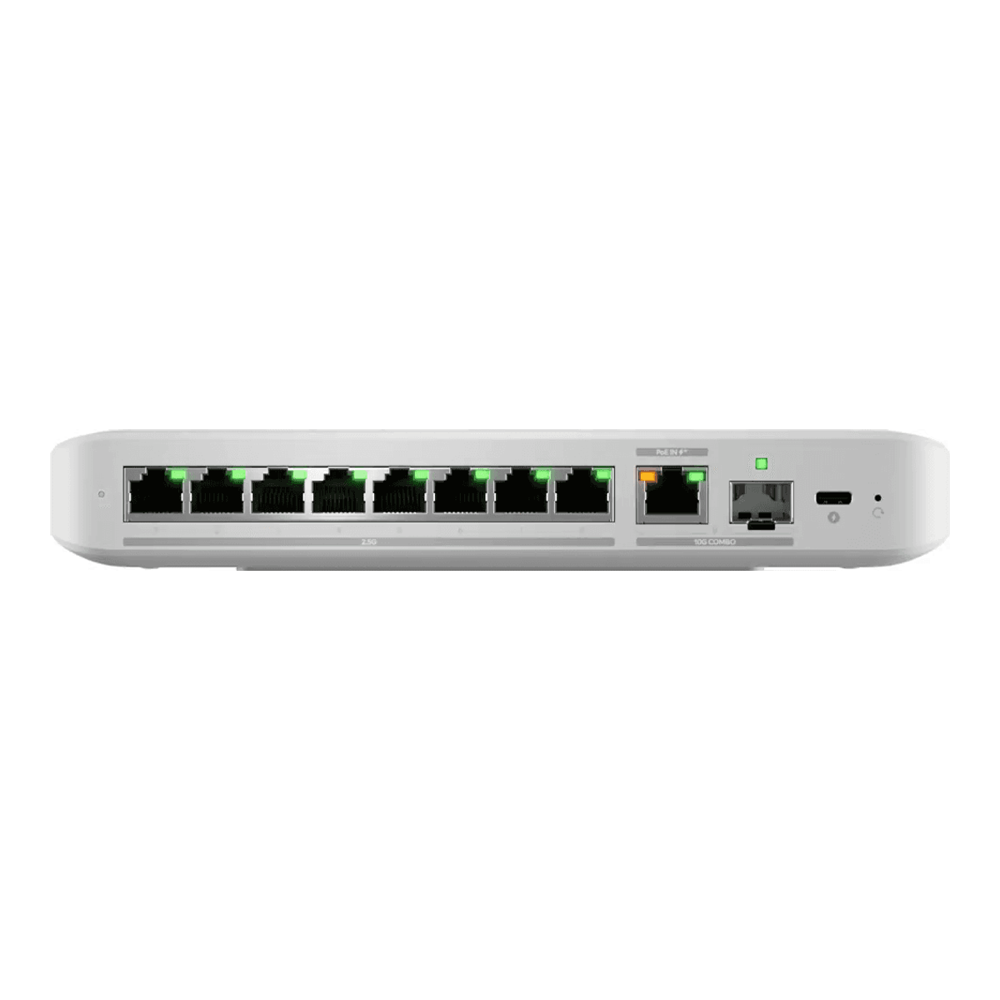
It is a compact, fanless unit that draws a maximum of 14W with the AC adapter, with a 60 Gbps switching capacity. A neat trick is that it can be powered over its 10G RJ45 uplink with PoE+, so in a remote spot you can feed it data and power down a single cable. StorageReview covered the PoE-output sibling in detail in their Flex 2.5G review, and the non-PoE model we picked here is the same chassis without the power injection, at $159.
Who it is for: anyone with an existing UniFi setup (a Cloud Gateway, Dream Machine, or self-hosted controller) who wants their switch to fold into the same management plane with no extra learning curve.
Skip it if: you do not run UniFi. This switch requires a UniFi Network controller (version 9.0.114 or later) to manage, so as a standalone box it makes far less sense than the TP-Link or QNAP. It also has only one 10G uplink versus two on most of the field, and no PoE output on this variant. Inside a UniFi house, though, it is the cleanest option. Check the live price on Amazon.
MikroTik CRS305-1G-4S+IN: pure fiber aggregation, silent
Sometimes you do not need 2.5G copper at all. You need to tie a NAS, a hypervisor, and a backup box together at 10G over short DAC cables, quietly, and uplink the rest of the house from there. That is precisely what the CRS305 does: four 10G SFP+ cages, one gigabit copper port, fanless, for the price of a budget 2.5G switch.
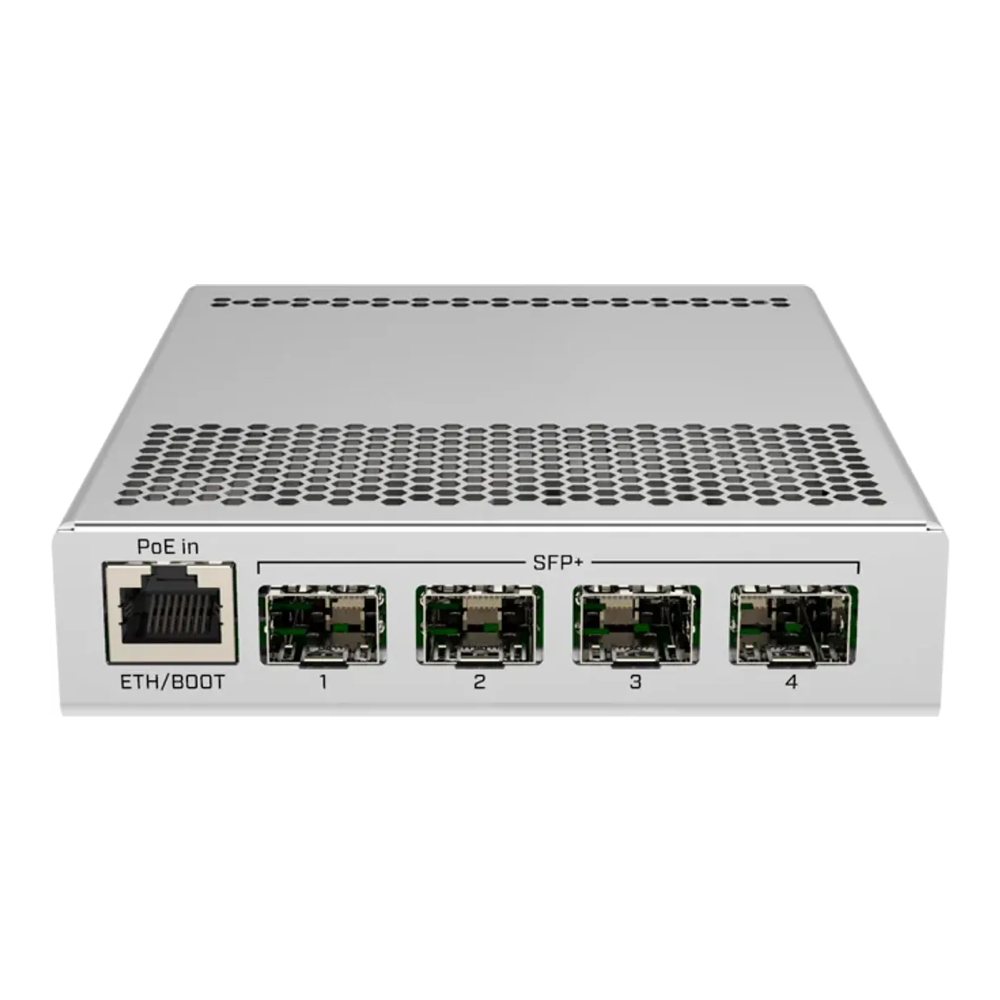
It runs the same dual-boot RouterOS or SwOS as the CRS310, so it manages identically, and it can be powered over its Ethernet port (802.3af/at, 12 to 57V) which makes placement easy. With four SFP+ ports you can run DAC cables to your fast machines and a fiber or 10GBASE-T module uplink to a 2.5G switch, building a clean two-tier topology where the slow island and the fast island each get their own box. It carries a 4.7-star rating across more than a thousand Amazon reviews, the most proven track record of anything here.
Who it is for: the lab that wants a small, silent 10G core. Pair it with one of the 2.5G switches above and you have a tidy spine-and-leaf layout for not much money.
Skip it if: you expected RJ45 ports. There is no 2.5G copper here at all; every fast port is SFP+, so you commit to DACs or transceivers. If most of your gear is copper 2.5G, buy the CRS310 or a TP-Link instead. As a fiber aggregation box at roughly $130 to $150, though, it is excellent. Check the current Amazon price.
How to choose a homelab switch
The picks above answer “which one”, but the reasoning below is what actually makes the decision for your specific lab. These are the factors worth understanding before you spend.
Do you need 2.5GbE or 10GbE?
For almost every homelab, the answer is 2.5GbE to the machines and 10GbE only between the heavy hitters. The reason is what a single drive can actually push. A modern 7,200rpm hard drive peaks around 260 to 290 MB/s on its outer tracks and sags toward 120 to 160 MB/s on the inner tracks, so one spinning disk barely brushes 2.5GbE and comes nowhere near saturating 10GbE. 2.5GbE delivers roughly 280 to 295 MB/s of real throughput against gigabit’s ~113 MB/s, which is already faster than most single-drive transfers. A published iperf3 test measured a single 2.5GbE TCP stream at 2.36 Gbit/s, about 293 MB/s. You only need 10GbE where you are moving large files between an SSD-backed NAS and a hypervisor, or running fast backups, which is exactly why the SFP+ uplink, not the port count, is the spec that matters.
SFP+ or 10GBASE-T for the uplink?
For 10G, SFP+ beats 10GBASE-T copper in a homelab on three counts: heat, power, and noise. 10GBASE-T transceivers and ports run hot and draw several watts each, which is part of why true 10GBASE-T switches need aggressive fans. SFP+ with a direct-attach copper (DAC) cable between two nearby boxes is cheap, cool, and passive, and SFP+ fiber covers longer runs cleanly. The trade-off is reach over copper: a DAC tops out around 3 to 7m, so for a longer 10G copper run you either use a 10GBASE-T transceiver in the SFP+ cage or a combo port. This is why the combo ports on the QNAP and UniFi are handy, they let you pick copper or fiber per link.
How much PoE budget do you actually need?
PoE budget is the total watts a switch can deliver across all its powered ports at once, and it is easy to overbuy. A Wi-Fi 6 access point draws roughly 12 to 20W, a typical IP camera 5 to 12W, and a doorbell or sensor far less. Add up your real devices: four access points and two cameras land near 100W, comfortably inside the TP-Link’s 240W budget. Only buy a PoE switch if you have devices to power, because the power-supply hardware adds cost, heat, and usually fans. A lab with no PoE devices is better served by a fanless non-PoE switch.
Managed or unmanaged?
A managed switch earns its keep the moment you want VLANs, which most labs do once they separate management, storage, and guest traffic, or want to isolate IoT gear. Management also gets you link aggregation (LACP) to bond two ports, QoS, port mirroring for packet captures, and monitoring. The cost is a small learning curve. The spectrum runs from MikroTik’s powerful-but-CLI-heavy RouterOS, through TP-Link Omada and QNAP’s web UI which are point-and-click, to UniFi which is the slickest but assumes you run a controller. If you only need a faster flat network with no VLANs, an unmanaged 2.5G switch is cheaper, but you give up the segmentation that makes a lab safe to experiment in. Pair a managed switch with proper VLAN interfaces on your Linux hosts and you can carve storage, management, and lab traffic onto separate segments.
Fanless or do you accept the noise?
Where the switch lives decides this. In a basement or a dedicated closet, a fan is irrelevant and you can take the cheapest capable switch. On a desk, a shelf, or anywhere near where people work or sleep, fanless is worth paying for, and it is why the SG3210X-M2, the UniFi Flex, and the CRS305 stand out. The MikroTik CRS310 is the cautionary tale: a great switch with a stock fan loud enough that swapping in a Noctua is almost standard practice. Factor the noise into where you can actually put the box.
Where this lab grows next
The two-tier shape is where most labs end up, and it is worth buying toward it from the start. The pattern is one 10G core that ties your NAS, hypervisor, and backup target together over SFP+, plus a 2.5G switch (managed, with its own 10G uplink into that core) feeding everything else. The CRS305 plus any of the 2.5G picks above builds exactly that for under $400 total, and it scales: when a second hypervisor or a faster NAS arrives, you plug it into a spare SFP+ cage on the core rather than re-architecting.
The cost angle is the part worth sitting with. Going all-in on 10GBASE-T to every port would cost several times more, run hotter, and need fans you would hear, to serve traffic that single drives cannot generate anyway. Spending the money on 2.5G to the edge and a couple of 10G uplinks to the boxes that move real data is the efficient buy, and it leaves budget for the storage and compute that actually benefit from the bandwidth. If you are still building out the rest of that lab, our guides on the best mini PC for a Proxmox homelab and the best NAS for self-hosting and Plex pair naturally with this switch, and the NVMe versus SATA SSD comparison for a Proxmox datastore covers the storage side that the 10G uplink exists to feed.