One major benefit of Cloud computing is the ability to consume and scale compute resources as dictated by your application demands. Suppose you have an instance on AWS provisioned with 1GB and 1vcpu, which was handling the workload perfectly at the time of setup but now you have more active users in the system that available resources can’t handle?. AWS enables you to quickly change your instance type without loosing data.
Amazon EC2 service provides a wide selection of instance types optimized to fit different use cases. Instance types comprise varying combinations of CPU, memory, storage, and networking capacity and give you the flexibility to choose the appropriate mix of resources for your applications. At the entry level you have t2.micro available for use in the AWS Free Tier, which includes 750 hours of Linux and Windows t2.micro instances each month for one year for new AWS customers.
Change/Resize Instance Type on AWS
I have an instance running on EC2 called web-server. On logging into AWS console and navigating to EC2 section I should be able to search and view the instance.

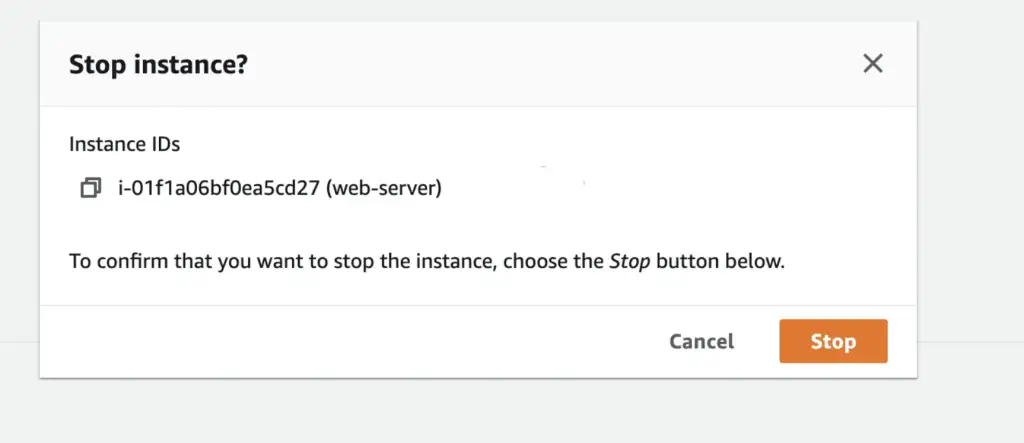
Note that you can only change instance type when the instance is not in running state. To stop the instance select the instance → Instance state → Stop Instance.
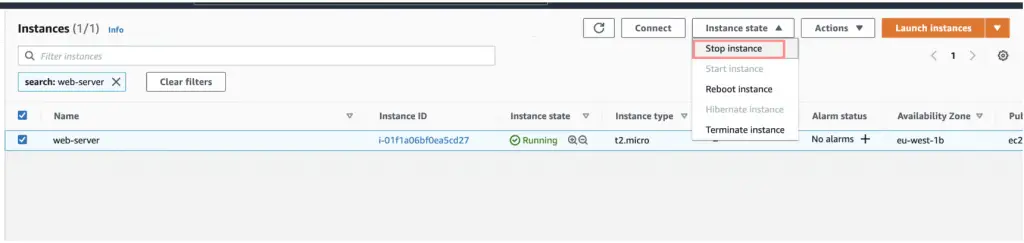
To confirm that you want to stop the instance, choose the Stop button below.
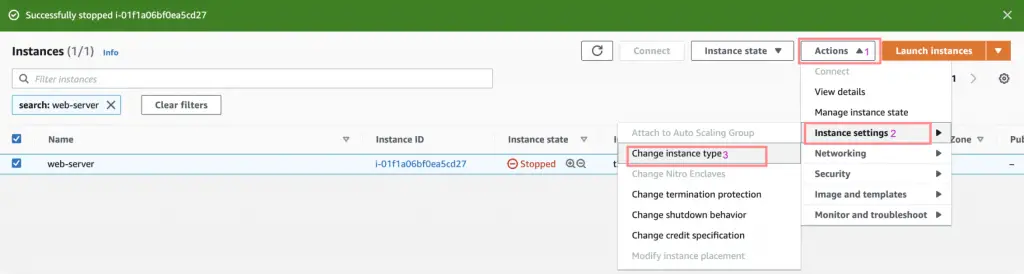
Use refresh button to confirm new instance state.

Select the instance then choose Actions → Instance Settings → Change Instance Type.
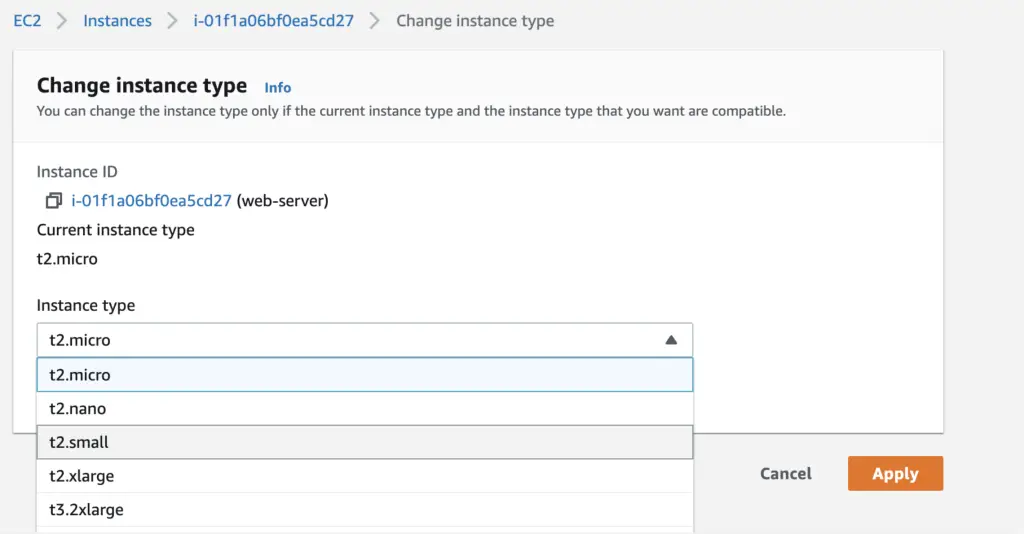
From Instance Type, select the instance type that you want.
Once instance type is selected choose Apply.
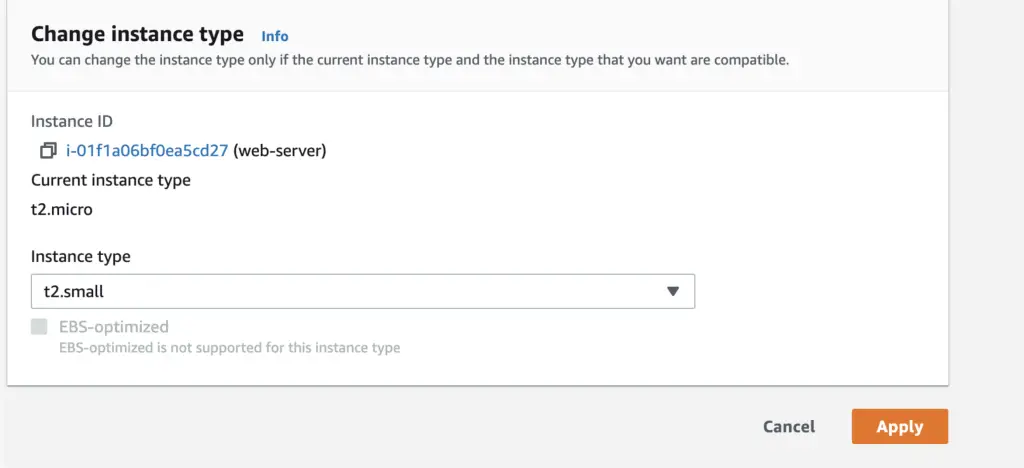
To restart the instance after changing instance type, choose Instance state → Start instance. It can take a few minutes for the instance to enter the running state.
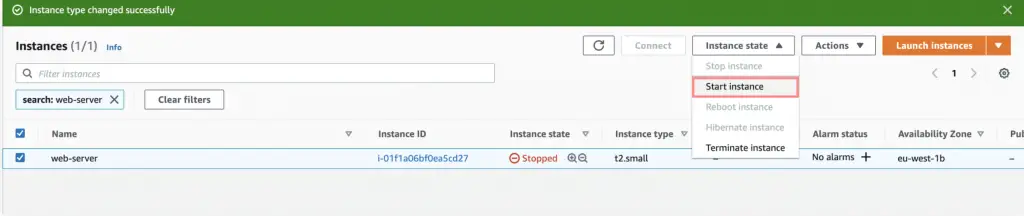
You can then login to the instance once started through SSH or session manager and confirm instance specs.
More guides:
- Allow AWS IAM User to Create Access Keys and Upload SSH public keys
- Backup Files To DigitalOcean Spaces using AWS CLI
- How To Provision Virtual Machines on AWS using Terraform