Filestash hides a lot of power behind a deceptively simple file grid. Once you move past the first install, the questions become specific: what exactly goes in each backend’s connection form, which environment variables change behavior, how do you wire single sign-on, and what is the fix for that error in the logs. This is the reference I keep open while running it.
If you have not deployed it yet, the Filestash install guide walks through Docker, backends, Collabora and TLS. Already running it? Read on for the day-two details.
Quick reference
| Item | Value |
|---|---|
| Docker image | machines/filestash:latest |
| Web port | 8334 |
| State directory | /app/data/state/ (config, plugins, search index, logs) |
| Admin console | /admin |
| First-run setup | /admin/setup (first visitor becomes admin) |
| Office server | Collabora collabora/code on port 9980 |
| Minimum hardware | 128 MB RAM, 1 core |
| License | AGPL-3.0 |
Docker and Compose commands
The whole lifecycle from the directory where your docker-compose.yml lives:
# Deploy or apply config changes
docker compose up -d

# Upgrade to the latest image
curl -O https://downloads.filestash.app/latest/docker-compose.yml
docker compose pull
docker compose up -d

# Tail logs
docker compose logs -f app

# Open a shell in the container
docker exec -it filestash sh
Everything that matters for backup is in one volume. Snapshot the state directory and you have captured the admin password, every configured backend, the search index and the logs:
docker run --rm -v filestash_filestash:/state -v "$PWD":/backup alpine \
  tar czf /backup/filestash-state.tgz -C /state .
Environment variables
| Variable | Purpose |
|---|---|
APPLICATION_URL | External URL of the install. Leave it empty and set the host in Settings instead, to avoid the scheme-prefix redirect bug below. |
CONFIG_SECRET | Encrypts the on-disk config. Set it and the config file becomes unreadable without the key. |
CANARY | true opts into the rolling release channel that ships with the official Compose file. |
OFFICE_URL | How Filestash reaches Collabora internally, e.g. http://wopi_server:9980. |
OFFICE_FILESTASH_URL | How Collabora reaches Filestash back for WOPI, e.g. http://app:8334. |
OFFICE_REWRITE_URL | The public Collabora URL the browser loads the editor from. Must be HTTPS and reachable. |
Admin console map
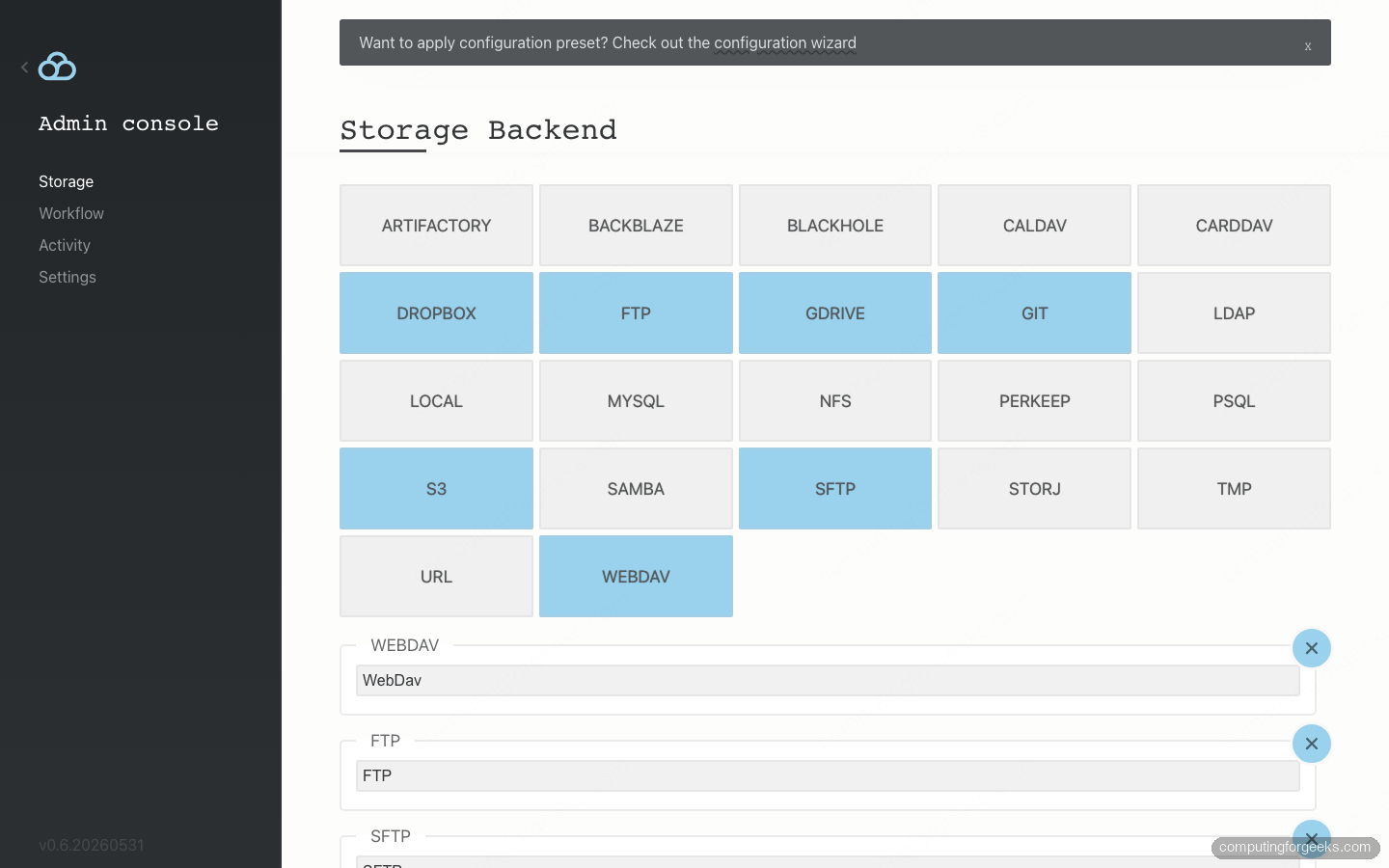
/admin/setup: one-time password claim. Lock it the moment you deploy./admin/storage: enable storage backends and configure authentication middleware./admin/settings: host, Force SSL, editor, session timeouts, log level./admin/logs: the activity log. Set the level to DEBUG to see the exact attributes an IdP returns during SSO.
Backend connection fields
These are the exact field names from each backend’s login form, with the ones that trip people up called out.
| Backend | Fields | Watch out for |
|---|---|---|
| S3 / MinIO / GCS | access_key_id, secret_access_key, region, endpoint, path | One backend, three providers. GCS uses endpoint storage.googleapis.com, region auto, and an HMAC key. MinIO uses its own endpoint URL. |
| SFTP | hostname, port, username, password, path, passphrase, hostkey | Use the passphrase and hostkey fields under Advanced for key-based auth. |
| WebDAV | url, username, password, path | url is the full address including scheme and trailing slash. |
| SMB / Samba | host, username, password, port, domain, share | The backend type is samba; the Share Name is a separate field from the path. |
| NFS | hostname, target, uid, gid | target is the export path. Set uid/gid to match file ownership on the export. |
| Local | password, path | password is the admin password; local browsing is admin-gated. path must exist inside the container. |
| Git | repo, username, password, branch, commit, author_name, author_email | Branch defaults to master; set it to main for most modern repos. Password takes a token for private repos. |
To browse Google Cloud Storage, generate an HMAC key for a service account and treat it as an S3 connection:
gcloud storage hmac create [email protected]Use the printed access ID and secret in the S3 form, with https://storage.googleapis.com as the endpoint. The identical pattern connects a local MinIO object store, Backblaze B2, Wasabi and DigitalOcean Spaces.
Single sign-on and authentication middleware
Here is the thing the marketing pages gloss over. The community Filestash image ships four authentication middleware types: HTPASSWD, LDAP, PASSTHROUGH and WORDPRESS. There is no native OIDC or SAML middleware in the community build. So your SSO path depends on which protocol you run.
LDAP and Active Directory (native)
LDAP works out of the box. In the admin console, pick the LDAP middleware and fill the fields: Hostname, Port, Bind DN, Bind DN Password, Base DN and Search Filter. The attribute mapping section then templates a storage connection from the directory entry, so a user’s uid can drive the path they land in. This covers OpenLDAP, Active Directory and Entra ID’s LDAP interface.
OIDC with Keycloak, Okta or Entra (via oauth2-proxy)
For OpenID Connect on the community build, put oauth2-proxy in front of Filestash. It handles the OIDC dance with your provider, then forwards the authenticated identity to Filestash, which trusts it through the Passthrough middleware. Run oauth2-proxy pointed at your realm:
docker run -d --name oauth2-proxy --network host \
  quay.io/oauth2-proxy/oauth2-proxy:latest \
  --provider=oidc \
  --oidc-issuer-url=https://keycloak.example.com/realms/filestash \
  --client-id=filestash \
  --client-secret=YOUR_CLIENT_SECRET \
  --redirect-url=https://files.example.com/oauth2/callback \
  --email-domain=* \
  --cookie-secret=$(openssl rand -base64 32) \
  --cookie-secure=true \
  --http-address=0.0.0.0:4180 \
  --upstream=http://127.0.0.1:8334 \
  --pass-user-headers=true \
  --skip-provider-button=true \
  --reverse-proxy=true
Then point the Nginx proxy_pass at 127.0.0.1:4180 instead of Filestash directly. Hitting the site now bounces unauthenticated users to your provider’s login. Register the client in Keycloak with the redirect URI https://files.example.com/oauth2/callback, and a successful login lands the user back at Filestash with their identity already established.
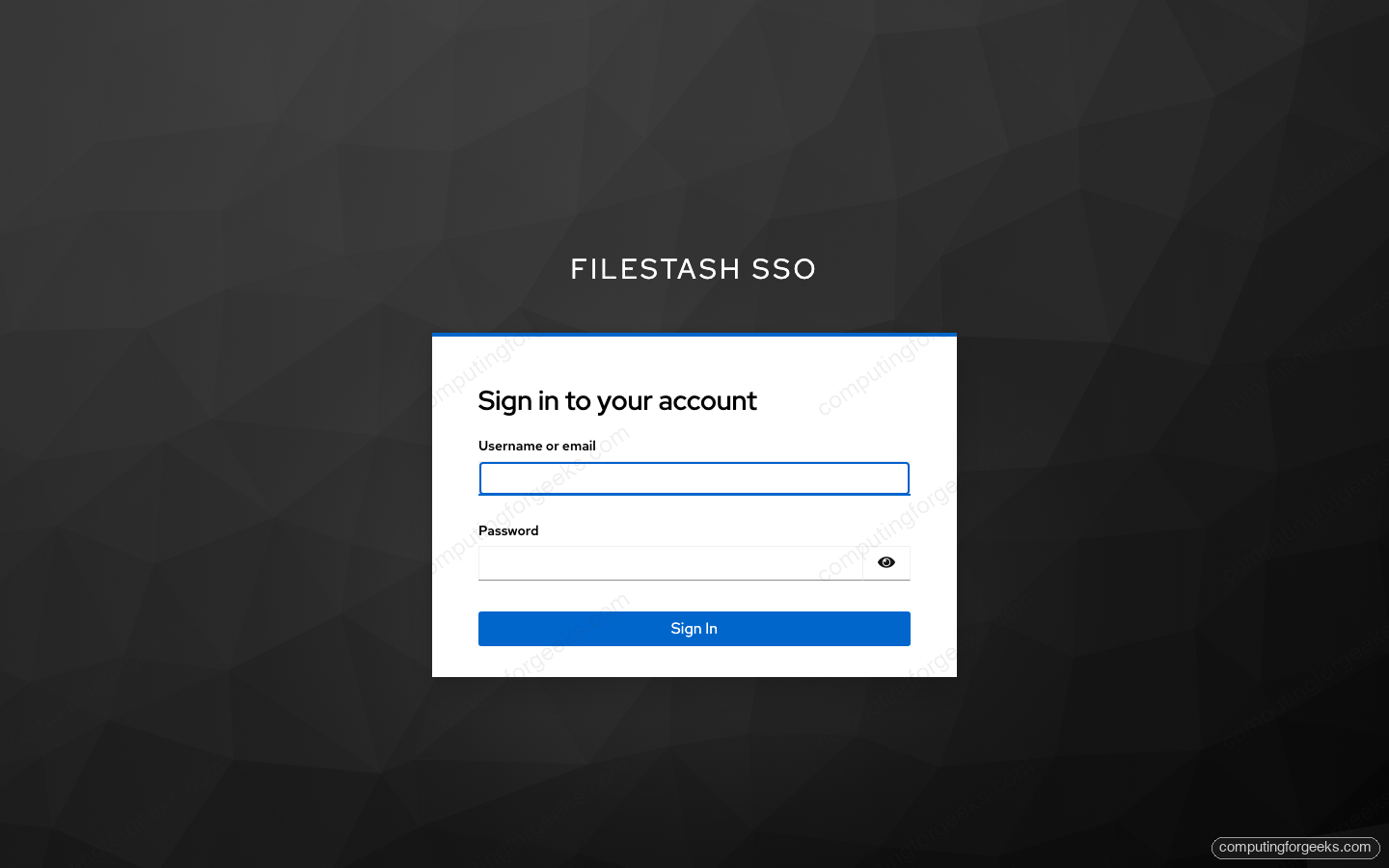
The enterprise edition adds native OIDC and SAML middleware that skip oauth2-proxy entirely, but for self-hosters the proxy pattern is the reliable, free route to Keycloak, Okta, Auth0 or Entra.
Office editing settings
The Collabora container needs three things to render an editor through a reverse proxy. Serve it on its own HTTPS subdomain with a Collabora-aware Nginx vhost (proxying /browser, /hosting/discovery and the /cool websocket), set OFFICE_REWRITE_URL to that public URL, and add two flags to the Collabora extra_params:
--o:ssl.termination=true
--o:net.frame_ancestors=files.example.com
Without ssl.termination, Collabora opens an insecure ws:// socket that an HTTPS page blocks. Without your domain in net.frame_ancestors, the editor refuses to be embedded. OnlyOffice is a drop-in alternative; point OFFICE_URL at its Document Server instead and the rest is the same.
Security hardening checklist
- Claim
/admin/setupbefore the host is publicly reachable. The first visitor wins it. - Set
CONFIG_SECRETso the on-disk config, which can hold backend credentials, is encrypted at rest. - Terminate TLS at Nginx and enable Force SSL in Settings. Never expose 8334 directly.
- Leave the Local backend disabled on any internet-facing instance; it exposes the container filesystem to the admin.
- Keep the log level at INFO in production. DEBUG prints IdP attributes and is for troubleshooting only.
- Restrict which backends appear on the login page to the ones you actually use, so the form gives nothing away.
Error index
Blank page, browser redirects to “http://https://your-host”
The configured host carries a scheme. In Settings, set the host to the bare domain with no https:// and enable Force SSL. The frontend then computes a valid origin instead of concatenating two schemes.
Office editor spins forever or logs “insecure WebSocket”
Add --o:ssl.termination=true to the Collabora container so it builds wss:// URLs behind your TLS-terminating proxy.
Office editor shows a frame-ancestors CSP violation
Collabora is blocking the embed. Add your Filestash domain to --o:net.frame_ancestors and recreate the container.
“Bad Request: can’t get things in file.docx”
You navigated to a file by its raw URL. Open files by clicking them in the listing so Filestash routes them through the correct viewer.
nginx: unknown directive “http2”
Nginx 1.24 on Ubuntu 24.04 does not support the standalone http2 on; directive. Use listen 443 ssl http2; on the listen line instead.
A minimal hardened Compose file
Filestash on its own, no office editing, encrypted config, ready to sit behind your Nginx reverse proxy:
services:
  app:
    container_name: filestash
    image: machines/filestash:latest
    restart: always
    environment:
      - APPLICATION_URL=
      - CONFIG_SECRET=change-me-to-a-long-random-string
    ports:
      - "127.0.0.1:8334:8334"
    volumes:
      - filestash:/app/data/state/
volumes:
  filestash: {}
Binding the port to 127.0.0.1 means only the local Nginx can reach Filestash, never the open internet. Pair this with the reverse-proxy and TLS steps from the install guide and the deployment is both private and encrypted. Keep this page bookmarked next to the admin console; the backend field tables and the error index are the two sections you will reach for most.