If you are turning novel chapters into YouTube episodes, the challenge usually is not finding an AI tool. It is choosing the workflow that matches serialized production. Some tools are built for short, eye-catching clips. Others help with planning. Some generate scenes quickly, then struggle when you need the same character to stay recognizable from one episode to the next.
That gap becomes obvious once you move past a one-off trailer. Solo storytellers are building recurring worlds, familiar casts, and episodes that need to feel like part of the same series. So this comparison stays focused on workflow fit rather than long feature lists. If your goal is to turn scripts into story videos, the real question is which setup gets you from chapter to publishable episode with less rework. On that front, Media.io is worth a close look because it is designed around a structured story workflow instead of standalone clip generation.
What To Look For Before You Start
For serialized storytelling, three factors matter most.
First, can the tool work with long-form story input in a practical way? A novel chapter, Reddit post, or episode script has scene changes, pacing, and character roles. If the platform treats all of that like one short prompt, you end up rebuilding the structure by hand.
Second, can it keep characters consistent? For many YouTube story channels, this is where a tool either works or does not. If the protagonist keeps changing face, styling, or overall look, the episode starts to feel pieced together.
Third, can you still edit the workflow after generation? That matters more than many creators expect. A decent first draft is helpful, but serialized content usually needs scene fixes, asset reuse, and small continuity adjustments across episodes.
The secondary checks are simpler: templates, model flexibility, render practicality, and how easy it is to test the tool. Browser-based access helps. Free daily credits help too.
Comparison Snapshot
| Workflow Type | Long-Form Story Understanding | Character Continuity | Editable Story Workflow | Ease of Onboarding |
|---|---|---|---|---|
| Media.io AI Story | Strong: accepts scripts, screenplays, Reddit threads, or novel chapters | Strong: supports character references and identity locking for continuity | Strong: includes blueprint, cast sheet, storyboard cards, and reusable assets | Easy: browser-based with free daily credits |
| Clip-First Text-to-Video Tools | Limited: better for single prompts than chapter-level story logic | Inconsistent across scenes | Light editing, but weak episode structure | Easy to start, harder to scale into a series |
| Storyboard-Only Tools | Moderate: useful for planning individual scenes | Depends on outside asset handling | Good for planning, but weak for final production | Moderate |
| Manual Multi-Tool Stack | Flexible, but highly manual | Possible with extra effort | Editable, but fragmented across multiple apps | Slow and setup-heavy |
That is the quick read. Most solo creators do not need the best-looking one-off clip generator. They need the workflow that holds up when Episode 1 becomes Episode 6.
How Media.io Fits Those Criteria
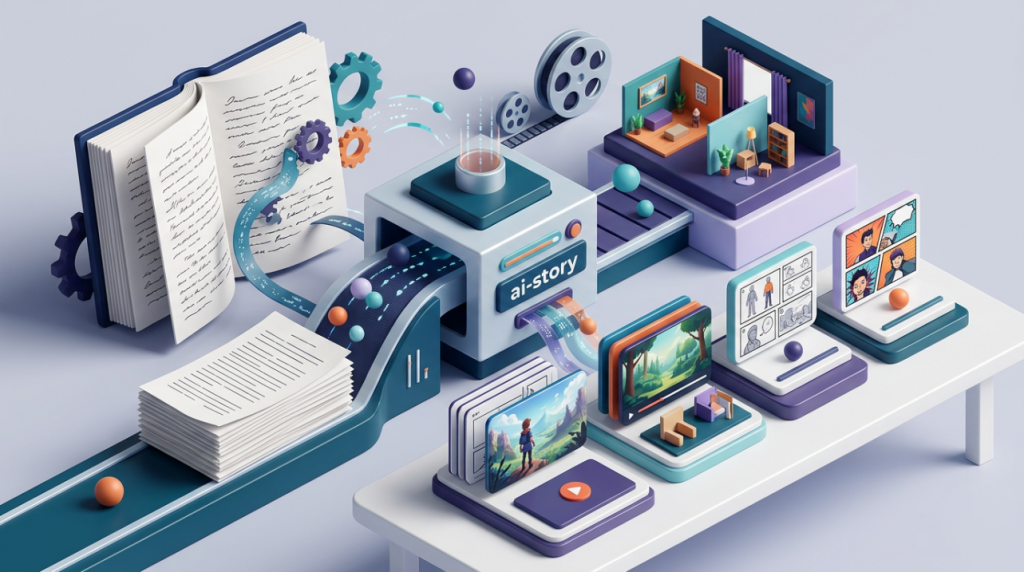
Media.io works well for serialized storytelling because it starts with story structure. You can import a screenplay, script, Reddit thread, or novel chapter, and the platform turns that input into a Screenplay Blueprint with the title, theme, setting, and major plot beats. That sounds modest, but it cuts down a lot of manual setup.
Character continuity is another strong point. Media.io includes a Cast Sheet where you can use AI-generated characters or upload real-person photo references, then lock facial identity so the same character remains recognizable across scenes. For solo YouTube storytellers, that is often the difference between a workable draft and a batch of unrelated visuals.
The editing side is also better suited to episodic work. Instead of outputting a sealed result, Media.io gives you editable storyboard cards plus reusable cast, scene, and shot assets. That makes it easier to carry the same world forward instead of rebuilding it for every new chapter.
There is a practical post-production angle as well. A final 720P HD render and up to 2-minute video output can move into tools like video enhancer, video extender, object remover, or video style transfer. For creators publishing on a schedule, keeping those steps in one workspace is useful. Some advanced functions may require a subscription, and output quality still depends on how clear the source material is. Even so, the workflow stays more editable than many clip-first options.
Step-By-Step Workflow

Step 1. Import your chapter and extract the outline
Open Media.io and go to the AI Story workspace. Import your novel chapter, episode script, Reddit post, or screenplay, then let the platform extract the story outline into a structured blueprint. This is where it starts to feel different from basic text-to-video tools, because the process begins with story logic rather than one prompt.
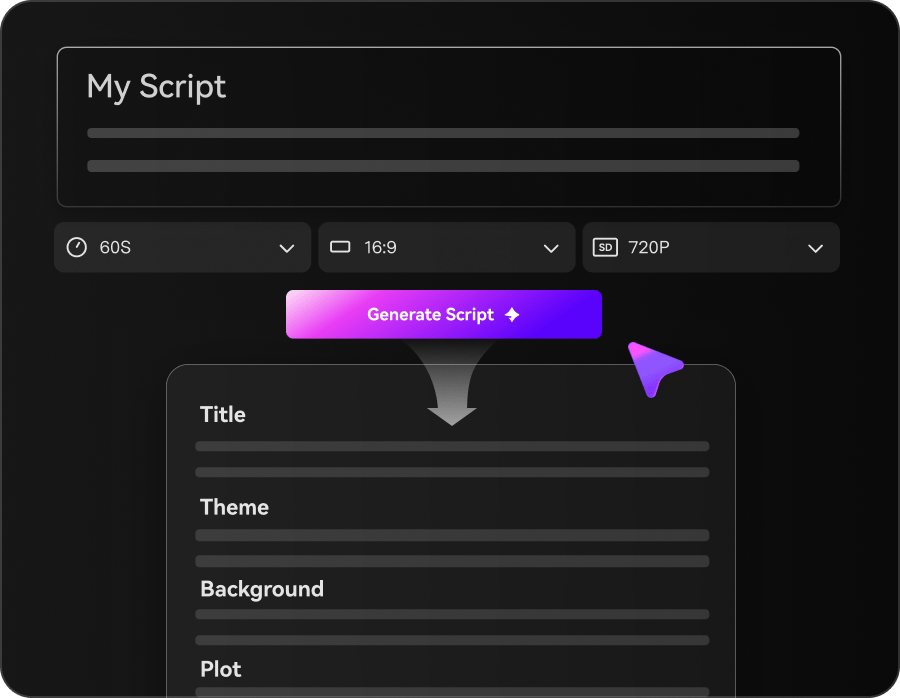
Review the extracted beats before moving on. If a scene feels too broad or a transition reads weakly, fix it here while the structure is still easy to adjust.
Step 2. Lock characters and refine the storyboard
Choose existing character references or upload photo references for your main cast. Then lock identity and refine the storyboard cards scene by scene. This is the step that gives you control over who appears where, how the episode flows, and whether the visual plan matches the chapter.
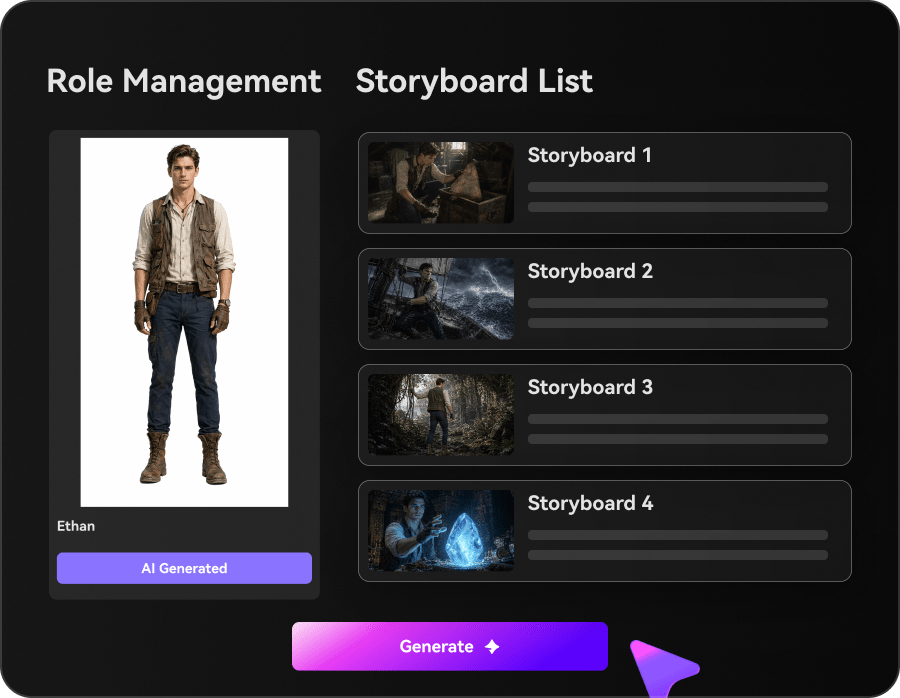
Take a moment to check continuity before generating. It is much easier to correct a scene card now than to fix mismatched character looks after export.
Step 3. Export the draft and polish it for release
Generate the video draft, export the HD result, and watch the full episode for consistency in pacing, identity, and transitions. If needed, move the result into post-production tools for enhancement, extension, cleanup, or style changes before upload.
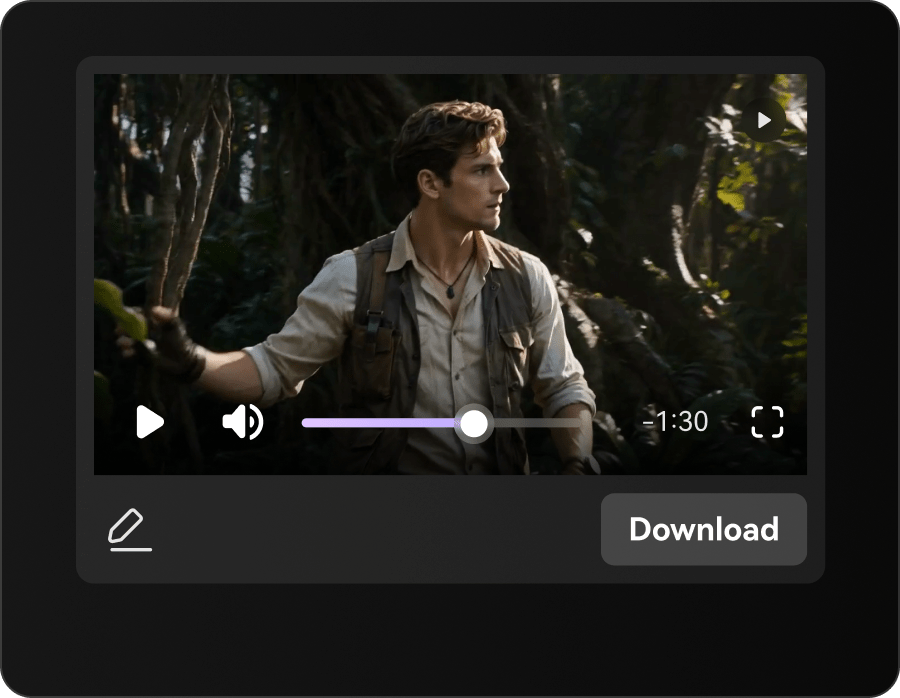
Do not treat the download as the end of the process. Compare scenes, regenerate weaker sections if needed, and prep the final cut for your release schedule.
Final Takeaway
Media.io is a good fit for solo creators who need more than isolated clip generation. It works especially well for serialized YouTube storytellers, recap channels, faceless story creators, and anyone building recurring characters or settings across episodes. The main advantage is the balance: long-text input, character continuity, and an editable workflow in one pipeline.
Other tools can still make sense in narrower use cases. If you only want short visual experiments, mood clips, or style-led scenes without recurring characters, a lighter clip-first tool may feel faster. If you already have a strong editing stack and only need rough concept visuals, another setup may be enough. For novel-to-episode workflows, though, continuity and editability usually matter more than quick one-off output.
FAQs
What is the biggest difference between an AI story workflow and a regular text-to-video workflow?
A regular text-to-video workflow usually starts with one prompt and aims to produce one clip. An AI story workflow is built around longer inputs, scene structure, character handling, and revision steps. That makes it better suited to episodes than standalone visuals.
How much does character consistency matter for serialized YouTube content?
A lot. Viewers may overlook an uneven transition, but recurring characters that keep changing from scene to scene make the story harder to follow. For recap channels, drama-style content, and faceless narrative videos, continuity affects credibility.
Can one platform handle both story generation and post-production cleanup?
Yes. One practical benefit of a unified creative studio is that you can generate the story video, then move into enhancement, extension, cleanup, or style refinement without shifting the whole project into a separate tool chain.