A homelab UPS has one job your desk UPS does not: hold the load steady long enough for a NAS, a Proxmox node, or a ZFS pool to flush its writes and shut down cleanly. Get that wrong and a two-second flicker can mean a corrupted pool or a half-written database. So the choice comes down to two things most “best UPS” lists skip: a pure sine wave output that your server’s power supply will actually accept, and clean integration with Network UPS Tools so the box shuts itself down on low battery.
There are really six UPS units worth buying for a homelab or NAS in 2026, split by load size and whether you mount it in a rack. Below is where each one wins, the specs we verified against the manufacturer, and a tested NUT setup that turns any of them into a self-protecting box.
Current as of June 2026. The graceful-shutdown setup below was tested with Network UPS Tools 2.8.1 on Debian 13.
The short version
If you only read one line: get the CyberPower CP1500PFCLCD for a tower homelab, or the CyberPower OR1500PFCRT2U if it lives in a rack. Both are pure sine wave and both speak NUT over USB. Here is the full set of picks:
- Best overall (tower): CyberPower CP1500PFCLCD. Pure sine, 1000W, the homelab default.
- Best value pure sine: APC Back-UPS Pro BR1500MS2. APC’s software ecosystem at a fair price.
- Best for a serious rack or cluster: APC Smart-UPS SMT1500C. Long runtime, a real management card slot, serviceable batteries.
- Best rackmount: CyberPower OR1500PFCRT2U. 2U, pure sine, converts to tower.
- Best budget for a single NAS: CyberPower CP1000PFCLCD. Pure sine at the lowest sensible price.
- Best for a low-draw NAS or network shelf: CyberPower CP850PFCLCD. Small, pure sine, cheap.
How we tested and what actually matters
Every spec, waveform, and outlet count below was confirmed against the manufacturer’s own product page, and each Amazon listing was checked to confirm it resolves to the exact model and is currently in stock. Prices move constantly, so treat the figures here as ballparks and check the live price before you buy.
The part we ran ourselves is the software. A UPS is only useful if your server reacts to it, so we built the full Network UPS Tools chain on Debian 13 (the same base Proxmox runs on) and drove it through a real power-loss sequence using NUT’s simulation driver. That let us confirm the exact behaviour you care about: the moment the battery hits the low threshold, upsmon runs the shutdown command. The runtime numbers per model are from the manufacturers’ own runtime calculators and published reviews, not our bench, and we say so where it matters.
The single spec that separates a server UPS from a gaming-PC UPS is the output waveform. Cheap units output a stepped, blocky approximation of mains power. A modern power supply with Active PFC (every 80 Plus unit, which means basically every server and NAS) can read that stepped output as unstable and either drop the load or shut down the instant the UPS switches to battery, which is the exact moment you needed it to hold. Pure sine wave avoids that entirely. Five of our six picks are pure sine; the budget pick is the only line-interactive unit we trust at its price, and it is pure sine too.
UPS comparison at a glance
| Model | VA / Watts | Waveform | Form factor | NUT driver | Approx price |
|---|---|---|---|---|---|
| CyberPower CP1500PFCLCD | 1500 / 1000 | Pure sine | Mini-tower | usbhid-ups | ~$200 |
| APC Back-UPS Pro BR1500MS2 | 1500 / 900 | Pure sine | Tower | usbhid-ups | ~$210 |
| APC Smart-UPS SMT1500C | 1500 / 1000 | Pure sine | Tower | usbhid-ups / snmp-ups | ~$550 to $650 |
| CyberPower OR1500PFCRT2U | 1500 / 1050 | Pure sine | 2U rack / tower | usbhid-ups | ~$350 to $400 |
| CyberPower CP1000PFCLCD | 1000 / 600 | Pure sine | Mini-tower | usbhid-ups | ~$140 |
| CyberPower CP850PFCLCD | 850 / 510 | Pure sine | Mini-tower | usbhid-ups | ~$120 |
1. CyberPower CP1500PFCLCD: best overall
This is the unit in most homelabs, and for good reason. It is pure sine wave, rated 1500VA/1000W, has a tilting LCD that shows live load and runtime, and CyberPower’s USB interface maps straight to NUT’s usbhid-ups driver with zero fuss. With more than eleven thousand ratings it is also the most road-tested pick here.
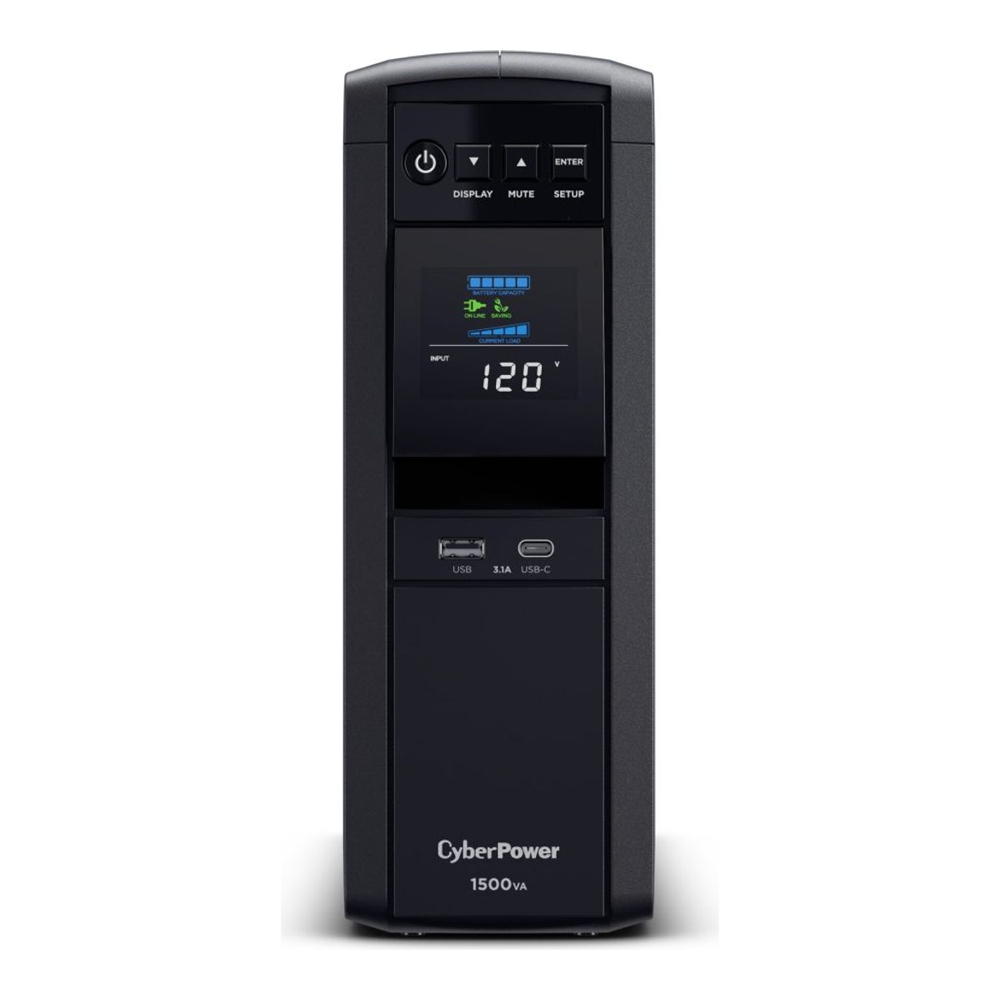
Of its twelve outlets, six are battery plus surge and six are surge only, so a NAS, a switch, and a Proxmox node all get real runtime while the printer and monitor sit on surge protection. A typical homelab drawing 150W will run well past twenty minutes, which is far more than the minute or two you actually need to trigger a clean shutdown.
Who it’s for: anyone running a tower NAS or one or two homelab mini PCs under about 500W. It is the safe default. Skip it if: you need rack mounting, or you want a UPS with a hot-swappable battery and a network management card.
2. APC Back-UPS Pro BR1500MS2: best value pure sine
If you would rather be in the APC ecosystem, the Back-UPS Pro BR1500MS2 is the one to get. It is genuine pure sine wave, Active PFC compatible, rated 1500VA/900W, and adds USB-A and USB-C charging ports on the front for phones and small devices. It works with NUT’s usbhid-ups driver, which is the route we recommend over APC’s older apcupsd (more on that below).
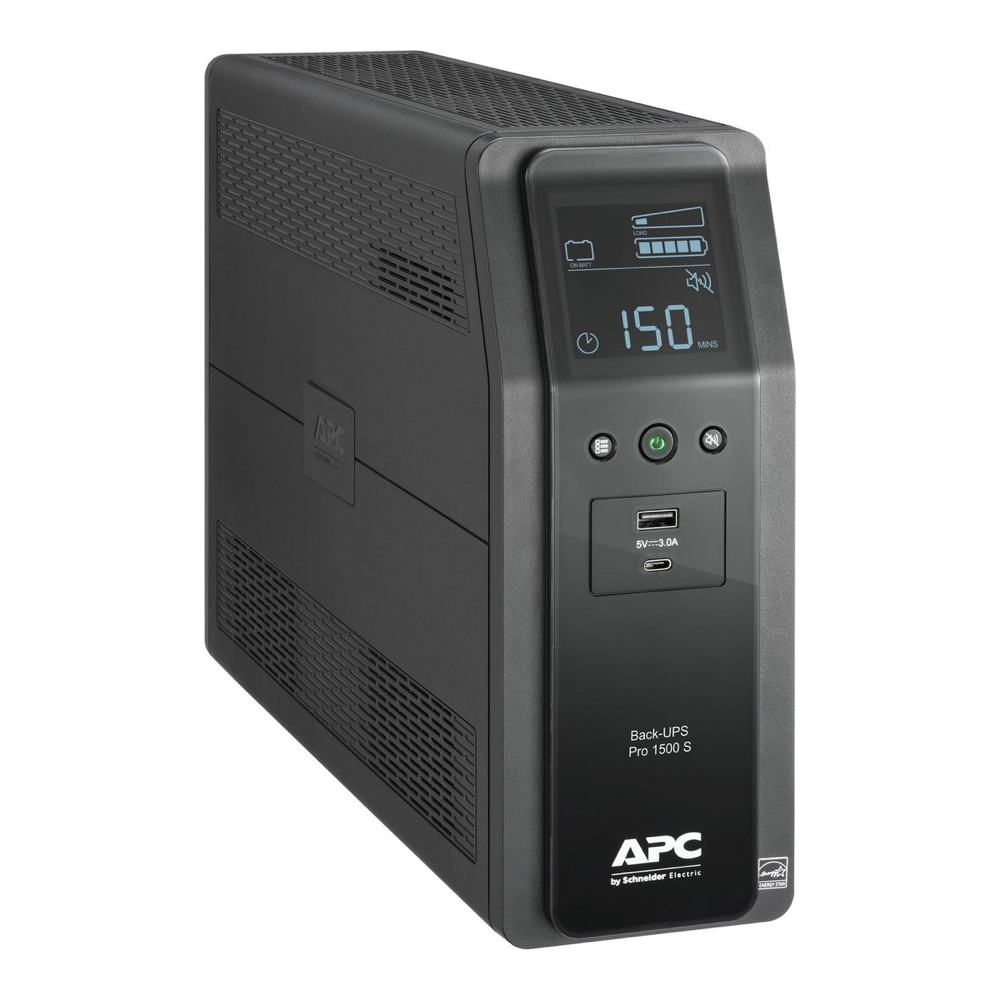
At 900W its real-power headroom is a touch lower than the CyberPower, which is irrelevant for a 150W to 300W homelab load and only matters if you are powering something hungry. Ten outlets split six battery-backed and four surge-only.
Who it’s for: buyers who trust the APC name and want pure sine without paying Smart-UPS money. Skip it if: you need more than 900W of real output, or you want a serial port or a management-card slot.
3. APC Smart-UPS SMT1500C: best for a serious rack or cluster
The Smart-UPS is a different class of machine. It is line-interactive and pure sine like the others, but it is built to be serviced: hot-swap batteries, a SmartSlot for a network management card, SmartConnect cloud monitoring, and the longest runtime of any 1500VA unit here (well over an hour at a light homelab load). If a UPS is protecting a small cluster you cannot afford to lose, this is the one.
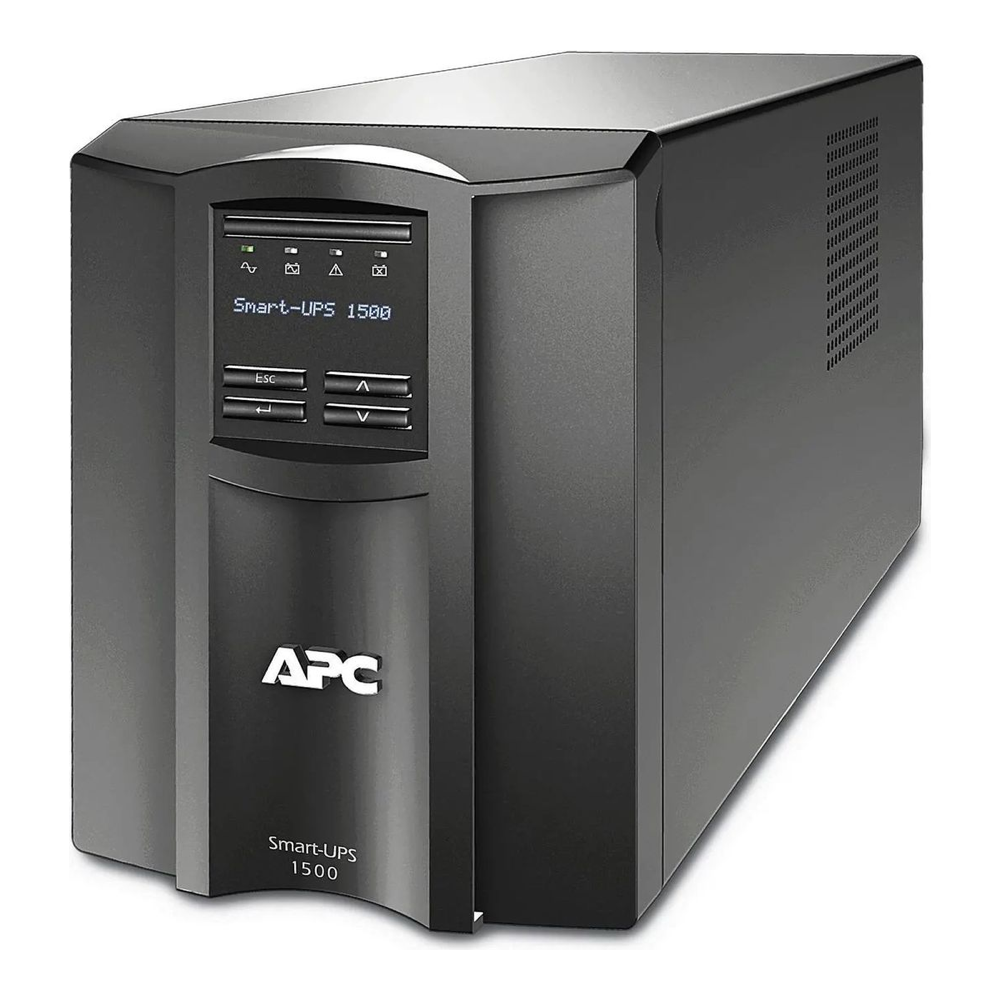
One honest caveat on the name: this is a line-interactive UPS, not an online double-conversion unit. That is the right topology for a homelab, but do not buy it expecting true online conversion. Over USB it drives NUT’s usbhid-ups driver; with a network management card you can monitor it over the network with snmp-ups instead.
Who it’s for: a serious rack or a multi-node cluster where long runtime and a serviceable, network-managed UPS earn their cost. Skip it if: you are price-driven, because it costs two to three times the CyberPower for protection a 150W lab does not strictly need.
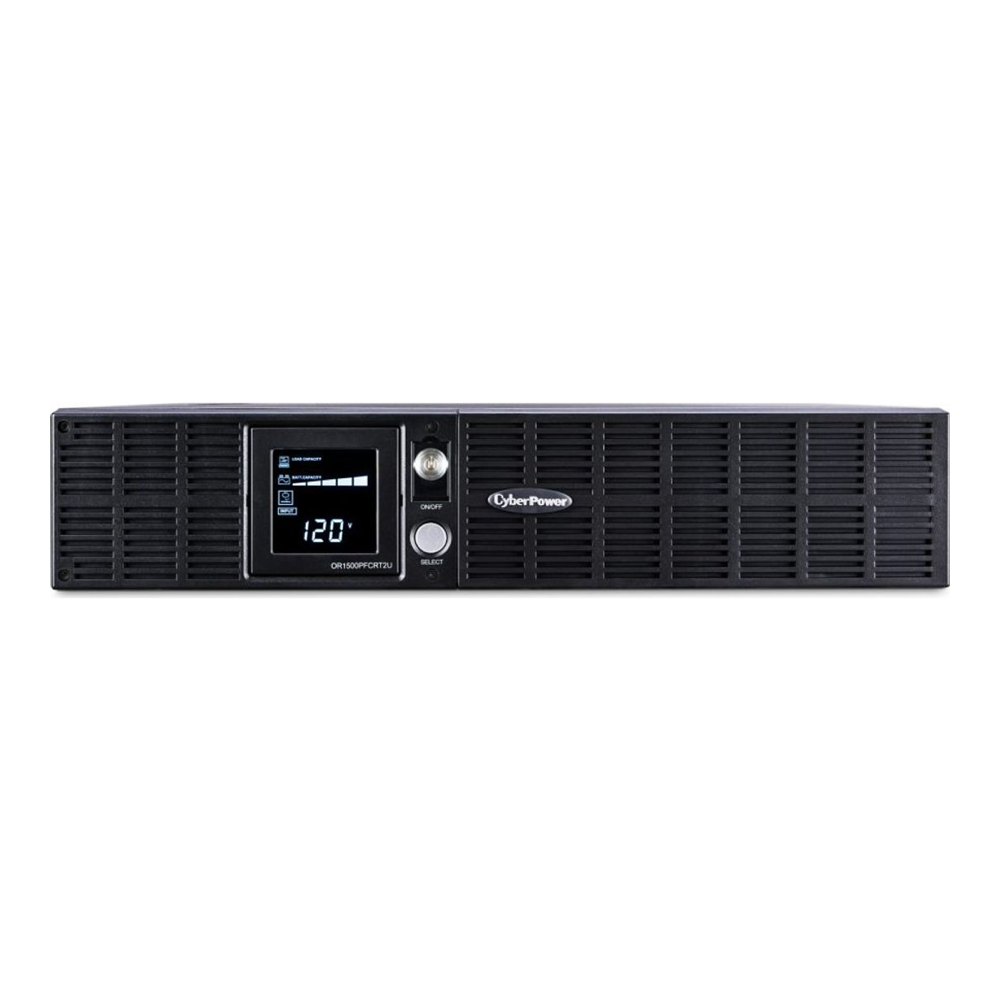
4. CyberPower OR1500PFCRT2U: best rackmount
For a rack, the OR1500PFCRT2U is the value pick. It is a 2U pure sine wave unit rated 1500VA/1050W (the most real watts of the CyberPower line here), it converts between rack and tower with the included hardware, and it uses the same usbhid-ups path we tested. Eight outlets, all battery-backed.
If you want maximum watts in 2U and do not mind paying more, the Tripp Lite SMART1500RM2U pushes 1350W of pure sine in the same height and accepts an optional SNMP card, but it is an older design with fewer outlets in the battery group. For most racks the CyberPower is the better buy.
Who it’s for: anyone with a rack who wants pure sine without Smart-UPS pricing. Skip it if: the UPS sits next to your desk, because rack units have audible charger and fan noise.
5. CyberPower CP1000PFCLCD: best budget for a single NAS
A four-bay NAS plus a 2.5GbE switch rarely draws more than 150W, and for that the CP1000PFCLCD is plenty. It is the same pure sine wave family as the flagship, rated 1000VA/600W, with the LCD and the USB-HID interface NUT expects, at a noticeably lower price.
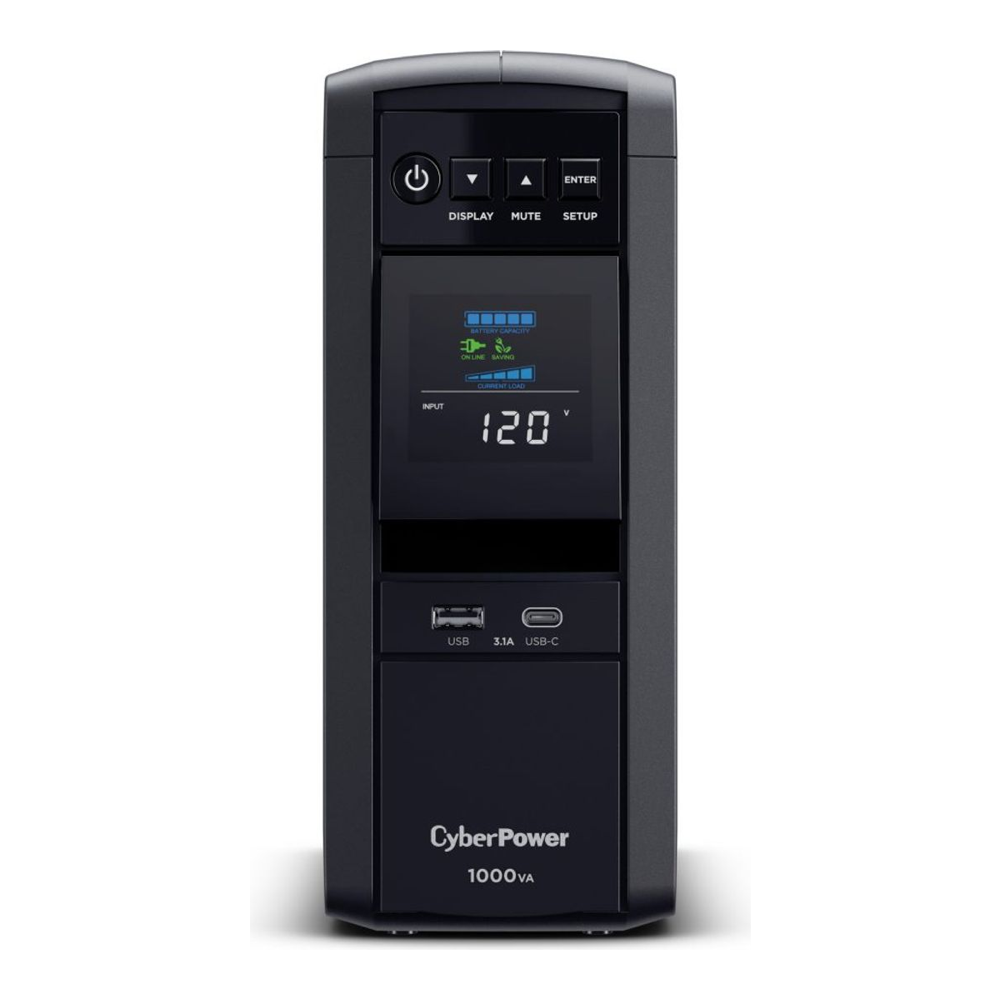
The trade-off versus the 1500VA unit is runtime headroom. At 600W of real output there is less margin if you later add a second box, so size it for the NAS it protects today and step up if your lab grows.
Who it’s for: a single NAS plus a switch on a budget, still getting pure sine for the NAS’s PFC power supply. Skip it if: you run a cluster, or you want a long runtime buffer.
6. CyberPower CP850PFCLCD: best for a low-draw NAS or network shelf
The smallest pick is for the loads people forget to protect: a two-bay NAS, a mini PC, the router and switch on a networking shelf. The CP850PFCLCD is 850VA/510W, pure sine, with the same LCD and USB monitoring, usually the cheapest unit here.
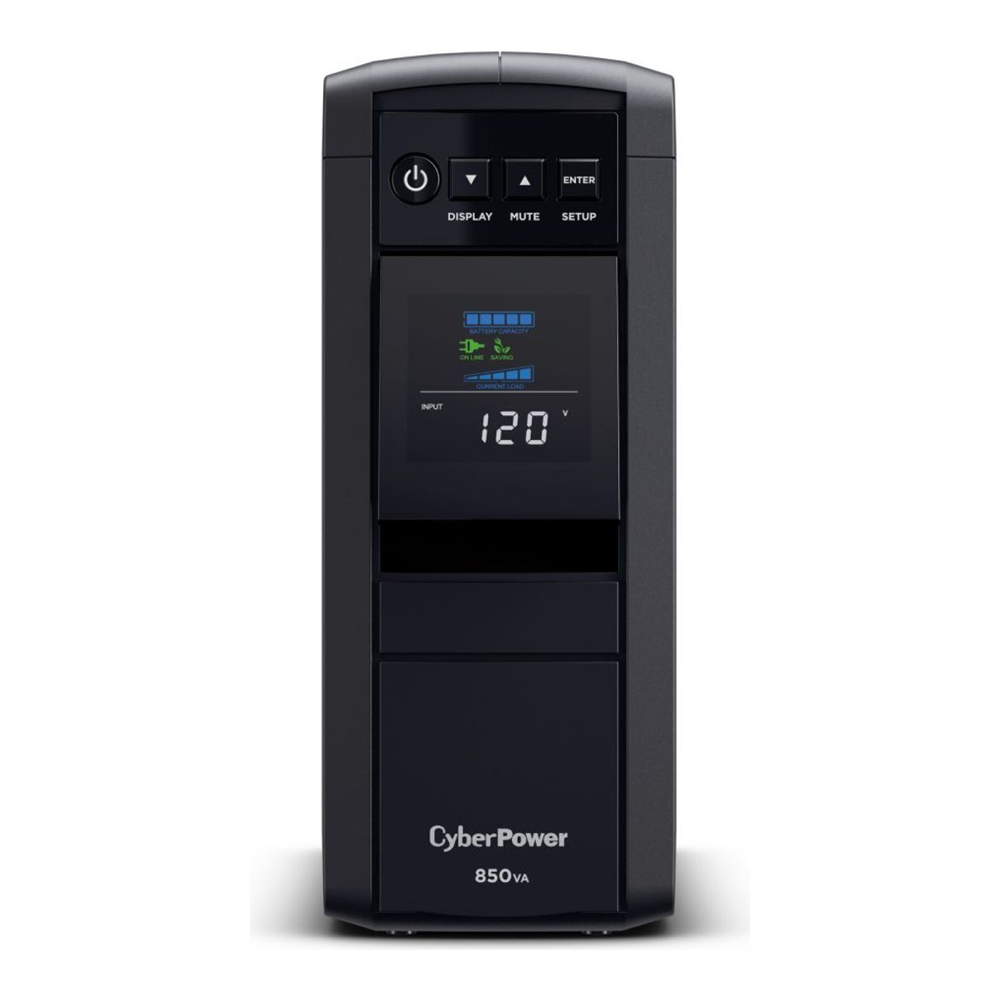
Keep the load light. At 510W its margin is thin, so this is a single-low-draw-device unit, not something to hang a power-hungry server on. For what it does, it is hard to beat on price while staying pure sine.
Who it’s for: a mini PC, a two-bay NAS, or networking gear drawing under about 150W. Skip it if: your total load is anywhere near 400W or you want a management card.
Set up graceful shutdown with NUT (the part that saves your data)
Buying the UPS is half the job. The other half is making the server act on it. Network UPS Tools is the standard on Linux, and it has one feature a single-machine tool cannot match: the box with the USB cable can tell every other machine in the lab to shut down too. Here is the setup we ran on Debian 13, which is also what a Proxmox node uses.
Install the server and client packages. On Debian, Ubuntu, or Proxmox:
sudo apt update
sudo apt install -y nut-server nut-client
On RHEL, Rocky, AlmaLinux, or Fedora the package is just nut via dnf install -y nut. Next, tell NUT about the UPS. Open the driver config:
sudo vim /etc/nut/ups.confAdd a section for the UPS. Almost every CyberPower and APC USB unit uses the usbhid-ups driver, and port = auto finds it without you hunting for a device path:
[cps]
    driver = usbhid-ups
    port = auto
    desc = "Homelab UPS"
Run NUT as a network server so other nodes can subscribe to this UPS later. Open the mode file:
sudo vim /etc/nut/nut.confSet a single line:
MODE=netserverCreate a monitoring account. Open the users file:
sudo vim /etc/nut/upsd.usersDefine a user that upsmon will log in as. Change the password to your own:
[monuser]
    password = ChangeThisPassword
    upsmon primary
Now wire up the monitor itself, which is the piece that decides when to pull the plug gracefully. Open its config:
sudo vim /etc/nut/upsmon.confPoint it at the UPS and tell it what to run on a forced shutdown. The MONITOR line uses the same user and password you just set:
MONITOR cps@localhost 1 monuser ChangeThisPassword primary
MINSUPPLIES 1
SHUTDOWNCMD "/sbin/shutdown -h +0"
POLLFREQ 5
POLLFREQALERT 5
Start both services and confirm NUT can see the UPS:
sudo systemctl restart nut-server nut-monitor
upsc cps
You should get the live status back, with the model, battery charge, current load, and a status of OL for online:

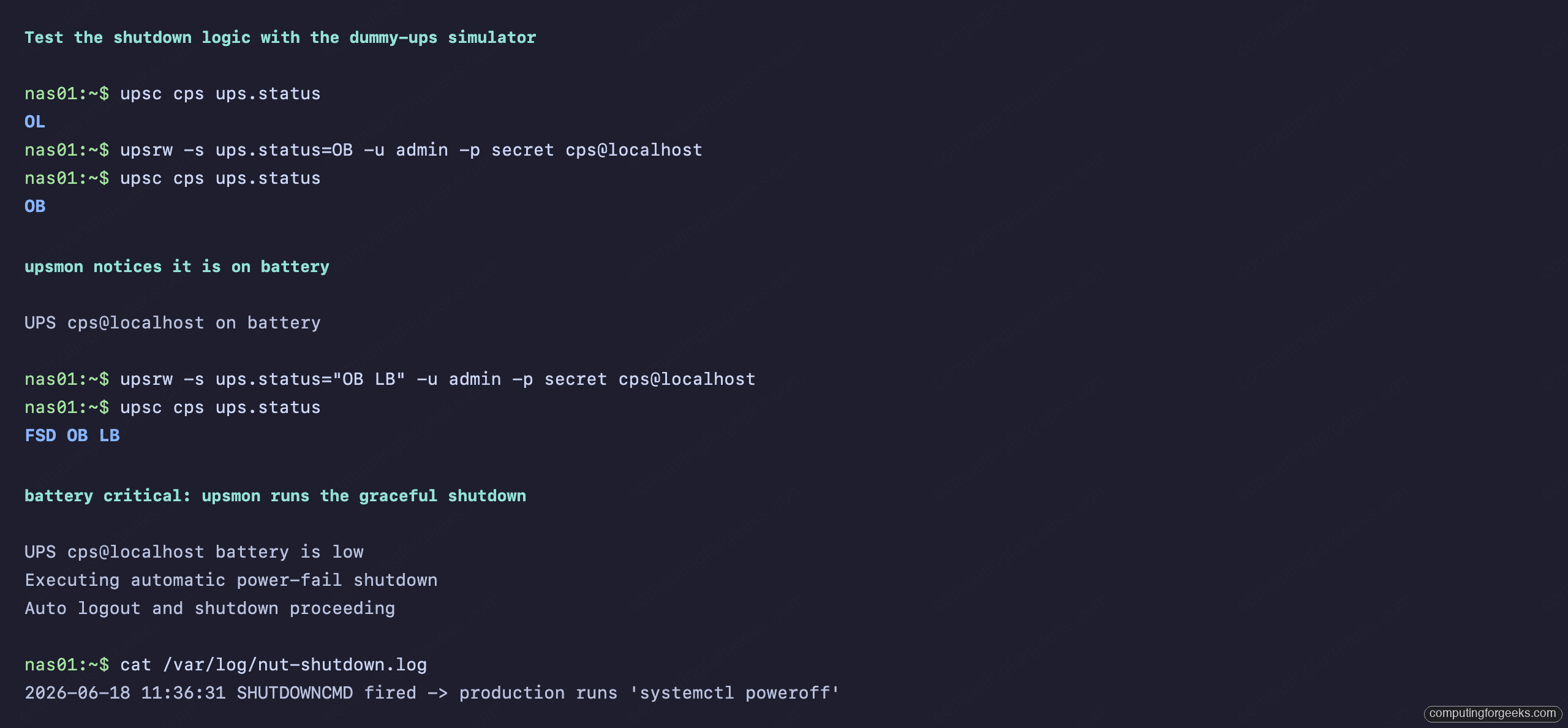
Here is the trick that separates a working setup from one that only looks like it works: test the shutdown logic before a real outage instead of during one. NUT ships a dummy-ups driver that simulates a UPS, so you can flip it to “on battery” and then “low battery” and watch upsmon react, all without touching your real power. In our lab the moment the simulated battery went critical, upsmon logged the on-battery and low-battery events and ran the shutdown command exactly as configured (we pointed it at a log file so the test box stayed up for the screenshot; on a real server it runs your SHUTDOWNCMD, the shutdown -h +0 line above):
For a cluster, this is where NUT earns its place. The node with the USB cable stays as the primary above. First, on that primary, add a LISTEN 0.0.0.0 3493 line to /etc/nut/upsd.conf and open TCP port 3493, because upsd binds to localhost only by default and the other nodes get a connection refused without it. Every other Proxmox or TrueNAS box then runs only upsmon in secondary mode, pointing its MONITOR line at the primary’s IP instead of localhost. On a low-battery event the secondaries disconnect and shut down first, the primary waits for them, then shuts down last and signals the UPS to cut power. One UPS, one USB cable, the whole lab protected. If you are still planning the storage side of that lab, our guide to the best NAS for home and Plex and the DIY NAS build with TrueNAS or Unraid pair naturally with this.
What to look for when buying a UPS
The picks above cover most situations, but if you are comparing other models, these are the axes that decide it.
Pure sine wave, always, for a server. This is the one to not compromise on. Avoid the units sold as “simulated”, “stepped”, or “approximated” sine wave for anything with an Active PFC power supply, which is every modern server and NAS. The popular APC Back-UPS BX1500M and the CyberPower CP1500AVRLCD3 are both simulated-sine units per their own spec pages, and the Eaton 5S1500LCD is widely reported as one too (Eaton does not publish its waveform, so confirm it before buying). They are fine for a lamp or a basic desktop, but a PFC supply can shut down the instant they switch to battery. Every pick on this page is pure sine for exactly this reason.
Size by watts, not VA. A “1500VA” unit usually delivers only 900W to 1050W of real power because of its power factor. Since a homelab or NAS typically draws 150W to 300W, even a 600W unit has huge headroom. Add up the real wattage of the gear you want on battery, then pick a unit with comfortable margin. The watt rating mostly governs the brief surge case and how long the battery lasts.
Runtime is a calculator, not a spec. The “10 minutes” on the box is at half load. Use the manufacturer’s runtime calculator with your actual watt draw. You do not need an hour; you need enough to trigger and complete a clean shutdown, which is usually two to five minutes. Long runtime only matters if you want the lab to ride through short outages without shutting down at all.
Confirm NUT support. Every pick here uses the usbhid-ups driver, which is the most widely supported path and what TrueNAS and Proxmox expect. Before buying anything off this list, check the model against the official NUT hardware compatibility list. For APC units specifically, use NUT rather than the older apcupsd; NUT is actively maintained and lets multiple machines monitor one UPS, and you should never run both daemons on the same box.
Batteries are consumable. Every UPS battery degrades and needs replacing every three to five years. Tower units like the CyberPowers use sealed packs you swap yourself; the Smart-UPS uses a hot-swappable cartridge you can replace without dropping the load. Factor a replacement into the long-term cost, and test your runtime once a year so you are not surprised by a battery that has quietly died.
Which one to pick
For most homelabs, the CyberPower CP1500PFCLCD is the answer: pure sine, 1000W, the cleanest NUT integration, and the price is right. Drop to the CP1000PFCLCD if you are protecting a single NAS and want to spend less, or the CP850PFCLCD for a low-draw shelf. Put it in a rack and the OR1500PFCRT2U is the same idea in 2U. Spend up to the APC Smart-UPS SMT1500C only when long runtime, a hot-swap battery, and a network management card genuinely matter, such as a cluster you cannot afford to lose. Whichever you buy, spend the twenty minutes to wire up NUT and run the dummy-ups test, because the UPS that does not shut your server down cleanly is just an expensive surge strip. Once the power side is sorted, the right NAS drives and a tuned ZFS pool layout are what your clean shutdown is protecting.