Static inventory files work until you have more than a handful of servers. Once VMs spin up and down in Proxmox, instances launch in AWS, or containers scale in Kubernetes, maintaining a text file of hostnames becomes a losing game. Dynamic inventory solves this by querying your infrastructure directly and building the host list at runtime.
This guide covers three approaches: the Proxmox inventory plugin (tested against a real 3-node cluster), a Python script-based inventory for custom sources, and the AWS EC2 plugin configuration. We test on Rocky Linux 10.1 with Ansible 13.5.0 (ansible-core 2.20.4) and the community.proxmox 1.6.0 collection. For static inventory basics, see the Ansible inventory management guide.
Tested April 2026 on Rocky Linux 10.1, ansible-core 2.20.4, community.proxmox 1.6.0, Proxmox VE 8.x cluster
Prerequisites
You need:
- Ansible installed on a control node (Install Ansible on Rocky Linux 10 / Ubuntu 24.04)
- For Proxmox: API access to a Proxmox VE cluster with an API token
- Python
proxmoxerlibrary:pip3 install proxmoxer requests - The
community.proxmoxcollection:ansible-galaxy collection install community.proxmox
How Dynamic Inventory Works
Instead of a static inventory.ini file, Ansible accepts an inventory source that returns JSON in a specific format. This source can be a YAML plugin config file or an executable script. At runtime, Ansible calls the source, gets back a list of hosts with their groups and variables, and proceeds as if you’d written it all by hand.
The key difference: static inventory is a snapshot that goes stale. Dynamic inventory reflects reality every time you run a playbook.
Proxmox Dynamic Inventory Plugin
The community.proxmox.proxmox plugin queries the Proxmox API and discovers all VMs and containers across your cluster. It auto-groups hosts by node, type (QEMU/LXC), and running status.
Create an API Token
Generate a dedicated API token on your Proxmox node. This avoids using your root password in config files:
pveum user token add root@pam ansible-inventory --privsep=0The output provides the token ID and secret value:
┌──────────────┬──────────────────────────────────────┐
│ key          │ value                                │
╞══════════════╪══════════════════════════════════════╡
│ full-tokenid │ root@pam!ansible-inventory           │
├──────────────┼──────────────────────────────────────┤
│ value        │ 6c4de701-024e-446d-aa3b-xxxxxxxxxxxx │
└──────────────┴──────────────────────────────────────┘
Save the token secret. You won’t be able to retrieve it again from Proxmox. The --privsep=0 flag gives the token the same permissions as the user (root in this case). For production, create a dedicated user with read-only access to /vms instead.
Configure the Inventory Plugin
Create a file ending in .proxmox.yml or .proxmox.yaml. The filename suffix is how Ansible recognizes it as a Proxmox inventory source:
vi inventory.proxmox.ymlAdd the plugin configuration:
---
plugin: community.proxmox.proxmox
url: https://10.0.1.3:8006
user: root@pam
token_id: ansible-inventory
token_secret: 6c4de701-024e-446d-aa3b-xxxxxxxxxxxx
validate_certs: false
want_proxmox_nodes_ansible_host: false
want_facts: true
Set validate_certs: false if your Proxmox instance uses a self-signed certificate (common in homelab and internal environments). In production with proper certificates, set this to true.
Test the Discovery
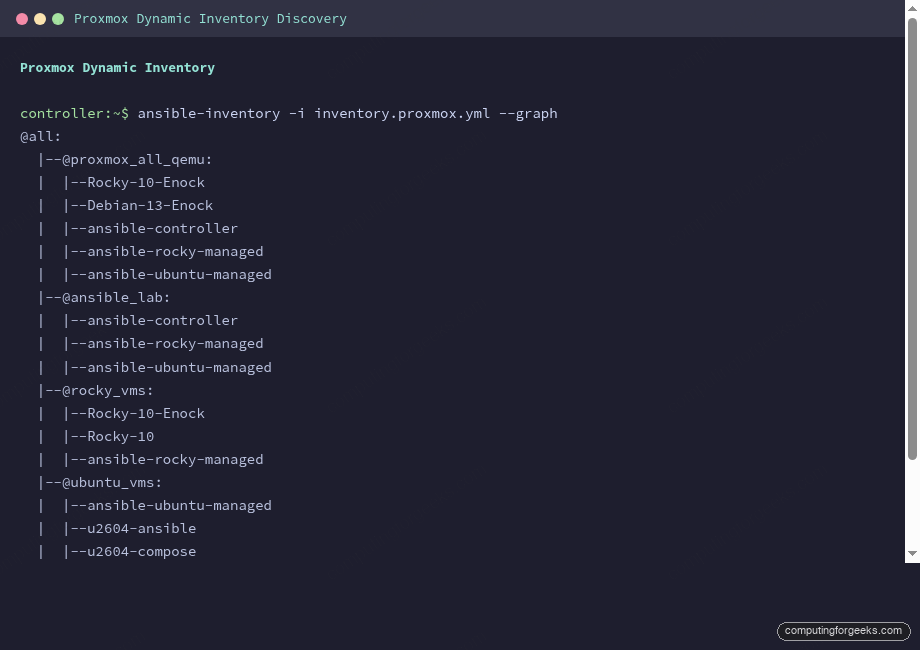
Verify the plugin discovers your VMs with ansible-inventory --graph:
ansible-inventory -i inventory.proxmox.yml --graphThe output shows every VM across the cluster, automatically grouped by Proxmox node, type, and status:
@all:
  |--@proxmox_all_qemu:
  |  |--Rocky-10-Enock
  |  |--Debian-13-Enock
  |  |--ansible-controller
  |  |--ansible-rocky-managed
  |  |--ansible-ubuntu-managed
  |--@proxmox_all_running:
  |  |--Rocky-10-Enock
  |  |--Debian-13-Enock
  |  |--ansible-controller
  |  |--ansible-rocky-managed
  |  |--ansible-ubuntu-managed
  |--@proxmox_nodes:
  |  |--pve01
  |  |--pve02
  |  |--pve03
  |--@proxmox_pve02_qemu:
  |  |--Rocky-10-Enock
  |  |--ansible-controller
  |  |--ansible-rocky-managed
  |--@proxmox_pve01_qemu:
  |  |--ansible-ubuntu-managed
Without writing a single line of inventory, Ansible now knows about every VM in the cluster. VMs that get created or destroyed are automatically included or excluded on the next run.
Custom Groups with the groups Parameter
The auto-generated groups (proxmox_all_qemu, proxmox_pve01_qemu) are useful but generic. The groups parameter lets you create meaningful groups based on VM names or other Proxmox attributes:
---
plugin: community.proxmox.proxmox
url: https://10.0.1.3:8006
user: root@pam
token_id: ansible-inventory
token_secret: 6c4de701-024e-446d-aa3b-xxxxxxxxxxxx
validate_certs: false
want_facts: true

# Custom groups based on VM name patterns
groups:
  ansible_lab: "'ansible' in proxmox_name"
  rocky_vms: "'Rocky' in proxmox_name or 'rocky' in proxmox_name"
  ubuntu_vms: "'ubuntu' in proxmox_name or 'u2604' in proxmox_name"

# Set ansible_host from cloud-init IP config
compose:
  ansible_host: proxmox_ipconfig0.ip | default(omit)
Now the inventory includes your custom groups alongside the auto-generated ones:
  |--@ansible_lab:
  |  |--ansible-controller
  |  |--ansible-rocky-managed
  |  |--ansible-ubuntu-managed
  |--@rocky_vms:
  |  |--Rocky-10-Enock
  |  |--Rocky-10
  |  |--ansible-rocky-managed
  |--@ubuntu_vms:
  |  |--ansible-ubuntu-managed
  |  |--u2604-ansible
  |  |--u2604-compose
The compose section sets ansible_host from the cloud-init IP configuration stored in Proxmox. This means Ansible knows how to reach each VM without you specifying IPs anywhere.
Script-Based Dynamic Inventory
When no official plugin exists for your infrastructure (a custom CMDB, an internal API, a spreadsheet), you can write a Python script that Ansible calls as an inventory source. The script must support two flags: --list (return all hosts and groups) and --host <hostname> (return vars for one host).
The Inventory Script Format
Create an executable Python script:
vi dynamic_inventory.pyAdd the inventory logic:
#!/usr/bin/env python3
"""Script-based dynamic inventory example."""
import json, sys

def get_inventory():
    return {
        "webservers": {
            "hosts": ["web01", "web02"],
            "vars": {"http_port": 80, "deploy_user": "www-data"}
        },
        "databases": {
            "hosts": ["db01"],
            "vars": {"db_port": 5432, "backup_schedule": "daily"}
        },
        "_meta": {
            "hostvars": {
                "web01": {"ansible_host": "10.0.1.10", "server_role": "primary"},
                "web02": {"ansible_host": "10.0.1.11", "server_role": "secondary"},
                "db01": {"ansible_host": "10.0.1.20", "db_engine": "postgresql"}
            }
        }
    }

if __name__ == "__main__":
    if len(sys.argv) == 2 and sys.argv[1] == "--list":
        print(json.dumps(get_inventory(), indent=2))
    elif len(sys.argv) == 3 and sys.argv[1] == "--host":
        hostvars = get_inventory()["_meta"]["hostvars"]
        print(json.dumps(hostvars.get(sys.argv[2], {}), indent=2))
    else:
        print(json.dumps({"_meta": {"hostvars": {}}}))
Make it executable and test:
chmod +x dynamic_inventory.py
ansible-inventory -i dynamic_inventory.py --graph
Ansible discovers the hosts and groups from the script output:
@all:
  |--@ungrouped:
  |--@webservers:
  |  |--web01
  |  |--web02
  |--@databases:
  |  |--db01
The _meta section with hostvars is critical. Without it, Ansible would call --host for every single host individually, which is slow. Including _meta in the --list response lets Ansible get all host variables in a single call.
In production, replace the hardcoded dictionary with an API call to your CMDB, cloud provider, or service registry. The JSON format stays the same.
AWS EC2 Dynamic Inventory
The amazon.aws.aws_ec2 plugin discovers EC2 instances. Install the collection first:
ansible-galaxy collection install amazon.aws
pip3 install boto3 botocore
Create a file ending in .aws_ec2.yml:
---
plugin: amazon.aws.aws_ec2
regions:
  - eu-west-1
filters:
  instance-state-name: running
  "tag:Environment": production

keyed_groups:
  - key: tags.Role
    prefix: role
  - key: placement.availability_zone
    prefix: az

compose:
  ansible_host: private_ip_address
The keyed_groups parameter creates Ansible groups from EC2 tags. An instance tagged Role: webserver in eu-west-1a would appear in both role_webserver and az_eu_west_1a groups. The compose section sets ansible_host to the private IP, which works when your Ansible controller runs inside the same VPC.
Combining Static and Dynamic Inventory
Ansible can use multiple inventory sources simultaneously. Point it at a directory containing both static and dynamic sources:
mkdir -p inventory/
cp inventory.ini inventory/static.ini
cp inventory.proxmox.yml inventory/
ansible-inventory -i inventory/ --graph
Or specify multiple sources on the command line:
ansible-playbook -i inventory.ini -i inventory.proxmox.yml deploy.ymlHosts from all sources are merged. If the same hostname appears in both static and dynamic inventories, variables from both sources are combined using the standard variable precedence rules.
Debugging Dynamic Inventory
Three commands for troubleshooting inventory issues:
Show the full group tree:
ansible-inventory -i inventory.proxmox.yml --graphDump all variables for a specific host:
ansible-inventory -i inventory.proxmox.yml --host ansible-controllerExport the complete inventory as JSON (useful for comparing expected vs actual):
ansible-inventory -i inventory.proxmox.yml --list --exportIf a host isn’t appearing, check that the plugin can reach the API endpoint, the token has sufficient permissions, and the host meets any filter criteria you defined.
Quick Reference
| Inventory Type | File Convention | When to Use |
|---|---|---|
| Proxmox plugin | *.proxmox.yml | Proxmox VE clusters |
| AWS EC2 plugin | *.aws_ec2.yml | AWS EC2 instances |
| GCP plugin | *.gcp.yml | Google Compute Engine |
| Azure plugin | *.azure_rm.yml | Azure VMs |
| Script | Executable file | Custom APIs, CMDBs |
| Static | *.ini or *.yml | Small, stable environments |
For the complete Ansible learning path, see the Ansible Automation Guide. Dynamic inventory works especially well with Ansible roles and Jinja2 templates for fully automated infrastructure that adapts as hosts come and go. The Ansible + Proxmox integration guide covers VM provisioning alongside dynamic discovery.