HAProxy sits in front of web servers, API backends, databases, and anything else that benefits from being horizontally scaled. On Ubuntu 26.04 LTS the distribution ships HAProxy 3.2, which is the first long-term stable release with native HTTP/3, improved QUIC support, and a reworked runtime API. This guide builds a working three-box lab on fresh Ubuntu 26.04 VMs: one load balancer, two Nginx backends, and a client that proves round-robin, health checks, failover, and recovery all work end to end.
Every command was run on three newly cloned Ubuntu 26.04 servers (LB, web1, web2). The article covers install, haproxy.cfg configuration, UFW rules, health checks, runtime inspection via the admin socket, and the operational commands you reach for when a backend misbehaves at 2 AM.
Tested April 2026 on Ubuntu 26.04 LTS (Resolute Raccoon), kernel 7.0.0-10, HAProxy 3.2.9, Nginx 1.28.3
Prerequisites
Three Ubuntu 26.04 LTS servers on the same subnet. In this guide the LB sits at 192.168.1.189 (lb.c4geeks.local), web1 at 192.168.1.185, and web2 at 192.168.1.157. All three were cloned from a fresh cloud image with root SSH and UFW in its default state. If you are starting from scratch, follow the initial server setup first.
Set FQDNs and reusable shell variables
Pin a role-based hostname on every box so logs and haproxy show stat output makes sense later:
# On the LB
sudo hostnamectl set-hostname lb.c4geeks.local

# On web1
sudo hostnamectl set-hostname web1.c4geeks.local

# On web2
sudo hostnamectl set-hostname web2.c4geeks.local
Define backend IPs and the LB port once. All subsequent commands reference them:
export LB_IP="192.168.1.189"
export WEB1_IP="192.168.1.185"
export WEB2_IP="192.168.1.157"
export LB_PORT="80"
export STATS_PORT="8404"
Install Nginx on both backends
On each backend, install Nginx and write a distinct index page. The unique content is essential for confirming that round-robin is actually switching between servers, not just returning identical bytes from a cache:
# Run this on web1
sudo apt-get update
sudo apt-get install -y nginx
echo '<html><body><h1>Hello from web1 (192.168.1.185)</h1></body></html>' | sudo tee /var/www/html/index.html
sudo systemctl enable --now nginx

# Run this on web2
sudo apt-get update
sudo apt-get install -y nginx
echo '<html><body><h1>Hello from web2 (192.168.1.157)</h1></body></html>' | sudo tee /var/www/html/index.html
sudo systemctl enable --now nginx
Confirm each backend answers locally before putting them behind the LB:
curl -s http://192.168.1.185/
curl -s http://192.168.1.157/
Install HAProxy on the load balancer
HAProxy 3.2 is in the 26.04 main archive, so no PPA or third-party repo is needed:
sudo apt-get update
sudo apt-get install -y haproxy
haproxy -v | head -1
The shipped version on 26.04:
HAProxy version 3.2.9-1ubuntu2 2026/02/24 - https://haproxy.org/Configure haproxy.cfg with frontend, backend, and stats
Back up the default config and write a fresh one. The layout below defines a global block, sensible defaults, an HTTP frontend, a round-robin backend with Layer 7 health checks, and a separate listen section for the runtime stats page:
sudo cp /etc/haproxy/haproxy.cfg /etc/haproxy/haproxy.cfg.orig
sudo tee /etc/haproxy/haproxy.cfg > /dev/null <<CONF
global
    log /dev/log    local0
    log /dev/log    local1 notice
    chroot /var/lib/haproxy
    stats socket /run/haproxy/admin.sock mode 660 level admin
    stats timeout 30s
    user haproxy
    group haproxy
    daemon

defaults
    log     global
    mode    http
    option  httplog
    option  dontlognull
    option  forwardfor
    option  http-server-close
    timeout connect 5s
    timeout client  30s
    timeout server  30s
    errorfile 503 /etc/haproxy/errors/503.http

frontend http_front
    bind *:${LB_PORT}
    default_backend web_backend

backend web_backend
    balance roundrobin
    option httpchk GET /
    http-check expect status 200
    server web1 ${WEB1_IP}:80 check inter 2s fall 3 rise 2
    server web2 ${WEB2_IP}:80 check inter 2s fall 3 rise 2

listen stats
    bind *:${STATS_PORT}
    stats enable
    stats uri /stats
    stats refresh 10s
    stats admin if TRUE
CONF
A few notes on the directives. option forwardfor adds the X-Forwarded-For header so backends can log the original client IP rather than the LB. option httpchk GET / plus http-check expect status 200 runs an HTTP GET against each backend every 2 seconds and marks it down after 3 consecutive failures, up after 2 successes. The stats socket lets you drive HAProxy at runtime without restarting.
Validate config with haproxy -c
Never reload HAProxy without running the config checker first. A syntax error takes down the LB and everything behind it:
sudo haproxy -c -f /etc/haproxy/haproxy.cfg
sudo systemctl restart haproxy
sudo systemctl is-active haproxy
sudo ss -tlnp | grep -E ':(80|8404)'
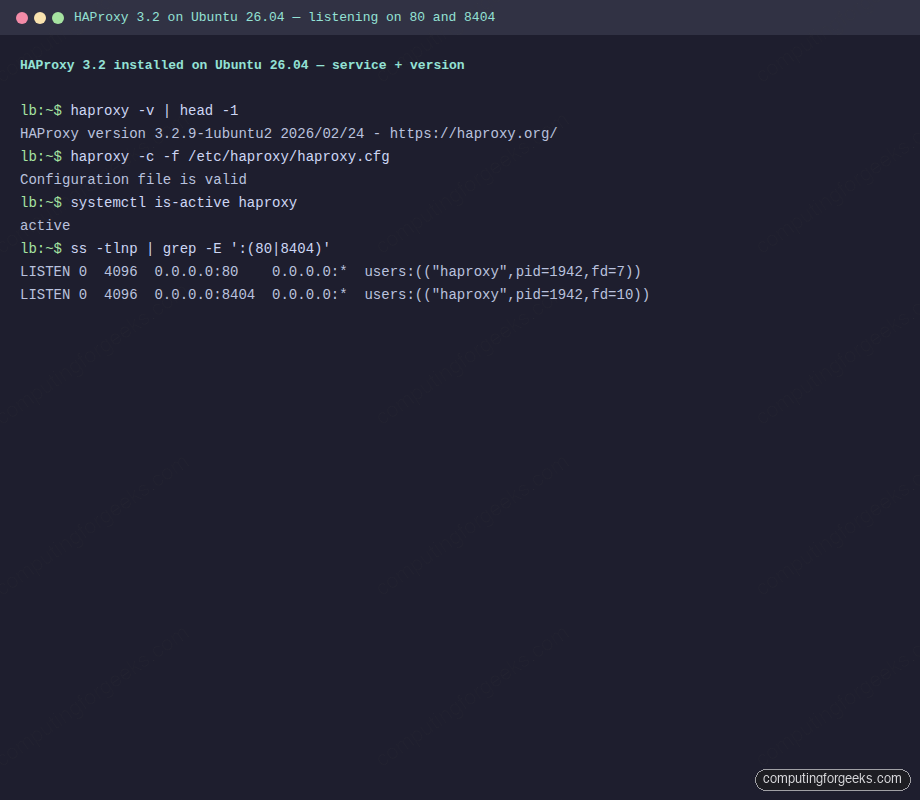
Clean output on a working LB shows “Configuration file is valid”, the service active, and HAProxy listening on both 80 and 8404:
Configuration file is valid
active
LISTEN 0  4096  0.0.0.0:80    0.0.0.0:*  users:(("haproxy",pid=1942,fd=7))
LISTEN 0  4096  0.0.0.0:8404  0.0.0.0:*  users:(("haproxy",pid=1942,fd=10))
Running terminal capture on the LB VM showing both listeners active and the config check passing:
Open UFW firewall ports
The host firewall needs to pass 80 (HTTP) and 8404 (stats). Lock down 8404 to your admin subnet in production; it exposes live operational data:
sudo ufw allow 22/tcp
sudo ufw allow 80/tcp
sudo ufw allow 8404/tcp
sudo ufw --force enable
sudo ufw status numbered | head -8
If you prefer source-IP restrictions, use sudo ufw allow from 192.168.1.0/24 to any port 8404 instead of the open rule.
Verify round-robin from the client
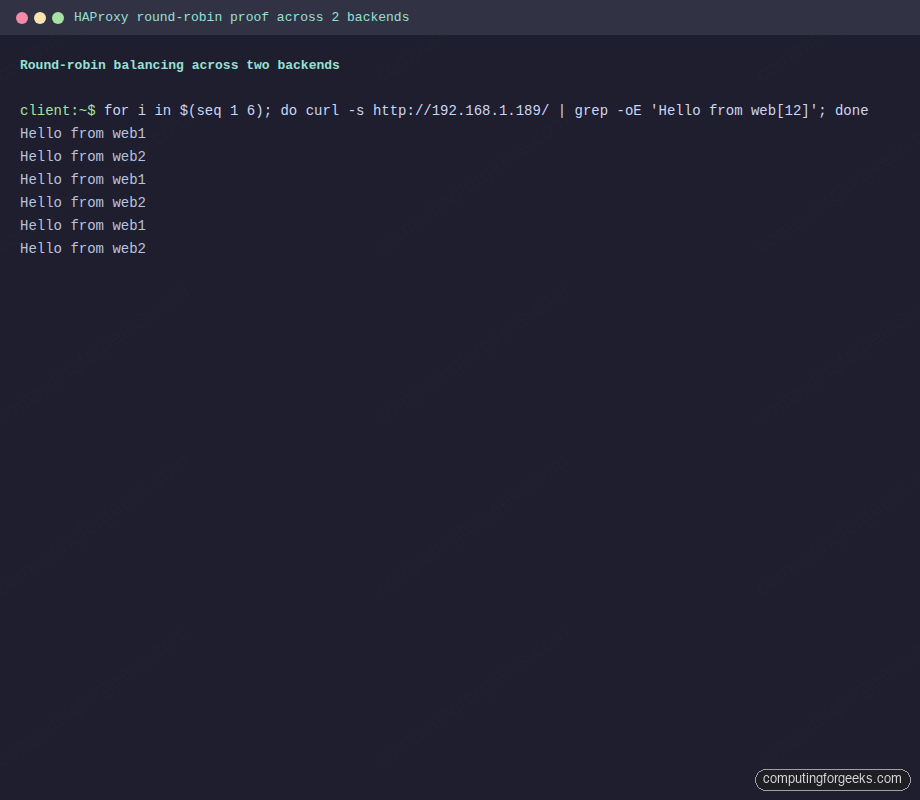
Six back-to-back requests from a client should alternate between web1 and web2. This is the single most important proof that the LB is doing its job:
for i in $(seq 1 6); do
  curl -s http://192.168.1.189/ | grep -oE 'Hello from web[12] \([^)]+\)'
done
Clean round-robin on a two-backend pool produces exactly this pattern. If you see the same backend three or more times in a row, either the balance mode is wrong or one backend is down:
Hello from web1 (192.168.1.185)
Hello from web2 (192.168.1.157)
Hello from web1 (192.168.1.185)
Hello from web2 (192.168.1.157)
Hello from web1 (192.168.1.185)
Hello from web2 (192.168.1.157)
Real terminal output from six consecutive curl requests hitting the LB:
Test health-check failover and recovery
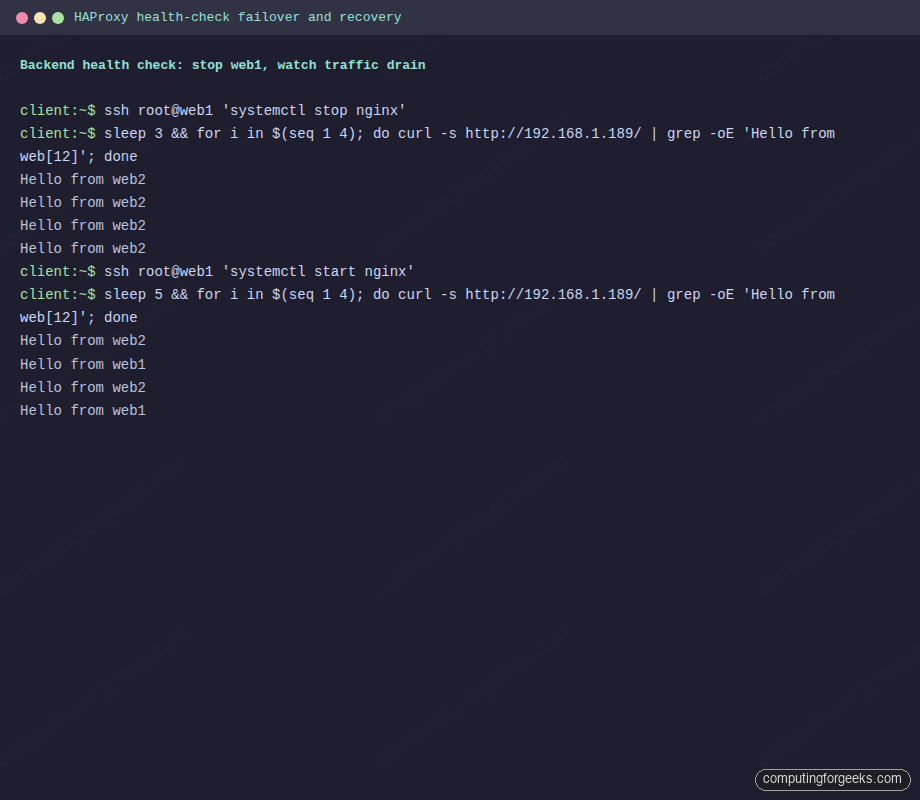
Knock web1 offline and watch HAProxy drain it. With fall 3 inter 2s, failover takes about 6 seconds:
ssh [email protected] 'systemctl stop nginx'
sleep 3
for i in $(seq 1 4); do
  curl -s http://192.168.1.189/ | grep -oE 'Hello from web[12] \([^)]+\)'
done
Every request now lands on web2 because HAProxy marked web1 DOWN after the health checks failed:
Hello from web2 (192.168.1.157)
Hello from web2 (192.168.1.157)
Hello from web2 (192.168.1.157)
Hello from web2 (192.168.1.157)
Bring web1 back and watch it rejoin:
ssh [email protected] 'systemctl start nginx'
sleep 5
for i in $(seq 1 4); do
  curl -s http://192.168.1.189/ | grep -oE 'Hello from web[12] \([^)]+\)'
done
After rise 2 successful health checks (4 seconds), web1 is back in the pool and round-robin resumes:
Hello from web2 (192.168.1.157)
Hello from web1 (192.168.1.185)
Hello from web2 (192.168.1.157)
Hello from web1 (192.168.1.185)
Drain, recovery, and automatic return captured from the client VM:
Inspect runtime state via the admin socket
The admin socket is the operator’s primary interface. Install socat and query live server state without restarting HAProxy:
sudo apt-get install -y socat
echo 'show servers state' | sudo socat stdio /run/haproxy/admin.sock
echo 'show stat' | sudo socat stdio /run/haproxy/admin.sock | cut -d, -f1,2,18 | head -5
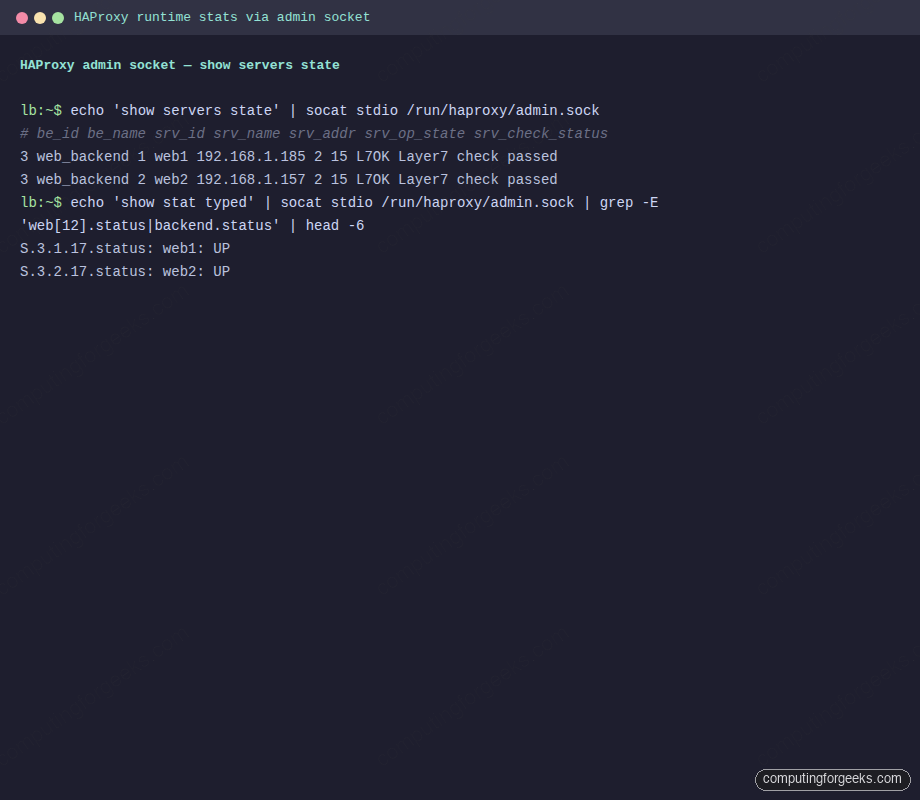
The first command lists every server with its operational state, check result, and health counters. The second returns the familiar HAProxy CSV with one line per object and the status column in position 18. Both should show L7OK and UP for the two backends:
3 web_backend 1 web1 192.168.1.185 2 0 1 1 30 15 3 4 6 0 0 0 - 80 - 0 0
3 web_backend 2 web2 192.168.1.157 2 0 1 1 30 15 3 4 6 0 0 0 - 80 - 0 0
# pxname,svname,status
http_front,FRONTEND,OPEN
web_backend,web1,UP
web_backend,web2,UP
web_backend,BACKEND,UP
Live runtime inspection via the admin socket, rendered as a terminal screenshot:
Drain a backend for maintenance without editing the config file:
echo 'disable server web_backend/web1' | sudo socat stdio /run/haproxy/admin.sock
echo 'enable server web_backend/web1' | sudo socat stdio /run/haproxy/admin.sock
The web stats page at http://192.168.1.189:8404/stats shows the same data in a browser, with live colours and historical counters. Load it in any browser on the trusted subnet and the frontend, backend, and per-server rows all render in green when healthy:
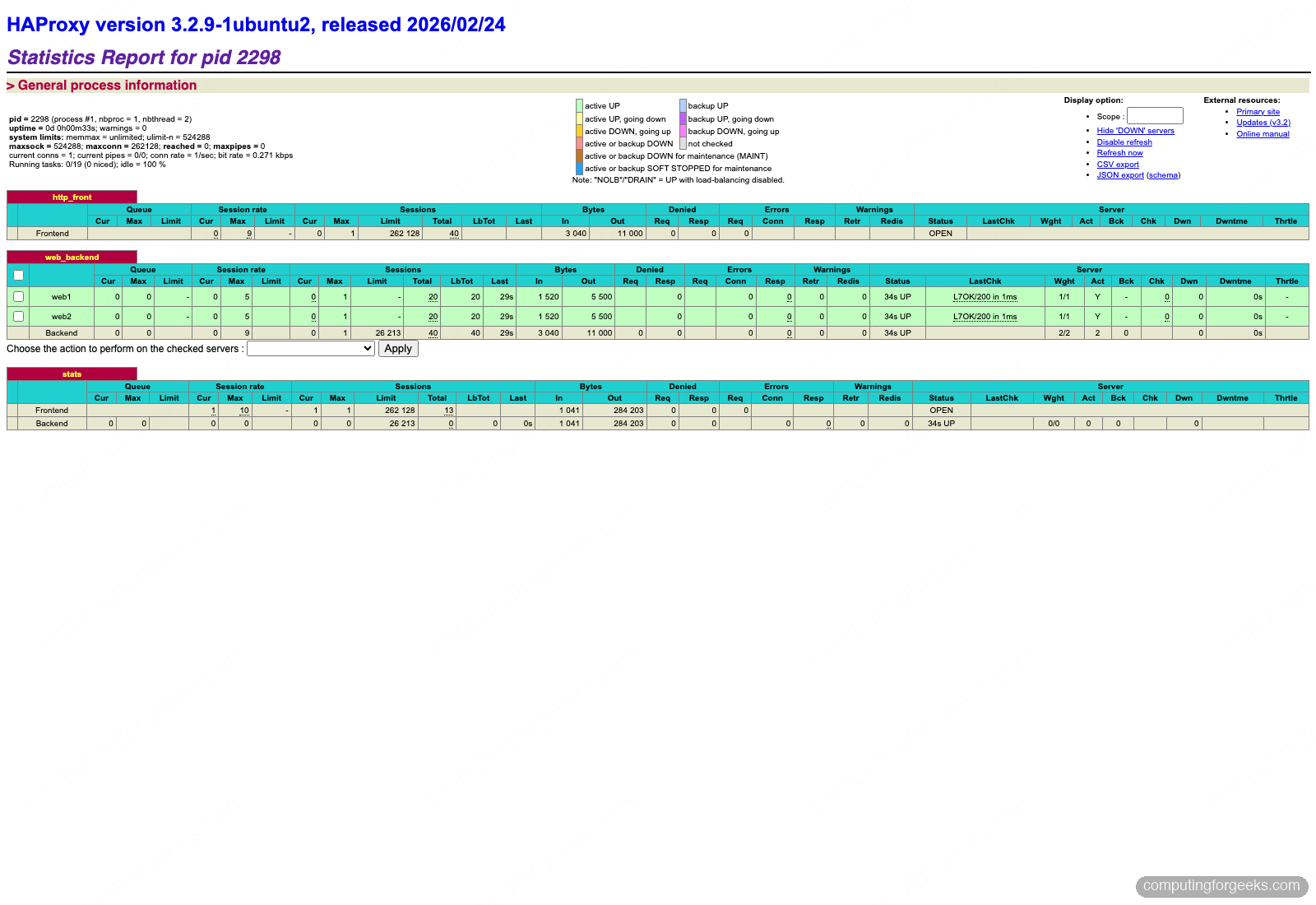
In the captured run, forty total requests were balanced exactly 20/20 across web1 and web2, both backends report L7OK/200 in 1ms, and the stats listener itself is also visible at the bottom of the page. The checkbox in front of each server lets you drain or disable it with one click, backed by the same runtime API as the socket commands.
Troubleshoot common HAProxy problems
Error: “parsing [/etc/haproxy/haproxy.cfg:N] : ‘server’ expects server address and port”
A server line is missing its port number or has a typo like server web1 192.168.1.185 check (no port). HAProxy requires HOST:PORT. Fix the line and re-run haproxy -c -f.
Backend always DOWN despite the service being up
Check three things in order. First, the backend is listening on the expected port: ss -tlnp | grep 80 on the backend. Second, the backend responds to the exact check URL: curl -sI http://BACKEND_IP/ should return 200. Third, UFW on the backend allows the LB’s IP: sudo ufw allow from 192.168.1.189 to any port 80. HAProxy’s show stat column 38 shows the last check error message.
Backends see the LB’s IP, not the client’s
Without option forwardfor, HAProxy’s own IP appears in backend access logs. Add the directive to the defaults block or the specific backend. On the Nginx side, configure set_real_ip_from 192.168.1.189; and real_ip_header X-Forwarded-For; so logs show the original client.
Permission denied on /run/haproxy/admin.sock
The socket lives under a systemd-managed tmpfs with mode 660 and group haproxy. Either add your user to the haproxy group or run socat with sudo. Never chmod 666 the socket; it lets any local user disable backends.
503 errors when all backends are actually up
Check journalctl -u haproxy -n 100 for SSL handshake failure, Connection refused, or DNS resolution failure lines. The most common cause is server web1 web1.local:80 resolvers mydns check where the resolvers section is missing. Either hardcode IPs or declare the resolver block.
Once the LB is healthy, harden the host with the Ubuntu 26.04 hardening guide, add tighter UFW rules for the stats port, and plug the stats endpoint into Prometheus scraping using haproxy_exporter so live backend state shows up in Grafana alongside request rates.