

How to install Chromium Browser on 22.04/20.04 Linux Desktop system?. Chromium is an open-source build from Google Chrome source code. Chromium is designed to be fast, safe, and to provide a more stable internet experience to its end users. The only difference from Chrome is that Google adds a number of proprietary features to Chrome like support for additional video formats and codecs. And few other automatic security features.
This guide will show you an how you can install Chromium Browser on your Ubuntu 22.04/20.04 Desktop machine. This guide assumes you have a running Ubuntu 22.04/20.04 machine. If not, check our guide below.
- Install Ubuntu 22.04 – Step by Step With Screenshots
- How To Install Ubuntu 20.04 (Focal Fossa) – Steps With Screenshots
If you’re more interested in Google Chrome installation, refer to this guide:
Install Chromium Browser on Ubuntu 22.04/20.04
You can choose to install Chromium on Ubuntu 22.04/20.04 by downloading a .deb package distributed by Chromium or by using Snap Store. The software center in Ubuntu is powered by Snap.
Launch Ubuntu Software Center from Desktop Search.

Input Chromium in the search box.

Choose the first in the list.. You can later install FFmpeg codes.

Hit Install button in the next screen displayed.

If the installation was successful, a remove button will be displayed.

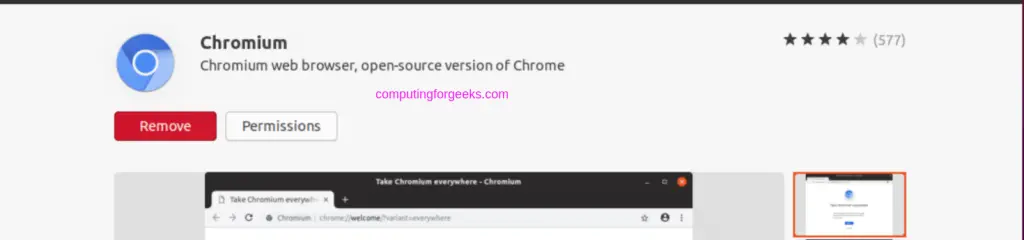
You can then Launch Chromium browser on your Ubuntu machine from Applications menu.

There you have it. Chromium browser has been installed successfully on Ubuntu 22.04/20.04 Linux machine.
More on Ubuntu:
