How do I Install Hadoop and HBase on Ubuntu 22.04|20.04|18.04?. HBase is an open-source distributed non-relational database developed under the Apache Software Foundation. It is written in Java and runs on top of Hadoop File Systems (HDFS). HBase is one of the dominant databases when working with big data since it is designed for a quick read and write access to huge amounts of structured data.
Original content from computingforgeeks.com - post 14212
This is our first guide on the installation of Hadoop and HBase on Ubuntu. It is HBase installation on a Single Node Hadoop Cluster. It is done on a barebone Ubuntu 18.04 virtual machine with 8GB Ram and 4vCPU.
Install Hadoop on Ubuntu 22.04|20.04|18.04
Here are the steps used to install a Single node Hadoop cluster on Ubuntu LTS.
Step 1: Update System
Update your Ubuntu system before starting deployment of Hadoop and HBase.
sudo apt update && sudo apt -y upgrade
Check if a reboot is required.
[ -e /var/run/reboot-required ] && sudo reboot
Step 2: Install Java Runtime
Install Java if it is missing on your Ubuntu system.
sudo apt install -y default-jdk
Validate is Java has been installed successfully.
$ java -version
openjdk version "11.0.20.1" 2023-08-24
OpenJDK Runtime Environment (build 11.0.20.1+1-post-Ubuntu-0ubuntu122.04)
OpenJDK 64-Bit Server VM (build 11.0.20.1+1-post-Ubuntu-0ubuntu122.04, mixed mode, sharing)
Let’s create a separate user for Hadoop so we have isolation between the Hadoop file system and the Unix file system.
sudo adduser hadoop
sudo usermod -aG sudo hadoop
Once the user is added, generate SS key pair for the user.
$ sudo su - hadoop
$ssh-keygen -t rsa
Generating public/private rsa key pair.
Enter file in which to save the key (/home/hadoop/.ssh/id_rsa):
Created directory '/home/hadoop/.ssh'.
Enter passphrase (empty for no passphrase):
Enter same passphrase again:
Your identification has been saved in /home/hadoop/.ssh/id_rsa.
Your public key has been saved in /home/hadoop/.ssh/id_rsa.pub.
The key fingerprint is:
SHA256:mA1b0nzdKcwv/LPktvlA5R9LyNe9UWt+z1z0AjzySt4 hadoop@hbase
The key's randomart image is:
+---[RSA 2048]----+
| |
| o + . . |
| o + . = o o|
| O . o.o.o=|
| + S . *ooB=|
| o *=.B|
| . . *+=|
| o o o.O+|
| o E.=o=|
+----[SHA256]-----+
Add this user’s key to list of Authorized ssh keys.
hadoop@hbase:~$ ssh localhost
The authenticity of host 'localhost (::1)' can't be established.
ED25519 key fingerprint is SHA256:qpSCsEt0HcvNdQ6NnNqQcmwYoEoMQAlJGdIksv9jAJI.
This key is not known by any other names
Are you sure you want to continue connecting (yes/no/[fingerprint])? yes
Welcome to Ubuntu 22.04.3 LTS (GNU/Linux 5.15.0-79-generic x86_64)

......

hadoop@hbase:~$ exit
logout
Connection to localhost closed.
Step 4: Download and Install Hadoop
Check for the most recent version of Hadoop before downloading version specified here. As of this writing, this is version 3.2.1.
Save the recent version to a variable.
RELEASE="3.3.6"
Then download Hadoop archive to your local system.
$ hadoop version
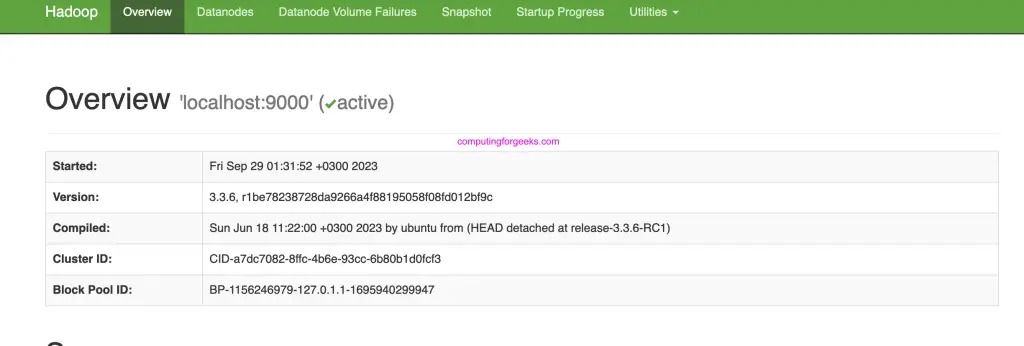
Hadoop 3.3.6
Source code repository https://github.com/apache/hadoop.git -r 1be78238728da9266a4f88195058f08fd012bf9c
Compiled by ubuntu on 2023-06-18T08:22Z
Compiled on platform linux-x86_64
Compiled with protoc 3.7.1
From source with checksum 5652179ad55f76cb287d9c633bb53bbd
This command was run using /usr/local/hadoop/share/hadoop/common/hadoop-common-3.3.6.jar
Step 5: Configure Hadoop
All your Hadoop configurations are located under /usr/local/hadoop/etc/hadoop/directory.
A number of configuration files need to be modified to complete Hadoop installation on Ubuntu.
First edit JAVA_HOME in shell script hadoop-env.sh:
$ sudo vim /usr/local/hadoop/etc/hadoop/hadoop-env.sh
# Set JAVA_HOME - Line 54
export JAVA_HOME=/usr/lib/jvm/java-8-oracle
export JAVA_HOME=$(dirname $(dirname $(readlink $(readlink $(which javac)))))
Then configure:
1. core-site.xml
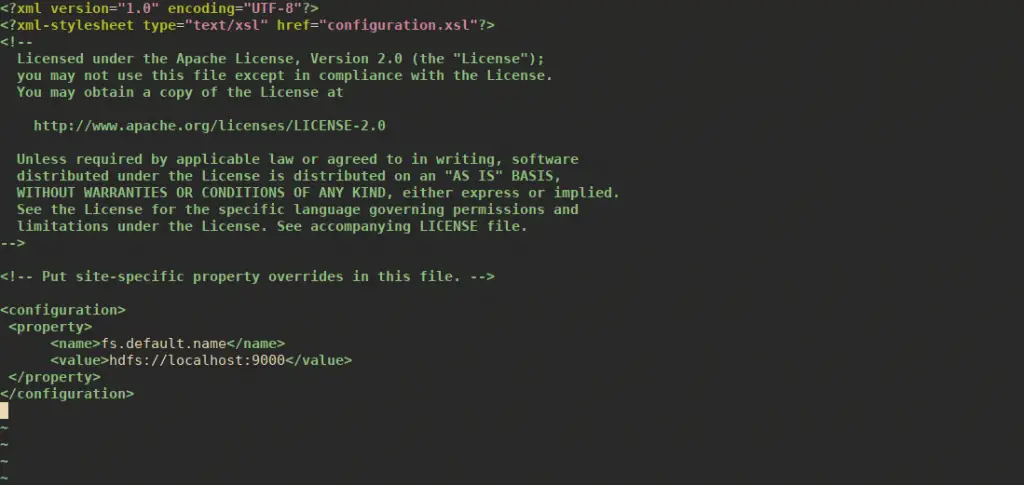
The core-site.xml file contains Hadoop cluster information used when starting up. These properties include:
The port number used for Hadoop instance
The memory allocated for file system
The memory limit for data storage
The size of Read / Write buffers.
Open core-site.xml
sudo vim /usr/local/hadoop/etc/hadoop/core-site.xml
Add the following properties in between the <configuration> and </configuration> tags.
By default, unless you configure the hbase.rootdir property, your data is still stored in /tmp/.
Now start HBase by using start-hbase.sh script in HBase bin directory.
$ sudo su - hadoop
$ start-hbase.sh
running master, logging to /usr/local/HBase/logs/hbase-hadoop-master-hbase.out
Option 2: Install HBase in Pseudo-Distributed Mode (Recommended)
Our value of hbase.rootdir set earlier will start in Standalone Mode. Pseudo-distributed mode means that HBase still runs completely on a single host, but each HBase daemon (HMaster, HRegionServer, and ZooKeeper) runs as a separate process.
To install HBase in Pseudo-Distributed Mode, set its values to:
The HMaster server controls the HBase cluster. You can start up to 9 backup HMaster servers, which makes 10 total HMasters, counting the primary.
The HRegionServer manages the data in its StoreFiles as directed by the HMaster. Generally, one HRegionServer runs per node in the cluster. Running multiple HRegionServers on the same system can be useful for testing in pseudo-distributed mode.
Master and Region Servers can be started and stopped using the scripts local-master-backup.shandlocal-regionservers.sh respectively.
Each HMaster uses two ports (16000 and 16010 by default). The port offset is added to these ports, so using an offset of 2, the backup HMaster would use ports 16002 and 16012
The following command starts 3 backup servers using ports 16002/16012, 16003/16013, and 16005/16015.
local-master-backup.sh start 2 3 5
Each RegionServer requires two ports, and the default ports are 16020 and 16030
The following command starts four additional RegionServers, running on sequential ports starting at 16022/16032 (base ports 16020/16030 plus 2).
local-regionservers.sh start 2 3 4 5
To stop, replace start parameter with stop for each command followed by the offset of the server to stop. Example.
local-regionservers.sh stop 5
Starting HBase Shell
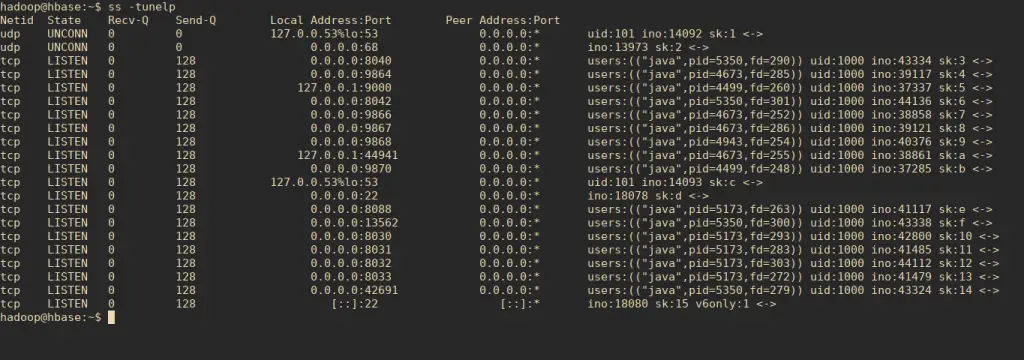
Hadoop and Hbase should be running before you can use HBase shell. Here the correct order of starting services.
start-all.sh
start-hbase.sh
Then use HBase shell.
hadoop@hbase:~$ hbase shell
....
HBase Shell
Use "help" to get list of supported commands.
Use "exit" to quit this interactive shell.
For Reference, please visit: http://hbase.apache.org/2.0/book.html#shell
Version 2.5.5, r7ebd4381261fefd78fc2acf258a95184f4147cee, Thu Jun 1 17:42:49 PDT 2023
Took 0.0024 seconds
hbase:001:0>
Founder of Computingforgeeks. Senior Systems Engineer with over a decade of hands-on experience building and managing production infrastructure. Core expertise in Linux/UNIX administration, cloud platforms (AWS, GCP, Azure), and Kubernetes ecosystems (EKS, GKE, OpenShift). Deep experience with virtualization (KVM, Proxmox, OpenStack), infrastructure as code (Terraform, Terragrunt, Ansible, Crossplane), GitOps workflows (ArgoCD, FluxCD), Nix/NixOS, and container orchestration at scale. Currently focused on integrating AI and LLMs into DevOps and platform engineering workflows. Every guide on this site is tested on real systems before publishing.