

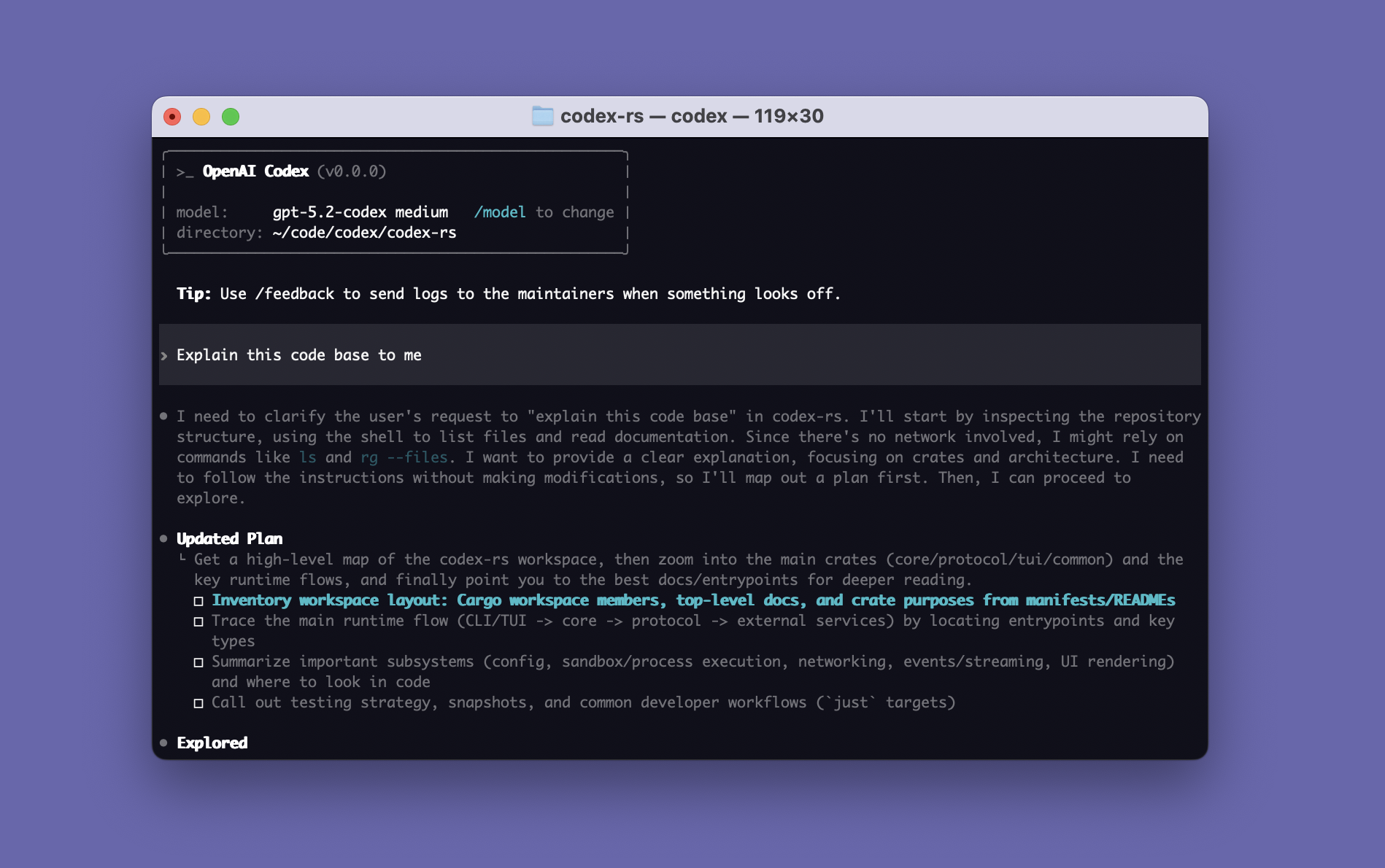
Codex CLI is OpenAI’s terminal-based coding agent. Built in Rust, it reads your codebase, edits files, runs commands, and manages git workflows from the command line. Codex runs with OS-native sandboxing (Seatbelt on macOS, Bubblewrap on Linux) to safely execute commands without risking your system. This cheat sheet covers every command, shortcut, configuration option, and workflow pattern for Codex CLI.
Installation
Install Codex CLI via npm, Homebrew, or direct binary download:
# npm (all platforms)
npm install -g @openai/codex

# Homebrew (macOS)
brew install --cask codex

# Verify
codex --version
Authenticate with your ChatGPT account or API key:
# Browser-based login (default)
codex

# API key login
printenv OPENAI_API_KEY | codex login --with-api-key

# Headless/SSH login
codex login --device-auth
Keyboard Shortcuts
| Shortcut | Action |
|---|---|
Ctrl+C | Cancel current operation (press twice to quit) |
Ctrl+D | Exit Codex (press twice to force quit) |
Ctrl+L | Clear terminal screen |
Ctrl+G | Open prompt in external editor (vim, etc.) |
Enter | During execution – inject new instructions |
Tab | Queue a follow-up prompt while agent is working |
Esc + Esc | Edit your previous message (when composer is empty) |
Esc | Close navigation drawer |
Up/Down | Navigate draft history |
@ | Fuzzy file search – attach files to conversation |
! | Execute local shell command directly |
Slash Commands
Session Management
| Command | What It Does |
|---|---|
/clear | Reset UI and conversation |
/compact | Summarize conversation to free token space |
/new | Start fresh conversation in same session |
/resume | Resume a saved conversation |
/fork | Clone current conversation to new thread |
/copy | Copy latest Codex output to clipboard |
/diff | Display git diff including untracked files |
/status | Show session config and token usage |
/exit / /quit | Exit Codex CLI |
Configuration and Model
| Command | What It Does |
|---|---|
/model | Choose model and reasoning effort level |
/fast | Toggle fast mode for GPT-5.4 |
/permissions | Set what Codex can do without asking |
/theme | Choose syntax highlighting theme |
/personality | Set communication style: friendly, pragmatic, or none |
/statusline | Configure footer status bar items |
/experimental | Toggle experimental features |
/debug-config | Print config layer diagnostics |
Code and Project Tools
| Command | What It Does |
|---|---|
/init | Generate AGENTS.md scaffold with project context |
/review | Code review of working tree changes |
/plan | Switch to plan mode (read-only exploration) |
/mention | Attach files to conversation |
/mcp | List configured MCP tools |
/agent | Switch active agent thread |
/ps | Show background terminals and output |
/feedback | Submit logs to maintainers |
CLI Subcommands
| Command | What It Does |
|---|---|
codex | Start interactive TUI session |
codex exec / codex e | Non-interactive mode (like claude -p) |
codex review | Non-interactive code review |
codex resume | Resume a previous session |
codex fork | Fork a previous session into new thread |
codex apply / codex a | Apply latest diff as git apply |
codex login | Manage authentication |
codex mcp | Manage MCP servers |
codex mcp-server | Run Codex as an MCP server (stdio) |
codex sandbox | Run commands within Codex sandbox |
codex features list | List all feature flags |
codex cloud | Browse and apply Codex Cloud tasks |
codex app | Launch desktop app (macOS) |
codex completion bash | Generate shell completions |
CLI Flags Reference
Core Flags
| Flag | Purpose |
|---|---|
-m, --model <MODEL> | Set model (gpt-5.4, gpt-5.4-mini, gpt-5.3-codex) |
-i, --image <FILE> | Attach image(s) to initial prompt |
-C, --cd <DIR> | Set working root directory |
--add-dir <DIR> | Add writable directories |
-p, --profile <NAME> | Use named config profile |
--search | Enable live web search |
--oss | Use local open-source model (LM Studio/Ollama) |
-c, --config <key=value> | Override config.toml values |
--version | Show version number |
Security and Approval Flags
| Flag | Purpose |
|---|---|
-s, --sandbox <MODE> | Sandbox: read-only, workspace-write, danger-full-access |
-a, --ask-for-approval <MODE> | Approval: untrusted, on-request, never |
--full-auto | Auto-approve within sandbox (on-request + workspace-write) |
--yolo | No sandbox, no approvals (dangerous) |
Non-Interactive (codex exec) Flags
# Run a task non-interactively
codex exec "fix the failing tests"

# Output JSON for scripting
codex exec --json "list all API endpoints"

# Save final response to file
codex exec -o result.txt "summarize the architecture"

# Enforce JSON schema on output
codex exec --output-schema schema.json "extract metadata"

# Resume previous session with follow-up
codex exec resume --last "now add error handling"

# Full-auto mode in CI/CD
codex exec --full-auto "run tests and fix failures"

# Set spending budget
codex exec --full-auto --config model=gpt-5.4-mini "fix linting errors"
Sandbox Modes
Codex uses OS-native sandboxing – Seatbelt on macOS, Bubblewrap on Linux, restricted tokens on Windows:
| Mode | File Access | Network | Use Case |
|---|---|---|---|
| read-only | Read anywhere, no writes | Disabled | Safe exploration, code review |
| workspace-write | Read/write in project dir | Disabled | Normal coding (default for git repos) |
| danger-full-access | Full filesystem access | Enabled | System admin tasks (use with caution) |
Approval Policies
| Policy | Behavior |
|---|---|
| untrusted | Only known-safe read commands auto-approved, everything else prompts |
| on-request | Model decides when to ask (default with –full-auto) |
| never | Never asks – failures returned to model silently |
Common combinations:
# Safe exploration (read-only, always ask)
codex -s read-only -a untrusted

# Normal coding (default for git projects)
codex -s workspace-write -a untrusted

# Full auto (shortcut for workspace-write + on-request)
codex --full-auto

# No safety rails (dangerous)
codex --yolo
Models and Reasoning
| Model | Best For | Speed |
|---|---|---|
| gpt-5.4 | Complex reasoning, architecture, multi-file changes | Slower |
| gpt-5.4-mini | Quick edits, simple tasks, lower cost | Fast |
| gpt-5.3-codex | Specialized coding tasks | Medium |
Reasoning effort levels control how deeply the model thinks:
| Level | Use Case |
|---|---|
minimal | Trivial lookups |
low | Simple questions, quick fixes |
medium | Default – balanced |
high | Complex debugging, architecture |
xhigh | Hardest problems |
Switch with /model in interactive mode or -m gpt-5.4-mini on the command line.
AGENTS.md – Project Instructions
AGENTS.md is Codex’s equivalent of Claude Code’s CLAUDE.md. It provides project-specific instructions loaded at the start of every session.
vi AGENTS.mdExample project instructions:
# My Project

## Build Commands
- Test: `npm test`
- Build: `npm run build`
- Lint: `npm run lint -- --fix`

## Rules
- Use TypeScript strict mode for all new files
- Write unit tests for every new function
- Never commit directly to main branch
- All API endpoints must have OpenAPI docs
Generate one automatically with /init.
Configuration (config.toml)
Codex uses TOML config files. Precedence (highest to lowest): CLI flags, profile values, project config (.codex/config.toml), user config (~/.codex/config.toml), system config (/etc/codex/config.toml), defaults.
vi ~/.codex/config.tomlCommon settings:
# Model and reasoning
model = "gpt-5.4"
model_reasoning_effort = "high"

# Security defaults
sandbox_mode = "workspace-write"
approval_policy = "on-request"

# Personality
personality = "pragmatic"

# Web search
web_search = "cached"

# Performance
service_tier = "fast"

# Developer instructions (like AGENTS.md but in config)
developer_instructions = "Always use TypeScript. Prefer functional patterns."

# MCP servers
[mcp_servers.github]
command = ["npx", "-y", "@modelcontextprotocol/server-github"]

# Named profiles
[profiles.fast]
model = "gpt-5.4-mini"
model_reasoning_effort = "low"
service_tier = "fast"

[profiles.thorough]
model = "gpt-5.4"
model_reasoning_effort = "xhigh"
Use profiles with codex -p fast or codex -p thorough.
MCP Servers
Codex supports MCP for connecting to external tools. Configure in ~/.codex/config.toml:
# STDIO transport (local process)
[mcp_servers.github]
command = ["npx", "-y", "@modelcontextprotocol/server-github"]
enabled = true
startup_timeout_sec = 30

# HTTP transport (remote server)
[mcp_servers.remote-db]
url = "https://my-mcp-server.example.com"
Codex can also run as an MCP server itself:
codex mcp-serverSkills System
Skills extend Codex with reusable task-specific capabilities. They are scanned from multiple locations:
.agents/skills/– project-level (checked into git)~/.codex/skills/or~/.agents/skills/– personal/etc/codex/skills/– system-wide
Invoke skills with $skill-name in the composer, or create new ones with $skill-creator.
Execution Policy Rules
Define fine-grained rules for what commands Codex can run. Rules use Starlark format in ~/.codex/rules/:
vi ~/.codex/rules/default.rulesExample rules:
prefix_rule(
    pattern = ["git", "push"],
    decision = "forbidden",
    justification = "No direct pushes - use PR workflow"
)

prefix_rule(
    pattern = ["rm", "-rf"],
    decision = "prompt",
    justification = "Destructive operation needs confirmation"
)
Test rules before applying:
codex execpolicy check --pretty -- git push origin mainEnvironment Variables
| Variable | Purpose |
|---|---|
CODEX_HOME | Override config directory (default: ~/.codex) |
CODEX_API_KEY | API key for non-interactive/CI use |
OPENAI_API_KEY | OpenAI API key (alternative) |
CODEX_CA_CERTIFICATE | Custom CA cert for corporate proxies |
CODEX_THREAD_ID | Current thread ID (injected into subprocesses) |
HTTPS_PROXY | HTTP proxy for corporate networks |
Non-Interactive Code Review
# Review uncommitted changes
codex review --uncommitted

# Review against a branch
codex review --base main

# Review a specific commit
codex review --commit abc123
File Structure Reference
# User-level (personal, all projects)
~/.codex/
  config.toml            # Global settings
  auth.json              # Stored credentials
  rules/                 # Execution policy rules
  skills/                # Personal skills
  themes/                # Custom .tmTheme files
  log/                   # Debug logs

# Project-level (shared with team)
.codex/
  config.toml            # Project settings (trusted projects only)
AGENTS.md                # Project instructions
.agents/
  skills/                # Project skills
Codex CLI vs Claude Code
| Feature | Codex CLI | Claude Code |
|---|---|---|
| Language | Rust | TypeScript |
| Models | GPT-5 family + local OSS | Claude family (Opus, Sonnet, Haiku) |
| Sandbox | OS-native (Seatbelt, Bubblewrap) | Config-based |
| Project config | AGENTS.md + config.toml | CLAUDE.md + settings.json |
| Non-interactive | codex exec | claude -p |
| Code review | Built-in codex review | Via prompt |
| Web search | Built-in (cached/live) | Via MCP |
| Pricing | ChatGPT Plus ($20/mo) or API | Claude Pro ($20/mo) or API |
| Multi-agent | Built-in thread spawning | Subagent tool |
| Execution policy | Starlark rules files | Not available |
| Local models | LM Studio, Ollama | Not supported |
| MCP | Client and server | Client only |
For multi-provider support beyond OpenAI, consider OpenCode which supports 75+ providers, or Aider which excels at git-native workflows with automatic commits for every change.
Practical Workflow Tips
Start Every Project Right
codex
/init
This generates an AGENTS.md with your project’s build commands, test setup, and conventions.
Use Profiles for Different Workflows
# Quick fix - fast model, low reasoning
codex -p fast "fix the typo in README"

# Deep architecture work - powerful model, max reasoning
codex -p thorough "redesign the auth module"
CI/CD Integration
# Fix failing tests automatically
codex exec --full-auto "run tests and fix all failures"

# Code review in CI
codex review --base main --json > review-results.json

# Generate documentation
codex exec -o docs/api.md "generate API documentation from the source code"
Image Input
# Analyze a screenshot
codex -i screenshot.png "what's wrong with this UI?"

# Multiple images
codex -i before.png,after.png "compare these two designs"
Local Models (No API Key Needed)
# Use with LM Studio
codex --oss --local-provider lmstudio

# Use with Ollama
codex --oss --local-provider ollama
Quick Reference Card
| Action | How |
|---|---|
| Start session | codex |
| Start with prompt | codex "fix the auth bug" |
| Non-interactive | codex exec "query" |
| Resume session | codex resume |
| Full auto mode | codex --full-auto |
| Switch model | /model |
| Plan mode | /plan |
| Code review | codex review --base main |
| Clear context | /clear |
| Compact context | /compact |
| View diff | /diff |
| Check status | /status |
| File mention | @path/to/file |
| Shell command | !ls -la |
| Cancel | Ctrl+C |
| Exit | Ctrl+D |
| Apply last diff | codex apply |
| Web search | codex --search |
| Local model | codex --oss |
| Use profile | codex -p fast |
Conclusion
Codex CLI brings OpenAI’s coding capabilities directly to the terminal with strong sandboxing defaults and flexible configuration. The key patterns: use AGENTS.md for project context, config profiles for different workflows, codex exec for automation, and the built-in sandbox to keep your system safe. For the latest features, check the official Codex CLI repository and OpenAI’s documentation.
Related guides:
