Every Zigbee bulb, sensor, and switch in your house talks to one small radio, and picking that radio is the hardware decision with the longest consequences in a Home Assistant build. Get the Zigbee coordinator right and the mesh just works for years. Get it wrong and you inherit pairing failures, dropped devices, and a migration you did not plan for.
The landscape shifted over the past year: Nabu Casa shipped the Connect ZBT-2 and ended production of the SkyConnect, Zigbee2MQTT’s ember driver matured into the recommended path for Silicon Labs radios, and Ethernet coordinators with PoE went from niche to the homelab default. This roundup compares the five options worth buying for ZHA or Zigbee2MQTT, from a $20 USB dongle to a rack-friendly PoE unit, with every spec checked against the vendor datasheets and every listing loaded live.
Current as of July 2026.
The short list
| Award | Coordinator | Why |
|---|---|---|
| Best overall | Home Assistant Connect ZBT-2 | Official hardware, current-generation MG24 radio, USB-C, first-class support in both ZHA and Zigbee2MQTT |
| Best for Zigbee2MQTT | Sonoff ZBDongle-P | The proven Z-Stack radio the Zigbee2MQTT ecosystem grew up on |
| Best budget | Sonoff ZBDongle-E | Capable Silicon Labs radio at the lowest price, one firmware flash required |
| Best next-gen USB | Sonoff Dongle Plus MG24 | The ZBT-2’s radio generation in a cheaper stick that is actually in stock |
| Best Ethernet/PoE | SMLIGHT SLZB-06 series | Coordinator lives on the network, not on a USB port; one PoE cable does everything |
How we picked
Every chip, firmware, and support claim below comes from the official documentation checked this week: the ZHA integration docs for supported radios and placement guidance, the Zigbee2MQTT adapter guide for what is recommended versus merely supported, and each vendor’s own product pages for hardware specs. Amazon listings were loaded live with a US delivery address; where a listing was dead or marked up by resellers, the guide says so instead of linking it anyway.
No range or throughput numbers are claimed because none were measured for this piece. Transmit power does differ on paper (the Sonoff and SMLIGHT radios are +20 dBm parts, while the ZBT-2 runs 8 to 10 dBm depending on region), but Zigbee range depends on your walls and your router mesh far more than on the coordinator. What separates these picks is the chip family, the connection type, and how well their firmware path is maintained. That is what the rankings weigh.
At a glance
| Spec | ZBT-2 | ZBDongle-P | ZBDongle-E | Dongle Plus MG24 | SLZB-06 series |
|---|---|---|---|---|---|
| Radio chip | Silicon Labs MG24 | TI CC2652P | Silicon Labs MG21 | Silicon Labs MG24 | CC2652P or MG21/MG24 by variant |
| Driver family | EmberZNet | Z-Stack | EmberZNet | EmberZNet | Both, by variant |
| Connection | USB-C | USB-A | USB-A | USB-A | Ethernet + PoE, USB-C fallback |
| Antenna | External | External SMA | External | External | External |
| Thread capable (reflash) | Yes | No | Yes | Yes | M and MG24 variants |
| Works with Z2M ember as shipped | Yes | n/a (Z-Stack) | No, flash first | Yes | Yes (M variants) |
| Price band | ~$49 MSRP | $20 to $40 | $20 to $27 | $20 to $36 | $35 to $55 direct |
1. Home Assistant Connect ZBT-2
If you only pick one, this is it. The ZBT-2 is built by Nabu Casa, the company behind Home Assistant, and buying one funds the project you are running it on.
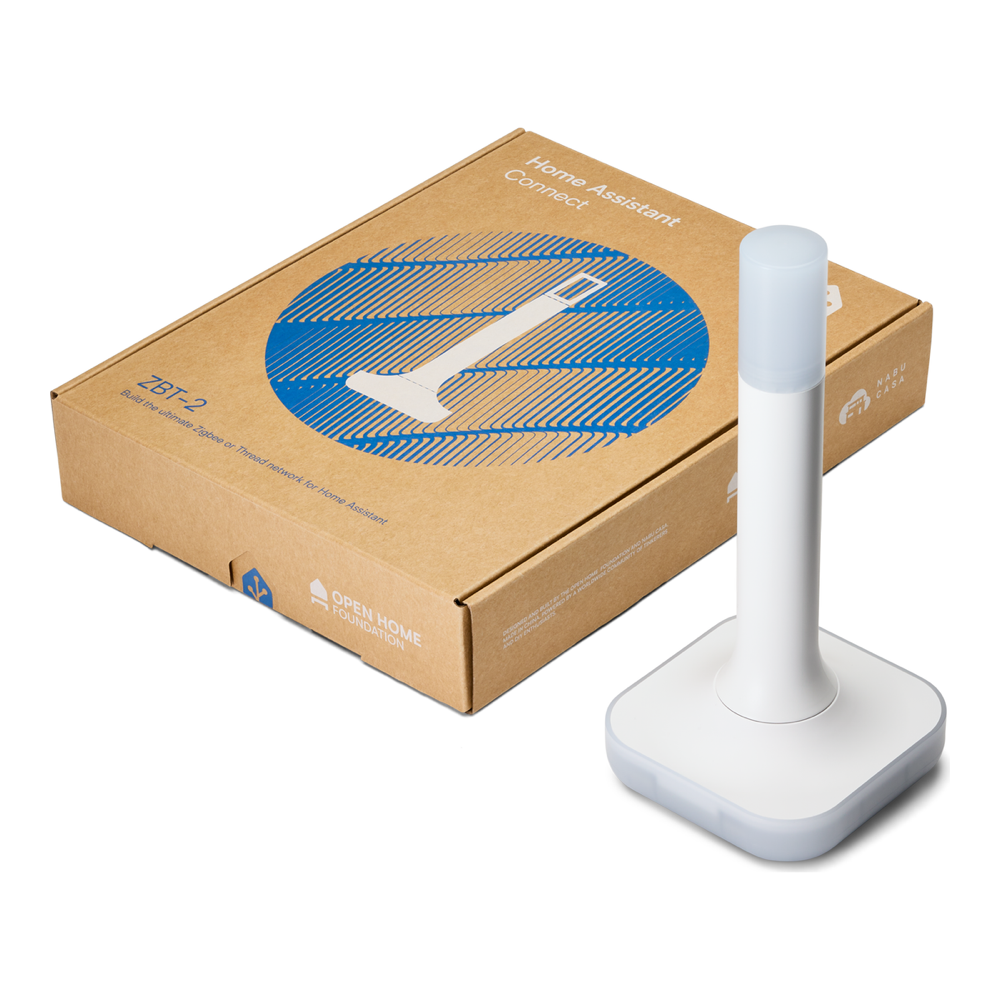
The hardware is current-generation: a Silicon Labs MG24 radio paired with an ESP32-S3 USB bridge, a USB-C port, and an external omnidirectional antenna with a stated peak gain of 4.16 dBi. It replaced the SkyConnect (later renamed Connect ZBT-1), whose production has ended, so this is now the official coordinator going forward. ZHA lists it first among supported radios, and the Home Assistant team reports strong results from Zigbee2MQTT users on the mature ember driver.
One honest framing on the Thread logo: the ZBT-2 runs Zigbee or Thread, not both at once. Nabu Casa’s own guidance is to dedicate one device per protocol, and the old multiprotocol firmware remains officially not recommended. Buy it as a great Zigbee coordinator that can be repurposed for Thread later, never as a two-for-one.
Who it is for: anyone starting fresh or replacing an aging stick who wants the path of least resistance in ZHA and the strongest guarantee of long-term support. Where it falls short: availability. MSRP is $49, but the Amazon listing showed no buy box with a US address when checked for this guide, so buy through the retailer list on the official ZBT-2 page and treat any marked-up third-party listing as a pass.
2. Sonoff ZBDongle-P
The standout for Zigbee2MQTT users, and the safest choice in this list if maximum ecosystem mileage matters more than the newest silicon.
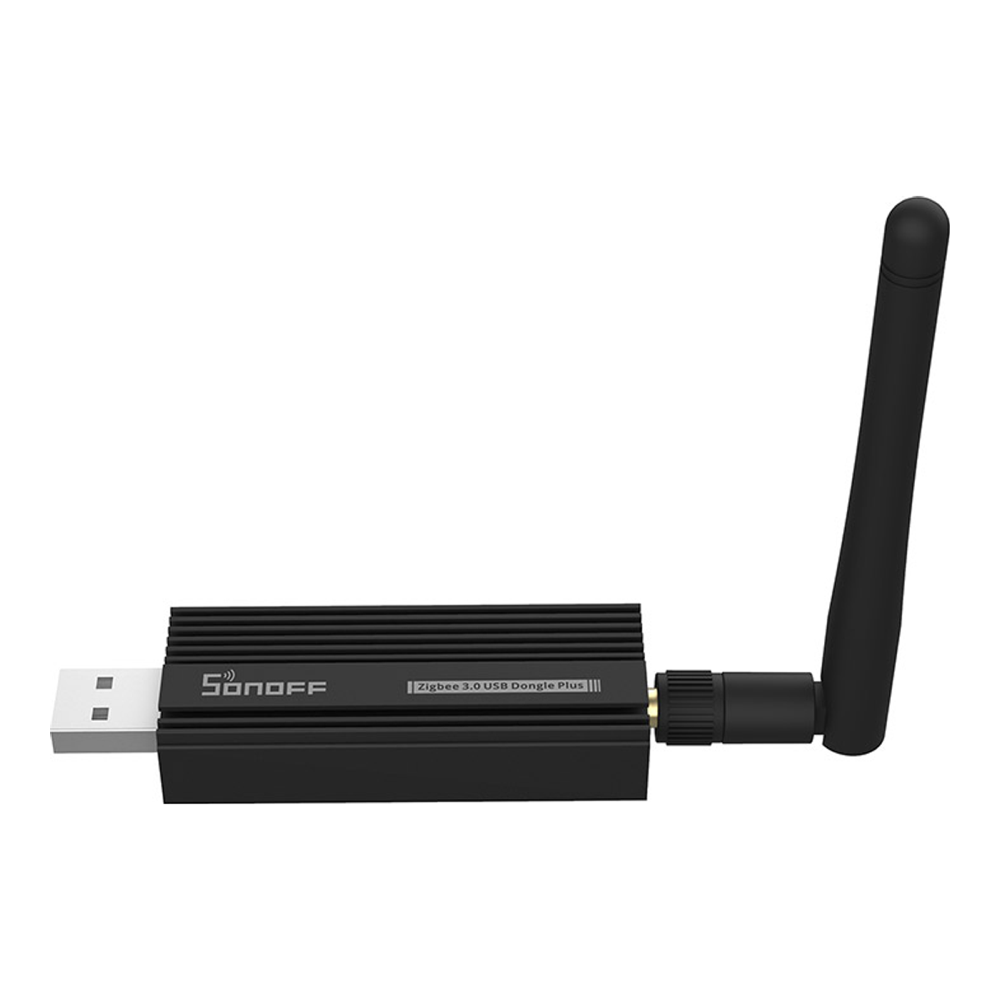
Inside the aluminum shell is a Texas Instruments CC2652P, the chip the Zigbee2MQTT project matured on, driving a detachable SMA antenna. It ships pre-flashed with Z-Stack coordinator firmware, which means it works with Zigbee2MQTT the moment it enumerates, no reflash required. Firmware updates come from the well-maintained Koenkk Z-Stack repository, and ZHA supports the chip just as cleanly. The CC2652P is the chip most large Zigbee2MQTT networks were built on.
Best suited to: Zigbee2MQTT users who want the most proven pairing in the ecosystem, and anyone who values a decade of community debugging over new-generation hardware. Where it falls short: no Thread story at all, and the CC2652P is the oldest silicon here. It listed at $39.99 from the Sonoff brand storefront on Amazon on verify day, roughly double ITEAD’s direct price, so compare before checkout. Check the current price on Amazon.
3. Sonoff ZBDongle-E
The budget pick, with one asterisk you need to know about before it earns the spot.
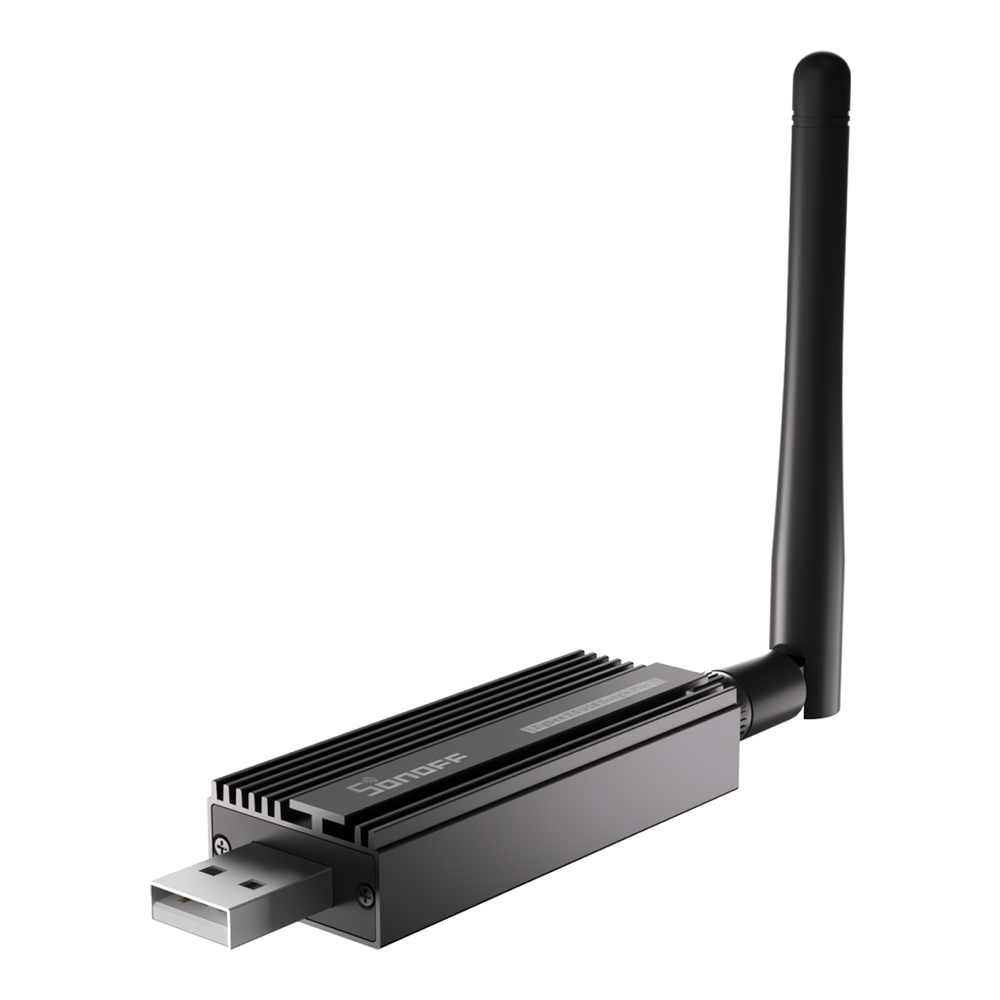
The ZBDongle-E carries a Silicon Labs MG21 radio in a shielded aluminum body with an external antenna. In ZHA it is plug-and-play and explicitly listed as a supported radio. The asterisk is Zigbee2MQTT: units ship with old EmberZNet firmware, and the current ember driver requires a newer release than what is in the box. The fix is a five-minute browser flash through the official Sonoff dongle flasher, done once before first pairing.
Buy it when you are a ZHA user who wants the cheapest solid coordinator, and Zigbee2MQTT users comfortable with one firmware flash. Where it falls short: that mandatory flash makes it the wrong gift for a non-technical household, and skipping the step leaves Zigbee2MQTT on a deprecated driver. It was $26.99 from the Sonoff storefront on verify day, about $20 direct from ITEAD. Check the current price on Amazon.
4. Sonoff Dongle Plus MG24
The newest stick in the roundup, and the practical answer while the ZBT-2 is hard to buy: same radio generation, lower price, in stock.
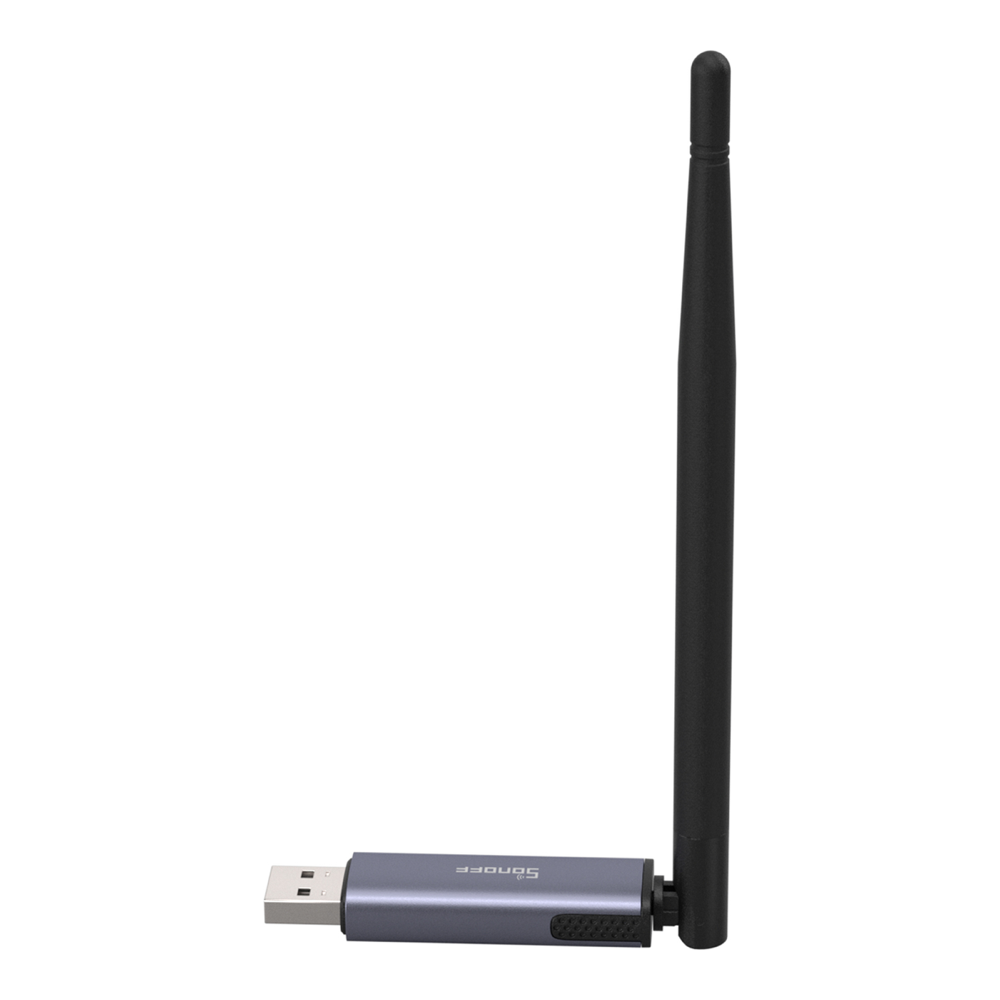
Launched in September 2025, it pairs the same Silicon Labs MG24 family the ZBT-2 uses with double the flash and four times the RAM of the older ZBDongle-E, plus an included USB extension cable. Zigbee2MQTT’s adapter guide lists it among its recommended EmberZNet adapters, and Sonoff publishes Zigbee, OpenThread, and other firmware options for it, so the reflash-later story mirrors the official stick. The same one-protocol-at-a-time rule applies.
The right pick for buyers who want current-generation silicon today without hunting ZBT-2 stock, on either ZHA or Zigbee2MQTT. Where it falls short: it is the youngest product here, so its community track record is measured in months, and ZHA’s documentation does not yet name it individually the way it names the ZBT-2 and ZBDongle-E. It sold for $35.90 from the Sonoff storefront on verify day, with direct prices as low as $20. Check the current price on Amazon.
5. SMLIGHT SLZB-06 series
The homelab favorite, and the pick that changes where the coordinator lives: on the network instead of hanging off the Home Assistant box.
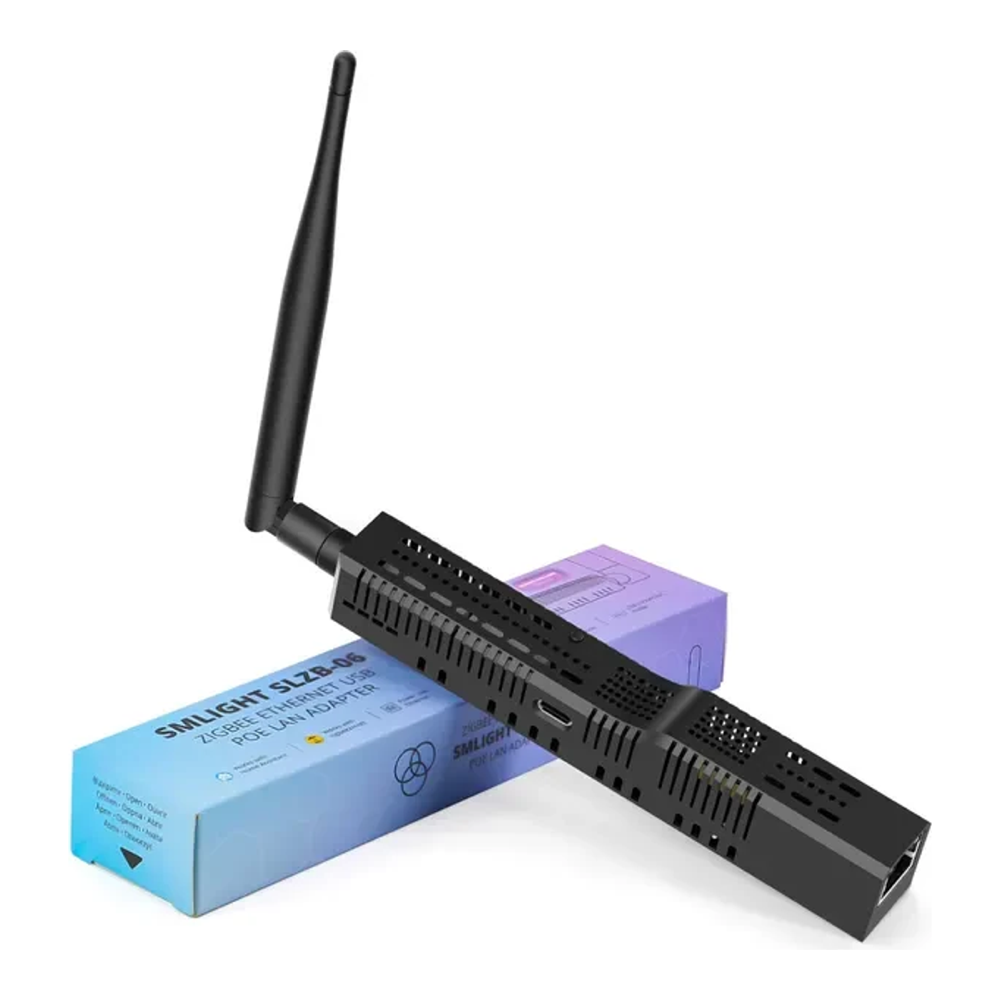
Every SLZB-06 variant is an Ethernet-attached Zigbee coordinator with 802.3af PoE, a web UI for management, and remote firmware updates for both the network chip and the radio. The radio depends on the variant: the base SLZB-06 and 06p7 carry TI chips for the Z-Stack path, while the 06M and the MG24 version carry Silicon Labs radios for ember. Zigbee2MQTT’s docs recommend the family on both pages, and ZHA connects to it over the network as well, with one firm rule from the ZHA docs: keep that link on wired LAN, never Wi-Fi or a VPN hop.
The killer feature is placement. One flat cable from a PoE switch puts the coordinator in a hallway ceiling or the middle floor of the house, far from the server rack’s RF noise, while Home Assistant in Docker or a VM connects to it by IP. Moving the coordinator without moving the server is exactly what USB sticks cannot do.
Made for homelabbers with a PoE switch, anyone whose server placement is terrible for Zigbee coverage, and Proxmox users tired of USB passthrough. Where it falls short: Amazon. Every SMLIGHT listing checked for this guide was a third-party reseller at roughly double the direct price, so skip Amazon entirely here and order from the authorized US retailer CloudFree, where the family ran $35 to $53 on verify day.
What actually matters when choosing
Z-Stack or EmberZNet, and why it decides your upgrade path
Coordinators split into two healthy firmware families. Texas Instruments chips run Z-Stack, the longest-serving path in Zigbee2MQTT. Silicon Labs chips run EmberZNet, the family Home Assistant’s own hardware uses, driven in Zigbee2MQTT by the ember driver that replaced the deprecated ezsp one. Both are first-class today; the practical difference is that new hardware momentum, including Thread-capable radios, is concentrated on the Silicon Labs side. Upgrades inside a family are painless: a same-family coordinator swap is a configuration change in both stacks. Crossing families is more forgiving than it used to be, though the two stacks differ. ZHA officially supports migrating between radio types through its network backup flow, while Zigbee2MQTT treats a cross-family move as unofficial, so on that path plan for the possibility of re-pairing the mesh.
USB 3.0 ports sabotage Zigbee radios
The ZHA documentation is blunt about this: USB 3.0 ports and peripherals are known sources of radio interference for 2.4GHz dongles. Plug any USB coordinator into a USB 2.0 port, or better, put it on a shielded USB 2.0 extension cable half a meter or more from the machine. A basic 1m USB 2.0 extension costs about as much as two smart bulbs and fixes the single most common cause of a flaky mesh. The Ethernet-based SLZB-06 sidesteps the whole problem, which is a real part of its appeal.
Channel planning beats raw power
Zigbee and Wi-Fi share the 2.4GHz band. The ZHA docs advise leaving the Zigbee channel at its default and steering your Wi-Fi access points instead, with Zigbee channels 15, 20, and 25 as the classic low-overlap choices when you must move. Sort this out before pairing devices; changing the channel on a mature mesh is the kind of afternoon nobody enjoys.
Running Home Assistant in a VM changes the calculus
On a Home Assistant mini PC running HAOS on Proxmox, a USB coordinator must be passed through to the VM, ideally by vendor and device ID so it survives port changes, and referenced inside the guest by its stable /dev/serial/by-id path. It works, and thousands run it, but it is one more layer that breaks on restore or hardware moves. A network coordinator removes the passthrough entirely, which is why the SLZB-06 keeps winning homelab installs. Fresh setups on Home Assistant on Ubuntu or Home Assistant Core face the same choice with lower stakes.
Thread on the box is a future, not a feature
Three of the five picks can be reflashed from Zigbee to Thread, and none of them should run both at once: the multiprotocol experiment is officially not recommended and Zigbee2MQTT does not support it. Treat Thread capability as insurance that the hardware stays useful if your setup evolves, and dedicate a second radio to Thread when that day actually comes.
Where each one falls short
Every pick above earns its slot, and every one has a catch worth restating in one place. The ZBT-2 is the best all-rounder you may not be able to buy this month at MSRP. The ZBDongle-P is the Zigbee2MQTT veteran with no Thread future and the oldest chip. The ZBDongle-E is the cheapest way in but demands a firmware flash before Zigbee2MQTT will treat it properly. The Dongle Plus MG24 has the newest silicon and the shortest track record. The SLZB-06 family solves placement and passthrough elegantly while its Amazon listings ask double the fair price, so it must be bought direct.
For most people the decision compresses to this: ZBT-2 if you can get it at MSRP, ZBDongle-P if Zigbee2MQTT is your world, and the SLZB-06M the moment a PoE switch enters the picture. Pair any of them with sound channel planning and a USB extension where it applies, and the coordinator becomes the one part of the smart home you stop thinking about, right until you start automating cameras with Frigate NVR on the same box.