

With high computer usage in our day-to-day lives, it is essential to understand how the machine works and its components. Your computer consists of a Central Processing Unit (CPU), a motherboard, Random Access Memory, Graphic Processing Unit, and storage. These and other components, found in the input and output devices categories, assist the computer in processing data and producing results. One of the major parts we will discuss in this article is storage, an essential computer component for storing data. Modern computers use either Hard Disk Drive (HDD) or Solid State Drive(SSD) for storage. Note that HDD is a data storage device used to store information and uses magnetic storage for retrieving and storing data. At the same time, SSD performs better than HDD and uses flash-based memory for data storage. Unlike HDD, SDD does not have moving parts or electric circuitry.
What are SSD enclosures?
A disk enclosure is a uniquely designed chassis (cover box) or a case to hold and cover drives. An SSD enclosure is meant explicitly for SSD storage and allows the drive to communicate with one or more computers or other devices. It mainly includes power and data supply sections. While many computers nowadays have a decent amount of storage, the space is still insufficient. In such cases, you will require an external drive to store the extra data or as a backup for your files. Alternatively, if you have a computer or laptop with an SSD and you no longer use it, an enclosure will allow you to use it as external storage.
Things to consider when choosing SSD Enclosures
- Compatibility: Before you purchase an SSD enclosure, it is essential to perform research and find out one compatible with your SSD drive. For either 2.5 or 3.5 drives, you will need enclosures that fit them well so they can’t fall out or fail to fit. Also, it would help if you considered whether the enclosure supports SATA(Serial Advanced Technology Attachment), PCIe (Peripheral Component Interconnect Express), NVMe (Non-volatile Memory Express), or M.2 SSDs. Hence, ensure you choose the suitable model compatible with your SSD and won’t be disappointed with the results.
- Weight: Weight is an important factor to consider. You can decide to choose a lightweight or a bit heavy enclosure. Large enclosures are likely to be heavy compared to small sizes if they are made of the same material. Also, the materials of the SSD enclosure can highly affect its weight, as most of them are made of aluminium and ABS plastic. While choosing these SSD enclosures, check how many units they weigh when empty or fitted with the drive.
- Price: Before you buy any item, you always have your budget. Luckily, the internet is of good help as it helps anyone choose the correct item that matches the cash they want to spend. Therefore, you can find an affordable or expensive SSD enclosure, and from the available products, you can choose the one that best fits your budget.
- Speed: While buying your SSD enclosure, you will ask how fast it is. Your enclosures can handle as much speed as your computer USB ports allow. For instance, M.2 SSD enclosure operates at a speed of 10Gbps(the speed found in USB 3.2 Gen 2). In most cases, the speed of the specific SSD enclosure will be indicated.
Best Enclosures for M.2 PCIe NVMe and SATA SSDs
Let’s take a look at the top-rated Enclosures for M.2 PCIe NVMe and SATA SSDs:
1. SSK Aluminum M.2 NVME SATA SSD Enclosure
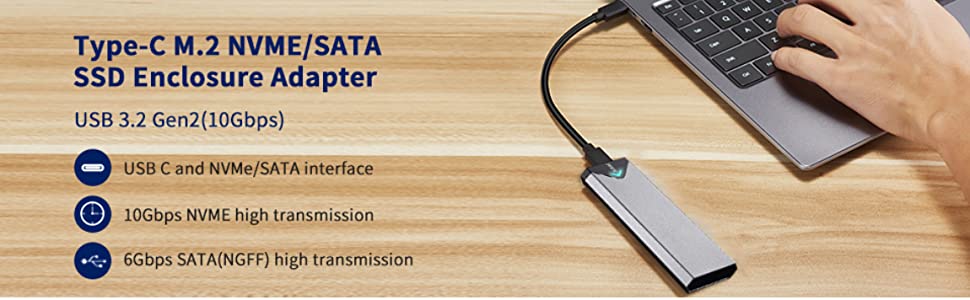
Are you looking for an SSD enclosure? SSK Aluminum M.2 NVME SATA SSD Enclosure is one of the best solutions. Remember that drives must be kept from exposure to harsh environmental conditions such as water, and this enclosure ensures it is protected. It is a durable SSD enclosure considering it is made of Aluminium. Also, this SSD enclosure is compatible with devices such as a laptop and is not heavy, as it weighs 0.1 kilograms. It supports USB 3.2 Gen 2 with the item dimension being 4.53 x 1.54 x 0.43 inches. Since it is not heavy, you can easily carry it in your bag when visiting your family or travelling. It is portable, allowing you to transfer it from one location to another.
Note that it supports 2242/2260/2280 SSD formats; thus, it will satisfy your needs. It has high data transfer speeds and is compatible with USB 3.1 Gen1 and USB 3.0 with speeds up to 5Gbps. For instance, it can take you seconds to transfer a HD movie. Additionally, it includes a simple plug-and-play installation, and no extra drivers are needed. Remember that it is a multi Operating System hence compatible with Windows 7, 8, 8.1, 110, Linux, and MAC OS. SSK Aluminum M.2 NVME SATA SSD Enclosure has more unique features you will interact with when you make your order. If you have any problem using this enclosure, you can always check on the provided and clear instructions, install it and enjoy transferring data. Remember that it allows fast read/write speeds, though it might depend on the type of SSD you are using. Notably, its price is affordable, it has impressive aesthetics, and it functions accordingly. Consider buying this drive enclosure and have fun interacting with its unique features.
More about SSK Aluminum M.2 NVME SATA SSD Enclosure:
- Applicable SSD: It is an M.2 SSD enclosure applicable to NVMe PCIE SATA M-Key / B+M connectors M.2 SSD.
- Aluminium alloy shell: It adopts an aluminium alloy shell, durable, slim design, and has excellent heat dissipation.
- Has Type C interface: Both sides can be inserted; M.2 NVME recommends USB-C Gen 2 10Gbps or Thunderbolt 3 for extreme speed performance. Also, Backward is compatible with USB 3.1 Gen1 and USB 3.0 up to 5Gbps.
- Blue Indicator: This indicator shows the data transfer status transparently.
- High-quality master chip: Adopts high-performance controller IC Chipset RTL9210B and complies with UASP and Trim, which can effectively improve the speed and extend the lifetime of SSD.
2. SABRENT USB 3.2 10Gbps Type C Tool Free Enclosure for M.2 PCIe NVMe and SATA SSDs (EC-SNVE)
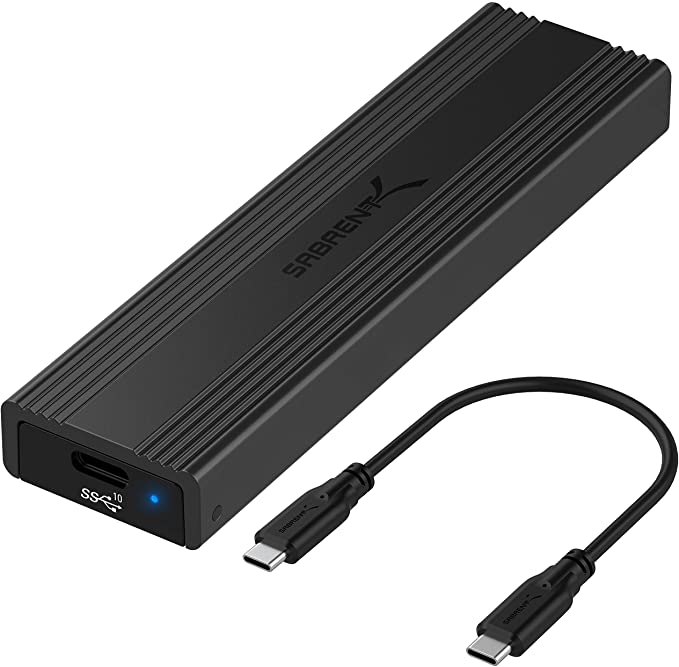
Some instances can destroy our computers, forcing us to look for new ones. For instance, if a glass of wine falls on your laptop by mistake, the machine will likely crash. In most scenarios, one is worried about saving the data in the computer, especially when there is no backup. To recover your data from your drive, consider looking for an enclosure. In this digital era, SSD has dominated, and in most cases, your almost new laptop might have this type of disk. Hence, buying an SSD enclosure is the best way to get your data. SABRENT USB 3.2 10Gbps Type C Tool Free Enclosure for M.2 PCIe NVMe and SATA SSDs will solve your problem. Don’t worry about the installation since it is a plug-and-play device. If you have a problem while installing your SSD, check the instructions provided by the manufacturers. This a convenient option for anyone looking forward to turning their M.2 PCIe NVMe or SATA SSD into an external drive. Notably, it has fast data transfer rates of up to 10Gbps making it a perfect tool to store and transfer data from your SSD. Let’s not forget about its exceptional built quality that features a sleek aluminium housing, provides heat dissipation, and has a sturdy feel when you hold it. In summary, it is durable, sleek, easy to install, convenient, highly performing, and has an outstanding enclosure protecting your valuable data.
Top-notch features for this SSD enclosure:
- Has ultra-fast 10Gbps throughput, low latency, and power efficiency.
- Compatibility: M.2 form factor compatible with SATA and NVME in sizes of 2230/2242/2260/2280.
- Backward compatible with USB 3.1 and USB 3.0 at respective speed limits.
- Portable and ideal for traveling.
- Sleek: has an ultra-slim Aluminum case with ABS frame.
- Convenient: Quickly install and remove SSDs without any tools.
3. SSK Aluminum M.2 to USB NVMe SATA SSD Enclosure
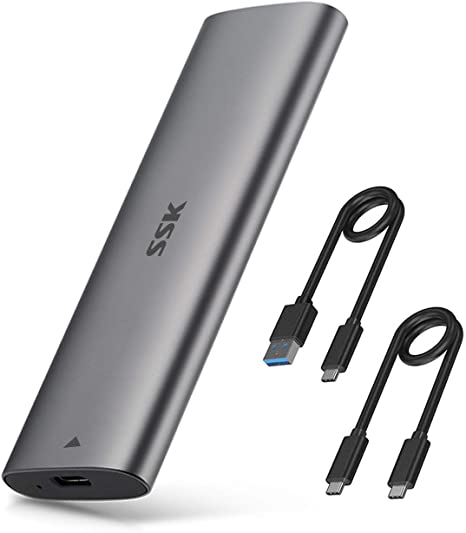
Do you have an SSD that you would want to use externally, or are you looking for a way to expand an additional SSD hard drive in your computer? Here is a perfect solution to your problem. With SSK Aluminum M.2 to USB NVMe SATA SSD Enclosure Reader, you will be impressed by how it works while allowing you to access your SSD externally and transfer data at high speeds. It has a reasonable and affordable price of $16-$20 and works beautifully as advertised. It is a simple enclosure to use once you get the SSD drive installed, and the SSD holder ensures your drive doesn’t slip or get loose. Also, it is a tool-free enclosure; thus, you can easily install it, and no drivers are required when setting it up. Remember that its speed performance is high so you can transfer an HD movie in 2 seconds. It is a portable enclosure with less weight; hence you can carry it from one destination to another. Includes a blue indicator that is always on when plugged in and flashes when reading or writing data. SSK Aluminum M.2 to USB NVMe SATA SSD Enclosure has everything you need in one package, including 2 thermal pads that allow excellent heat dissipation. It has an impressively slim design, and the aluminium alloy shell achieves its durability. Buy this SSD enclosure shell today and enjoy its unique features.
Additional SSK Aluminum M.2 to USB NVMe SATA SSD Enclosure information:
- Compatibility: M.2 M-key SSD Enclosure Suitable for NVMe/SATA M-Key M.2 SSD and B&M key SSDs. Note that it is incompatible with B Key Connectors, M.2 PCIe AHCI SSDs, or M.2 PCIe devices.
- High speeds: Backward compatible with USB 3.1 Gen 1 and USB 3.0 up to 5Gbps.Also, USB-C Gen 2 10Gbps or Thunderbolt 3 are recommended for extreme speed performance.
- Tool Free: Has a tool-free design that enables quick and easy installation of your M.2 NVME SATA SSD,
- Blue indicator: Responsible for showing the data transfer status.
- Aluminum Alloy Shell: These shells make a durable SSD enclosure that allows heat dissipation.
- Excellent and High-Quality Master Chip: Adopts high-performance controller IC Chipset RTL9210B, Complies with UASP and Trim, which effectively enhances the speed and extends the lifetime of SSDs
4. MOKiN M.2 NVME SATA SSD Enclosure
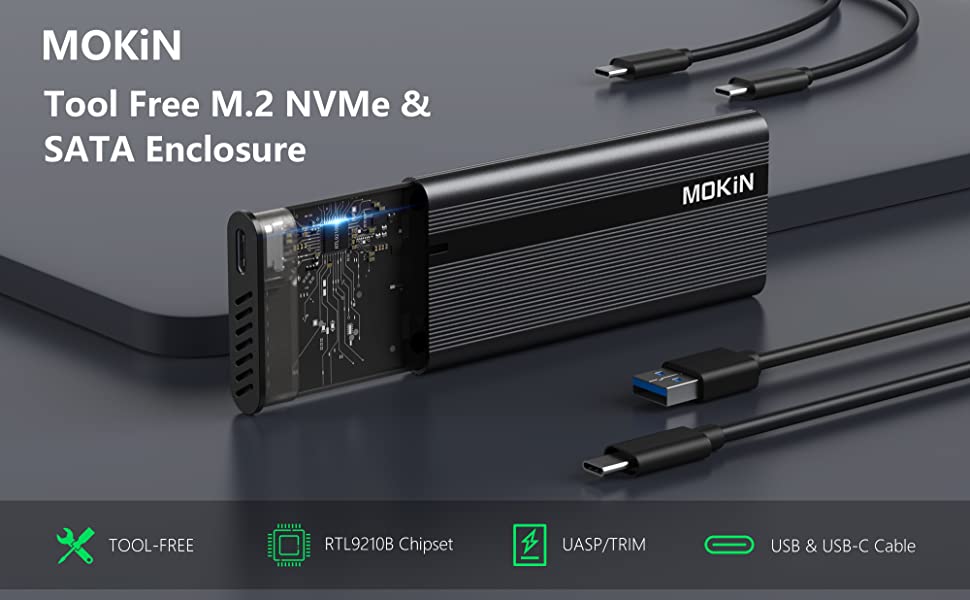
We now have devices or electronics to satisfy our needs, thanks to technology. If you are looking for a too-free enclosure housing for your SSD, you are in the right place. There are instances when you have a spare SSD and start wondering what to do with it. An SSD enclosure is a perfect solution, as it can help you turn your extra internal SSD into an external drive. MOKiN M.2 NVME SATA SSD Enclosure is a top-rated product with high data transfer rates and an excellent match for anyone looking for an SSD enclosure. It involves s simple installation process whereby with a single click and a push, it will open and let you lay and slide in your SSD.
MOKiN M.2 NVME SATA SSD Enclosure contains a thermal pod that will protect your SSD and cool the temperature surrounding it inside the enclosure. With your SSD cooling, it won’t get damaged due to overheating; files won’t be lost, thus improving the drive’s life. Notably, it has an Aluminum design which is durable and keeps your enclosure housing safe. After connecting your SSD to the enclosure, you will get portable storage to plug into your PC. Devices compatible with this enclosure include M.2 SATA SSD with M-Key & B+M Key and M.2 NVMe SSD with M-Key & B+M Key. Buy it today and enjoy the high transfer speeds of 6 Megabits Per Second.
More features on this SSD enclosure:
- Tool-free design: This enclosure allows quick and easy installation of your M.2 NMVe SSDs or M.2 SATA SSDs.
- Compatibility: It is compatible with M.2 NVMe M key and B+M key SSDs, M.2 SATA M Key SSDs.
- Support system: It is Multi OS; hence it supports Windows, Mac OS, Linux, and Android.
- Transfer speeds: M.2 Enclosure Up to 10 Gbps High-speed M.2 NVME to USB 3.1 Gen 2, 6Gbps speed M.2 SATA to USB 3.1 Gen 1, a perfect solution for data transfer and data backup.
- Design: M.2 adapter adopts an Aluminium alloy shell slim design, is durable, and has excellent heat dissipation.
- It contains an RTL9210b Chipset, compatible with M.2 NVMe & M.2 SATA SSDs.
5. M.2 NVMe and SATA SSD Enclosure

An external drive is one of the most incredible ways to back up important data. You don’t need to buy one if you have an old laptop in your office or home. Thus, you can remove the SSD from your computer and use an SSD enclosure to help you access it, format it, and back up your document or files. Consider buying an M.2 NVMe and SATA SSD Enclosure, which offers a variety of features and is perfect for your SSD. When transferring your data, you don’t have to worry about overheating since this enclosure offers protection from overheating without losing any files. With such features, your SSD is protected from damage, improving its life span. Once you plug in the enclosure in your laptop, it will immediately detect it; hence you can use it as soon as you install your SSD. Remember that it is a tool-free enclosure; it is quick and fast to set up, and no drivers are required during installation. Let’s not forget about the design, which adopts an aluminium alloy shell, and the enclosure is slim. Buy this great enclosure for your SSD, as it has excellent heat dissipation and reduced power consumption. Also, it includes both USB Type-C and USB 3.1 (Type-A) cables. With its high transfer speeds of up to 10 Gbps high-speed M.2 NVME to USB 3.2 Gen 2, 6Gbps speed M.2 SATA to USB 3.1 Gen 1, it is one of the best enclosures for your SSD.
More information about this enclosure:
- Quality Speed: USB C 3.2 Gen 2 10Gbps to M.2 NVME PCIe; USB C 3.1 Gen 2 6Gbps to M.2 SATA PCIe. Also, Read and write speeds of over 900 MBps/600MBps, when connected to Thunderbolt 3 or USB 3.2 Gen 2 port. Plus, read and write speeds of under 500 Mb/s when connected to USB 3.0 port or installed SATA protocol SSD.
- RTL9210b Chipset compatible with M.2 NVMe & M.2 SATA SSDs.
- Compatibility: NVMe reader compatible with M.2 NVMe/SATA PCIe M key, PCIe B&M key SSD.
- Tool-free design: Tool-free NVMe PCIe adapter enables quick and easy installation of your M.2 NMVe SSDs or M.2 SATA SSDs.
- Multi-OS: Compatible with Windows, Mac OS, Linux, and Android.
- Aluminum Thermal Design: Durable and adopts an aluminium alloy shell.
6. UGREEN M.2 NVMe SSD Enclosure
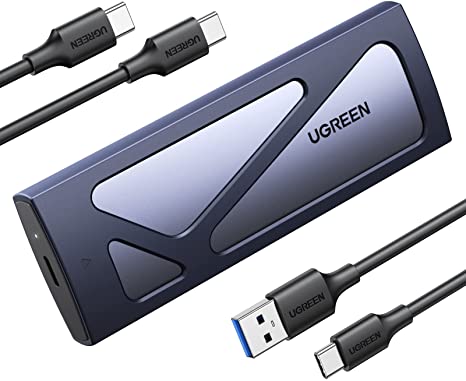
Are you looking for an SSD enclosure and probably wondering whether it is a good idea? It is excellent for anyone with an internal SSD who wants to use it internally and carry it wherever they go. Also, when you want to back up your data in a drive, an enclosure will help you achieve your goal. Note that the process of using an SSD enclosure is straightforward. You are only required to plug in the SSD in the enclosure, connect it to your laptop or computer, and then use the provided USB cable to access the SSD or transfer data. Also, it allows you to clone an old drive and install an operating system without necessarily installing the drive into your computer.
Here is an enclosure that is durable, sturdy, and well-built. UGREEN M.2 NVMe SSD Enclosure is compatible with multiple operating systems, including Windows, Mac OS, Linux, Android, and IOS. Also, it has PCIe M.2 NVMe drives, both M key and B+M keyed, which enables you to achieve a fast and high-capacity external SSD. It is a tool-free SSD enclosure making it easy to install, and no drivers are needed as it allows plug-and-play installation. After making an order, you will receive the SSD enclosure USB C, a Silicone Case, a USB-C to C cable, a USB-C to A cable, and a user manual. If you have any problem installing the enclosure, you can follow the instructions in the user manual. Buy it today and enjoy the benefits and the fantastic features it holds.
More information regarding this SSD enclosure includes:
- Compatibility: UGREEN M.2 NVMe SSD enclosure is designed for M and B&M Keys and 2230/ 2242/ 2260/2280 sized SSDs Max 8TB.
- 10Gbps NVMe Enclosure: Using the latest USB 3.2 Gen2 UGREEN M.2 NVMe SSD enclosure can help you achieve a 10Gbps data transmission rate.
- Tool-free: Involves a quick and easy installation, and no drivers are needed. Also, the buckle design of the M.2 SSD enclosure can ensure steady and speedy transmission.
- Stability and safety: It is a USB C NVMe enclosure that adopts an advanced RTL9210 chip, built with short-circuit, over-current, and multi-protection to ensure your SSD is safe.
- Portable: It is easy to carry and has an ultra-slim aluminium external NVMe enclosure with an extra silicone case.
7. ORICO M.2 NVMe SATA SSD Enclosure
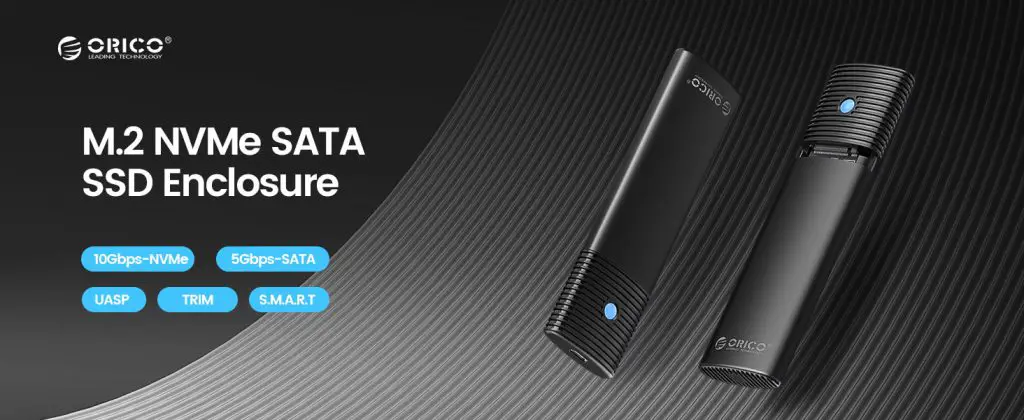
An enclosure will allow you to insert your SSD and protect the drive from damage and dust. Hence buying ORICO M.2 NVMe SATA SSD Enclosure is a great way to protect your SSD while allowing you to access and transfer data from the drive. Using USB cables, you will connect the enclosure to your laptop or computer and have access to the SSD. Using this SSD enclosure is not complicated, considering it allows you to install your M.2 SATA SSD and M.2 NMVE SSD without tools. It is suitable for traveling since it is portable and easy to carry from one place to another. You will open and lock the case with one click, preventing the SSD from slipping out. Remember that your SSD will be firmly held inside the enclosure with the help of a rubber fastener; hence it can’t easily fall out. You will appreciate it since it is a multi-OS implying that it is compatible with MacOS, Windows, Linux, and Android. This enclosure is outstanding as it will allow you to back up data on your SSD externally. Its high transmission speed lets you transfer data from your laptop/computer to the SSD and vice versa.
Unique features on ORICO M.2 NVMe SATA SSD Enclosure:
- Speed: If you use NVMe SSD, the transmission rate is 10Gbps, and the read and write speed is 1000MB/s. With M.2 SATA SSD, the transmission rate is 5Gbps, and the reading and writing speed is 450MB/s.
- Heat Dissipation: Equipped with a professional Heatsink -cooling vest with thermal silicone and aluminium shell for quick heat dissipation.
- Tool-free: M2 adapter allows you to easily install the M.2 SATA SSD and M.2 NMVE SSD without tools.
- Multi-OS: Compatible with Windows, Mac OS, Linux, and Android.
Final Thought
An enclosure is a perfect way to hold and power your SSD while allowing it to communicate with a computer effectively. These enclosures have features that will make them last long under fair use. Finding an excellent enclosure for your SSD might be stressful, but this article has provided a list of top-notch enclosures. To buy any items above, click the Buy Now button, where you will be directed to a webpage with the specific SSD enclosure. Pick the one that matches your M.2 PCIe NVMe and SATA SSDs and enjoy the excellent performance they provide. Make your order today to use the SSD in your home or office.
More Guides: