Can I create Roles in Jenkins server and assign to users?. The answer to this question is “Yes“. Jenkins is the leading open source automation server known to DevOps. Through hundreds of Plugins at your disposal, you can extend its features set to achieve ultimate building, automation, and deployment of any project.
How to manage users and roles in Jenkins
By default, when you create a user in Jenkins, it can access almost everything. In this guide, we will cover how you can create fine-grained roles for proper access control to Jenkins Server. We will use Roles Strategy Plugin to achieve this.
You need a running Jenkins Server to use this guide. If you stepped on this page while doing research work, below are the guides to help with installation of Jenkins server.
- How to install Jenkins on CentOS 7
- Running Jenkins Server in Docker Container with Systemd
- How to Install and Configure Jenkins on Arch Linux
- How to Install Jenkins on Ubuntu
Once Jenkins is live, login with the Jenkins > Manage Jenkins > Manage Plugins > Available > Filter
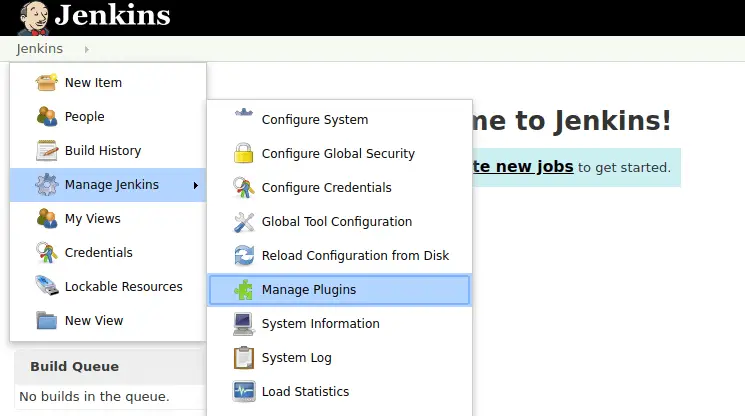
Type “Role-based Authorization Strategy” in the filter box and hit enter.
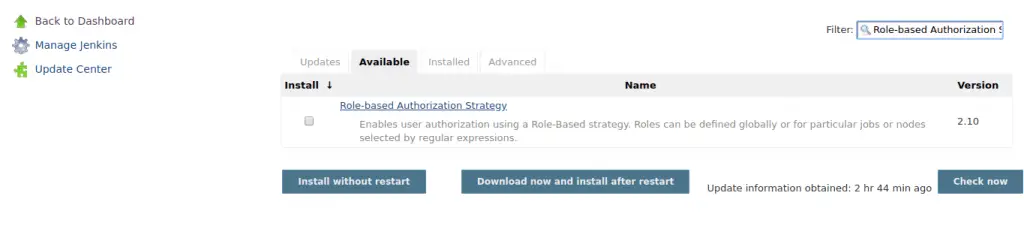
Select plugin and click the “Download now and install after restart“.

Restart Jenkins by clicking on check box.
Enable Role-Based Strategy on Jenkins
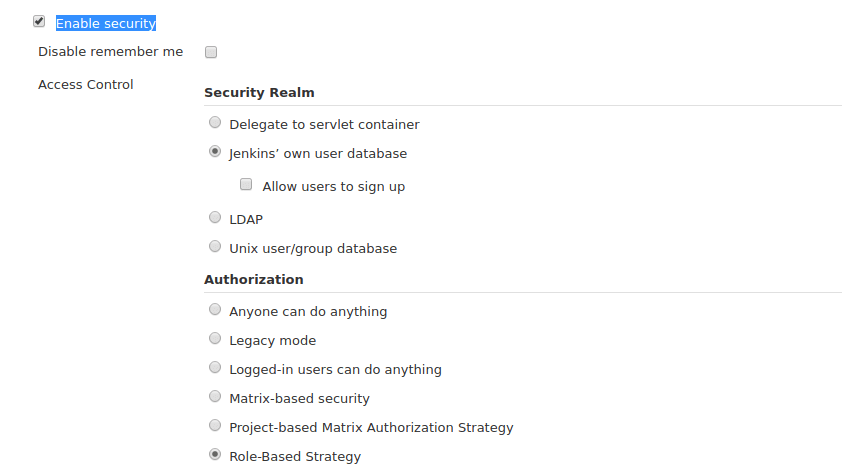
After plugin installation, navigate to “Jenkins > Configure Global Security“. Tick Enable security and Role-Based Strategy then save settings.
Creating User Roles on Jenkins
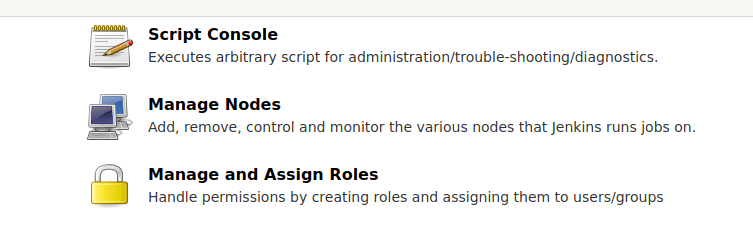
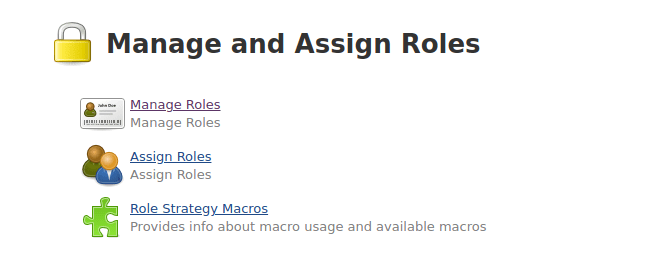
Go to “Jenkins > Manage and Assign Roles > Manage Roles“.
Provide role name to create on Role to add and click ‘Add“.

Tick appropriate values for your new role, in my case, I’m creating view only user so it will have.
- Read under Overall
- All under View

You can also create “Project roles” which will work for all projects with that matches specified pattern.
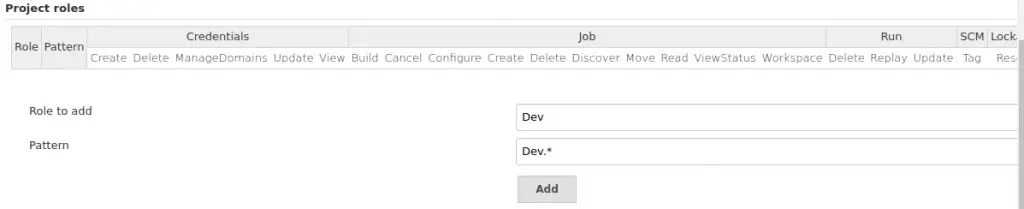
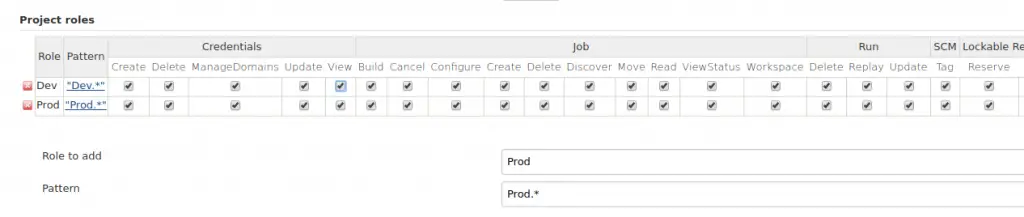
Slave roles can also be created in a similar way.
Assign roles to users
Go to “Jenkins > Manage and Assign Roles > Assign Roles“.
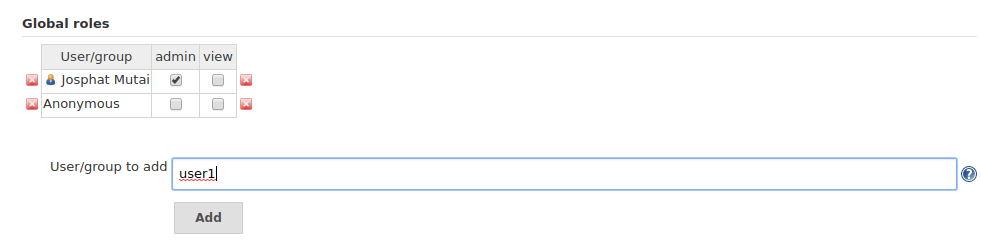
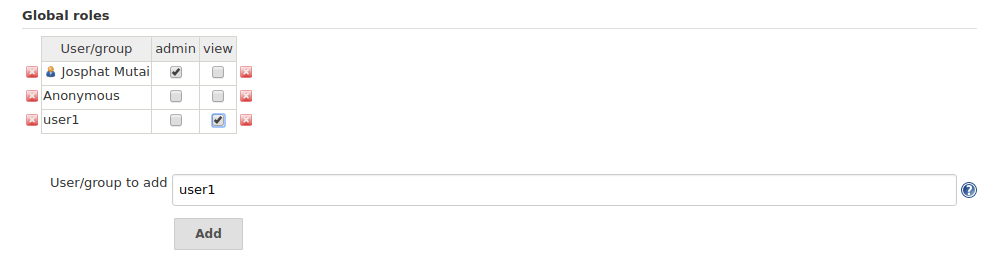
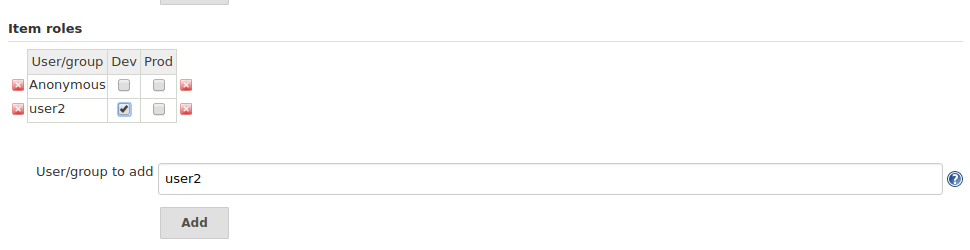
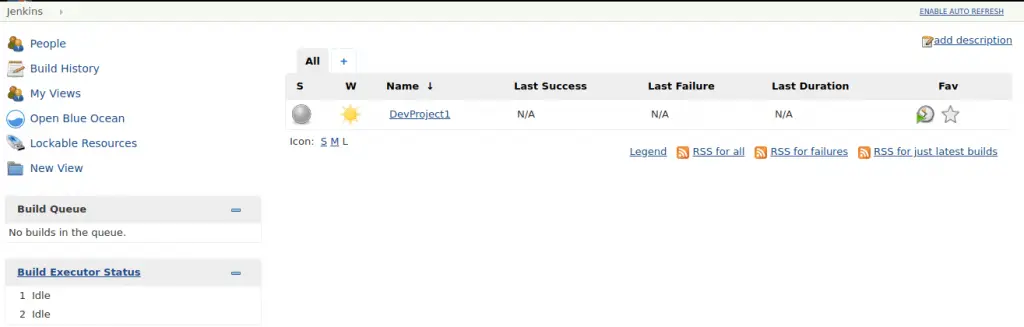
Login as user with assigned role. Only projects granted should be visible.
For any new user created without being assigned a role, access denied message should be shown.

Enjoy using Jenkins!