A 10GbE switch does nothing until the servers behind it can fill the link, and the card you drop into each Proxmox host decides whether that link comes straight up or fights you for a weekend. The hardware is cheap now. A used enterprise SFP+ card costs less than a nice dinner, and new copper cards have finally fallen under a hundred dollars. What still trips people up is the part no spec sheet advertises: which Linux driver claims the card, whether the port will accept the transceiver you already own, and whether the thing throttles itself into a slideshow the moment a VM migration saturates it.
This guide picks the 10GbE NICs that behave on Proxmox VE and Debian, and it is honest about the trade-offs between them. The specs, chipsets, drivers, and prices below were checked against manufacturer datasheets, the Linux kernel driver documentation, and current retail listings in July 2026; the throughput figures are cited from published tests rather than presented as our own lab numbers. Where a card is only worth buying used, we say so and do not hand you an affiliate link for it.
Our quick picks
- Best overall value: Intel X520 / 82599 SFP+ (the 10Gtek clones). The boring, rock-solid
ixgbecard that has just worked on Linux for over a decade. - Best 10GBASE-T copper: TP-Link TX401. One RJ45 port when you need to reuse existing Cat6a cabling instead of running fiber or DACs.
- Best for a 25GbE future: Mellanox ConnectX-4 Lx. Runs your 10GbE today and steps up to 25GbE later on the actively developed
mlx5driver. - Best modern Intel: Intel X710-DA2. More virtual functions and far fewer transceiver headaches than the old 82599, with one Proxmox caveat worth knowing.
How we picked these cards
The deciding factor for a homelab 10GbE card is not raw speed, because every card here saturates a 10G link on paper. It is Linux driver behaviour. A card is only a good buy if the in-kernel driver claims it on a stock Debian or Proxmox kernel, so the first filter was the kernel driver documentation: Intel 82599 and X710 bind ixgbe and i40e, Marvell/Aquantia copper binds atlantic, and Mellanox binds mlx4 (ConnectX-3) or mlx5 (ConnectX-4 and newer). All of them ship in the kernels used by Debian 12 and 13 and by both current Proxmox VE generations, so none of these cards needs an out-of-tree driver.
From there it came down to the practical traps: the transceiver allow-list on Intel SFP+ cards, the chipset-revision roulette on consumer copper cards, thermal throttling on 10GBASE-T, and a couple of kernel-version regressions that bite specific chips on Proxmox. We verified every spec against the manufacturer datasheet and cross-checked prices against live listings, but two things we could not do from here are worth stating plainly. We did not run first-party iperf3 tests on each card, so the throughput numbers are attributed to published tests. And Amazon blocks automated stock checks, so treat every price as a band and confirm the exact model on the listing before you buy.
10GbE NICs compared
The shortlist, with the specs that actually change the buying decision. Prices are typical bands in July 2026, not live quotes.
| Card | Chipset / driver | Ports | Speeds | PCIe | Price band |
|---|---|---|---|---|---|
| Intel X520 / 82599 (10Gtek) | 82599 / ixgbe | 1-2x SFP+ | 10G | 2.0 x8 | ~$42 single, ~$47-86 dual (new) |
| TP-Link TX401 | Marvell AQC10x/11x / atlantic | 1x RJ45 | 10G/5G/2.5G/1G | 3.0 x4 | ~$65-100 (new) |
| Mellanox ConnectX-4 Lx | ConnectX-4 Lx / mlx5 | 2x SFP28 | 10G/25G | 3.0 x8 | ~$100-180 new, ~$62-76 used |
| Intel X710-DA2 | X710 / i40e | 2x SFP+ | 10G | 3.0 x8 | ~$85-155 clone, ~$100-200 genuine used |
| Mellanox ConnectX-3 (used) | ConnectX-3 / mlx4 | 1-2x SFP+ | 10G | 3.0 x4/x8 | ~$15-35 (used only) |
Intel X520 / 82599: the rock-solid default
If you want a 10GbE link that comes up the first time and never asks questions again, this is the card. The Intel 82599 controller behind the X520 name has been in the Linux kernel’s ixgbe driver since the early days of 10GbE, so it loads on any current Debian or Proxmox install with zero fuss. Genuine Intel X520 cards are everywhere on the used market, and the value play is the new-in-box 10Gtek clones built on the same 82599 silicon.
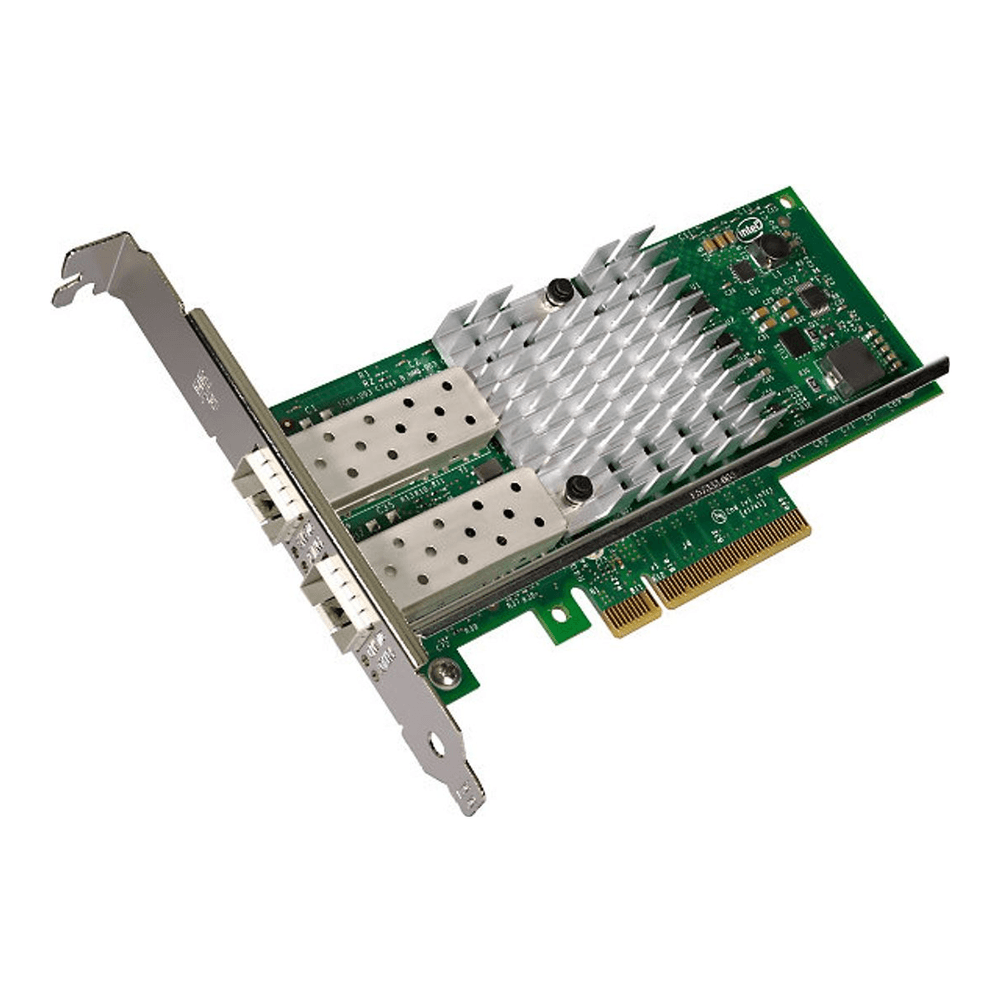
The 10Gtek single-port card runs about $42 and the dual-port about $47 bare, or closer to $86 bundled with two DAC cables. Both are PCIe 2.0 x8, so seat them in a physical x8 slot. Who it is for: anyone who wants the cheapest reliable SFP+ link and already has, or is willing to buy, a switch with SFP+ cages. Skip it if you need to run over existing RJ45 copper, or if you want a card that will still be relevant when you move to 25GbE.
The one real gotcha is Intel’s transceiver allow-list. An 82599 card rejects optics and DACs it does not recognise, and the port will not come up. The fix is a one-line module option covered in the install section below, and it is avoided entirely by buying Intel-coded or vendor-matched modules (FS.com and 10Gtek modules are the usual safe choices).
Two buy options: the single-port 10Gtek X520 for one uplink, or the dual-port version when you want a second link or a failover path. Check the current price on Amazon before ordering.
TP-Link TX401: 10GbE over the copper you already ran
Not every homelab wants fiber or DAC cables snaking between hosts. If your walls already carry Cat6a to an RJ45 switch, a 10GBASE-T card keeps everything on copper, and the TP-Link TX401 is the value pick there. It presents one RJ45 port, negotiates down cleanly to 5G, 2.5G, and gigabit, binds the atlantic driver, and ships with a Cat6a cable and both brackets in the box.
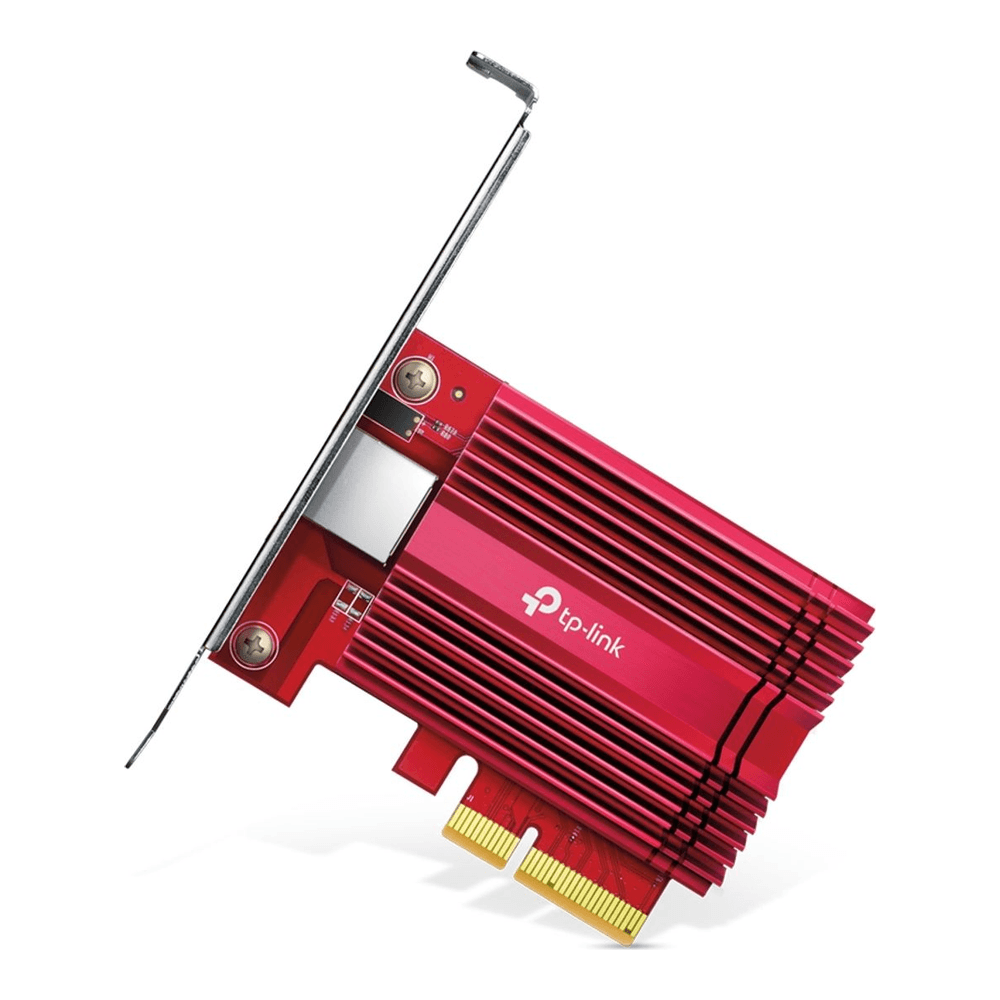
It runs roughly $65 to $100 depending on where you buy it. The catch on this class of copper card is honest to flag: the chipset revision has quietly changed over the product’s life, so a given card may carry the older Aquantia AQC107 or the newer Marvell AQC113, and the listing will not tell you which. Both are supported by the same atlantic driver, but the newer AQC113 wants a recent kernel and has seen at least one Proxmox kernel regression, so the mature AQC107 has historically been the calmer choice. Any modern Proxmox or Debian kernel handles both. The ASUS XG-C100C is the best-reviewed alternative in the same class if the TX401 is out of stock, though watch that its V2 revision is only PCIe x2.
Who it is for: anyone reusing structured copper or connecting to a 10GBASE-T switch port. Skip it if you care about power and heat, because 10GBASE-T draws several times the wattage of an SFP+ port and these passively-cooled cards genuinely need some case airflow under sustained load. Grab the TP-Link TX401 and check the live price.
Mellanox ConnectX-4 Lx: buy once for 25GbE
The trade-off with the cheap 82599 cards is that they top out at 10GbE forever. If you would rather not buy NICs twice, the Mellanox ConnectX-4 Lx is the card to reach for. It has two SFP28 ports that run at 1, 10, or 25 Gigabit, so it carries your 10GbE link today and steps up to 25GbE the day you add a capable switch. It rides the mlx5_core driver, which is the modern, actively developed Mellanox driver covering ConnectX-4 through the current generation.
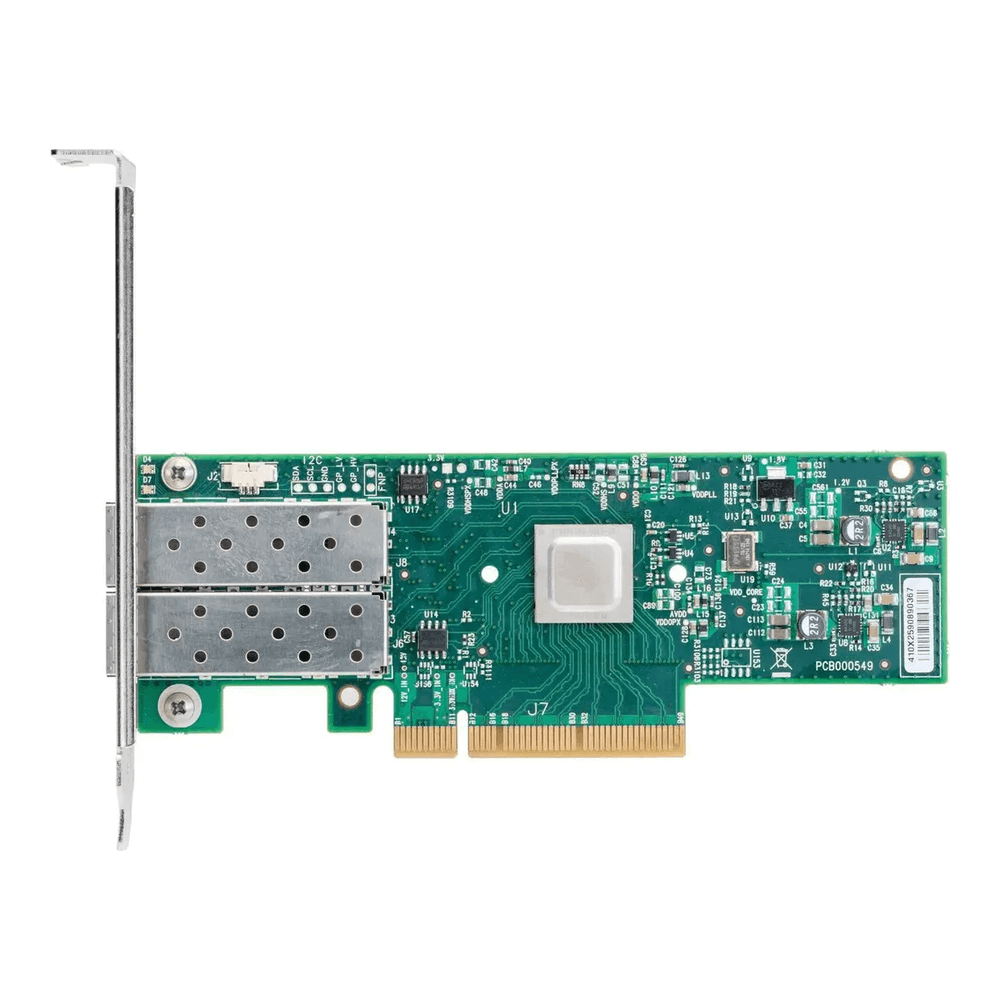
The part number you want is the MCX4121A-ACAT, which is the 25GbE-capable variant; do not confuse it with the MCX4121A-XCAT, which is locked to 10GbE. It is a PCIe 3.0 x8 card drawing under 12W at full tilt. New-in-box units run roughly $100 to $180, and used pulls trade around $62 to $76. Who it is for: anyone building toward 25GbE, or anyone who wants NVIDIA’s current driver rather than a legacy one. Skip it if 10GbE is your ceiling and you want the lowest possible price, because the 82599 does that job for a third of the cost.
Its older sibling, the ConnectX-3, is the cheapest 10GbE card that exists, often under $35 used. It still works on a current Debian 13 kernel through the inbox mlx4_en driver, so it is a fine throwaway link for a lab. The reason it is a mention here and not a pick with a buy link is that it is an end-of-life product on NVIDIA’s roadmap and is only sold used, so build nothing long-term on it. Pick up the ConnectX-4 Lx instead if you want a card with a future, and verify the current price.
Intel X710-DA2: the modern Intel with fewer transceiver fights
The X710 is where Intel moved after the 82599, and in practice it means two things for a homelab. It runs the i40e driver with better SR-IOV scaling and more virtual functions, which matters if you pass network functions straight into VMs. And it is far less fussy about third-party SFP+ optics than the old 82599, so the transceiver allow-list dance largely goes away. It is also a cooler, lower-power card than the copper options.
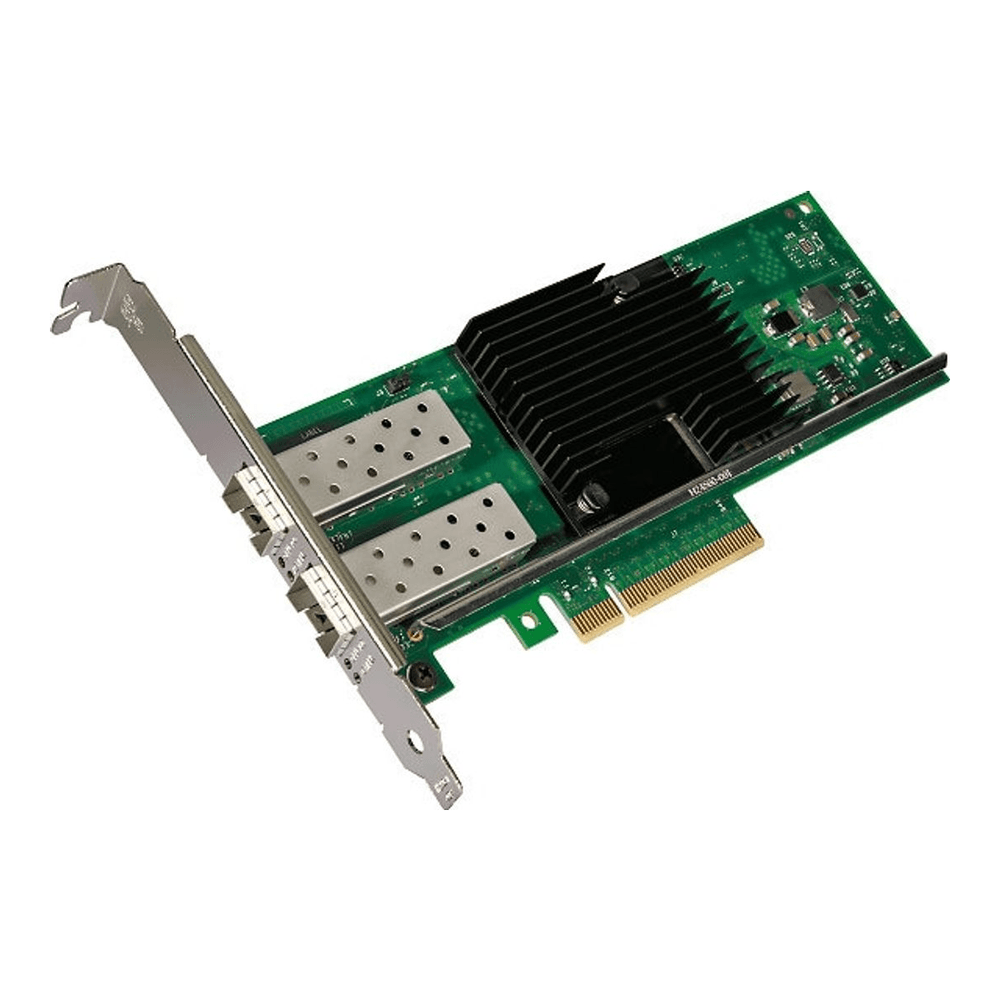
Here is the trade-off, stated honestly: i40e has seen more kernel-version-specific regressions on Proxmox than the rock-stable ixgbe. Several Proxmox 8 users have hit X710 probe failures and “No Link Detected” on specific kernel builds, usually cleared by a firmware update, a different slot, or disabling LLDP on the card. It is not the fire-and-forget experience the 82599 is. Genuine Intel X710-DA2 cards are expensive new and sensible only used, around $100 to $200; the new-in-box value path is a 10Gtek clone with a genuine Intel controller, roughly $85 to $155.
Who it is for: readers who want SR-IOV done well or who are tired of coding SFP+ modules on 82599 cards. Skip it if you value a completely boring driver over features, in which case the X520 wins. The 10Gtek X710-DA2 is the new-in-box option; confirm the price and that the listing shows the genuine Intel controller.
Install and verify a 10GbE NIC on Proxmox
Seat the card in a slot with enough lanes first. A single 10GbE port needs roughly 1.25 GB/s, which a PCIe 3.0 x1 slot cannot deliver, so use at least a physical x4 slot for a single-port card and x8 for a dual-port one, ideally a slot wired to the CPU rather than the chipset. Once it is in, confirm which driver claimed it:
lspci -nnk | grep -A3 -i ethernetThat prints the controller, its numeric PCI ID, and the kernel driver in use. To read the driver and firmware version on the interface itself, point ethtool at it (interface names on Proxmox look like enp3s0f0, not eth0):
ethtool -i enp3s0f0To add the card to a bridge so VMs can use it, set the physical interface to manual and list it under a bridge. Open the network configuration:
sudo vim /etc/network/interfacesAdd a bridge that owns the 10GbE interface (swap enp3s0f0 for your card’s name):
auto vmbr1
iface vmbr1 inet static
        address 10.0.1.2/24
        bridge-ports enp3s0f0
        bridge-stp off
        bridge-fd 0
        mtu 9000
Apply it without a reboot using ifreload -a. If you enable jumbo frames with mtu 9000, set the same value on every hop: the physical NIC, the bridge, the VM’s virtual NIC, and the switch ports. One un-bumped hop silently fragments traffic and collapses throughput, and it is one of the most common “my 10G is slow” reports.
On an Intel 82599 or X520 card that rejects a non-Intel transceiver, the log shows an unsupported SFP+ module message and the link stays down. Allow the module with a driver option, then rebuild the initramfs:
echo "options ixgbe allow_unsupported_sfp=1" | sudo tee /etc/modprobe.d/ixgbe.conf
sudo update-initramfs -u -k $(uname -r)
This is verified current on recent kernels, with one caveat: it only helps when the module type is known to the driver, and a few newer chips still refuse some modules even with the flag set. Buying Intel-coded or vendor-matched optics sidesteps the whole issue. Two other traps worth knowing: a multi-speed copper card that negotiates only 1G instead of 10G usually needs its full speed range forced with ethtool, and a hot 10GBASE-T card with no airflow will thermal-throttle, which shows up as iperf3 bouncing between a few hundred megabits and a few gigabits.
On expectations: a tuned multi-stream test (iperf3 -P 8) over an SFP+ DAC lands around 9.2 to 9.6 Gbps, not a clean 10.0, because protocol and framing overhead are real. A single TCP stream often measures lower and that is normal, not a hardware fault; it is bounded by the TCP window and a single CPU core rather than the wire. For the switch on the other end of these cards, see our guide to the best 2.5/10GbE managed switches for a homelab.
How to choose: SFP+ or copper, new or used
The first fork is the media. SFP+ (fiber or a direct-attach copper cable) draws well under a watt per port, adds almost no latency, and runs cool, but it is limited to short intra-rack distances and needs SFP+ cages on the switch. 10GBASE-T runs up to 100 meters on Cat6a and reuses ordinary RJ45 structured cabling, at the cost of several watts and more heat per port and a little more latency. For a homelab sitting in one rack, SFP+ with DAC cables is the cheaper, cooler, lower-latency answer; 10GBASE-T earns its place only when you must reuse existing copper or reach beyond about ten meters. Our write-up on copper versus fiber cabling goes deeper on that decision.
The second fork is driver stability against features. The ixgbe/82599 combination is the boring, dependable choice and the one to default to. The i40e/X710 is faster and better at virtualization but has a rougher history on Proxmox kernels. Consumer Aquantia copper on atlantic works but has no SR-IOV, so it is whole-card passthrough only. Mellanox mlx5 is excellent and the right call if 25GbE is on your horizon.
So what to actually buy: for most people standing up a first 10GbE link between a couple of Proxmox hosts and a homelab server or a NAS, a used Intel X520 or a new 10Gtek 82599 with matched DAC cables is the whole answer for well under fifty dollars a host. Buy the ConnectX-4 Lx instead if you can already see 25GbE in your future, reach for the X710 if you need serious SR-IOV, and keep the TP-Link TX401 in mind only when the cabling in your walls makes the decision for you.