A QLoRA fine-tune of Llama 3.1 8B finished in about 34 seconds on a single RTX 4090, and the peak GPU memory it touched was 6.6 GB. That is the whole pitch for Unsloth: it rewrites the hot paths of the training loop with custom Triton kernels, so the same LoRA and QLoRA jobs that used to need a rented A100 now run on a consumer 24 GB card, roughly twice as fast and with up to 70% less memory.
This guide shows how to fine-tune an LLM with Unsloth end to end. We load a 4-bit base model, attach LoRA adapters, train on a small custom Linux and DevOps dataset so the model answers like a terse senior engineer, run a short reinforcement pass with GRPO, then export the result three ways: a GGUF for Ollama, merged 16-bit weights for vLLM, and a push to the Hugging Face Hub. Every number, loss value, and command output below was captured on a single RTX 4090 (24 GB) running Unsloth 2026.6 on Ubuntu 24.04 in June 2026, not pulled from a brochure. Prefer not to write code? The no-code Unsloth Studio workflow runs this same fine-tune in a browser.
What QLoRA and Unsloth actually do
Full fine-tuning updates every weight in the model. For an 8B model in 16-bit that means holding the weights, the gradients, and the optimizer states in VRAM at once, which lands somewhere north of 60 GB. LoRA sidesteps that. It freezes the base weights and trains a pair of small low-rank matrices injected into each target layer, so you update a few million parameters instead of eight billion. QLoRA goes one step further and loads the frozen base in 4-bit, which is what gets an 8B model onto a 24 GB card with room to spare.
Unsloth is the speed layer on top. It is a drop-in wrapper around the Hugging Face stack (Transformers, TRL, PEFT) that swaps in hand-written Triton kernels for attention, RoPE, and the MLP, adds a memory-efficient gradient checkpointing path, and patches the model classes so the rest of your code is the same TRL training you already know. The result on the test box: 8B QLoRA at a 2048-token sequence length peaked at 6.6 GB reserved, well under a quarter of the card.
Prerequisites
You need an NVIDIA GPU with enough VRAM for the model you pick. QLoRA memory scales with model size, sequence length, and batch size. The numbers below are measured peak reserved VRAM for a QLoRA run at a 2048-token sequence length and a small batch, the configuration this guide uses. Treat them as a floor for following along, not a hard production ceiling; longer sequences and larger batches push them up.
| Model size | QLoRA VRAM (approx, seq 2048) | Example card |
|---|---|---|
| 1B to 3B | 4 to 6 GB | RTX 3060 12GB |
| 7B to 8B | 7 to 12 GB | RTX 4090 24GB (measured 6.6 GB here) |
| 13B to 14B | 14 to 18 GB | RTX 4090 24GB |
| 32B to 34B | 22 to 26 GB | RTX 5090 32GB or L40S 48GB |
| 70B | 42 to 48 GB | L40S 48GB or 2x RTX 4090 |
The rest of the prerequisites:
- A 64-bit Linux host with a recent NVIDIA driver. This run used Ubuntu 24.04 with driver 560 and a CUDA 12.6 runtime, but any distro with a working driver is fine.
- Python 3.10 or newer. Unsloth supports up to 3.13; this run used 3.12.
- About 30 GB of free disk for the base model cache plus the merged export.
- If you only want to run local models rather than train them, start with the Ollama install guide instead. Fine-tuning is the step after you have outgrown the stock models.
Step 1: Install the NVIDIA driver and CUDA
Unsloth needs a working CUDA driver and a compiler toolchain. The driver is the one part that is genuinely distro-specific, so install it from your package manager first, then confirm the GPU is visible.
On Debian and Ubuntu, the driver and build tools come from the standard repositories:
sudo apt update
sudo apt install -y nvidia-driver-560 build-essential python3-dev python3-venv
On RHEL-based systems (Rocky Linux, AlmaLinux, RHEL), enable the CUDA repository and pull the driver plus headers from there:
sudo dnf install -y epel-release
sudo dnf config-manager --add-repo https://developer.download.nvidia.com/compute/cuda/repos/rhel9/x86_64/cuda-rhel9.repo
sudo dnf module install -y nvidia-driver:latest-dkms
sudo dnf install -y gcc gcc-c++ python3-devel
On Rocky Linux and AlmaLinux the epel-release package resolves from the built-in repos. On stock RHEL it does not, so enable EPEL from the Fedora project URL instead: sudo dnf install -y https://dl.fedoraproject.org/pub/epel/epel-release-latest-9.noarch.rpm.
Reboot once after the driver lands so the kernel module loads, then confirm the card and driver version:
nvidia-smi --query-gpu=name,memory.total,driver_version --format=csv,noheaderThe card, its total memory, and the driver version print on one line:
NVIDIA GeForce RTX 4090, 24564 MiB, 560.35.03Those python3-dev and python3-devel packages are not optional padding. Unsloth compiles Triton kernels on the fly the first time it touches the GPU, and that compile needs the Python development headers. Skip them and the first training step dies with a cryptic gcc link error instead of an obvious “headers missing” message. Install them now and the problem never appears.
Step 2: Create a Python environment and install Unsloth
Install everything into an isolated virtual environment so Unsloth’s pinned versions of Torch, Transformers, and TRL do not collide with anything else on the box. The uv installer is the fastest way to do this, and it resolves the right CUDA build of Torch automatically.
Install uv, then create and activate the environment:
curl -LsSf https://astral.sh/uv/install.sh | sh
source $HOME/.local/bin/env
uv venv unsloth_env --python 3.12
source unsloth_env/bin/activate
Now install Unsloth itself. The single package pulls in the matching Torch, Transformers, TRL, and PEFT:
uv pip install unslothConfirm the install sees the GPU before you spend time on a model. Save this as check.py:
vim check.pyAdd the version probe:
import torch, unsloth, transformers, trl, peft
print("unsloth", unsloth.__version__)
print("torch", torch.__version__)
print("transformers", transformers.__version__, "| trl", trl.__version__, "| peft", peft.__version__)
print("cuda available:", torch.cuda.is_available())
print("gpu:", torch.cuda.get_device_name(0))
Run it:
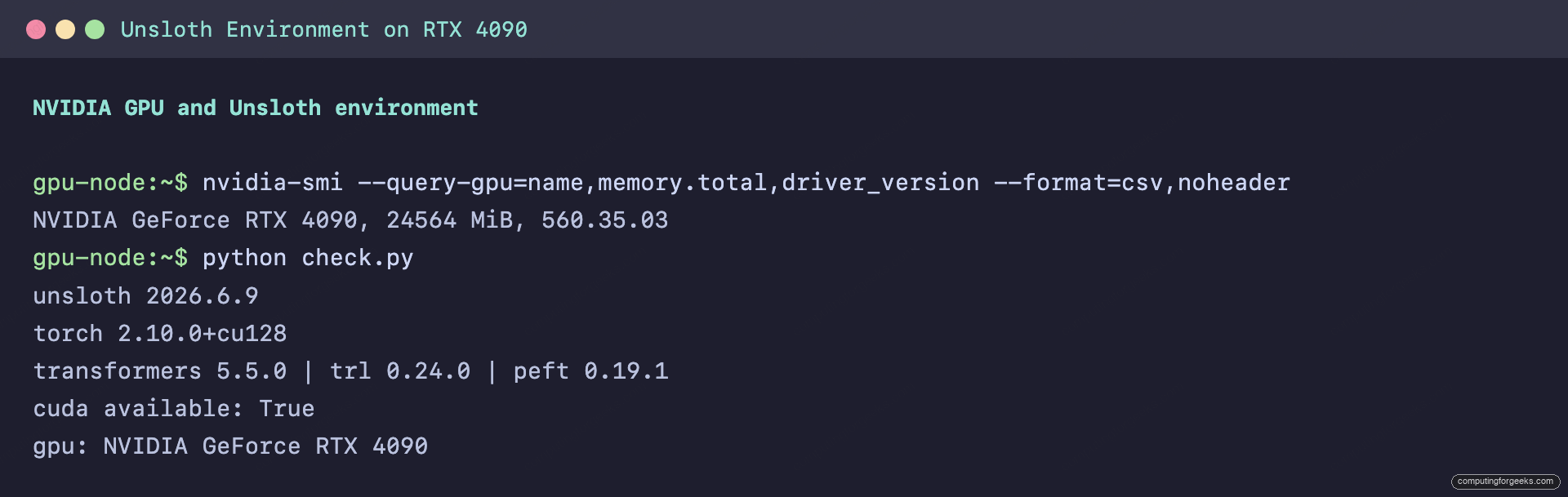
python check.pyThe versions print and CUDA reports available, which means the kernels will run on the GPU and not fall back to the CPU:
unsloth 2026.6.9
torch 2.10.0+cu128
transformers 5.5.0 | trl 0.24.0 | peft 0.19.1
cuda available: True
gpu: NVIDIA GeForce RTX 4090
That output is the green light: the kernels will run on the card, not crawl on the CPU.
With the environment confirmed, the rest of the work is Python.
Step 3: Load a 4-bit base model
Everything from here lives in one training script. Open it:
vim sft_train.pyLoad the model with Unsloth’s FastLanguageModel. The unsloth/Meta-Llama-3.1-8B-Instruct-bnb-4bit name pulls a copy of Llama 3.1 8B that is already quantized to 4-bit, so it downloads as roughly 5 GB instead of 16 and loads straight onto the card:
from unsloth import FastLanguageModel

max_seq_length = 2048

model, tokenizer = FastLanguageModel.from_pretrained(
    model_name = "unsloth/Meta-Llama-3.1-8B-Instruct-bnb-4bit",
    max_seq_length = max_seq_length,
    load_in_4bit = True,
)
To fine-tune a different model, swap the name. Unsloth ships 4-bit copies of Qwen, Gemma, Mistral, Phi, and others under the same unsloth/ namespace, and the rest of the script does not change. The 8B instruct model is the right starting point: large enough to be useful, small enough to iterate on in seconds.
Step 4: Add LoRA adapters
The base model is frozen. get_peft_model injects the trainable low-rank adapters that the fine-tune actually updates:
model = FastLanguageModel.get_peft_model(
    model,
    r = 16,
    target_modules = ["q_proj", "k_proj", "v_proj", "o_proj",
                      "gate_proj", "up_proj", "down_proj"],
    lora_alpha = 16,
    lora_dropout = 0,
    bias = "none",
    use_gradient_checkpointing = "unsloth",
    random_state = 3407,
)
Three values carry the weight here. r is the rank of the adapters, which sets how much the model can learn: 8 or 16 is plenty for a style or domain fine-tune, higher ranks cost more memory for diminishing returns. target_modules lists which projections get adapters, and the seven listed cover the full attention and MLP path, which is the standard choice. lora_alpha scales the adapter output; keeping it equal to r is the safe default. The "unsloth" gradient checkpointing mode is what buys the extra VRAM headroom for longer contexts.
Step 5: Prepare your dataset
The model learns whatever you show it, so the dataset is where you decide what the fine-tune becomes. For this guide the goal is a model that answers Linux and DevOps questions the way a senior engineer would: lead with the exact command, add one line of why, stop. The training data is a set of question and answer pairs in that voice.
Unsloth works with the chat format used by TRL: each example is a list of role and content turns. Build a small JSONL file where every line is one conversation. Create the dataset file:
vim cfg_devops.jsonlEach line holds one user turn and the assistant answer you want the model to imitate:
{"conversations": [{"role": "user", "content": "How do I check which process is listening on port 8080?"}, {"role": "assistant", "content": "Run `sudo ss -ltnp 'sport = :8080'`. The PID and program name print in the last column, so you know exactly what to stop or reconfigure."}]}
{"conversations": [{"role": "user", "content": "How do I reload nginx without dropping connections?"}, {"role": "assistant", "content": "Run `sudo nginx -t && sudo systemctl reload nginx`. The test catches a bad config before the reload, and reload re-execs workers gracefully."}]}
This run used 55 such pairs covering systemd, Docker, Kubernetes, firewalls, and storage. That is a small dataset, and it is deliberate: a few dozen consistent, high-quality examples are enough to shift a model’s style, and it keeps the training loop honest about what is being taught. Real domain fine-tunes scale this to hundreds or thousands of rows, but the format never changes.
Back in sft_train.py, load the file and apply the model’s chat template so each conversation becomes a single training string. Add this below the LoRA setup:
from unsloth.chat_templates import get_chat_template
from datasets import load_dataset

tokenizer = get_chat_template(tokenizer, chat_template = "llama-3.1")

dataset = load_dataset("json", data_files = "cfg_devops.jsonl", split = "train")

def formatting_prompts_func(examples):
    texts = [tokenizer.apply_chat_template(c, tokenize = False, add_generation_prompt = False)
             for c in examples["conversations"]]
    return {"text": texts}

dataset = dataset.map(formatting_prompts_func, batched = True)
With the data loaded and templated, the model is ready to train.
Step 6: Run the QLoRA fine-tune
Training uses TRL’s SFTTrainer, which Unsloth has already patched for speed. The config below trains for three epochs over the 55 examples with a small batch and gradient accumulation, the settings that fit comfortably on a 24 GB card. Add it to the script:
from trl import SFTTrainer, SFTConfig
from unsloth.chat_templates import train_on_responses_only

trainer = SFTTrainer(
    model = model,
    tokenizer = tokenizer,
    train_dataset = dataset,
    args = SFTConfig(
        dataset_text_field = "text",
        max_seq_length = max_seq_length,
        per_device_train_batch_size = 2,
        gradient_accumulation_steps = 4,
        warmup_steps = 5,
        num_train_epochs = 3,
        learning_rate = 2e-4,
        logging_steps = 1,
        optim = "adamw_8bit",
        weight_decay = 0.01,
        lr_scheduler_type = "linear",
        seed = 3407,
        output_dir = "outputs",
        report_to = "none",
    ),
)

trainer = train_on_responses_only(
    trainer,
    instruction_part = "<|start_header_id|>user<|end_header_id|>\n\n",
    response_part = "<|start_header_id|>assistant<|end_header_id|>\n\n",
)
The train_on_responses_only wrapper masks the prompt tokens so the loss is computed only on the assistant’s replies. That is what makes the model learn the answer style instead of also trying to predict the questions. Kick off the run:
trainer.train()Run the script:
python sft_train.pyUnsloth prints a banner with the detected hardware and kernel backends, then the loss per step. On the RTX 4090 the loss fell from 2.4 to under 1.0 across the three epochs, and the whole run finished in 33.5 seconds:
{'loss': 2.41,  'learning_rate': 0,        'epoch': 0.14}
{'loss': 2.023, 'learning_rate': 0.0002,   'epoch': 0.86}
{'loss': 1.199, 'learning_rate': 0.0001,   'epoch': 2.0}
{'loss': 0.984, 'learning_rate': 3.75e-05, 'epoch': 2.71}
{'loss': 0.840, 'learning_rate': 2.5e-05,  'epoch': 2.86}
{'train_runtime': 33.53, 'train_samples_per_second': 4.922, 'train_loss': 1.653, 'epoch': 3.0}
The number that matters for hardware planning is peak memory. This run reserved 6.6 GB at its high point, measured straight from Torch:
print("peak reserved VRAM GB:", round(__import__("torch").cuda.max_memory_reserved() / 1e9, 2))An 8B model trained inside a third of a 24 GB card:
peak reserved VRAM GB: 6.6The full run, loss curve and memory ceiling, captured off the box:
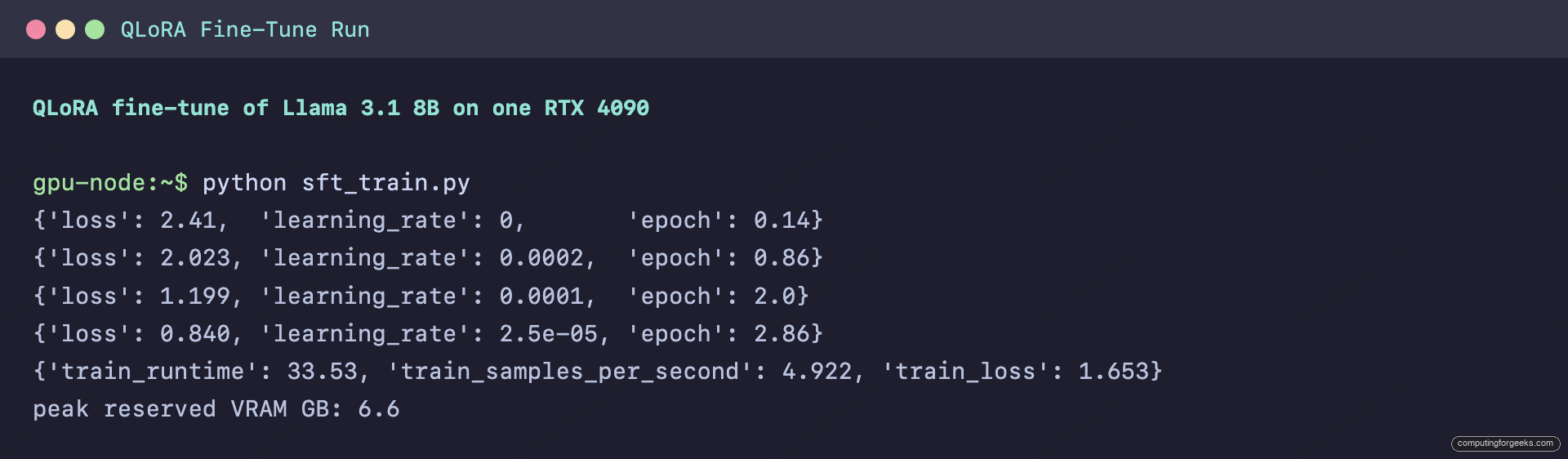
The numbers look right, but the only test that counts is the model’s behavior.
Did it work? Before and after
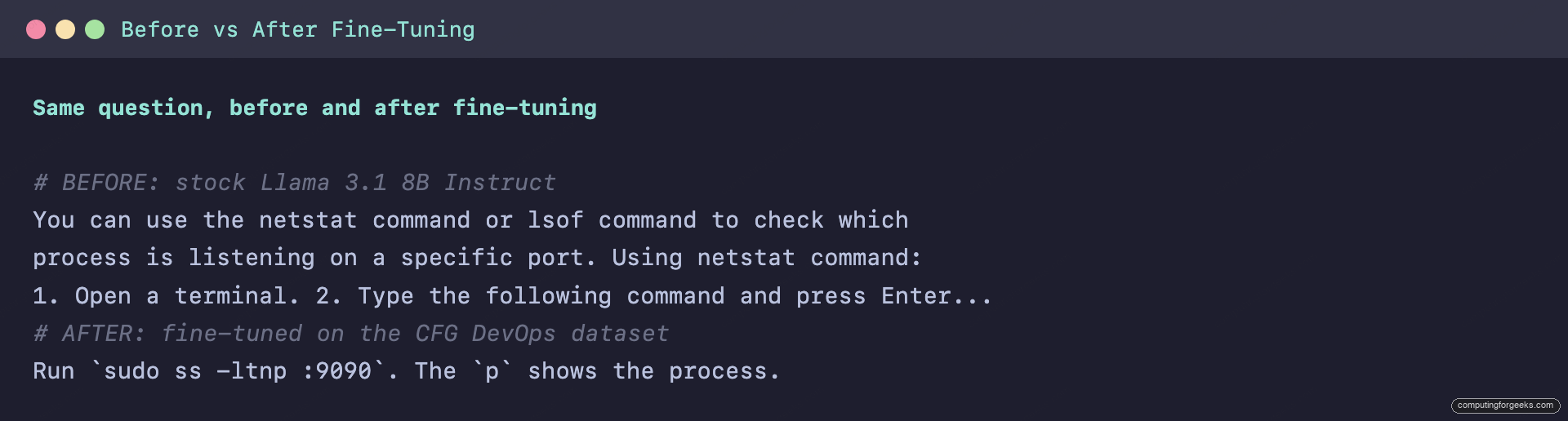
The honest test is to ask the same question before and after training. Here is the stock Llama 3.1 8B Instruct answering a question that is not in the training set, “How do I check which process is listening on port 9090?”. The base model is correct but verbose, a multi-paragraph tutorial:
You can use the `netstat` command or `lsof` command to check which
process is listening on a specific port.

**Using `netstat` command:**
1. Open a terminal or command prompt.
2. Type the following command and press Enter:
   netstat -tlnp | grep 9090
   This will show you the process ID (PID) of the process...
After 34 seconds of fine-tuning, the same model answers in the dataset’s voice: one modern command, one line of why, nothing else.
Run `sudo ss -ltnp :9090`. The `p` shows the process.It generalized the style to a port it never saw in training, and it preferred ss over the older netstat the way the dataset did. The shift from a multi-paragraph tutorial to a one-line answer is the whole point of the fine-tune:
Save the adapter so you can reuse it without retraining. Add this to the end of the script and run it once more:
model.save_pretrained("cfg_devops_lora")
tokenizer.save_pretrained("cfg_devops_lora")
The saved adapter is the small artifact that makes LoRA worth it. The directory came out at 185 MB, against the 16 GB of the full model. You can ship that file, version it, or stack several on the same base.
Step 7: Reinforcement fine-tuning with GRPO
Supervised fine-tuning copies a style from examples. Reinforcement fine-tuning optimizes a behavior against a score you define, which is useful when you can grade an answer more easily than you can write a perfect one. Unsloth supports GRPO (Group Relative Policy Optimization), the method that trained DeepSeek’s reasoning models, and the 80% VRAM saving it advertises is what makes GRPO viable on one consumer card at all.
A GRPO run needs reward functions instead of labeled answers. Each function scores a batch of model completions and returns a list of floats; the trainer nudges the policy toward whatever scores higher. Create a second script:
vim grpo_train.pyDefine two rewards that encode the same goal as the SFT dataset, expressed as a score: reward an answer that contains a real command, and reward it for being concise:
import re

command_pattern = re.compile(r"`[^`]+`")

def reward_has_command(completions, **kwargs):
    outs = [c[0]["content"] for c in completions]
    return [2.0 if command_pattern.search(o) else 0.0 for o in outs]

def reward_concise(completions, **kwargs):
    outs = [c[0]["content"] for c in completions]
    return [1.0 if len(o) <= 320 else (0.3 if len(o) <= 600 else -0.5) for o in outs]
Wire them into GRPOTrainer with a small set of prompts. Generation happens on the fly each step, so a short run is enough to see the reward move:
from trl import GRPOTrainer, GRPOConfig

trainer = GRPOTrainer(
    model = model,
    processing_class = tokenizer,
    reward_funcs = [reward_has_command, reward_concise],
    train_dataset = dataset,
    args = GRPOConfig(
        learning_rate = 5e-6,
        per_device_train_batch_size = 4,
        num_generations = 4,
        max_prompt_length = 256,
        max_completion_length = 200,
        max_steps = 30,
        logging_steps = 1,
        output_dir = "grpo_outputs",
        report_to = "none",
    ),
)
trainer.train()
Across 30 steps the command reward climbed to its ceiling and held there: every sampled completion contained a real command, so reward_has_command sat at 2.0. The per-step log shows the reward components:
rewards/reward_has_command/mean: 2.0
rewards/reward_concise/mean: -0.5
reward: 1.5
completion_length: 200
The conciseness reward stayed negative because the completions kept hitting the 200-token cap, which is the lesson GRPO teaches better than any diagram: the policy optimizes exactly the reward you wrote, including its loopholes. The model learned to always include a command because that reward was clean, but a 200-token generation limit fighting a “be short” reward is an underspecified objective. The fix is a longer generation budget and a reward that targets a length band rather than a single cliff. GRPO finished in 383 seconds and peaked at 6.8 GB, barely more than the SFT run. For most projects, supervised fine-tuning gets you the style and GRPO is the tool you reach for when correctness can be scored.
Step 8: Export the model
The trained adapter is only useful once you can serve it. Reload the base model with the adapter attached, then write it out in the format each runtime expects. Create the export script:
vim export_model.pyPoint from_pretrained at the saved adapter directory and Unsloth pulls the matching base automatically:
from unsloth import FastLanguageModel

model, tokenizer = FastLanguageModel.from_pretrained(
    model_name = "cfg_devops_lora",
    max_seq_length = 2048,
    load_in_4bit = True,
)
For vLLM or plain Transformers, merge the adapter back into the base and save full 16-bit weights:
model.save_pretrained_merged("cfg_devops_merged", tokenizer, save_method = "merged_16bit")That produced a standard 16 GB Transformers checkpoint, ready to point a serving engine at. For Ollama and llama.cpp, export a quantized GGUF instead. Unsloth builds llama.cpp itself and converts in one call:
model.save_pretrained_gguf("cfg_devops", tokenizer, quantization_method = "q4_k_m")The q4_k_m quantization is the sensible default, a 4-bit format that keeps quality high while shrinking the file. Unsloth builds llama.cpp the first time, converts to a 16-bit GGUF, then quantizes, which took about three minutes here. The result landed in cfg_devops_gguf/Meta-Llama-3.1-8B-Instruct.Q4_K_M.gguf at 4.6 GB, named after the base model, and Unsloth dropped a ready-to-use Ollama Modelfile beside it.
To share the model, push the merged weights straight to the Hugging Face Hub. Log in with a write token first, then push:
hf auth login
# in Python, after loading the adapter:
# model.push_to_hub_merged("your-username/cfg-devops-llama-3.1-8b", tokenizer, save_method="merged_16bit")
That uploads the merged 16-bit checkpoint as a standard model repository, so anyone can pull it with from_pretrained or point a serving engine at it. The token needs write scope, which you generate under your Hugging Face account settings, and the upload is a one-time transfer of the full 16 GB checkpoint. To share only the lightweight adapter instead of the full weights, swap push_to_hub_merged for push_to_hub, which uploads just the 185 MB LoRA directory.
Step 9: Run the fine-tuned model in Ollama
The GGUF makes the fine-tuned model a first-class local model. If you do not already run Ollama, install it, then register the export with a Modelfile. Unsloth already wrote a basic Modelfile into the export directory, but a hand-written one lets you set the system prompt and stop token explicitly. Create it next to the GGUF:
vim ModelfilePoint it at the GGUF and set a matching stop token and system prompt:
FROM ./cfg_devops_gguf/Meta-Llama-3.1-8B-Instruct.Q4_K_M.gguf
PARAMETER temperature 0.6
PARAMETER stop "<|eot_id|>"
SYSTEM "You are a senior Linux and DevOps engineer. Answer concisely, lead with the exact command."
Register it with Ollama under a name of your choosing:
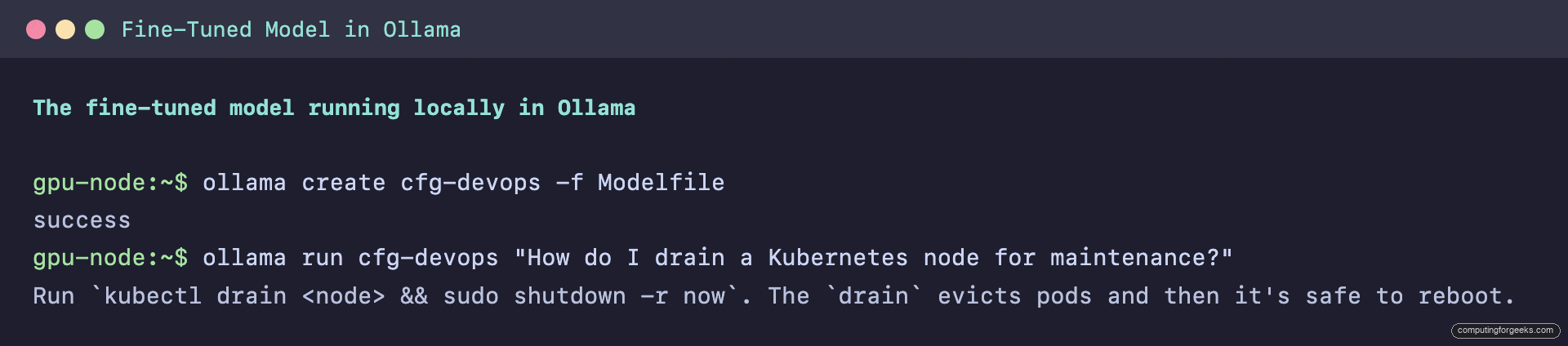
ollama create cfg-devops -f ModelfileNow query the model you just trained, served entirely from your own machine:
ollama run cfg-devops "How do I drain a Kubernetes node for maintenance?"The model answers in the voice it was trained on, served from the local GGUF with no Python and no GPU memory held open by a training process:
Run `kubectl drain <node> && sudo shutdown -r now`. The `drain` evicts pods and then it's safe to reboot.The same terse, command-first style, now served from a local GGUF:
From here the model behaves like any other Ollama model, so it drops straight into the tools you already use. Point Open WebUI at it for a chat interface, or call it from a script through the Ollama API.
Tuning the run: what moves loss and VRAM
Once the pipeline works, four knobs decide the outcome, and they trade against each other. These are the levers to reach for when a run underfits, overfits, or runs out of memory:
| Knob | Effect | When to change it |
|---|---|---|
num_train_epochs | How many passes over the data | Raise if the model ignores your style; lower if answers start repeating training examples verbatim |
r (LoRA rank) | Capacity of the adapters | 8 to 16 for style or domain tone; 32 or 64 only for teaching genuinely new knowledge, at higher VRAM |
max_seq_length | Token window per example | The biggest VRAM lever; keep it just above your longest example |
per_device_train_batch_size | Examples per step | Raise to use spare VRAM and speed up; if you hit an out-of-memory error, drop this first and raise gradient accumulation to compensate |
The starting point in this guide (rank 16, three epochs, 2048-token window, batch 2) is a good default for an 8B style fine-tune on a 24 GB card, and it left most of the card unused. That headroom is the room to grow into a larger model, a longer context, or a bigger dataset before you ever need to rent a second GPU.