Three ways to run a 70B model at home, and each one wins at something different. A Mac holds a big model and runs it at genuinely interactive speed. A unified-memory mini PC holds an even bigger model for less money. A graphics card runs whatever fits in its VRAM faster than either, but caps out at 24GB or 32GB. Pick the wrong one and you either pay double for capacity you don’t need or buy a fast card that can’t load the model you wanted.
This Mac Mini vs Mini PC vs GPU comparison lines the three up against each other on the things that actually decide the purchase: how much model fits, how fast it runs, what it costs, how much power it draws, and which software ecosystem you live in. The speed figures here are a mix of our own measured tokens-per-second on rented GPUs and published benchmarks on the Apple and AMD boxes, attributed where they came from. By the end you’ll know which path matches what you optimize for, and which exact machine to buy on that path.
Current as of June 2026.
The one trade-off that decides everything: capacity vs bandwidth
Before any product, the choice comes down to a single tension. A local LLM has to fit its weights in memory, and then it generates tokens at a speed bound almost entirely by how fast that memory is. The three approaches sit at different points on that curve.
A 70B model at Q4 quantization needs roughly 42 to 48GB of memory once you add the KV cache. That is the hinge. A 24GB graphics card cannot hold it at all. A 32GB card cannot either. To run a 70B on GPUs you need a 48GB workstation card or two 24GB cards in one chassis. A 128GB unified-memory mini PC holds it easily, and so does a 64GB Mac Studio. So on raw capacity, the unified-memory boxes win and the desktop GPU loses.
Speed flips the ranking. Token generation reads the active weights from memory once per token, so the memory bandwidth sets the ceiling. A desktop GPU runs its smaller VRAM at over 1000 GB/s. A Strix Halo mini PC runs its big pool at about 256 GB/s. A Mac sits in between. That is why a graphics card is two to three times faster than a mini PC on a model that fits in both, and why the mini PC is the only one of the three that can load a model the card can’t touch. If you want the full memory-sizing math first, our guide on how much VRAM each model needs works through it model by model.
One more wrinkle separates dense models from mixture-of-experts (MoE) models. A dense 70B reads every parameter for every token, so it is slow on a narrow memory bus. An MoE model like gpt-oss-120b carries 117 billion parameters but fires only about 5 billion per token, so it runs several times faster than its size suggests while still needing the full weights in memory. That single fact is the strongest argument for the big unified-memory boxes.
The quick verdict: which to buy by what you optimize for
If you want the short version before the detail, here is the pick for each kind of buyer. Each one is explained in full below.
- Max capacity for the least money: a 128GB Strix Halo mini PC like the GMKtec EVO-X2. It holds a 70B, and a 120B, for the price of a single 32GB graphics card.
- Fastest tokens per second: a discrete NVIDIA GPU. A used RTX 3090 for value, or an RTX 5090 for raw speed, on anything that fits in 24GB or 32GB.
- A dense 70B at interactive speed, plus a polished desktop: a Mac Studio with the M4 Max. Its bandwidth makes a dense 70B usable in a way the AMD boxes can’t match; the cheaper Mac mini M4 Pro (up to 48GB) is the quieter pick for models up to about 32B.
- Lowest power and noise, always-on: the Mac mini or a Strix Halo box. Both idle low and run near-silent; a GPU rig does neither.
- CUDA development and the widest software support: an NVIDIA GPU. The whole training and serving stack assumes CUDA first.
How we got the numbers
The GPU figures are ours, measured not copied. We rented an RTX 3090, RTX 4090, RTX 5090, and an L40S by the hour and timed generation in Ollama at Q4_K_M with a fixed 4096-token context, recorded warm with the model already loaded. Those numbers back our best GPU for local LLM testing and are reused here.
The Apple and AMD numbers are not ours to measure without the hardware on the bench, so they come from published reviews on real units, and we say so each time. ServeTheHome’s Beelink GTR9 Pro review is the strongest verified Strix Halo data point, and the Mac figures come from independent reviews collected in our mini PC for local AI roundup. Where a number is cited rather than measured by us, the sentence says where it came from. None of these are fabricated.
Mac Mini vs Mini PC vs GPU at a glance
The table is the whole argument compressed. Capacity is what fits in memory; the 70B speed column is a dense model, the column where the differences are starkest.
| Path | Usable memory | Bandwidth | Dense 70B speed | Power | Ecosystem |
|---|---|---|---|---|---|
| Mac mini / Mac Studio | 48GB (mini) / 64GB (Studio) | 273 to 546 GB/s | ~20 to 28 tok/s (cited) | low, silent | Metal / MLX |
| Strix Halo mini PC | 128GB (~96GB as VRAM) | ~256 GB/s | ~5 tok/s (cited) | low, near-silent | Linux / ROCm / Vulkan |
| Discrete GPU (3090 / 5090) | 24GB / 32GB | 936 GB/s to 1.79 TB/s | does not fit | high, loud | CUDA |
Read it as a triangle. The GPU owns speed on small-to-mid models. The mini PC owns capacity. The Mac owns the awkward middle, a dense 70B that runs fast enough to chat with. No single box wins all three corners, which is exactly why this is a real decision and not a ranking.
1. Apple Mac mini and Mac Studio
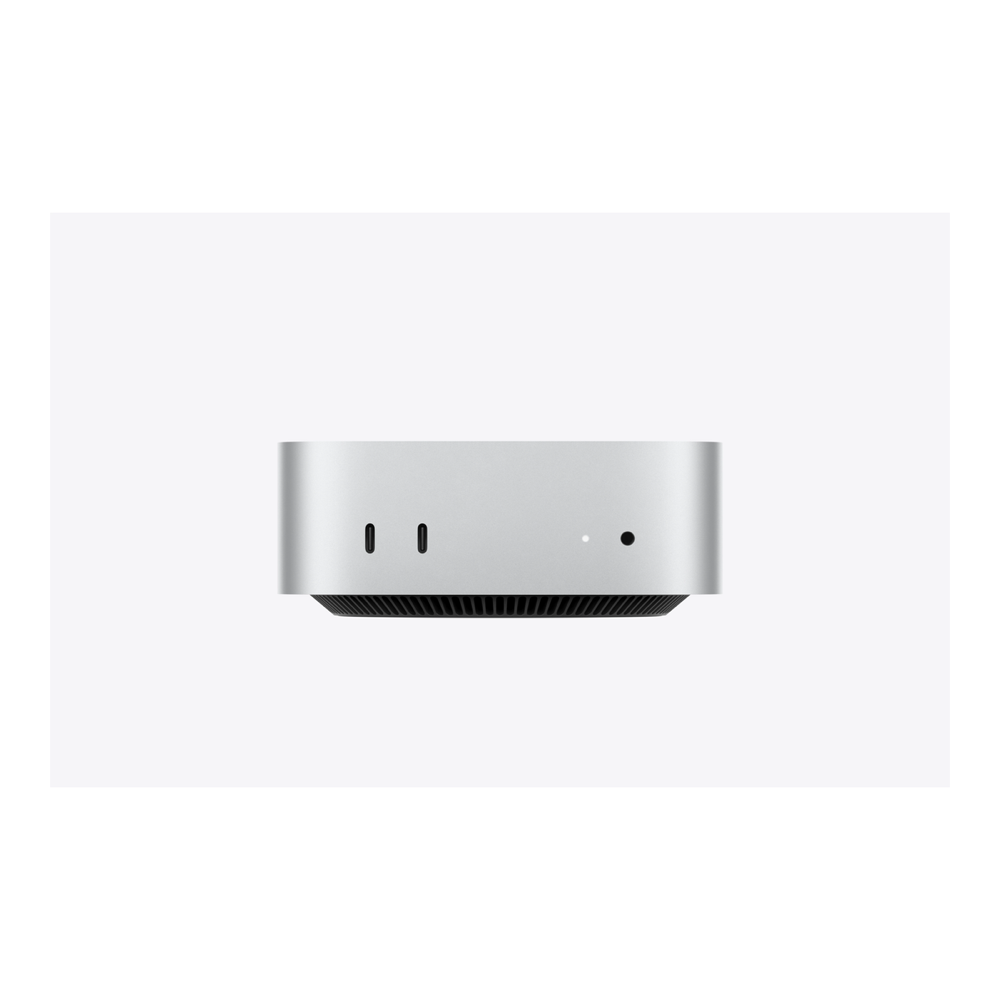
The Mac is the dark-horse local-LLM machine, and bandwidth is why. Apple Silicon pairs a wide unified-memory bus with the Metal and MLX software stack, so a Mac runs a dense model meaningfully faster than the AMD mini PCs at the same capacity. The Mac mini with the M4 Pro chip carries up to 48GB of unified memory at 273 GB/s; the Mac Studio with the M4 Max raises that to a 64GB ceiling and doubles the bandwidth to 546 GB/s. That extra bandwidth is the difference between a 70B you wait on and a 70B you talk to, which is why a dense 70B really wants the Studio.
In published testing collected for our mini PC roundup, a Mac Studio M4 Max runs a dense 70B at roughly 20 to 28 tokens a second, the only machine in this comparison that hits genuinely interactive speed on a dense model that large. A Strix Halo box at the same capacity manages about 5. The Mac also wins on the things that don’t show up in a benchmark: it idles at a few watts, runs silent, and the macOS LLM tooling (Ollama, LM Studio, MLX) is mature and frictionless.
Where this falls short is capacity and openness. Apple cut its high-memory Mac tiers in May 2026 during the memory shortage, so the M4 Pro mini now tops out at 48GB and the M4 Max Studio at 64GB, and you cannot hold the very largest models. The memory is soldered and the markup steep, a 64GB build runs well into four figures. And you live in the Apple ecosystem: no CUDA, no PCIe slot, no second GPU later. Skip it if you need to hold a model larger than 64GB, want CUDA, or already have a Linux workflow you don’t want to leave.
Apple sells these directly, not as a first-party Amazon item, so buy from Apple rather than a third-party marketplace listing.
2. A unified-memory mini PC (AMD Ryzen AI Max+ 395)
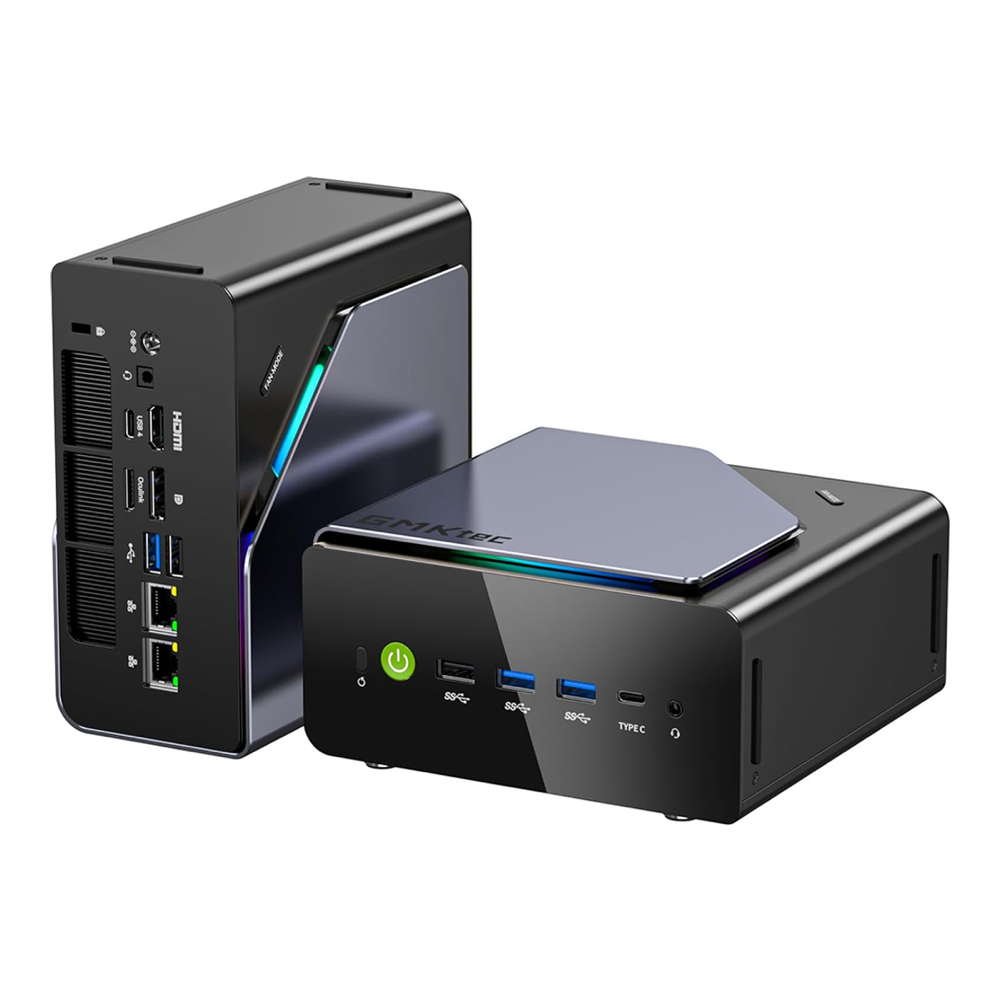
The Strix Halo mini PC is the capacity king. The AMD Ryzen AI Max+ 395 (codenamed Strix Halo) puts 128GB of LPDDR5X in a single shared pool, of which about 96GB can be allocated as VRAM in the BIOS. That is more usable memory than a $2,700 graphics card gives you, in a one-litre box off a single power brick, for less money than the card. It holds a 70B comfortably and a 120B at full weights, which no single consumer GPU can do.
The catch is bandwidth. That shared pool runs at about 256 GB/s against a desktop GPU’s 1000-plus, so these are capacity kings, not speed kings. On a dense 70B, ServeTheHome and other reviews put Strix Halo around 5 tokens a second, fine for batch jobs and background drafting but slow for live chat. Where it comes alive is mixture-of-experts models: ServeTheHome measured gpt-oss-120b at 31.41 tokens a second on a Beelink GTR9 Pro at about 120 watts, near-silent. Big sparse models are the real reason to own one.
The standout buy is the GMKtec EVO-X2: the full Ryzen AI Max+ 395 with 128GB of LPDDR5X-8000, a 40-core Radeon 8060S, a 2TB drive, USB4, and WiFi 7. If you intend to run this headless as a home AI server feeding other machines, the Beelink GTR9 Pro is the alternative worth the stretch, because it adds dual 10GbE networking that the EVO-X2’s single 2.5GbE doesn’t match (it’s the exact unit ServeTheHome benchmarked). The boxes share the same silicon, so they share the same speed; pick on networking, ports, and price.
Where this falls short is prompt processing and the dense-model speed. Feeding a long document, Strix Halo ingests around 339 tokens a second, roughly five times slower than a CUDA box, so retrieval-augmented work over long context drags. And x86 plus ROCm/Vulkan, while improving fast, still trails CUDA on tooling breadth. Skip it if your models all fit in 24GB (a GPU is faster and cheaper), if you need fast long-context RAG, or if your stack is CUDA-only. If you want the full field of these boxes side by side, our best mini PC for local AI guide ranks all of them.
3. A discrete GPU rig (NVIDIA)
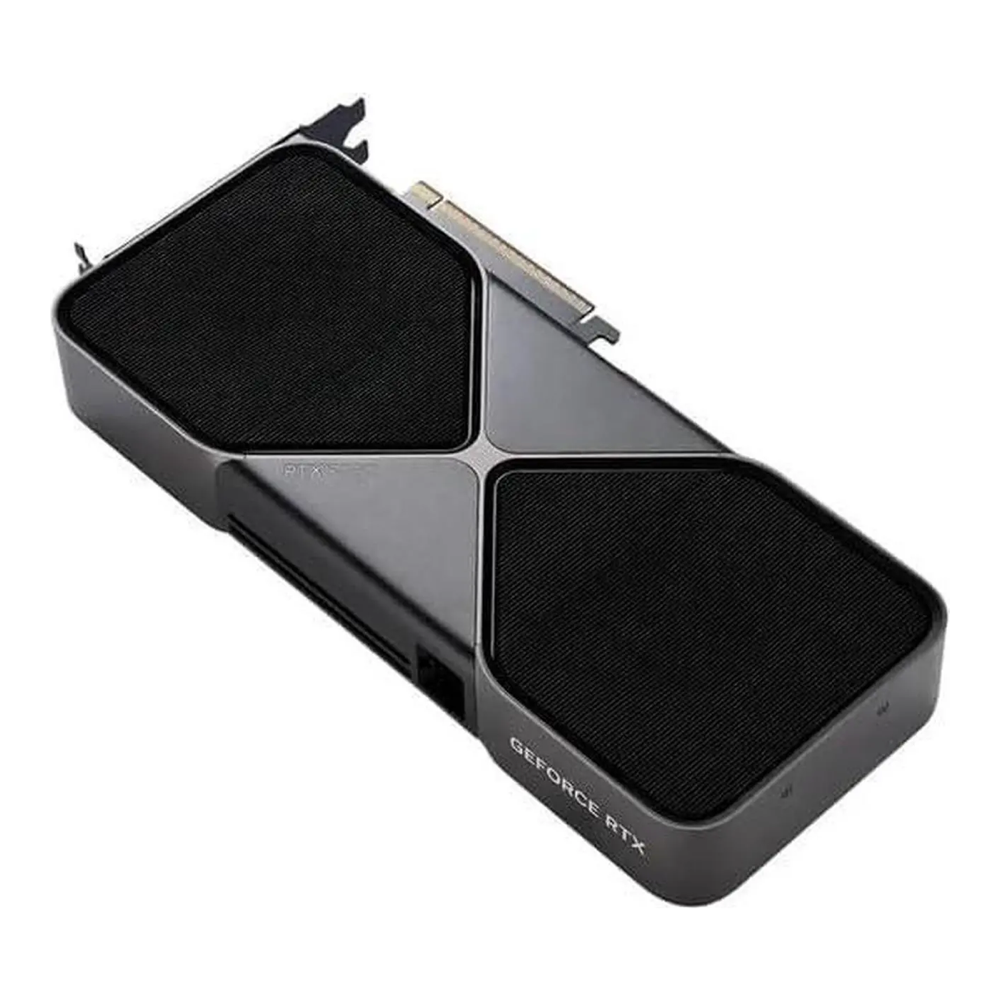
The graphics card is the speed king on everything that fits in its VRAM. NVIDIA’s memory bandwidth and CUDA stack mean a desktop card generates tokens two to three times faster than a mini PC on the same model, and the entire local-LLM software world targets CUDA first. The cost is capacity: a single card tops out at 24GB or 32GB, so a 70B is off the table without two cards or a workstation part.
For value, a used RTX 3090 with 24GB is still the best VRAM-per-dollar on the market. In our own testing it ran a 32B model at Q4 at 37 tokens a second, and two of them give you the 48GB needed for a 70B. For raw speed and a little more headroom, the RTX 5090’s 32GB of GDDR7 and nearly 1.8 TB/s of bandwidth made it the fastest card we measured: 250 tokens a second on an 8B and 71 on a 32B, more than double the 3090. The full head-to-head lives in our used RTX 3090 vs RTX 5090 comparison, and the wider field in the GPU pillar.
Our measured generation rates, warm at Q4_K_M with a 4096-token context, show the pattern. Every card clears reading speed on an 8B; the gaps open up on the 32B; and a 70B fits on none of the 24/32GB cards.
| GPU | 8B model | 32B model | 70B model |
|---|---|---|---|
| RTX 3090 (24GB) | 119 tok/s | 37 tok/s | does not fit |
| RTX 4090 (24GB) | 148 tok/s | 43 tok/s | does not fit |
| RTX 5090 (32GB) | 250 tok/s | 71 tok/s | does not fit |
| L40S (48GB) | 113 tok/s | 33 tok/s | 16 tok/s |
Where this falls short is everything the unified-memory boxes do well. A 70B needs two 24GB cards or a 48GB workstation card, which means a full ATX build, a 1000-watt power supply, real heat, and real fan noise. The RTX 5090 alone draws 575 watts under load. And used 3090 stock is entirely secondhand with no warranty. Skip the GPU path if you want to run a 70B without building a tower, if power and noise matter (a media cabinet, a bedroom), or if you’d rather not gamble on used parts. The 3090 listings come and go since stock is all secondhand, so check current availability before counting on a price.
Which one should you buy?
Work down this list and stop at the first line that describes you. The split is clean because each path genuinely wins a different corner.
| What you optimize for | Buy this | Why |
|---|---|---|
| The biggest model for the least money | 128GB Strix Halo mini PC (GMKtec EVO-X2 or Beelink GTR9 Pro) | Holds a 70B and a 120B for the price of one 32GB card |
| Fast MoE models like gpt-oss-120b | Any 128GB Strix Halo box | ~31 tok/s on a sparse 120B, cited (ServeTheHome) |
| A dense 70B fast enough to chat with | Mac Studio M4 Max | ~20 to 28 tok/s on a dense 70B, cited; highest Mac bandwidth |
| Fastest tokens per second on a 32B or smaller | RTX 5090, or a used RTX 3090 for value | 250 / 119 tok/s on an 8B, measured by us |
| Lowest power and noise, always-on | Mac mini or a Strix Halo box | Both idle low and run near-silent |
| CUDA development and widest software support | NVIDIA GPU (3090 or 5090) | The training and serving stack targets CUDA first |
| Everything you run fits in 24GB | A graphics card, not a mini PC | For what fits, nothing here beats a GPU on speed |
The blunt summary: buy a discrete GPU if your models fit in its VRAM and you want them fast, a Strix Halo mini PC if you need to hold a model the card can’t at a price the card can’t touch, and a Mac if you want a dense 70B at interactive speed in a quiet, polished box and can live inside the Apple ecosystem. Size the model you actually intend to run first, then buy the corner of the triangle that runs it the way you need.