A 128 GB mini PC now holds a 70B model that a 24 GB graphics card cannot. It will not run that dense 70B fast: expect about 5 tokens a second, because generating each token has to read all 70 billion parameters through a 256 GB/s memory bus. Where these machines come alive is large mixture-of-experts models like gpt-oss-120b, which runs at about 31 tokens a second on the same box because only a fraction of its parameters fire per token. That is the real case for the best mini PC for local AI in 2026: capacity a graphics card cannot match, and genuinely fast inference on the sparse models built to exploit it. The chip behind it is the AMD Ryzen AI Max+ 395, codenamed Strix Halo. The speed figures below come from published reviews on real hardware, gathered in June 2026.
Some links below are affiliate links. If you buy through them we may earn a small commission at no extra cost to you. The picks are chosen on measured performance and value, not commission.
Quick picks
Most of these run the same Strix Halo silicon, so they perform the same. Pick on memory, networking, price, and whether you need CUDA. Prices are approximate June 2026 and have drifted up with the memory shortage.
| Use case | Mini PC | Why | From |
|---|---|---|---|
| Best overall, 128 GB | Beelink GTR9 Pro | Dual 10GbE, 31 tok/s on gpt-oss-120b | ~$1,999 |
| Best value, 128 GB | GMKtec EVO-X2 | Usually the cheapest 128 GB box, OCuLink | ~$1,999 |
| Cheapest, repairable | Framework Desktop | Direct only, standard parts, quiet | ~$1,999 |
| Expandable | Minisforum MS-S1 MAX | Dual 10GbE plus a PCIe slot and a rack option | ~$2,299 |
| CUDA, prefill, serving | NVIDIA DGX Spark | Real CUDA stack, fast prompt processing | $4,699 |
| Fastest dense models | Mac Studio M4 Max | 546 GB/s bandwidth, but 96 GB ceiling | ~$1,999 |
| Budget, up to 32B | Beelink SER9 | 32 GB, runs models to about 32B | ~$799 |
What changed in 2026
The Ryzen AI Max+ 395 made 128 GB of fast unified memory cheap, and the memory shortage made everything else expensive. A discrete 24 GB card holds a 32B model. To hold a 70B you needed a 48 GB workstation card or two cards in one chassis. The Strix Halo boxes hold a 70B, and a 120B, in a 1.3 litre case off a single power brick, because the GPU and the CPU share one 128 GB pool instead of fighting over a 24 GB partition.
The catch is bandwidth. That shared pool runs at about 256 GB/s. A desktop GPU runs its smaller VRAM at over 1000 GB/s. Token generation is bound by memory bandwidth, so these machines are capacity kings, not speed kings, and the rest of this guide is mostly about that tradeoff and which box to buy around it. If you have not sized your model yet, start with how much VRAM each model needs and come back.
How fast these actually run
The Strix Halo boxes share one chip, so they share one performance curve. These are single-stream generation rates from independent reviews, at Q4 unless noted.
| Model | Type | Tokens/sec on Strix Halo |
|---|---|---|
| Llama 3.1 8B | dense | ~40 |
| Qwen 14B | dense | ~22 |
| Qwen 32B | dense | ~11 |
| Llama 3.3 70B | dense | ~5 |
| gpt-oss-120b | MoE (~5B active) | ~31 (ServeTheHome, on the GTR9 Pro) |
| Qwen3 235B | MoE (~22B active) | ~8 (partial offload, estimate) |
One pattern explains the whole table. Dense models slow down in proportion to their total size, because every token reads every parameter: an 8B at 256 GB/s clears about 40 tokens a second, a 70B reads nearly nine times the data and drops to about 5. A 5-tokens-a-second 70B is fine for batch jobs and background drafting, but slow for live chat, where about 10 is the floor for comfort. Mixture-of-experts models break the pattern. gpt-oss-120b carries 117 billion parameters but activates only about 5 billion per token, so it runs at about 31 tokens a second despite being larger than the 70B, while still needing the full weights in memory. That is the real reason to own one of these boxes: they make big sparse models fast and big dense models possible.
Capacity is not speed
This is the section every other buyer guide skips, and it is the one that decides whether one of these machines is right for you. Put the unified-memory boxes next to a discrete GPU and a Mac on dense models, single stream:
| Machine | Bandwidth | 8B | 70B dense |
|---|---|---|---|
| RTX 5090 (32 GB) | ~1.8 TB/s | ~70 to 140 | does not fit (~14 to 22 offload) |
| Mac Studio M4 Max (96 GB) | ~546 GB/s | ~75 to 90 | ~20 to 28 |
| DGX Spark (128 GB) | ~273 GB/s | ~38 | ~3 to 4 |
| Strix Halo (128 GB) | ~256 GB/s | ~40 | ~5 |
The dense 70B column tracks bandwidth, with one wrinkle: the DGX Spark’s real decode speed lands near Strix Halo’s despite its higher rating, because the GB10 does not turn all of that 273 GB/s into tokens. The Mac Studio M4 Max, at roughly twice the bandwidth of the AMD and NVIDIA boxes, runs a dense 70B two to four times faster than any of them. The RTX 5090 cannot fit a 70B at all, but its 1.8 TB/s makes it two to three times faster than Strix Halo on the 8B that does fit in its 32 GB. The lesson is blunt: a discrete GPU wins on everything that fits in its VRAM, the Mac wins on dense models up to its 96 GB ceiling, and the AMD boxes win on one thing only, holding a model the others cannot at a price the others cannot touch.
There is a second cost that the generation numbers hide. Strix Halo processes a long prompt slowly. Feeding it a big document or a long retrieval-augmented context, it ingests around 339 tokens a second against the DGX Spark’s 1,723, roughly five times slower. For short chat the difference is invisible. For RAG over long documents, or any workload that pushes thousands of tokens of context on every call, that prefill penalty is the real bottleneck, and it is the main reason to pay for the DGX Spark instead.
Best overall: Beelink GTR9 Pro
The Beelink GTR9 Pro is the one to buy if you want the full Strix Halo machine without thinking hard about it. 128 GB of unified memory, a 2 TB drive, and the spec that separates it from the pack: dual 10GbE. That matters if this box is going to sit headless as a home AI server feeding other machines, which is what most people do with it. ServeTheHome measured gpt-oss-120b at 31.41 tokens a second on this exact unit, the strongest verified number on the platform, and the teardown showed a vapor-chamber cooler holding that load at about 120 watts, nearly silent.
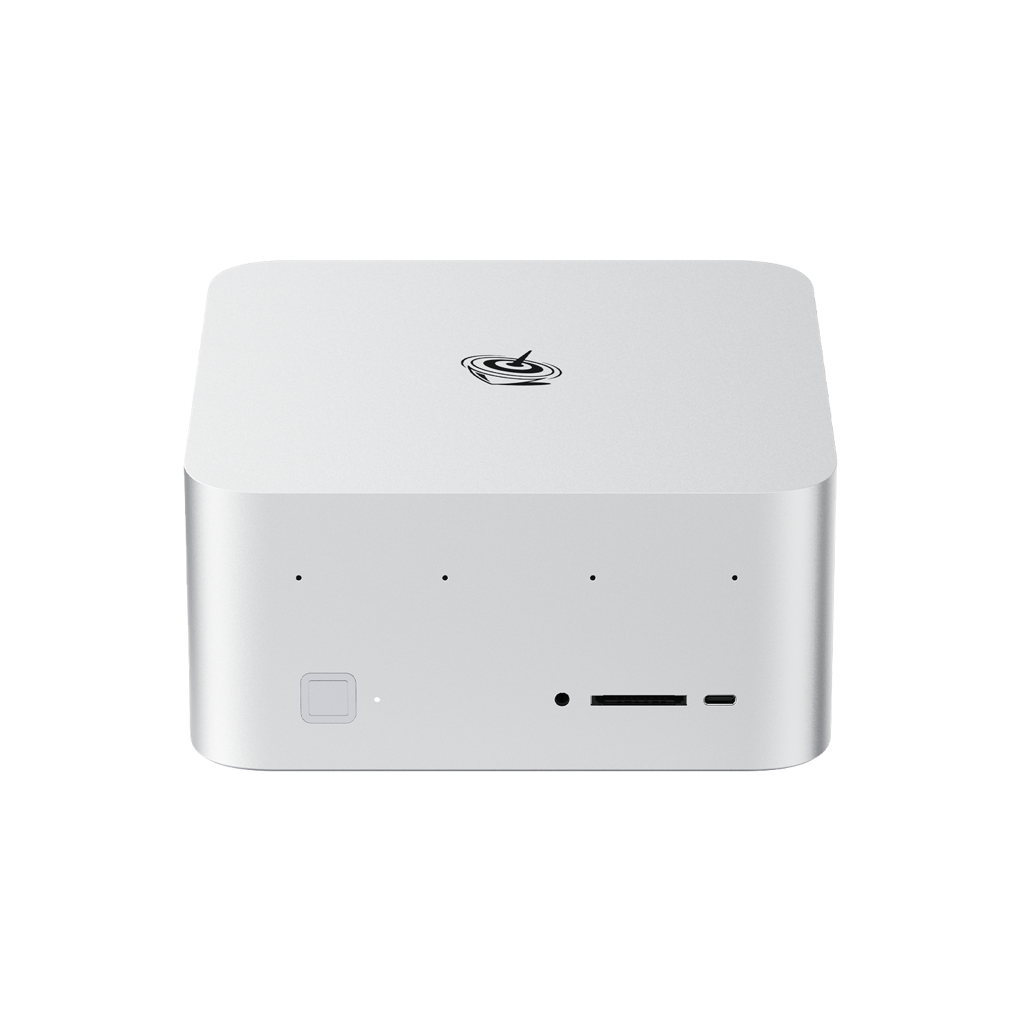
Skip it if you do not need 10GbE and can find the GMKtec cheaper, because on model speed they are identical. Otherwise this is the default pick.
Check the Beelink GTR9 Pro price on Amazon
Best value: GMKtec EVO-X2
Same chip, same 128 GB, same speed on every model, usually a little cheaper than the Beelink. The GMKtec EVO-X2 is the value pick on the platform, and it adds an OCuLink port, so if you later want faster prompt processing you can hang an external GPU off it. Its top power mode pulls more than the Framework or Beelink, around 186 watts, though Tom’s Hardware found it stayed comparatively cool and quiet under load. Stock comes and goes and the price swings with it, so buy when it is in stock and cheap.
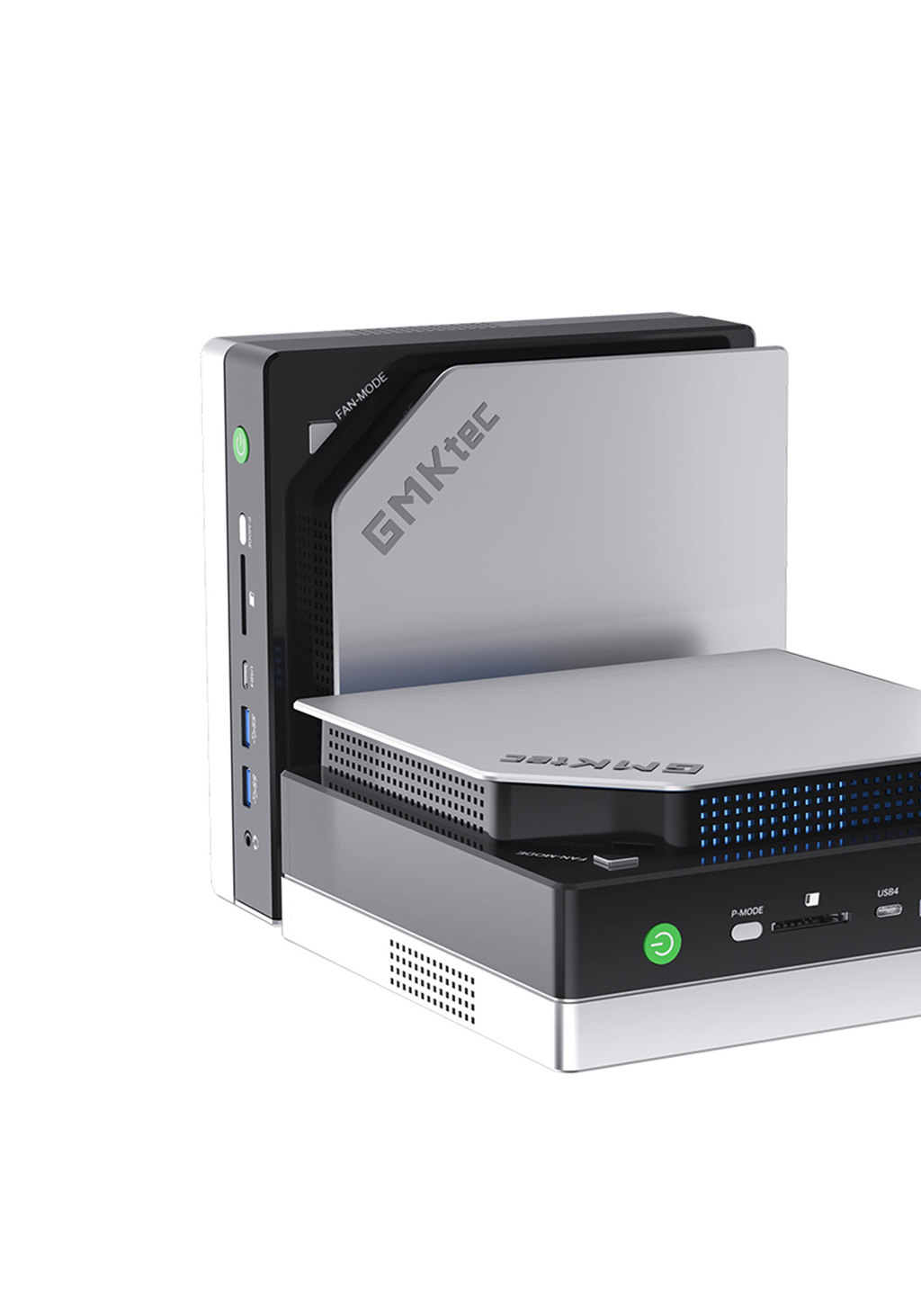
Skip it if you want the Beelink’s 10GbE or the Framework’s serviceability. For most people running local models on a budget, this is the most machine per dollar.
Check the GMKtec EVO-X2 price on Amazon
Cheapest and most repairable: Framework Desktop
The Framework Desktop is the same Strix Halo board, built around standard parts you can service, starting at $1,999 for the 128 GB configuration before the shortage premium. It is the quietest and most efficient of the bunch, holding the same performance at about 144 watts against the GMKtec’s 186. The catch for this guide is that Framework sells direct, not through Amazon, so buy it from frame.work. If you value a machine you can open and fix over the last few dollars of price, this is the one, and the efficiency means it runs cooler as a 24/7 server.
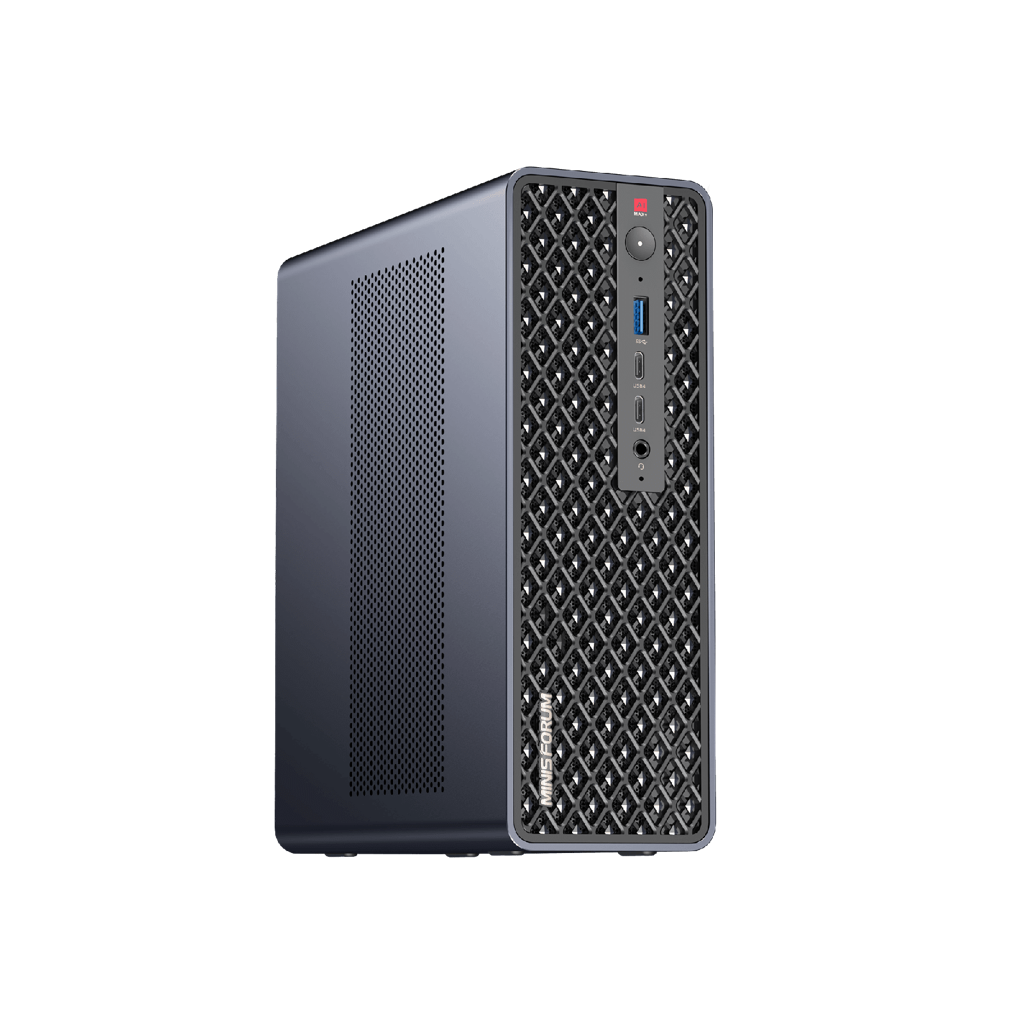
Most expandable: Minisforum MS-S1 MAX
The Minisforum MS-S1 MAX is the Strix Halo box for people who want to grow it. It matches the Beelink on networking with dual 10GbE, then adds a real PCIe x16 slot (wired at 4.0 x4), USB4 v2 at 80 Gbps, and a 2U rack option for anyone building a small cluster. It also runs the hottest of the AMD boxes, up to 160 watts in its top mode. At around $2,299 it is the priciest of them, justified only if you will use the slot or the rack. It sells through Minisforum’s own store and shows up on Amazon and Newegg in batches.
For CUDA and prefill: NVIDIA DGX Spark
The DGX Spark is a different animal at a different price. It pairs 128 GB of unified memory with a real NVIDIA GB10 chip and the full CUDA stack, which is the thing the AMD boxes cannot match. On a single-stream dense 70B it is no faster than the others, around 3 to 4 tokens a second, because it is bandwidth-bound too. Where it pulls ahead is everywhere a CUDA accelerator should: it ingests long prompts about five times faster than Strix Halo, and it serves many concurrent requests far better, with aggregate throughput near 700 to 860 tokens a second on batched mixture-of-experts workloads. That makes it the pick for fine-tuning, CUDA-only toolchains, RAG over long context, and serving a team rather than one person.
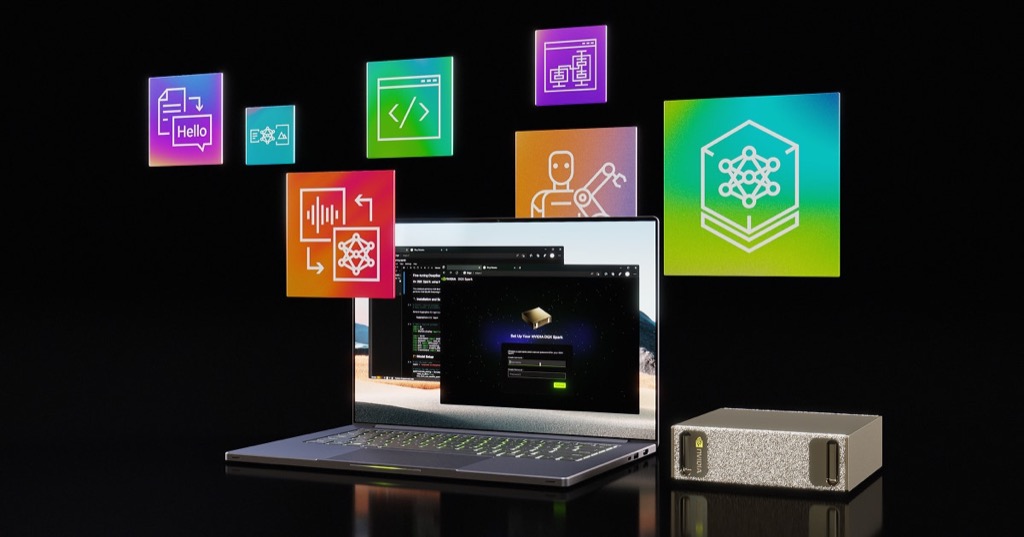
It is also $4,699, up from $3,999 after a February 2026 price hike, more than twice a Strix Halo box. NVIDIA does not sell it through Amazon, so buy it from NVIDIA, Micro Center, or Best Buy rather than a third-party marketplace listing. For one person running a value 70B at home, it is overkill. For CUDA development, long-context RAG, or concurrent serving, nothing else this size competes.
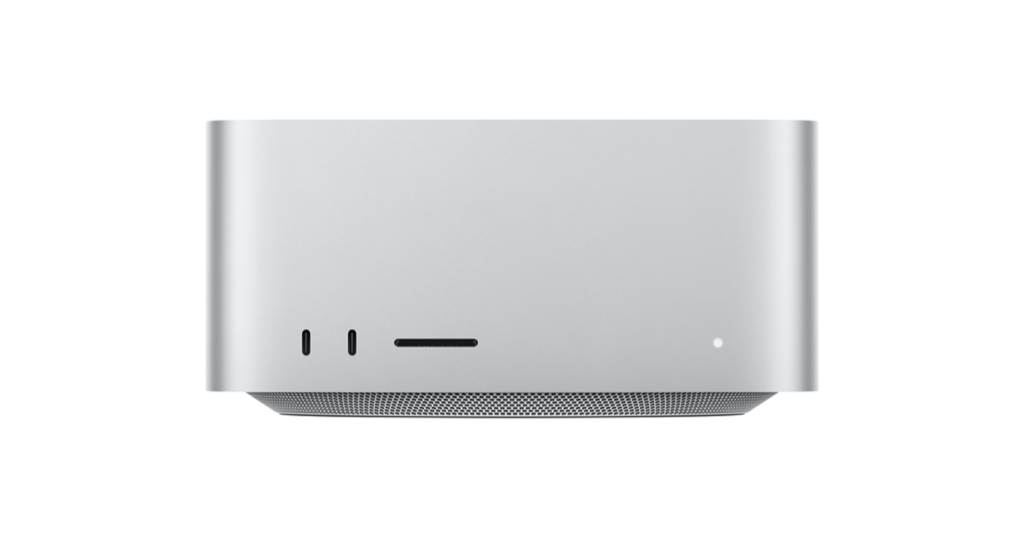
For fast dense models: Mac Studio M4 Max
If you live in macOS and want the fastest dense-model speed in this class, the Mac Studio M4 Max has the most bandwidth, around 546 GB/s, roughly double the AMD and NVIDIA boxes. That makes it two to four times faster on a dense 70B, around 20 to 28 tokens a second, the only machine here that runs a 70B at genuinely interactive speed. The problem arrived in May 2026, when Apple cut the M4 Max’s 128 GB memory option and dropped the ceiling to 96 GB. A 96 GB Mac still runs a 70B comfortably, but it can no longer hold the very largest models, and Apple does not sell it as a first-party Amazon item. Buy it for the bandwidth and the ecosystem, not to hold a 235B.
Budget pick: Beelink SER9
You do not need a 128 GB machine to start. The Beelink SER9, built on the Ryzen AI 9 HX 370 with 32 GB of memory, runs models up to about 32B at Q4 and costs $799 to $999. It is the right buy if your work lives in the 8B to 32B range, which covers most coding assistants and chat, and those smaller dense models run faster on it relative to their size than a 70B ever will on the big boxes. What it cannot do is hold a 70B, and its memory is soldered, so the 32 GB is the 32 GB forever. Treat it as the entry point: if you outgrow it, the 128 GB boxes are waiting.
Check the Beelink SER9 price on Amazon
Which box for which model
Match the machine to what you actually run, and be honest about dense versus sparse.
| What you run | Best buy |
|---|---|
| Dense models up to 32B, interactively | A discrete GPU, or the Beelink SER9 on a budget |
| A dense 70B, for batch or background work | Any 128 GB Strix Halo box, about 5 tok/s |
| A dense 70B, fast and interactive | Mac Studio M4 Max (~20 to 28 tok/s) or a multi-GPU rig |
| Large MoE models like gpt-oss-120b | Any 128 GB Strix Halo box, about 31 tok/s |
| Long-context RAG, fine-tuning, or serving a team | NVIDIA DGX Spark |
The memory each model needs comes straight from the model math, weights at roughly 0.6 bytes per parameter at Q4 plus context. The VRAM sizing guide works the full numbers for a specific model and context length, and the GPU buyer guide covers the discrete-card path for anything that fits in 24 or 32 GB.
Run it on Linux
These boxes ship with Windows, but a headless Linux install is the better home for a 24/7 AI server, and the Radeon 8060S integrated GPU is supported. Install Ollama, point it at the GPU through ROCm, and the unified memory is available to the model. The one tuning step that catches people out is the memory split: set a large GTT or UMA buffer so the GPU can claim most of the 128 GB, rather than the small default carve-out a desktop BIOS assumes. After that the workflow is ordinary:
ollama run gpt-oss:120bThe full install, including the firewall and a reverse proxy if you want to reach it from other machines, is in the Ollama on Linux guide. For serving more than one user from the box, vLLM packs more concurrent sessions into the same memory than Ollama does.
Why 2026 is a buy-now year
The memory shortage is not a footnote, it is the market. DRAM contract prices rose around 90 percent in the first quarter of 2026 and are forecast to climb further, because high-bandwidth memory for AI accelerators is eating commodity supply. That is why NVIDIA raised the DGX Spark by $700, why Apple cut its high-memory Mac tiers, and why every 128 GB box costs more than it did at launch. The one mercy is that the Strix Halo machines use soldered LPDDR5X bought at launch volume, so their prices have held up better than socketed-RAM systems. Waiting for a price drop is the losing bet this year. If a 128 GB box does what you need at today’s price, today’s price is likely the good one.
The short version: the 128 GB Strix Halo boxes are the same machine at heart, so buy the cheapest one in stock with the ports you need, usually the GMKtec EVO-X2 or the Beelink GTR9 Pro. They are for capacity and for fast MoE models, not for a snappy dense 70B. Pay up for the DGX Spark only if you need CUDA, long-context prefill, or to serve a team. Buy the Mac Studio M4 Max if you want the fastest dense 70B and can live with 96 GB. Drop to the Beelink SER9 if your models stay under 32B. And if everything you run fits in 24 GB, skip mini PCs entirely and buy a graphics card, because for what fits, nothing here beats it on speed.