Standard Ansible runs when you tell it to. Event-Driven Ansible (EDA) flips that model: it watches for events and fires playbooks automatically when conditions match. A webhook from your CI pipeline triggers a deployment. An alert from Prometheus restarts a failing service. A file change on a server kicks off a config sync. The automation responds to what’s happening instead of waiting for a human to run ansible-playbook.
This guide installs ansible-rulebook 1.2.2 on Rocky Linux 10.1, then builds and tests three real event sources: webhooks for CI/CD integration, range events for scheduled-like behavior, and the architecture behind file watches and alerting integrations. Everything runs on Ansible 13.5.0 (ansible-core 2.20.4) with the ansible.eda 2.11.0 collection.
Tested April 2026 | Rocky Linux 10.1, ansible-rulebook 1.2.2, ansible-core 2.20.4, Java 21.0.10
Prerequisites
EDA has more dependencies than standard Ansible because it includes a Java-based rule engine (Drools). You need:
- Ansible installed on a control node (Install Ansible on Rocky Linux 10 / Ubuntu 24.04)
- Java 17+ runtime (EDA uses the Drools rule engine)
- Python 3.9+ (3.12 recommended)
- Familiarity with Ansible playbooks
Install Event-Driven Ansible
EDA requires Java for its rule engine. On Rocky Linux 10, Java 21 is the default OpenJDK version available:
sudo dnf install -y java-21-openjdk-headlessVerify Java is accessible:
java -versionThe output confirms OpenJDK 21:
openjdk version "21.0.10" 2026-01-20 LTS
OpenJDK Runtime Environment (Red_Hat-21.0.10.0.7-1) (build 21.0.10+7-LTS)
OpenJDK 64-Bit Server VM (Red_Hat-21.0.10.0.7-1) (build 21.0.10+7-LTS, mixed mode, sharing)
On Ubuntu 24.04, install with sudo apt install -y openjdk-21-jre-headless.
Install ansible-rulebook and the EDA collection:
pip3 install ansible-rulebook
ansible-galaxy collection install ansible.eda
Confirm the installation:
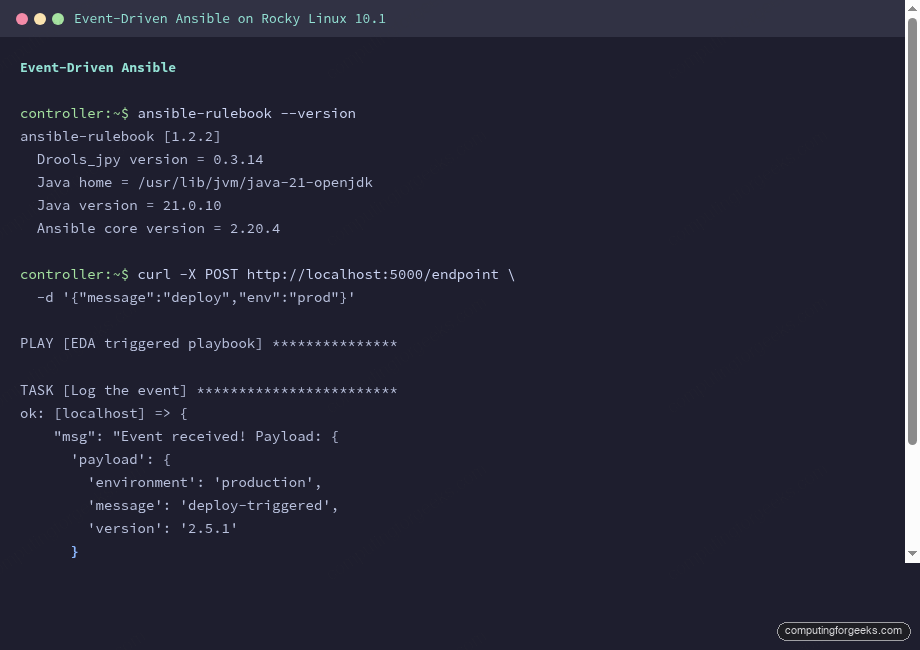
ansible-rulebook --versionAll components should report their versions:
ansible-rulebook [1.2.2]
  Executable location = /usr/local/bin/ansible-rulebook
  Drools_jpy version = 0.3.14
  Java home = /usr/lib/jvm/java-21-openjdk
  Java version = 21.0.10
  Ansible core version = 2.20.4
  Python version = 3.12.12
How EDA Works: Sources, Rules, and Actions
A rulebook is to EDA what a playbook is to standard Ansible. It has three components:
- Sources generate events. A webhook listener, a file watcher, a Kafka consumer, or an Alertmanager receiver. Each source produces a stream of events
- Rules match events against conditions. When an event meets the condition (a specific webhook payload, a particular alert label), the rule fires
- Actions respond to matched events. Run a playbook, trigger a job template, set a fact, or print the event for debugging
Unlike ansible-playbook which runs to completion and exits, ansible-rulebook stays running continuously, waiting for events. It’s a long-running service, not a one-shot command.
Build a Webhook Rulebook
The most practical EDA use case: listen for webhooks from CI/CD systems and trigger automation. Create a project structure:
mkdir -p eda/playbooksThe Triggered Playbook
First, create the playbook that EDA will run when an event matches. This playbook logs the incoming event payload:
vi eda/playbooks/hello.ymlAdd the playbook content:
---
- name: EDA triggered playbook
  hosts: localhost
  connection: local
  gather_facts: false

  tasks:
    - name: Log the event
      ansible.builtin.debug:
        msg: "Event received! Payload: {{ ansible_eda.event | default('no payload') }}"
The ansible_eda.event variable is injected by the rulebook runner and contains the full event data, including headers, payload, and metadata.
The Rulebook
Create the rulebook that listens for webhooks on port 5000:
vi eda/webhook_rulebook.ymlAdd the webhook source and matching rule:
---
- name: Listen for webhook events
  hosts: all
  sources:
    - ansible.eda.webhook:
        host: 0.0.0.0
        port: 5000

  rules:
    - name: Handle incoming webhook
      condition: event.payload is defined
      action:
        run_playbook:
          name: playbooks/hello.yml
The condition field uses Jinja2-like expressions. event.payload is defined matches any POST request with a JSON body. In production, you’d narrow this to specific payload content like event.payload.action == "deploy".
Create an Inventory File
EDA needs an inventory even for local-only playbooks:
echo "localhost ansible_connection=local" > eda/inventory.iniRun and Test
Start the rulebook runner:
cd eda
ansible-rulebook --rulebook webhook_rulebook.yml -i inventory.ini --verbose
The runner starts the Drools engine and begins listening on port 5000. From another terminal, send a test webhook:
curl -X POST http://localhost:5000/endpoint \
  -H "Content-Type: application/json" \
  -d '{"message":"deploy-triggered","environment":"production","version":"2.5.1"}'
The rulebook runner detects the event, matches the condition, and runs the playbook:
2026-04-14 11:58:01 - aiohttp.access - INFO - 127.0.0.1 "POST /endpoint HTTP/1.1" 200

PLAY [EDA triggered playbook] **************************************************

TASK [Log the event] ***********************************************************
ok: [localhost] => {
    "msg": "Event received! Payload: {
        'meta': {
            'endpoint': 'endpoint',
            'headers': {'Content-Type': 'application/json'},
            'received_at': '2026-04-14T08:58:01.918933Z',
            'source': {'name': 'ansible.eda.webhook', 'type': 'ansible.eda.webhook'}
        },
        'payload': {
            'environment': 'production',
            'message': 'deploy-triggered',
            'version': '2.5.1'
        }
    }"
}

PLAY RECAP *********************************************************************
localhost : ok=1  changed=0  failed=0
The full event payload is available inside the triggered playbook. You can access specific fields like ansible_eda.event.payload.version to make deployment decisions.
Advanced Conditions
Conditions in rulebooks support comparison operators, logical AND/OR, and nested field access. A more targeted webhook rule:
  rules:
    - name: Deploy on production push
      condition: >
        event.payload.action == "deploy" and
        event.payload.environment == "production"
      action:
        run_playbook:
          name: playbooks/deploy_production.yml

    - name: Run tests on staging push
      condition: >
        event.payload.action == "deploy" and
        event.payload.environment == "staging"
      action:
        run_playbook:
          name: playbooks/run_tests.yml

    - name: Alert on high severity
      condition: event.payload.severity == "critical"
      action:
        run_playbook:
          name: playbooks/alert_oncall.yml
Multiple rules in the same rulebook evaluate independently. Each incoming event is checked against all rules, and every matching rule fires its action.
Event Sources in the ansible.eda Collection
The ansible.eda 2.11.0 collection includes several built-in event sources:
| Source | Use Case | Key Parameters |
|---|---|---|
ansible.eda.webhook | HTTP webhooks from CI/CD, monitoring | host, port, token |
ansible.eda.url_check | Poll a URL and fire on status change | urls, delay |
ansible.eda.range | Generate numbered events (testing) | limit |
ansible.eda.file_watch | Watch filesystem for changes | path, recursive |
ansible.eda.alertmanager | Receive Prometheus alerts | host, port |
ansible.eda.kafka | Consume Kafka topic events | topic, host |
The range source is useful for testing. It generates a configurable number of events instantly:
---
- name: Test range source
  hosts: all
  sources:
    - ansible.eda.range:
        limit: 3

  rules:
    - name: Log each event
      condition: event.i is defined
      action:
        run_playbook:
          name: playbooks/hello.yml
This fires the playbook three times, once for each event (i=0, i=1, i=2):
TASK [Log the event] ***************************
ok: [localhost] => {
    "msg": "Event received! Payload: {'i': 0, 'meta': {...}}"
}

TASK [Log the event] ***************************
ok: [localhost] => {
    "msg": "Event received! Payload: {'i': 1, 'meta': {...}}"
}

TASK [Log the event] ***************************
ok: [localhost] => {
    "msg": "Event received! Payload: {'i': 2, 'meta': {...}}"
}
Running EDA as a Service
In production, ansible-rulebook should run as a systemd service so it starts on boot and restarts on failure. Create a unit file:
sudo vi /etc/systemd/system/ansible-eda.serviceAdd the service configuration:
[Unit]
Description=Ansible Event-Driven Automation
After=network.target

[Service]
Type=simple
User=ansible
Group=ansible
WorkingDirectory=/opt/eda
ExecStart=/usr/local/bin/ansible-rulebook --rulebook rulebook.yml -i inventory.ini
Restart=on-failure
RestartSec=10
Environment=JAVA_HOME=/usr/lib/jvm/java-21-openjdk

[Install]
WantedBy=multi-user.target
Enable and start the service:
sudo systemctl daemon-reload
sudo systemctl enable --now ansible-eda
Check the logs with journalctl -u ansible-eda -f to watch events being processed in real time.
Practical Use Cases
Where EDA adds real value in production:
- CI/CD deployment triggers: GitHub/GitLab webhooks fire on merge to main, EDA runs the deployment playbook. No more polling or manual triggers
- Alertmanager auto-remediation: Prometheus fires a “disk full” alert, EDA runs a cleanup playbook before the oncall engineer even wakes up
- Config drift correction: A file watch detects someone edited a managed config file, EDA re-applies the correct version from the Jinja2 template
- Service health checks: The url_check source polls a health endpoint every 30 seconds, triggers a restart playbook when it returns non-200
- Scaling events: A Kafka message from your autoscaler triggers an Ansible playbook that configures new nodes joining the cluster
Troubleshooting
Error: “Java executable or JAVA_HOME environment variable not found”
The Drools rule engine requires Java. Install OpenJDK 17 or later: sudo dnf install -y java-21-openjdk-headless on Rocky/RHEL or sudo apt install -y openjdk-21-jre-headless on Ubuntu. If Java is installed but not found, set JAVA_HOME explicitly: export JAVA_HOME=/usr/lib/jvm/java-21-openjdk.
Error: “Inventory not found”
Unlike ansible-playbook, the -i flag for ansible-rulebook requires a file path, not a comma-separated host list. Create an inventory file even if you only target localhost.
Webhook Returns 404
The webhook source listens on /endpoint by default. Your POST request must target http://host:port/endpoint, not just http://host:port/. The response from a successful webhook POST is the word “endpoint” (HTTP 200).
Quick Reference
| Component | Purpose | Package |
|---|---|---|
ansible-rulebook | CLI tool that runs rulebooks | pip3 install ansible-rulebook |
ansible.eda | Collection with event sources and filters | ansible-galaxy collection install ansible.eda |
| Java 17+ | Required for Drools rule engine | OS package manager |
| Drools | Pattern matching engine (bundled) | Included in ansible-rulebook |
EDA is the newest pillar in the Ansible ecosystem, alongside the traditional playbook-driven automation and role-based project structures. For the full learning path, see the Ansible Automation Guide. The variables guide and conditionals tutorial cover the foundations that EDA playbooks build on.