You deployed to GKE with kubectl apply, then shell scripts, then a Cloud Build trigger that ran helm upgrade from a build step with hardcoded application default credentials. The cluster drifted. Somebody ran kubectl edit deployment at 3am during an incident and nobody wrote it down. Rollbacks meant git log archaeology and hoping the Artifact Registry still had the old image. GitOps fixes this by flipping the direction of deployment. Instead of CI pushing into the cluster, the cluster pulls from Git and reconciles itself. Argo CD is the tool most GKE teams land on, and it pairs well with GCP because it runs inside the cluster and can authenticate to Secret Manager, Artifact Registry, and any other Google API through Workload Identity Federation for GKE without a single JSON key.
This guide walks through a tested Argo CD install on GKE Autopilot 1.35 using the official Helm chart, the first Application with raw manifests from Git, a Helm chart Application that exposes an Autopilot-specific drift trap we hit during testing, an ApplicationSet with a list generator that stamps out multi-environment deployments, RBAC with AppProjects, the Settings surfaces you actually use, the error strings we captured on the real cluster, a full teardown, and the GCP-specific production considerations that differ from the AWS version of this guide. Every screenshot was taken on a live Autopilot cluster in europe-west1.
Tested April 2026 on GKE Autopilot 1.35.1-gke.1396002 with ArgoCD v3.3.6 (argo-cd Helm chart 9.5.0) and the GKE Gateway controller
ArgoCD vs Flux vs Cloud Deploy: The Decision
Before installing anything, settle which GitOps tool you actually want. Three real options cover ninety-five percent of GKE teams.
| Dimension | Argo CD | Flux CD | Cloud Deploy |
|---|---|---|---|
| Delivery model | Pull (agent in cluster) | Pull (agent in cluster) | Push (Google-managed) |
| Web UI | First-class, included | None (Weave GitOps separate) | Google Cloud Console |
| Multi-cluster | Native, single control plane | Per-cluster agents | Target-based, cross-cluster |
| Helm support | Rendered by repo-server | HelmRelease CRD | Via Skaffold renderer |
| Drift detection | Continuous, visual diff | Continuous, log-based | None between releases |
| Canary / progressive delivery | Rollouts (separate project) | Flagger | Built in |
| Cost | Free (self-hosted) | Free (self-hosted) | Free control plane, pay for GKE/Cloud Run |
| Best for | Platform teams, many apps, many clusters, strong UI story | Kustomize shops that want the smallest moving parts | Teams all-in on GCP-native, progressive delivery priority |
Argo CD is the default pick for GKE teams that want a rich UI, multi-cluster management, and the flexibility to deploy the same GitOps stack across clouds. Flux is the right call if you already live in Kustomize and want fewer moving parts. Cloud Deploy is GCP’s native answer and it is legitimately good for teams who want Google to manage the control plane and who prize progressive delivery over dashboard ergonomics. This guide is an Argo CD guide because Argo CD is what most GKE teams end up running, and because the same tool works across GKE, EKS, AKS, and on-prem clusters.
Prerequisites
- A GKE cluster running Kubernetes 1.29 or newer. Tested on GKE Autopilot 1.35.1-gke.1396002
kubectlv1.29+ configured for your cluster (tested on v1.35.0)- Helm 3.12+ installed locally
- A public Git repository for the demo Applications (the Argo example repo works fine)
- Outbound internet from your worker nodes to pull the Argo CD container images
If you do not yet have a cluster, spin up an Autopilot cluster with a single command. Autopilot is the recommended starting point because it has Workload Identity always enabled and removes the node management overhead that Standard clusters impose:
gcloud container clusters create-auto cfg-lab-gke \
  --region=europe-west1 \
  --release-channel=regular

gcloud container clusters get-credentials cfg-lab-gke \
  --region=europe-west1
Install Argo CD via Helm
The Helm chart is the only install path worth using in 2026. The raw manifest install is still documented upstream but it lags behind on chart features and does not give you a clean helm upgrade story. Add the official repo:
helm repo add argo https://argoproj.github.io/argo-helm
helm repo update argo
Install chart version 9.5.0, which ships Argo CD v3.3.6 at the time of writing. Pin the chart version so your install is reproducible instead of silently jumping to whatever is current the next time you run the command:
helm install argocd argo/argo-cd \
  --namespace argocd \
  --create-namespace \
  --version 9.5.0 \
  --wait
On Autopilot the install takes slightly longer than on Standard GKE because the scheduler provisions a new node to place the ArgoCD pods. Expect roughly ninety seconds on a warm cluster. Check the pods afterward:
kubectl -n argocd get podsSeven running pods, one completed Job, one per architectural component:
NAME                                               READY   STATUS      RESTARTS   AGE
argocd-application-controller-0                    1/1     Running     0          89s
argocd-applicationset-controller-cf69bf4fb-h9s79   1/1     Running     0          91s
argocd-dex-server-74c57cbf75-vx5dd                 1/1     Running     0          91s
argocd-notifications-controller-7c5cf4b4bb-9kr2t   1/1     Running     0          92s
argocd-redis-798d7fdcd5-gh9h9                      1/1     Running     0          92s
argocd-redis-secret-init-xdfv8                     0/1     Completed   0          2m19s
argocd-repo-server-558cb8d7c4-fk2fg                1/1     Running     0          91s
argocd-server-649d7579c5-n949z                     1/1     Running     0          90s
Resource footprint on the default install is modest. On a fresh Autopilot cluster the eight pods combined sit under 400 MiB of memory and a fraction of a CPU, which on Autopilot pricing is a few cents an hour. Expect repo-server and application-controller to climb as you add Applications, because repo-server caches rendered manifests and the controller holds watcher connections per resource kind per cluster.
Access the Argo CD UI
Three options cover every situation. Pick based on whether you want fast, simple, or production-grade.
Option 1: Port-Forward (Testing)
Fastest way to get the UI in a browser. Zero cluster configuration. This is what every screenshot in this guide was captured through:
kubectl -n argocd port-forward svc/argocd-server 8080:443Browse to https://localhost:8080 and accept the self-signed certificate warning. Good for demos and initial testing. Bad for shared environments because only you can reach it.
Option 2: LoadBalancer Service
Flip the argocd-server service type and GKE provisions a Network Load Balancer automatically:
kubectl -n argocd patch svc argocd-server -p '{"spec":{"type":"LoadBalancer"}}'Works, costs one dedicated L4 LB per service, and gives you no path for TLS termination without extra work. Fine for a lab, wasteful in production where you would rather share a Global HTTP(S) LB across multiple services.
Option 3: GKE Gateway API with Google-Managed Certificate (Production)
The production pattern on GKE in 2026 is the Gateway API with a Google-managed SSL certificate attached to the Global HTTP(S) Load Balancer. This replaces the older kubernetes.io/ingress.class: gce Ingress pattern and is the direction GKE is pushing new deployments. One shared L7 LB can front Argo CD plus anything else in the cluster. The GCP-specific gotcha that mirrors the --insecure flag from the EKS version: ArgoCD’s server refuses to render the UI correctly over plain HTTP by default. The chart does not set this flag. If you terminate TLS at the LB and forward HTTP to the pod without the flag, the browser shows a blank page and the server logs complain about TLS expectations. Patch the Deployment first:
kubectl -n argocd patch deployment argocd-server --type='json' -p='[
  {"op":"add","path":"/spec/template/spec/containers/0/args/-","value":"--insecure"}
]'
Then create a Gateway, a ManagedCertificate, and an HTTPRoute that points at the argocd-server Service. The Gateway API route is the long-term direction, but the classic Ingress with networking.gke.io/managed-certificates annotation still works if you have an existing setup. For teams running mixed AWS and GCP, it is worth knowing the equivalent pattern on EKS uses the AWS Load Balancer Controller and an ACM certificate ARN, which our ArgoCD on EKS guide covers in full.
Get the Admin Password and Log in
The chart creates a random initial admin password and stores it in a Secret named argocd-initial-admin-secret. Fetch it:
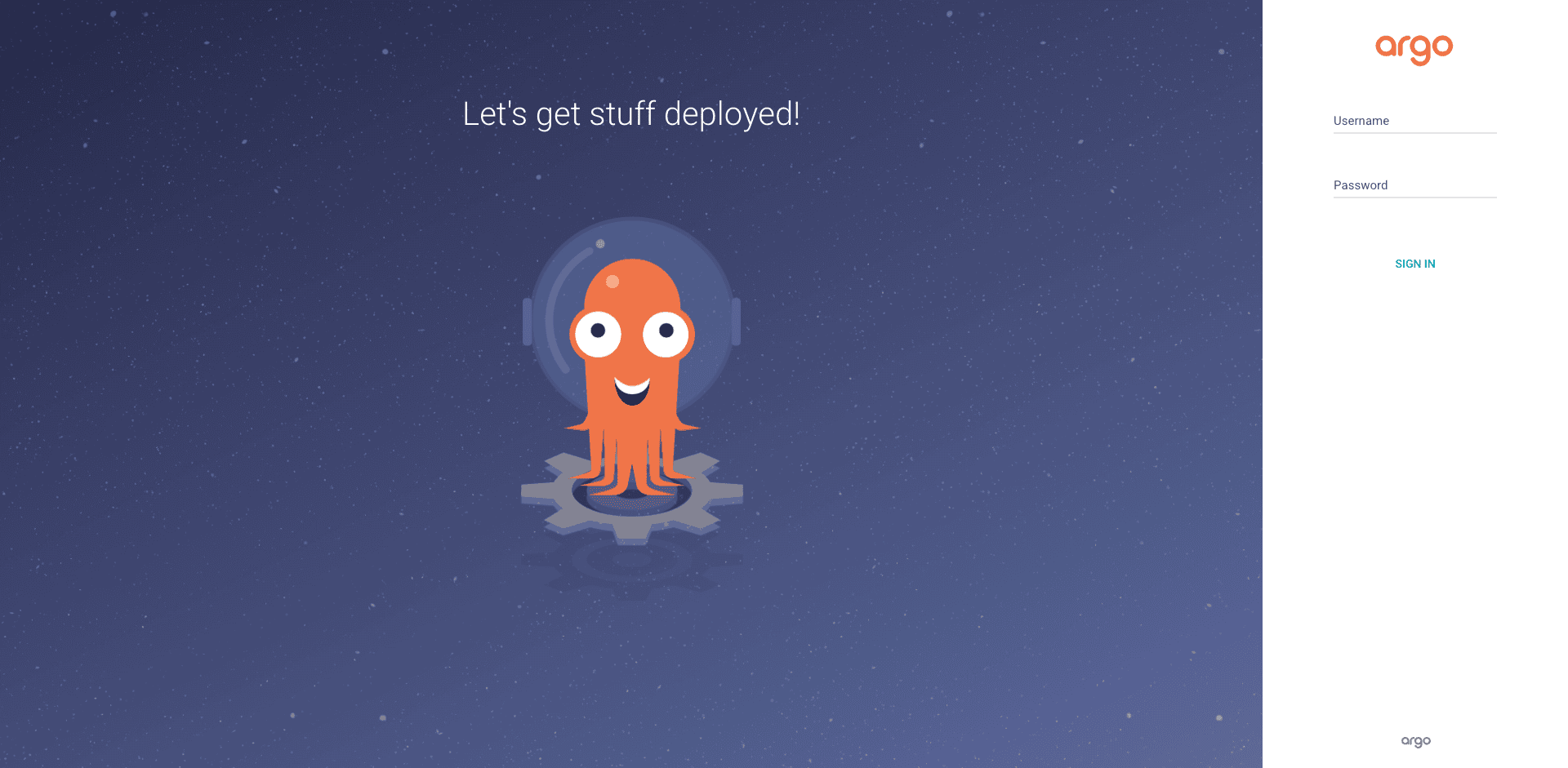
kubectl -n argocd get secret argocd-initial-admin-secret -o jsonpath="{.data.password}" | base64 -dCopy the output (no trailing newline). Username is admin. Browse to the port-forward URL and you land on the ArgoCD login screen. It is the same friendly octopus mascot whether you are on v2 or v3.
After logging in, Argo CD deletes the argocd-initial-admin-secret automatically the first time you change the password. Do not stash a copy thinking you will need it later.
Your First Application: Raw Manifests from Git
Time to deploy something. The canonical demo is the guestbook example from the Argo CD team’s own repo. It is a Deployment plus a Service, no Helm, nothing fancy. Open a file for the Application manifest:
vim guestbook-app.yamlPaste the Application. Note the shape: source points at a Git repo and path, destination points at the in-cluster API server and a target namespace, and syncPolicy.automated enables both prune and self-heal:
apiVersion: argoproj.io/v1alpha1
kind: Application
metadata:
  name: guestbook
  namespace: argocd
spec:
  project: default
  source:
    repoURL: https://github.com/argoproj/argocd-example-apps.git
    targetRevision: HEAD
    path: guestbook
  destination:
    server: https://kubernetes.default.svc
    namespace: guestbook-demo
  syncPolicy:
    automated:
      prune: true
      selfHeal: true
    syncOptions:
      - CreateNamespace=true
Apply it to the cluster:
kubectl apply -f guestbook-app.yamlArgo CD picks up the new Application within a few seconds. Check the Application status:
kubectl -n argocd get application guestbookBoth sync and health flip to green within thirty seconds:
NAME        SYNC STATUS   HEALTH STATUS
guestbook   Synced        Healthy
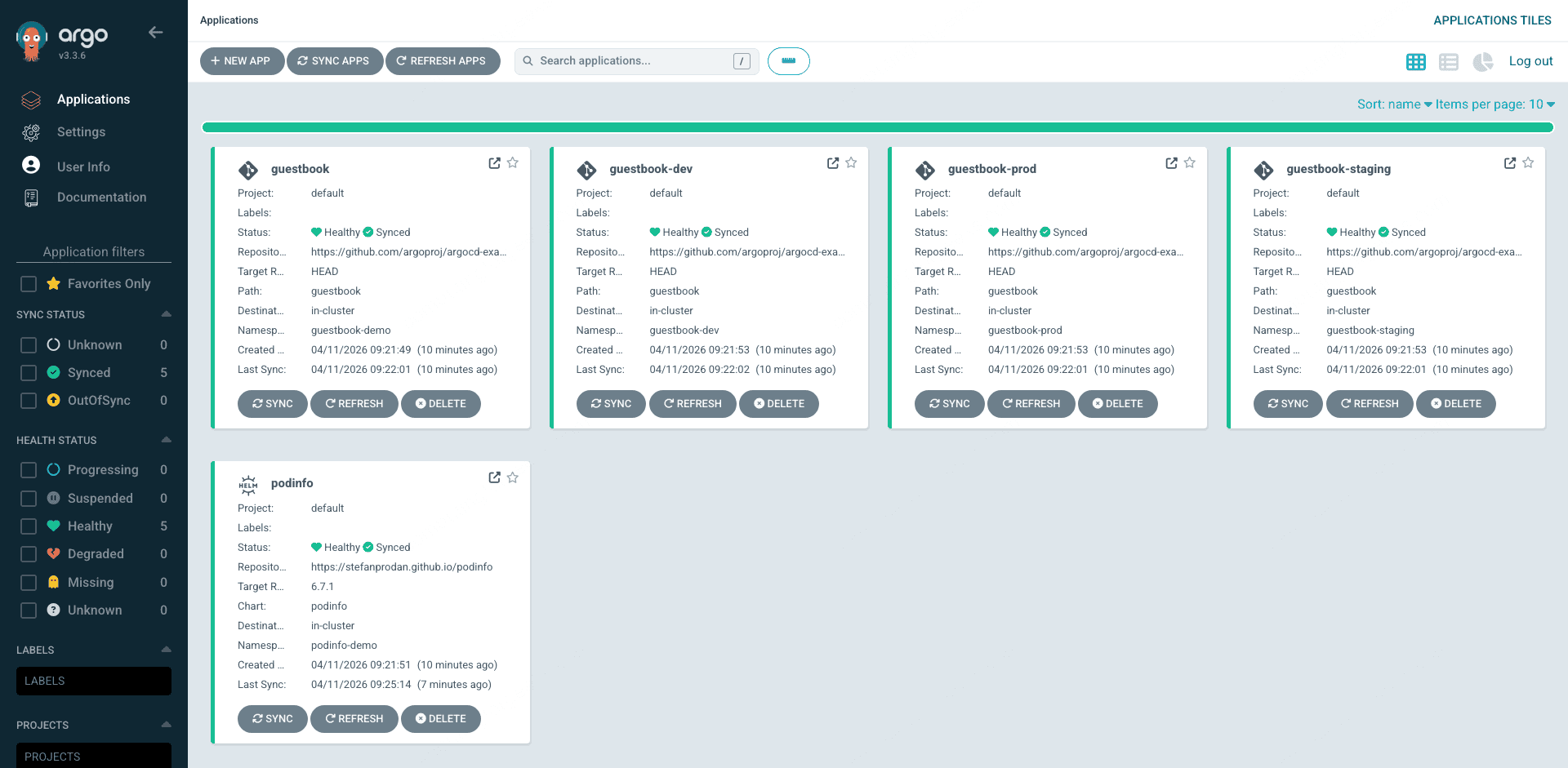
Open the Argo CD UI and you will see guestbook as a tile on the Applications page. Each tile shows the project, sync status, health status, source repo, target namespace, and last sync time at a glance. This is the landing page your team will spend most of their time on.
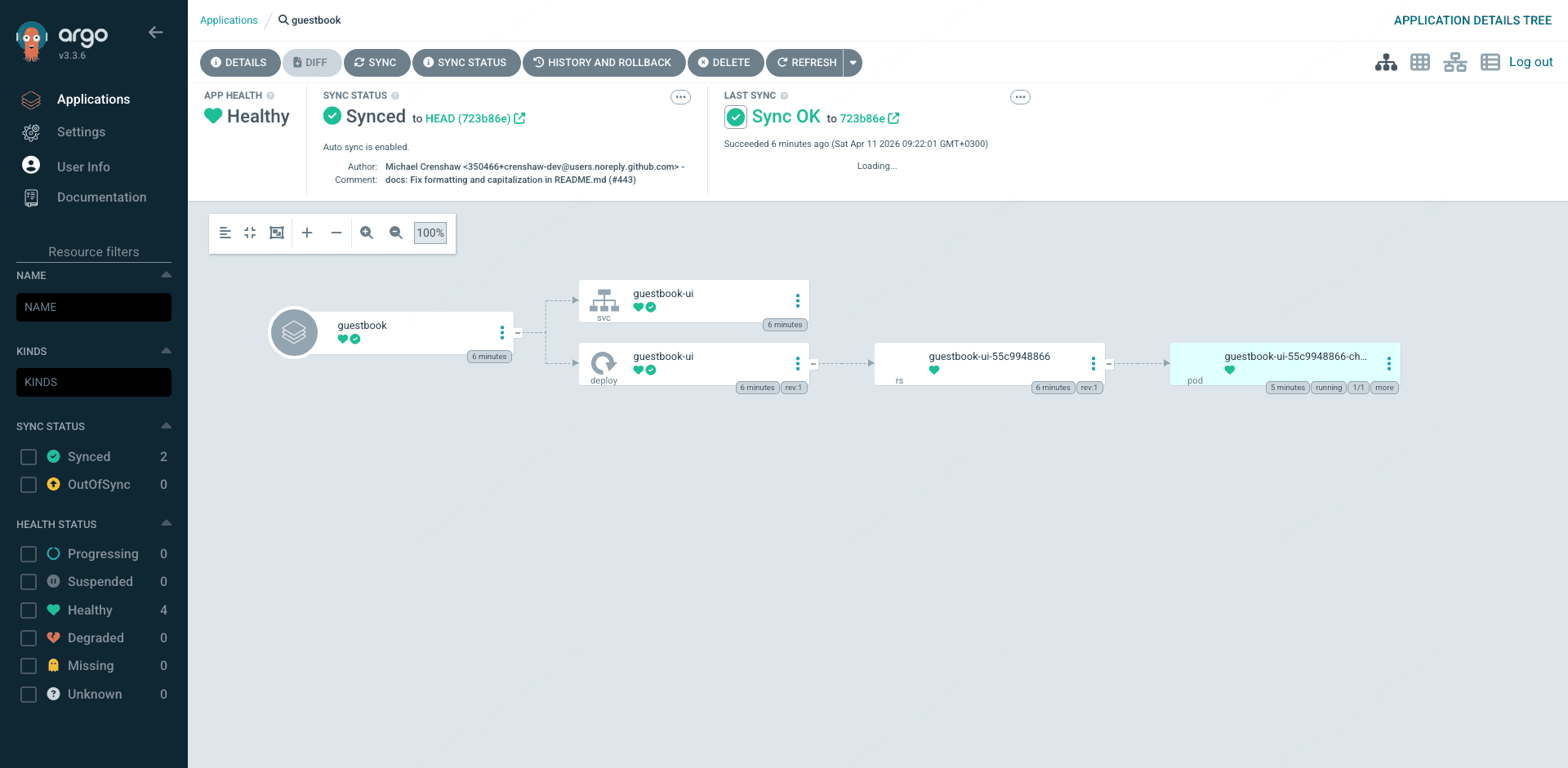
Click the guestbook tile and you drop into the resource tree view: Application, Service, Deployment, ReplicaSet, Pod, each with its own sync and health icon, connected by lines that show the parent/child relationships. Click any node and you get the full YAML diff between Git and the live cluster in a side panel. This visual diff is the biggest productivity win over CI-based Helm deployments because drift is immediately visible.
Deploy a Helm Chart Application (and Fix an Autopilot Drift Trap)
Most real workloads ship as Helm charts. Argo CD’s repo-server renders them server-side, so you can deploy any remote chart and override values inline. Stefan Prodan’s podinfo is a good test subject. Open the Application file:
vim podinfo-app.yamlThe naive version you would use on EKS looks like this:
apiVersion: argoproj.io/v1alpha1
kind: Application
metadata:
  name: podinfo
  namespace: argocd
spec:
  project: default
  source:
    repoURL: https://stefanprodan.github.io/podinfo
    chart: podinfo
    targetRevision: 6.7.1
    helm:
      values: |
        replicaCount: 2
  destination:
    server: https://kubernetes.default.svc
    namespace: podinfo-demo
  syncPolicy:
    automated:
      prune: true
      selfHeal: true
    syncOptions:
      - CreateNamespace=true
Apply and check:
kubectl apply -f podinfo-app.yaml
kubectl -n argocd get application podinfo
Health is Healthy but sync stays OutOfSync and never settles:
NAME      SYNC STATUS   HEALTH STATUS
podinfo   OutOfSync     Healthy
This is a GKE Autopilot-specific trap that does not exist on EKS or Standard GKE. Autopilot’s admission webhook mutates every Pod spec to add default resource requests and limits if the manifest does not already specify them. Argo CD sees the mutated live resource diff against what the Helm chart renders and flags the Deployment as drifted. Self-heal then kicks in, Argo CD reapplies the original, Autopilot re-mutates it on admission, and you get a permanent reconciliation loop that looks like drift but is actually two controllers fighting each other.
There are two ways to fix this. The clean way is to specify complete resource requests and limits in the Helm values so Autopilot has nothing to mutate. The second fix combines ServerSideApply=true with a matching ignoreDifferences block that tells Argo CD not to fight the webhook on specific fields. The combined version handles every edge case:
apiVersion: argoproj.io/v1alpha1
kind: Application
metadata:
  name: podinfo
  namespace: argocd
spec:
  project: default
  source:
    repoURL: https://stefanprodan.github.io/podinfo
    chart: podinfo
    targetRevision: 6.7.1
    helm:
      values: |
        replicaCount: 2
        resources:
          requests:
            cpu: 50m
            memory: 64Mi
          limits:
            cpu: 200m
            memory: 256Mi
  destination:
    server: https://kubernetes.default.svc
    namespace: podinfo-demo
  syncPolicy:
    automated:
      prune: true
      selfHeal: true
    syncOptions:
      - CreateNamespace=true
      - ServerSideApply=true
      - RespectIgnoreDifferences=true
  ignoreDifferences:
  - group: apps
    kind: Deployment
    jsonPointers:
    - /spec/template/spec/containers/0/resources
Reapply and within thirty seconds the sync status flips to green:
NAME      SYNC STATUS   HEALTH STATUS
podinfo   Synced        Healthy
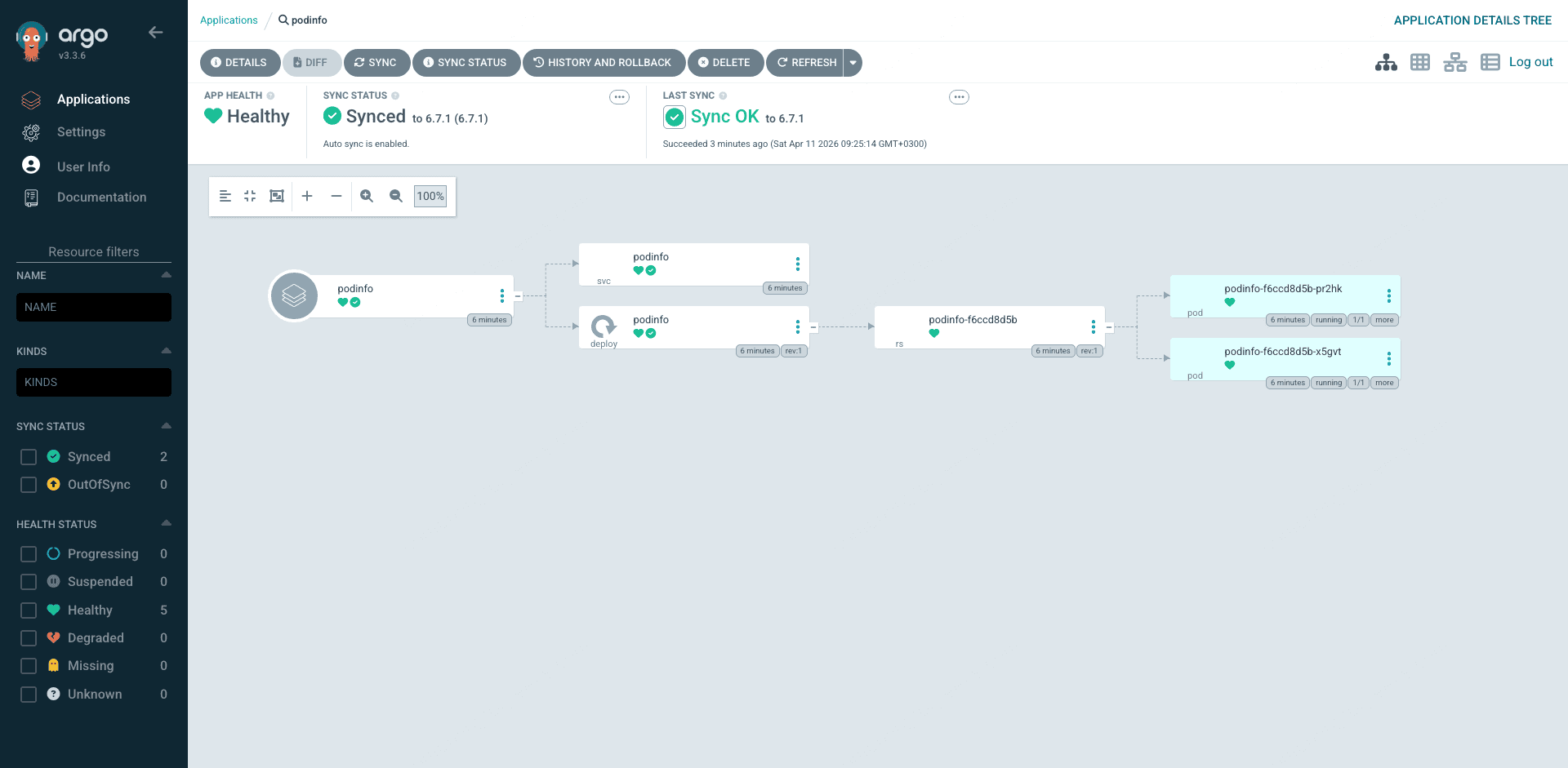
The fully-synced podinfo Application has a different resource tree from guestbook. You get a HorizontalPodAutoscaler the chart ships by default, two replica pods (the replicaCount override took effect), and the additional Service and ServiceAccount resources podinfo creates:
This fix pattern is worth memorizing. Any Helm chart you deploy to Autopilot that omits explicit resources will trip the same drift trap. In production, set sensible requests/limits in values files and add the ignoreDifferences block as a safety net for charts you do not control.
ApplicationSet: Multi-Env in One Manifest
Creating three nearly identical Applications for dev, staging, and prod is exactly the kind of copy-paste drudgery ApplicationSets kill. A single ApplicationSet with a list generator expands into N Applications, one per entry, using a template. Open the file:
vim guestbook-appset.yamlapiVersion: argoproj.io/v1alpha1
kind: ApplicationSet
metadata:
name: guestbook-multi-env
namespace: argocd
spec:
generators:
- list:
elements:
- env: dev
namespace: guestbook-dev
- env: staging
namespace: guestbook-staging
- env: prod
namespace: guestbook-prod
template:
metadata:
name: 'guestbook-{{env}}'
spec:
project: default
source:
repoURL: https://github.com/argoproj/argocd-example-apps.git
targetRevision: HEAD
path: guestbook
destination:
server: https://kubernetes.default.svc
namespace: '{{namespace}}'
syncPolicy:
automated:
prune: true
selfHeal: true
syncOptions:
- CreateNamespace=trueApply it and the ApplicationSet controller immediately generates three Applications:
kubectl apply -f guestbook-appset.yaml
kubectl -n argocd get applications
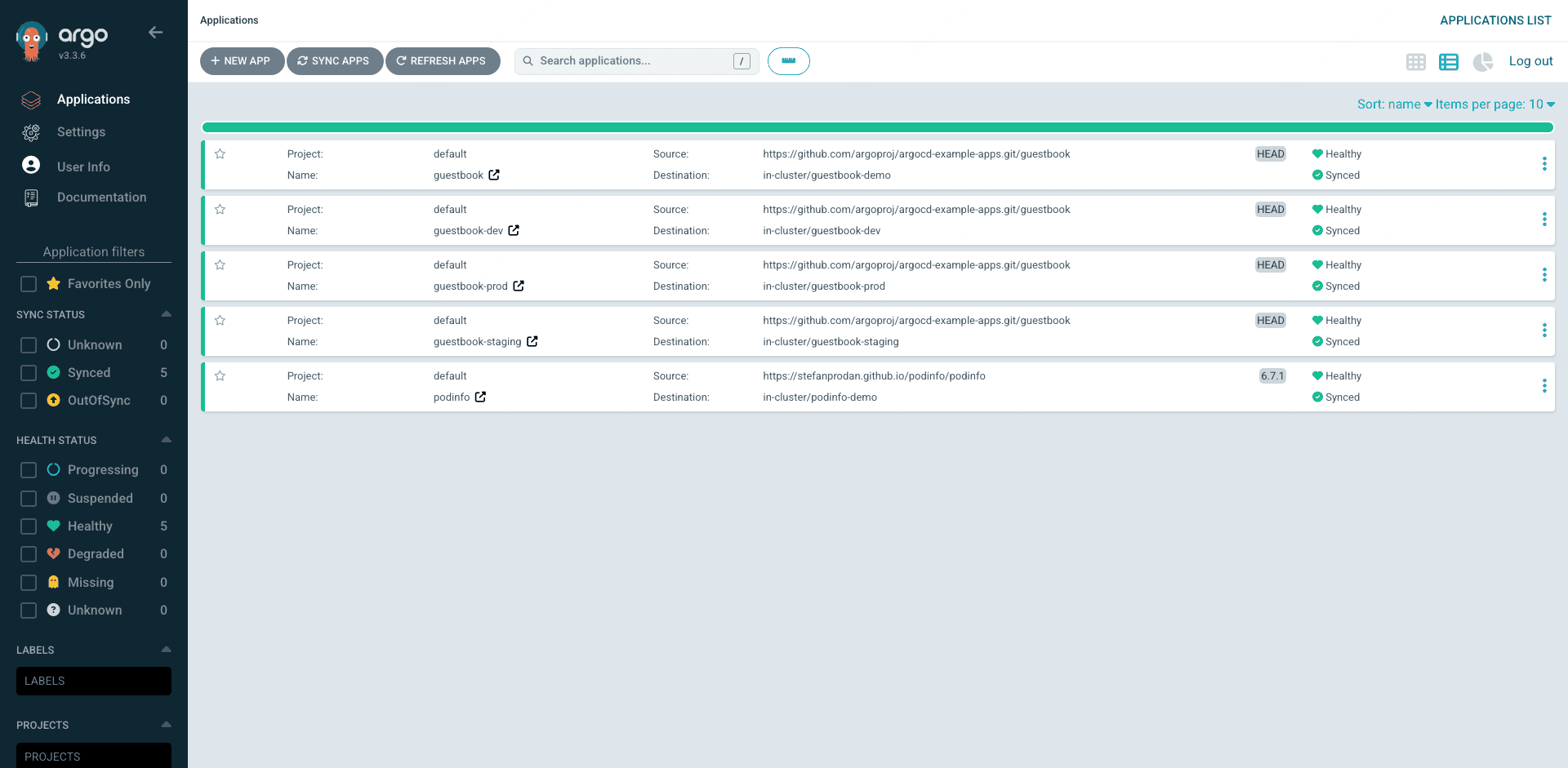
You now see four guestbook Applications (the original plus the three generated ones) and the podinfo Application:
NAME                SYNC STATUS   HEALTH STATUS
guestbook           Synced        Healthy
guestbook-dev       Synced        Healthy
guestbook-prod      Synced        Healthy
guestbook-staging   Synced        Healthy
podinfo             Synced        Healthy
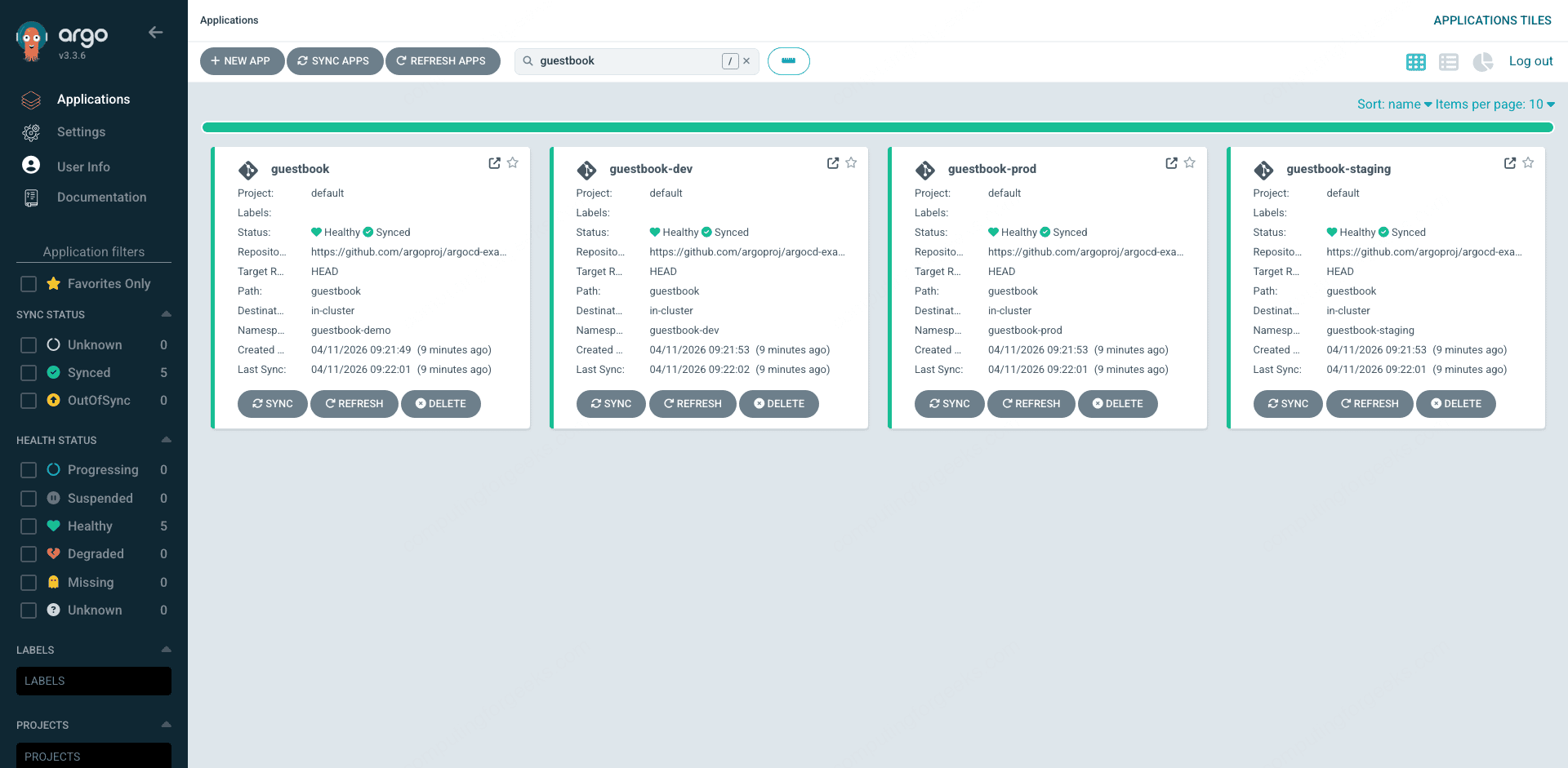
Filter the Applications page to show only the guestbook family and you can see the original plus the three ApplicationSet-generated siblings in one view. The search box supports labels, sync status, health status, and project filters, so teams with hundreds of applications can still find what they need in a couple of keystrokes.
For a flatter view of all five apps side by side, switch to the list mode using the view toggle in the top right. The list mode trades the big tiles for a dense table that is better when you are scanning many applications for a specific sync status or project owner:
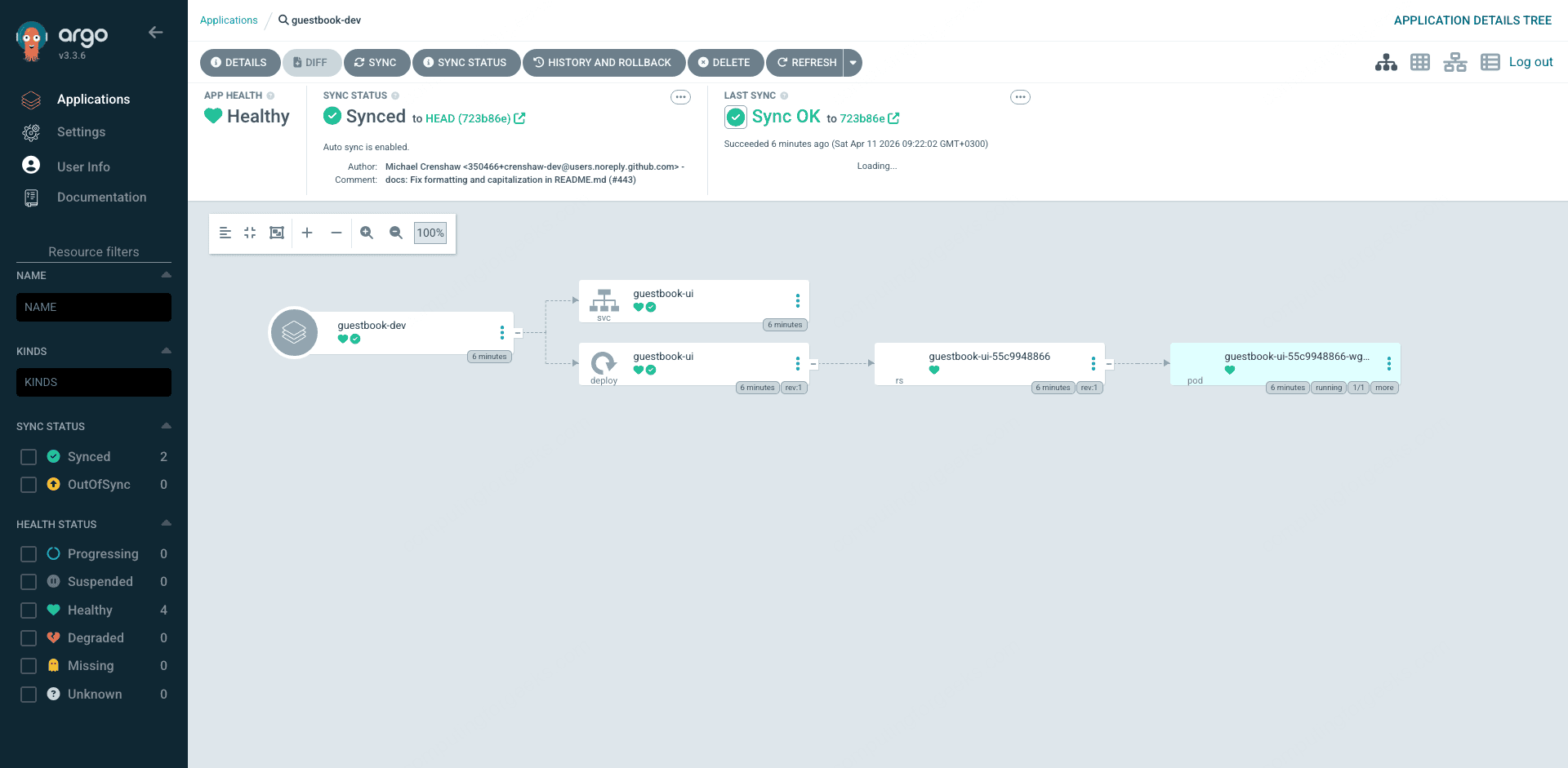
Click into any of the generated siblings and you get the same resource tree as the hand-written guestbook Application. The ApplicationSet controller does not change how Argo CD manages the child apps, it just stamps them out. From the cluster’s point of view, they are indistinguishable from manually created Applications:
Need a fourth environment? Add an element to the list and save. The controller notices, creates the fourth Application, and Argo CD syncs it. Need to remove an environment? Delete the element and the corresponding Application is garbage-collected. If you want apps to survive generator deletion, set spec.syncPolicy.preserveResourcesOnDeletion: true on the ApplicationSet.
The Settings Surface You Actually Use
Most of your day-to-day admin work lives under the Settings menu. Clusters, Projects, Repositories, and Accounts are the four screens worth knowing.
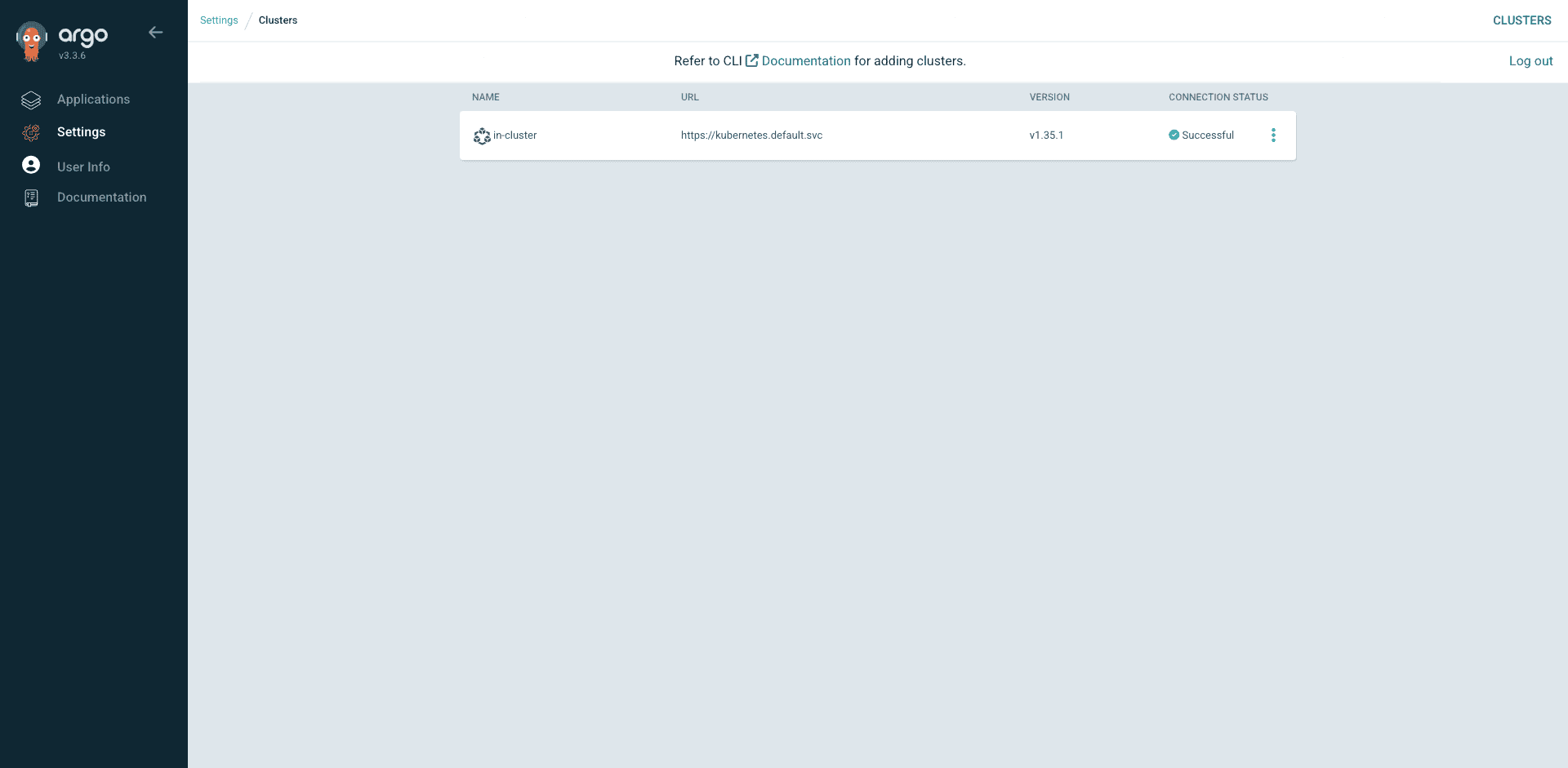
The Clusters page shows every registered cluster with its connection status and Kubernetes version. The in-cluster entry is always there by default, representing the cluster Argo CD itself runs on. After argocd cluster add, a second cluster shows up alongside it:
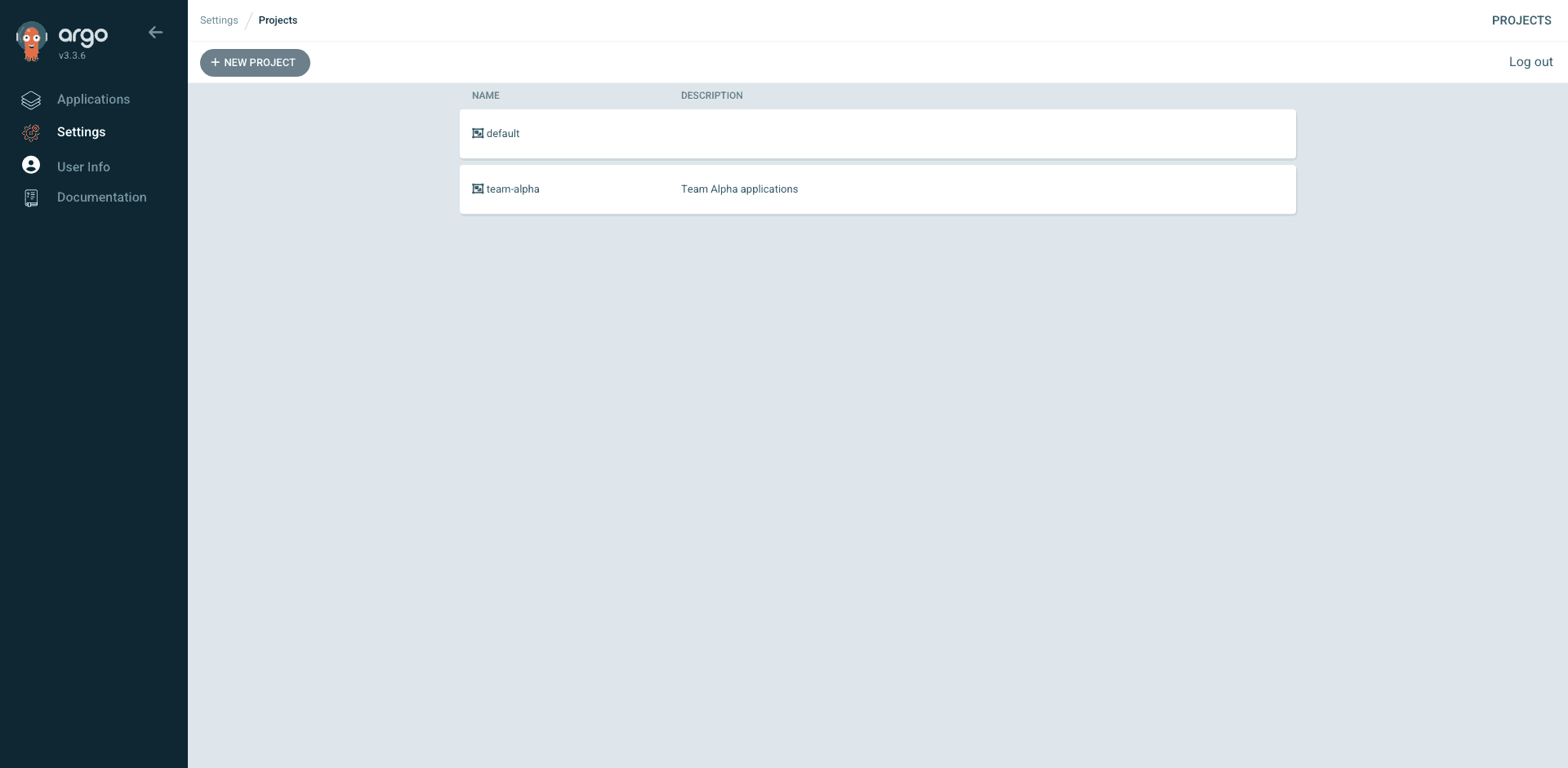
The Projects page lists every AppProject. AppProjects are the tenant boundary: they define which repos a team can pull from and which clusters or namespaces they can deploy to. Every Application belongs to exactly one AppProject, and default is the fallback when you do not specify one:
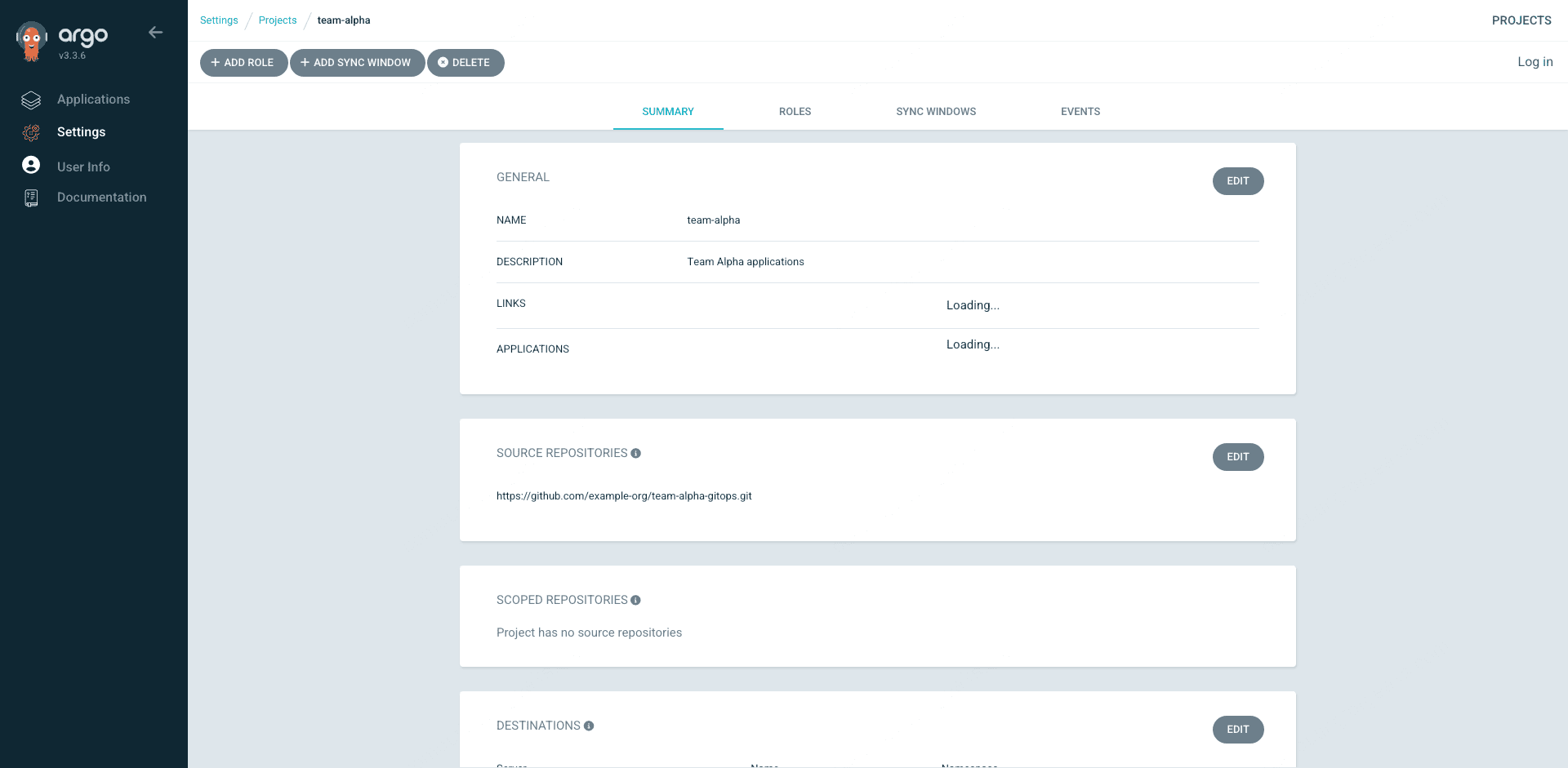
Click into a project to see its Summary, Roles, Sync Windows, and Events tabs. The Summary shows the source repositories, destinations, and resource whitelists. The Roles tab lists any project-scoped roles you defined (CI tokens, read-only viewers). Everything in the UI maps one-for-one to the YAML you applied, which is how you want it when auditing who can do what:
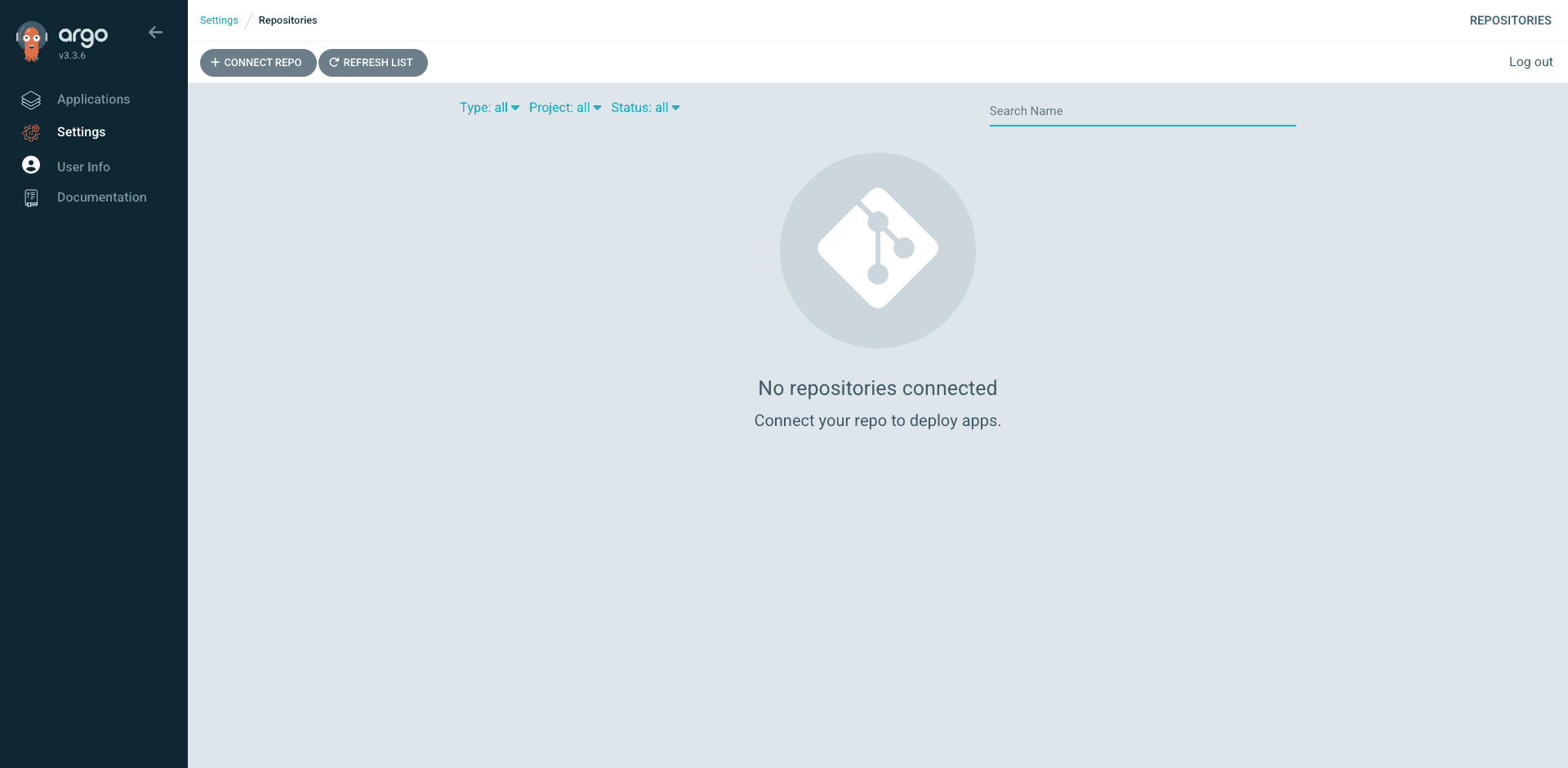
The Repositories page is where you add private Git repos with credentials. On a fresh install this is an empty page with a big Connect Repo button. Public demo repos do not need credentials, so they do not show up here even while the Applications that use them work fine:
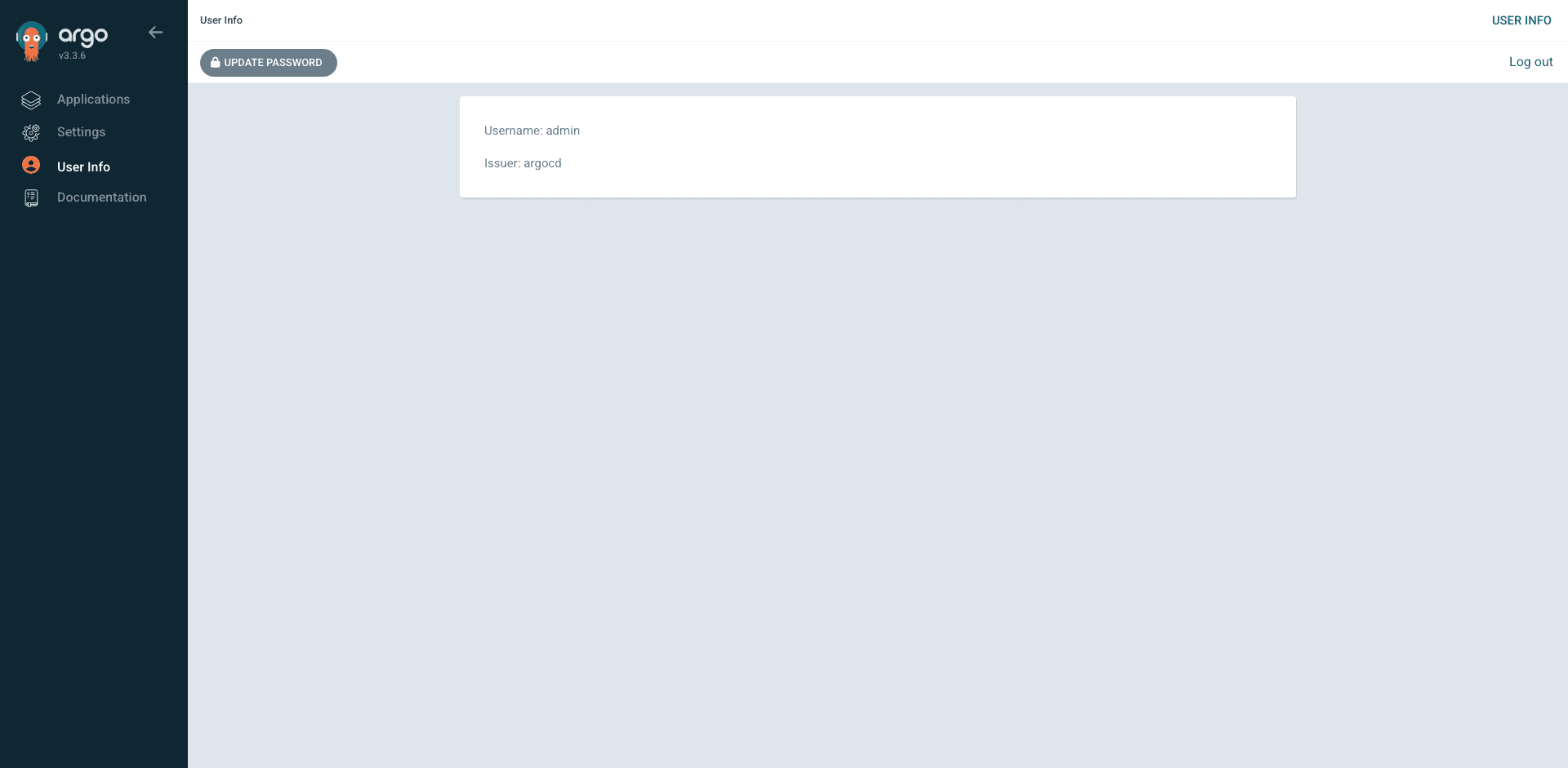
The User Info page in the sidebar is where you change your password the first time you log in. Click Update Password, enter the current password (the one from argocd-initial-admin-secret) and a new one, and confirm. Argo CD deletes the initial admin secret automatically after the change:
RBAC with AppProjects
One cluster, many teams, one Argo CD. Without RBAC, anyone with admin can deploy anything anywhere, which is fine for day one and terrible by day thirty. The answer is AppProjects. Each team gets a project scoped to their allowed repos, destinations, and resource kinds. Inside the project, team-specific roles with JWT tokens power CI automation. Open a file:
vim team-alpha-project.yamlA realistic project restricts the team to one repo, one namespace prefix, and the common Kubernetes resource kinds. The roles block defines a CI-only role that can sync Applications but cannot create or delete them:
apiVersion: argoproj.io/v1alpha1
kind: AppProject
metadata:
  name: team-alpha
  namespace: argocd
spec:
  description: Team Alpha applications
  sourceRepos:
  - https://github.com/example-org/team-alpha-gitops.git
  destinations:
  - server: https://kubernetes.default.svc
    namespace: alpha-*
  clusterResourceWhitelist:
  - group: ""
    kind: Namespace
  namespaceResourceWhitelist:
  - group: "*"
    kind: "*"
  roles:
  - name: ci-sync
    description: CI role allowed to sync but not modify apps
    policies:
    - p, proj:team-alpha:ci-sync, applications, sync, team-alpha/*, allow
    - p, proj:team-alpha:ci-sync, applications, get, team-alpha/*, allow
Apply it and mint a JWT token for the CI role:
kubectl apply -f team-alpha-project.yaml
argocd proj role create-token team-alpha ci-sync --expires-in 8760h
The printed token goes into your CI system as a secret and authenticates argocd app sync calls. Each team gets their own project, their own tokens, and no path to touch other teams’ apps. For server-wide RBAC (who can log in, who can create projects), edit the argocd-rbac-cm ConfigMap, which uses the standard Casbin CSV format.
Wiring Argo CD to GCP with Workload Identity
This is the section EKS tutorials cannot write. On GKE, Argo CD’s ServiceAccounts can be granted IAM permissions on GCP resources directly through Workload Identity Federation. No JSON key, no long-lived token, no separate secret to rotate. The most common use cases are: repo-server pulling images from Artifact Registry, application-controller reading Helm charts from a private GCS-backed Helm repo, and image-updater watching Artifact Registry for new tags.
Bind the Argo CD repo-server’s Kubernetes ServiceAccount directly to an Artifact Registry reader role using the direct-access principal format. This reuses the same pattern from our GKE Workload Identity guide:
PROJECT_ID=$(gcloud config get-value project)
PROJECT_NUMBER=$(gcloud projects describe $PROJECT_ID --format="value(projectNumber)")

gcloud projects add-iam-policy-binding $PROJECT_ID \
  --role=roles/artifactregistry.reader \
  --member="principal://iam.googleapis.com/projects/$PROJECT_NUMBER/locations/global/workloadIdentityPools/$PROJECT_ID.svc.id.goog/subject/ns/argocd/sa/argocd-repo-server" \
  --condition=None
The repo-server can now pull OCI images and Helm charts from Artifact Registry without any credential configuration. Same pattern applies to roles/secretmanager.secretAccessor if you want Argo CD to resolve Secret Manager references inline, or roles/storage.objectViewer if your GCS-backed Helm repos live in private buckets. This is the GKE-native answer to IRSA for ArgoCD on EKS.
Troubleshooting
Real error strings captured from the live cluster. Search engines love these because people paste errors verbatim.
podinfo stuck in OutOfSync forever on Autopilot
Covered in detail in the podinfo section. Autopilot’s admission webhook adds default resource requests and limits to every Pod that does not specify them, which Argo CD sees as drift and tries to self-heal, and Autopilot re-mutates the result. The fix is either complete resources in Helm values or a syncOptions block with ServerSideApply=true and RespectIgnoreDifferences=true plus an ignoreDifferences entry for the container resources path. Either works, but the first is cleaner because it removes the webhook conflict at the source.
Error: “Failed to load target state: failed to generate manifest for source 1 of 1”
The repo-server cannot render your source. Common causes: a private Git repo with no credentials configured, a Helm chart version that no longer exists on the upstream repo, a Kustomize overlay that references a missing base, or a syntax error in your YAML. Check the repo-server logs for the specific reason:
kubectl -n argocd logs deploy/argocd-repo-server --tail=100Pods stuck in Pending with “Autopilot didn’t trigger a scale up”
Autopilot-specific. The cluster did not provision new capacity for your pods because the resource requests (CPU, memory, or ephemeral storage) are either zero or exceed the max allowed for a single Autopilot pod. Check the event with kubectl describe pod and you will see the exact reason. For ArgoCD itself this rarely triggers because the chart sets sensible requests, but for some Helm charts that ship unrealistic requests (or none at all) you will hit this on the first sync.
Argo CD UI blank page over plain HTTP
The undocumented one that costs real time. You set up the Gateway or Ingress, the health check passes, but loading the UI gives a blank page or an endless redirect loop. Argo CD’s server expects TLS by default and refuses to serve the UI correctly when hit over plain HTTP. Fix: patch the deployment to add --insecure (shown in the Ingress section) and delete any argocd-server pods so they come back with the new args.
kubectl -n argocd rollout restart deployment argocd-serverClean Up
GKE Autopilot bills a flat $0.10 per hour cluster management fee plus whatever the pods request. A demo that ran for an hour while you tested this guide costs a few cents. Tear everything down:
kubectl delete namespace argocd guestbook-demo podinfo-demo \
  guestbook-dev guestbook-staging guestbook-prod --ignore-not-found

gcloud container clusters delete cfg-lab-gke \
  --region=europe-west1 --quiet
The cluster delete takes four to five minutes. Verify nothing is left:
gcloud container clusters listEmpty output means the cluster is gone and the meter has stopped.
FAQ
Can Argo CD run on GKE Autopilot?
Yes. Every command in this guide was tested on Autopilot 1.35.1-gke.1396002. The only Autopilot-specific gotcha is that Helm charts without explicit resource requests will trigger a permanent reconciliation loop because Autopilot mutates the Pod spec on admission. The fix is to specify complete resource requests and limits in your Helm values or to add an ignoreDifferences block in the Application spec. Once that is handled, Autopilot is arguably the better platform for Argo CD because it removes node management work and has Workload Identity enabled by default.
Should I use Argo CD or Cloud Deploy on GCP?
Depends on what you optimize for. Cloud Deploy is GCP-native, requires no cluster components, and has excellent progressive delivery support (canary, blue-green, approval gates) built in. Argo CD is open source, multi-cloud, has a richer UI, and is the standard tool if you need to manage fleets of clusters. Teams that live entirely on GCP and care about progressive delivery often pick Cloud Deploy. Teams that run multi-cluster or multi-cloud, or value the Argo ecosystem, pick Argo CD. They are not mutually exclusive: some teams use Cloud Build to trigger both.
How do I give Argo CD access to Artifact Registry without a key file?
Use Workload Identity Federation for GKE to bind the argocd-repo-server Kubernetes ServiceAccount directly to the roles/artifactregistry.reader role in the project. The direct-access principal format is covered in the GKE Workload Identity guide. No JSON key file is needed, and the binding can be scoped per-repository if you want tighter IAM.
Does Argo CD support the Gateway API on GKE?
Yes. The Gateway API is the recommended way to expose Argo CD on GKE in 2026. Create a Gateway, a Google-managed SSL certificate, and an HTTPRoute pointing at the argocd-server Service. The classic Ingress pattern with kubernetes.io/ingress.class: gce still works for existing deployments, but Gateway API is where new work should start. Remember to patch argocd-server with --insecure if you terminate TLS at the Load Balancer.
Can one Argo CD manage both GKE and EKS clusters?
Yes. Argo CD is cluster-agnostic. Add the second cluster via argocd cluster add from a kubeconfig that has contexts for both, and Applications can target either cluster by setting destination.server to the appropriate API endpoint. This is one of the strongest arguments for Argo CD over cloud-native GitOps tools for teams running multi-cloud.
What is the difference between Argo CD and Flux on GKE?
Both are GitOps controllers that pull from Git and reconcile cluster state. Argo CD ships a rich web UI, has built-in multi-cluster management from a single control plane, and uses AppProjects for team isolation. Flux has no UI (Weave GitOps is a separate project), runs as a set of smaller controllers, and leans harder into Kustomize. Argo CD is more common in teams that want a visual dashboard and manage many clusters. Flux is more common in teams that live in the CLI and value a smaller footprint.
Production Checklist
- Switch the Helm install to the HA values profile (three argocd-server replicas, sharded application-controller, redis-ha)
- Terminate TLS at a GKE Gateway with a Google-managed SSL certificate
- Enable OIDC SSO against your identity provider (Cloud Identity, Okta, Google Workspace) and disable the local admin account
- Bind Argo CD ServiceAccounts to Google IAM roles via Workload Identity so the cluster never holds a JSON key
- Create one AppProject per team with tightly scoped source repos and destination namespaces
- Move from inline Helm values to values files in a dedicated Git repo so every value change is reviewable
- For Autopilot, set explicit resource requests/limits on every Deployment you manage with Argo CD to avoid the admission webhook drift trap
- Add a second cluster for staging or DR, register it with
argocd cluster add, and deploy a canary Application to prove the multi-cluster plumbing works - Pin every chart version and container image tag. “latest” is how you end up restarting production at 2am
The reference docs worth bookmarking: the Argo CD operator manual, the Argo CD GitHub repo for release notes, and the GKE Workload Identity guide and Secret Manager tutorial for the GCP-native security features that make Argo CD on GKE work without static credentials.