

Online accounts are easy to forget about until something goes wrong. Whether it’s a login problem or a security breach, troubleshooting problems after they occur is a pain. One way to avoid that is to set up little tools and habits that do the work for you. Such security doesn’t need to be complicated or expensive.
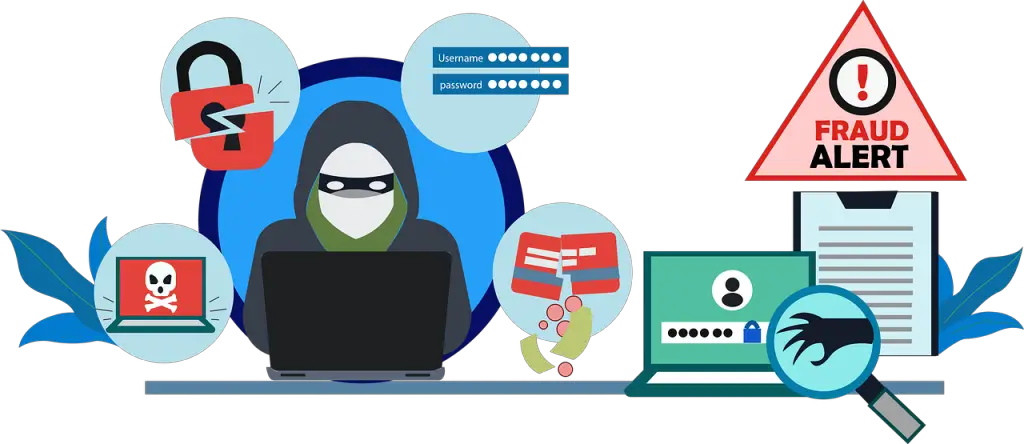
Passwords Still Matter, Even When Automated
Automated tools can only go so far. And if you have weak passwords or reuse them across multiple accounts, the risk remains high. One of the common problems is that people usually use the same login for different sites. If one gets exposed it can put all of them at risk.
Password managers assist in this. They store and generate strong passwords so that you don’t have to think of new ones all of the time. Lately, privacy-focused platforms have been experimenting with different ways of solving the problem. Some entertainment and gaming services now allow users to create accounts with fewer details.
This includes crypto-based online casinos that let people join without going through full ID checks. These sites aim to avoid too many steps like email links or recovery codes that could be intercepted. That said, not all platforms follow the same safety rules. This is why people are advised to find expert picks in the space. It helps to know which services are considered safer by those who track these changes.
Small Tools That Can Make a Big Difference
Now there are many tools that can do security tasks for you. They require no daily attention and most have alerts that notify you if something goes wrong. For instance, you can have your system automatically update itself. This ensures that known bugs or holes in software are not open for too long. Hackers tend to target outdated systems because they are easier to hack.
VPN is another tool to use. They block your location and secure your connection. If you almost always use public Wi-Fi, a VPN provides an additional layer of protection without you having to do anything manually every time.
Two factor authentication (2FA) is also auto-enabled. Once it is set up, it introduces an additional step to logging in, typically a code sent to your device. While it may seem like an additional step, it tends to deter account takeovers. Most online banking platforms and banks provide it now.
Know What to Avoid Before You Click
Many of the risks can be blocked by using automated tools, but not all. Phishing attacks are still one of the most common methods that users lose access to their accounts. Many such scams use e-mails or fraudulent-looking websites. Some of these still pass through the filters.
That’s where habits come in. Learning to identify fake links or messages helps, though, even if tools miss something. For example, emails that request login information or passwords are always suspicious. No real company will be asking for that via email.
It is also good to check your account activity once in a while. Some services allow you to see where your account was accessed from. If you identify a location or device that is not yours, you can act early. Tools may provide alerts, but manual checks are still important.
Protect Your Data Without Extra Effort
One of the easiest things to forget is backing up your data. If your account is locked or the data gets erased, it is good to have a second copy in some other place. Cloud services such as Google Drive or Dropbox now have features that can perform auto backups on a daily or weekly basis.
You can also use automation tools such as Zapier to integrate different apps. For instance, you can configure a rule to automatically save any attachment in an email to a backup folder. That way, if something is lost or deleted, you still have a copy somewhere else.
This kind of setup is useful for bloggers, remote workers or even anyone who handles important files. Once it is set up, you don’t need to think about it. It works quietly and shields your content from behind the scenes.
Why Automation Helps with Online Account Safety
You no longer need to keep track of things manually or go to each device one at a time. Automation tools can identify unusual activity and can act rapidly. For example, many browsers now automatically warn you if you enter a spoofed site or use an unencrypted connection.
Cloud services do the same. They trigger a notification when a user logs in from a distant location. These tips benefit all those who use platforms online for work, shopping, or social accounts. They reduce the chances of someone logging into your account without permission.
Even email services today are able to automatically filter out risky links or files. That used to be a job you had to deal with on your own. Now, most of the hard parts are handled by alerts and auto-responses.
