

VirtualBox is an open source and easy to use software that you can use to create Virtual Machines on your compute hardware. Each Virtual Machines has its own operating system and runs independent of the other VMs. In this brief tutorial we will install and configure VirtualBox on an Ubuntu 24.04 Linux operating system.
[ebook product=”2″ theme=”purple”]
The beautiful fact is that VirtualBox packages are available on the default Ubuntu 24.04 Linux machine repositories. Start the process by updating OS packages index.
sudo apt update1) Installing from OS repositories
After this install VirtualBox package with VirtualBox extension pack.
sudo apt install virtualbox virtualbox-ext-pack -yA number of dependencies will be installed.
Reading package lists... Done
Building dependency tree... Done
Reading state information... Done
The following additional packages will be installed:
  binutils binutils-common binutils-x86-64-linux-gnu build-essential bzip2 cpp-13 cpp-13-x86-64-linux-gnu dkms dpkg-dev fakeroot g++ g++-13 g++-13-x86-64-linux-gnu g++-x86-64-linux-gnu gcc gcc-13
  gcc-13-base gcc-13-x86-64-linux-gnu gcc-14-base gcc-x86-64-linux-gnu libalgorithm-diff-perl libalgorithm-diff-xs-perl libalgorithm-merge-perl libasan8 libatomic1 libbinutils libbz2-1.0 libcc1-0
  libctf-nobfd0 libctf0 libdouble-conversion3 libdpkg-perl libfakeroot libfile-fcntllock-perl libgcc-13-dev libgcc-s1 libgomp1 libgprofng0 libgsoap-2.8.132t64 libhwasan0 libitm1 liblsan0 liblzf1
  libmd4c0 libpcre2-16-0 libpcre2-32-0 libpcre2-8-0 libqt5core5t64 libqt5dbus5t64 libqt5gui5t64 libqt5help5 libqt5network5t64 libqt5opengl5t64 libqt5printsupport5t64 libqt5qml5 libqt5qmlmodels5
  libqt5quick5 libqt5sql5-sqlite libqt5sql5t64 libqt5svg5 libqt5waylandclient5 libqt5waylandcompositor5 libqt5widgets5t64 libqt5x11extras5 libqt5xml5t64 libquadmath0 libsdl2-2.0-0 libsframe1
  libstdc++-13-dev libstdc++6 libtpms0 libtsan2 libubsan1 libvncserver1 libxcb-damage0 libxcb-dri2-0 libxcb-dri3-0 libxcb-glx0 libxcb-present0 libxcb-randr0 libxcb-render0 libxcb-res0
  libxcb-shape0 libxcb-shm0 libxcb-sync1 libxcb-xfixes0 libxcb-xinerama0 libxcb-xinput0 libxcb-xkb1 libxcb-xv0 libxcb1 lto-disabled-list make qt5-gtk-platformtheme qttranslations5-l10n qtwayland5
  virtualbox-dkms virtualbox-qt
Suggested packages:
  binutils-doc gprofng-gui bzip2-doc gcc-13-locales cpp-13-doc menu debian-keyring g++-multilib g++-13-multilib gcc-13-doc gcc-multilib autoconf automake libtool flex bison gcc-doc gcc-13-multilib
  gdb-x86-64-linux-gnu git bzr qgnomeplatform-qt5 qt5-image-formats-plugins qt5-qmltooling-plugins libstdc++-13-doc make-doc vde2 virtualbox-guest-additions-iso
The following NEW packages will be installed:
  binutils binutils-common binutils-x86-64-linux-gnu build-essential bzip2 dkms dpkg-dev fakeroot g++ g++-13 g++-13-x86-64-linux-gnu g++-x86-64-linux-gnu gcc gcc-13 gcc-13-x86-64-linux-gnu
  gcc-x86-64-linux-gnu libalgorithm-diff-perl libalgorithm-diff-xs-perl libalgorithm-merge-perl libasan8 libbinutils libcc1-0 libctf-nobfd0 libctf0 libdouble-conversion3 libdpkg-perl libfakeroot
  libfile-fcntllock-perl libgcc-13-dev libgprofng0 libgsoap-2.8.132t64 libhwasan0 libitm1 liblsan0 liblzf1 libmd4c0 libpcre2-16-0 libqt5core5t64 libqt5dbus5t64 libqt5gui5t64 libqt5help5
  libqt5network5t64 libqt5opengl5t64 libqt5printsupport5t64 libqt5qml5 libqt5qmlmodels5 libqt5quick5 libqt5sql5-sqlite libqt5sql5t64 libqt5svg5 libqt5waylandclient5 libqt5waylandcompositor5
  libqt5widgets5t64 libqt5x11extras5 libqt5xml5t64 libquadmath0 libsdl2-2.0-0 libsframe1 libstdc++-13-dev libtpms0 libtsan2 libubsan1 libvncserver1 libxcb-xinerama0 libxcb-xinput0
  lto-disabled-list make qt5-gtk-platformtheme qttranslations5-l10n qtwayland5 virtualbox virtualbox-dkms virtualbox-ext-pack virtualbox-qt
The following packages will be upgraded:
  cpp-13 cpp-13-x86-64-linux-gnu gcc-13-base gcc-14-base libatomic1 libbz2-1.0 libgcc-s1 libgomp1 libpcre2-32-0 libpcre2-8-0 libstdc++6 libxcb-damage0 libxcb-dri2-0 libxcb-dri3-0 libxcb-glx0
  libxcb-present0 libxcb-randr0 libxcb-render0 libxcb-res0 libxcb-shape0 libxcb-shm0 libxcb-sync1 libxcb-xfixes0 libxcb-xkb1 libxcb-xv0 libxcb1
26 upgraded, 74 newly installed, 0 to remove and 583 not upgraded.
Need to get 145 MB of archives.
After this operation, 478 MB of additional disk space will be used.
.....
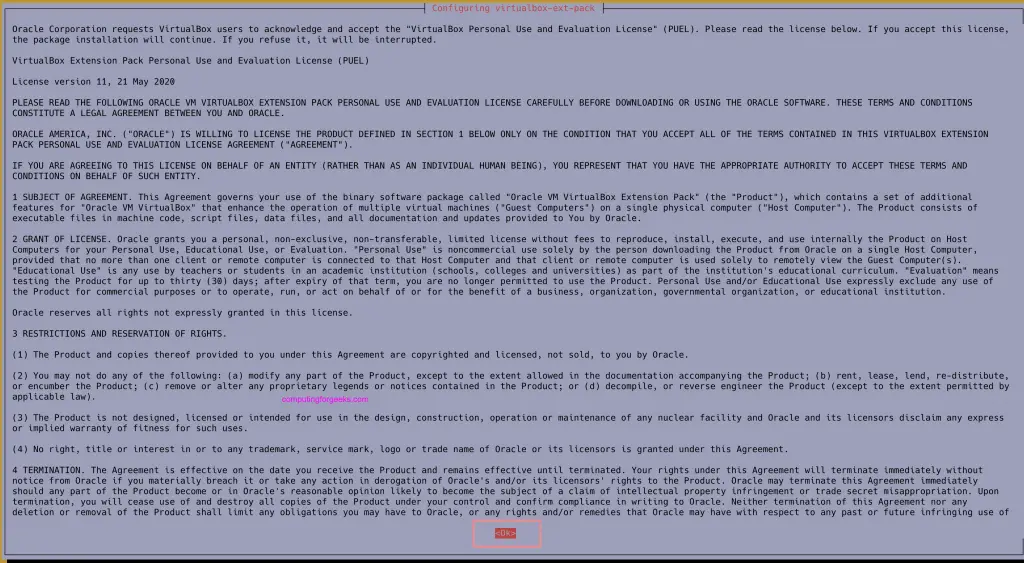
Press <Enter> to accept license agreement.
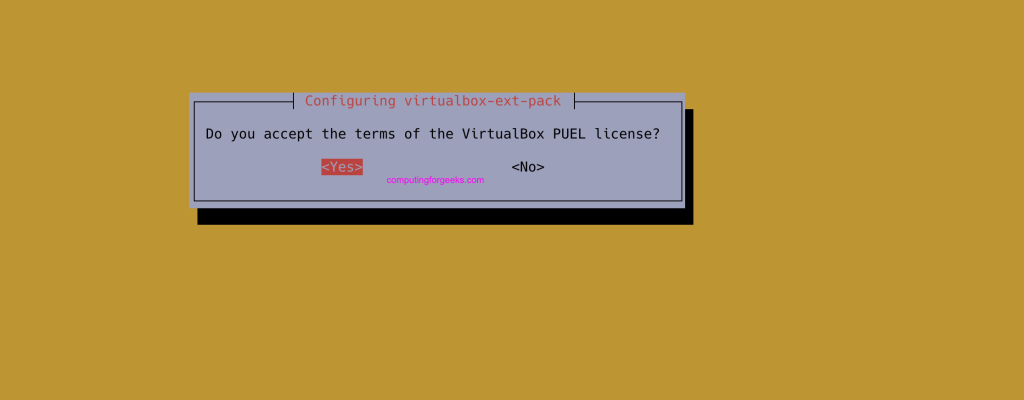
Select Yes option to agree to all the terms.
Confirm the installation was successful by checking the version.
$ virtualbox --help
Oracle VM VirtualBox VM Selector v7.0.16_Ubuntu
Copyright (C) 2005-2024 Oracle and/or its affiliates

No special options.

If you are looking for --startvm and related options, you need to use VirtualBoxVM.
For the VirtualBox extension pack use:
$ VBoxManage list extpacks
Extension Packs: 2
Pack no. 0:   VNC
Version:        7.0.16
Revision:       162802
Edition:
Description:    VNC plugin module
VRDE Module:    VBoxVNC
Crypto Module:
Usable:         true
Why unusable:

Pack no. 1:   Oracle VM VirtualBox Extension Pack
Version:        7.0.16
Revision:       162802
Edition:
Description:    Oracle Cloud Infrastructure integration, Host Webcam, VirtualBox RDP, PXE ROM, Disk Encryption, NVMe, full VM encryption.
VRDE Module:    VBoxVRDP
Crypto Module:  VBoxPuelCrypto
Usable:         true
Why unusable:
You can launch VirtualBox from CLI or Desktop environment.
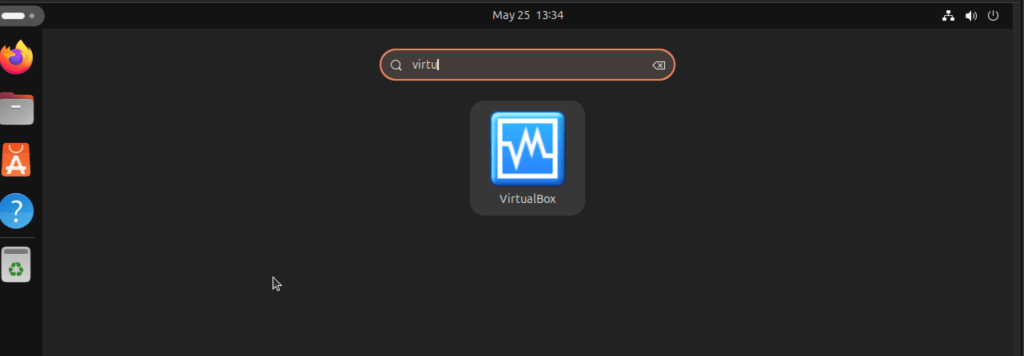
Now enjoy installing Virtual Machines on your Ubuntu Linux system.
2) Installing from VirtualBox Official APT Repos
If you want the latest and up-to-date release, then using official VirtualBox APT repositories is the ideal options.
Import repository GPG key.
wget -O- https://www.virtualbox.org/download/oracle_vbox_2016.asc | sudo gpg --dearmor --yes --output /usr/share/keyrings/oracle-virtualbox-2016.gpgAdd the repository.
echo "deb [arch=amd64 signed-by=/usr/share/keyrings/oracle-virtualbox-2016.gpg] http://download.virtualbox.org/virtualbox/debian $(. /etc/os-release && echo "$VERSION_CODENAME") contrib" | sudo tee /etc/apt/sources.list.d/virtualbox.listRefresh the list of available packages before installation of VirtualBox on Ubuntu 24.04.
sudo apt update
sudo apt install virtualbox-7.0
Then download and install the VirtualBox extension pack.
VER=$(curl -s https://download.virtualbox.org/virtualbox/LATEST.TXT)
wget https://download.virtualbox.org/virtualbox/$VER/Oracle_VM_VirtualBox_Extension_Pack-$VER.vbox-extpack
sudo vboxmanage extpack install Oracle_VM_VirtualBox_Extension_Pack-$VER.vbox-extpack
That’s it you now have the most recent release of VirtualBox installed in your system. The latter method of installation gives better convenience as it allows for easy upgrades when new releases of VirtualBox are available.
