

Python is a general-purpose, high-level programming language. Its design philosophy prioritizes code readability through the use of extensive indentation in accordance with the off-side rule.
Python is garbage-collected and dynamically typed. It supports a wide range of programming paradigms, including structured (especially procedural), object-oriented, and functional programming. Because of its extensive standard library, it is frequently referred to as a “batteries included” language.
Benefits of Using Python 3.13
The following are the advantages of using Python 3.13:
- Used to develop web apps on a server.
- Rapid prototyping or development of production-ready software.
- Workflows are created using this tool in conjunction with applications.
- Handle large amounts of data and conduct complicated calculations.
- Read and change files via connecting to database systems.
Features of Python 3.13
Here are the cool features shifted with Python 3.13:
- A new and improved interactive interpreter, based on PyPy’s, featuring multi-line editing and color support, as well as colorized exception tracebacks.
- An experimental free-threaded build mode, which disables the Global Interpreter Lock, allowing threads to run more concurrently. The build mode is available as an experimental feature in the Windows and macOS installers as well.
- A preliminary, experimental JIT, providing the ground work for significant performance improvements.
- The
locals()builtin function (and its C equivalent) now has well-defined semantics when mutating the returned mapping, which allows debuggers to operate more consistently. - A modified version of mimalloc is now included, optional but enabled by default if supported by the platform, and required for the free-threaded build mode.
- Docstrings now have their leading indentation stripped, reducing memory use and the size of .pyc files.
In this guide, we will walk you through how to install Python 3.13 RHEL 10 | AlmaLinux 10.
Install Python 3.13 on RHEL 10 | AlmaLinux 10
We will cover every step required to install Python 3.13 on a RHEL 10 | AlmaLinux 10.
Step 1: Update the system
It’s advisable to update your system to the latest version before beginning installation.
sudo yum -y updateStep 2: Installing Python 3.13 development tools
Official RHEL 10 and AlmaLinux 10 repositories do not have Python 3.13 accessible. However, there are dependency packages that must be installed before a build process. We will install it from the source code.
To install EPEL repositories on your RHEL 10, refer to our guide on that:
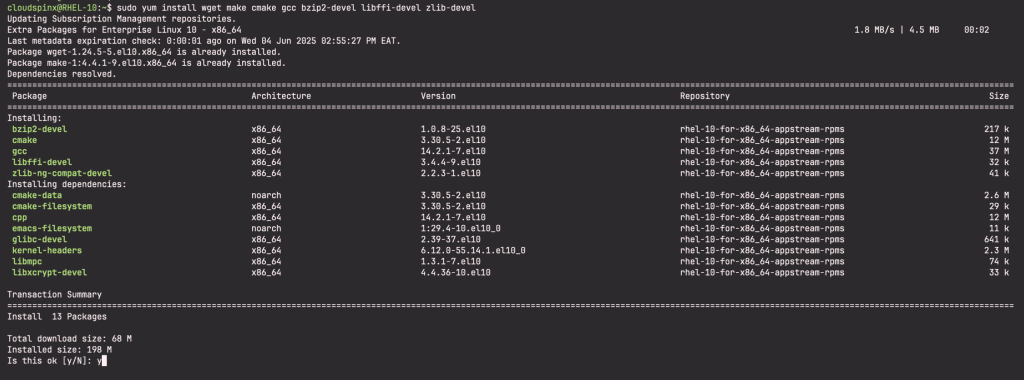
After installing the EPEL repositories, install the following dependencies
sudo yum -y install wget make cmake gcc bzip2-devel libffi-devel zlib-develSample Output:
Install Development Tools
Run the command below:
sudo yum -y groupinstall "Development Tools"Now verify the GCC version :
$ gcc --version
gcc (GCC) 14.2.1 20250110 (Red Hat 14.2.1-7)
Copyright (C) 2024 Free Software Foundation, Inc.
This is free software; see the source for copying conditions.  There is NO
warranty; not even for MERCHANTABILITY or FITNESS FOR A PARTICULAR PURPOSE.
Step 3: Install Python 3.13 on RHEL 10 | AlmaLinux 10
Navigate to download Python 3.13 source:
wget https://www.python.org/ftp/python/3.13.4/Python-3.13.4.tgzThe downloaded archive should be extracted.
tar xvf Python-3.13.4.tgzEnter the newly created directory.
cd Python-3.13*/Build configuration.
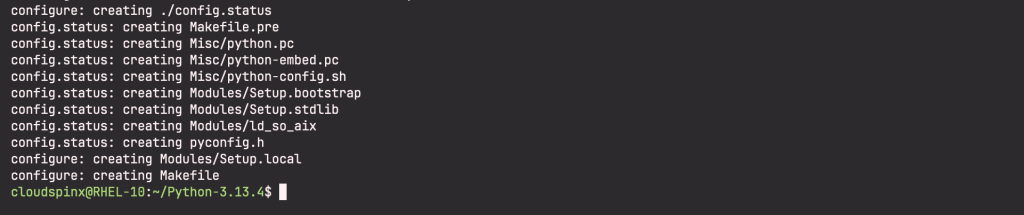
./configure --enable-optimizations --prefix=/usr/local --enable-shared LDFLAGS="-Wl,-rpath /usr/local/lib"
make
Sample Output:
Install Python 3.13:
sudo make altinstallVerify installation:
$  python3.13 --version
Python 3.13.4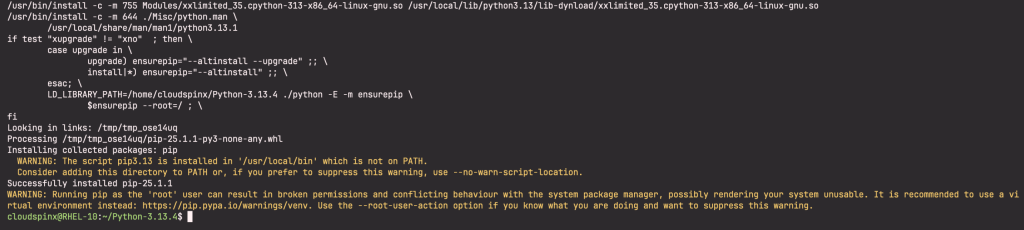
Check that the OpenSSL libraries are functional.
$ python3.13
Python 3.13.4 (main, Jun  4 2025, 16:18:54) [GCC 14.2.1 20250110 (Red Hat 14.2.1-7)] on linux
Type "help", "copyright", "credits" or "license" for more information.
>>> import ssl
>>> ssl.OPENSSL_VERSION
'OpenSSL 3.2.2 4 Jun 2024'
>>>
See the below example to print Hello World:
$ python3.13
Python 3.13.4 (main, Jun  4 2025, 16:18:54) [GCC 14.2.1 20250110 (Red Hat 14.2.1-7)] on linux
Type "help", "copyright", "credits" or "license" for more information.
>>> print ("Hello World")
Hello World
>>>
Step 4: Install Python extensions using Pip3.13
Check the Pip version:
$ pip3.13 --version
pip 25.1.1 from /usr/local/lib/python3.13/site-packages/pip (python 3.13)
You can update your Pip package to the most recent version by doing the following:
pip3.13 install --upgrade pipPIP can now be used to install any module. The syntax for the command to use is:
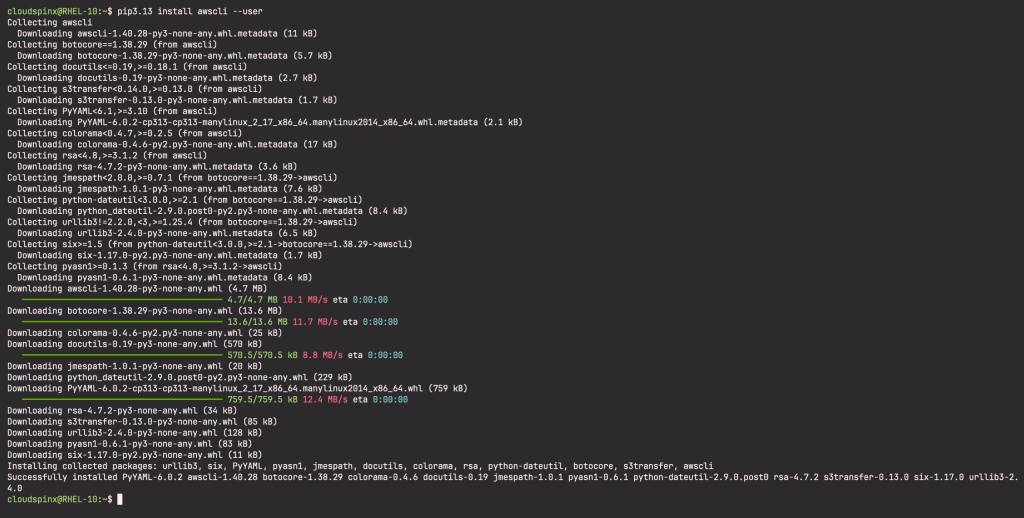
pip3.13 install <module-name>- For instance awscli
pip3.13 install awscli --userUse case:
Then use the following command to inspect the module’s details of module i.e awscli
$ pip3.13 show awscli
Name: awscli
Version: 1.40.28
Summary: Universal Command Line Environment for AWS.
Home-page: http://aws.amazon.com/cli/
Author: Amazon Web Services
Author-email:
License: Apache License 2.0
Location: /home/cloudspinx/.local/lib/python3.13/site-packages
Requires: botocore, colorama, docutils, PyYAML, rsa, s3transfer
Required-by:
The following syntax should be used to install a certain package version.
python3.13 -m pip install "package_name==1.4"Install a version that is larger than, equal to, or lower than another version:
python3.13 -m pip install "package_name>=1,<2"To upgrade a previously installed package.
python3.13 -m pip install --upgrade package_nameVoila!
Conclusion
Python is a great option for anyone wishing to learn or adopt a programming language for a variety of applications and projects due to its adaptability, simplicity, and capabilities. There are many libraries, frameworks, and tools available that let you create creative applications quickly.
See more:
