

XAMPP bundles Apache, MariaDB, PHP, and Perl into a single installer that takes about two minutes to get running. For local development on Fedora, it beats manually wiring up individual packages, especially when you need to test against a specific PHP version. This guide covers XAMPP installation on Fedora 42 and 41, including all three PHP editions (8.2, 8.3, 8.4).
We’ll walk through the download, installation, SELinux configuration, systemd auto-start, security hardening, and a quick WordPress deployment to prove everything works. The steps apply to both Fedora 42 (which ships with DNF5) and Fedora 41, with differences noted where they matter. If you’re on a RHEL-based distro instead, see our XAMPP on Rocky/AlmaLinux guide.
Tested April 2026 on Fedora 42 (Cloud Edition) with XAMPP 8.2.12 (PHP 8.2.12, Apache 2.4.58, MariaDB 10.4.32)
Prerequisites
Before you start, make sure you have:
- Fedora 42 or 41 (Workstation, Server, or Cloud Edition)
- A non-root user with
sudoprivileges - At least 1 GB of free disk space
- Internet access to download the XAMPP installer
- Tested on: Fedora 42 (kernel 6.14), Fedora 41 (kernel 6.11)
Install Required Dependencies
Fedora 42 (like RHEL 10 and Rocky 10) uses a newer glibc that no longer ships libcrypt.so.1 by default. XAMPP’s bundled binaries still link against it, so you need the compatibility package. Install the dependencies:
sudo dnf install -y wget net-tools libnsl libxcrypt-compatWithout libxcrypt-compat, XAMPP’s Apache and MySQL binaries will fail with a missing shared library error. The net-tools package provides netstat, which XAMPP’s control scripts rely on.
Download XAMPP Installer
XAMPP comes in three PHP editions. Pick the one that matches your project requirements. Set a variable for the version you want:
# PHP 8.2 (stable, widest compatibility)
export XAMPP_VER="8.2.12-0"

# PHP 8.3 (modern features, good framework support)
# export XAMPP_VER="8.3.14-0"

# PHP 8.4 (latest, bleeding edge)
# export XAMPP_VER="8.4.2-0"
Uncomment the version you need and comment out the others. Then download the installer:
wget "https://sourceforge.net/projects/xampp/files/XAMPP%20Linux/${XAMPP_VER}/xampp-linux-x64-${XAMPP_VER}-installer.run" -O /tmp/xampp-installer.runMake the installer executable:
chmod +x /tmp/xampp-installer.runInstall XAMPP
Run the installer in unattended mode. This installs everything to /opt/lampp without prompting for input:
sudo /tmp/xampp-installer.run --mode unattendedThe installation finishes in under a minute. You should see output ending with:
Setup is now ready to begin installing XAMPP on your computer.

Installation Directory: /opt/lampp
...
Setup has finished installing XAMPP on your computer.
Configure SELinux
Fedora runs SELinux in enforcing mode by default. XAMPP installs everything under /opt/lampp with its own bundled binaries, which SELinux will block because those files don’t carry the correct security contexts. For a local development setup, set SELinux to permissive:
sudo setenforce 0
sudo sed -i 's/^SELINUX=enforcing/SELINUX=permissive/' /etc/selinux/config
Verify the change took effect:
getenforceThe output should read Permissive.
Production warning: XAMPP is not designed for production servers. It bundles its own Apache and MariaDB outside the system package manager, which makes SELinux policy management impractical. If you need a production LAMP stack on Fedora, install Apache, MariaDB, and PHP from the official repositories and keep SELinux enforcing.
Start XAMPP
Start all XAMPP services:
sudo /opt/lampp/lampp startYou’ll see something like this on Fedora 42:
Starting XAMPP for Linux 8.2.12-0...
egrep: warning: egrep is obsolescent; using grep -E
XAMPP: Starting Apache...ok.
XAMPP: Starting MySQL...ok.
XAMPP: Starting ProFTPD...ok.
The egrep warning appears because XAMPP’s shell scripts still use the deprecated egrep command. Fedora 42 and 41 both flag this, but it’s harmless and doesn’t affect functionality. You’ll see this warning on every XAMPP command.
Confirm all components are running:
sudo /opt/lampp/lampp statusAll three services should show as running:
Version: XAMPP for Linux 8.2.12-0
Apache is running.
MySQL is running.
ProFTPD is running.
Verify Installed Versions
Check the PHP version bundled with your XAMPP edition:
/opt/lampp/bin/php -vFor the 8.2 edition, this returns:
PHP 8.2.12 (cli) (built: Oct 24 2023 21:15:15) (NTS)
Copyright (c) The PHP Group
Zend Engine v4.2.12, Copyright (c) Zend Technologies
Check MariaDB:
/opt/lampp/bin/mysql --versionExpected output:
/opt/lampp/bin/mysql Ver 15.1 Distrib 10.4.32-MariaDB, for Linux (x86_64) using readline 5.1Access XAMPP Dashboard and phpMyAdmin
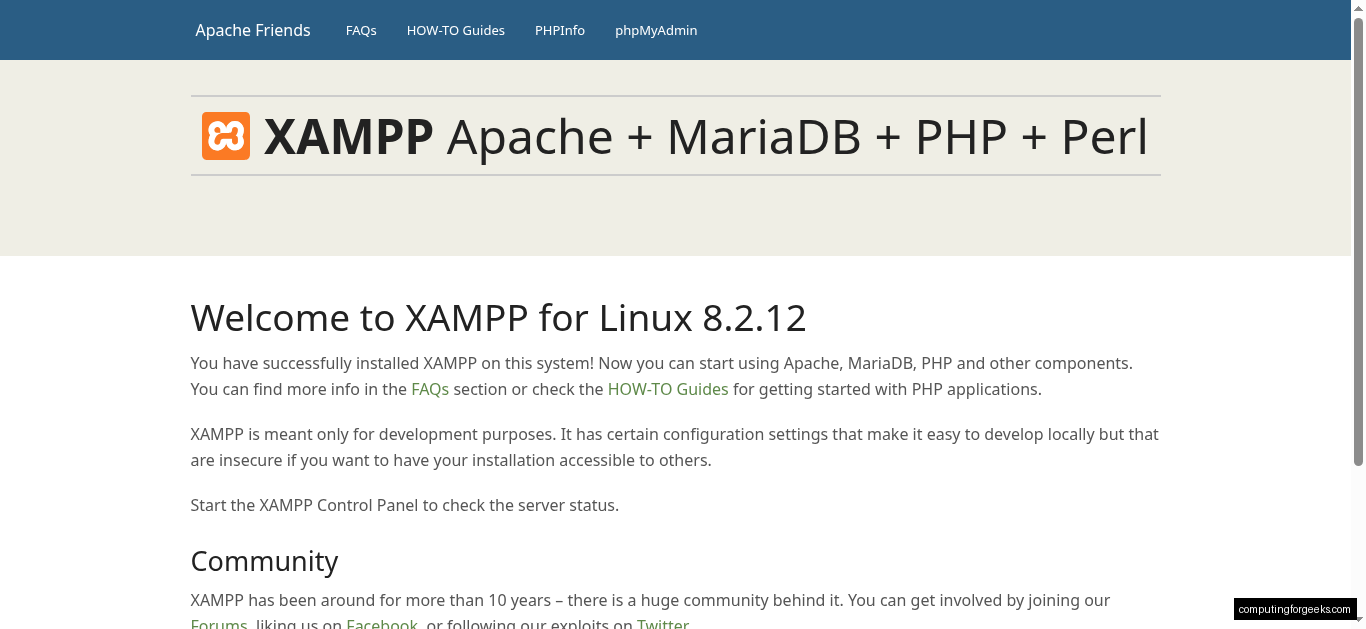
Open your browser and navigate to http://localhost (or your server’s IP if testing on a remote Fedora instance). The XAMPP dashboard confirms Apache is serving pages:
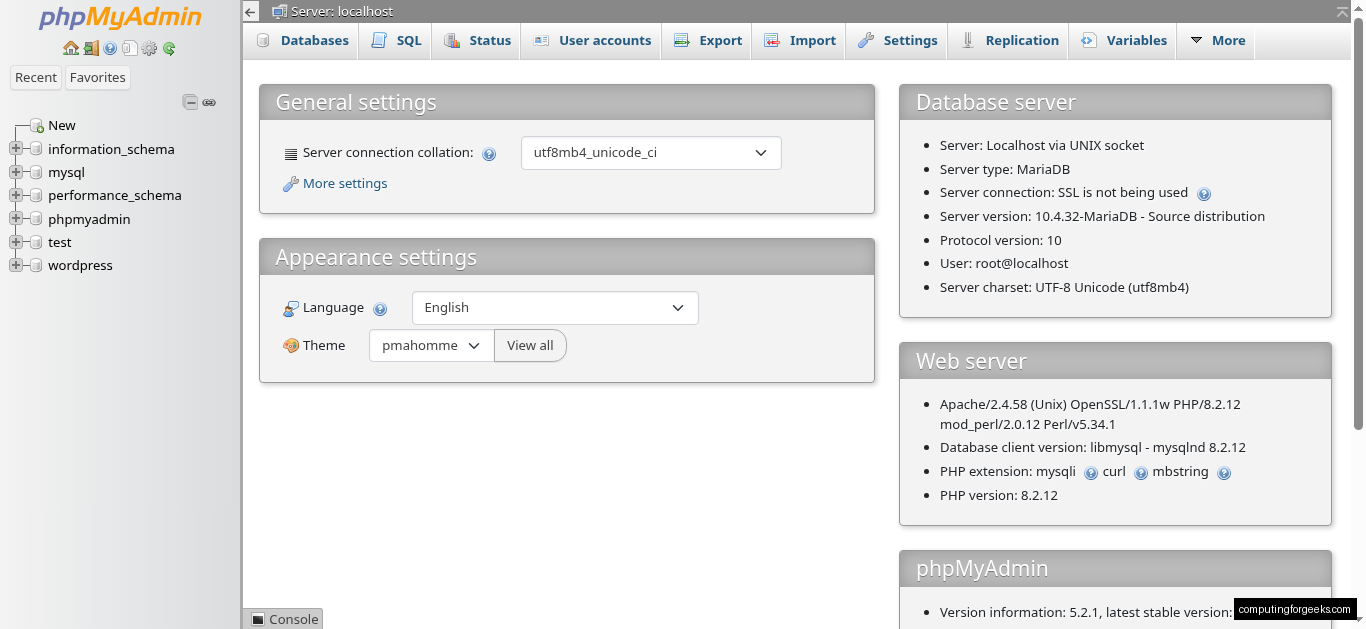
phpMyAdmin is accessible at http://localhost/phpmyadmin. By default, it connects as root with no password:
Test PHP with a Custom Page
Create a quick test page to confirm PHP processing works:
echo '<?php phpinfo(); ?>' | sudo tee /opt/lampp/htdocs/info.phpOpen http://localhost/info.php in your browser. The full PHP configuration page should load with all modules and settings:

Remove the test file when you’re done, since it exposes server configuration details:
sudo rm /opt/lampp/htdocs/info.phpConfigure Firewall (Optional)
If you’re running Fedora Server or Workstation (not Cloud Edition), firewalld is likely active. Open HTTP and HTTPS ports so other machines on your network can reach the XAMPP server:
sudo firewall-cmd --permanent --add-service={http,https}
sudo firewall-cmd --reload
Fedora Cloud Edition may not have firewalld running. Check with systemctl status firewalld before running these commands.
Auto-Start XAMPP with systemd
XAMPP doesn’t install a systemd unit file, so it won’t survive a reboot. Create one:
sudo vi /etc/systemd/system/xampp.serviceAdd the following unit configuration:
[Unit]
Description=XAMPP Service
After=network.target

[Service]
Type=forking
ExecStart=/opt/lampp/lampp start
ExecStop=/opt/lampp/lampp stop
ExecReload=/opt/lampp/lampp reload

[Install]
WantedBy=multi-user.target
Enable and start the service:
sudo systemctl daemon-reload
sudo systemctl enable xampp.service
XAMPP will now start automatically on boot. You can manage it with standard systemd commands: sudo systemctl start xampp, sudo systemctl stop xampp, sudo systemctl restart xampp.
Security Hardening
The default XAMPP installation has no passwords set, and phpMyAdmin is accessible to anyone. Run the security script to lock things down:
sudo /opt/lampp/lampp securityThe script walks through five prompts:
- XAMPP pages password: protects the dashboard and demos from network access
- MySQL root password: sets a password for the MariaDB root account
- phpMyAdmin password: restricts phpMyAdmin access
- ProFTPD password: secures the FTP daemon
- Network access restriction: whether to allow connections from other machines
Answer yes and set strong passwords for each. Even on a development machine, you don’t want an open MariaDB root account.
Deploy WordPress on XAMPP
A quick WordPress install is the fastest way to confirm the full LAMP stack works together. First, create a database for WordPress:
/opt/lampp/bin/mysql -u root -p -e "CREATE DATABASE wordpress; CREATE USER 'wpuser'@'localhost' IDENTIFIED BY 'StrongPass123!'; GRANT ALL ON wordpress.* TO 'wpuser'@'localhost'; FLUSH PRIVILEGES;"Download and extract WordPress into the XAMPP web root:
wget -qO- https://wordpress.org/latest.tar.gz | sudo tar xz -C /opt/lampp/htdocs/Set ownership so Apache can write to the WordPress directory:
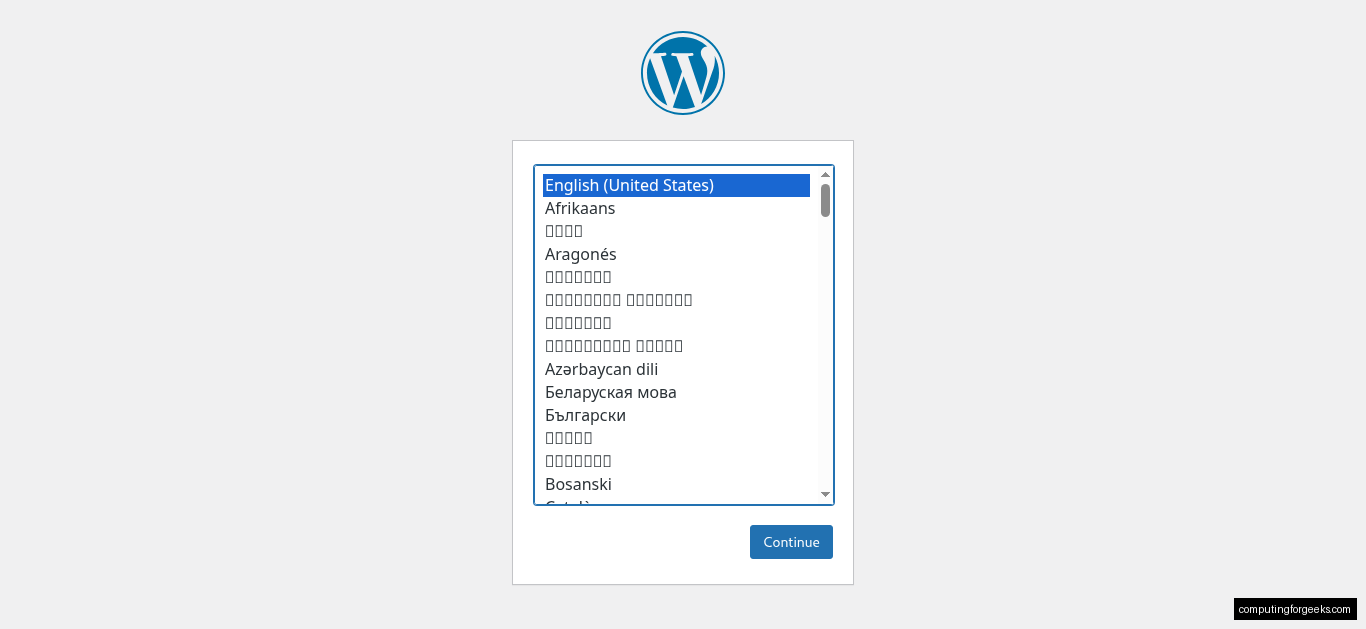
sudo chown -R daemon:daemon /opt/lampp/htdocs/wordpressOpen http://localhost/wordpress in your browser to launch the WordPress setup wizard. Enter the database credentials from the previous step (wordpress, wpuser, StrongPass123!, localhost). Complete the installation and you’ll land on the WordPress dashboard:
Switching PHP Versions (8.3 or 8.4)
Each XAMPP edition bundles a fixed PHP version. To switch from PHP 8.2 to 8.3 or 8.4, you need to install the corresponding XAMPP edition alongside the current one (or replace it). Stop the running instance first:
sudo /opt/lampp/lampp stopBack up your current htdocs and databases if you have projects to preserve:
sudo cp -a /opt/lampp/htdocs ~/xampp-htdocs-backup
sudo /opt/lampp/bin/mysqldump -u root -p --all-databases > ~/xampp-all-databases.sql
Uninstall the current edition:
sudo /opt/lampp/uninstallThen download and install the new edition using the download steps from earlier, with the XAMPP_VER variable set to your target version. After installation, restore your backed-up files.
Troubleshooting
Error: “error while loading shared libraries: libcrypt.so.1”
This means libxcrypt-compat is not installed. Fedora 42 and 41 both need it because the system glibc no longer provides the legacy libcrypt.so.1 library. Install it:
sudo dnf install -y libxcrypt-compatRestart XAMPP after installing the package.
MySQL: “Can’t connect to local MySQL server through socket”
This sometimes happens on the first connection after starting XAMPP. The MySQL socket file hasn’t been created yet or is in a location the client doesn’t expect. Reload MySQL to fix it:
sudo /opt/lampp/lampp reloadmysqlThen connect using the XAMPP-specific mysql binary, which knows where to find the socket:
/opt/lampp/bin/mysql -u root -pPort 80 Already in Use
If Apache fails to start, another service (typically the system’s httpd or nginx) is already bound to port 80. Find what’s using it:
sudo ss -tlnp | grep ':80'Stop the conflicting service, or change XAMPP’s listening port. Edit the Apache config:
sudo vi /opt/lampp/etc/httpd.confFind the Listen 80 directive and change it to another port (for example, Listen 8080). Restart XAMPP after saving.
“egrep: warning: egrep is obsolescent” Messages
Every XAMPP command on Fedora 42 and 41 prints egrep: warning: egrep is obsolescent; using grep -E. This is a deprecation notice from GNU grep because XAMPP’s shell scripts use the legacy egrep binary instead of grep -E. It doesn’t affect functionality. XAMPP will eventually update their scripts, but for now it’s safe to ignore.
Uninstall XAMPP
If you need to remove XAMPP completely, stop all services first and then run the uninstaller:
sudo /opt/lampp/lampp stop
sudo /opt/lampp/uninstall
Clean up any leftover files and the systemd unit:
sudo rm -rf /opt/lampp
sudo rm -f /etc/systemd/system/xampp.service
sudo systemctl daemon-reload
If you set SELinux to permissive for XAMPP, remember to switch it back to enforcing:
sudo setenforce 1
sudo sed -i 's/^SELINUX=permissive/SELINUX=enforcing/' /etc/selinux/config
The same installation steps work for XAMPP on Ubuntu and XAMPP on Debian, with minor differences in dependency package names and the init system configuration.

I am searching on google how to install xampp and I find your post. And after reading your content, hopefully, now we can install xampp. Thank you!
Tried on Fedora 39 but getting error
egrep: warning: egrep is obsolescent; using grep -E
XAMPP is currently only availably as 32 bit application. Please use a 32 bit compatibility library for your system.
I just tested on Fedora 39 and it works. Where does it fail for you?
same here
Fedora 39 but getting error kde
egrep: warning: egrep is obsolescent; using grep -E
XAMPP is currently only availably as 32 bit application. Please use a 32 bit compatibility library for your system.
➜ ~
Hi, there.
I got the same error on a Fedora 39 fresh installation yesterday.
published it here https://community.apachefriends.org/f/viewtopic.php?f=17&t=83596&sid=a56aef996ba51a3b2c103f8cf692233c
egrep: warning: egrep is obsolescent; using grep -E
XAMPP is currently only availably as 32 bit application. Please use a 32 bit compatibility library for your system.
but maybe you know a reason for that, or have a soluion
Hi. I got the same issue on a Fedora 39 fresh installation.
After I installed Xampp ( xampp-linux-x64-8.2.12-0-installer.run ) and tried to run it, the terminal returned the same error:
egrep: warning: egrep is obsolescent; using grep -E
XAMPP is currently only availably as 32 bit application. Please use a 32 bit compatibility library for your system.
I googled for a solution, but didn’t find anything valuable for the case of a fresh installation of Fedora.
Can you help?
sudo dnf install -y libxcrypt-compathi any status update on this issue?
See updated package installation.
sudo dnf install -y libxcrypt-compat