NFS is the lingua franca of Unix file sharing. A single export on a well-connected Ubuntu server can back every home directory on a cluster, serve shared application data to Kubernetes pods via a static PersistentVolume, or just give a lab team a predictable place to drop build artifacts. Ubuntu 26.04 LTS ships NFS version 4.2 as the default protocol, which brings server-side copy, reflink support on supported filesystems, and much simpler firewall rules than the v3 days.
This guide sets up nfs-kernel-server on one Ubuntu 26.04 VM with two exports: a permissive public share for the whole LAN and an IP-locked private share for a single client. A second freshly cloned Ubuntu 26.04 VM mounts both exports, writes files through them, and confirms the negotiated protocol is NFSv4.2. Every command was run on newly cloned cloud images so there is no inherited state.
Tested April 2026 on Ubuntu 26.04 LTS (Resolute Raccoon), kernel 7.0.0-10, nfs-kernel-server with NFSv4.2
Prerequisites
Two Ubuntu 26.04 LTS servers on the same /24. The NFS server sits at 192.168.1.121 (nfs-server.c4geeks.local) and the client at 192.168.1.122. Both were cloned from a fresh 26.04 cloud image with root SSH and UFW in its default state. If you are starting from scratch, run the Ubuntu 26.04 initial server setup first.
Set FQDN and reusable shell variables
Pin the hostname on the server so logs make sense:
sudo hostnamectl set-hostname nfs-server.c4geeks.local
hostname -f
Define the export paths and the network variables that appear repeatedly in this guide:
export NFS_PUBLIC="/srv/nfs/public"
export NFS_PRIVATE="/srv/nfs/private"
export NFS_SUBNET="192.168.1.0/24"
export NFS_CLIENT="192.168.1.122"
export NFS_UID="1001"
Install nfs-kernel-server
The kernel NFS server is in the 26.04 main archive. Install it along with the shared NFS utilities:
sudo apt-get update
sudo apt-get install -y nfs-kernel-server nfs-common
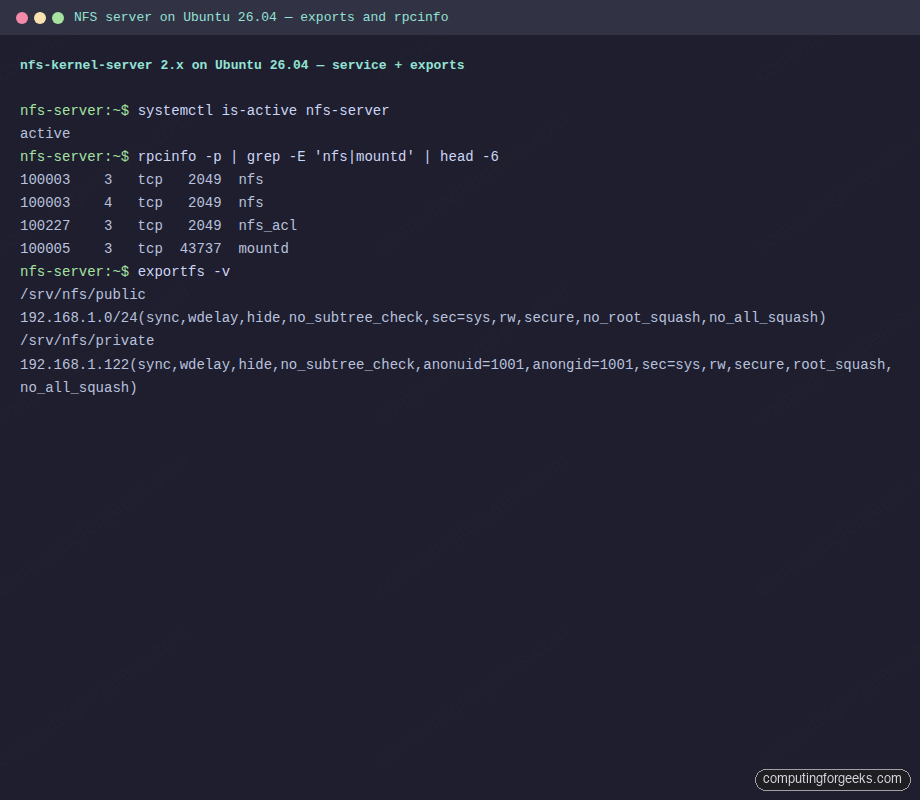
systemctl is-active nfs-server
rpcinfo -p | grep -E 'nfs|mountd' | head -6
rpcinfo lists what the RPC portmapper knows about. On a healthy NFS server the NFS service runs on TCP 2049 under versions 3 and 4, plus mountd on an ephemeral port:
active
100003    3   tcp   2049  nfs
100003    4   tcp   2049  nfs
100227    3   tcp   2049  nfs_acl
100005    3   tcp  43737  mountd
Create exports with correct ownership
The public share is writable by everyone. The private share is owned by a dedicated UID (1001) so anonymous root writes are squashed to that user rather than to nobody:
sudo mkdir -p "${NFS_PUBLIC}" "${NFS_PRIVATE}"
sudo chown nobody:nogroup "${NFS_PUBLIC}"
sudo chmod 0777 "${NFS_PUBLIC}"
sudo useradd -u "${NFS_UID}" -M -s /bin/false nfsuser 2>/dev/null || true
sudo chown "${NFS_UID}":"${NFS_UID}" "${NFS_PRIVATE}"
sudo chmod 0770 "${NFS_PRIVATE}"
Configure /etc/exports
/etc/exports controls who can mount what and with which flags. Write both exports in one file:
sudo tee /etc/exports > /dev/null <<EXP
${NFS_PUBLIC}  ${NFS_SUBNET}(rw,sync,no_subtree_check,no_root_squash)
${NFS_PRIVATE} ${NFS_CLIENT}(rw,sync,no_subtree_check,root_squash,anonuid=${NFS_UID},anongid=${NFS_UID})
EXP
A few notes on the flags. sync forces writes to disk before NFS acknowledges them (safer but slower; for heavy write loads, async is faster at the cost of potential data loss on power failure). no_subtree_check disables filesystem-level checks NFS does not really need on modern kernels. root_squash plus anonuid on the private export maps remote root to UID 1001, so a client sudo cannot chmod the share content.
Apply exports with exportfs -ra
exportfs -ra reloads exports without restarting the NFS server or dropping active client connections:
sudo exportfs -ra
sudo exportfs -v
The -v variant prints the effective flags the kernel is using, including everything NFS defaults to when you did not specify:
/srv/nfs/public  192.168.1.0/24(sync,wdelay,hide,no_subtree_check,sec=sys,rw,secure,no_root_squash,no_all_squash)
/srv/nfs/private 192.168.1.122(sync,wdelay,hide,no_subtree_check,anonuid=1001,anongid=1001,sec=sys,rw,secure,root_squash,no_all_squash)
Full session from the NFS server showing exportfs output:
Open UFW firewall
Pure NFSv4 only needs TCP 2049. Allow RPC port 111 too so showmount from legacy clients keeps working:
sudo ufw allow 22/tcp
sudo ufw allow from ${NFS_SUBNET} to any port nfs
sudo ufw allow from ${NFS_SUBNET} to any port 111 proto tcp
sudo ufw allow from ${NFS_SUBNET} to any port 111 proto udp
sudo ufw --force enable
sudo ufw status
For a public-facing NFS (rare; NFS over the internet is usually a mistake), tunnel it over WireGuard instead. The WireGuard guide covers that pattern.
Mount the public share from the client
Install the client utilities. nfs-common is the only package needed for NFSv4 clients:
sudo apt-get install -y nfs-common
sudo mkdir -p /mnt/nfs-public /mnt/nfs-private
Mount the public share and write a test file through the mount:
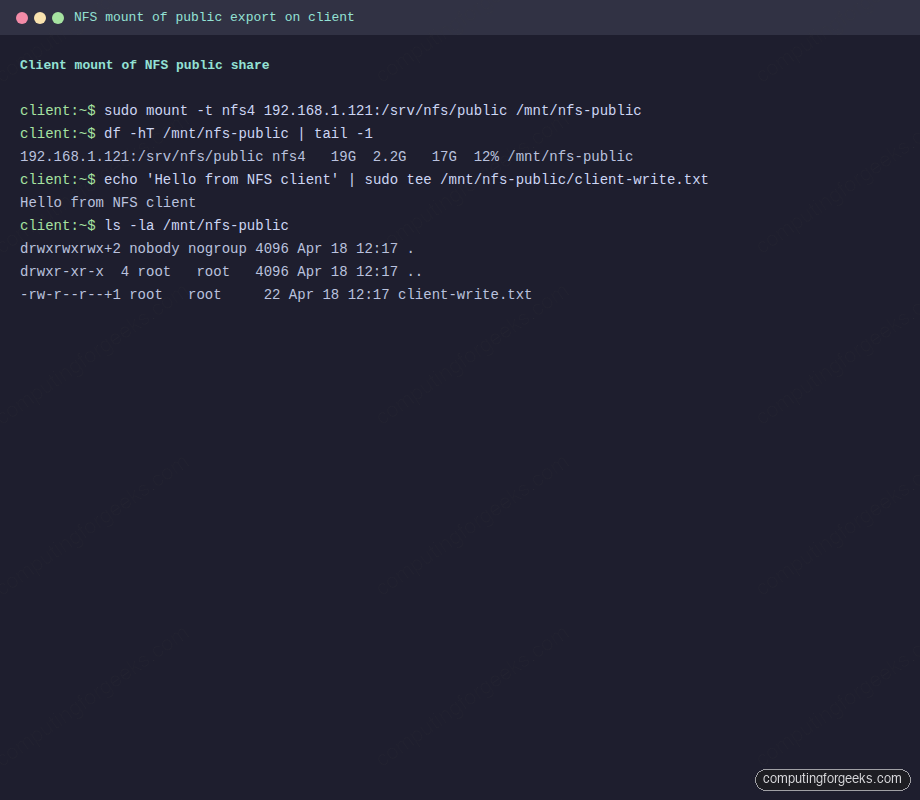
sudo mount -t nfs4 192.168.1.121:/srv/nfs/public /mnt/nfs-public
df -hT /mnt/nfs-public | tail -2
echo "Hello from NFS client" | sudo tee /mnt/nfs-public/client-write.txt
ls -la /mnt/nfs-public
The mount shows up as type nfs4, and the file you wrote is visible to any other client on the subnet that mounts the same export:
Filesystem                    Type  Size  Used Avail Use% Mounted on
192.168.1.121:/srv/nfs/public nfs4   19G  2.2G   17G  12% /mnt/nfs-public
drwxrwxrwx+2 nobody nogroup 4096 Apr 18 12:17 .
drwxr-xr-x  4 root   root   4096 Apr 18 12:17 ..
-rw-r--r--+1 root   root     22 Apr 18 12:17 client-write.txt
Captured output from the client VM mounting the public share:
Mount the private share from the authorized client
The private export is limited to one client IP. Mount it the same way:
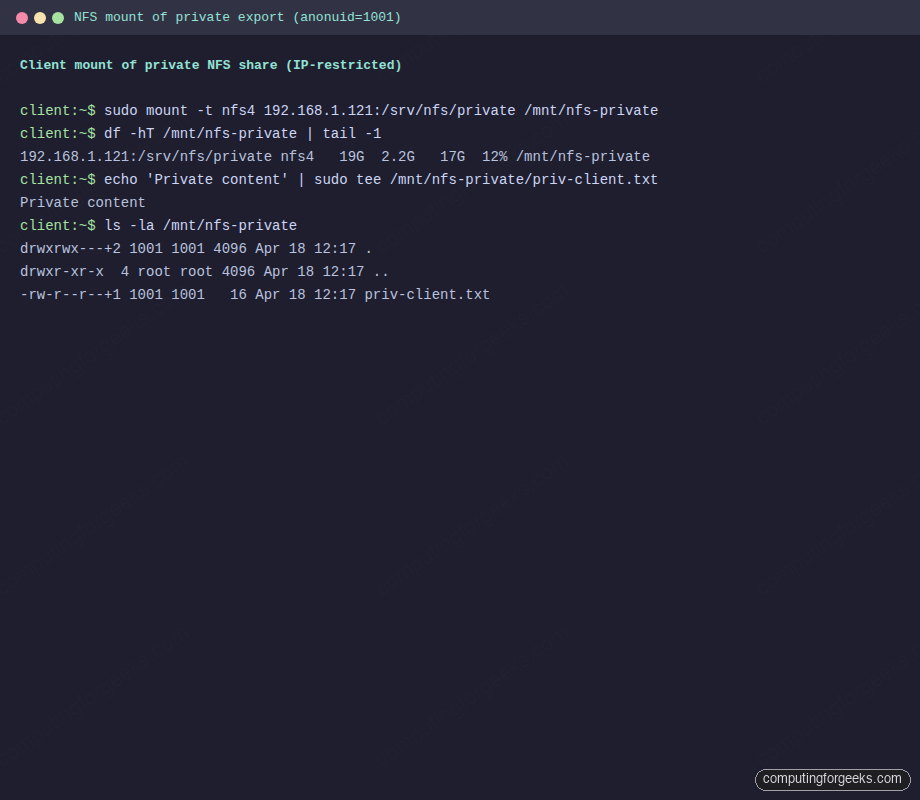
sudo mount -t nfs4 192.168.1.121:/srv/nfs/private /mnt/nfs-private
df -hT /mnt/nfs-private | tail -2
echo "Private content" | sudo tee /mnt/nfs-private/priv-client.txt
ls -la /mnt/nfs-private
Observe the owner: even though sudo wrote the file, root was squashed to UID 1001 because the export carries root_squash,anonuid=1001. This is the expected behaviour and exactly why you configure it this way for shared project folders:
Filesystem                     Type  Size  Used Avail Use% Mounted on
192.168.1.121:/srv/nfs/private nfs4   19G  2.2G   17G  12% /mnt/nfs-private
drwxrwx---+2 1001 1001 4096 Apr 18 12:17 .
drwxr-xr-x  4 root root 4096 Apr 18 12:17 ..
-rw-r--r--+1 1001 1001   16 Apr 18 12:17 priv-client.txt
Private share mount with UID mapping visible in the ls output:
Any other client IP attempting the same mount gets mount.nfs4: access denied by server while mounting. Exact IP enforcement is the cheapest form of NFS ACL and works without Kerberos setup.
Verify NFSv4.2 negotiation
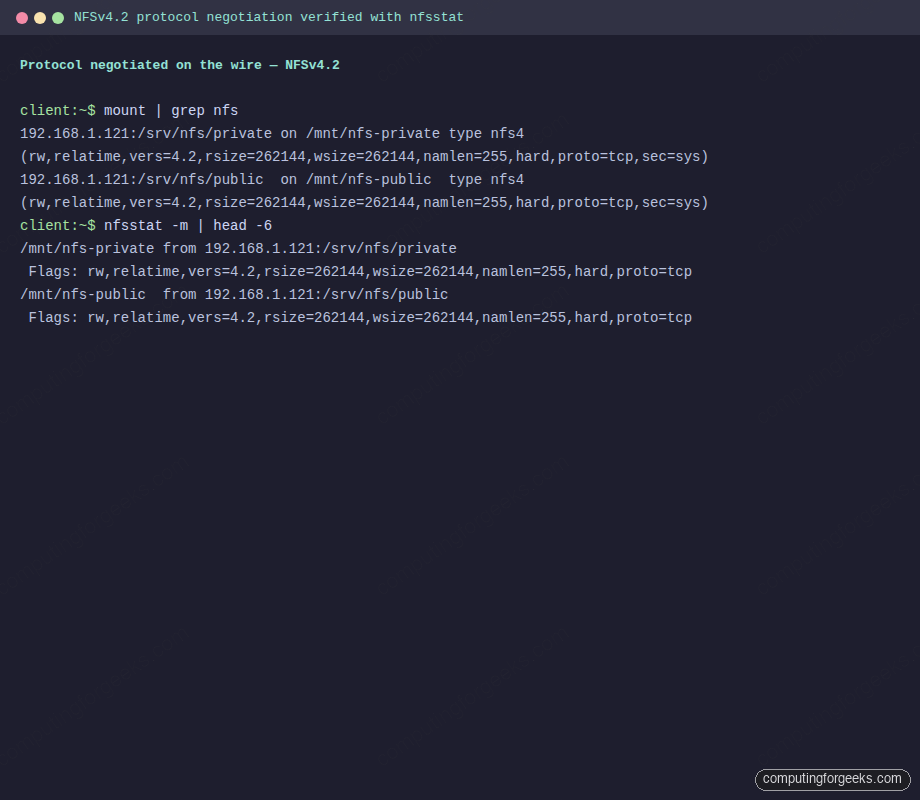
mount and nfsstat -m both show the negotiated protocol version. On Ubuntu 26.04 both client and server default to 4.2, which is what you want:
mount | grep nfs
nfsstat -m | head -6
The vers=4.2 flag is the key detail. 4.2 brings server-side copy (COPY NFS op) and space reservation, both wins for database and VM image workloads:
192.168.1.121:/srv/nfs/private on /mnt/nfs-private type nfs4 (rw,relatime,vers=4.2,rsize=262144,wsize=262144,proto=tcp,sec=sys)
192.168.1.121:/srv/nfs/public  on /mnt/nfs-public  type nfs4 (rw,relatime,vers=4.2,rsize=262144,wsize=262144,proto=tcp,sec=sys)
/mnt/nfs-private from 192.168.1.121:/srv/nfs/private
 Flags: rw,relatime,vers=4.2,rsize=262144,wsize=262144
nfsstat -m result from the client confirming version 4.2:
To force a specific version when troubleshooting, pass -o vers=4.1 or vers=3 on the mount command line. For permanent mounts, drop the line into /etc/fstab:
echo '192.168.1.121:/srv/nfs/private /mnt/nfs-private nfs4 _netdev,vers=4.2,hard,intr 0 0' | sudo tee -a /etc/fstab
sudo mount -a
_netdev delays the mount until the network is up, hard keeps the mount retrying forever on server hiccups, and intr lets you Ctrl-C a hung operation.
Troubleshoot common NFS problems
Error: “mount.nfs4: access denied by server while mounting”
The client IP is not in the /etc/exports access list. Either widen the entry to the subnet, add the specific IP, or re-verify the client’s IP with ip a. Remember to run sudo exportfs -ra after editing.
showmount hangs forever
Modern NFSv4-only servers skip rpcbind entirely, and showmount relies on it. Use mount -t nfs4 SERVER:/export /mnt directly; if you need to enumerate exports, look at /etc/exports on the server or use findmnt on the client. Install rpcbind on the server and open port 111 if you specifically need showmount to work.
Files created as root show up as nobody
That is root_squash doing its job. To let root on the client create files as root on the server (rarely a good idea), add no_root_squash to the export. Better alternative: add a regular user with the same UID on both boxes and write as that user.
Error: “Stale file handle”
The inode of the file changed server-side (e.g., the export was recreated, or the underlying directory was moved). Unmount and remount the NFS filesystem on the client. If it happens repeatedly, check for rm -rf loops or filesystem migrations on the server.
Write performance is poor
Switch the export from sync to async if the workload tolerates occasional data loss. For VM disk images or database files, keep sync and instead tune rsize and wsize; 262144 bytes (256 KB) is the default on Ubuntu 26.04 and usually optimal. For heavy workloads consider nconnect=4 on the client, which opens multiple TCP connections per mount.
Once the exports are stable, this NFS server can back home directories, act as PersistentVolume storage for Kubernetes, and host shared backup targets. Harden the host with the Ubuntu 26.04 server hardening guide and keep the export list tight.