


If you are a MySQL database administrator or if you use this powerful RDBMS for work, you will have probably experienced database corruption issues. So, for sure, you will have needed a database repair tool for quick and easy recovery.
Stellar Repair for MySQL is a well-known database tool for repairing corrupt MySQL database. Among the other tools available, this tool is both powerful and easy-to-use. It includes several features, such as repairing tables and indexes and recovering deleted data. It can repair data from both the storage engines supported by the latest MySQL version 8.x – MyISAM and InnoDB. Moreover, this tool can also recover deleted tables and all the other MySQL database objects, such as stored procedure, functions, triggers, and views.
As mentioned above, the software is very easy-to-use. When it starts, it asks directly to choose the database you want to repair. Then, through its advanced algorithm, it scans the database and repairs all the damaged MySQL objects (tables, indexes, trigger, views, stored procedures, etc.).
When the scan phase ends, a list of repaired objects is shown and you can choose to save the selective data. Finally, you can choose in which format you want to save the repaired data. At this time, the recovery process is finished. It takes just a few clicks.
Key Features of Stellar Repair for MySQL
Stellar Repair for MySQL has some notable features. These are:
- Repairs database of both the MySQL storage engines – InnoDB and MyISAM.
- Recovers not only the tables but also keys, table’s properties, data types, views, trigger, etc.
- Offers preview of recoverable database objects in main interface.
- Allows saving of repaired database in MySQL, Maria DB, SQL Script, CSV, HTML, and XLS formats.
- Supports all the MySQL versions (MySQL 8.x, 6.x, 5.x, 4.x, and 3.x) and MariaDB up to V10.11
- Compatible with Windows 11, 10, 8, 1, 8, 7, Vista, and XP, and Linux.
How to Fix Corrupted Database using Stellar Repair for MySQL?
Stellar Repair for MySQL has an intuitive user interface. Let us see briefly how to install it and then use it to recover a corrupted database.
Download the tool from the official Stellar website.
Choose whether you want to download the Windows version or the Linux version.
Press the Free Download button.

Once downloaded, install the application.
When you launch the software, the main window appears, asking you to select the database to repair. The “Select Data Folder” dialog box appear.

Enter the path to a folder that contains database files. Press the OK button.

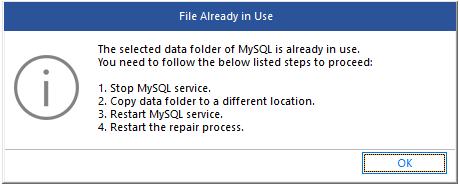
A dialog box will appear if the data files are in use. In this case, stop the MySQL service and then start the recovery process again.
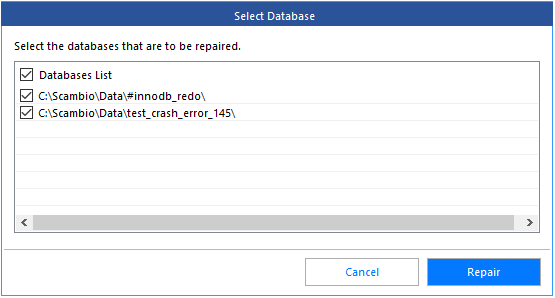
A dialog box shows the list of available databases. Choose one or more items from the grid. Then, press the Repair button.
The tool will start scanning and repairing the selected database.

When the database is repaired, the Repair Complete dialog box appears.

Press the Save button.

Choose the format to save your data. You can choose between several formats that are MySQL, Maria DB, SQL Script, CSV, HTML, and XLS. By default, MySQL format is selected.
Enter the credentials to connect to the MySQL server: Hostname, Username, and Password. Press the Save button.

At the end of the process, the Save Complete dialog box appears. Press the OK button.
Verdict
Stellar Repair for MySQL is a powerful tool as it can fix errors that internal MySQL commands are not able to fix. This tool can fix corrupt database easily, quickly, and safely. I appreciate the fact that I can choose to save repaired data in a new database and also into an existing one. I find this very useful that I can also choose to save recovered data in other formats, such as SQL Script, CSV, HTML, and XLS. One of the best things about Stellar Repair for MySQL is that it is compatible with all the versions of MySQL, including the latest 8.x.
