

Every password your users choose ends up as a hash somewhere: in /etc/shadow, in an Active Directory database, in a web application’s backend. Knowing how to crack those hashes is not just an offensive skill. It is the fastest way to audit whether your organization’s password policy actually holds up under real attack conditions.
This guide walks through practical password cracking with Hashcat and John the Ripper on Kali Linux, covering hash identification, wordlist attacks, mask attacks, rule-based mutations, and Linux shadow file cracking. Both tools ship pre-installed on Kali, so there is nothing extra to set up.
Tested April 2026 on Kali Linux 2026.1, Hashcat v7.1.2, John the Ripper 1.9.0-jumbo-1+bleeding, with the rockyou.txt wordlist (14,344,392 entries)
Hashcat vs John the Ripper
Both tools crack hashes, but they take different approaches. The table below summarizes the key differences to help you pick the right one for each job.
| Criteria | Hashcat | John the Ripper |
|---|---|---|
| Primary approach | GPU-first, massively parallel | CPU-first (GPU support available) |
| GPU acceleration | Native OpenCL and CUDA, highly optimized | OpenCL supported but less optimized |
| Speed on GPU hardware | Fastest for most hash types | Competitive on CPU, slower on GPU |
| Hash format support | 350+ modes via numeric IDs | 301 formats with auto-detection |
| Hash auto-detection | No (must specify -m mode) | Yes, detects format automatically |
| Ease of use | Steeper learning curve, more flags | Simpler syntax, sensible defaults |
| Session restore | --restore | --restore |
| Best for | Large-scale audits, GPU rigs | Quick checks, mixed hash files, CPU-only systems |
In practice, most penetration testers use both. John is great for quick identification and cracking when you are not sure what hash type you have. Hashcat is the tool you reach for when speed matters and you have a GPU available.
Hash Type Reference
Hashcat identifies hash types by numeric mode. Here are the ones you will encounter most often during engagements and audits.
Hashcat Mode (-m) | Hash Type | Common Source |
|---|---|---|
| 0 | MD5 | Legacy web apps, leaked databases |
| 100 | SHA-1 | Older applications, Git commits |
| 1400 | SHA-256 | Modern web apps, API tokens |
| 1800 | sha512crypt ($6$) | Linux /etc/shadow |
| 3200 | bcrypt ($2*$) | Modern web frameworks (Django, Rails, WordPress) |
| 22000 | WPA-PBKDF2-PMKID+EAPOL | Wi-Fi WPA2/WPA3 handshakes |
| 1000 | NTLM | Windows Active Directory, SAM database |
John the Ripper does not use numeric modes. It either auto-detects the format or accepts --format= with a name like raw-md5, raw-sha1, sha512crypt, or nt.
Identify an Unknown Hash
Before you can crack a hash, you need to know what algorithm produced it. Kali includes two tools for this: hash-identifier and hashid. Start with hash-identifier for a quick check.
hash-identifierPaste the hash 482c811da5d5b4bc6d497ffa98491e38 when prompted. The tool analyzes the length and character set to suggest possible algorithms:
Possible Hashs:
[+] MD2
[+] MD5
[+] MD4
[+] Double MD5
[+] LM
[+] RIPEMD-128
MD5 is the most likely candidate for a 32-character hex string. The hashid tool gives similar results with Hashcat and John mode hints included:
hashid -m -j '482c811da5d5b4bc6d497ffa98491e38'The -m flag shows the Hashcat mode number and -j shows the John format name, saving you the trouble of looking them up manually.
For hashes that start with $6$, $2b$, or $y$, you don’t need identification tools. Those prefixes are standardized crypt identifiers: $6$ is sha512crypt, $2b$ is bcrypt, and $y$ is yescrypt.
Prepare Wordlists
A wordlist attack is only as good as the wordlist. Kali ships with several under /usr/share/wordlists/, but the most important one is rockyou.txt, which contains 14,344,392 real passwords from the 2009 RockYou breach. It comes compressed by default.
Decompress it:
sudo gunzip -k /usr/share/wordlists/rockyou.txt.gzVerify the wordlist is ready and check its size:
wc -l /usr/share/wordlists/rockyou.txtThe output should confirm 14,344,392 lines (about 134 MB uncompressed). Other wordlists bundled with Kali include dirb, dirbuster, fern-wifi, john.lst, metasploit, nmap.lst, sqlmap.txt, wfuzz, and wifite.txt. These are useful for different attack contexts but rockyou remains the go-to for password cracking.
For targeted engagements, build a custom wordlist with information specific to the target organization. Tools like cewl (scrapes words from a website) and crunch (generates permutations from a pattern) are both available on Kali.
cewl -d 2 -m 5 -w custom_wordlist.txt https://target-company.example.comThis scrapes the target site to a depth of 2, collecting words with a minimum length of 5 characters.
Crack MD5 Hashes with Hashcat
Create a file containing the MD5 hash you want to crack:
echo '482c811da5d5b4bc6d497ffa98491e38' > md5hash.txtRun Hashcat in dictionary mode (-a 0) with MD5 mode (-m 0):
hashcat -m 0 -a 0 md5hash.txt /usr/share/wordlists/rockyou.txtHashcat finds the plaintext almost instantly because “password123” appears early in the rockyou list:
Session..........: hashcat
Status...........: Cracked
Hash.Mode........: 0 (MD5)
Hash.Target......: 482c811da5d5b4bc6d497ffa98491e38
Time.Started.....: Sun Apr 12 04:53:41 2026, (0 secs)
Speed.#01........:    51073 H/s (0.17ms) @ Accel:1024 Loops:1 Thr:1 Vec:4
Recovered........: 1/1 (100.00%) Digests (total), 1/1 (100.00%) Digests (new)
Progress.........: 2048/14344385 (0.01%)
Candidates.#01...: 123456 -> lovers1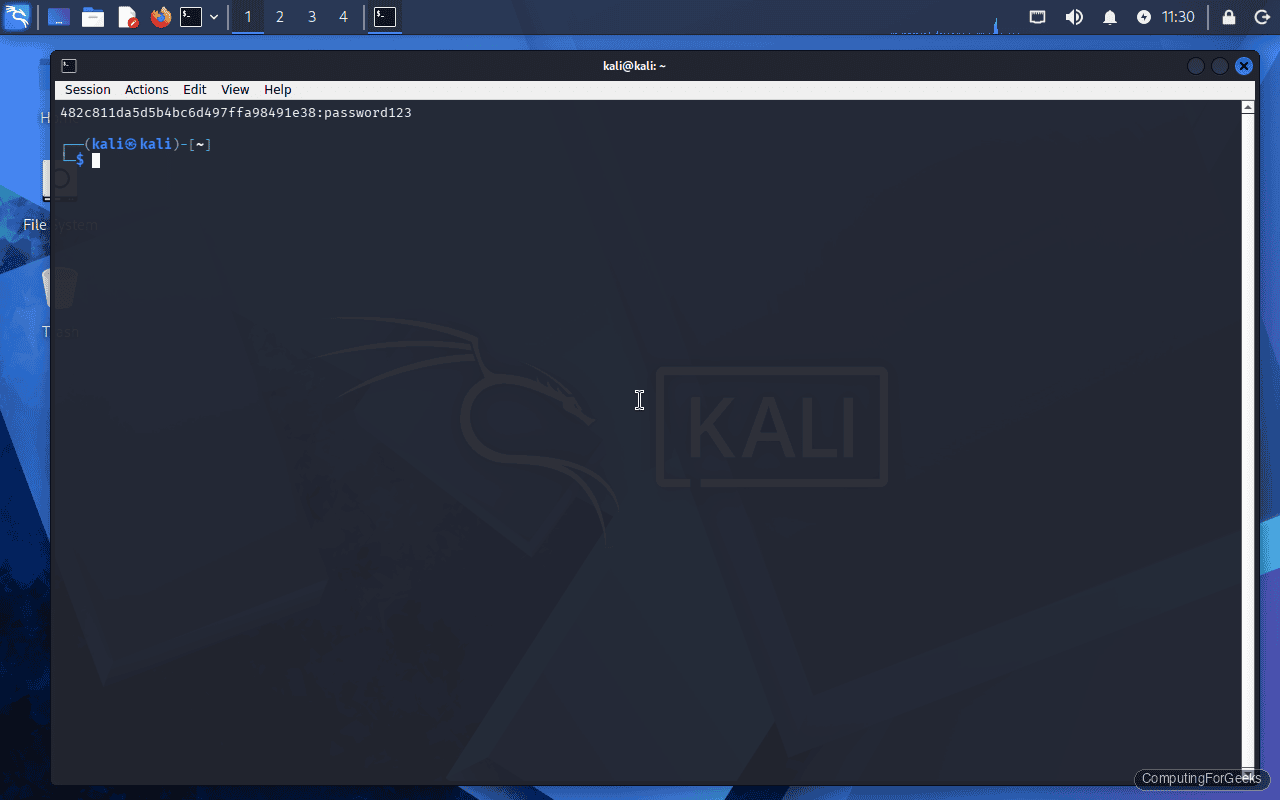
To see the cracked result, use --show:
hashcat -m 0 md5hash.txt --showThe output displays the hash followed by the plaintext, separated by a colon: 482c811da5d5b4bc6d497ffa98491e38:password123.
Crack MD5 Hashes with John the Ripper
John’s syntax is more straightforward. Point it at the hash file with a wordlist and it auto-detects the format:
john --wordlist=/usr/share/wordlists/rockyou.txt --format=raw-md5 md5hash.txtThe crack completes in under a second:
Loaded 1 password hash (Raw-MD5 [MD5 128/128 SSE2 4x3])
password123      (?)
1g 0:00:00:00 DONE (2026-04-12 04:53) 33.33g/s 51200p/s 51200c/s 51200C/s teacher..mexico1
John stores cracked passwords in ~/.john/john.pot. To display previously cracked results:
john --show --format=raw-md5 md5hash.txtOne thing that catches people off guard: John will refuse to crack a hash it has already cracked unless you delete the pot file or use --pot=newpot.txt to write results to a different file.
Crack Linux Shadow Passwords
Linux stores password hashes in /etc/shadow, readable only by root. Each line follows the format username:$id$salt$hash:... where $id identifies the algorithm. On modern systems, $6$ means sha512crypt and $y$ means yescrypt.
John the Ripper can read shadow files directly. First, combine /etc/passwd and /etc/shadow using the unshadow utility:
sudo unshadow /etc/passwd /etc/shadow > combined.txtNow crack it with the rockyou wordlist:
john --wordlist=/usr/share/wordlists/rockyou.txt combined.txtJohn auto-detects the sha512crypt format and begins cracking. Note that sha512crypt is intentionally slow (5000 iterations by default), so this takes significantly longer than MD5:
Loaded 1 password hash (sha512crypt, crypt(3) $6$ [SHA512 128/128 SSE2 2x])
Cost 1 (iteration count) is 5000 for all loaded hashes
password123      (testuser)
1g 0:00:00:00 DONE (2026-04-12 04:53) 1.075g/s 1513p/s 1513c/s 1513C/s cuties..tagged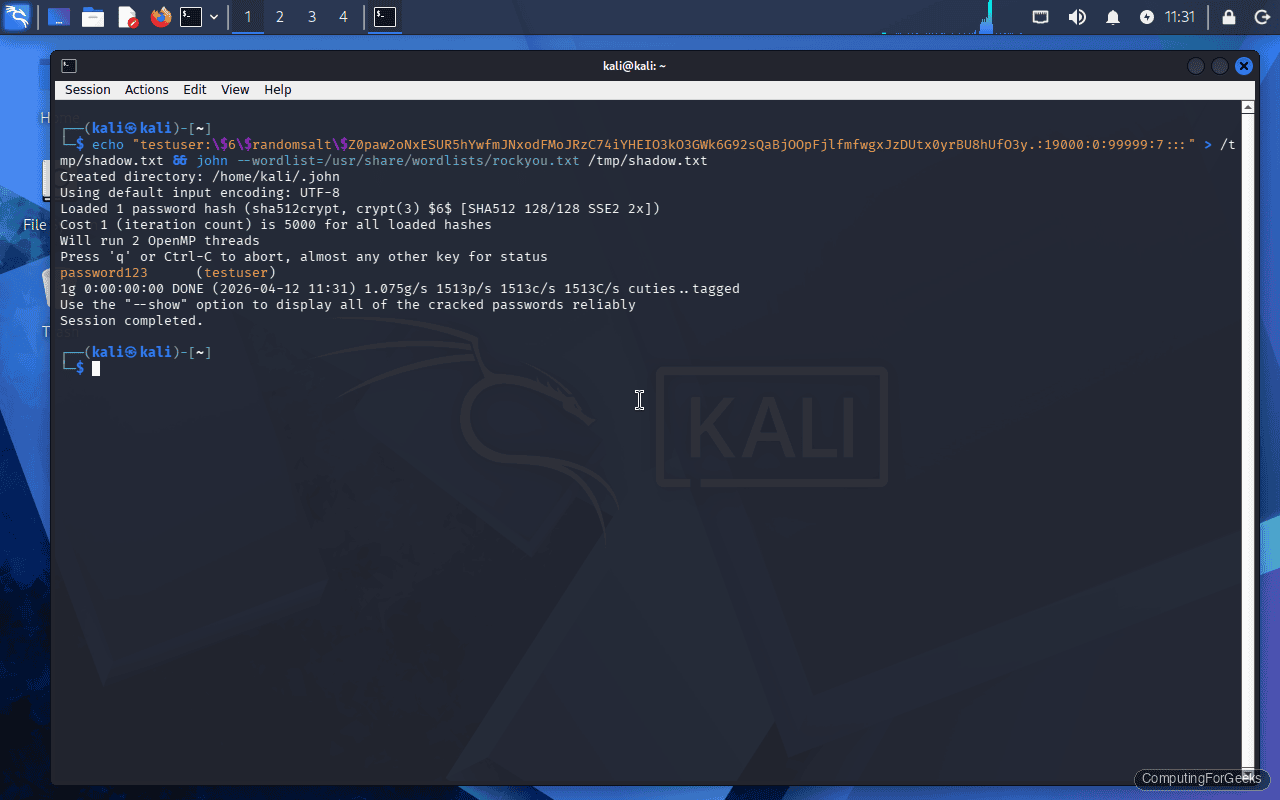
The speed difference is dramatic: 51,200 candidates per second for raw MD5 versus 1,513 for sha512crypt. This is exactly why modern systems use slow hashing algorithms.
To crack shadow hashes with Hashcat instead, extract just the hash (everything from $6$ to the next colon) into a file and use mode 1800:
hashcat -m 1800 -a 0 shadow_hash.txt /usr/share/wordlists/rockyou.txtHashcat Attack Modes
Hashcat supports multiple attack strategies, selected with the -a flag. Each one suits different scenarios.
Dictionary attack (-a 0) tries every word in a wordlist. This is what we used above. It is fast and effective against weak passwords that appear in common wordlists.
hashcat -m 0 -a 0 hashes.txt /usr/share/wordlists/rockyou.txtCombinator attack (-a 1) takes two wordlists and joins every word from the first with every word from the second. Useful for passwords like “sunflower2024” where users combine two common words.
hashcat -m 0 -a 1 hashes.txt wordlist1.txt wordlist2.txtBrute-force / mask attack (-a 3) tries all combinations matching a specific pattern. This is covered in detail in the next section.
Hybrid wordlist + mask (-a 6) appends a mask pattern to each word in a wordlist. Perfect for cracking passwords where users add digits to the end of a dictionary word, like “Summer2026”.
hashcat -m 0 -a 6 hashes.txt /usr/share/wordlists/rockyou.txt ?d?d?d?dThis appends every 4-digit combination (0000 through 9999) to each word in the wordlist.
Hybrid mask + wordlist (-a 7) does the reverse, prepending the mask pattern before each word.
Mask Attacks for Targeted Cracking
When you know something about the password structure (minimum length, required character types), mask attacks are far more efficient than brute-forcing the entire keyspace. Hashcat uses placeholder characters to define the pattern.
| Placeholder | Character Set | Example Match |
|---|---|---|
?l | Lowercase letters (a-z) | a, b, z |
?u | Uppercase letters (A-Z) | A, B, Z |
?d | Digits (0-9) | 0, 5, 9 |
?s | Special characters (!@#$…) | !, @, # |
?a | All of the above combined | a, Z, 3, ! |
Crack an 8-character password that starts with an uppercase letter, followed by six lowercase letters and a digit:
hashcat -m 0 -a 3 hashes.txt ?u?l?l?l?l?l?l?dTarget all 6-digit PINs:
hashcat -m 0 -a 3 hashes.txt ?d?d?d?d?d?dFor passwords of varying length, use --increment to try lengths from 1 up to the mask length:
hashcat -m 0 -a 3 --increment --increment-min 6 --increment-max 10 hashes.txt ?a?a?a?a?a?a?a?a?a?aThis tries all combinations from 6 to 10 characters using the full character set. Be warned: the keyspace grows exponentially. A 10-character ?a mask is 95^10 (about 60 quadrillion combinations), which would take years even on high-end GPUs.
Rule-Based Attacks
Rules transform each word in a wordlist before hashing it. They catch passwords that are slight mutations of dictionary words: “P@ssword”, “password!”, “PASSWORD123”. This is where most real-world cracks happen because users think adding a number or swapping letters makes them safe.
Hashcat ships with several rule files. The two most commonly used are best64.rule (64 rules, fast) and dive.rule (99,000+ rules, thorough).
Run a dictionary attack with the best64 rule set:
hashcat -m 0 -a 0 hashes.txt /usr/share/wordlists/rockyou.txt -r /usr/share/hashcat/rules/best64.ruleEach rule applies a transformation: capitalize first letter, append “1”, replace “a” with “@”, reverse the word, and so on. With best64, each word in the wordlist generates 64 candidates, turning the 14 million word rockyou list into over 900 million candidates.
For a more aggressive attack using dive.rule:
hashcat -m 0 -a 0 hashes.txt /usr/share/wordlists/rockyou.txt -r /usr/share/hashcat/rules/dive.ruleThis generates billions of candidates and takes considerably longer, but catches complex mutations that best64 misses.
John the Ripper has its own rule system. The default rules apply automatically unless you disable them with --rules=none. To use a specific rule set:
john --wordlist=/usr/share/wordlists/rockyou.txt --rules=best64 hashes.txtCrack WPA2 Handshakes
Wi-Fi password auditing uses Hashcat mode 22000, which handles both PMKID and EAPOL-based attacks. You first need to capture a handshake using a tool like airodump-ng or hcxdumptool, then convert it to the .hc22000 format that Hashcat expects.
Convert a pcapng capture to hc22000 format:
hcxpcapngtool -o handshake.hc22000 capture.pcapngCrack the handshake with the rockyou wordlist:
hashcat -m 22000 -a 0 handshake.hc22000 /usr/share/wordlists/rockyou.txtWPA2 uses PBKDF2 with 4096 iterations of HMAC-SHA1, which makes it relatively slow to crack. On a CPU-only system, expect around 500 to 2000 candidates per second. A dedicated GPU pushes this into the hundreds of thousands.
Performance and GPU Acceleration
Password cracking is embarrassingly parallel, which means GPUs absolutely dominate this workload. A single modern GPU can test billions of MD5 hashes per second, while a CPU manages maybe tens of millions.
Check what Hashcat detects for compute devices:
hashcat -IThis lists all OpenCL and CUDA devices available. On a VM or system without a dedicated GPU, you will see only CPU devices.
Run a benchmark to see hash rates for all supported modes:
hashcat -bThe benchmark tests each hash mode and reports speed in hashes per second (H/s, kH/s, MH/s, or GH/s). On a CPU-only system, expect MD5 around 50 kH/s and sha512crypt around 1.5 kH/s. With an NVIDIA RTX 4090, those numbers jump to roughly 164 GH/s for MD5 and 3.5 MH/s for sha512crypt.
To force Hashcat to use only the CPU (useful for testing or when GPU drivers are broken):
hashcat -m 0 -a 0 --force -D 1 hashes.txt /usr/share/wordlists/rockyou.txtThe -D 1 flag selects CPU devices only. Use -D 2 for GPU-only.
John the Ripper also supports OpenCL acceleration. List available formats with GPU support:
john --list=formats --format=openclDefensive Takeaways
Running these tools against your own infrastructure is the most effective way to validate password policy. If Hashcat cracks 40% of your Active Directory hashes in an hour, your policy is not strong enough. Here is what the cracking speeds tell us about defensive choices:
MD5 and SHA-1 are not password hashing algorithms. They were designed for data integrity, not resistance to brute force. Any system still storing passwords as unsalted MD5 or SHA-1 is indefensible. Migrate to bcrypt, scrypt, or Argon2.
Length beats complexity. A 16-character passphrase made of common words (“correct horse battery staple”) is orders of magnitude harder to crack than “P@ssw0rd!” because the keyspace is larger. Enforce minimum 14-character passwords and stop requiring special characters that just encourage predictable substitutions.
Salting prevents pre-computation. The reason sha512crypt is used in /etc/shadow instead of raw SHA-512 is the per-password salt. Without it, an attacker builds one rainbow table and cracks every hash in the database. With it, each password must be attacked individually.
Iteration count matters. sha512crypt defaults to 5000 rounds. bcrypt defaults to 10 rounds (1024 iterations). Argon2 adds memory-hardness on top of time-hardness. Increasing iterations directly translates to slower cracking speeds. For critical systems, consider raising the default iteration count.
Troubleshooting
Hashcat: “No hashes loaded”
This error means Hashcat cannot parse the hashes in your input file for the specified mode. The most common causes are: wrong -m mode for the hash type, extra whitespace or newline characters in the hash file, or the hash has already been cracked and exists in the potfile.
Check for trailing whitespace:
cat -A md5hash.txtIf you see ^M characters (Windows line endings) or trailing spaces, clean the file:
sed -i 's/\r$//' md5hash.txtIf the hash was already cracked, either check the potfile with --show or use --potfile-disable to skip the potfile check.
Hashcat: “clGetPlatformIDs(): CL_PLATFORM_NOT_FOUND_KHR”
This means Hashcat cannot find any OpenCL-compatible devices. On Kali Linux running inside a VM, this is expected because VMs typically do not pass through GPU hardware. Install the CPU-based OpenCL runtime as a workaround:
sudo apt install -y pocl-opencl-icdAfter installing, run hashcat -I again to confirm the CPU device is now detected. Performance will be limited to CPU speeds, but all functionality works.
John: “No password hashes loaded”
John auto-detects hash formats, but sometimes gets it wrong or finds no supported format in the input. Force the correct format explicitly:
john --format=raw-md5 --wordlist=/usr/share/wordlists/rockyou.txt hashes.txtAnother common cause: John already cracked the hash in a previous run and it exists in ~/.john/john.pot. The tool skips known hashes silently. Check with john --show hashes.txt or remove the pot file to start fresh:
rm ~/.john/john.potIf you are working with /etc/shadow hashes, remember to use unshadow first. Feeding a raw shadow file to John without combining it with /etc/passwd can cause parsing issues on some hash formats.
