

Let’s Encrypt is a widely used global Certificate Authority (CA). It is used by freelancers, developers, websites owners, and organizations around the world to obtain, renew, and manage SSL/TLS certificates. Let’s Encrypt SSL certificates can be used in any website to enable secure HTTPS connections. The most used Let’s Encrypt client is EFF’s Certbot. If you need a free SSL certificate for your website then Let’s Encrypt is your best choice.
Certbot is an open source and free software tool that enables you to automatically generate and renew Let’s Encrypt certificates for a manually-administrated websites.
Requirements for this tutorial;
- You have a domain in cloudflare
- Shell access to your server
- certbot tool installed
Step 1: Generate API Token on Cloudflare
Login to Cloudflare and go to Zones > Select website. On the right navigation pane click API > Get your API token

Click “Create Token” button.

Choose “Edit zone DNS” template.
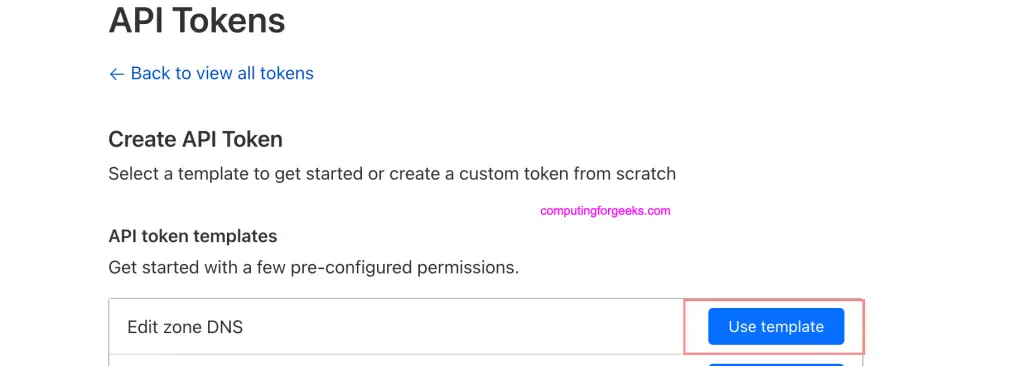
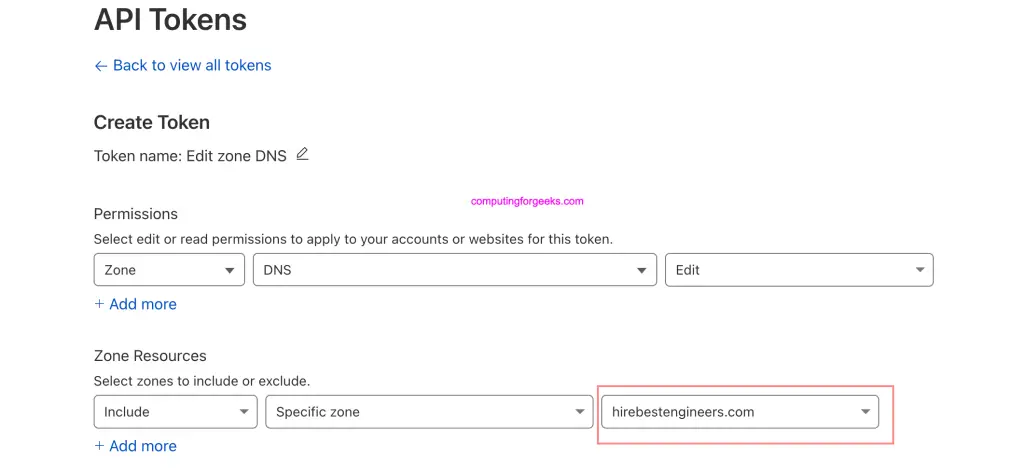
On Permissions use default, and select the Specific zone under “Zone Resources” section.
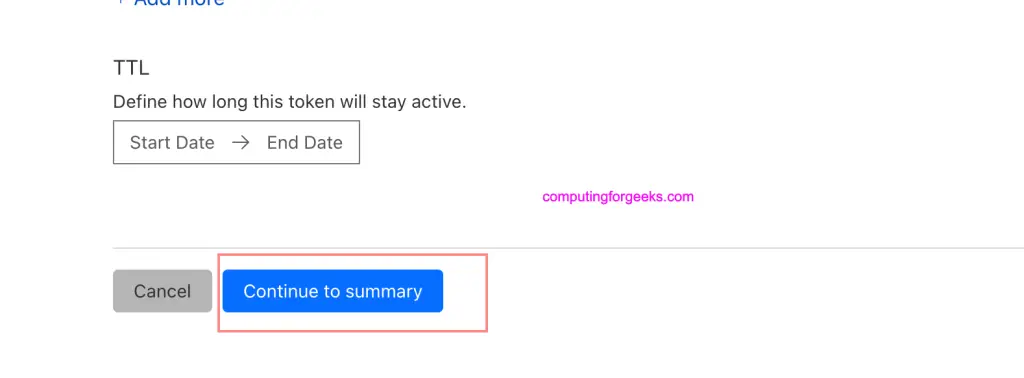
Click “Continue to summary” to complete the procedure
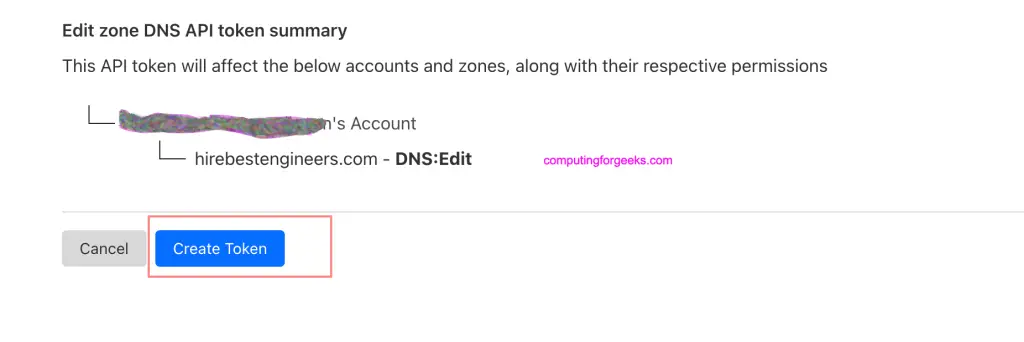
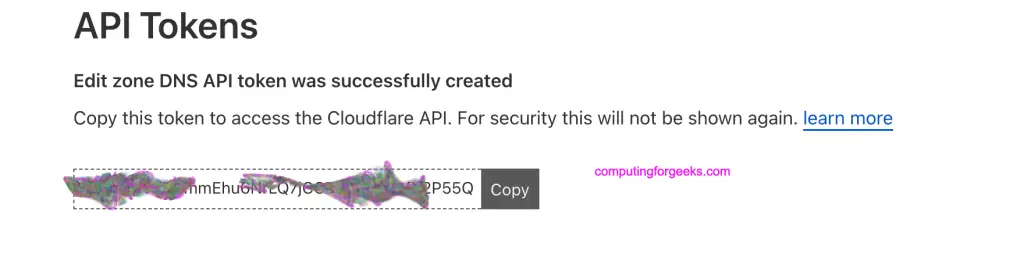
Finalize by creating the token.
Copy and save token generated in a secure location.
Step 2: Install certbot and cloudflare plugin
We’re performing this operation on a server in a subnet within the private address ranges.
root@debian:~# ip ad
1: lo: <LOOPBACK,UP,LOWER_UP> mtu 65536 qdisc noqueue state UNKNOWN group default qlen 1000
    link/loopback 00:00:00:00:00:00 brd 00:00:00:00:00:00
    inet 127.0.0.1/8 scope host lo
       valid_lft forever preferred_lft forever
    inet6 ::1/128 scope host
       valid_lft forever preferred_lft forever
2: eth0@if8: <BROADCAST,MULTICAST,UP,LOWER_UP> mtu 1500 qdisc noqueue state UP group default qlen 1000
    link/ether 32:ac:f1:64:2b:26 brd ff:ff:ff:ff:ff:ff link-netnsid 0
    inet 192.168.1.150/24 brd 192.168.1.255 scope global dynamic eth0
       valid_lft 7074sec preferred_lft 7074sec
    inet6 fe80::30ac:f1ff:fe64:2b26/64 scope link
       valid_lft forever preferred_lft forever
Note that the hostname / FQDN that we generate certificate for doesn’t need to have an A record configured in cloudflare DNS. But the base domain should be hosted on cloudflare registrar and API token generated.
Install certbot using the commands below depending on your operating system.
### Ubuntu / Debian ###
sudo apt update
sudo apt install vim certbot  python3-certbot-dns-cloudflare python3-pip

### CentOS / RHEL / Fedora ###
sudo dnf -y install epel-release
sudo dnf -y install vim certbot python3-certbot-dns-cloudflare python3-pip
Using pip install pyOpenSSL and cryptography python modules
sudo python3 -m pip install -U pyOpenSSL cryptographyStep 3: Create cloudflare secrets for certbot
Let’s create a directory where secrets will be stored.
mkdir -p ~/.secrets/certbotCreate a new file inside created directory
vim ~/.secrets/certbot/cloudflare.iniPaster below and update correct value for the token
dns_cloudflare_api_token = <token-generated-in-step-1>Set proper permissions for the file we just created
chmod 0600 /root/.secrets/certbot/cloudflare.iniSome old installations of certbot might need email address and cloudflare api key defined. On newer versions you only define dns_cloudflare_api_token.
dns_cloudflare_api_key = "api-key-value"
dns_cloudflare_email = "cloudflare-account-email-address"
Step 4: Generate Let’s Encrypt Certificates
Simple commands for generating Let’s Encrypt certificates using cloudflare plugin are as shown below.
sudo certbot certonly \
  --dns-cloudflare \
  --dns-cloudflare-credentials ~/.secrets/certbot/cloudflare.ini \
  -m [email protected] \
  --agree-tos \
  -d myserver.domain.com
Provide correct email address for certificates expiry alerts, and the domain we’re generating SSL certificates for.
Sample generation process output.
Saving debug log to /var/log/letsencrypt/letsencrypt.log

- - - - - - - - - - - - - - - - - - - - - - - - - - - - - - - - - - - - - - - -
Would you be willing, once your first certificate is successfully issued, to
share your email address with the Electronic Frontier Foundation, a founding
partner of the Let's Encrypt project and the non-profit organization that
develops Certbot? We'd like to send you email about our work encrypting the web,
EFF news, campaigns, and ways to support digital freedom.
- - - - - - - - - - - - - - - - - - - - - - - - - - - - - - - - - - - - - - - -
(Y)es/(N)o: Yes
Account registered.
Requesting a certificate for debian.hirebestengineers.com
Waiting 10 seconds for DNS changes to propagate

Successfully received certificate.
Certificate is saved at: /etc/letsencrypt/live/debian.hirebestengineers.com/fullchain.pem
Key is saved at:         /etc/letsencrypt/live/debian.hirebestengineers.com/privkey.pem
This certificate expires on 2023-10-30.
These files will be updated when the certificate renews.
Certbot has set up a scheduled task to automatically renew this certificate in the background.
We were unable to subscribe you the EFF mailing list because your e-mail address appears to be invalid. You can try again later by visiting https://act.eff.org.

- - - - - - - - - - - - - - - - - - - - - - - - - - - - - - - - - - - - - - - -
If you like Certbot, please consider supporting our work by:
 * Donating to ISRG / Let's Encrypt:   https://letsencrypt.org/donate
 * Donating to EFF:                    https://eff.org/donate-le
- - - - - - - - - - - - - - - - - - - - - - - - - - - - - - - - - - - - - - - -
Check the articles we have on our websites covering using Let’s Encrypt SSL to secure your services.
Step 5: Create cron job for automatic renewal
Create a new cron job
sudo crontab -ePaste contents below into the file for automatic renewal when due.
15 3 * * * /usr/bin/certbot renew --quietIf using Nginx web server you can use hook that restarts nginx.
15 3 * * * /usr/bin/certbot renew --quiet --renew-hook "systemctl restart nginx"For Apache web server it will be as shared below.
15 3 * * * /usr/bin/certbot renew --quiet --renew-hook "systemctl restart apache2"For Apache web server running on RHEL based systems:
15 3 * * * /usr/bin/certbot renew --quiet --renew-hook "systemctl restart httpd"Conclusion
In this article we’ve shown users how they can get and use free Let’s Encrypt SSL certificates on a Private network for domains purchased or transferred to Cloudflare. Once you have the certificates they can be configured and used like any other SSL certificates on your system. We hope this was a helpful tutorial and we thank you for visiting our website.

Can I proxy my record on cloudflare after the initial setup of certs?
Nope you’ll have redirection issues. You have to proxy or use Let’s Encrypt but not both.