

Every business with customer support needs a ticketing and customer support system for smooth business operations. There is an option of both commercial and open source software solutions that can be adopted for this. Zammad is one of the best open source ticketing and customer support systems that allows you to manage customer communication through varying channels such as social media, email, phone calls, and chats from a centralized web dashboard.
Some keys features of Zammad software solution are;
- Customer tickets managment
- Knowledge base for How-Tos, FAQs, Internal SOPs
- IT Asset Management
- Workflows automation
- Monitoring, Reporting, and Analytics
- Support for various communication channels
- Integration with many collaboration tools
- Collection of customer feedback
- Management of Service Level Agreement (SLA)
- Call Center Management
- Email Templates
- Real-Time Notifications
- Self Service Portal
- Amon many others
In this short tutorial you will learn how to install, configure and use Zammad Ticketing System on Rocky 8 or CentOS 8 Linux system.
Add EPEL repository
Some of the dependency packages required are contained in the EPEL repository. You can configure the repo on the system by running the following commands on the system.
sudo dnf install wget epel-releaseAlso set locale to your language.
sudo localectl set-locale LANG=en_US.utf8Install Elasticsearch
Import elasticsearch GPG key into your system store.
sudo rpm --import https://artifacts.elastic.co/GPG-KEY-elasticsearchThe add Elasticsearch repo to the system.
sudo tee /etc/yum.repos.d/elasticsearch-7.x.repo<<EOF
[elasticsearch-7.x]
name=Elasticsearch repository for 7.x packages
baseurl=https://artifacts.elastic.co/packages/7.x/yum
gpgcheck=1
gpgkey=https://artifacts.elastic.co/GPG-KEY-elasticsearch
enabled=1
autorefresh=1
type=rpm-md
EOF
Install elasticsearch package by executing the following commands in your terminal.
sudo dnf -y install elasticsearchOpen configuration file for editing
sudo vim /etc/elasticsearch/elasticsearch.ymlCustomize http.max_content_length and indices.query.bool.max_clause_countvalues.
# Tickets above this size (articles + attachments + metadata)
# may fail to be properly indexed (Default: 100mb).
#
# When Zammad sends tickets to Elasticsearch for indexing,
# it bundles together all the data on each individual ticket
# and issues a single HTTP request for it.
# Payloads exceeding this threshold will be truncated.
#
# Performance may suffer if it is set too high.
http.max_content_length: 400mb

# Allows the engine to generate larger (more complex) search queries.
# Elasticsearch will raise an error or deprecation notice if this value is too low,
# but setting it too high can overload system resources (Default: 1024).
#
# Available in version 6.6+ only.
indices.query.bool.max_clause_count: 2000
Start and enable the service to start at system boot.
sudo systemctl enable --now elasticsearchInstall ingest-attachment plugin for elasticsearch.
$ sudo /usr/share/elasticsearch/bin/elasticsearch-plugin install ingest-attachment
-> Installing ingest-attachment
-> Downloading ingest-attachment from elastic
[=================================================] 100%
@@@@@@@@@@@@@@@@@@@@@@@@@@@@@@@@@@@@@@@@@@@@@@@@@@@@@@@@@@@
@     WARNING: plugin requires additional permissions     @
@@@@@@@@@@@@@@@@@@@@@@@@@@@@@@@@@@@@@@@@@@@@@@@@@@@@@@@@@@@
* java.lang.RuntimePermission accessClassInPackage.sun.java2d.cmm.kcms
* java.lang.RuntimePermission accessDeclaredMembers
* java.lang.RuntimePermission getClassLoader
* java.lang.reflect.ReflectPermission suppressAccessChecks
* java.security.SecurityPermission createAccessControlContext
See https://docs.oracle.com/javase/8/docs/technotes/guides/security/permissions.html
for descriptions of what these permissions allow and the associated risks.

Continue with installation? [y/N]y
-> Installed ingest-attachment
-> Please restart Elasticsearch to activate any plugins installed
Restart the service after making the change.
sudo systemctl restart elasticsearchInstall Zammad on Rocky / CentOS 8
Import Zammad repository key
sudo rpm --import https://dl.packager.io/srv/zammad/zammad/keyThen add Zammad RPM repository which contain the packages required
wget https://dl.packager.io/srv/zammad/zammad/stable/installer/el/8.repo -O zammad.repo
sudo mv zammad.repo  /etc/yum.repos.d/
Install Zammad using yum or dnf package manager.
sudo dnf -y install zammadStart and enable the services.
sudo systemctl enable --now zammad zammad-web zammad-worker zammad-websocketSet directory permissions for data
sudo chmod -R 755 /opt/zammad/public/If SELinux is in enforcing mode, configure labels.
sudo chcon -Rv --type=httpd_sys_content_t /opt/zammad/public/
sudo setsebool httpd_can_network_connect on -P
sudo semanage fcontext -a -t httpd_sys_content_t /opt/zammad/public/
sudo restorecon -Rv /opt/zammad/public/
sudo chmod -R a+r /opt/zammad/public/
Open port 80 or port 443 on firewall if active.
sudo firewall-cmd --zone=public --add-service=http --permanent
sudo firewall-cmd --zone=public --add-service=https --permanent
sudo firewall-cmd --reload
In general Zammad uses three services – these can be (re)started & stopped with the parent zammad.
Zammad service to start all services at once
systemctl (status|start|stop|restart) zammad

# Zammads internal puma server (relevant for displaying the web app)
systemctl (status|start|stop|restart) zammad-web

# Zammads background worker - relevant for all delayed- and background jobs
systemctl (status|start|stop|restart) zammad-worker

# Zammads websocket server for session related information
systemctl (status|start|stop|restart) zammad-websocket
Check if services are running.
$ systemctl status zammad zammad-web zammad-worker zammad-websocket
● zammad.service
   Loaded: loaded (/etc/systemd/system/zammad.service; enabled; vendor preset: disabled)
   Active: active (running) since Thu 2024-03-14 22:36:35 EAT; 1min 14s ago
 Main PID: 6807 (sleep)
    Tasks: 1 (limit: 49026)
   Memory: 172.0K
   CGroup: /system.slice/zammad.service
           └─6807 /bin/sleep infinity

Mar 14 22:36:35 webhosting.cloudspinx.com systemd[1]: Started zammad.service.

● zammad-web.service
   Loaded: loaded (/etc/systemd/system/zammad-web.service; enabled; vendor preset: disabled)
   Active: active (running) since Thu 2024-03-14 22:36:35 EAT; 1min 14s ago
 Main PID: 6810 (sleep)
    Tasks: 1 (limit: 49026)
   Memory: 172.0K
   CGroup: /system.slice/zammad-web.service
           └─6810 /bin/sleep infinity

Mar 14 22:36:35 webhosting.cloudspinx.com systemd[1]: Started zammad-web.service.

● zammad-worker.service
   Loaded: loaded (/etc/systemd/system/zammad-worker.service; enabled; vendor preset: disabled)
   Active: active (running) since Thu 2024-03-14 22:36:35 EAT; 1min 14s ago
 Main PID: 6808 (sleep)
    Tasks: 1 (limit: 49026)
   Memory: 172.0K
   CGroup: /system.slice/zammad-worker.service
           └─6808 /bin/sleep infinity

Mar 14 22:36:35 webhosting.cloudspinx.com systemd[1]: Started zammad-worker.service.

● zammad-websocket.service
   Loaded: loaded (/etc/systemd/system/zammad-websocket.service; enabled; vendor preset: disabled)
   Active: active (running) since Thu 2024-03-14 22:36:35 EAT; 1min 14s ago
 Main PID: 6812 (sleep)
    Tasks: 1 (limit: 49026)
   Memory: 176.0K
   CGroup: /system.slice/zammad-websocket.service
           └─6812 /bin/sleep infinity

Mar 14 22:36:35 webhosting.example.com systemd[1]: Started zammad-websocket.service.
Set the Elasticsearch server address using zammad command.
zammad run rails r "Setting.set('es_url', 'http://localhost:9200')"Build the search index before using Zammad.
$ zammad run rake zammad:searchindex:rebuild
Dropping indexes... done.
Deleting pipeline... done.
Creating indexes... done.
Creating pipeline... done.
Reloading data...
  - Chat::Session...
    done in 0 seconds.
  - Cti::Log...
    done in 0 seconds.
  - Group...
    done in 0 seconds.
  - KnowledgeBase::Answer::Translation...
    done in 0 seconds.
  - KnowledgeBase::Category::Translation...
    done in 0 seconds.
  - KnowledgeBase::Translation...
    done in 0 seconds.
  - Organization...
    done in 0 seconds.
  - StatsStore...
    done in 0 seconds.
  - Ticket::Priority...
    done in 0 seconds.
  - Ticket::State...
    done in 0 seconds.
  - Ticket...
    done in 0 seconds.
  - User...
    done in 0 seconds.
Deactivating SSL verification can be done by setting es_ssl_verify to false.
zammad run rails r "Setting.set('es_ssl_verify', false)"Configure Nginx Proxy
Ensure nginx is installed.
sudo dnf -y install nginx && sudo systemctl enable --now nginxConfigure Web Server by copying the config file
$ sudo find / -name zammad.conf
/etc/nginx/conf.d/zammad.conf
/opt/zammad/contrib/apache2/zammad.conf
/opt/zammad/contrib/nginx/zammad.conf
If not not in right path copy it.
sudo cp /opt/zammad/contrib/nginx/zammad.conf /etc/nginx/conf.d/zammad.confEdit and set correct DNS name to match DNS name.
$ sudo vim /etc/nginx/conf.d/zammad.conf
  # replace 'localhost' with your fqdn if you want to use zammad from remote
   server_name tickets.cloudspinx.com;
Confirm Nginx index.
$ sudo nginx -t
nginx: the configuration file /etc/nginx/nginx.conf syntax is ok
nginx: configuration file /etc/nginx/nginx.conf test is successful
Restart nginx web server service.
sudo systemctl restart nginxAccess Zammad web interface
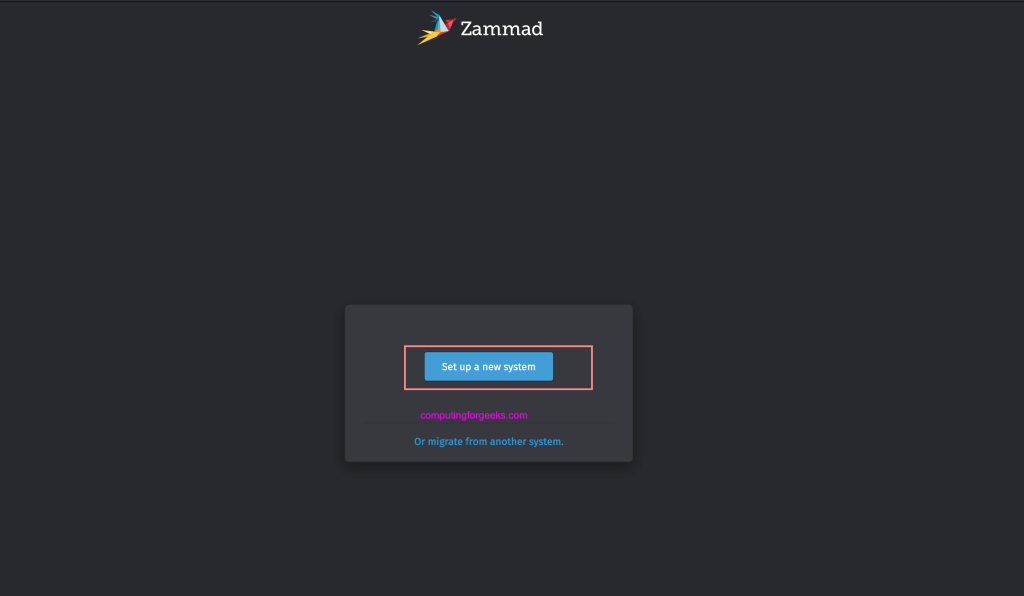
Access Zammad on your web browser using configured hostname – http://yourfqdn. Choose to “Set up a new system“.
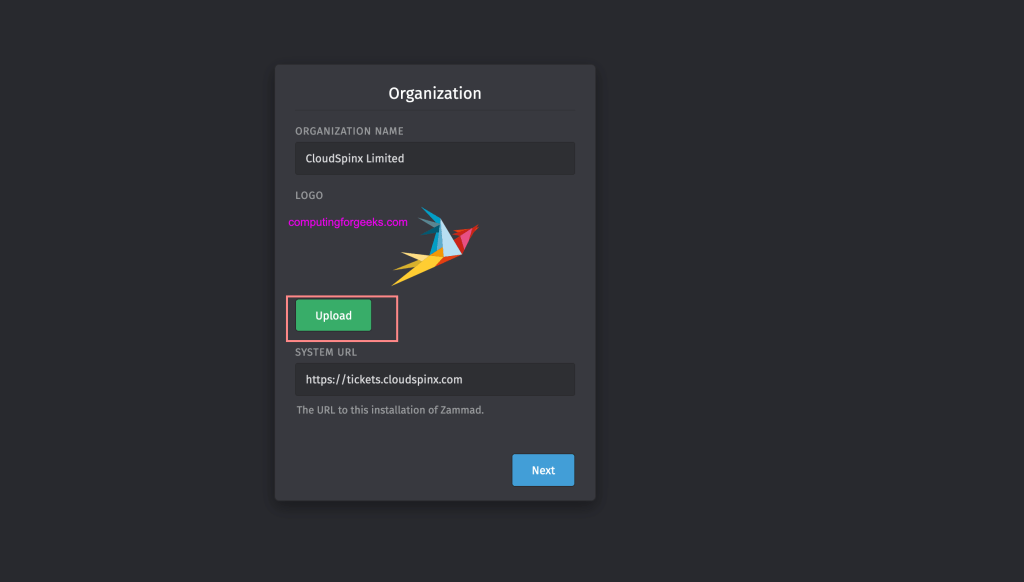
Input your organization name and upload your company logo.
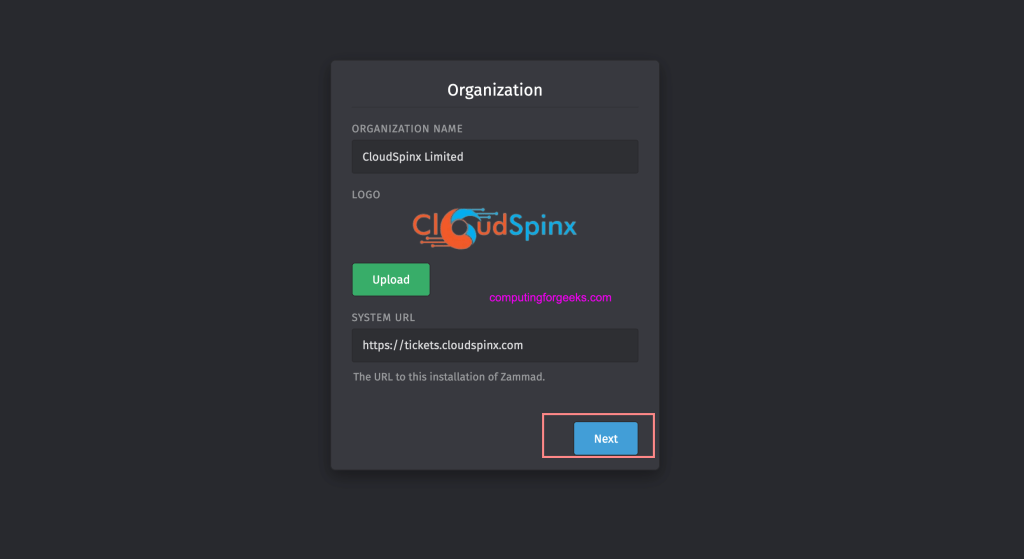
Confirm logo was uploaded and is visible.
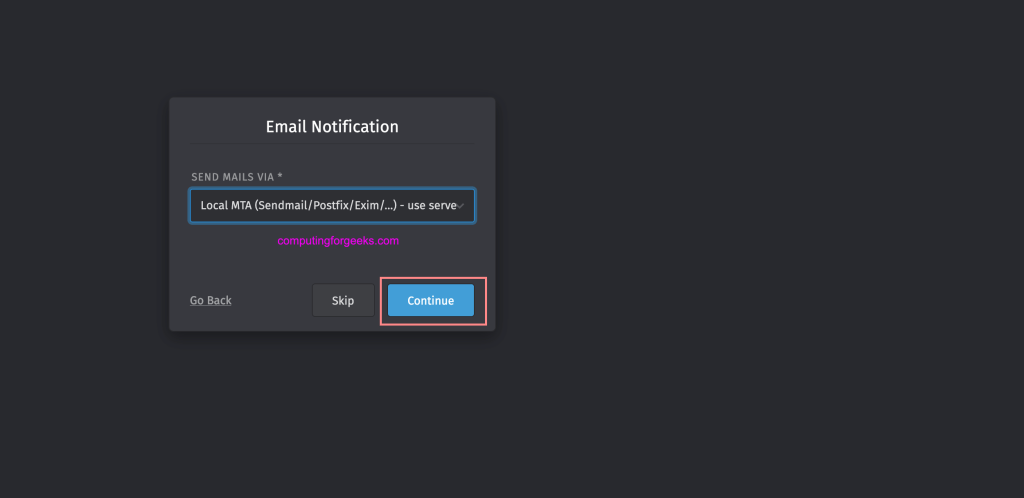
Next you can configure SMTP for outgoing emails or choose to setup at later stage.
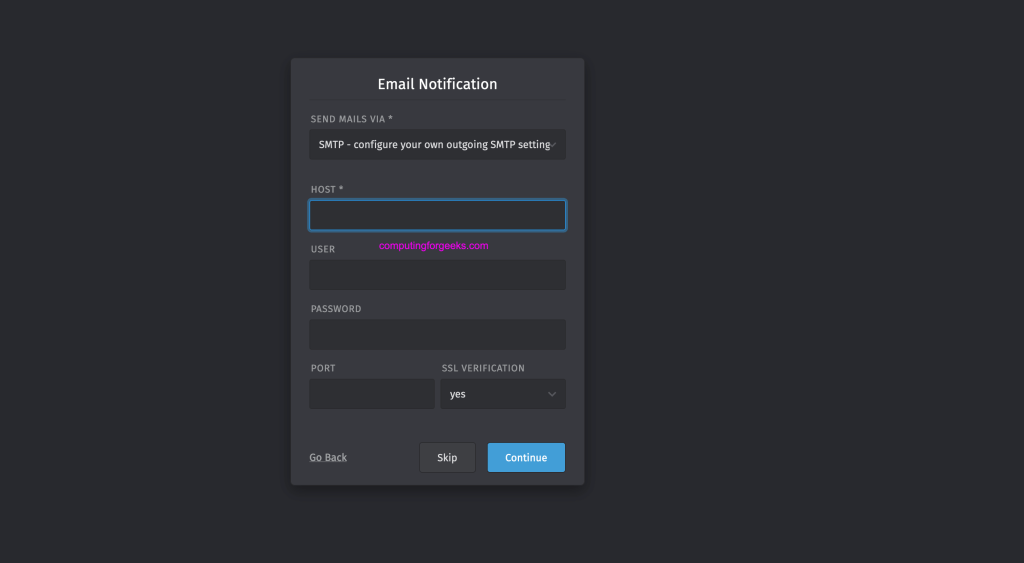
Local MTA can be used for emails delivery.
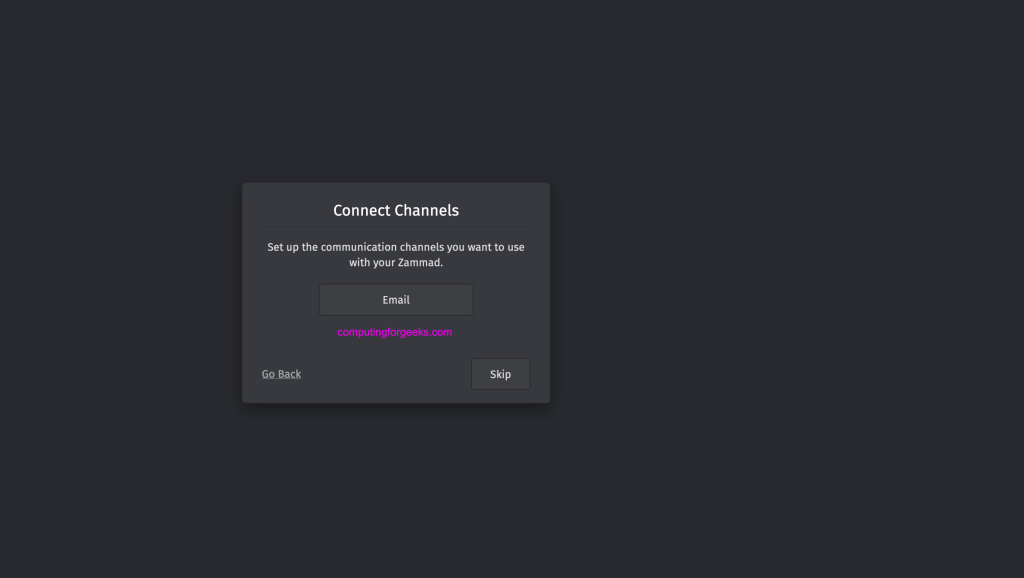
Setup communication channels to be used or skip for later configurations.
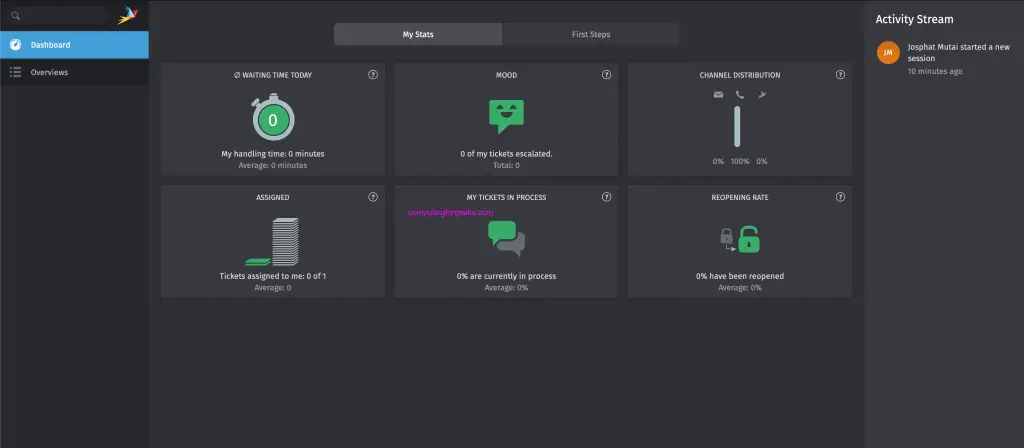
In the next page you should see Zammad administrative interface.
Secure Zammad with Let’s Encrypt Certificate
Let’s Encrypt is a free SSL certificates that can be used for your websites HTTPS access. Install certbot.
sudo dnf -y install epel-release
sudo dnf -y install certbot python3-certbot python3-certbot-nginx
Set Zammad domain name and email that will receive cert expiration alerts.
export DOMAIN="tickets.example.com"
export ALERTS_EMAIL="alerts.example.com"
Generate SSL certificates and configure nginx to use them.
sudo certbot --nginx --redirect -d $DOMAIN --preferred-challenges http --agree-tos -n -m $ALERTS_EMAIL --keep-until-expiringLearn more from Zammad Documentation pages.
