

PHP 8.4 is the latest major release of the PHP programming Language mostly used in the Development of Web Applications. It is the stable release and you can plan to migrate your applications but being aware that some could break especially where old features are deprecated.
In this article we will cover the installation of PHP 8.4 on Amazon Linux 2023 server running either in the Cloud or On-prem infrastructure.
Update Amazon Linux 2023 system
Update the system before starting the installation of PHP 8.4 on Amazon Linux 2023 server.
sudo yum -y updateLinux updates often comes with newer kernel patches and reboot is required for the system to run in this new release.
sudo systemctl rebootInstall PHP 8.4 on Amazon Linux 2023
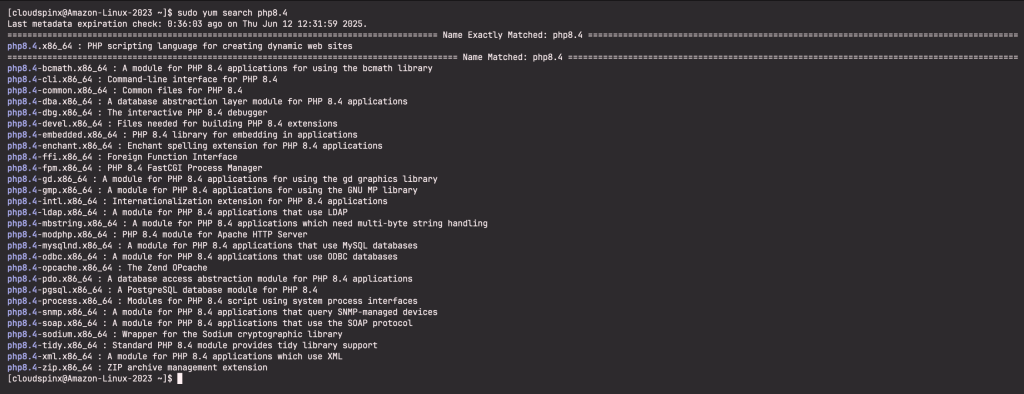
PHP 8.4 is available in in amazonlinux repository together with it’s extensions. You can confirm this by running the command below:
sudo yum search php8.4Sample Output:
To install PHP 8.4 on Amazon Linux 2023 with standard PHP extensions, run the command:
sudo yum install php8.4-{bcmath,cli,common,dba,dbg,devel,ffi,fpm,ldap,modphp,pgsql,mysqlnd,gd,mbstring,tidy,xml,zip}Sample Output:

Check PHP version:
$ php --version
PHP 8.4.6 (cli) (built: Apr  8 2025 19:55:31) (NTS gcc x86_64)
Copyright (c) The PHP Group
Built by Amazon Linux
Zend Engine v4.4.6, Copyright (c) Zend Technologies
Install Apache httpd web server to test PHP scripts execution:
sudo yum -y install httpd
sudo systemctl enable --now httpd
Create PHP info script inside default apache web root:
sudo tee /var/www/html/phpinfo.php > /dev/null <<EOF
<?php phpinfo(); ?>
EOF
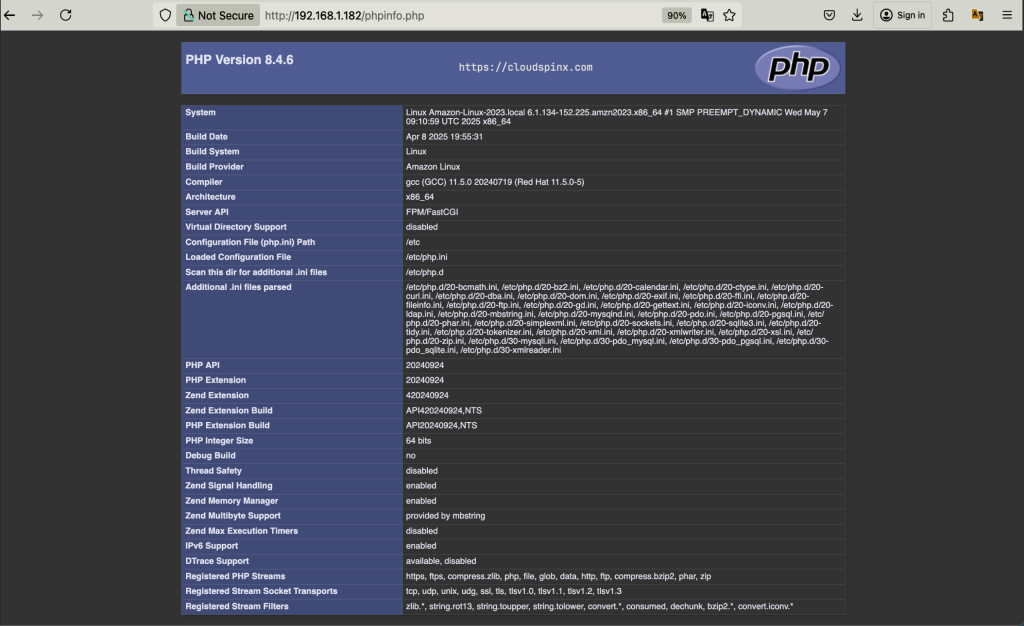
Open your web browser and input http://SERVER_IP/phpinfo.php.
Check available extensions.
$ php --modules
bcmath
bz2
calendar
Core
ctype
curl
date
dba
dom
exif
FFI
fileinfo
filter
ftp
gd
gettext
hash
iconv
json
ldap
libxml
mbstring
mysqli
mysqlnd
openssl
pcntl
pcre
PDO
pdo_mysql
pdo_pgsql
pdo_sqlite
pgsql
Phar
random
readline
Reflection
session
SimpleXML
sockets
SPL
sqlite3
standard
tidy
tokenizer
xml
xmlreader
xmlwriter
xsl
zip
zlib

[Zend Modules]
Refer to the official PHP 8.4 release page for more reading.
Other articles on Amazon Linux:
