

PostgreSQL is an open source and enterprise-class relational database system with the support for SQL and JSON querying. PostgreSQL has the backing of more than 20 years of community development. This guarantees the highest levels of integrity, performance, and resilience. The most common application of PostgreSQL is in data warehouse for mobile, web and analytics applications. PostgreSQL comes with a set of features such as asynchronous replication, online/hot backups, nested transactions, among many other features.
The most common method of installing PostgreSQL database server is from OS package repositories. The .deb for Debian based systems and .rpm package for RHEL based systems. The alternative method of running PostgreSQL is inside a container. This gives a clean system state and highest level of portability. In this blog post we focus on installation and running of PostgreSQL database server in Docker Container.
Installing Docker Engine
Follow the steps provided in our article below to setup Docker environment on your Linux system. Windows and macOS users can user GUI based tools such as Docker Desktop and Portainer.
After the installation confirm by checking the version release.
$ docker --version
Docker version 25.0.3, build 4debf41
Create Compose file for PostgreSQL
Create data directory for PostgreSQL database
mkdir ~/postgresql && cd ~/postgresqlCreate Compose file that will define how the contaier should be created.
vim docker-compose.ymlNext we define the contents of the YAM file. The container images on Docker Hub is what we’re using to create a running instance of PostgreSQL server. Database data will be stored in the local directory ./pgdata.
We also create a container that is running Admirer PostgreSQL web based management tool.
- PostgreSQL 16
services:
  db:
    image: postgres:16-bookworm
    restart: always
    environment:
      POSTGRES_PASSWORD: StrongPassword01
    volumes:
      - ./pgdata:/var/lib/postgresql/data

  adminer:
    image: adminer
    restart: always
    ports:
- 8080:8080- PostgreSQL 15
services:
  db:
    image: postgres:15-bookworm
    restart: always
    environment:
      POSTGRES_PASSWORD: StrongPassword01
    volumes:
      - ./pgdata:/var/lib/postgresql/data

  adminer:
    image: adminer
    restart: always
    ports:
- 8080:8080- PostgreSQL 14
services:
  db:
    image: postgres:14-bookworm
    restart: always
    environment:
      POSTGRES_PASSWORD: StrongPassword01
    volumes:
      - ./pgdata:/var/lib/postgresql/data

  adminer:
    image: adminer
    restart: always
    ports:
- 8080:8080- PostgreSQL 13
services:
  db:
    image: postgres:13-bookworm
    restart: always
    environment:
      POSTGRES_PASSWORD: StrongPassword01
    volumes:
      - ./pgdata:/var/lib/postgresql/data

  adminer:
    image: adminer
    restart: always
    ports:
- 8080:8080- PostgreSQL 12
services:
  db:
    image: postgres:12-bookworm
    restart: always
    environment:
      POSTGRES_PASSWORD: StrongPassword01
    volumes:
      - ./pgdata:/var/lib/postgresql/data

  adminer:
    image: adminer
    restart: always
    ports:
- 8080:8080- PostgreSQL 11
services:
  db:
    image: postgres:11-bookworm
    restart: always
    environment:
      POSTGRES_PASSWORD: StrongPassword01
    volumes:
      - ./pgdata:/var/lib/postgresql/data

  adminer:
    image: adminer
    restart: always
    ports:
      - 8080:8080
Running PostgreSQL server in container
Next we start the container by running the compose up commands. The -d option keep it running in detached mode (background) without active interactive session.
$ docker compose up -d
[+] Running 22/22
 ✔ adminer 7 layers [⣿⣿⣿⣿⣿⣿⣿]      0B/0B      Pulled                                                                                                                                            11.0s
   ✔ 09e2bc8a597c Pull complete                                                                                                                                                                  0.9s
   ✔ 092a59d5d649 Pull complete                                                                                                                                                                  0.7s
   ✔ e4dca1b56763 Pull complete                                                                                                                                                                  0.4s
   ✔ 378feffe5197 Pull complete                                                                                                                                                                  0.8s
   ✔ 3bd4de3ac847 Pull complete                                                                                                                                                                  1.1s
   ✔ 44d5566ceca7 Pull complete                                                                                                                                                                  1.1s
   ✔ 3dafa7b9d4fc Pull complete                                                                                                                                                                  1.3s
 ✔ db 13 layers [⣿⣿⣿⣿⣿⣿⣿⣿⣿⣿⣿⣿⣿]      0B/0B      Pulled                                                                                                                                          13.5s
   ✔ 1f7ce2fa46ab Pull complete                                                                                                                                                                  1.8s
   ✔ e75b44f17b07 Pull complete                                                                                                                                                                  1.6s
   ✔ d601ea737a84 Pull complete                                                                                                                                                                  2.9s
   ✔ 0f4fcee3f93d Pull complete                                                                                                                                                                  2.1s
   ✔ 428f7aff61bc Pull complete                                                                                                                                                                  2.6s
   ✔ 7787ed5ab4f3 Pull complete                                                                                                                                                                  3.0s
   ✔ 3d2b66cffddc Pull complete                                                                                                                                                                  3.3s
   ✔ e7dee0dd847b Pull complete                                                                                                                                                                  3.3s
   ✔ a24060178bac Pull complete                                                                                                                                                                  5.8s
   ✔ 0eb290c85bd2 Pull complete                                                                                                                                                                  4.2s
   ✔ 88b80c4fe471 Pull complete                                                                                                                                                                  3.9s
   ✔ eac33d14a11e Pull complete                                                                                                                                                                  4.4s
   ✔ d40b681a9814 Pull complete                                                                                                                                                                  4.9s
[+] Running 2/3
 ⠋ Network postgresql_default      Created                                                                                                                                                       1.0s
 ✔ Container postgresql-adminer-1  Started                                                                                                                                                       0.8s
 ✔ Container postgresql-db-1       Started                                                                                                                                                       0.7s
Confirm status of the container by executing the docker compose with ps flag.
$ docker compose ps
NAME                   IMAGE                  COMMAND                  SERVICE   CREATED         STATUS         PORTS
postgresql-adminer-1   adminer                "entrypoint.sh php -…"   adminer   5 minutes ago   Up 5 minutes   0.0.0.0:8080->8080/tcp, :::8080->8080/tcp
postgresql-db-1        postgres:11-bookworm   "docker-entrypoint.s…"   db        5 minutes ago   Up 5 minutes   5432/tcp
To enter container shell, run;
$ docker exec -ti postgresql-db-1 bash
root@a79ad82fd433:/#
The version of PostgreSQL server can be checked using psql -V command.
root@a79ad82fd433:/# psql -V
psql (PostgreSQL) 11.22 (Debian 11.22-1.pgdg120+1)
From there you can start psql which is a terminal-based front-end to PostgreSQL.
root@a79ad82fd433:/# su - postgres
postgres@a79ad82fd433:~$ psql
psql (11.22 (Debian 11.22-1.pgdg120+1))
Type "help" for help.

postgres=#
We can create a test user and database;
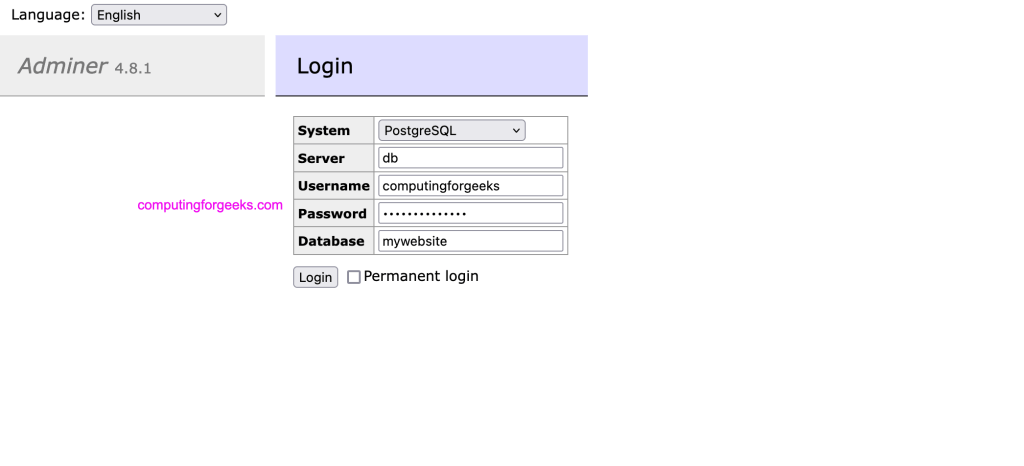
- Database user: computingforgeeks
- Database name: mywebsite
- Password: Str0ngPassw0rd
postgres=# CREATE USER computingforgeeks WITH PASSWORD 'Str0ngPassw0rd';
CREATE ROLE

postgres=# CREATE DATABASE mywebsite WITH OWNER = 'computingforgeeks';
CREATE DATABASE
To exit the PostgreSQL and container shell use the exit command three times.
postgres=# exit
postgres@a79ad82fd433:~$ exit
logout
root@a79ad82fd433:/# exit
exit
[root@rocky8 postgresql]#
Database data will be stored in ./pgdata as defined in the compose file.
 $ ls -1 pgdata/
base
global
pg_commit_ts
pg_dynshmem
pg_hba.conf
pg_ident.conf
pg_logical
pg_multixact
pg_notify
pg_replslot
pg_serial
pg_snapshots
pg_stat
pg_stat_tmp
pg_subtrans
pg_tblspc
pg_twophase
PG_VERSION
pg_wal
pg_xact
postgresql.auto.conf
postgresql.conf
postmaster.opts
postmaster.pid
Accessing Admirer dashboard
Open your web browser on http://ServerIP:8080.
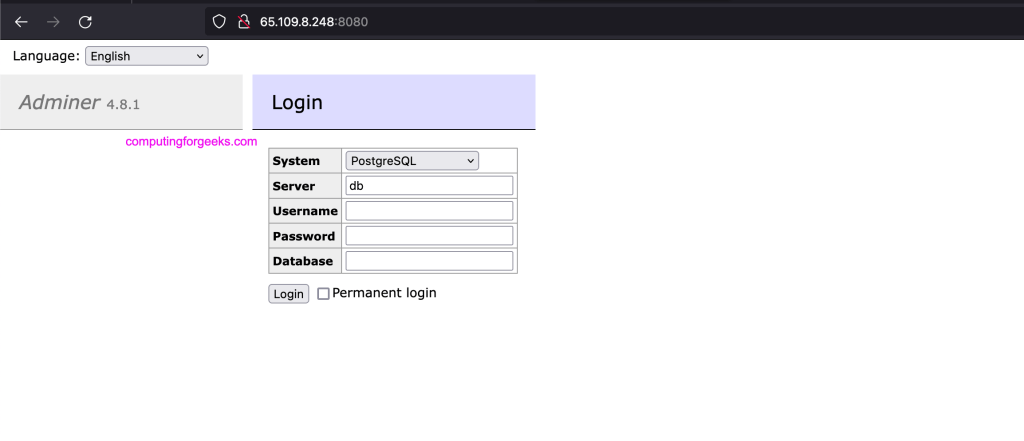
Login as user, database and with the password.
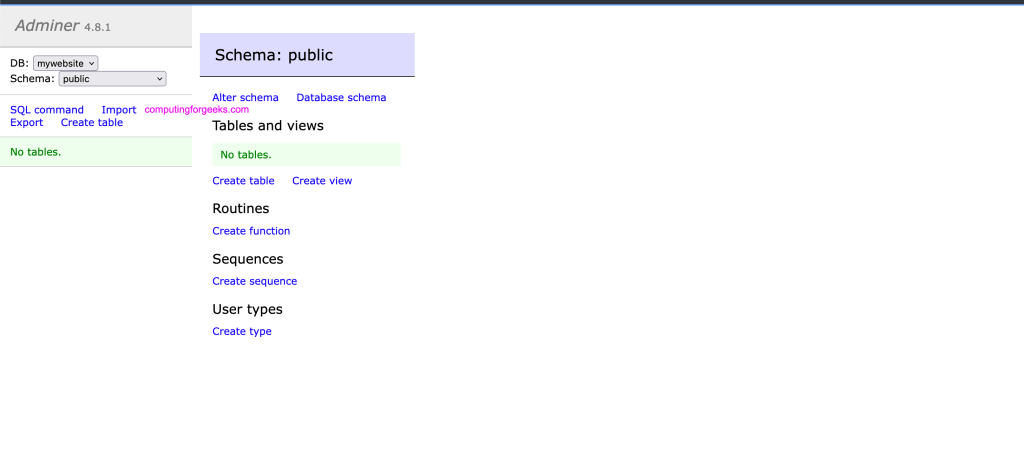
You will get a dashboard similar to one shown below. From here you can manage your database – create tables, functions, views, import data e.t.c.
Conclusion
By running PostgreSQL database in a container you enjoy the efficiency of administering it. The other benefits of containerization range from portability, isolation to scalability. You can lift the container image with data and run in a separate host within seconds. Deciding whether to adopt containerized database boils down to your use preference.
