

Eul is a macOS status monitoring application written in SwiftUI. It simplifies monitoring of a Mac system as it provides summary on resource usage including CPU, Memory and Network. You’ll also get battery status, Fan functionality, and Disk usage. Some software highlights are:
- Dark Mode compatible
- Big Sur widgets out of the box
- Written in SwiftUI (as much as possible)
The minimum macOS version required to run Eul is 10.15 with support for SwiftUI. You can download the latest release directly and drag .app file into your Application folder or use brew package management tool.
Downloading the app package.
wget https://github.com/gao-sun/eul/releases/latest/download/eul.app.zip
unzip eul.app.zip
open eul.app
Installation with brew.
/bin/bash -c "$(curl -fsSL https://raw.githubusercontent.com/Homebrew/install/HEAD/install.sh)"
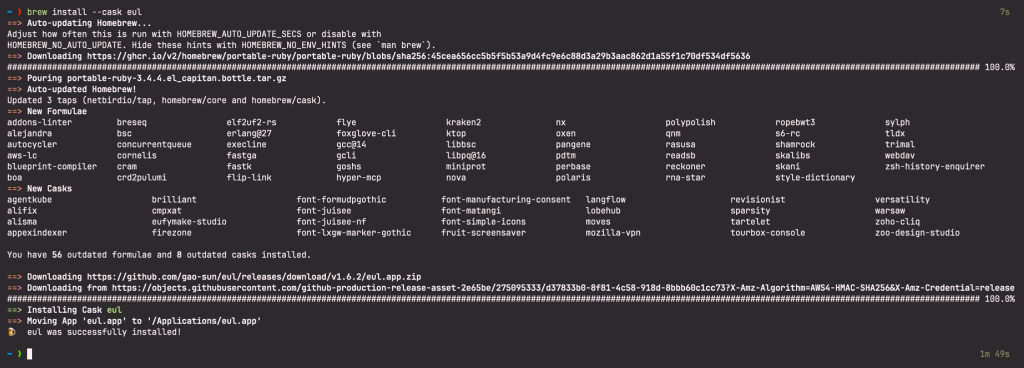
brew install --cask eul
Sample Output:
Installation from App Store can also be done by searching for eul or click here to view in App Store.
Using eul macOS status monitoring app
Once the application is installed search for it with Launchpad.
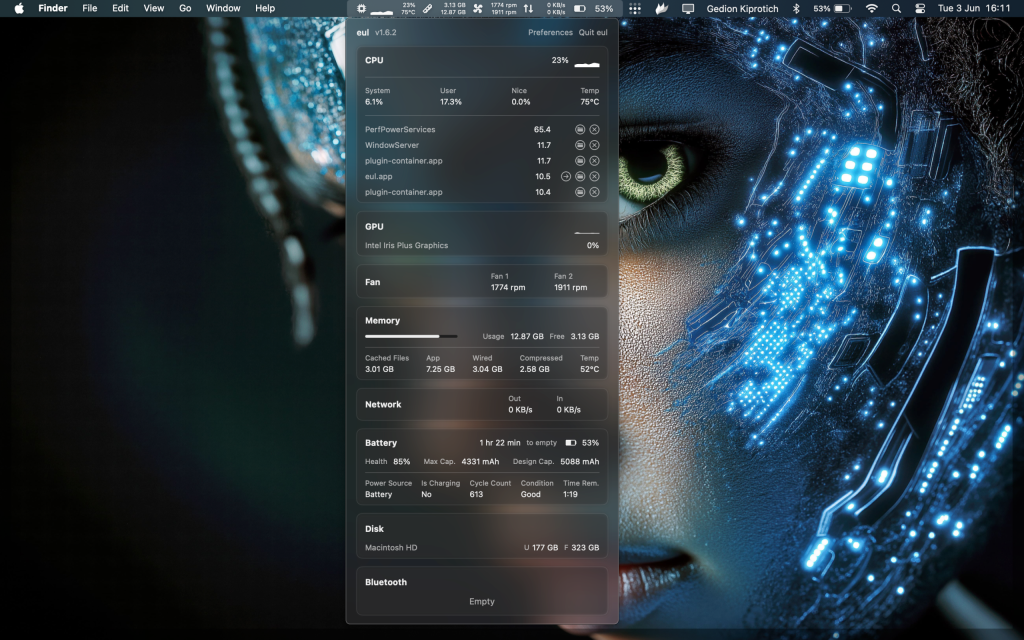
I hope you have a blast using this application to check your macOS performance metrics. It can help you identify applications heavy on CPU, Memory and power usage.
More guides on macOS:
