

In today’s article we are exploring the installation, configuration, and usage of Nagios on an Ubuntu 24.04 system. Nagios is a widely used open source IT infrastructure monitoring solution. Nagios can be used to monitor various metrics in your infrastructure for network devices, servers, switches, applications and all manner of services.
Nagios can be used for the following.
- Nagios Monitoring: Watch all IT systems and report on any issues that may arise.
- Nagios Alerting: Nagios will notify you via alerts in a prompt manner when it detects issues to enable you address them much quicker.
- Nagios Notification on Resolution: After you have fixed the problem, you will be notified as a confirmation of the resolution.
Two versions of Nagios exist today, you can choose from them:
- Nagios Core: Free to use and open-source version. This is designed to be lightweight but you can extend its features using plugins and other integrations.
- Nagios XI: Commercial edition of Nagios XI and it’s build upon the Nagios Core. It has more extended features than the core. For corporate and big organizations this is a better edition since it has vendor support.
[ebook product=”2″ theme=”purple”]
Installation of Nagios on Ubuntu 24.04
Here are the steps to install Nagios on Ubuntu 24.04 Linux system.
1. Install required dependencies
There are a couple of dependency packages for running Nagios Core on Ubuntu 24.04 Linux systems. Let’s install them.
sudo apt update
sudo apt install build-essential  curl wget unzip openssl libgd-dev libssl-dev libapache2-mod-php php-gd php
You can as well perform OS upgrades if the system is not used in a production setup.
sudo apt upgrade -yReboot the system after the upgrade.
sudo reboot2. Install and Configure Nagios Core
Downlooad latest source code.
VER=$(curl -s https://api.github.com/repos/NagiosEnterprises/nagioscore/releases/latest|grep tag_name|cut -d '"' -f 4)
wget https://github.com/NagiosEnterprises/nagioscore/releases/download/${VER}/${VER}.tar.gz
Extract downloaded file:
tar xvf $VER.tar.gzNavigate into created directory after file extraction.
cd $VERConfigure and build nagios core.
./configureProceed with the building of Nagios.
make all
sudo make install-groups-users
sudo usermod -aG nagios www-data
Next install Nagios and configure all required options.
sudo make install
sudo make install-init
sudo make install-commandmode
sudo make install-config
sudo make install-webconf
4. Install Nagios Core Plugins
Plugins are small programs created to extend the functionalities of Nagios. Let’s download latest release.
cd ~/
VER=$( curl -s https://api.github.com/repos/nagios-plugins/nagios-plugins/releases/latest|grep tag_name|cut -d '"' -f 4|sed 's/release-//')
curl -SL https://github.com/nagios-plugins/nagios-plugins/releases/download/release-$VER/nagios-plugins-$VER.tar.gz | tar -xzf -
Create directories needed.
mkdir -p /usr/local/nagios/var/spool/checkresults
sudo chown -R nagios:nagios /usr/local/nagios/var/spool/checkresults
Configure and build Nagios core next.
cd nagios-plugins-$VER
./configure --with-nagios-user=nagios --with-nagios-group=nagios
make
sudo make install
5. Configure Nagios Web access
Create Nagios web admin user.
$ sudo htpasswd -c /usr/local/nagios/etc/htpasswd.users nagiosadmin
New password:
Re-type new password:
Adding password for user nagiosadmin
Set permissions for Nagios user.
sudo chown www-data:www-data /usr/local/nagios/etc/htpasswd.users
sudo chmod 640 /usr/local/nagios/etc/htpasswd.users
Restart Apache web server after the change.
sudo systemctl restart apache2Access Nagios Web interface on http://IP_Address/nagios/
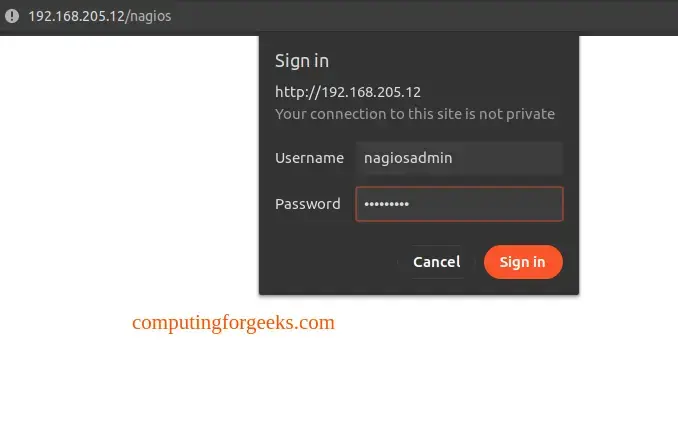
Use the username we created nagiosadmin
6. Configure Nagios client
Next it’s time to add agents to be monitored. Follow Monitoring Agent NCPA article.
