

cPanel is a powerful solution that provides a reliable, automated and intuitive interface and platform for managing websites. It is bundled with a rich feature set and customer-first support and over time it has proven to be the best web hosting platform available in the market.
When hosting websites on cPanel, some clients may require a version of PHP not default in the system. The positive thing is EasyApache 4 allows the use of multiple versions of PHP in cPanel server.
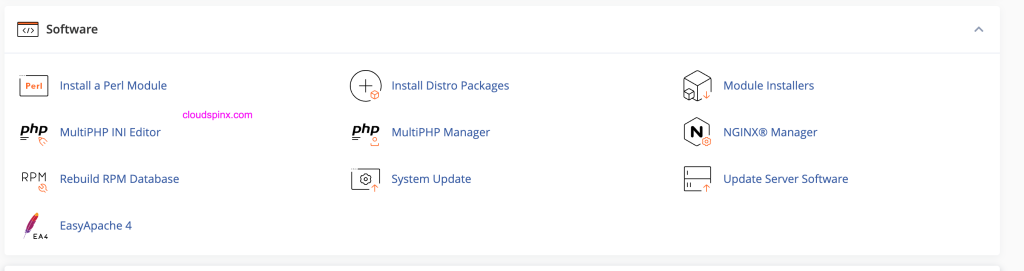
To check the versions of PHP available on the system, navigate to WHM » Home » Software » MultiPHP Manager
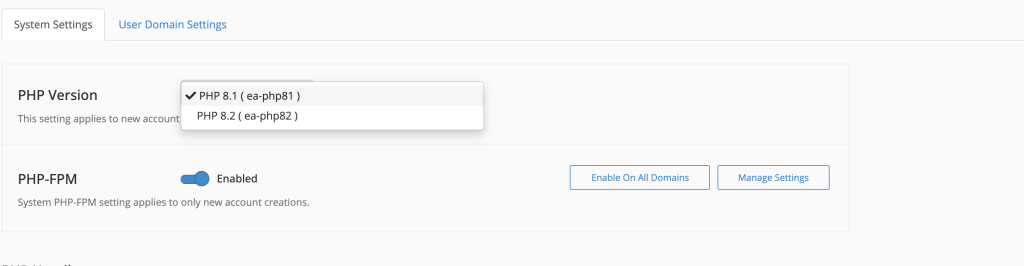
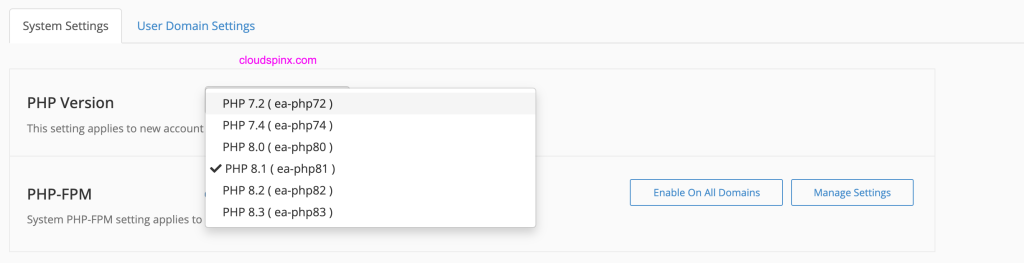
From the PHP Version dropdown you can list all PHP versions.
On the Linux OS shell, you can also check the default PHP version:
$ php --version
PHP 8.1.29 (cli) (built: Jun  7 2024 21:33:52) (NTS)
Copyright (c) The PHP Group
Zend Engine v4.1.29, Copyright (c) Zend Technologies
The desired PHP version can be installed using package manager on the system. Here is a sample list of meta package names:
ea-php56ea-php70ea-php71ea-php72ea-php73ea-php74ea-php80ea-php81ea-php82ea-php83- Any custom PHP package name.
For example, to install PHP 8.2, use the following command:
sudo dnf install ea-php82And for PHP 7.4 we will run this command:
sudo dnf install ea-php74From the dashboard you should be able to see newly added PHP versions.
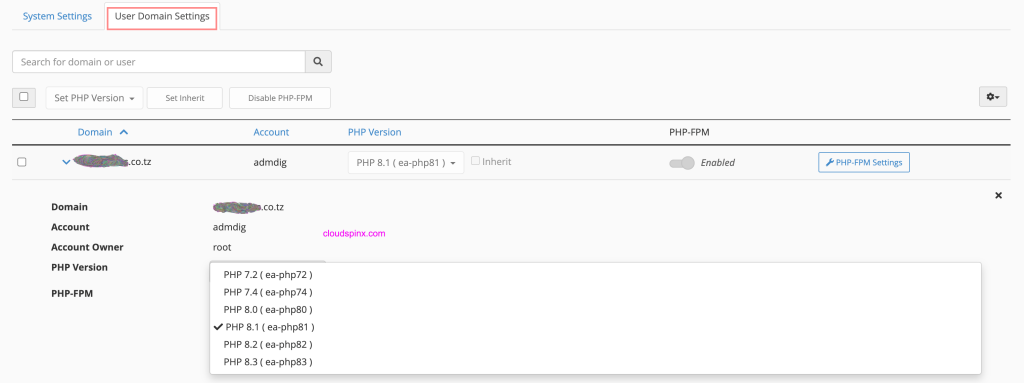
Inside “User Domain Settings“, you change PHP for a specific domain.
Install a PHP module or extension
The EasyApache 4’s packages for PHP modules and extensions use the ea-php<version>-php-<extension> naming convention, where <version> represents the PHP version number and <extension> represents the name of the PHP module.
See the following example:
sudo dnf install ea-php82-php-gdCloudSpinx Engineers are available at all times to help you in your IT journey. Don’t hesitate to reach out to us for any support or new project implementation tasks.
