

GitLab Runner is the agent that picks up CI/CD jobs from your GitLab instance and executes them. Without at least one runner registered, pipelines sit in “pending” forever. The runner connects to GitLab over HTTP/HTTPS, polls for jobs, and runs them using an executor you choose during registration: shell (runs directly on the host), Docker (spins up a container per job), or Kubernetes (pods in a cluster).
This guide walks through installing GitLab Runner on both Rocky Linux 10 and Ubuntu 24.04, registering runners with shell and Docker executors, and testing everything with a real multi-stage pipeline. If you need a GitLab server first, see the install guides for GitLab on Rocky Linux / AlmaLinux or GitLab CE on Ubuntu / Debian. The official executor documentation covers additional executor types (Kubernetes, VirtualBox, SSH) not discussed here.
Tested March 2026 | Rocky Linux 10.1, Ubuntu 24.04.4 LTS, GitLab Runner 18.10.0, Docker 29.3.1 (Rocky), Docker 28.2.2 (Ubuntu)
Prerequisites
- A running GitLab CE or EE instance (see the install guides linked in the intro above)
- A server running Rocky Linux 10 or Ubuntu 24.04 (can be the same server as GitLab or a dedicated runner host)
- Root or sudo access
- Network connectivity to your GitLab instance over HTTP or HTTPS
- For the Docker executor: Docker CE installed (covered below)
- Tested on: Rocky Linux 10.1, Ubuntu 24.04.4 LTS, GitLab Runner 18.10.0
Install GitLab Runner on Rocky Linux 10
GitLab provides an official RPM repository. Add it first:
curl -fsSL https://packages.gitlab.com/install/repositories/runner/gitlab-runner/script.rpm.sh | sudo bashInstall the runner package:
sudo dnf install -y gitlab-runnerConfirm the installed version:
gitlab-runner --versionYou should see version 18.10.0:
Version:      18.10.0
Git revision: ac71f4d8
Git branch:   18-10-stable
GO version:   go1.25.7
Built:        2026-03-18T15:22:11+0000
OS/Arch:      linux/amd64
Check that the service is running:
sudo gitlab-runner statusThe output confirms the service is active:
Runtime platform                                    arch=amd64 os=linux pid=12345 revision=ac71f4d8 version=18.10.0
gitlab-runner: Service is running
Install GitLab Runner on Ubuntu 24.04
The process is nearly identical on Ubuntu, just using the Debian repository script instead.
Add the official GitLab Runner repository:
curl -fsSL https://packages.gitlab.com/install/repositories/runner/gitlab-runner/script.deb.sh | sudo bashInstall the package:
sudo apt install -y gitlab-runnerVerify the version with gitlab-runner --version. The output matches Rocky: version 18.10.0 with the same Git revision. Confirm the service status with sudo gitlab-runner status, which should report “Service is running”.
Install Docker for the Docker Executor
The shell executor runs jobs directly on the host, so it needs no extra setup. The Docker executor requires Docker CE. If you already have Docker installed, skip to the registration section.
Rocky Linux 10
Rocky Linux 10 ships with dnf5, which does not support the --from-repofile flag. Create the Docker repo file manually:
sudo tee /etc/yum.repos.d/docker-ce.repo << 'EOF'
[docker-ce-stable]
name=Docker CE Stable
baseurl=https://download.docker.com/linux/rhel/10/$basearch/stable
enabled=1
gpgcheck=1
gpgkey=https://download.docker.com/linux/rhel/gpg
EOF
Install Docker CE and its dependencies:
sudo dnf install -y docker-ce docker-ce-cli containerd.ioCloud and minimal images often lack kernel modules that Docker needs (notably br_netfilter and overlay). Install them before starting Docker:
sudo dnf install -y kernel-modules kernel-modules-extraReboot if the kernel was updated during installation. Then enable and start Docker:
sudo systemctl enable --now dockerThe gitlab-runner user needs permission to talk to the Docker socket. Add it to the docker group:
sudo usermod -aG docker gitlab-runnerVerify Docker is working:
docker --versionExpected output on Rocky 10:
Docker version 29.3.1, build 7588a14Ubuntu 24.04
Ubuntu ships Docker in its default repositories. For a quick setup:
sudo apt install -y docker.ioEnable the service and add the runner user to the docker group:
sudo systemctl enable --now docker
sudo usermod -aG docker gitlab-runner
Check the version:
docker --versionUbuntu 24.04 ships Docker 28.2.2:
Docker version 28.2.2, build e6534eb4dcFor detailed Docker installation options, see the guides for Docker on Rocky Linux / AlmaLinux and Docker on Ubuntu / Debian.
Shell vs Docker Executor: When to Use Each
Before registering a runner, you need to decide which executor it will use. Here’s a practical comparison:
| Feature | Shell | Docker |
|---|---|---|
| Isolation | None, runs directly on the host | Full container isolation per job |
| Speed | Faster (no container overhead) | Slightly slower (image pull + container start) |
| Dependencies | Must be pre-installed on the host | Defined per-job via Docker image |
| Security | Jobs share the host filesystem | Jobs isolated in ephemeral containers |
| Best for | System-level tasks, small teams | Multi-language projects, CI/CD pipelines |
| Cleanup | Manual (build artifacts persist) | Automatic (container destroyed after job) |
Most teams start with a Docker executor because it provides clean, reproducible builds. The shell executor is useful when jobs need direct access to the host, such as deploying files locally or running system-level commands that don’t work well inside containers.
Create a Runner in GitLab
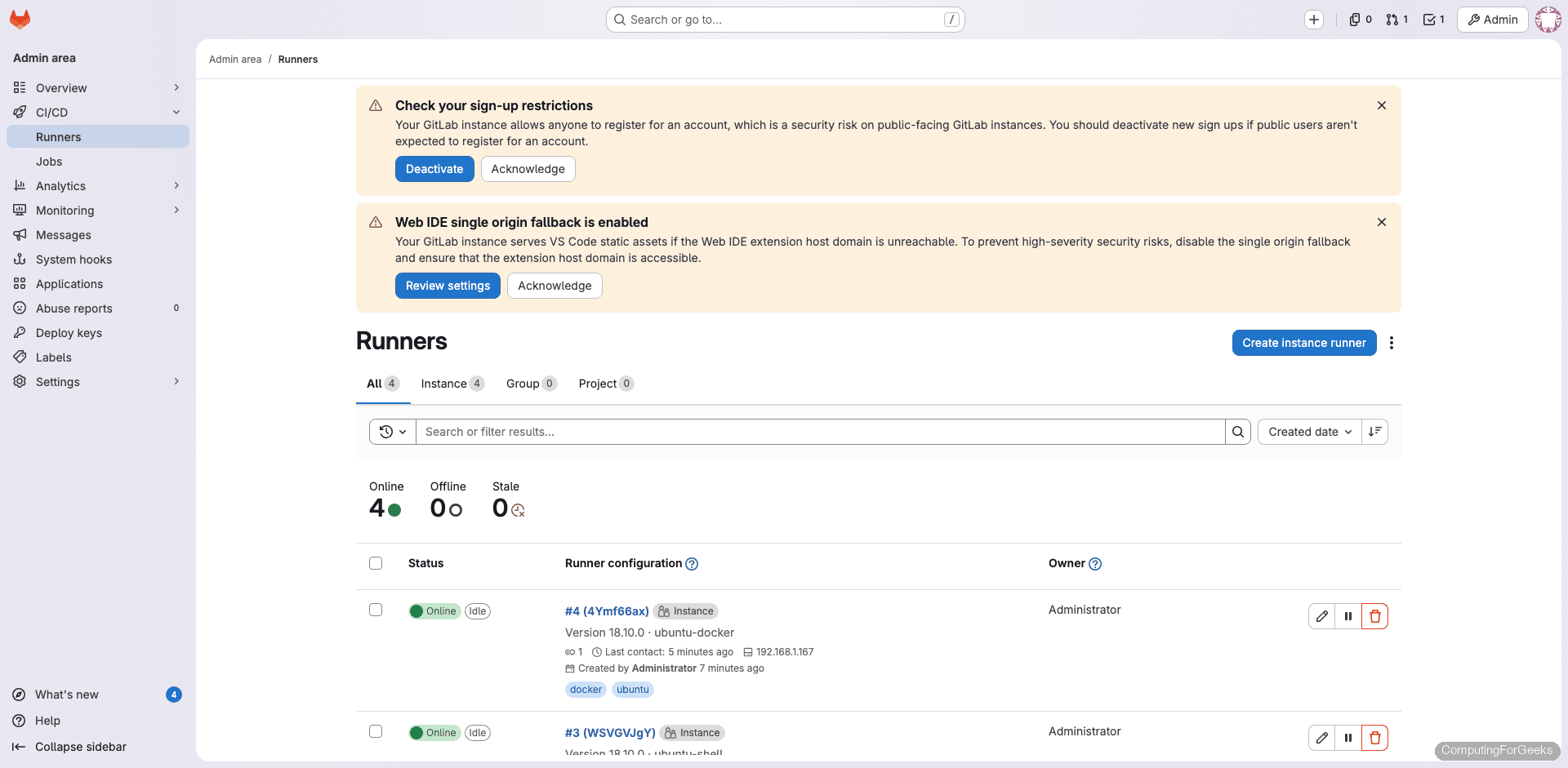
GitLab 16+ uses a new runner registration workflow. Navigate to Admin Area > CI/CD > Runners and click New instance runner. Select Linux as the platform, add tags (for example: shell, docker, rocky, ubuntu), and optionally check Run untagged jobs if you want this runner to pick up jobs without specific tag requirements. Click Create runner and copy the registration token.
Repeat this process for each runner you plan to register. In our setup, we created four runners: a shell and Docker executor on each OS.
Register the Shell Executor
Back on your runner host, register using the token you copied from GitLab. Replace the URL and token with your own values:
sudo gitlab-runner register \
  --non-interactive \
  --url "https://gitlab.example.com" \
  --token "YOUR_RUNNER_TOKEN" \
  --executor "shell" \
  --name "rocky-shell"
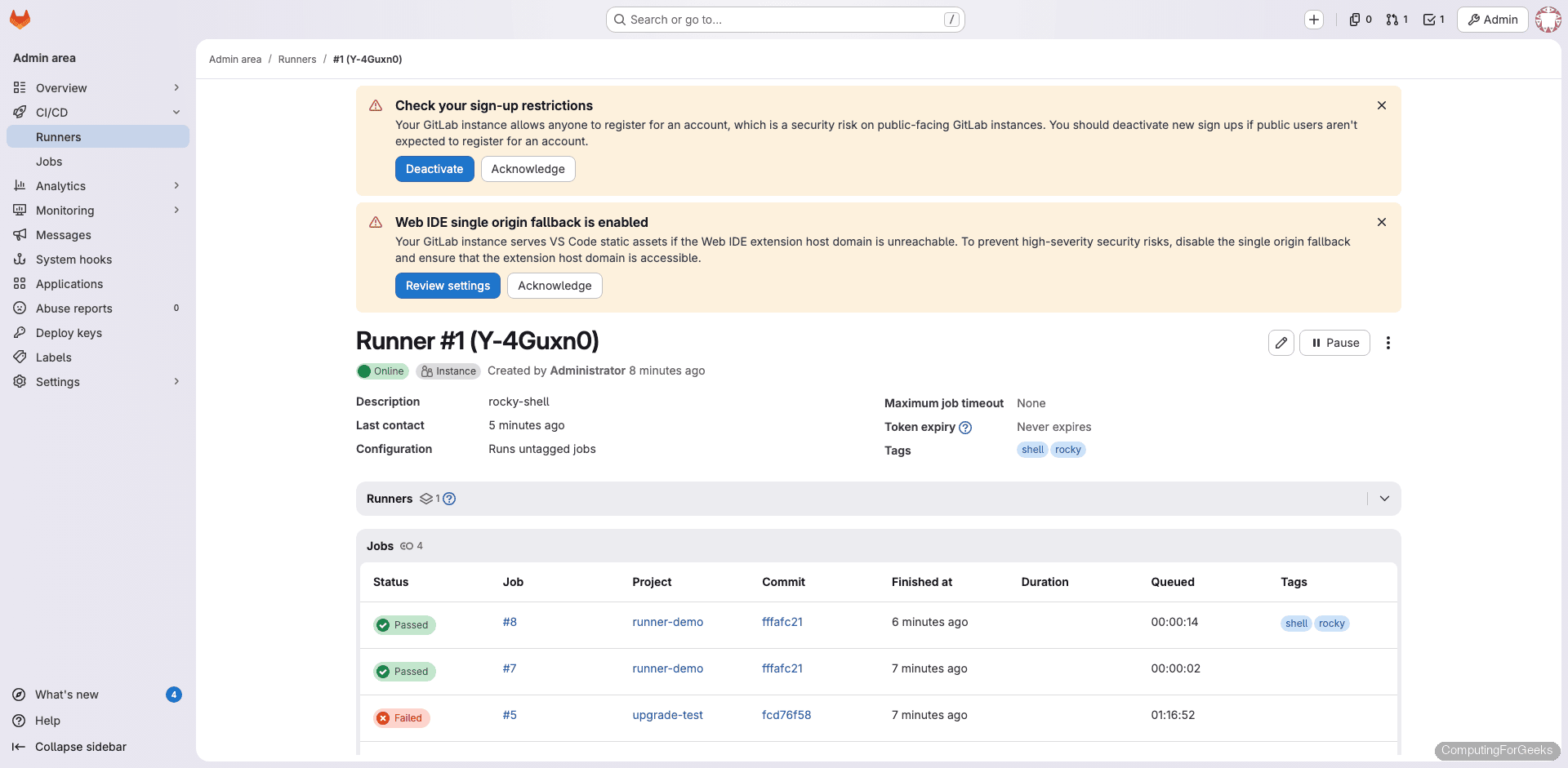
A successful registration looks like this:
Runtime platform                                    arch=amd64 os=linux pid=15234 revision=ac71f4d8 version=18.10.0
Verifying runner... is valid                        runner=Y-4Guxn0y
Runner registered successfully. Feel free to start it, but if it's running already the config should be automatically reloaded!

Configuration (with the authentication token) was saved in "/etc/gitlab-runner/config.toml"
The runner picks up the new configuration automatically. No restart needed.
Register the Docker Executor
Register a second runner on the same host, this time with the Docker executor. The --docker-image flag sets the default image used when a job doesn’t specify one:
sudo gitlab-runner register \
  --non-interactive \
  --url "https://gitlab.example.com" \
  --token "YOUR_RUNNER_TOKEN" \
  --executor "docker" \
  --docker-image "alpine:latest" \
  --name "rocky-docker"
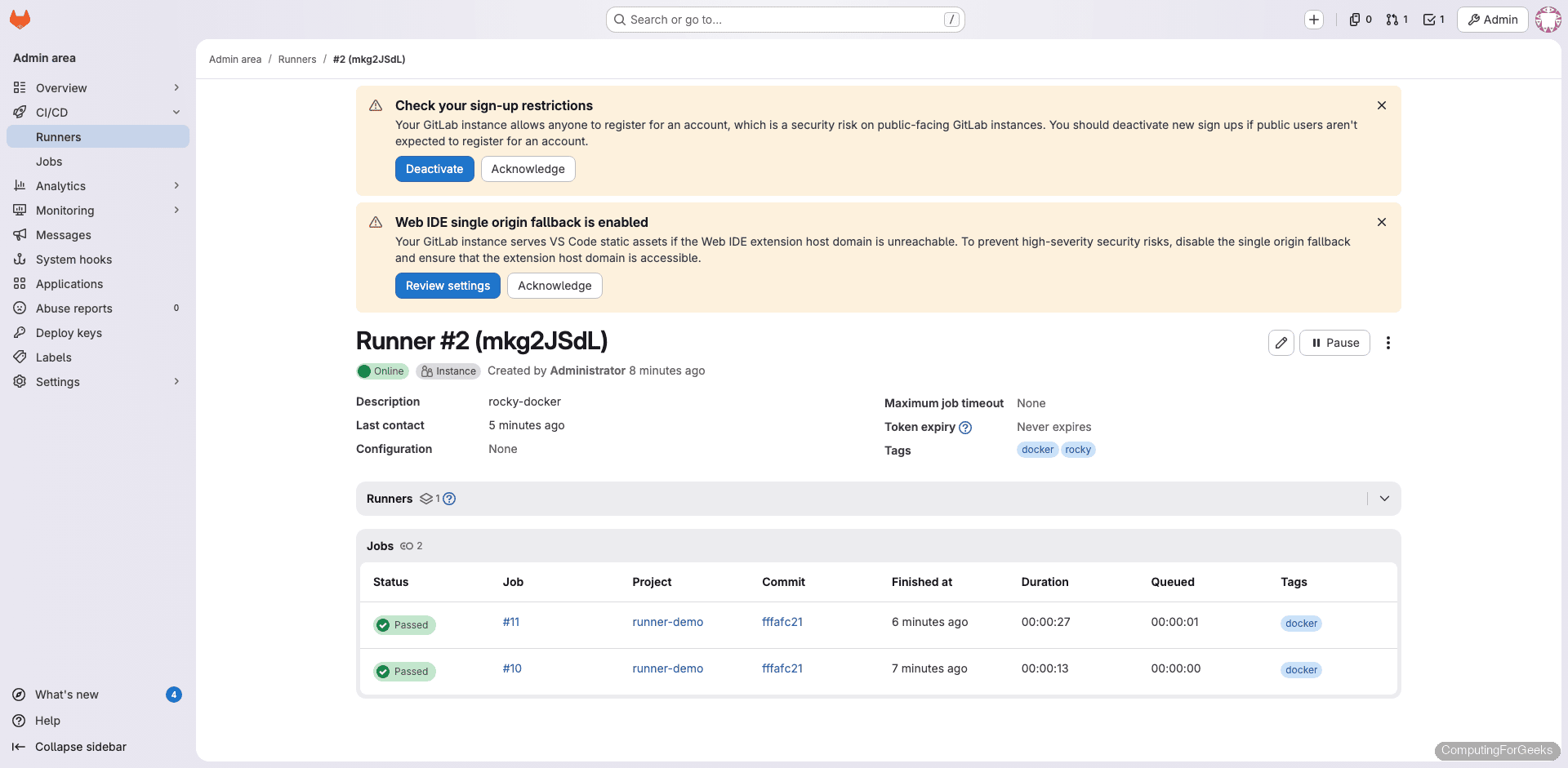
The output is identical to the shell registration, confirming the runner token is valid and the configuration was saved to /etc/gitlab-runner/config.toml.
Understanding config.toml
Every runner registration appends a [[runners]] block to /etc/gitlab-runner/config.toml. After registering both a shell and Docker executor, the file looks like this:
concurrent = 4
check_interval = 0
connection_max_age = "15m0s"
shutdown_timeout = 0

[session_server]
  session_timeout = 1800

[[runners]]
  name = "rocky-shell"
  url = "https://gitlab.example.com"
  executor = "shell"
  [runners.cache]

[[runners]]
  name = "rocky-docker"
  url = "https://gitlab.example.com"
  executor = "docker"
  [runners.docker]
    tls_verify = false
    image = "alpine:latest"
    privileged = false
    volumes = ["/cache"]
Key settings to understand:
- concurrent – Maximum number of jobs that can run simultaneously across all runners on this host. Set this based on your CPU and RAM
- check_interval – How often (in seconds) runners poll GitLab for new jobs. A value of 0 uses the default of 3 seconds
- image – Default Docker image when a job doesn’t specify one
- privileged – Set to
trueonly if you need Docker-in-Docker (dind) builds. Keep itfalseotherwise for security - volumes – Directories mounted into job containers.
/cachepersists cached data between jobs
Changes to this file are picked up automatically. You can also edit it directly instead of re-running gitlab-runner register.
Test with a Multi-Stage Pipeline
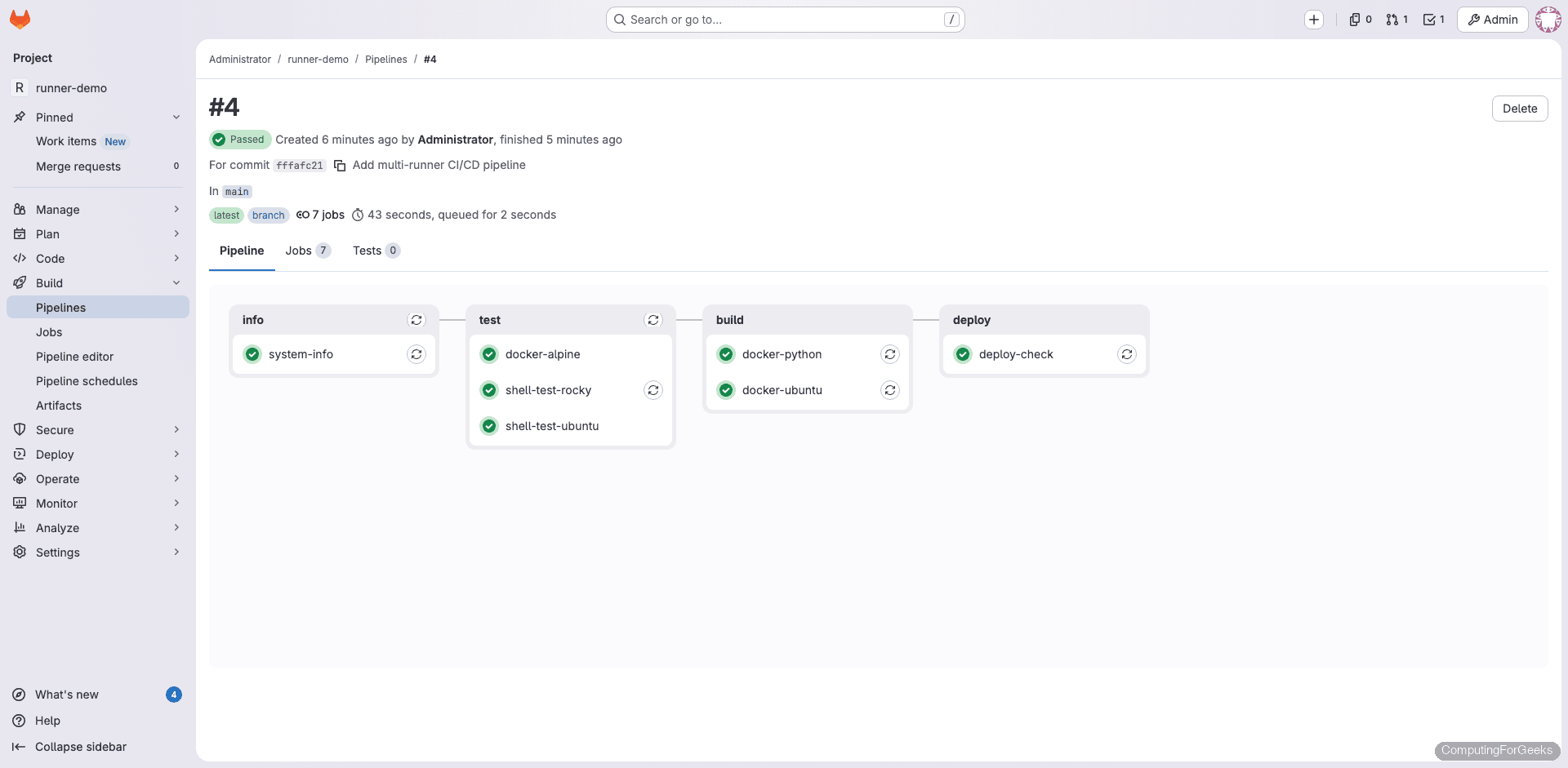
Create a new project in GitLab (or use an existing one) and add a .gitlab-ci.yml file to the root of the repository. This pipeline exercises both executors across multiple stages:
stages:
  - info
  - test
  - build

system-info:
  stage: info
  script:
    - echo "Running on $(hostname)"
    - cat /etc/os-release | head -3
    - uname -r

shell-test-rocky:
  stage: test
  tags:
    - shell
    - rocky
  script:
    - echo "Shell executor on Rocky Linux"
    - cat /etc/rocky-release
    - python3 --version
    - free -h | head -2

docker-alpine:
  stage: test
  tags:
    - docker
  image: alpine:latest
  script:
    - echo "Running inside Docker container"
    - cat /etc/os-release | head -2
    - uname -a

docker-python:
  stage: build
  tags:
    - docker
  image: python:3.12-slim
  script:
    - python --version
    - pip --version
Commit and push. The pipeline triggers automatically.
The shell-test-rocky job runs directly on the Rocky Linux host. Here’s the actual job output:
$ echo "Shell executor on Rocky Linux"
Shell executor on Rocky Linux
$ cat /etc/rocky-release
Rocky Linux release 10.1 (Red Quartz)
$ python3 --version
Python 3.12.11
$ free -h | head -2
               total        used        free      shared  buff/cache   available
Mem:           3.6Gi       539Mi       2.7Gi       4.6Mi       599Mi       3.0Gi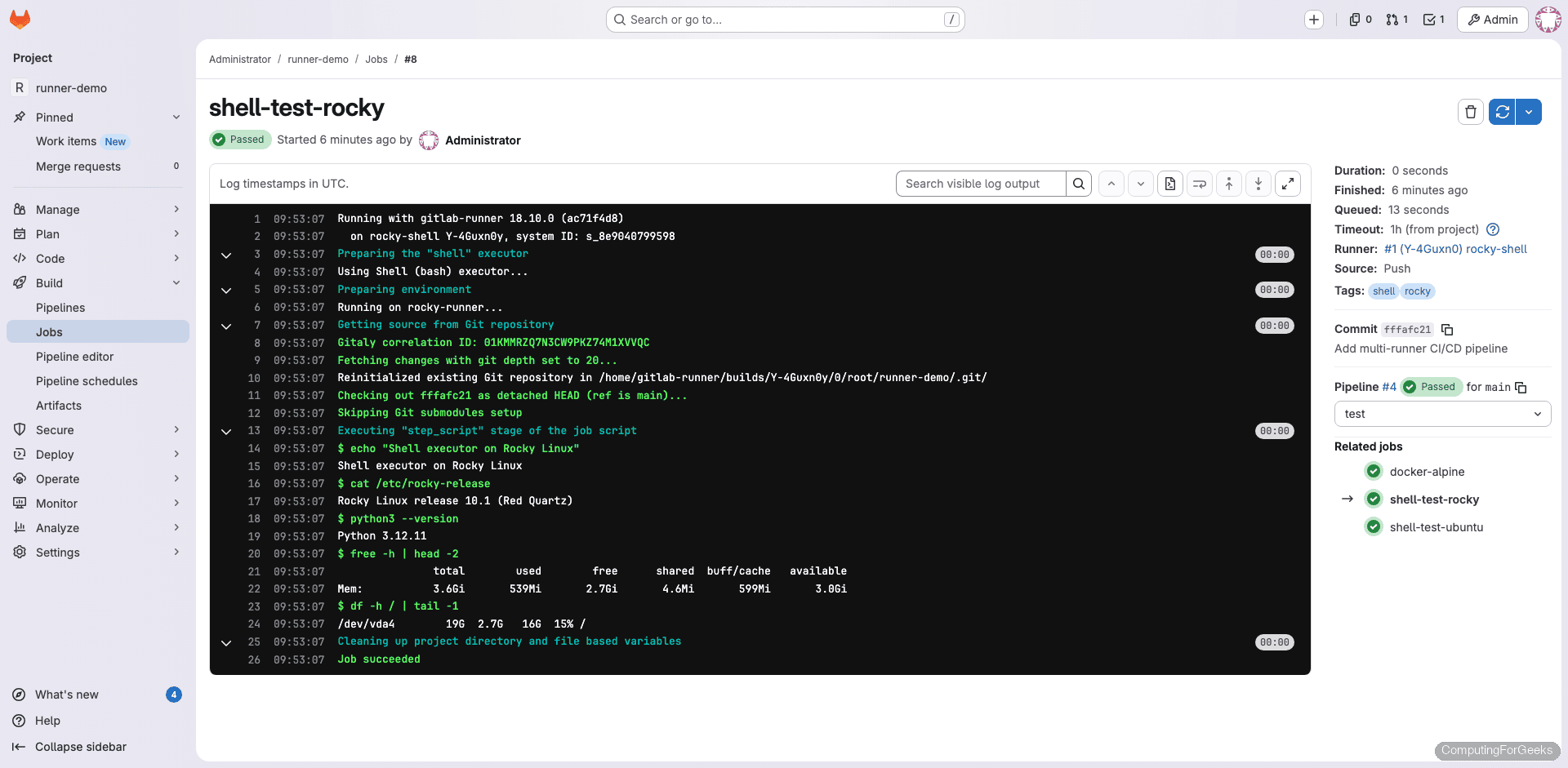
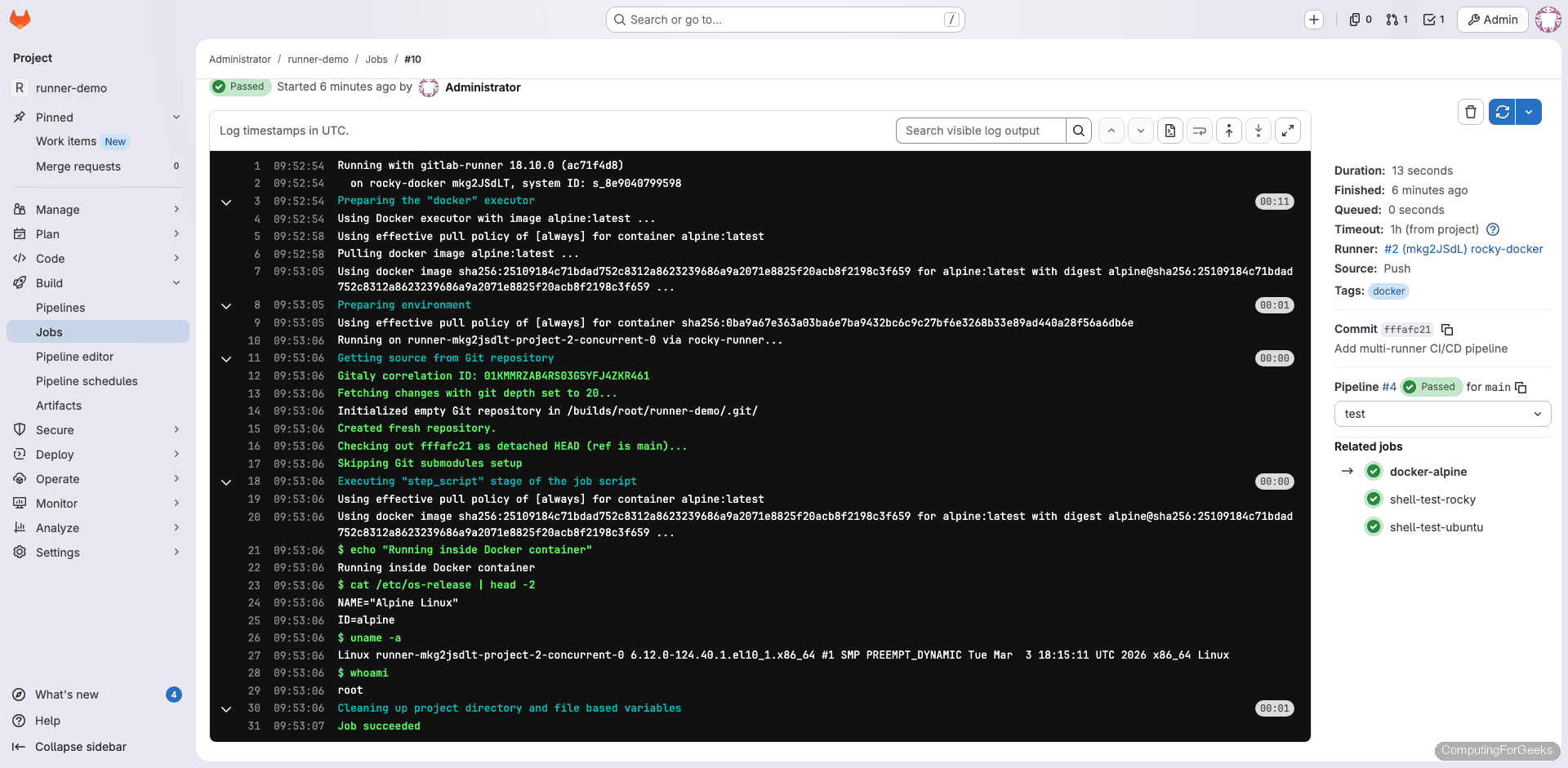
The Docker executor job pulls the Alpine image and runs inside a container:
Using docker image sha256:2510918... for alpine:latest
$ echo "Running inside Docker container"
Running inside Docker container
$ cat /etc/os-release | head -2
NAME="Alpine Linux"
ID=alpine
$ uname -a
Linux runner-mkg2jsdlt-project-2-concurrent-0 6.12.0-124.40.1.el10_1.x86_64 #1 SMP x86_64 Linux
Notice the kernel version in the uname output: it shows the Rocky Linux 10 host kernel (6.12.0) even though the job runs inside Alpine. Containers share the host kernel, which is why the Alpine container reports an EL10 kernel string.
Tagged Jobs and Runner Routing
Tags control which runner picks up which job. When you register a runner, you assign tags like shell, docker, rocky, or ubuntu. In the .gitlab-ci.yml, each job specifies the tags it requires. GitLab matches jobs to runners based on these tags.
Jobs without tags get picked up by any runner that has “Run untagged jobs” enabled. Here’s how our test pipeline routed across the four registered runners:
| Job | Tags | Picked up by |
|---|---|---|
| system-info | (none) | rocky-shell |
| shell-test-rocky | shell, rocky | rocky-shell |
| shell-test-ubuntu | shell, ubuntu | ubuntu-shell |
| docker-alpine | docker | rocky-docker |
| docker-ubuntu | docker | rocky-docker |
| docker-python | docker | ubuntu-docker |
This is why tagging runners well matters. A job tagged shell, rocky will only run on a runner that has both of those tags. If no matching runner is online, the job stays in “pending” until one becomes available.
Runner Management Commands
These commands work on both Rocky Linux and Ubuntu:
| Command | Purpose |
|---|---|
gitlab-runner status | Check if the runner service is running |
gitlab-runner list | List all registered runners on this host |
gitlab-runner verify | Verify runners can connect to GitLab |
gitlab-runner verify --delete | Remove runners that fail verification |
gitlab-runner unregister --name "runner-name" | Unregister a specific runner |
gitlab-runner unregister --all-runners | Unregister all runners on this host |
gitlab-runner restart | Restart the runner service |
gitlab-runner stop | Stop the runner service |
journalctl -u gitlab-runner -f | Follow runner logs in real time |
Tuning config.toml for Production
The default configuration works for testing, but production runners benefit from tuning. The advanced configuration reference documents every available option. Open the config file:
sudo vi /etc/gitlab-runner/config.tomlHere are the settings worth adjusting:
concurrent = 4 controls how many jobs can execute simultaneously across all runners on the host. On a 4-core machine with 8 GB RAM, 4 is a reasonable starting point. Increase for larger instances, but watch memory usage.
check_interval = 3 sets how often (in seconds) the runner polls GitLab for new jobs. The default of 3 seconds is fine for most setups. Increase to 10 or higher if you have many runners and want to reduce API load.
Under the [runners.docker] section:
- privileged = true is required for Docker-in-Docker (dind) builds where CI jobs need to build Docker images. Only enable this when necessary because privileged containers can access the host kernel
- volumes = [“/cache”, “/var/run/docker.sock:/var/run/docker.sock”] mounts the Docker socket into job containers, allowing them to build images using the host’s Docker daemon. This is an alternative to dind that avoids privileged mode
- pull_policy = [“if-not-present”] tells the runner to use a locally cached image if available, pulling only when the image doesn’t exist locally. This saves bandwidth and speeds up jobs significantly
- allowed_images = [“ruby:*”, “python:*”, “node:*”] restricts which Docker images runners will accept. Useful for preventing developers from using arbitrary images in a shared environment
- output_limit = 4096 caps the maximum job log size in KB. The default is 4096 (4 MB), which handles most jobs. Increase if your builds produce verbose output
After editing, the runner reloads the configuration automatically. You can also force a reload with sudo gitlab-runner restart.
Troubleshooting
“FATAL: Module br_netfilter not found” (Rocky 10)
Docker fails to start on minimal Rocky 10 cloud images because the kernel-modules-extra package is missing. The error appears in journalctl -u docker and Docker refuses to start. This catches most people deploying to cloud VMs.
Fix it by installing the kernel modules and rebooting:
sudo dnf install -y kernel-modules kernel-modules-extra
sudo reboot
After reboot, Docker should start cleanly with sudo systemctl start docker.
Runner shows “offline” in GitLab
Several things can cause this. Check them in order:
- Is the runner service actually running? Verify with
sudo gitlab-runner status - Can the host reach GitLab? Test with
curl -sI https://gitlab.example.com - Is the firewall blocking outbound HTTPS? The runner needs to reach GitLab on port 443 (or 80 for HTTP)
- Is the URL in
/etc/gitlab-runner/config.tomlcorrect? A trailing slash or typo will cause connection failures - Has the runner token expired or been revoked in GitLab?
Run sudo gitlab-runner verify for a quick connectivity check against all registered runners.
Jobs stuck in “pending”
Pending jobs mean GitLab can’t find a suitable runner. Check whether any online runner has matching tags. If the job requires tags docker, rocky but no runner has both, it waits forever. Also verify the runner isn’t paused (check the runner’s detail page in GitLab) and that the concurrent limit hasn’t been reached.
Docker executor: “permission denied while trying to connect to Docker daemon”
The gitlab-runner user isn’t in the docker group. Add it and restart the runner:
sudo usermod -aG docker gitlab-runner
sudo gitlab-runner restart
The restart is necessary because the running process needs to pick up the new group membership.
OS-Specific Differences
| Item | Rocky Linux 10 | Ubuntu 24.04 |
|---|---|---|
| Package manager | dnf | apt |
| Runner repo script | script.rpm.sh | script.deb.sh |
| Docker package | docker-ce (from Docker repo) | docker.io (from Ubuntu repo) or docker-ce |
| Docker repo setup | Manual .repo file (dnf5 limitation) | Works with standard apt method |
| Kernel modules | May need kernel-modules-extra for Docker | Included by default |
| Config path | /etc/gitlab-runner/config.toml | /etc/gitlab-runner/config.toml |
| Service management | systemctl | systemctl |
