

Clean Me is a tool created to help Mac users analyze their system and perform a clean-up when needed. After the inspection process by this tool, large log files, trash and unnecessary downloaded files can be deleted to free up the system space. A large log file mostly indicates that a program (or your system) has some problems that need to be resolved.
The Clean Me tool uses the pod ‘STPrivilegedTask‘ to handle sensitive data like getting your root password. The tool is design not to save this sensitive information such as password, neither does it load any sensitive data in a variable. Additionally. Clean Me does not request an internet connection, keeping you more safe.
Install Clean Me on macOS
Installation requirements are:
- A 64-bit Intel CPU or Apple Silicon CPU.
- macOS Mojave (10.14) (or higher).
- Command Line Tools (CLT) for Xcode:
xcode-select --install, developer.apple.com/downloads or Xcode - A Bourne-compatible shell for installation (e.g.
bashorzsh).
Clean Me can be installed using Homebrew cask or manually via the releases on this GitHub repository.
Install Clean Me using Homebrew
Install brew package management tool.
/bin/bash -c "$(curl -fsSL https://raw.githubusercontent.com/Homebrew/install/HEAD/install.sh)"Then install Clean Me via Homebrew cask
brew install --cask clean-meThe installation should start and finish within a short period of time.
==> Downloading https://github.com/Kevin-De-Koninck/Clean-Me/releases/download/v1.4.2/Clean.Me.app.zip
==> Downloading from https://github-releases.githubusercontent.com/79660886/d30a7780-c9ba-11ea-91aa-b5aebdba20bc?X-Amz-Algorithm=AWS4-HMAC-SHA256&X-Amz-Credential
######################################################################## 100.0%
==> Installing Cask clean-me
==> Moving App 'Clean Me.app' to '/Applications/Clean Me.app'.
🍺  clean-me was successfully installed!
Install Clean Me Manually
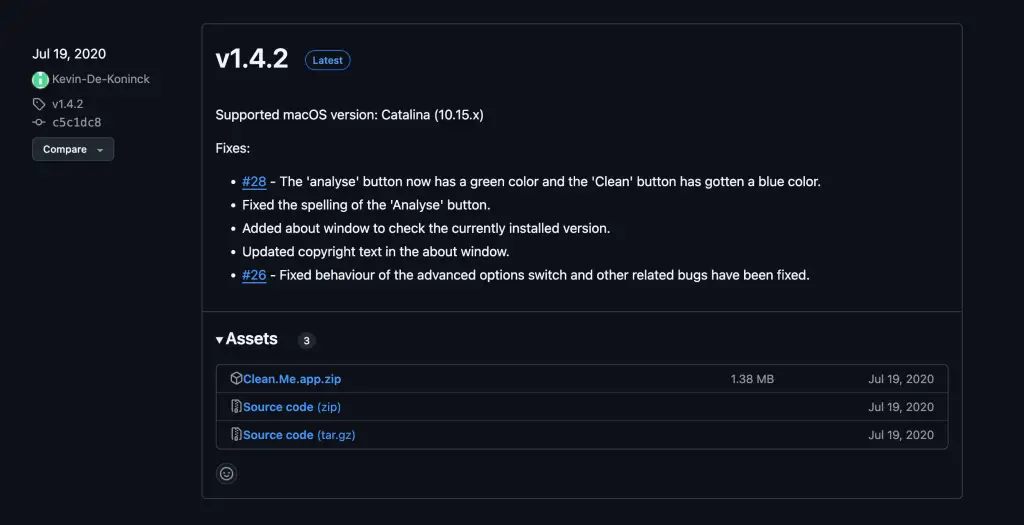
Visit the Clean Me software releases page and download the latest release of the software.
Download the .zip file.
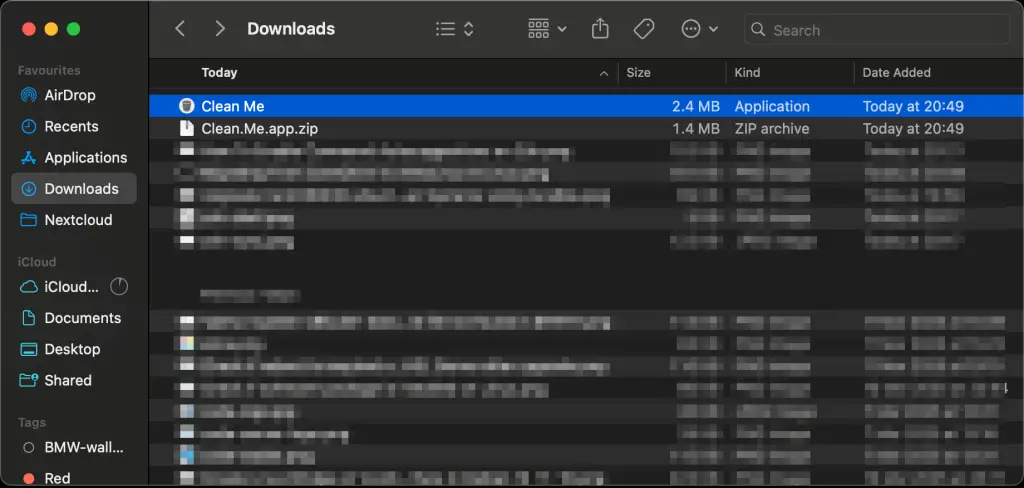
Extract the downloaded file.
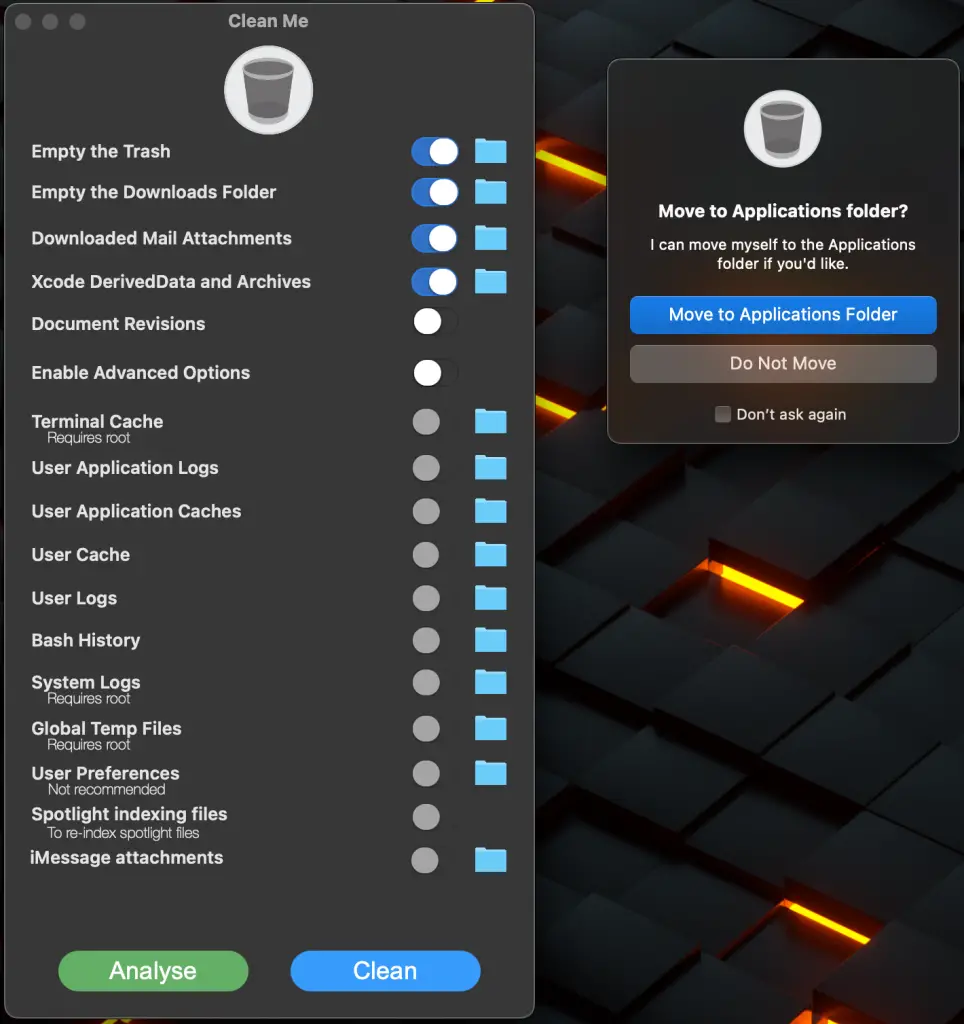
Double-click the file and choose to move extracted .app file to the default applications folder.
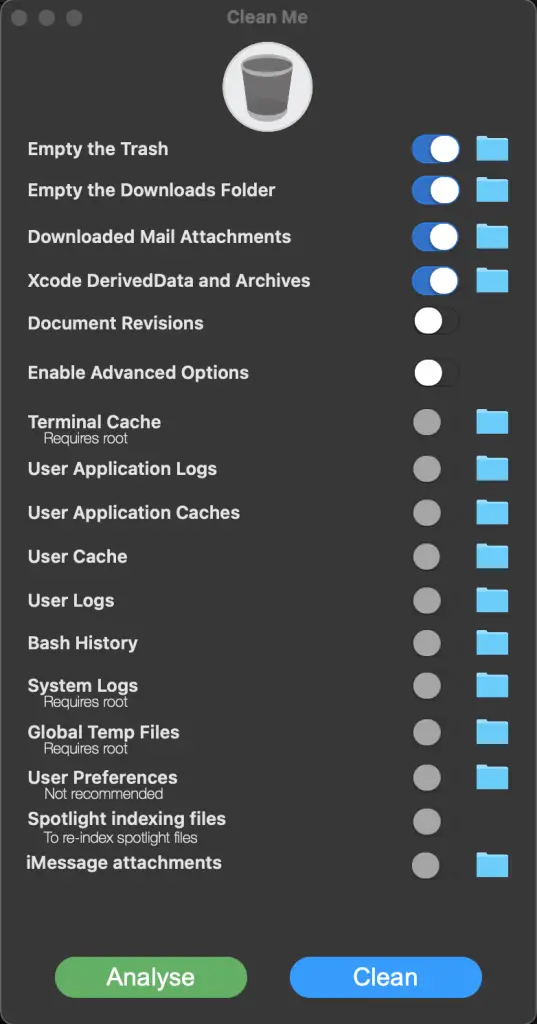
Start analysis after software component has been installed by selecting “Analyse”.
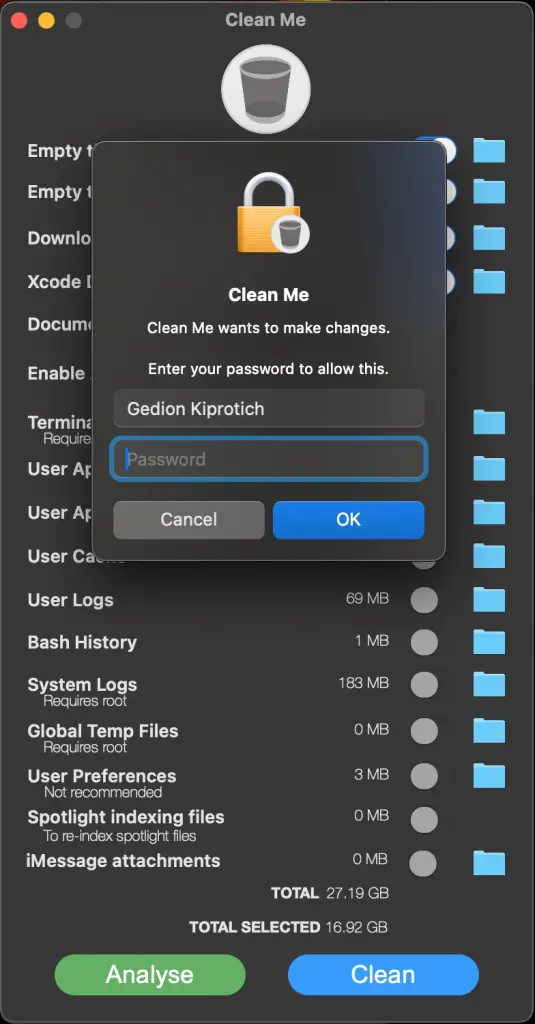
Enter your password for privilege escalation.
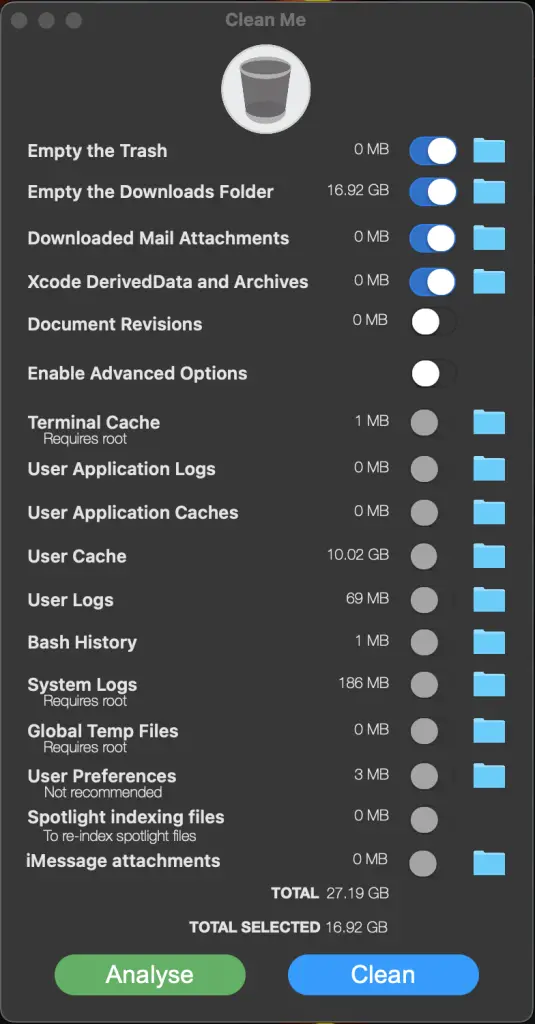
Choose the folders you’ll like to clean.
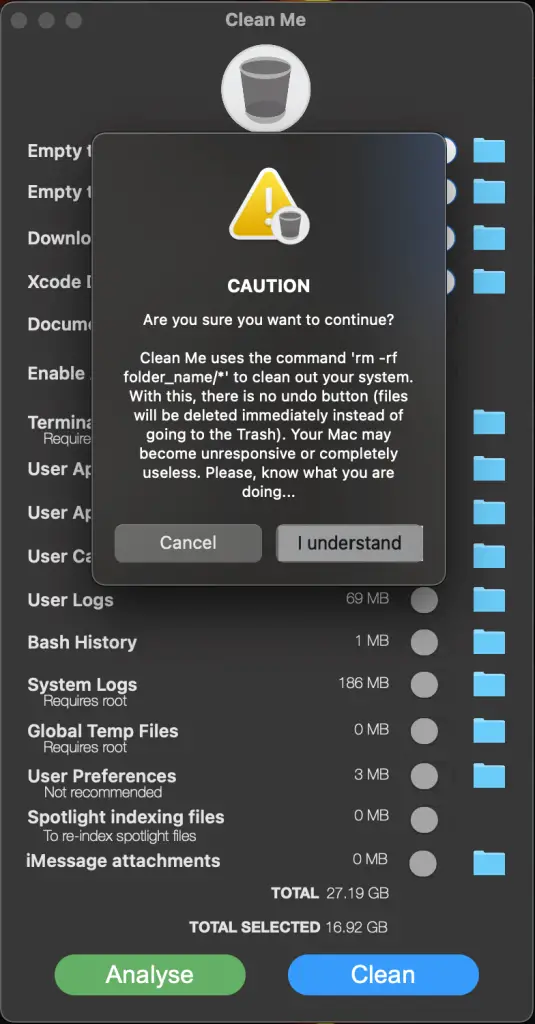
Hit “Clean” when done to perform deletion of the files in selected folders.
I hope this guide was helpful in the installation and usage of Clean Me as a tool to keep your system clean.
Check other macOS guides available in our website.
