

When you have separate Kubernetes environments for staging and production, Jenkins needs credentials for each one so pipelines can deploy to the right target based on the branch or trigger. The Kubernetes CLI plugin handles this through kubeconfig files stored as Jenkins credentials, with a withKubeConfig block in your Jenkinsfile that swaps the active cluster per stage.
We tested this end to end on a fresh Jenkins 2.541.3 server with a k3s cluster running Kubernetes 1.34, two namespaces (staging and production), separate service accounts for each, and a pipeline that deployed nginx to both. Every screenshot and command output below is from that test run. If you need Jenkins installed first, see our guides for Jenkins on Ubuntu/Debian or Jenkins on Rocky Linux.
Verified working: March 2026 on Jenkins 2.541.3, Kubernetes 1.34.5 (k3s), Kubernetes CLI Plugin 1.375, Ubuntu 24.04
Prerequisites
- A running Jenkins server (2.400+ with Pipeline plugin)
- One or more Kubernetes clusters with
kubectlaccess - Admin access to Jenkins (plugin installation and credential management)
Install the Kubernetes Plugins
Jenkins needs four plugins: Kubernetes, Kubernetes Credentials, Kubernetes CLI, and Kubernetes Client API. Go to Manage Jenkins > Plugins > Available plugins, search for “kubernetes”, and install all four.
After installation, the plugins appear in the Installed tab:
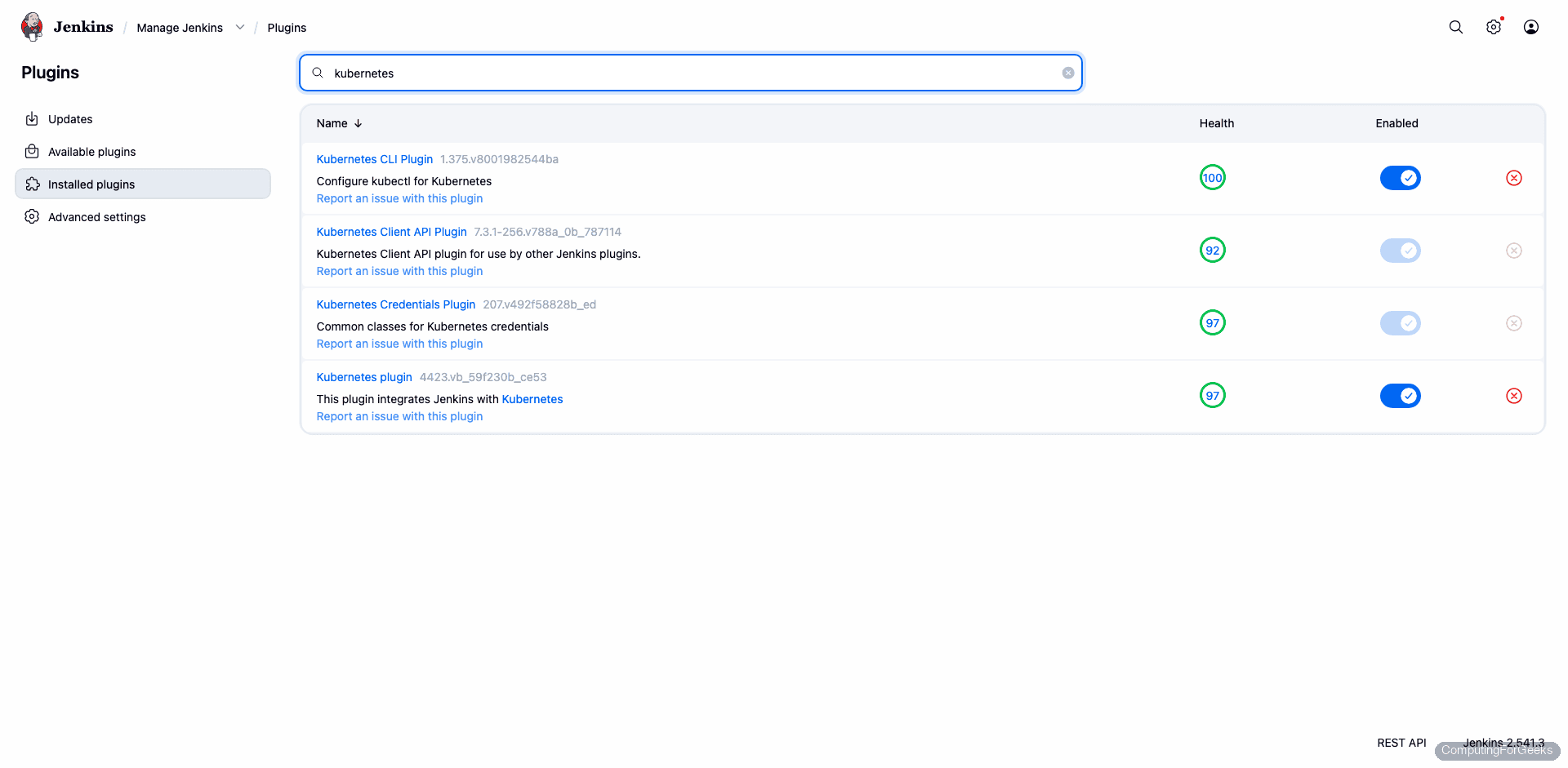
The versions from our test: Kubernetes CLI 1.375, Kubernetes Credentials 207, Kubernetes 4423, Kubernetes Client API 7.3.1.
Create Service Accounts in Kubernetes
Each environment needs its own service account that Jenkins will authenticate as. We create one per namespace with admin role (scoped to the namespace, not cluster-wide).
For the staging environment:
vi staging-sa.yamlAdd the ServiceAccount and a RoleBinding that grants it the admin ClusterRole within the staging namespace:
---
apiVersion: v1
kind: ServiceAccount
metadata:
  name: jenkins-deployer
  namespace: staging
---
apiVersion: rbac.authorization.k8s.io/v1
kind: RoleBinding
metadata:
  name: jenkins-deployer
  namespace: staging
roleRef:
  apiGroup: rbac.authorization.k8s.io
  kind: ClusterRole
  name: admin
subjects:
  - kind: ServiceAccount
    name: jenkins-deployer
    namespace: staging
Create the namespace and apply the manifest:
kubectl create namespace staging
kubectl apply -f staging-sa.yaml
Repeat for production (change namespace: staging to namespace: production in both the ServiceAccount and RoleBinding).
Generate Tokens (Kubernetes 1.24+)
Since Kubernetes 1.24, service accounts no longer get automatic secrets. Generate a token explicitly:
kubectl -n staging create token jenkins-deployer --duration=8760hThis prints a JWT token valid for one year. Copy it. Do the same for production:
kubectl -n production create token jenkins-deployer --duration=8760hYou also need the API server URL. Get it from:
kubectl cluster-infoThe output shows the API server address you need for the kubeconfig:
Kubernetes control plane is running at https://192.168.1.100:6443Create Kubeconfig Files
The Kubernetes CLI plugin works best with kubeconfig files stored as “Secret file” credentials. During testing, we found that “Secret text” credentials (just the token) result in empty token fields in the generated kubeconfig, causing authentication failures. Kubeconfig files work reliably.
Create a kubeconfig for the staging environment:
vi staging-kubeconfigPaste the following, replacing the server URL and token with your values:
apiVersion: v1
kind: Config
clusters:
- cluster:
    insecure-skip-tls-verify: true
    server: https://192.168.1.100:6443
  name: staging
contexts:
- context:
    cluster: staging
    namespace: staging
    user: staging-deployer
  name: staging
current-context: staging
users:
- name: staging-deployer
  user:
    token: PASTE_YOUR_STAGING_TOKEN_HERE
Create the same for production with the production token and namespace: production. If your clusters use proper CA certificates, replace insecure-skip-tls-verify: true with certificate-authority-data: followed by the base64-encoded CA cert.
Test the kubeconfig locally before adding it to Jenkins:
KUBECONFIG=staging-kubeconfig kubectl get pods -n stagingAn empty namespace is expected at this point:
No resources found in staging namespace.If this works, the kubeconfig is valid and ready for Jenkins.
Add Kubeconfigs as Jenkins Credentials
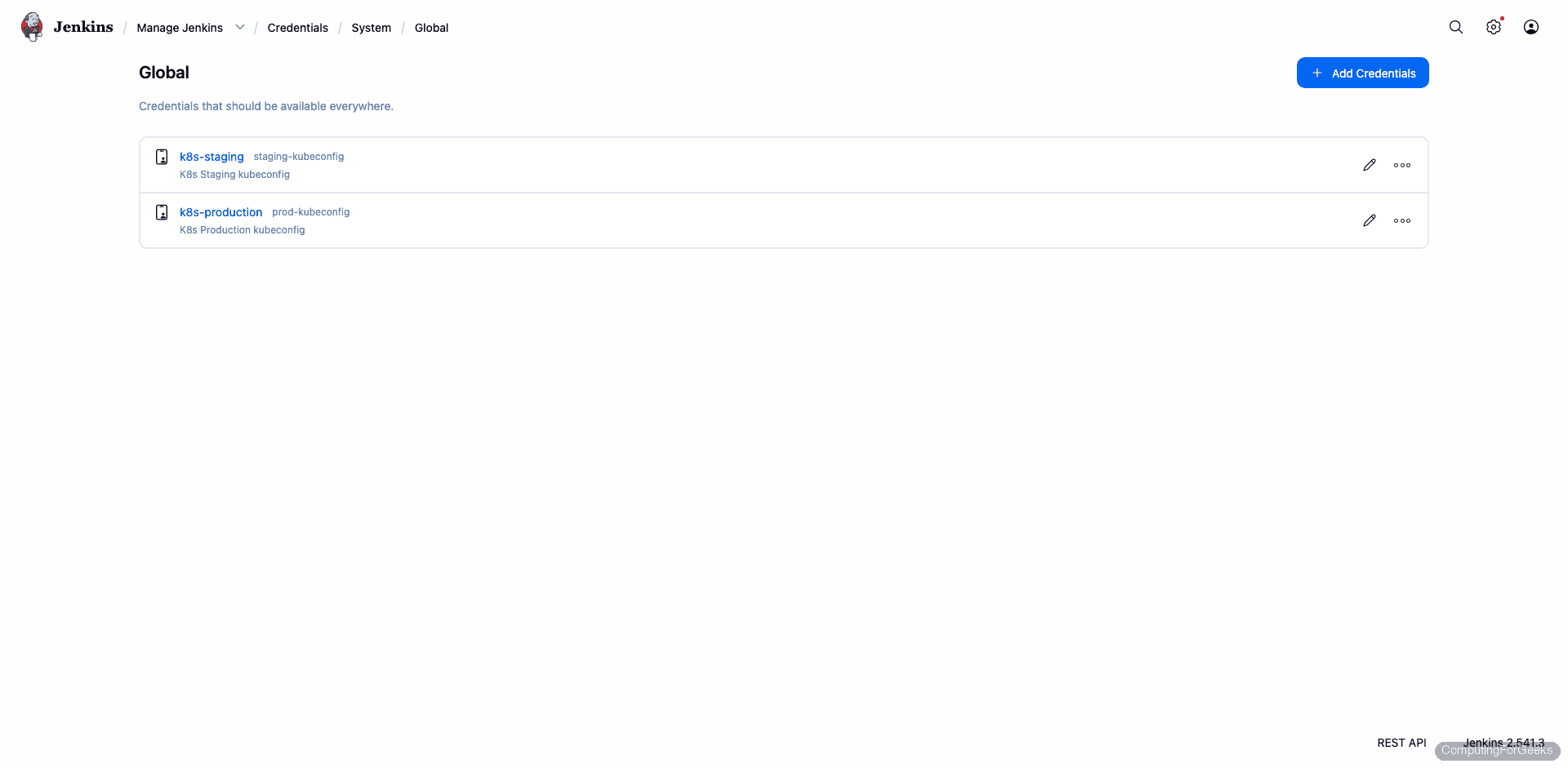
Go to Manage Jenkins > Credentials > System > Global credentials > Add Credentials. Set Kind to “Secret file”, upload the staging kubeconfig, and set the ID to k8s-staging. Repeat for production with ID k8s-production.
After adding both, the credentials page shows two Secret file entries:
Write the Pipeline
Create a new Pipeline job in Jenkins. The withKubeConfig step loads the kubeconfig from the credential and makes kubectl available inside the block. Each stage targets a different environment.
Here is the Jenkinsfile we used in our test (and it passed on the first try after getting the credentials right):
pipeline {
    agent any
    stages {
        stage('Deploy to Staging') {
            steps {
                withKubeConfig(credentialsId: 'k8s-staging') {
                    sh 'kubectl get pods -n staging'
                    sh 'kubectl create deployment nginx-staging --image=nginx:alpine -n staging || true'
                    sh 'sleep 15'
                    sh 'kubectl get deployments -n staging'
                    sh 'kubectl get pods -n staging'
                }
            }
        }
        stage('Deploy to Production') {
            steps {
                withKubeConfig(credentialsId: 'k8s-production') {
                    sh 'kubectl get pods -n production'
                    sh 'kubectl create deployment nginx-prod --image=nginx:alpine -n production || true'
                    sh 'sleep 15'
                    sh 'kubectl get deployments -n production'
                    sh 'kubectl get pods -n production'
                }
            }
        }
    }
}
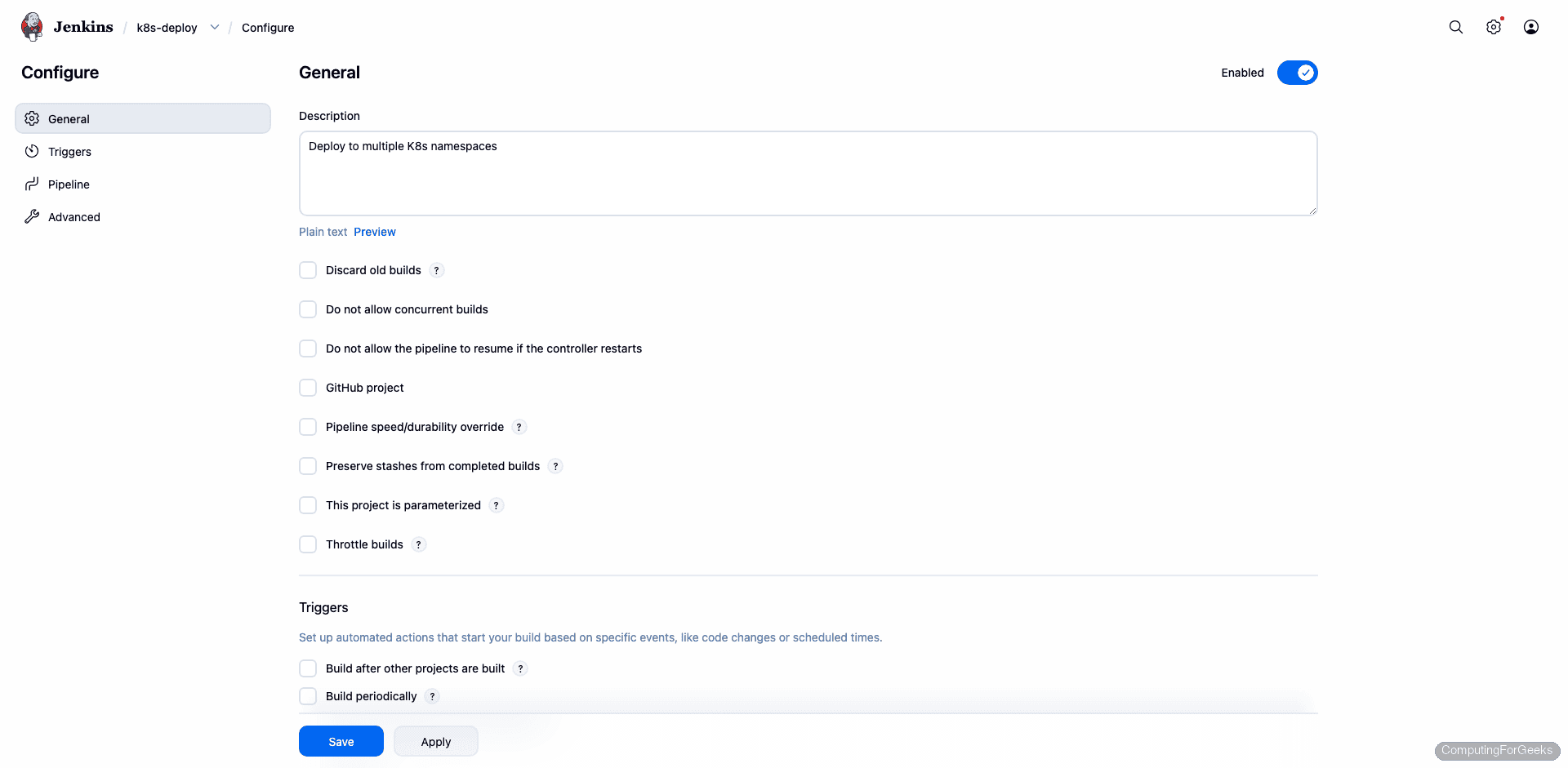
The pipeline configuration in the Jenkins UI:
Run the Pipeline
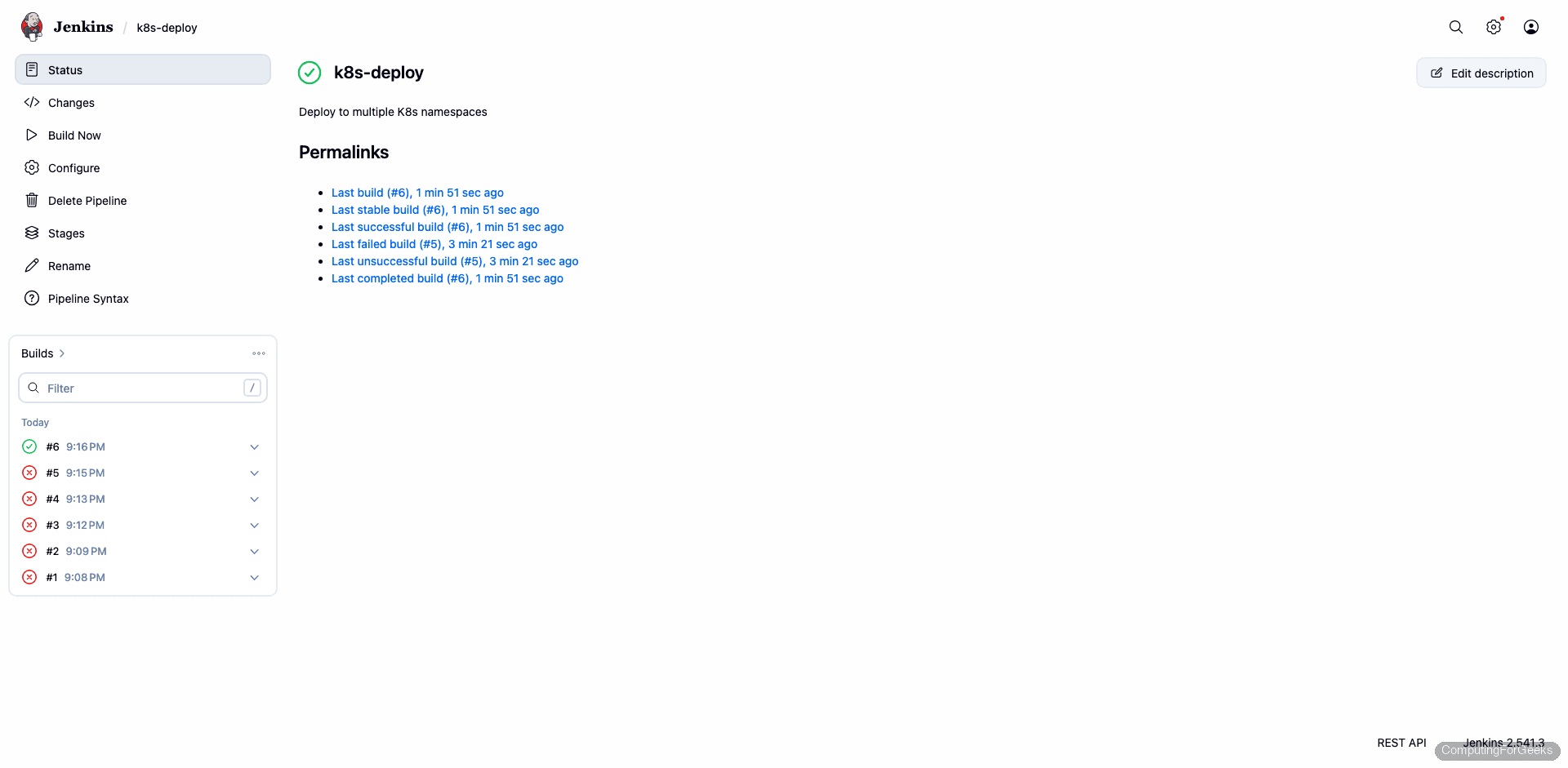
Click Build Now. The pipeline runs both stages, deploying nginx to the staging namespace first, then production:
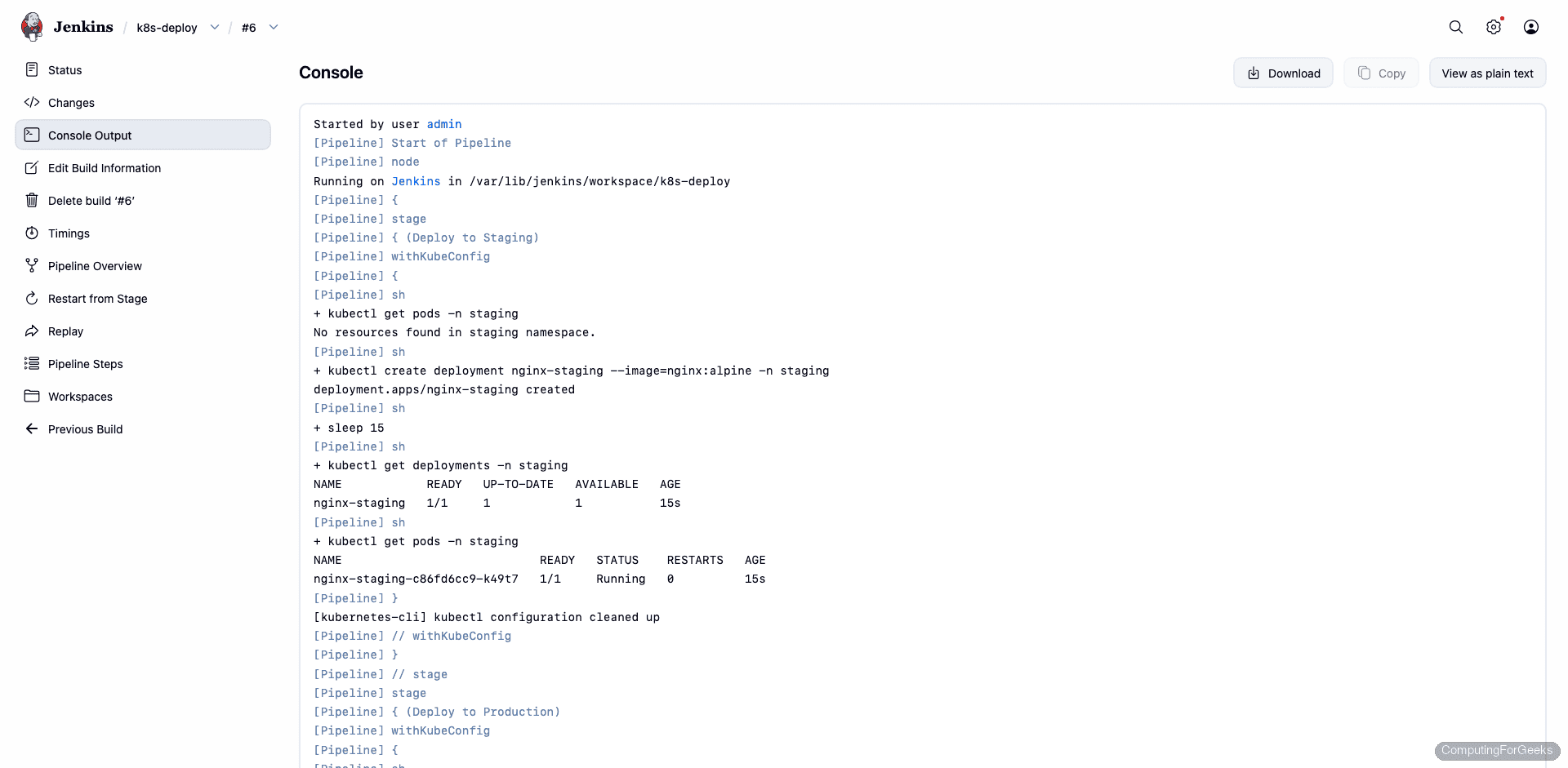
The real console output from our test run, showing both stages completing successfully:
[Pipeline] { (Deploy to Staging)
[Pipeline] withKubeConfig
[Pipeline] sh
+ kubectl get pods -n staging
No resources found in staging namespace.
+ kubectl create deployment nginx-staging --image=nginx:alpine -n staging
deployment.apps/nginx-staging created
+ kubectl get deployments -n staging
NAME            READY   UP-TO-DATE   AVAILABLE   AGE
nginx-staging   1/1     1            1           15s
+ kubectl get pods -n staging
NAME                            READY   STATUS    RESTARTS   AGE
nginx-staging-c86fd6cc9-k49t7   1/1     Running   0          15s
[kubernetes-cli] kubectl configuration cleaned up

[Pipeline] { (Deploy to Production)
[Pipeline] withKubeConfig
+ kubectl get pods -n production
No resources found in production namespace.
+ kubectl create deployment nginx-prod --image=nginx:alpine -n production
deployment.apps/nginx-prod created
+ kubectl get deployments -n production
NAME         READY   UP-TO-DATE   AVAILABLE   AGE
nginx-prod   1/1     1            1           15s
+ kubectl get pods -n production
NAME                          READY   STATUS    RESTARTS   AGE
nginx-prod-7944dc8645-899x9   1/1     Running   0          16s
[kubernetes-cli] kubectl configuration cleaned up

Finished: SUCCESS
Both deployments are running. The pipeline job page shows both stages green:
Branch-Based Deployment
In a real setup, you would use when conditions to deploy to different environments based on the Git branch. The main branch goes to production with a manual approval gate, while feature branches go to staging automatically:
pipeline {
    agent any
    stages {
        stage('Build') {
            steps {
                sh 'echo "Building application..."'
            }
        }
        stage('Deploy to Staging') {
            when { not { branch 'main' } }
            steps {
                withKubeConfig(credentialsId: 'k8s-staging') {
                    sh 'kubectl apply -f k8s/deployment.yaml -n staging'
                    sh 'kubectl rollout status deployment/myapp -n staging'
                }
            }
        }
        stage('Deploy to Production') {
            when { branch 'main' }
            steps {
                input message: 'Deploy to production?', ok: 'Deploy'
                withKubeConfig(credentialsId: 'k8s-production') {
                    sh 'kubectl apply -f k8s/deployment.yaml -n production'
                    sh 'kubectl rollout status deployment/myapp -n production'
                }
            }
        }
    }
}
The input step pauses the pipeline and requires a human to click “Deploy” before the production stage runs.
What We Learned During Testing
A few gotchas from our test run that are worth documenting:
Use kubeconfig files, not “Secret text” credentials. The Kubernetes CLI plugin’s withKubeConfig step writes a temporary kubeconfig to disk. When you use a “Secret text” credential (just the token), the plugin generates a kubeconfig with token: "" (empty), causing kubectl to prompt for a username. Kubeconfig file credentials work correctly because the plugin simply copies the file and sets KUBECONFIG.
Kubernetes 1.24+ broke the old token method. If you followed older guides that use kubectl describe secret $(kubectl get secret | grep admin), that no longer works. Since 1.24, service accounts don’t get automatic secrets. Use kubectl create token or create an explicit Secret with the kubernetes.io/service-account-token type.
Namespace-scoped RBAC is better than cluster-admin. We used RoleBinding with the built-in admin ClusterRole scoped to specific namespaces. Jenkins can deploy to staging and production but cannot touch kube-system or delete nodes. Using cluster-admin gives Jenkins full control over everything, which is unnecessary risk.
For managing clusters from the command line (outside Jenkins), kubectx and kubens are useful companion tools. For a broader kubectl reference, see our cheat sheet.


I am running the same setup using the same plugin but running via. docker container. Job spins up an agent and then uses this plugin to connect. The .kube temp config file is getting created in the jenkins workspace and not inside the /root due to which it gives an error. Any suggestions?
Thanks , This link helps me lot.